Page 557 of 886
5573-4. Using the audio system
3
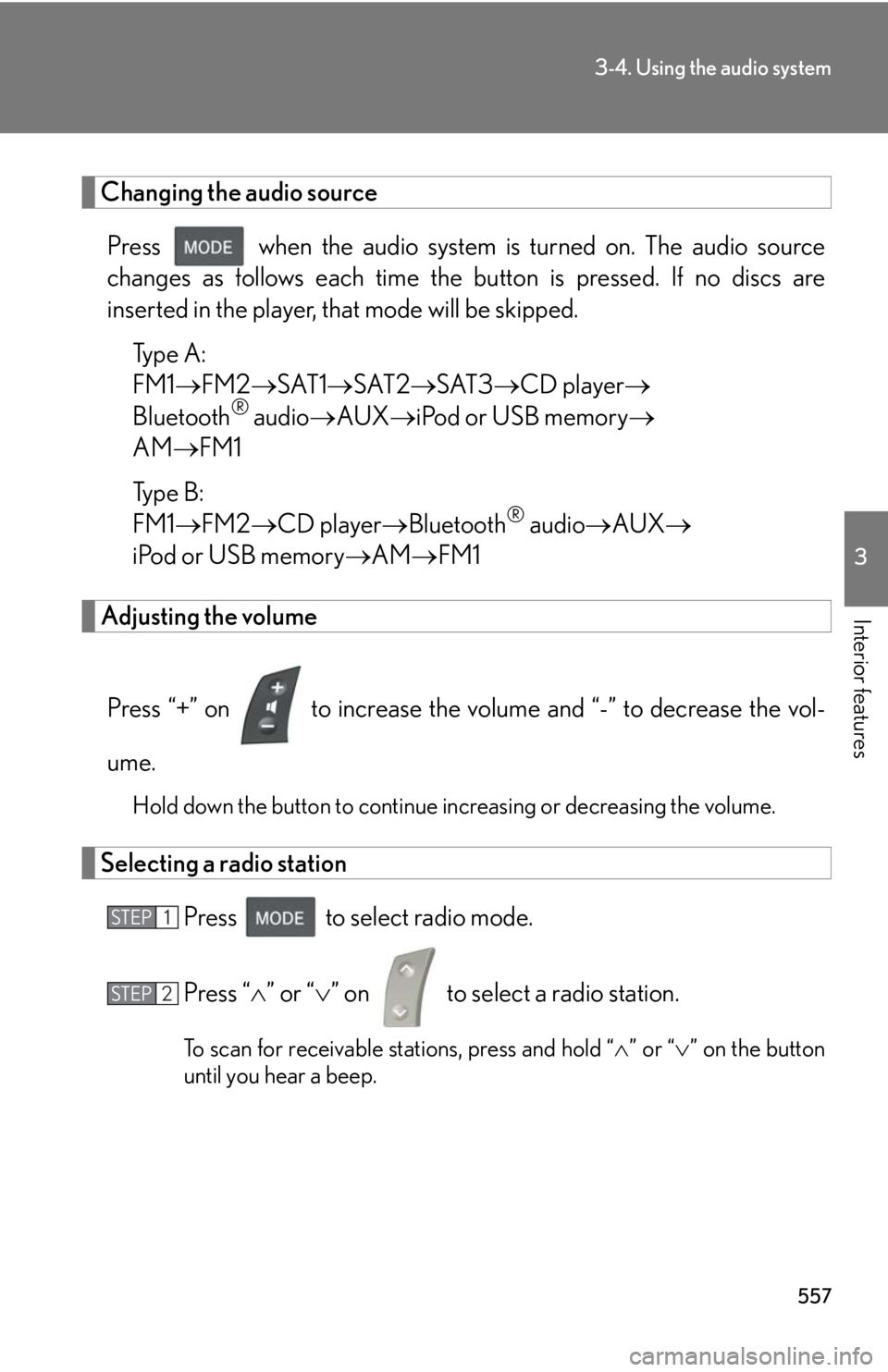
Interior features Changing the audio source
Press when the audio system is turned on. The audio source
changes as follows each time the button is pressed. If no discs are
inserted in the player, that mode will be skipped.
Type A:
FM1 FM2 SAT1 SAT2 SAT3 CD player
Bluetooth ®
audio AUX iPod or USB memory
AM FM1
Type B:
FM1 FM2 CD player Bluetooth ®
audio AUX
iPod or USB memory AM FM1
Adjusting the volume
Press “+” on to increase the vo lume and “-” to decrease the vol-
ume. Hold down the button to continue increasing or decreasing the volume.
Selecting a radio station
Press to select radio mode.
Press “ ” or “ ” on to select a radio station.
To scan for receivable stations, press and hold “ ” or “ ” on the button
until you hear a beep.STEP 1
STEP 2
Page 558 of 886
5583-4. Using the audio system
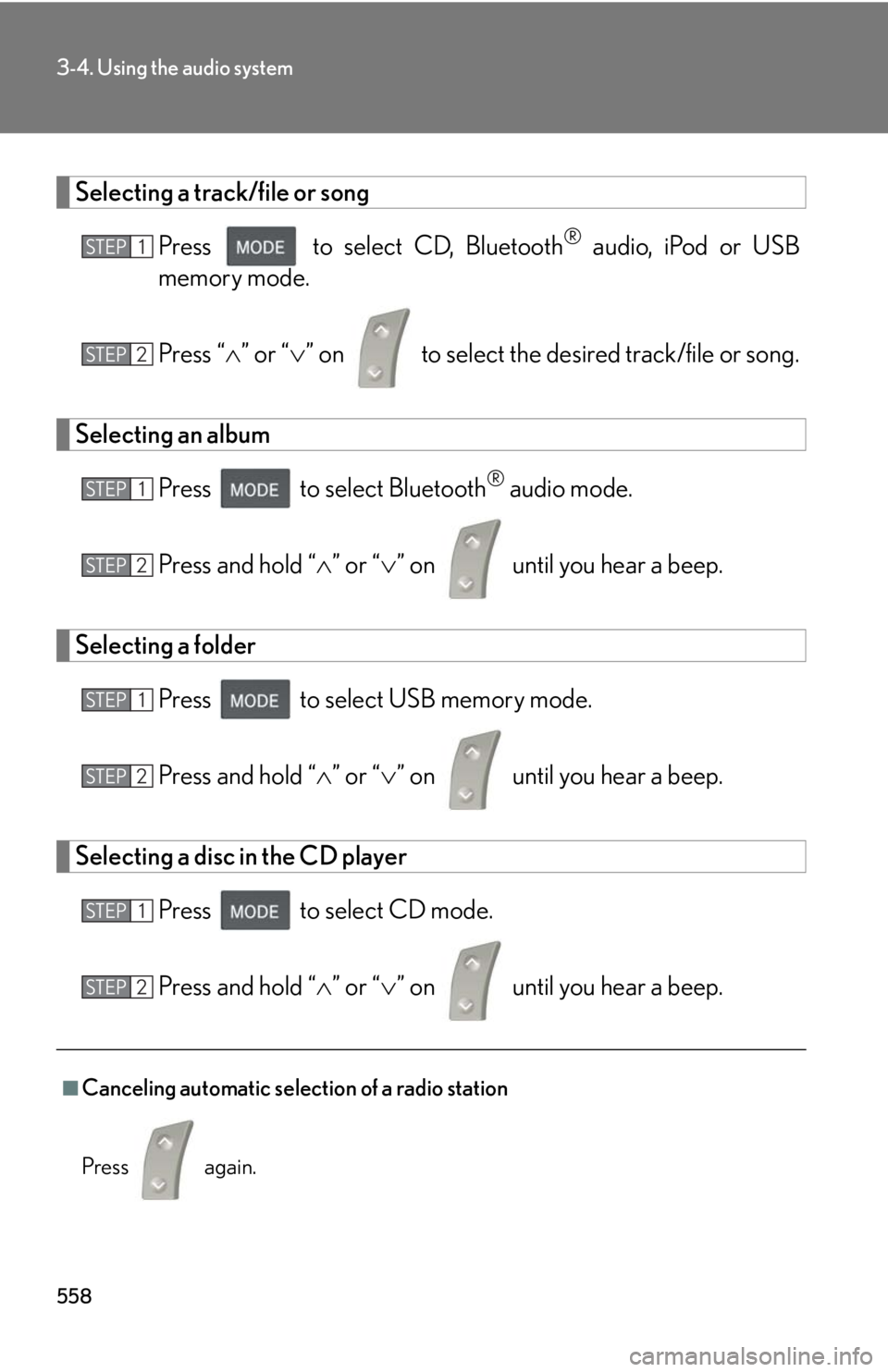
Selecting a track/file or song
Press to select CD, Bluetooth ®
audio, iPod or USB
memory mode.
Press “ ” or “ ” on to select the desired track/file or song.
Selecting an album
Press to select Bluetooth ®
audio mode.
Press and hold “ ” or “ ” on until you hear a beep.
Selecting a folder
Press to select USB memory mode.
Press and hold “ ” or “ ” on until you hear a beep.
Selecting a disc in the CD player
Press to select CD mode.
Press and hold “ ” or “ ” on until you hear a beep.
■
Canceling automatic selection of a radio station
Press again. STEP 1
STEP 2
STEP 1
STEP 2
STEP 1
STEP 2
STEP 1
STEP 2
Page 559 of 886
5593-4. Using the audio system
3
Interior features CAUTION■
To reduce the risk of an accident
Exercise care when operating the audio switches on the steering wheel.
Page 560 of 886
5603-4. Using the audio system
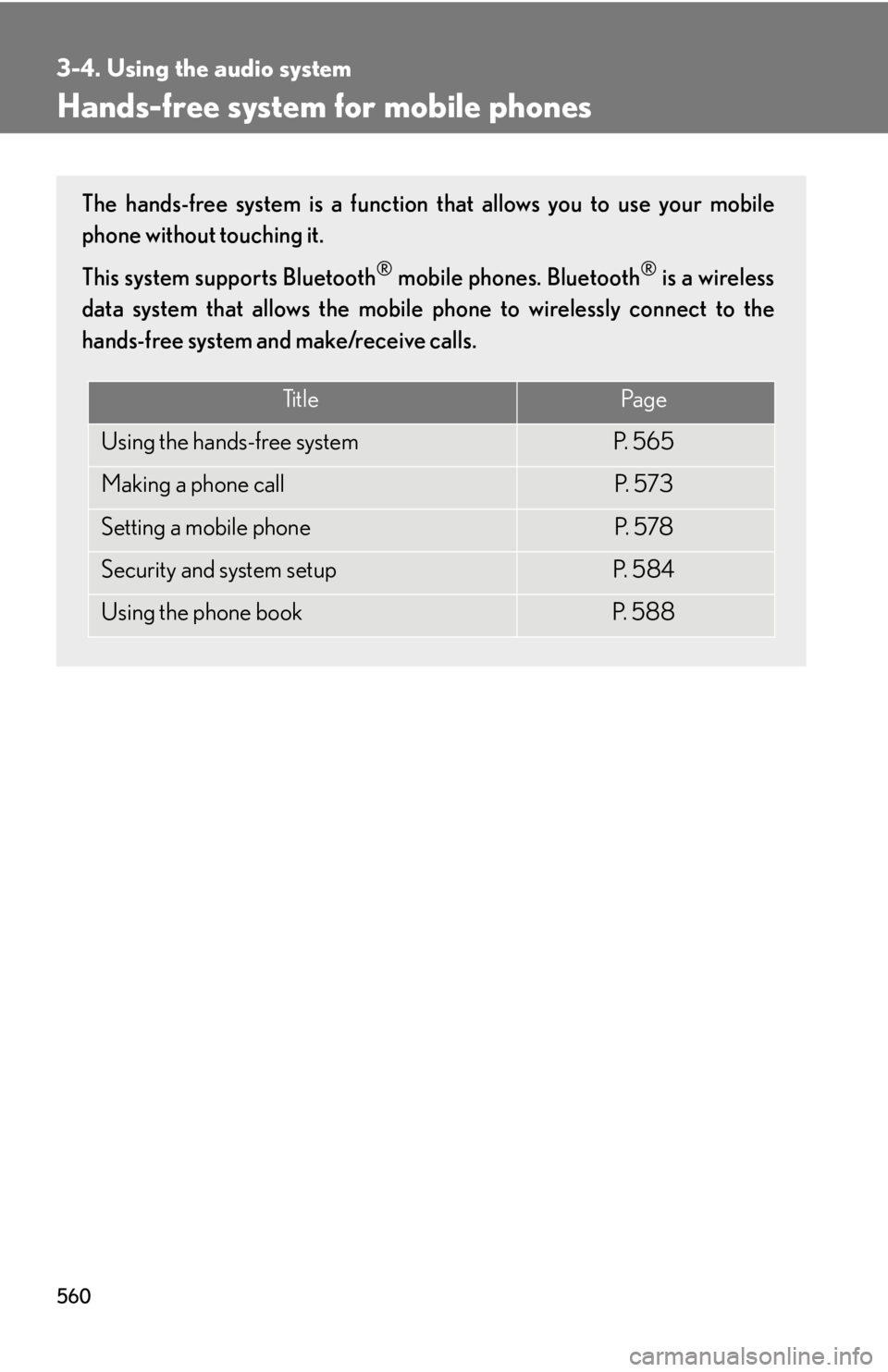
Hands-free system for mobile phones The hands-free system is a function that allows you to use your mobile
phone without touching it.
This system supports Bluetooth ®
mobile phones. Bluetooth ®
is a wireless
data system that allows the mobile phone to wirelessly connect to the
hands-free system and make/receive calls.
Ti t l e Pa g e
Using the hands-free system P. 5 6 5
Making a phone call P. 5 7 3
Setting a mobile phone P. 5 7 8
Security and system setup P. 5 8 4
Using the phone book P. 5 8 8
Page 561 of 886
5613-4. Using the audio system
3
Interior features ■
Conditions under which the system will not operate ●
If using a mobile phone that does not support Bluetooth ®
●
If the mobile phone is switched off●
If you are outside service range●
If the mobile phon e is not connected●
If the mobile phon e's battery is low●
If the mobile phone is be hind the seat or in the glove box or console box●
If metal is covering or touching the phone■
When using the hands-free system ●
The audio system and voice guidance are muted when making a call.●
If both parties speak at the same time, it may be difficult to hear.●
If the incoming call volume is overly loud, an echo may be heard.●
Try to face toward the microphone as much as possible when speaking.●
In the following circumstances, it may be difficult to hear the other party:
• When driving on unpaved roads
• When driving at high speeds
• When a window is open
• When the air conditioning is blowing directly on the microphone
• When the air conditioning is set to high■
When transferring ownership of the vehicle
Be sure to initialize the system to prevent personal data from being improperly
accessed. ( P. 5 8 7 )■
About Bluetooth ®
Bluetooth is a registered trademark of
Bluetooth SIG. Inc.
Page 562 of 886

5623-4. Using the audio system
■
Compatible models
Compatible with HFP (Hands Free Profile) Ver. 1.0 or higher (Conformed: Ver. 1.5)
and OPP (Object Push Profile) Ver. 1.1.
If your mobile phone does not support HFP, you cannot enter the Bluetooth ®
phone. If your mobile phone supports OPP alone, you cannot use the Bluetooth ®
phone.■
Certification for the hands-free system
FCC ID: AJDK018
IC ID: 775E-K018
This device complies with Part 15 of FCC Rules and Industry Canada licence-
exempt RSS standard(s). Operation is subject to the following two conditions: (1)
this device may not cause interference, and (2) this device must accept any inter-
ference, including interference that may cause undesired operation of this device.
Le présent appareil est conforme aux la partie 15 des règles de la FCC et CNR
d’Industrie Canada applicables aux appareils radio exempts de licence. L’exploita-
tion est autorisée aux deux conditions suivantes : (1) l’appareil ne doit pas produire
de brouillage, et (2) l’utilisateur de l’appareil doit accepter tout brouillage
radioélectrique subi, même si le brouilla ge est susceptible d’en compromettre le
fonctionnement.
Page 563 of 886
5633-4. Using the audio system
3
Interior features CAUTION■
FCC WARNING
Changes or modifications not expressly approved by the party responsible for
compliance could void the user's authority to operate the equipment.
This equipment complies with FCC/IC radiation exposure limits set forth for an
uncontrolled environment and meets the FCC radio frequency (RF) Exposure
Guidelines in Supplement C to OET65 and RSS-102 of the IC radio frequency
(RF) Exposure rules. This equipment has very low levels of RF energy that it
deemed to comply without maximum permis sive exposure evaluation (MPE). But it
is desirable that it should be installed and operated keeping the radiator at least 20
cm or more away from person’s body (excluding extremities: hands, wrists, feet and
ankles).
Cet équipement est conforme aux limites d’exposition aux rayonnements énon-
cées pour un environnement non contrôlé et respecte les règles les radioélec-
triques (RF) de la FCC lignes directrice s d’exposition dans le Supplément C à
OET65 et d’exposition aux fréquences ra dioélectriques (RF) CNR-102 de l’IC.
Cet équipement émet une énergie RF très faible qui est considérée conforme sans
évaluation de l’exposition maximale autorisée.
Cependant, cet équipement doit être instal lé et utilisé en gardant une distance de
20 cm ou plus entre le dispositif rayonnan t et le corps (à l’exception des extrémités
: mains, poignets, pieds et chevilles).
This transmitter must not be co-located or operated in conjunction with any other
antenna or transmitter.
Under Industry Canada regulations, this radio transmitter may only operate using
an antenna of a type and maximum (or lesser) gain approved for the transmitter by
Industry Canada. To reduce potential radio interference to other users, the antenna
type and its gain should be so chosen that the equivalent isotropically radiated
power (e.i.r.p.) is not more than that necessary for successful communication.
Conformément à la réglementation d’Indu strie Canada, le présent émetteur radio
peut fonctionner avec une antenne d’un ty pe et d’un gain maximal (ou inférieur)
approuvé pour l’émetteur par Industrie Ca nada. Dans le but de réduire les risques
de brouillage radioélectrique à l’intention des autres utilisateurs, il faut choisir le
type d’antenne et son gain de sorte que la puissance isotrope rayonnée équivalente
(p.i.r.e.) ne dépasse pas l’intensité nécessaire à l’établissement d’une communica-
tion satisfaisante.
Page 564 of 886
5643-4. Using the audio system
CAUTION■
Caution while driving
Do not use a mobile phone or connect the Bluetooth ®
phone.■
Caution regarding interference with electronic devices ●
Your audio unit is fi tted with Bluetooth ®
antennas. People with implantable car-
diac pacemakers, cardiac resynchronization therapy-pacemakers or implantable
cardioverter defibrillators should maintain a reasonable distance between them-
selves and the Bluetooth ®
antennas. The radio waves may affect the operation of
such devices.●
Before using Bluetooth ®
devices, users of any electrical medical device other
than implantable cardiac pacemakers, cardiac resynchronization therapy-pace-
makers or implantable cardioverter defibrillators should consult the manufac-
turer of the device for information about its operation under the influence of radio
waves. Radio waves could have unexpected effects on the operation of such
medical devices.
NOTICE■
To prevent damage to mobile phones
Do not leave mobile phones in the vehicle. The temperature inside the vehicle may
become high, resulting in damage to the phone.