Page 37 of 886
371-2. Opening, closing and locking the doors
1
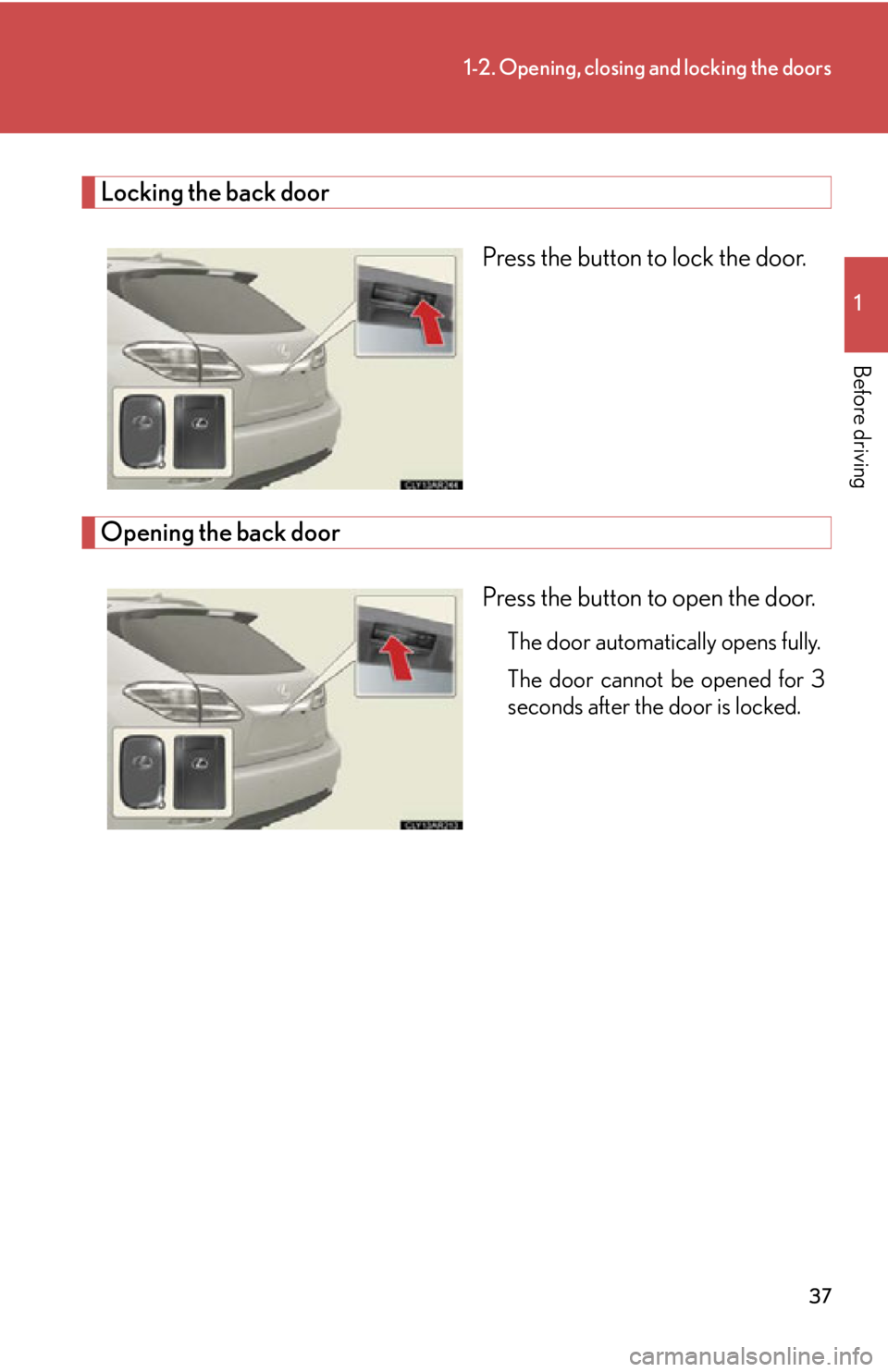
Before driving Locking the back door
Press the button to lock the door.
Opening the back door
Press the button to open the door. The door automatically opens fully.
The door cannot be opened for 3
seconds after the door is locked.
Page 38 of 886
381-2. Opening, closing and locking the doors
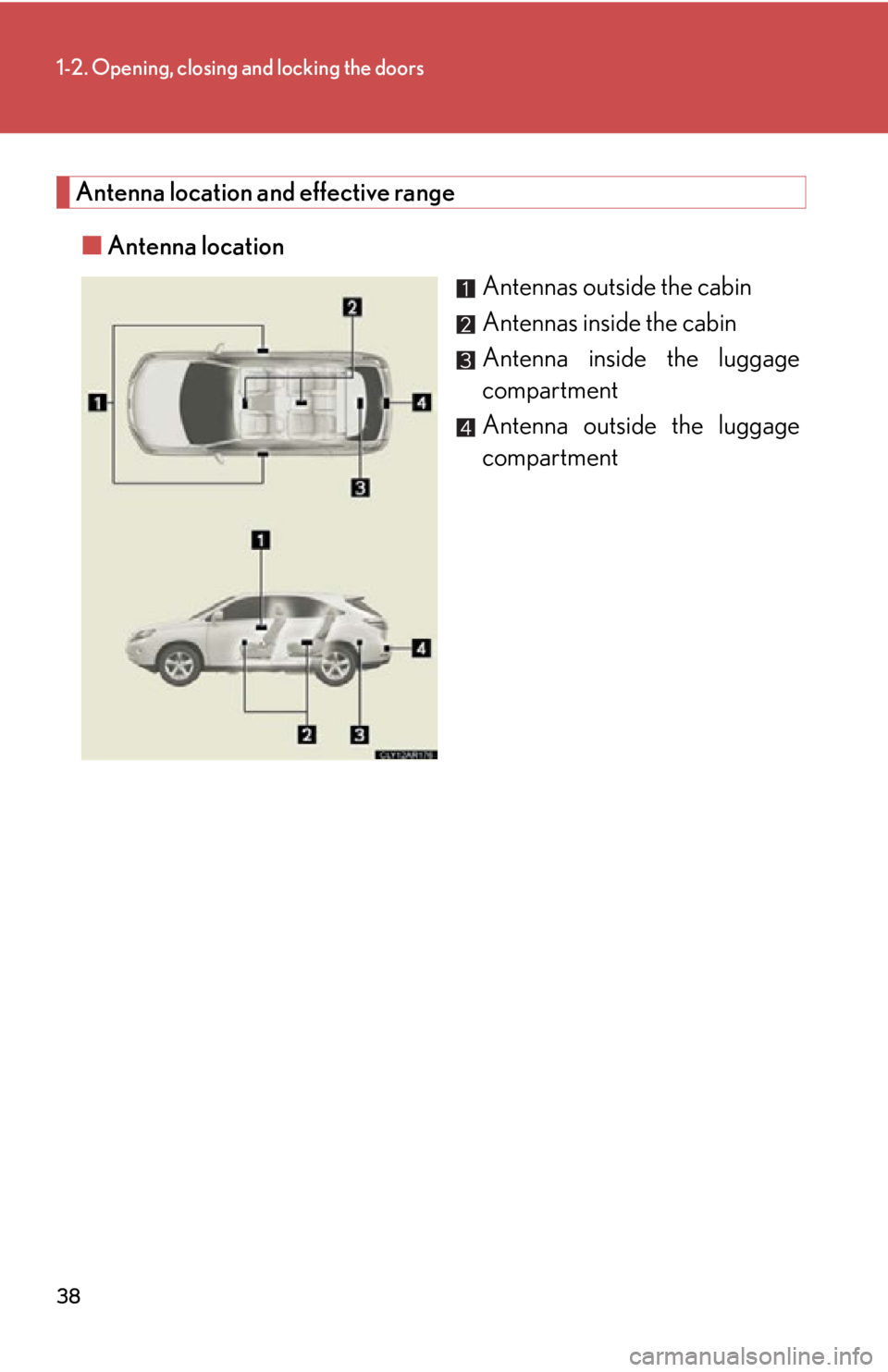
Antenna location and effective range
■ Antenna location
Antennas outside the cabin
Antennas inside the cabin
Antenna inside the luggage
compartment
Antenna outside the luggage
compartment
Page 39 of 886
391-2. Opening, closing and locking the doors
1
Before driving ■ Effective range (areas within wh ich the electronic key is detected)
When locking or unlocking
the doors The system can be operated
when the electronic key is
within about 2.3 ft. (0.7 m) of
an outside door handle. (Only
the doors detecting the key
can be operated.)
When starting the engine
or changing “ENGINE
START STOP” switch
modes The system can be operated
when the electronic key is
inside the vehicle.■
Operation signals
A buzzer sounds and the emergency flashers flash to indicate that the doors have
been locked/unlocked. (Locked: Once; Unlocked: Twice)■
When the door cannot be locked by the lock sensor on the upper part of the door
handle
Touch both lock sensors on the upper and
lower part of the door handle simultaneously.
Page 40 of 886

401-2. Opening, closing and locking the doors
■
Alarms and warning indicators
A combination of exterior and interior alarms as well as warning messages shown
on the multi-information display is used to prevent theft of the vehicle and accidents
resulting from erroneous operation. Take appropriate measures in response to any
warning message on the multi-information display. ( P. 7 5 4 )
The following table describes circumstances and correction procedures when only
alarms are sounded.
Alarm Situation Correction procedure
Exterior alarm
sounds once for 5
seconds. An attempt was made to lock
the vehicle while a door was
open. Close all of the doors
and lock the doors
again.
Interior alarm pings
repeatedly The “ENGINE START
STOP” switch was turned to
ACCESSORY mode while
the driver's door is open (The
driver's door was opened
when the “ENGINE START
STOP” switch is in ACCES-
SORY mode.) Close the driver's door.
The “ENGINE START
STOP” switch was turned off
while the driver's door is
open. Close the driver's door.
Page 41 of 886

411-2. Opening, closing and locking the doors
1
Before driving ■
Security feature
If a door is not opened within approx imately 60 seconds after the vehicle is
unlocked, the security feature automatically locks the vehicle again.■
Battery-saving function
If the vehicle is parked for a long period of time, the battery-saving function is acti-
vated in order to prevent the vehicle battery from being discharged and the elec-
tronic key battery from being depleted. ●
In the following circumstances, unlock ing the vehicle using the entry function
may take longer than usual:
• When the entry function has not been used for 5 days or more
• When the electronic key has been left within approximately 6 ft. (2 m) of the
vehicle for 10 minutes or more●
If the entry function has not been used for 14 days or more, the vehicle cannot
be unlocked by a door other than the dr iver's door. To unlock the vehicle, grip
the driver's door handle or use the wireless remote control or the mechanical
key.
The system will resume operation when: ●
The vehicle is locked using the lock sensor.●
The vehicle is locked/unlocked using the wireless remote control function.
( P. 4 9 )●
The vehicle is locked/unlocked using the mechanical key. ( P. 7 9 3 )
Page 42 of 886

421-2. Opening, closing and locking the doors
■
Conditions affecting operation
The smart access system with push-button start uses weak radio waves. In the fol-
lowing situations, the communication betw een the electronic key and the vehicle
may be affected, preventing the smart access system with push-button start, wire-
less remote control and immobilize r system from operating properly.
(Ways of coping: P. 7 9 3 )●
When the electronic key battery is depleted●
Near a TV tower, electric power plant, gas station, radio st ation, large display,
airport or other facility that generates strong radio waves or electrical noise●
When carrying a portable radio, cellular phone, cordless phone or other wire-
less communication devices●
When the electronic key is in contact wi th, or is covered by the following metal-
lic objects
• Cards to which aluminum foil is attached
• Cigarette boxes that have aluminum foil inside
• Metallic wallets or bags
•Coins
• Hand warmers made of metal
• Media such as CDs and DVDs●
When multiple electronic keys are in the vicinity●
When another wireless key (that emits radio waves) is being used nearby●
When carrying the electronic key togeth er with the following devices that emit
radio waves
• Another vehicle's electronic key or a wireless key that emits radio waves
• Personal computers or person al digital assistants (PDAs)
• Digital audio players
• Portable game systems●
If window tint with a metallic content or metallic objects are attached to the rear
window
Page 43 of 886

431-2. Opening, closing and locking the doors
1
Before driving ■
Note for the entry function ●
Even when the electronic key is within the effective range (detection areas), the
system may not operate properly in the following cases:
• The electronic key is too close to the window or outside door handle, near the
ground, or in a high place when the doors are locked or unlocked.
• The electronic key is on the instrument panel, luggage cover or floor or in the
glove box.●
Do not leave the electronic key on top of the instrument panel or near the door
pockets when exiting the vehicle. Depending on the radio wave reception con-
ditions, it may be detected by the an tenna outside the cabin and the door will
become lockable from the outside, possibly trapping the electronic key inside
the vehicle.●
As long as the electronic key is within the effective range, the doors may be
locked or unlocked by anyone. Howeve r, only the doors detecting the elec-
tronic key can be used to unlock the vehicle.●
The doors may lock or unlock if the electronic key is within the effective range
and a large amount of water splashes on the door handle, such as in the rain or
in a car wash. The doors will automatically be locked after approximately 60
seconds if a door is not opened and closed.●
If the wireless remote control is used to lock the doors when the electronic key
is near the vehicle, there is a possibility that the door may not be unlocked by the
entry function. (Use the wireless re mote control to unlock the doors.)
Page 44 of 886

441-2. Opening, closing and locking the doors
■
Notes for locking the doors ●
Touching the door lock sensor while we aring gloves may delay or prevent lock
operation. Remove the gloves and touch the lock sensor again.●
When the lock operation is performed using the lock sensor, recognition signals
will be shown up to two consecutive times. After this, no recognition signals will
be given. ●
If the door handle becomes wet while the electronic key is within the effective
range, the door may lock and unlock repeatedly. Place the key in a position 6 ft.
(2 m) or more separate from the vehicle while the vehicle is being washed. (Take
care to ensure that the key is not stolen.)●
If the electronic key is inside the vehicle and a door handle becomes wet during
a car wash, a message may be shown on the multi-information display and a
buzzer will sound outside the vehicle. To turn off the alarm, lock all the doors.●
The lock sensor may not work properly if it comes into contact with ice, snow,
mud, etc. Clean the lock sensor and atte mpt to operate it again, or use the lock
sensor on the lower part of the door handle.●
Fingernails may scrape against the door during operation of the door handle.
Be careful not to injure fingernails or damage the surface of the door. ■
Notes for the unlocking function ●
Gripping the door handle when wearing a glove may not unlock the door.●
A sudden approach to the effective range or door handle may prevent the
doors from being unlocked. In this case, return the door handle to the original
position and check that the doors unlock before pulling the door handle again.●
If there is another electronic key in the detection area, it may take slightly longer
to unlock the doors after the door handle is gripped. ■
When the vehicle is not driven for extended periods ●
To prevent theft of the vehicle, do not le ave the electronic key within 6 ft. (2 m)
of the vehicle.
●
The smart access system with push-butto n start can be deactivated in advance.
( P. 8 3 4 )