Page 220 of 960
2202-3. Operating the lights and wipers
LX570_OM_OM60L96U_(U) Fog light switch The fog lights assist visibility in difficult driving conditions, such as in rain or
fog. The fog lights can be used when the headlights are on low beam.
Type A
Turns the fog lights off
Turns the fog lights on
Page 231 of 960
2312-3. Operating the lights and wipers
2
When driving
LX570_OM_OM60L96U_(U) Headlight cleaner switch
: If equipped■
The headlight cleaner can be operated when
The “ENGINE START STOP” switch is in IGNITION ON mode and the headlight
switch is turned on.
NOTICE■
When the washer fluid tank is empty
Do not use this function when the washer fluid tank is empty. This may cause the
washer fluid pump to overheat.Washer fluid can be sprayed on the headlights.
Press the switch to clean the
headlights.
Page 266 of 960

2662-4. Using other driving systems
LX570_OM_OM60L96U_(U) Things you should know
■ If you notice any symptoms
If you notice any of the following symptoms, refer to the likely cause
and the solution, and re-check.
If the symptom is not resolved by the solution, have the vehicle
inspected by your Lexus dealer. Symptom Likely cause Solution
The image is difficult to
see • The vehicle is in a dark
area
•The temperature
around the lens is either
high or low
• The outside tempera-
ture is low
• There are water drop-
lets on the camera
• It is raining or humid
• Foreign matter (mud
etc.) is adhering to the
camera
• There are scratches on
the camera
• Sunlight or headlights
are shining directly into
the camera
• The vehicle is under flu-
orescent lights, sodium
lights, mercury lights
etc. If this happens due to
these causes, it does not
indicate a malfunction.
Back up while visually
checking the vehicle’s
surroundings. (Use the
monitor again once con-
ditions have been
improved.)
To adjust the image on
the rear view monitor
system screen. ( P.
406)
Page 296 of 960

2962-4. Using other driving systems
LX570_OM_OM60L96U_(U) Things you should know
■ If you notice any symptoms
If you notice any of the following symptoms, refer to the likely cause
and the solution, and re-check.
If the symptom is not resolved by the solution, have the vehicle
inspected by your Lexus dealer. Symptom Likely cause Solution
The image is difficult to
see • The vehicle is in a dark
area
• The temperature
around the lens is
either high or low
• The outside tempera-
ture is low
• There are water drop-
lets on the camera
• It is raining or humid
•Foreign matter (mud
etc.) is adhering to the
camera
• There are scratches
on the camera
• Sunlight or headlights
are shining directly
into the camera
• The vehicle is under
fluorescent lights,
sodium lights, mercury
lights etc. If this happens due to these
causes, it does not indicate
a malfunction.
Back up while visually
checking the vehicle’s sur-
roundings. (Use the moni-
tor again once conditions
have been improved.)
To adjust the image on the
parking assist monitor
screen. ( P. 406)
Page 316 of 960
3162-4. Using other driving systems
LX570_OM_OM60L96U_(U) Side camera
The area covered by the camera is limited . Objects which are close to either corner
of the bumper or under the bumper cannot be seen on the screen.
The area displayed on the screen may vary according to vehicle orientation or road
conditions. ■
Wide view front & side monitor cameras
In the following cases, it may be difficult to see the images on the screen, even when
the system is functioning correctly.
• In the dark (e.g. at night).
• If the temperature near the lens is extremely high or low.
• If water droplets get on the camera, or when humidity is high (e.g. when it rains).
• If foreign matter (e.g. snow or mud) get on the camera lens.
• If the sun or headlights are shining directly into the camera lens.
• If the camera lens is damaged by flying stones. Camera’s field of view
Objects visible to the camera
Right side of vehicle
Side camera
Front camera
Page 408 of 960
4083-1. Using the touch screen
LX570_OM_OM60L96U_(U) ■
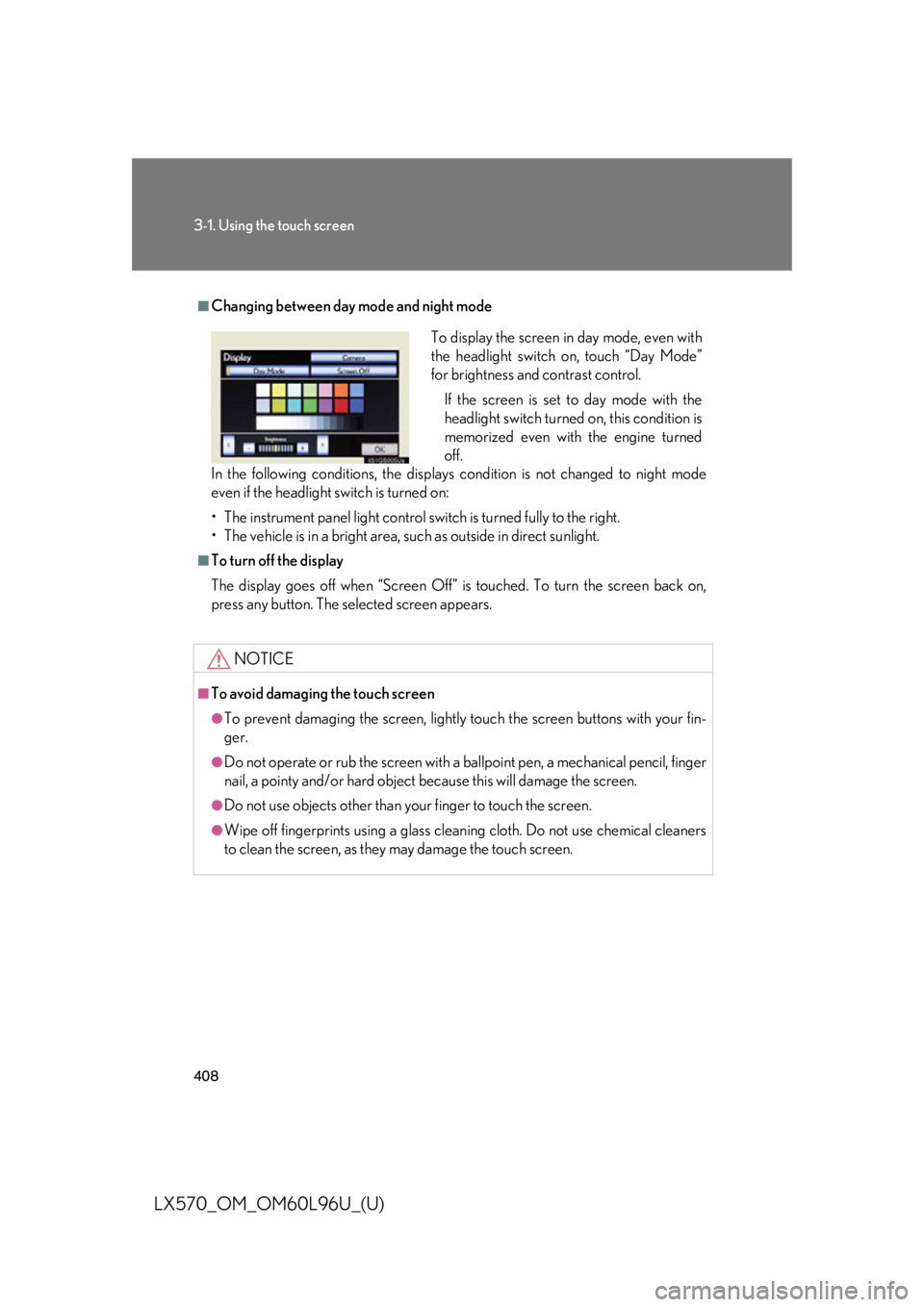
Changing between day mode and night mode
In the following conditions, the displays condition is not changed to night mode
even if the headlight switch is turned on:
• The instrument panel light control switch is turned fully to the right.
• The vehicle is in a bright area, such as outside in direct sunlight. ■
To turn off the display
The display goes off when “Screen Off” is touched. To turn the screen back on,
press any button. The sele cted screen appears.
NOTICE■
To avoid damaging the touch screen ●
To prevent damaging the screen, lightly touch the screen buttons with your fin-
ger. ●
Do not operate or rub the screen with a ballpoint pen, a mechanical pencil, finger
nail, a pointy and/or hard object because this will damage the screen. ●
Do not use objects other than yo ur finger to touch the screen.●
Wipe off fingerprints using a glass cleaning cloth. Do not use chemical cleaners
to clean the screen, as they may damage the touch screen. To display the screen in day mode, even with
the headlight switch on, touch “Day Mode”
for brightness and contrast control.
If the screen is set to day mode with the
headlight switch turned on, this condition is
memorized even with the engine turned
off.
Page 746 of 960
7444-2. Maintenance
LX570_OM_OM60L96U_(U) Vehicle interior Items Check points
Accelerator pedal • Moves smoothly (without uneven
pedal effort or catching)?
Automatic transmission “Park”
mechanism • Can the vehicle be held securely
on an incline with the shift lever in
“P”?
Brake pedal • Moves smoothly?
• Does it have appropriate clearance
and correct amount of free play?
Brakes • Pulls to one side when applied?
• Loss of brake effectiveness?
• Spongy feeling brake pedal?
• Pedal almost touches floor?
Head restraints • Move smoothly and lock securely?
Indicators/buzzers • Function properly?
Lights • Do all the lights come on?
• Headlights aimed correctly?
Parking brake • Moves smoothly?
• Can hold the vehicle securely on
an incline?
Seat belts • Does the seat belt system operate
smoothly?
• Are the belts undamaged?
Seats • Do the seat controls operate prop-
erly?
Steering wheel • Moves smoothly?
• Has correct free play?
• No strange noises?
Page 794 of 960
7924-3. Do-it-yourself maintenance
LX570_OM_OM60L96U_(U) 10 SEAT-A/C LH 25 A Seat heaters and ventilators
11 HWD4 30 A No circuit
12 HWD3 30 A No circuit
13 AHC 50 A 4-Wheel AHC
14 PTC-1 50 A PTC heater
15 PTC-2 50 A PTC heater
16 PTC-3 50 A PTC heater
17 RH-J/B 50 A RH-J/B
18 SUB BATT 40 A Towing
19 VGRS 40 A VGRS ECU
20 H-LP CLN 30 A Headlight cleaner
21 DEFOG 30 A Rear window defogger
22 SUB-R/B 100 A SUB-R/B
23 HTR 50 A Front air conditioning system
24 PBD 30 A Power back door ECU
25 LH-J/B 150 A LH-J/B
26 ALT 180 A Alternator
27 A/PUMP NO.1 50 A AI DRIVER
28 A/PUMP NO.2 50 A AI DRIVER 2
29 MAIN 40 A Headlight, daytime running light sys-
tem, HEAD LL, HEAD RL, HEAD LH,
HEAD RHFuse Ampere Circuit


