Page 402 of 960
402
LX570_OM_OM60L96U_(U) 3-1. Using the touch screen
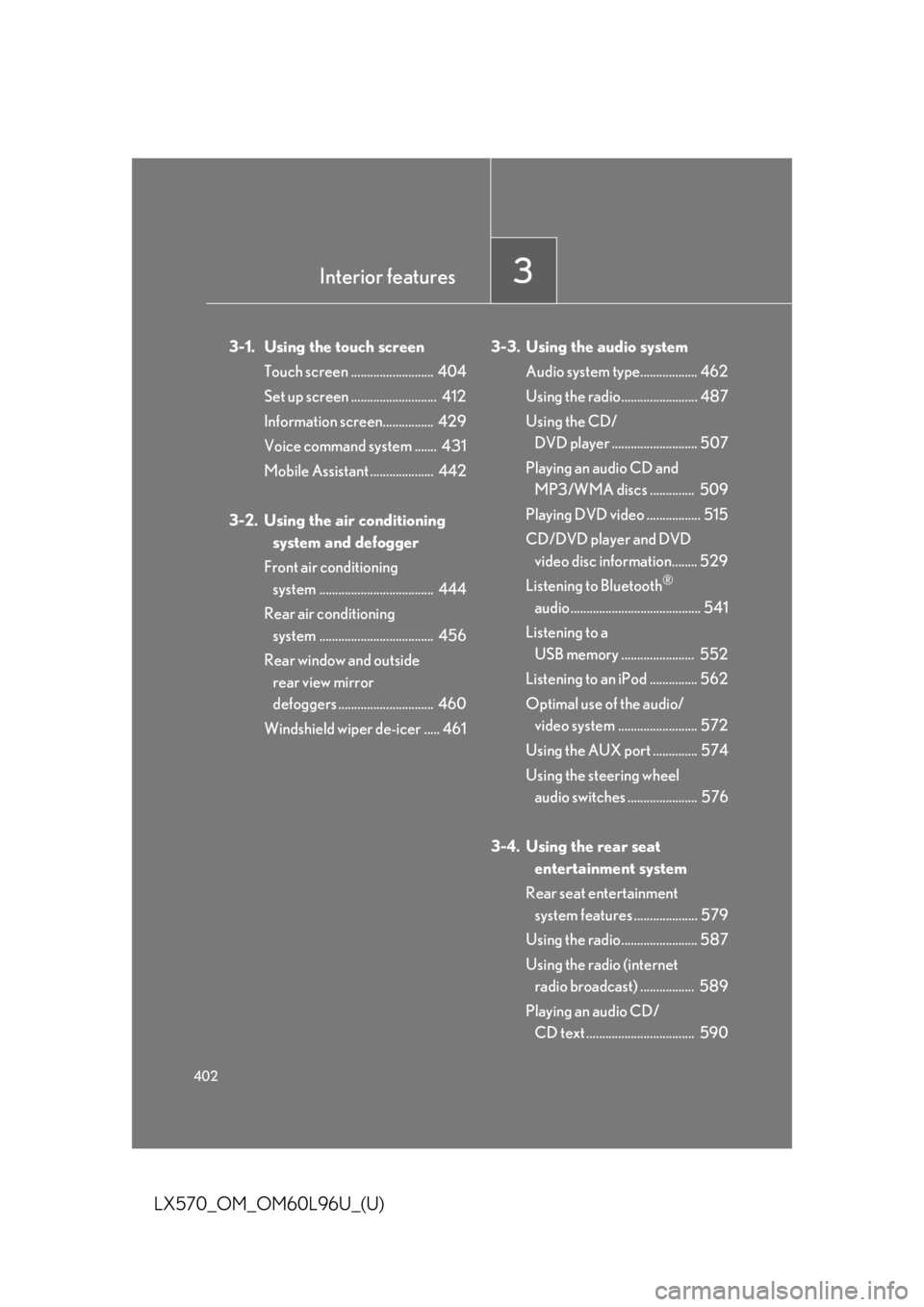
Touch screen .......................... 404
Set up screen ........................... 412
Information screen................ 429
Voice command system ....... 431
Mobile Assistant .................... 442
3-2. Using the air conditioning
system and defogger
Front air conditioning
system .................................... 444
Rear air conditioning
system .................................... 456
Rear window and outside
rear view mirror
defoggers .............................. 460
Windshield wiper de-icer ..... 461 3-3. Using the audio system
Audio system type.................. 462
Using the radio........................ 487
Using the CD/
DVD player ........................... 507
Playing an audio CD and
MP3/WMA discs .............. 509
Playing DVD video ................. 515
CD/DVD player and DVD
video disc information........ 529
Listening to Bluetooth ®
audio......................................... 541
Listening to a
USB memory ....................... 552
Listening to an iPod ............... 562
Optimal use of the audio/
video system ......................... 572
Using the AUX port .............. 574
Using the steering wheel
audio switches ...................... 576
3-4. Using the rear seat
entertainment system
Rear seat entertainment
system features .................... 579
Using the radio........................ 587
Using the radio (internet
radio broadcast) ................. 589
Playing an audio CD/
CD text .................................. 590Interior features
3
Page 428 of 960
4283-1. Using the touch screen
LX570_OM_OM60L96U_(U) Audio settings
Touch “Audio” on the “Setup” screen.
HD Radio™ system settings Detailed information: P. 492
iPod settings Detailed information: P. 563
Page 438 of 960
4383-1. Using the touch screen
LX570_OM_OM60L96U_(U) ■ Select audio mode
When expanded voice commands are turned “On”. ( P. 435)
* : Bluetooth is a registered tr ademark of Bluetooth SIG, Inc.Command
Action Shortcut
Menu
“Radio” Sets the audio mode to radio. O
“AM” Selects the AM band. O
“FM” Selects the FM band. O
“Satellite radio” Selects the satellite radio mode. O
“Disc” Selects the disc audio mode. O
“Auxiliary” Selects the auxiliary audio mode. O
“Bluetooth
* audio” Selects the Bluetooth ®
audio mode. O
“iPod” Selects the iPod audio mode. O
“USB audio” Selects the USB audio mode. O
“Audio on” Turns the audio system on. O
“Audio off” Turns the audio system off. O
Page 462 of 960
462
LX570_OM_OM60L96U_(U) 3-3. Using the audio system
Audio system type CD and DVD player with AM/FM radio
Press the “AUDIO” button and touch ea ch tab to display the audio control
screen.
Page 463 of 960
4633-3. Using the audio system
3
Interior features
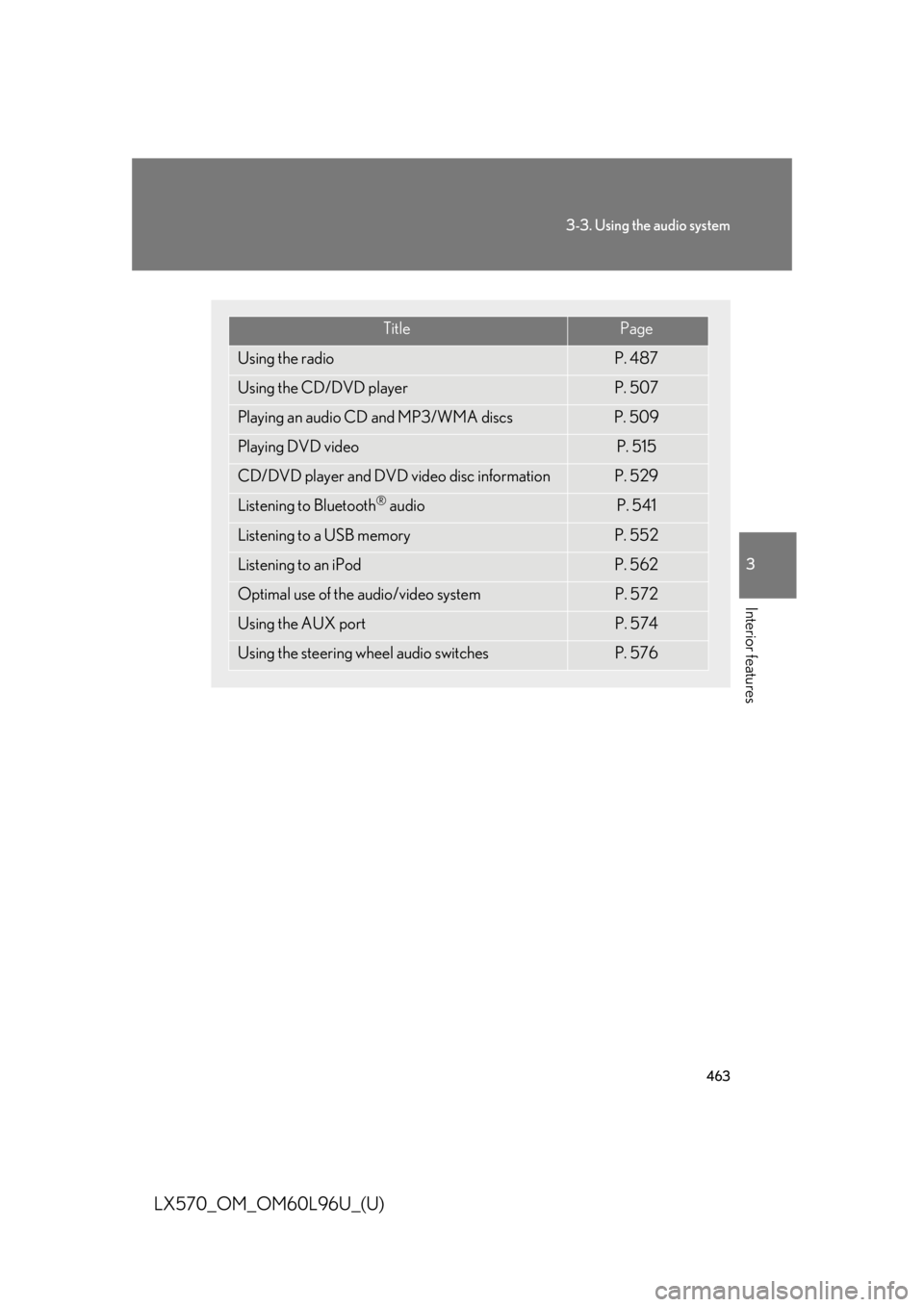
LX570_OM_OM60L96U_(U) Title Page
Using the radio P. 487
Using the CD/DVD player P. 507
Playing an audio CD and MP3/WMA discs P. 509
Playing DVD video P. 515
CD/DVD player and DVD video disc information P. 529
Listening to Bluetooth ®
audio P. 541
Listening to a USB memory P. 552
Listening to an iPod P. 562
Optimal use of the audio/video system P. 572
Using the AUX port P. 574
Using the steering wheel audio switches P. 576
Page 487 of 960
4873-3. Using the audio system
3
Interior features
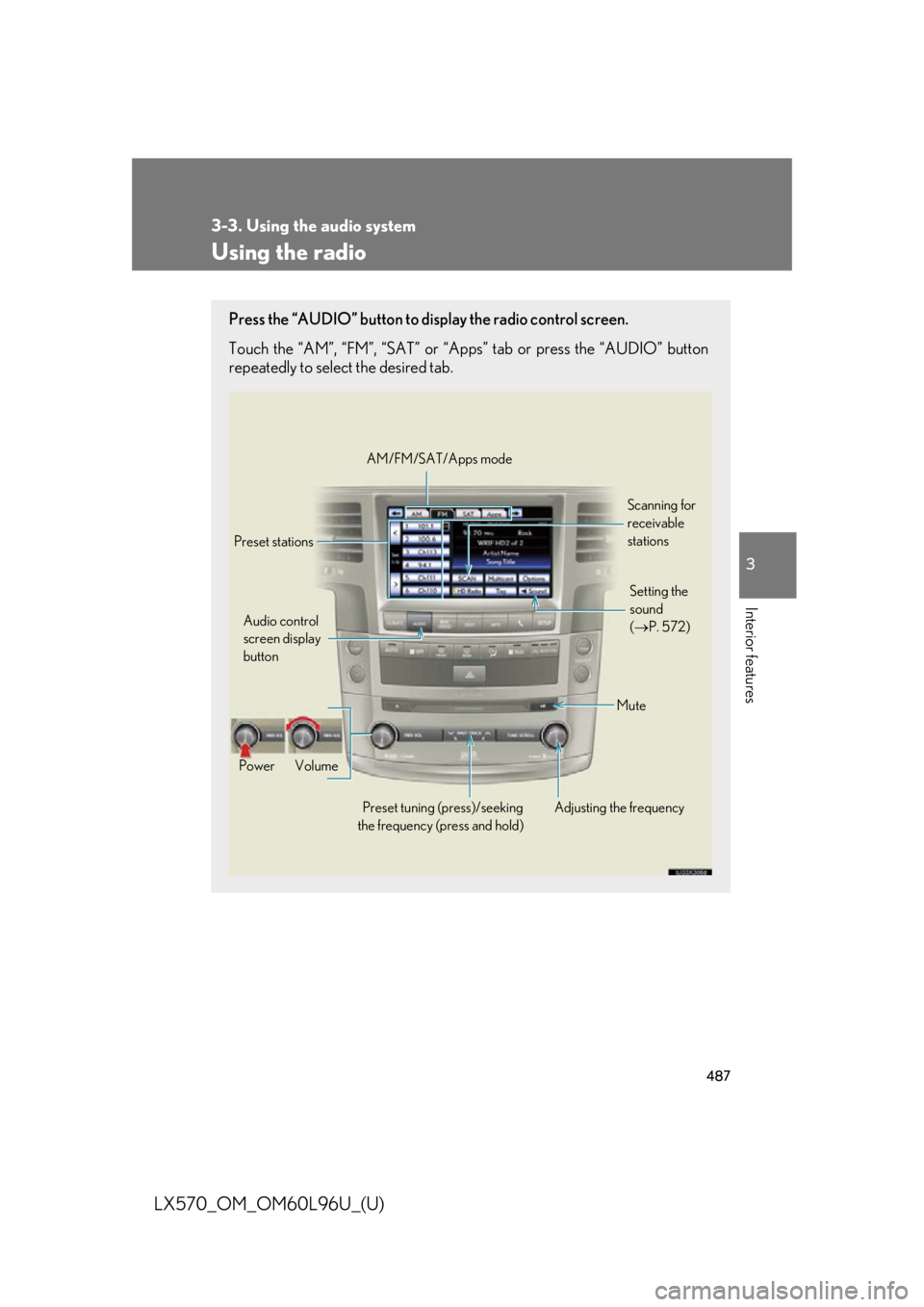
LX570_OM_OM60L96U_(U) Using the radio Press the “AUDIO” button to disp lay the radio control screen.
Touch the “AM”, “FM”, “SAT” or “Apps” tab or press the “AUDIO” button
repeatedly to select the desired tab.
Audio control
screen display
button
Power Volume
Preset tuning (press)/seeking
the frequency (press and hold) Adjusting the frequency AM/FM/SAT/Apps mode
Preset stations Scanning for
receivable
stations
Mute Setting the
sound
( P. 572)
Page 488 of 960
4883-3. Using the audio system
LX570_OM_OM60L96U_(U) Selecting a station (excluding XM ®
Satellite Radio)
■ Seek tuning
Press and hold “ ” or “ ” on the “PRST•TRACK” button.
■ Manual tuning
Turn the “TUNE•SCROLL” knob.
■ Preset stations
Touch the desired preset stations (1 - 6). Change the page by using “<” or “>” on the screen.
Press “ ” or “ ” on the “PRST•TRACK” button.
Setting station presets (excluding XM ®
Satellite Radio)
Search for desired stations.
Touch one of the left side screen
buttons (1-6) and hold it until a
beep is heard. There are 6 sets of
6 presets. There is a total of 36
presets.STEP 1
STEP 2
Page 489 of 960
4893-3. Using the audio system
3
Interior features
LX570_OM_OM60L96U_(U) Scanning radio stations (excluding XM ®
Satellite Radio)
Scanning all radio stations within range
Touch “SCAN” on the screen. “SCAN” appears on the screen.
The radio will find the next station an d stay there for 10 seconds if “All”
or “HD Only” is selected, or 5 second s if “Analog” is selected, and then
scan again. ( P. 492)
Touch “SCAN” once again when the desired station is reached.
RBDS (Radio Broadcast Data Systems)
This feature allows your radio to receive station identification information
and program information (classical, jazz, etc.) fr om radio stations which
broadcast this information.
■ Receiving RBDS broadcasts
Touch “Options” on the screen.STEP 1
STEP 2
STEP 1