2015 KIA Sportage ignition
[x] Cancel search: ignitionPage 159 of 499
Features of your vehicle
72
4
Electric power steering
(EPS) system warninglight
This indicator light comes on after
the ignition key is turned to the ON
position and then it will go out after
the engine is started.
This light also comes on when the
EPS has some troubles. If it comes
on while driving, have your vehicle
inspected by an authorized Kia deal-
er.
Immobilizer indicator
With smart key system
If any of the following occurs in a
vehicle equipped with the smart key,
the immobilizer indicator illuminates,
blinks or goes off.
When the smart key is in the vehicle, if the ENGINE START/STOP button
is in the ACC or ON position, the
indicator will illuminate for approxi-
mately 30 seconds to indicate that
you are able to start the engine.
However, when the smart key is not
in the vehicle, if the ENGINE
START/STOP button is pressed, the
indicator will blink for a few seconds
to indicate that you are not be able to
start the engine.
If the indicator illuminates only for 2 seconds and goes out when the
ENGINE START/STOP button is
turned to ON position with the smart
key in the vehicle, have the system
checked by an authorized Kia dealer. When the battery is weak, if the
ENGINE START/STOP button is
pressed, the indicator will blink and
you are not able to start the
engine. However, you can start the
engine if you press the Engine
Start/Stop Button with the smart
key. Also, if the smart key system
related parts have a problem, the
indicator will blink.
EPS
Page 160 of 499
473
Features of your vehicle
D150320AHM-EU-U1
Malfunction IndicatorLight (MIL) (checkengine light)
This indicator light is part of the
Engine Control System which moni-
tors various emission control system
components. If this light illuminates
while driving, it indicates that a poten-
tial malfunction has been detected
somewhere in the emission control
system.
This light will also illuminate when the
ignition switch is turned to the ON
position, and will go out in a few sec-
onds after the engine is started. If it
illuminates while driving, or does not
illuminate when the ignition switch is
turned to the ON position, take your
vehicle to the nearest authorized Kia
dealer and have the system checked.
Generally, your vehicle will continue to
be drivable, but have the system
checked by an authorized Kia dealer
promptly.
D150323AAM-EU
ESC (Electronic StabilityControl) indicator
The ESC indicator will illuminate
when the ignition switch is turned
ON, but should go off after approxi-
mately 3 seconds. When the ESC is
on, it monitors the driving conditions
and under normal driving conditions,
the ESC indicator will remain off.
When a slippery or low traction con-
dition is encountered, the ESC will
operate, and the ESC indicator will
blink to indicate the ESC is operat-
ing.
If this indicator illuminates and stays
on, the ESC may have malfunc-
tioned. Take your vehicle to an
authorized Kia dealer and have the
system checked.
CAUTION- Catalytic converter
damage
If the Emission Control System
Malfunction Indicator Light illumi-nates, potential catalytic convert-er damage is possible. This couldresult in loss of engine power.Have the Engine Control Systeminspected as soon as possible byan authorized Kia dealer.
CAUTION- MIL illumina- tion
Prolonged driving with the
Emission Control SystemMalfunction Indicator Light illu-minated may cause damage tothe emission control systemswhich could effect drivabilityand/or fuel economy.
Page 161 of 499
Features of your vehicle
74
4
D150324AAM-EU
ESC OFF indicator
The ESC OFF indicator will illumi-
nate when the ignition switch is
turned ON, but should go off after
approximately 3 seconds. To switch
to ESC OFF mode, press the ESC
OFF button. The ESC OFF indicator
will illuminate indicating the ESC is
deactivated.
DBC (Downhill brake
control) indicator(if equipped)
The DBC indicator will illuminate
when the DBC button is pressed and
the system is on.
When driving down a steep hill at a
speed under 35 km/h (22 mph), the
DBC will operate and the DBC indi-
cator will blink to indicate the DBC is
operating.
If the red indicator illuminates, the
DBC system may have malfunc-
tioned. Take your vehicle to an
authorized Kia dealer and have the
system checked.
D150325AAM
Cruise indicators
CRUISE indicator
The indicator illuminates when the
cruise control system is enabled.
The cruise indicator in the instrument
cluster is illuminated when the cruise
control ON-OFF switch on the steer-
ing wheel is pushed.
The indicator goes off when the cruise
control ON-OFF switch is pushed
again. For more information about the
use of cruise control, refer to “Cruise
control system” in section 5.
CRUISE
Page 162 of 499
475
Features of your vehicle
Cruise SET indicator
The indicator illuminates when the
cruise function switch (SET - or RES
+) is ON.
The cruise SET indicator in the
instrument cluster is illuminated
when the cruise control switch (SET
- or RES +) is pushed.
The cruise SET indicator does not
illuminate when the cruise control
switch (CANCEL) is pushed or the
system is disengaged.D150327AUN
Key reminder warning chime (if equipped)
If the driver’s door is opened while
the ignition key is left in the ignition
switch (ACC or LOCK position), the
key reminder warning chime will
sound. This is to prevent you from
locking your keys in the vehicle. The
chime sounds until the key is
removed from the ignition switch or
the driver’s door is closed.
KEY OUT indicator (if equipped)
When the ENGINE START/STOP
button is in the ACC or ON position,
if any door is open, the system
checks for the smart key. If the smart
key is not in the vehicle, the indicator
will blink, and if all doors are closed,
the chime will also sound for about 5
seconds. The indicator will go off
while the vehicle is moving.
4WD system warninglight (if equipped)
When the ignition switch is turned to
the ON position, the 4WD indicator
will illuminate and then go off in a few
seconds.
If the 4WD system warning light
illuminates, this indicates that there
is a malfunction in the 4WD system.
If this occurs, have your vehicle
checked by an authorized Kia dealer
as soon as possible.
SET
KEY
OUT
Page 165 of 499
Features of your vehicle
78
4
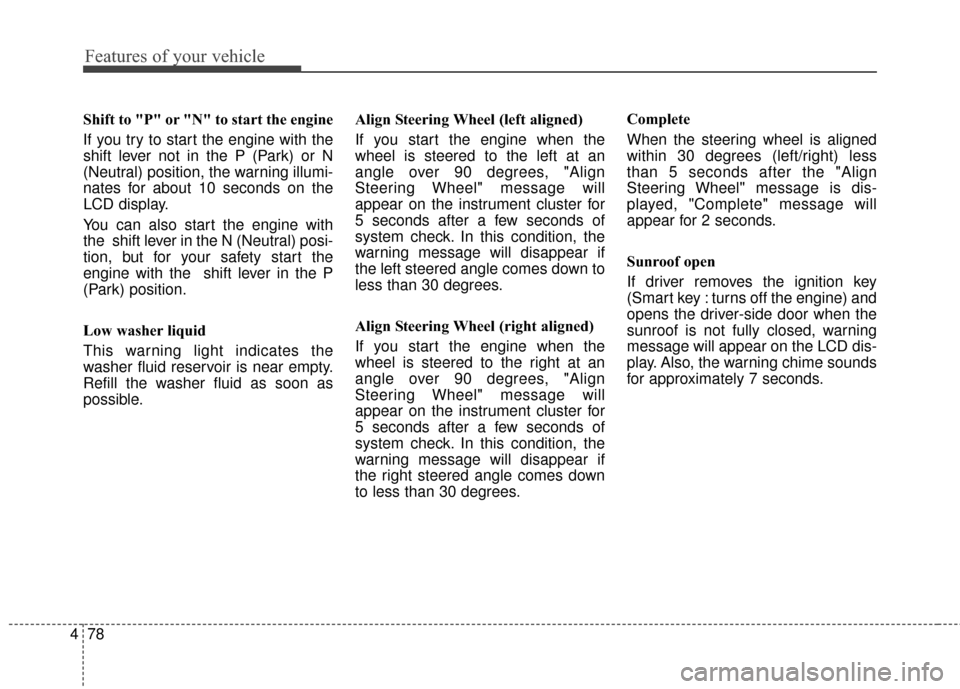
Shift to "P" or "N" to start the engine
If you try to start the engine with the
shift lever not in the P (Park) or N
(Neutral) position, the warning illumi-
nates for about 10 seconds on the
LCD display.
You can also start the engine with
the shift lever in the N (Neutral) posi-
tion, but for your safety start the
engine with the shift lever in the P
(Park) position.
Low washer liquid
This warning light indicates the
washer fluid reservoir is near empty.
Refill the washer fluid as soon as
possible. Align Steering Wheel (left aligned)
If you start the engine when the
wheel is steered to the left at an
angle over 90 degrees, "Align
Steering Wheel" message will
appear on the instrument cluster for
5 seconds after a few seconds of
system check. In this condition, the
warning message will disappear if
the left steered angle comes down to
less than 30 degrees.
Align Steering Wheel (right aligned)
If you start the engine when the
wheel is steered to the right at an
angle over 90 degrees, "Align
Steering Wheel" message will
appear on the instrument cluster for
5 seconds after a few seconds of
system check. In this condition, the
warning message will disappear if
the right steered angle comes down
to less than 30 degrees.Complete
When the steering wheel is aligned
within 30 degrees (left/right) less
than 5 seconds after the "Align
Steering Wheel" message is dis-
played, "Complete" message will
appear for 2 seconds.
Sunroof open
If driver removes the ignition key
(Smart key : turns off the engine) and
opens the driver-side door when the
sunroof is not fully closed, warning
message will appear on the LCD dis-
play. Also, the warning chime sounds
for approximately 7 seconds.
Page 166 of 499

479
Features of your vehicle
The Back up warning system assists
the driver during backward move-
ment of the vehicle by chiming if any
object is sensed within a distance of
120 cm (47 in.) behind the vehicle.
This system is a supplemental sys-
tem and it is not intended to nor does
it replace the need for extreme care
and attention of the driver. The sens-
ing range and objects detectable by
the back sensors are limited.
Whenever backing-up, pay as much
attention to what is behind you as
you would in a vehicle without a Back
up warning system.Operation of the Back up
warning system
Operating condition
This system will activate whenbacking up with the ignition switch
ON.
If the vehicle is moving at a speed
over 10 km/h (6 mph), the system
may not be activated correctly.
BACK UP WARNING SYSTEM (IF EQUIPPED)
WARNING
The back up warning system is
a supplementary function only.
The operation of the Back up
warning system can be affected
by several factors (including
environmental conditions). It is
the responsibility of the driver
to always check the area behind
the vehicle before and while
backing up.
OSL040051NOSL040050Sensors
WARNING- Back up
Warning System
Never rely solely on the parking
assist system when backing up.
Always perform a visual inspec-
tion to make sure the vehicle is
clear of all obstructions before
moving the vehicle in any direc-
tion. Stop immediately if you are
aware of a child anywhere near
your vehicle.Some objects may
not be detected by the sensors,
due to the object's size or mate-
rial.
Page 170 of 499
483
Features of your vehicle
D330000AHM-EE
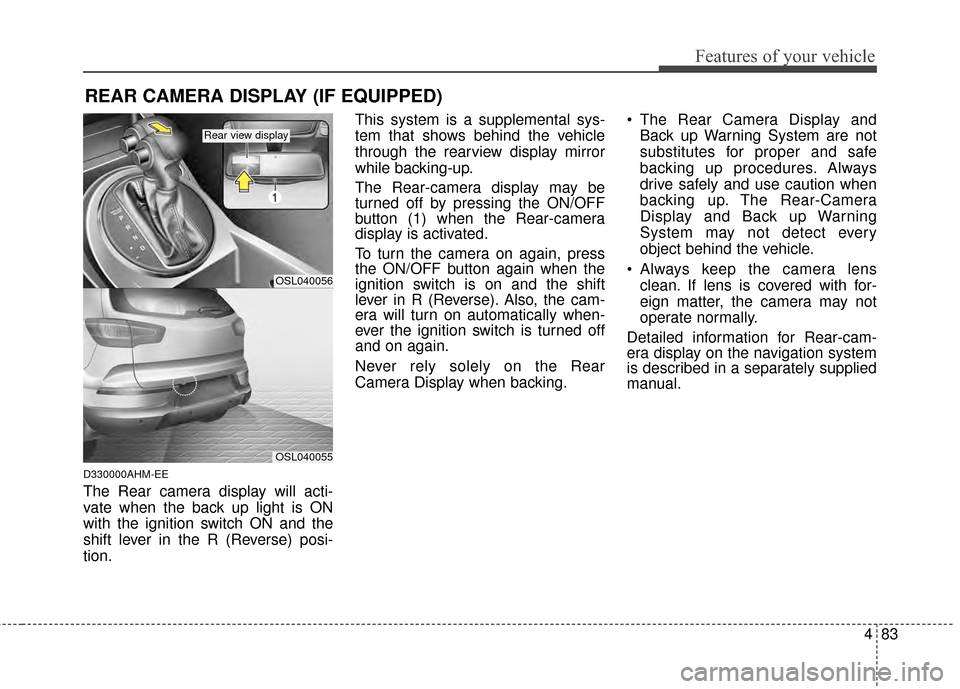
The Rear camera display will acti-
vate when the back up light is ON
with the ignition switch ON and the
shift lever in the R (Reverse) posi-
tion.This system is a supplemental sys-
tem that shows behind the vehicle
through the rearview display mirror
while backing-up.
The Rear-camera display may be
turned off by pressing the ON/OFF
button (1) when the Rear-camera
display is activated.
To turn the camera on again, press
the ON/OFF button again when the
ignition switch is on and the shift
lever in R (Reverse). Also, the cam-
era will turn on automatically when-
ever the ignition switch is turned off
and on again.
Never rely solely on the Rear
Camera Display when backing.
The Rear Camera Display and
Back up Warning System are not
substitutes for proper and safe
backing up procedures. Always
drive safely and use caution when
backing up. The Rear-Camera
Display and Back up Warning
System may not detect every
object behind the vehicle.
Always keep the camera lens clean. If lens is covered with for-
eign matter, the camera may not
operate normally.
Detailed information for Rear-cam-
era display on the navigation system
is described in a separately supplied
manual.
REAR CAMERA DISPLAY (IF EQUIPPED)
OSL040056
1
OSL040055
Rear view display
Page 172 of 499
485
Features of your vehicle
D190100APB
Battery saver function
The purpose of this feature is toprevent the battery from being dis-
charged if the lights are left in the
ON position. The system automati-
cally turns off the parking lights
when the driver turns off the
engine and opens the driver-side
door.
With this feature, the parking lights will turn off automatically if the driv-
er parks on the side of the road at
night and opens the driver’s side
door.
If necessary, to keep the parking
lights on when the ignition key is
removed, perform the following:
1) Open the driver-side door.
2) Turn the parking lights OFF and ON again using the light switch
on the steering column.
Headlight escort function
(if equipped)
The headlights (and/or taillights)
remain on for approximately 5 min-
utes after the ignition key is removed
or turned to the ACC or LOCK posi-
tion. However, if the driver’s door
(and tailgate) is opened and closed,
the headlights are turned off after 15
seconds.
The headlights can be turned off by
pressing the lock button on the trans-
mitter (or smart key) twice or turning
off the light switch from the headlight
or Auto light position.
If the driver gets out of the vehicle
through other doors (except driver's
door), the battery saver function
does not operate and the headlight
escort function does not turn off
automatically. Therefore, It causes
the battery to be discharged. In this
case, make sure to turn off the lamp
before getting out of the vehicle.
Headlight welcome function
(if equipped)
When the headlight switch is in the
ON or AUTO position and all doors
(and tailgate) are closed and locked,
if you press the door unlock button
on the transmitter (or smart key), the
headlights will come on for about 15
seconds.
If the headlight switch is in the AUTO
position, the function can only oper-
ate at night.
At this time, if you press the door lock
button or unlock button (once or
twice) on the transmitter (or smart
key), the headlights will turn off
immediately.
LIGHTING