Page 88 of 544
411
Features of your vehicle
The button will only operate when
the smart key is within 28~40 in.
(0.7~1m) from the outside door han-
dle.
Even though you press the outside
door handle button, the doors will not
lock and the chime will sound for 3
seconds if any of following occur:
The smart key is in the vehicle.
The engine start/stop button is inACC or ON position.
Any door except the tailgate is open. Using the button on the smart key
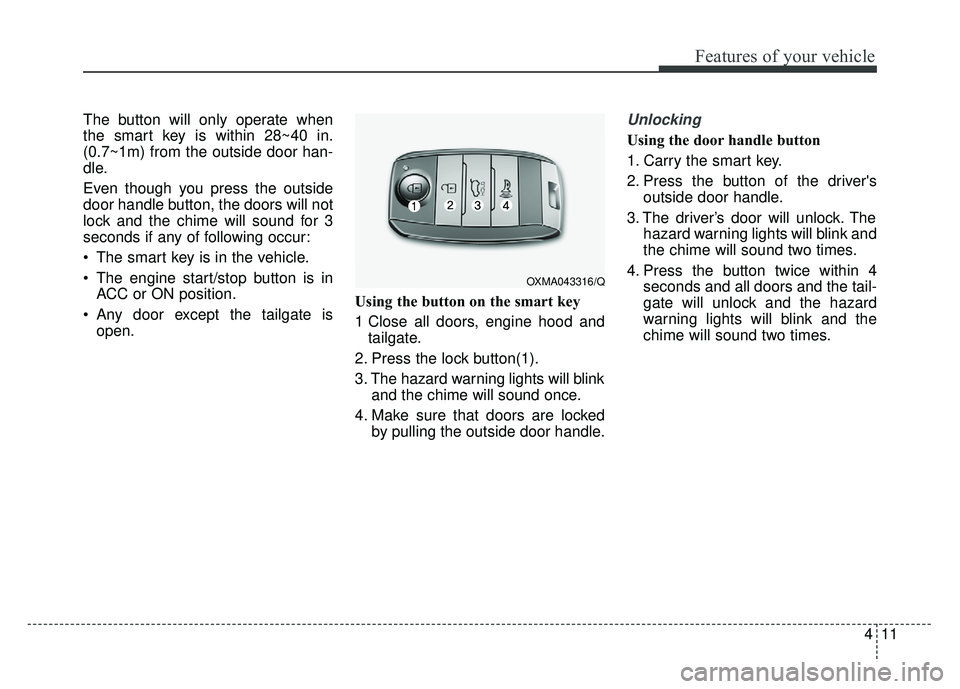
1 Close all doors, engine hood and
tailgate.
2. Press the lock button(1).
3. The hazard warning lights will blink and the chime will sound once.
4. Make sure that doors are locked by pulling the outside door handle.Unlocking
Using the door handle button
1. Carry the smart key.
2. Press the button of the driver'soutside door handle.
3. The driver’s door will unlock. The hazard warning lights will blink and
the chime will sound two times.
4. Press the button twice within 4 seconds and all doors and the tail-
gate will unlock and the hazard
warning lights will blink and the
chime will sound two times.
OXMA043316/Q
Page 89 of 544
Features of your vehicle
12
4
The button will only operate when
the smart key is within 28~40 in.
(0.7~1m) from the outside door
handle.
When the smart key is recognized in the area of 28~40 in. (0.7~1m)
from the front outside door handle,
other people can also open the
doors.
After unlocking the driver’s door or all doors, the door(s) will lock auto-
matically unless the door is
opened. Using the button on the smart key
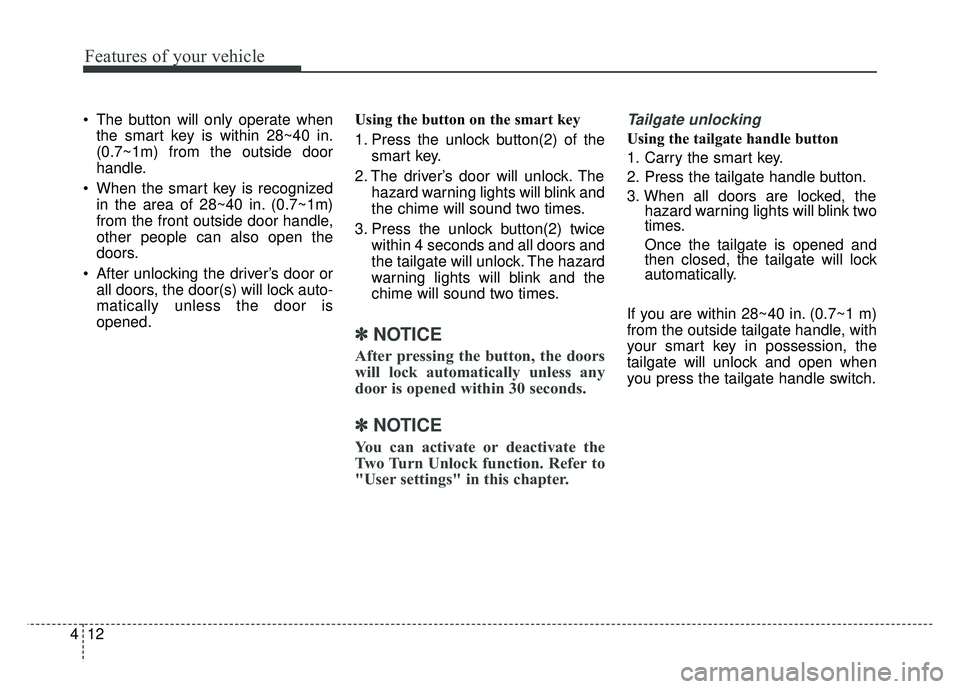
1. Press the unlock button(2) of the
smart key.
2. The driver’s door will unlock. The hazard warning lights will blink and
the chime will sound two times.
3. Press the unlock button(2) twice within 4 seconds and all doors and
the tailgate will unlock. The hazard
warning lights will blink and the
chime will sound two times.
✽ ✽NOTICE
After pressing the button, the doors
will lock automatically unless any
door is opened within 30 seconds.
✽ ✽NOTICE
You can activate or deactivate the
Two Turn Unlock function. Refer to
"User settings" in this chapter.
Tailgate unlocking
Using the tailgate handle button
1. Carry the smart key.
2. Press the tailgate handle button.
3. When all doors are locked, the
hazard warning lights will blink two
times.
Once the tailgate is opened and
then closed, the tailgate will lock
automatically.
If you are within 28~40 in. (0.7~1 m)
from the outside tailgate handle, with
your smart key in possession, the
tailgate will unlock and open when
you press the tailgate handle switch.
Page 90 of 544
413
Features of your vehicle
Using the button on the smart key
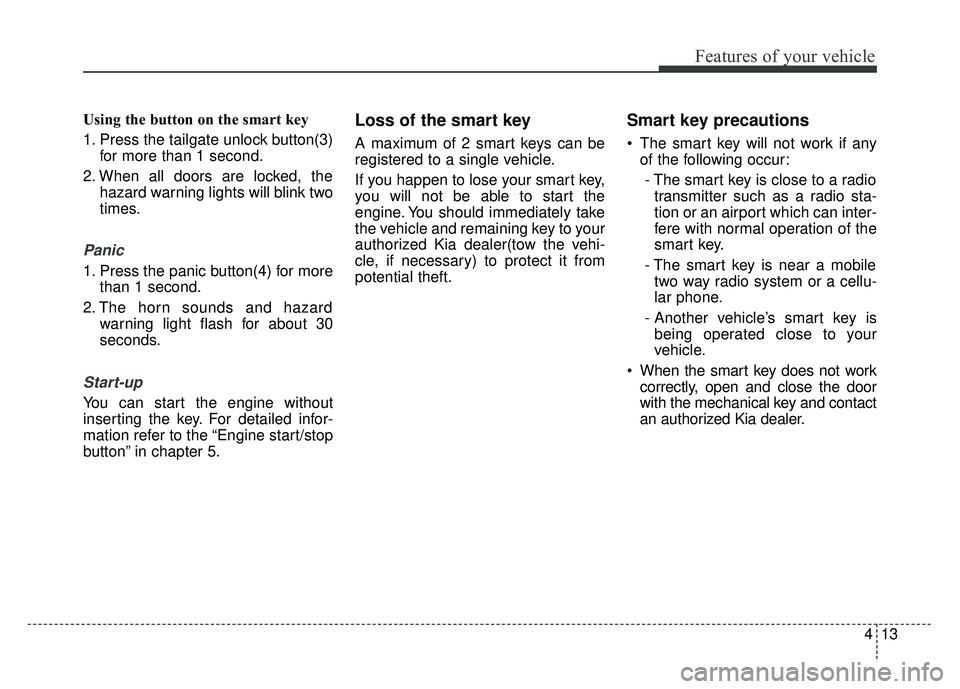
1. Press the tailgate unlock button(3)for more than 1 second.
2. When all doors are locked, the hazard warning lights will blink two
times.
Panic
1. Press the panic button(4) for morethan 1 second.
2. The horn sounds and hazard warning light flash for about 30
seconds.
Start-up
You can start the engine without
inserting the key. For detailed infor-
mation refer to the “Engine start/stop
button” in chapter 5.
Loss of the smart key
A maximum of 2 smart keys can be
registered to a single vehicle.
If you happen to lose your smart key,
you will not be able to start the
engine. You should immediately take
the vehicle and remaining key to your
authorized Kia dealer(tow the vehi-
cle, if necessary) to protect it from
potential theft.
Smart key precautions
The smart key will not work if anyof the following occur:
- The smart key is close to a radio transmitter such as a radio sta-
tion or an airport which can inter-
fere with normal operation of the
smart key.
- The smart key is near a mobile two way radio system or a cellu-
lar phone.
- Another vehicle’s smart key is being operated close to your
vehicle.
When the smart key does not work correctly, open and close the door
with the mechanical key and contact
an authorized Kia dealer.
Page 91 of 544
Features of your vehicle
14
4
If the smart key is in close proximi-
ty to your cell phone or smart
phone, the signal from the smart
key could be blocked by normal
operation of your cell phone or
smart phone. This is especially
important when the phone is active
such as making a call, receiving
calls, text messaging, and/or send-
ing/receiving emails. Avoid placing
the smart key and your cell phone
or smart phone in the same pants
or jacket pocket and maintain ade-
quate distance between the two
devices.
✽ ✽ NOTICE
If the keyless entry system is inoper-
ative due to exposure to water or liq-
uids, it will not be covered by your
manufacturer’s vehicle warranty.
Smart key immobilizer system
Your vehicle is equipped with an
electronic engine immobilizer system
to reduce the risk of unauthorized
vehicle use.
Your immobilizer system is com-
prised of a small transponder in the
smart key and electronic devices
inside the vehicle.
With the immobilizer system, when-
ever you turn the engine start/stop
button to the ON position by pressing
the button while carrying the smart
key, it checks and determines and
verifies if the smart key is valid or not.
If the key is determined to be valid,
the engine will start.
If the key is determined to be invalid,
the engine will not start.
To deactivate the immobilizer
system:
Turn the engine start/stop button to
the ON position by pressing the but-
ton while carrying the smart key.
To activate the immobilizer system:
Turn the engine start/stop button to
the OFF position. The immobilizer
system activates automatically.
Without a valid smart key for your
vehicle, the engine will not start.
In order to prevent theft of your vehi-
cle, do not leave spare keys any-
where in your vehicle. Your
Immobilizer password is a customer
unique password and should be kept
confidential. Do not leave this num-
ber anywhere in your vehicle.
CAUTION
Keep the smart key away fromwater or any liquid as it canbecome damaged and not func-tion properly.
Page 94 of 544
417
Features of your vehicle
DOOR LOCKS
.Operating door locks from
outside the vehicle
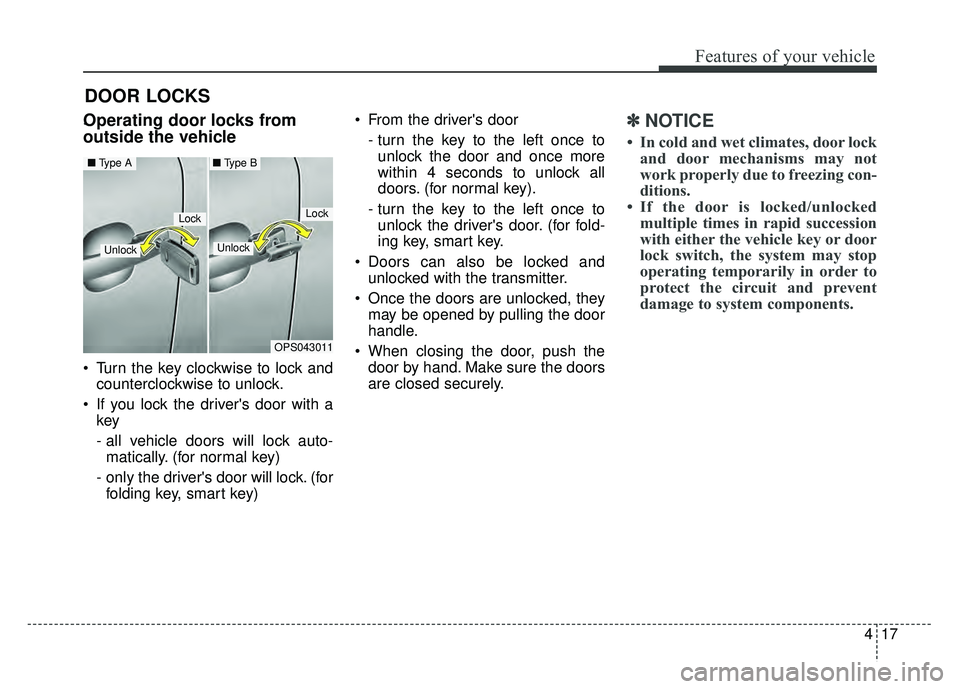
Turn the key clockwise to lock andcounterclockwise to unlock.
If you lock the driver's door with a key
- all vehicle doors will lock auto-
matically. (for normal key)
- only the driver's door will lock. (for folding key, smart key) From the driver's door
- turn the key to the left once tounlock the door and once more
within 4 seconds to unlock all
doors. (for normal key).
- turn the key to the left once to unlock the driver's door. (for fold-
ing key, smart key.
Doors can also be locked and unlocked with the transmitter.
Once the doors are unlocked, they may be opened by pulling the door
handle.
When closing the door, push the door by hand. Make sure the doors
are closed securely.
✽ ✽ NOTICE
• In cold and wet climates, door lock
and door mechanisms may not
work properly due to freezing con-
ditions.
• If the door is locked/unlocked multiple times in rapid succession
with either the vehicle key or door
lock switch, the system may stop
operating temporarily in order to
protect the circuit and prevent
damage to system components.
OPS043011
LockLock
Unlock
■ Type A■ Type B
Unlock
Page 95 of 544
Features of your vehicle
18
4
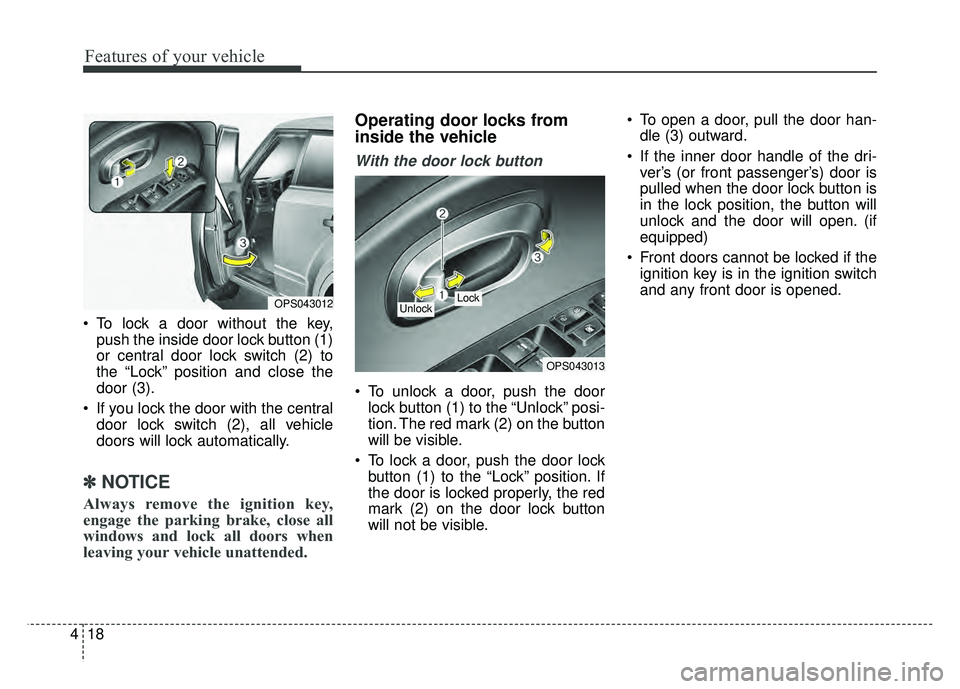
To lock a door without the key,
push the inside door lock button (1)
or central door lock switch (2) to
the “Lock” position and close the
door (3).
If you lock the door with the central door lock switch (2), all vehicle
doors will lock automatically.
✽ ✽ NOTICE
Always remove the ignition key,
engage the parking brake, close all
windows and lock all doors when
leaving your vehicle unattended.
Operating door locks from
inside the vehicle
With the door lock button
To unlock a door, push the door
lock button (1) to the “Unlock” posi-
tion. The red mark (2) on the button
will be visible.
To lock a door, push the door lock button (1) to the “Lock” position. If
the door is locked properly, the red
mark (2) on the door lock button
will not be visible. To open a door, pull the door han-
dle (3) outward.
If the inner door handle of the dri- ver’s (or front passenger’s) door is
pulled when the door lock button is
in the lock position, the button will
unlock and the door will open. (if
equipped)
Front doors cannot be locked if the ignition key is in the ignition switch
and any front door is opened.
OPS043012
OPS043013
Lock Unlock
Page 96 of 544
419
Features of your vehicle
If a power door lock ever fails to func-
tion while you are in the vehicle, try
one or more of the following tech-
niques to exit:
Operate the door unlock featurerepeatedly (both electronic and
manual) while simultaneously
pulling on the door handle.
Operate the other door locks and handles, front and rear.
Lower a front window and use the key to unlock the door from out-
side.
Move to the cargo area and open the tailgate.With central door lock switch
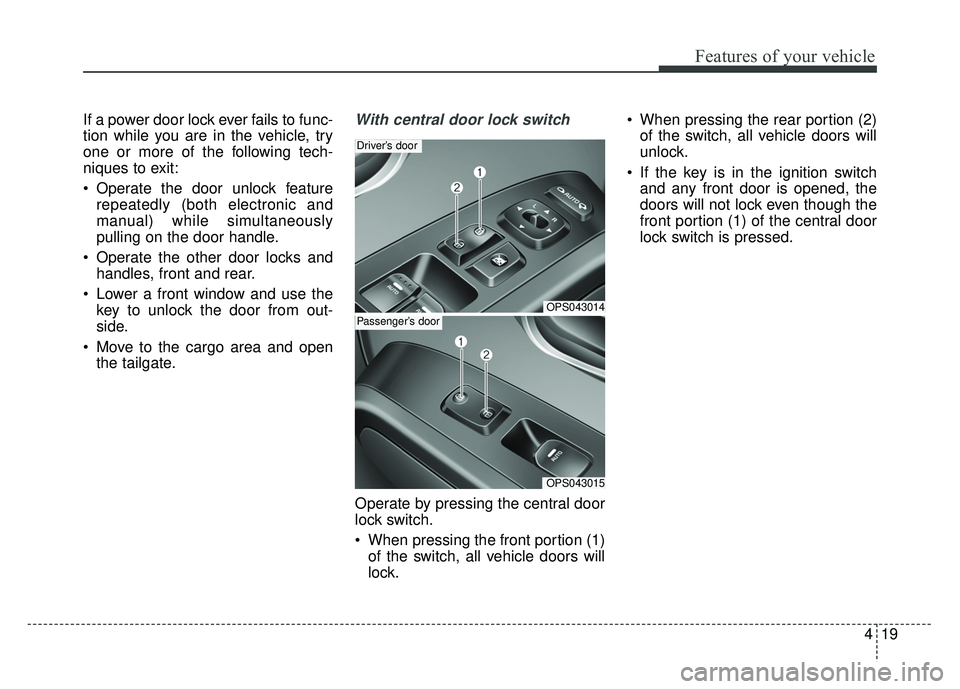
Operate by pressing the central door
lock switch.
When pressing the front portion (1)of the switch, all vehicle doors will
lock. When pressing the rear portion (2)
of the switch, all vehicle doors will
unlock.
If the key is in the ignition switch and any front door is opened, the
doors will not lock even though the
front portion (1) of the central door
lock switch is pressed.
OPS043014
Driver’s door
OPS043015
Passenger’s door
Page 97 of 544
Features of your vehicle
20
4
Impact sensing door unlock
system
In the event of air bag deployment
resulting from a vehicle impact, all
doors will automatically unlock.
Auto door lock/unlock feature
(if equipped)
All doors will automatically lock
when the transaxle shift lever is
shifted out of P(Park).
All doors will automatically unlock when the transaxle shift lever is
shifted into P (Park).
Speed sensing door lock sys-
tem (if equipped)
All doors will be automatically locked
after the vehicle speed exceeds 9.3
mph (15 km/h). And all doors will be
automatically unlocked when you
turn the engine off or when you
remove the ignition key.
✽ ✽ NOTICE
You can select some auto door
lock/unlock features in “User
Settings” as follows;
• Speed sensing auto door lock
• Auto door unlock when the igni-
tion key is removed from the igni-
tion switch or engine is turned off.
• Auto door lock/unlock by shifting the shift lever out of P(Park) or
into P(Park).
For more information, refer to
“User Settings” in this chapter.
WARNING- Unattended
children/ani-
mals
Never leave children or animals
unattended in your vehicle. An
enclosed vehicle can become
extremely hot, causing death or
severe injury to unattended
children or animals who cannot
escape the vehicle.
WARNING- Doors
The doors should always be
fully closed and locked while
the vehicle is in motion to pre-
vent accidental opening of the
door.