2015 KIA Soul EV air condition
[x] Cancel search: air conditionPage 173 of 407
4103
Features of your vehicle
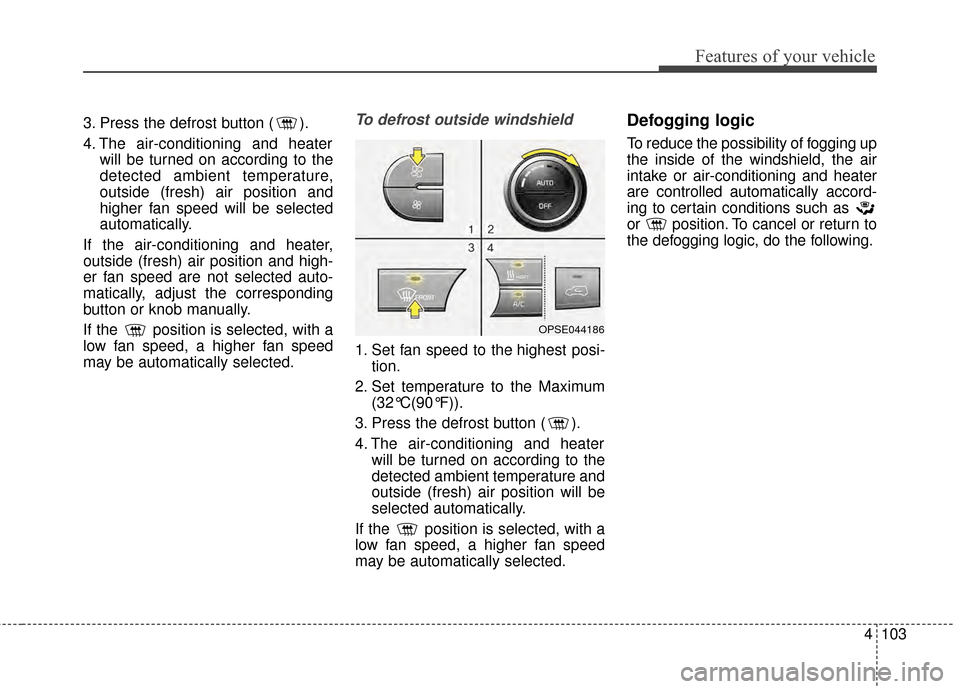
3. Press the defrost button ( ).
4. The air-conditioning and heaterwill be turned on according to the
detected ambient temperature,
outside (fresh) air position and
higher fan speed will be selected
automatically.
If the air-conditioning and heater,
outside (fresh) air position and high-
er fan speed are not selected auto-
matically, adjust the corresponding
button or knob manually.
If the position is selected, with a
low fan speed, a higher fan speed
may be automatically selected.To defrost outside windshield
1. Set fan speed to the highest posi- tion.
2. Set temperature to the Maximum (32°C(90°F)).
3. Press the defrost button ( ).
4. The air-conditioning and heater will be turned on according to the
detected ambient temperature and
outside (fresh) air position will be
selected automatically.
If the position is selected, with a
low fan speed, a higher fan speed
may be automatically selected.
Defogging logic
To reduce the possibility of fogging up
the inside of the windshield, the air
intake or air-conditioning and heater
are controlled automatically accord-
ing to certain conditions such as
or position. To cancel or return to
the defogging logic, do the following.
OPSE044186
Page 174 of 407
Features of your vehicle
104
4
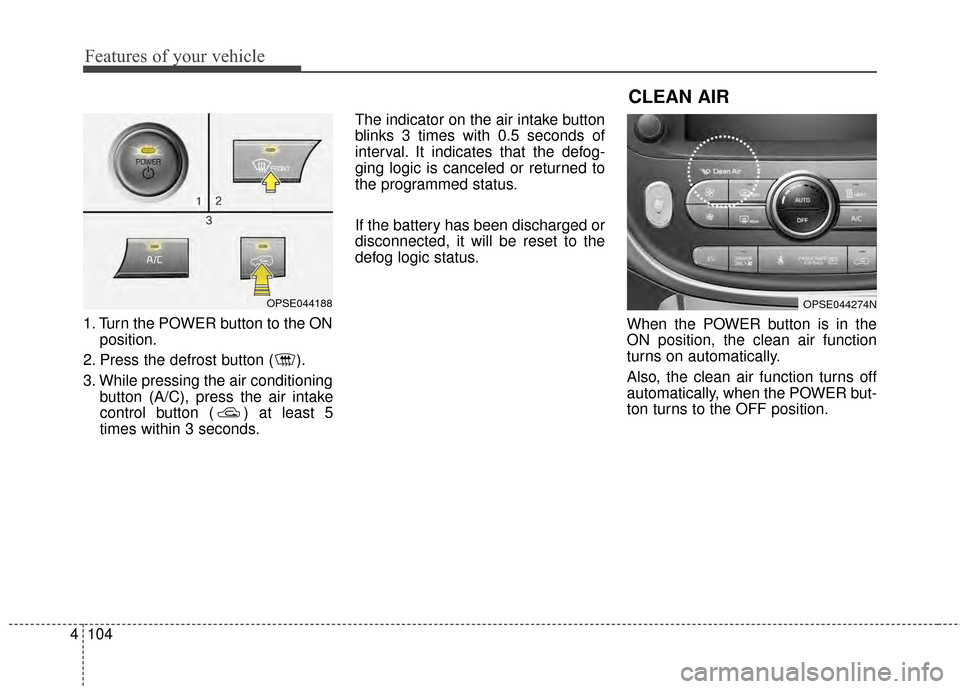
1. Turn the POWER button to the ON
position.
2. Press the defrost button ( ).
3. While pressing the air conditioning button (A/C), press the air intake
control button ( ) at least 5
times within 3 seconds. The indicator on the air intake button
blinks 3 times with 0.5 seconds of
interval. It indicates that the defog-
ging logic is canceled or returned to
the programmed status.
If the battery has been discharged or
disconnected, it will be reset to the
defog logic status.
When the POWER button is in the
ON position, the clean air function
turns on automatically.
Also, the clean air function turns off
automatically, when the POWER but-
ton turns to the OFF position.
OPSE044188OPSE044274N
CLEAN AIR
Page 175 of 407
4105
Features of your vehicle
AUTO DEFOGGING SYSTEM
Auto defogging reduces the possibil-
ity of fogging up the inside of the
windshield by automatically sensing
the moisture of inside the windshield.
The auto defogging system operates
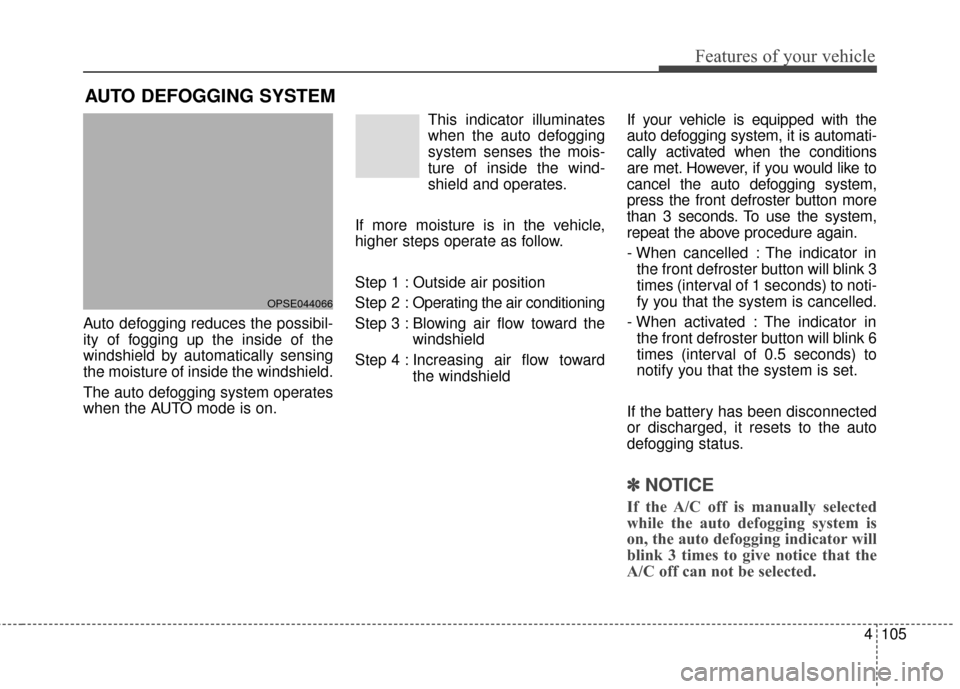
when the AUTO mode is on.This indicator illuminates
when the auto defogging
system senses the mois-
ture of inside the wind-
shield and operates.
If more moisture is in the vehicle,
higher steps operate as follow.
Step 1 : Outside air position
Step 2 : Operating the air conditioning
Step 3 : Blowing air flow toward the windshield
Step 4 : Increasing air flow toward the windshield If your vehicle is equipped with the
auto defogging system, it is automati-
cally activated when the conditions
are met. However, if you would like to
cancel the auto defogging system,
press the front defroster button more
than 3 seconds. To use the system,
repeat the above procedure again.
- When cancelled : The indicator in
the front defroster button will blink 3
times (interval of 1 seconds) to noti-
fy you that the system is cancelled.
- When activated : The indicator in the front defroster button will blink 6
times (interval of 0.5 seconds) to
notify you that the system is set.
If the battery has been disconnected
or discharged, it resets to the auto
defogging status.
✽ ✽ NOTICE
If the A/C off is manually selected
while the auto defogging system is
on, the auto defogging indicator will
blink 3 times to give notice that the
A/C off can not be selected.
OPSE044066
Page 182 of 407
Features of your vehicle
112
4
When pressing the switch for more
than 1.5 seconds with the seat
warmer operating, the seat warmer
will turn OFF.
The seat warmer defaults to the OFF position whenever the
POWER button is turned on.
✽ ✽ NOTICE
With the seat warmer switch in the
ON position, the heating system in
the seat turns off or on automatically
depending on the seat temperature.
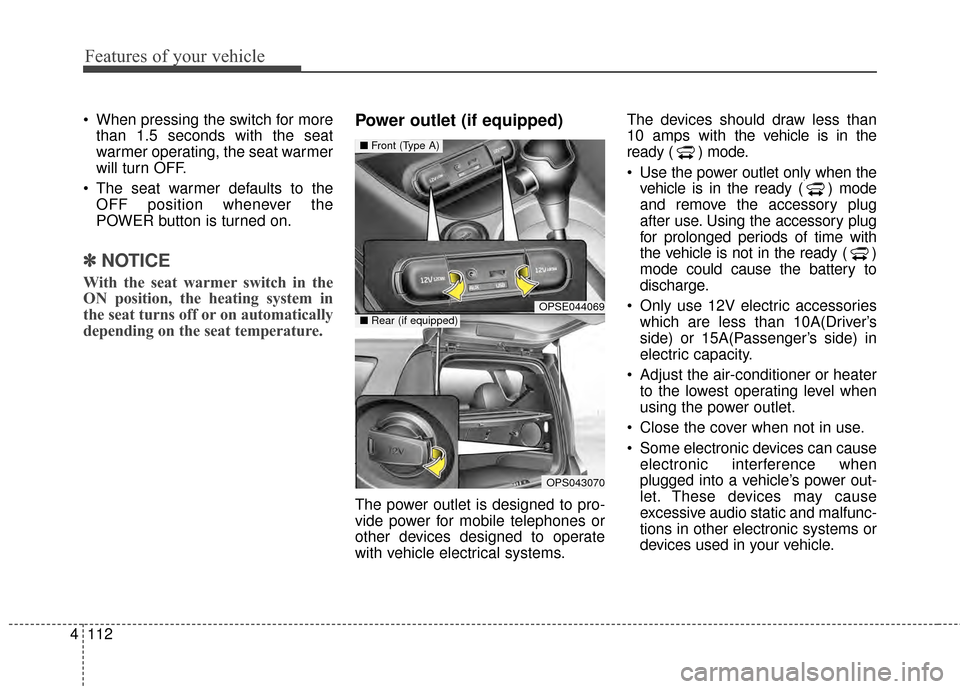
Power outlet (if equipped)
The power outlet is designed to pro-
vide power for mobile telephones or
other devices designed to operate
with vehicle electrical systems. The devices should draw less than
10 amps with the vehicle is in the
ready ( ) mode.
Use the power outlet only when the
vehicle is in the ready ( ) mode
and remove the accessory plug
after use. Using the accessory plug
for prolonged periods of time with
the vehicle is not in the ready ( )
mode could cause the battery to
discharge.
Only use 12V electric accessories which are less than 10A(Driver’s
side) or 15A(Passenger’s side) in
electric capacity.
Adjust the air-conditioner or heater to the lowest operating level when
using the power outlet.
Close the cover when not in use.
Some electronic devices can cause electronic interference when
plugged into a vehicle’s power out-
let. These devices may cause
excessive audio static and malfunc-
tions in other electronic systems or
devices used in your vehicle.
OPSE044069
OPS043070
■ Front (Type A)
■Rear (if equipped)
Page 206 of 407
517
Driving your vehicle
In the event of brake failure
If service brakes fail to operate while
the vehicle is in motion, you can
make an emergency stop with the
parking brake. The stopping dis-
tance, however, will be much greater
than normal.
Disc brakes wear indicator
When your brake pads are worn and
new pads are required, you will hear
a high-pitched warning sound from
your front brakes or rear brakes. You
may hear this sound come and go or
it may occur whenever you depress
the brake pedal.
Please remember that some driving
conditions or climates may cause a
brake squeal when you first apply (or
lightly apply) the brakes. This is nor-
mal and does not indicate a problem
with your brakes.
Always replace the front or rear
brake pads as pairs.
WARNING- Parkingbrake
Applying the parking brake
while the vehicle is moving at
normal speeds can cause a
sudden loss of control of the
vehicle. If you must use the
parking brake to stop the vehi-
cle, use great caution in apply-
ing the brake.
WARNING- Brake wear
Avoid applying the parking
brake to stop the vehicle while it
is moving except in an emer-
gency situation. If you ignore
this audible warning, you will
eventually lose braking per-
formance, which could lead to a
serious accident.
Page 226 of 407
537
Driving your vehicle
Your vehicle's energy economy
depends mainly on your style of driv-
ing, where you drive and when you
drive.
Each of these factors affects how
many miles (kilometers) you can get
from a capacity (kwh) of battery. To
operate your vehicle as economical-
ly as possible, use the following driv-
ing suggestions to help save money
in both energy and repairs:
Drive smoothly. Accelerate at amoderate rate. Don't make "jack-
rabbit" starts or full-throttle shifts
and maintain a steady cruising
speed. Don't race between stop-
lights. Try to adjust your speed to
the traffic so you don't have to
change speeds unnecessarily.
Avoid heavy traffic whenever pos-
sible. Always maintain a safe dis-
tance from other vehicles so you
can avoid unnecessary braking.
This also reduces brake wear. Drive at a moderate speed. The
faster you drive, the more energy
your vehicle uses. Driving at a
moderate speed, especially on the
highway, is one of the most effec-
tive ways to reduce energy con-
sumption.
Don't "ride" the brake pedal. This can increase energy consumption
and also increase wear on these
components. In addition, driving
with your foot resting on the brake
pedal may cause the brakes to
overheat, which reduces their
effectiveness and may lead to
more serious consequences.
Take care of your tires. Keep them inflated to the recommended pres-
sure. Incorrect inflation, either too
much or too little, results in unnec-
essary tire wear. Check the tire
pressures at least once a month. Be sure that the wheels are
aligned correctly. Improper align-
ment can result from hitting curbs
or driving too fast over irregular
surfaces. Poor alignment causes
faster tire wear and may also result
in other problems as well as
greater energy consumption.
Keep your vehicle in good condi- tion. For better energy economy
and reduced maintenance costs,
maintain your vehicle in accor-
dance with the maintenance
schedule in section 7. If you drive
your vehicle in severe conditions,
more frequent maintenance is
required (see section 7 for details).
Keep your vehicle clean. For maxi- mum service, your vehicle should
be kept clean and free of corrosive
materials. It is especially important
that mud, dirt, ice, etc. not be
allowed to accumulate on the
underside of the vehicle. This extra
weight can result in increased
energy consumption and also con-
tribute to corrosion.
ECONOMICAL OPERATION
Page 248 of 407
What to do in an emergency
86
IF THE VEHICLE OVERHEATS
1. Pull off the road and stop as soonas it is safe to do so.
2. Place the shift lever in P and set the parking brake. If the air condi-
tioning is on, turn it off.
3. If coolant is running out under the vehicle or steam is coming out
from underneath the hood, stop
the vehicle. Do not open the hood
until the coolant has stopped run-
ning or the steaming has stopped.
If there is no visible loss of coolant
and no steam, leave the vehicle
running and check to be sure cool-
ing fan is operating. If the fan is not
running, turn the vehicle off.
4. Check for coolant leaking from the radiator, hoses or under the vehi-
cle. (If the air conditioning had been
in use, it is normal for cold water to
be draining from it when you stop). 5. If you cannot find the cause of the
overheating, wait until the radiator
temperature has returned to nor-
mal. Then, if coolant has been lost,
carefully add coolant to the reser-
voir to bring the fluid level in the
reservoir up to the halfway mark.
6. Proceed with caution, keeping alert for further signs of overheat-
ing. If overheating happens again,
call an authorized Kia dealer for
assistance.
Serious loss of coolant indicates there
is a leak in the cooling system and
this should be checked as soon as
possible by an authorized Kia dealer.
WARNING- Radiator cap
Do not remove the radiator cap
when the radiator is hot. This
may result in coolant being
blown out of the opening and
cause serious burns.
Page 268 of 407
75
Maintenance
OWNER MAINTENANCE
The following lists are vehicle checks
and inspections that should be per-
formed by the owner or an author-
ized Kia dealer at the frequencies
indicated to help ensure safe,
dependable operation of your vehi-
cle.
Any adverse conditions should be
brought to the attention of your deal-
er as soon as possible.
These Owner Maintenance Checks
are generally not covered by war-
ranties and you may be charged for
labor, parts and lubricants used.Owner maintenance schedule
When you stop for fuel:
Check the coolant level in thecoolant reservoir.
Check the windshield washer fluid level.
Look for low or under-inflated tires. Check if the front of the radiator
and condenser are clean and not
blocked with leaves, dirt or insects
etc. If any of the above parts are
extremely dirty or you are not sure
of their condition, take your vehicle
to an authorized Kia dealer.
While operating your vehicle:
Check for vibrations in the steeringwheel. Notice any increased steer-
ing effort or looseness in the steer-
ing wheel, or change in its straight-
ahead position.
Notice if your vehicle constantly turns slightly or “pulls” to one side
when traveling on smooth, level
road.
When stopping, listen and check for unusual sounds, pulling to one
side, increased brake pedal travel
or “hard-to-push” brake pedal.
If any slipping or changes in the operation of your transaxle occurs,
check the transaxle fluid level.
Check the reduction gear P (Park) function.
Check the parking brake.
Check for fluid leaks under your vehicle (water dripping from the air
conditioning system during or after
use is normal).