2015 KIA PICANTO key
[x] Cancel search: keyPage 517 of 846
Features of your vehicle
18
4
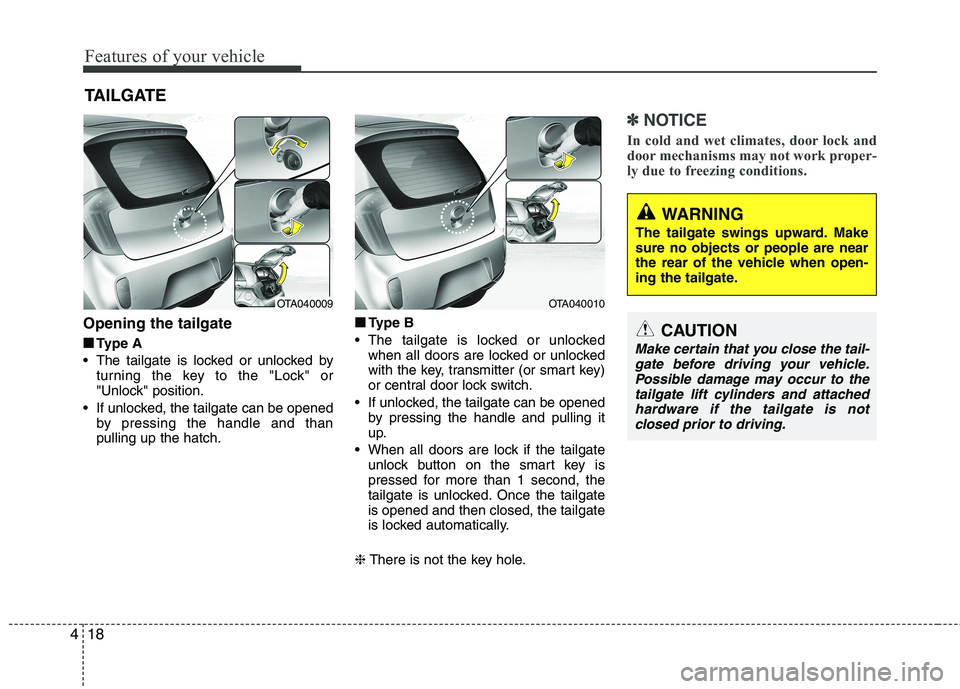
Opening the tailgate
■
■ Type A
The tailgate is locked or unlocked by turning the key to the "Lock" or
"Unlock" position.
If unlocked, the tailgate can be opened by pressing the handle and thanpulling up the hatch. ■
■
Type B
The tailgate is locked or unlocked when all doors are locked or unlocked
with the key, transmitter (or smart key)
or central door lock switch.
If unlocked, the tailgate can be opened by pressing the handle and pulling it
up.
When all doors are lock if the tailgate unlock button on the smart key is
pressed for more than 1 second, the
tailgate is unlocked. Once the tailgateis opened and then closed, the tailgate
is locked automatically.
❈ There is not the key hole.
✽✽
NOTICE
In cold and wet climates, door lock and
door mechanisms may not work proper-
ly due to freezing conditions.
TAILGATE
OTA040009OTA040010
WARNING
The tailgate swings upward. Make sure no objects or people are near
the rear of the vehicle when open-
ing the tailgate.
CAUTION
Make certain that you close the tail- gate before driving your vehicle.
Possible damage may occur to thetailgate lift cylinders and attached hardware if the tailgate is notclosed prior to driving.
Page 520 of 846
421
Features of your vehicle
Power windows (if equipped)
The ignition switch must be in the ON
position for power windows to operate.
Each door has a power window switch
that controls the door's window. The driver
has a power window lock switch which
can block the operation of passenger win-
dows. The power windows can be operat-
ed for approximately 30 seconds after the
ignition key is removed or turned to the
ACC or LOCK position. However, if the
front doors open, the power windows can-
not be operated within the 30 second peri-
od after ignition key removal (if equipped).
✽✽NOTICE
Whilst driving with the rear windows
down or with the sunroof (if equipped)
in an open (or partially open position),
your vehicle may demonstrate a wind
buffeting or pulsation noise. This noise
is a normal occurrence and can be
reduced or eliminated by taking the fol-
lowing actions. If the noise occurs with
one or both of the rear windows down,
partially lower both front windows
approximately one inch. If you experi-
ence the noise with the sunroof open,
slightly reduce the size of the sunroof
opening.
Window opening and closing
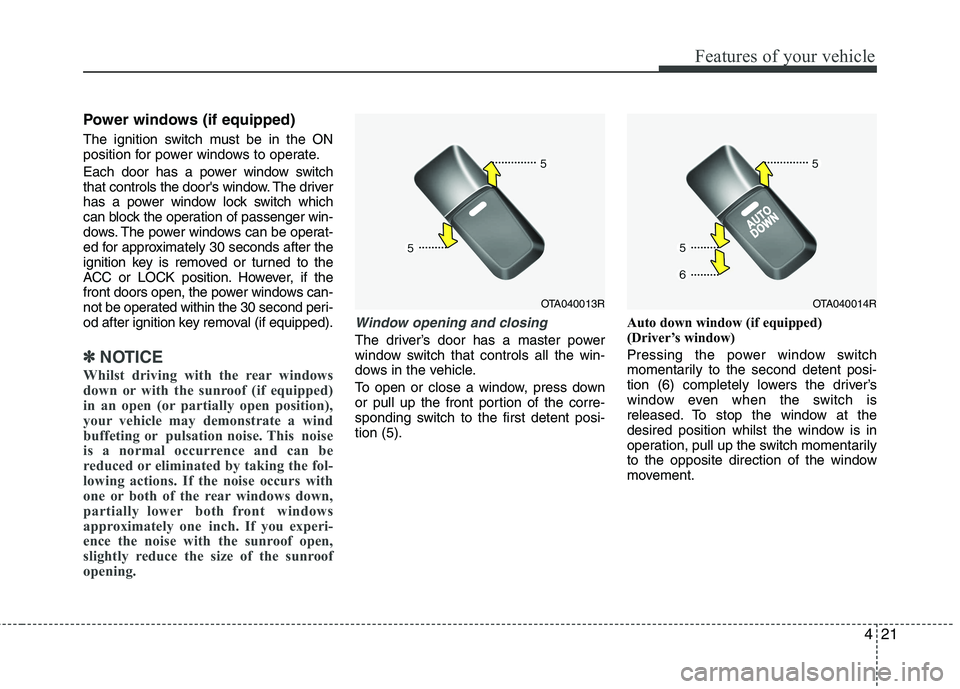
The driver’s door has a master power
window switch that controls all the win-
dows in the vehicle.
To open or close a window, press down
or pull up the front portion of the corre-
sponding switch to the first detent posi-tion (5). Auto down window (if equipped)
(Driver’s window)
Pressing the power window switch
momentarily to the second detent posi-
tion (6) completely lowers the driver’s
window even when the switch is
released. To stop the window at the
desired position whilst the window is in
operation, pull up the switch momentarily
to the opposite direction of the window
movement.
OTA040013ROTA040014R
Page 522 of 846
423
Features of your vehicle
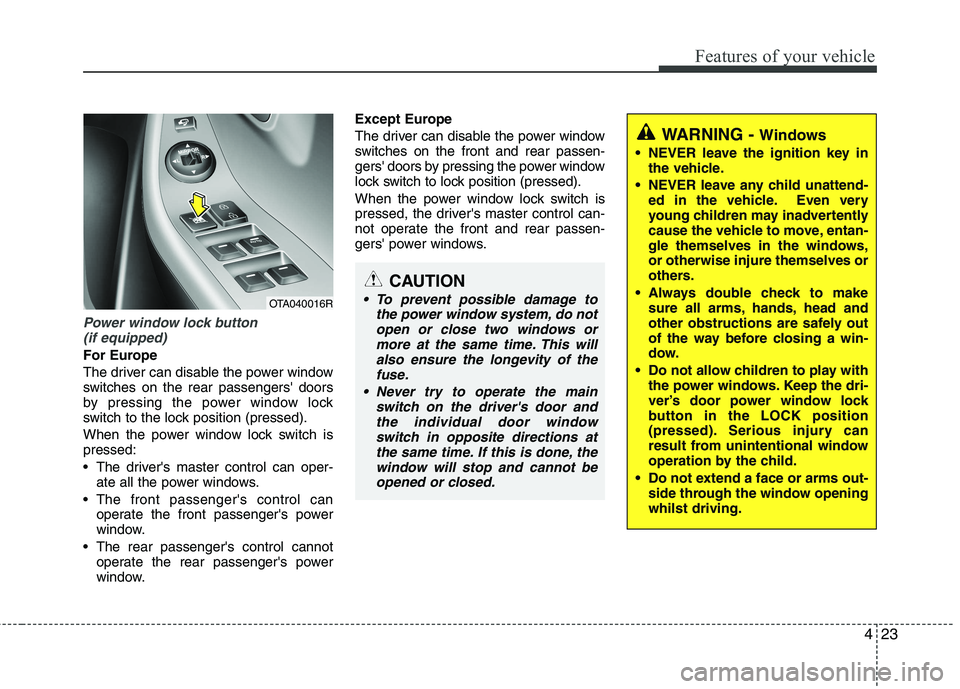
Power window lock button (if equipped)
For Europe
The driver can disable the power window
switches on the rear passengers' doors
by pressing the power window lock
switch to the lock position (pressed).
When the power window lock switch is pressed:
The driver's master control can oper- ate all the power windows.
The front passenger's control can operate the front passenger's power
window.
The rear passenger's control cannot operate the rear passenger's power
window. Except Europe
The driver can disable the power window
switches on the front and rear passen-
gers' doors by pressing the power window
lock switch to lock position (pressed).
When the power window lock switch is
pressed, the driver's master control can-
not operate the front and rear passen-
gers' power windows.
CAUTION
To prevent possible damage to
the power window system, do notopen or close two windows ormore at the same time. This willalso ensure the longevity of the
fuse.
Never try to operate the main switch on the driver's door andthe individual door window switch in opposite directions at
the same time. If this is done, thewindow will stop and cannot beopened or closed.
WARNING - Windows
NEVER leave the ignition key in the vehicle.
NEVER leave any child unattend- ed in the vehicle. Even very
young children may inadvertently
cause the vehicle to move, entan-
gle themselves in the windows,or otherwise injure themselves or
others.
Always double check to make sure all arms, hands, head and
other obstructions are safely out
of the way before closing a win-
dow.
Do not allow children to play with the power windows. Keep the dri-
ver’s door power window lock
button in the LOCK position
(pressed). Serious injury can
result from unintentional window
operation by the child.
Do not extend a face or arms out- side through the window openingwhilst driving.
OTA040016R
Page 549 of 846

Features of your vehicle
50
4
Key is not in vehicle
If the smart key is not in the vehicle and
if any door is opened or closed with the
engine start/stop button in the ACC, ON,
or START position, the warning illumi-
nates on the LCD display. Also, the chime
sounds for 5 seconds when the smart
key is not in the vehicle and the door isclosed.
Always have the smart key with you. Key is not detected
If the smart key is not in the vehicle or is
not detected and you press the engine
start/stop button, the warning illuminates
on the LCD display for 10 seconds. Also,
the immobiliser indicator blinks for 10
seconds.
Please press start button with smart key
If you press the engine start/stop button
whilst the warning “Key is not detected”
illuminates the warning “Press the start
button with smart key” illuminates for 10
seconds on the LCD display. Also, the
immobiliser indicator blinks for 10 sec-
onds.
OTA042221LOTA042219L
For vehicle’s equipped with smart key systemOTA042225L
Page 550 of 846

451
Features of your vehicle
Low key battery
If the engine start/stop button changes to
the OFF position when the smart key in
the vehicle discharges, the warning illu-
minates on the LCD display for about 10
seconds. Also, the warning chime
sounds once.
Replace the battery with a new one.Press brake pedal to start engine
(for automatic transaxle)
If the engine start/stop button changes to
the ACC position twice by pressing the
button repeatedly without depressing the
brake pedal, the warning illuminates on
the LCD display for about 10 seconds to
indicate that you should depress the
brake pedal to start the engine.Press clutch pedal to start engine
(for manual transaxle)
If the engine start/stop button turns to the
ACC position twice by pressing the but-ton repeatedly without depressing the
clutch pedal, the warning illuminates on
the LCD display for about 10 seconds to
indicate that you should depress the
clutch pedal to start the engine.
OTA042213L
OTA042217L
For vehicle’s equipped with smart key systemOTA042218L
Page 551 of 846
Features of your vehicle
52
4
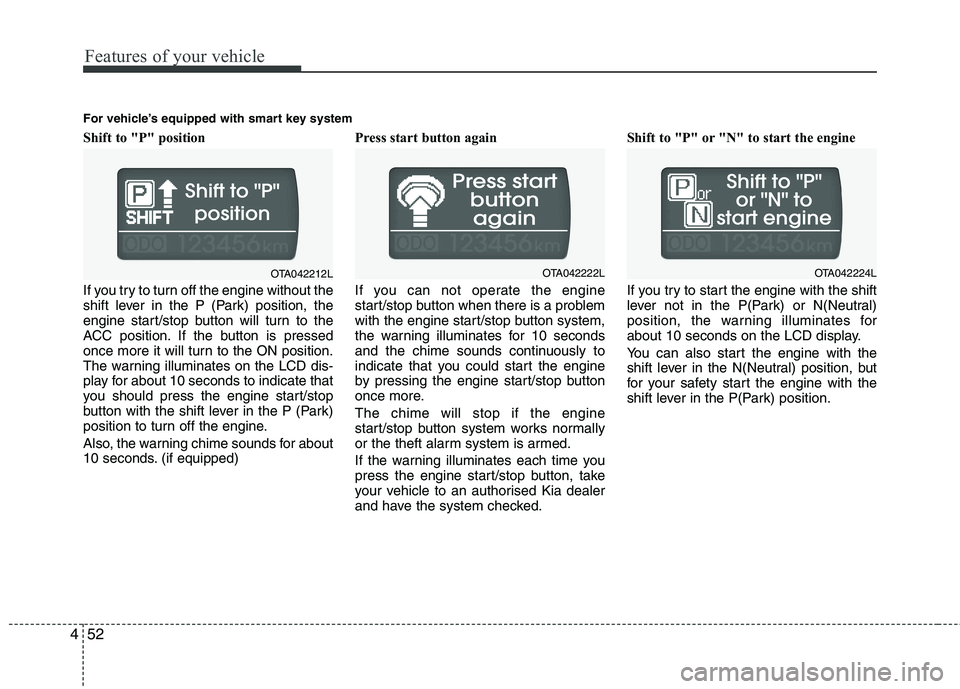
Shift to "P" position
If you try to turn off the engine without the
shift lever in the P (Park) position, the
engine start/stop button will turn to the
ACC position. If the button is pressed
once more it will turn to the ON position.
The warning illuminates on the LCD dis-
play for about 10 seconds to indicate that
you should press the engine start/stop
button with the shift lever in the P (Park)
position to turn off the engine.
Also, the warning chime sounds for about
10 seconds. (if equipped) Press start button again
If you can not operate the engine
start/stop button when there is a problem
with the engine start/stop button system,
the warning illuminates for 10 seconds
and the chime sounds continuously to
indicate that you could start the engine
by pressing the engine start/stop button
once more. The chime will stop if the engine
start/stop button system works normally
or the theft alarm system is armed.
If the warning illuminates each time you
press the engine start/stop button, take
your vehicle to an authorised Kia dealer
and have the system checked.Shift to "P" or "N" to start the engine
If you try to start the engine with the shift
lever not in the P(Park) or N(Neutral)
position, the warning illuminates for
about 10 seconds on the LCD display.
You can also start the engine with the
shift lever in the N(Neutral) position, but
for your safety start the engine with the
shift lever in the P(Park) position.
OTA042212L
For vehicle’s equipped with smart key systemOTA042222LOTA042224L
Page 552 of 846

453
Features of your vehicle
Press start button whilst turn steering
(if equipped)
If the steering wheel does not unlock nor-
mally when the engine start/stop button
is pressed, the warning illuminates for 10
seconds on the LCD display. Also, the
warning chime sounds once and the
engine start/stop button light blinks for 10
seconds.
When you are warned, press the engine
start/stop button whilst turning the steer-
ing wheel right and left.Check steering wheel lock system
(if equipped)
If the steering wheel does not lock nor-
mally when the engine start/stop button
changes to the OFF position, the warning
illuminates for 10 seconds on the LCD
display. Also, the warning chime sounds
for 3 seconds and the engine start/stop
button light blinks for 10 seconds.
Steering wheel unlock
If the steering wheel does not lock nor-
mally when the ENGINE START/STOP
button turns to the OFF position, the
warning illuminates for 10 minutes on the
LCD display. If locks when the door is
opened or when you pull out the smart
key from the smart key holder.
For vehicle’s equipped with smart key system
OTA042214LOTA042216L
OTA042215L
Page 557 of 846

Features of your vehicle
58
4
Automatic transaxle shift
indicator (if equipped)
The indicator displays to show the auto-
matic transaxle shift lever selection.
Manual
transaxle shiftindicator (if equipped)
This indicator informs you which gear is
desired whilst driving to save fuel.
For example
: Indicates that shifting up to the 3rdgear is desired (currently the shift
lever is in the 2nd gear).
: Indicates that shifting down to the 3rd gear is desired (currently the
shift lever is in the 4th gear).
Charging system warning
light
This warning light indicates a malfunction
of either the generator or electricalcharging system.
If the warning light comes on whilst the
vehicle is in motion:
1. Drive to the nearest safe location.
2. With the engine off, check the genera- tor drive belt for looseness or breakage.
3. If the belt is adjusted properly, a prob- lem exists somewhere in the electrical
charging system. Have an authorised
Kia dealer correct the problem as soon
as possible.
Tailgate open warning light
This warning light illuminates when a
tailgate is not closed securely.
Door ajar warning light
This warning light illuminates when a
door is not closed securely.
Immobiliser indicator
(if equipped)
Without smart key system This light illuminates when the immobilis-
er key is inserted and turned to the ON
position to start the engine.
At this time, you can start the engine. The
light goes out after the engine is running.
If this light blinks when the ignition switch
is in the ON position before starting the
engine, have the system checked by an
authorised Kia dealer.
With smart key system
If any of the following occurs in a vehicle
equipped with the smart key, the immo-
biliser indicator illuminates, blinks or
goes off.
When the smart key is in the vehicle, if the ENGINE START/STOP button is in
the ACC or ON position, the indicator
will illuminate for approximately 30
seconds to indicate that you are able to
start the engine. However, when the
smart key is not in the vehicle, if the
ENGINE START/STOP button is
pressed, the indicator will blink for a
few seconds to indicate that you are
not be able to start the engine.
■Type A
■Type B