Page 164 of 420
491
Features of your vehicle
Automatic heating and air condi-
tioning
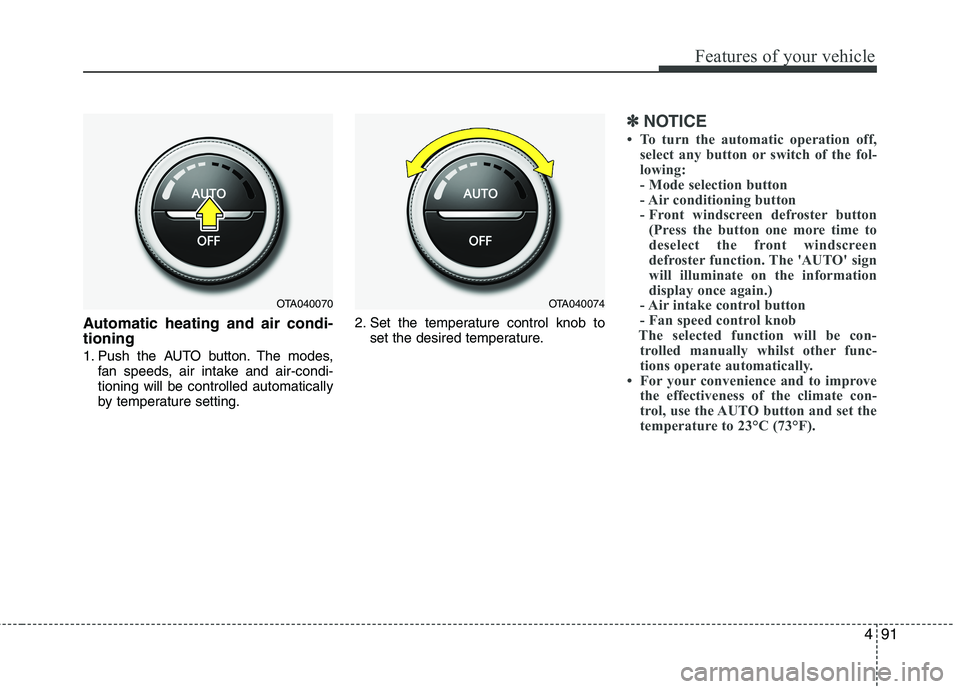
1. Push the AUTO button. The modes,
fan speeds, air intake and air-condi-
tioning will be controlled automatically
by temperature setting.2. Set the temperature control knob to
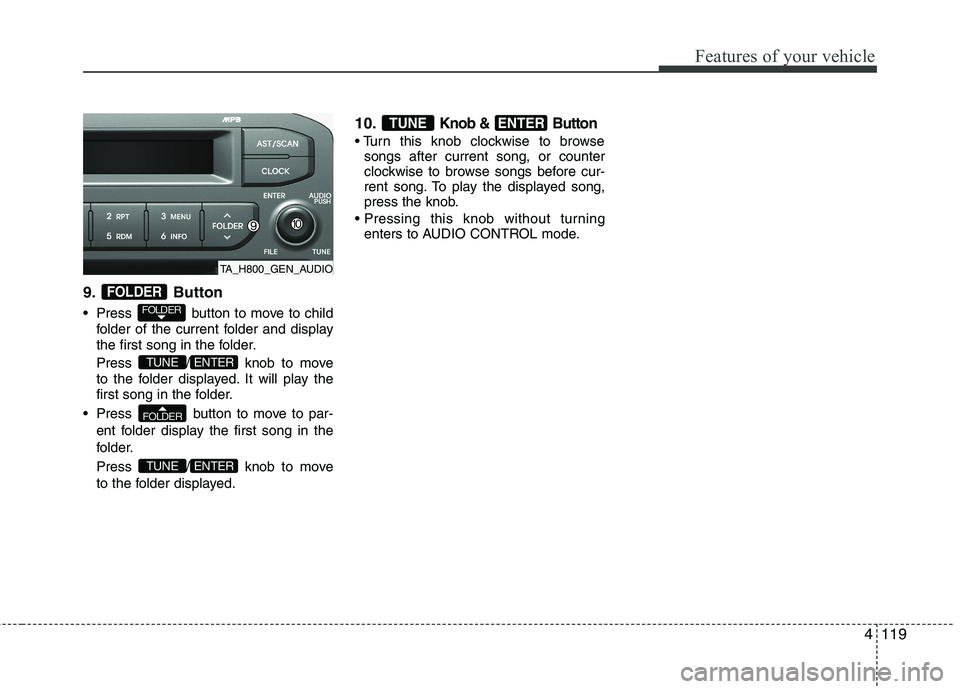
set the desired temperature.
✽ ✽
NOTICE
• To turn the automatic operation off,
select any button or switch of the fol-
lowing:
- Mode selection button
- Air conditioning button
- Front windscreen defroster button
(Press the button one more time to
deselect the front windscreen
defroster function. The 'AUTO' sign
will illuminate on the information
display once again.)
- Air intake control button
- Fan speed control knob
The selected function will be con-
trolled manually whilst other func-
tions operate automatically.
• For your convenience and to improve
the effectiveness of the climate con-
trol, use the AUTO button and set the
temperature to 23°C (73°F).
OTA040070OTA040074
Page 167 of 420
Features of your vehicle
94 4
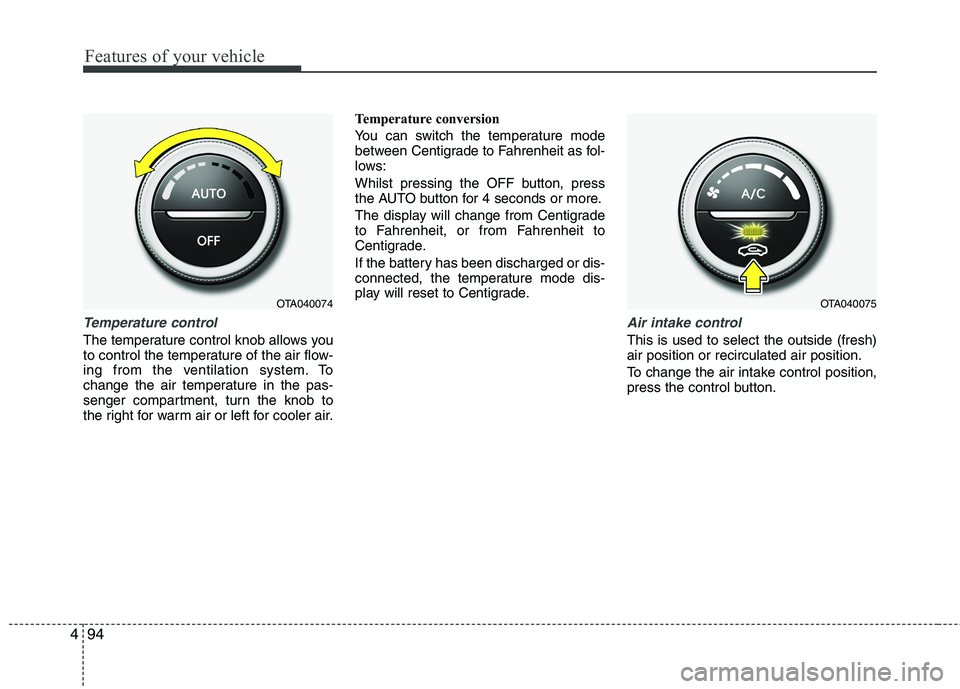
Temperature control
The temperature control knob allows you
to control the temperature of the air flow-
ing from the ventilation system. To
change the air temperature in the pas-
senger compartment, turn the knob to
the right for warm air or left for cooler air.Temperature conversion
You can switch the temperature mode
between Centigrade to Fahrenheit as fol-
lows:
Whilst pressing the OFF button, press
the AUTO button for 4 seconds or more.
The display will change from Centigrade
to Fahrenheit, or from Fahrenheit to
Centigrade.
If the battery has been discharged or dis-
connected, the temperature mode dis-
play will reset to Centigrade.
Air intake control
This is used to select the outside (fresh)
air position or recirculated air position.
To change the air intake control position,
press the control button.
OTA040075OTA040074
Page 169 of 420
Features of your vehicle
96 4
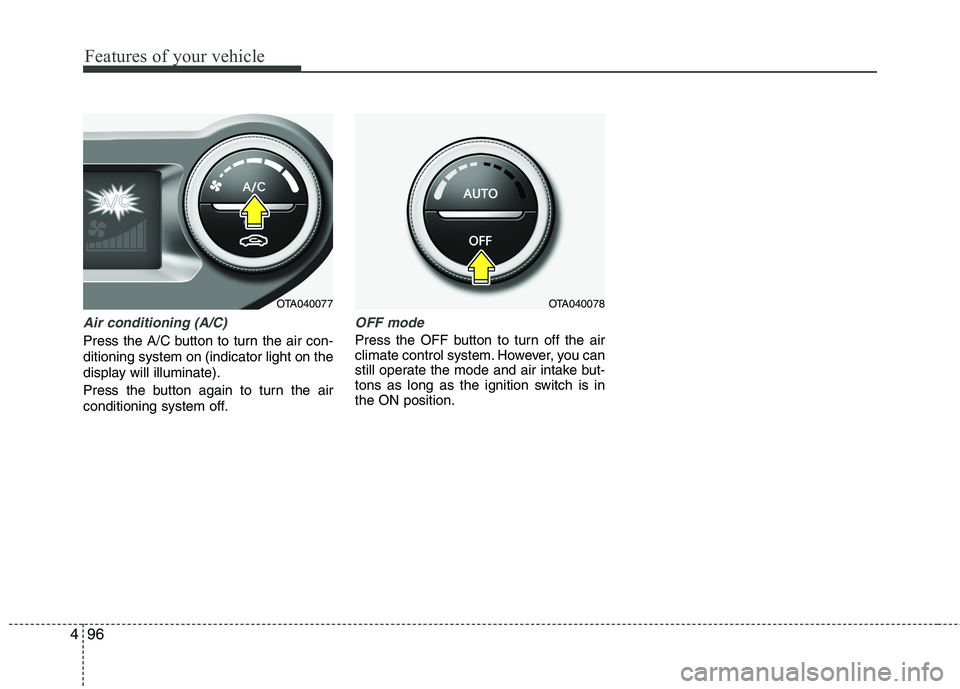
Air conditioning (A/C)
Press the A/C button to turn the air con-
ditioning system on (indicator light on the
display will illuminate).
Press the button again to turn the air
conditioning system off.
OFF mode
Press the OFF button to turn off the air
climate control system. However, you can
still operate the mode and air intake but-
tons as long as the ignition switch is in
the ON position.
OTA040078OTA040077
Page 178 of 420
4105
Features of your vehicle
Setup the clock (Type A, Type B)
With audio off
1. Press the [SETUP] or [Clock] button
until the clock of the display blinks.
2. Set the clock by turning the knob(1)
and press it.With audio on
1. Press the [SETUP] or [Clock] button
until the clock adjust mode displayed.
2. Set the clock by turning the knob(1)
and press it.
Setup the clock (Type C)
Hour:
Turn the knob to the left (H), will advance
the time displayed by one hour.
Minute:
Turn the knob to the right (M), will
advance the time displayed by one
minute.
WARNING
Do not adjust the clock whilst driv-
ing. You may lose your steering
control and cause an accident that
results in severe personal injury or
death.
OTA040203R
■Type C
OTA040095
OTA040089
■Type A
■Type B
Page 187 of 420
Features of your vehicle
114 4
Using RADIO, SETUP, VOLUME
and AUDIO CONTROL
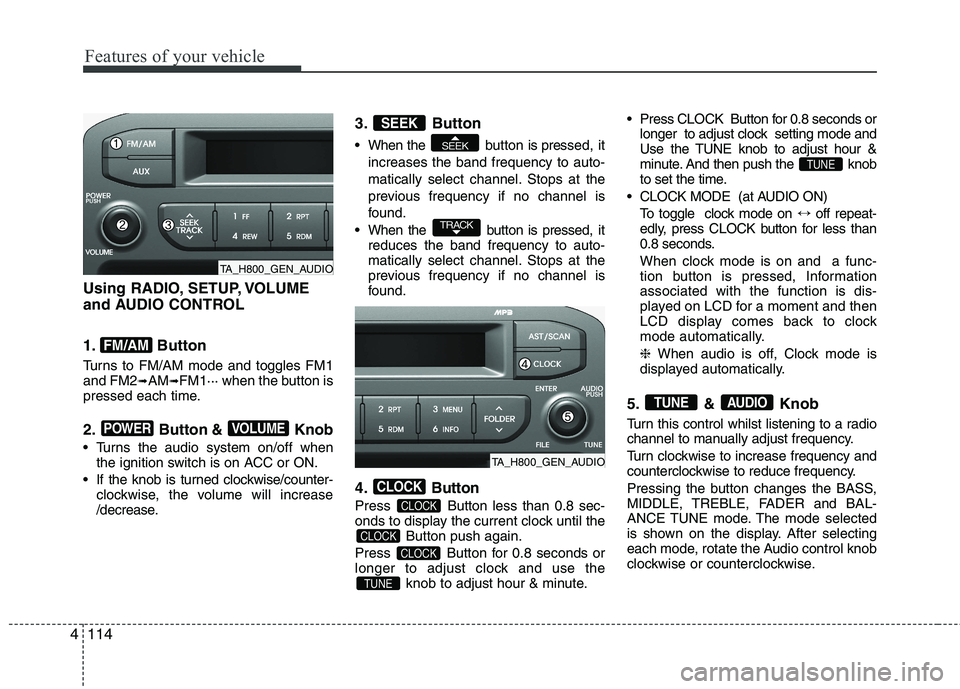
1. Button
Turns to FM/AM mode and toggles FM1
and FM2➟AM➟FM1··· when the button is
pressed each time.
2. Button & Knob
Turns the audio system on/off when
the ignition switch is on ACC or ON.
If the knob is turned clockwise/counter-
clockwise, the volume will increase
/decrease.
3. Button
When the button is pressed, it
increases the band frequency to auto-
matically select channel. Stops at the
previous frequency if no channel is
found.
When the button is pressed, it
reduces the band frequency to auto-
matically select channel. Stops at the
previous frequency if no channel is
found.
4. Button
Press Button less than 0.8 sec-
onds to display the current clock until the
Button push again.
Press Button for 0.8 seconds or
longer to adjust clock and use the
knob to adjust hour & minute. Press CLOCK Button for 0.8 seconds or
longer to adjust clock setting mode and
Use the TUNE knob to adjust hour &
minute. And then push the knob
to set the time.
CLOCK MODE (at AUDIO ON)
To toggle clock mode on ↔off repeat-
edly, press CLOCK button for less than
0.8 seconds.
When clock mode is on and a func-
tion button is pressed, Information
associated with the function is dis-
played on LCD for a moment and then
LCD display comes back to clock
mode automatically.
❈ When audio is off, Clock mode is
displayed automatically.
5. & Knob
Turn this control whilst listening to a radio
channel to manually adjust frequency.
Turn clockwise to increase frequency and
counterclockwise to reduce frequency.
Pressing the button changes the BASS,
MIDDLE, TREBLE, FADER and BAL-
ANCE TUNE mode. The mode selected
is shown on the display. After selecting
each mode, rotate the Audio control knob
clockwise or counterclockwise.
AUDIOTUNE
TUNE
TUNE
CLOCK
CLOCK
CLOCK
CLOCK
TRACK
SEEK
SEEK
VOLUMEPOWER
FM/AM
TA_H800_GEN_AUDIO
TA_H800_GEN_AUDIO
Page 191 of 420
Features of your vehicle
118 4
Using USB device
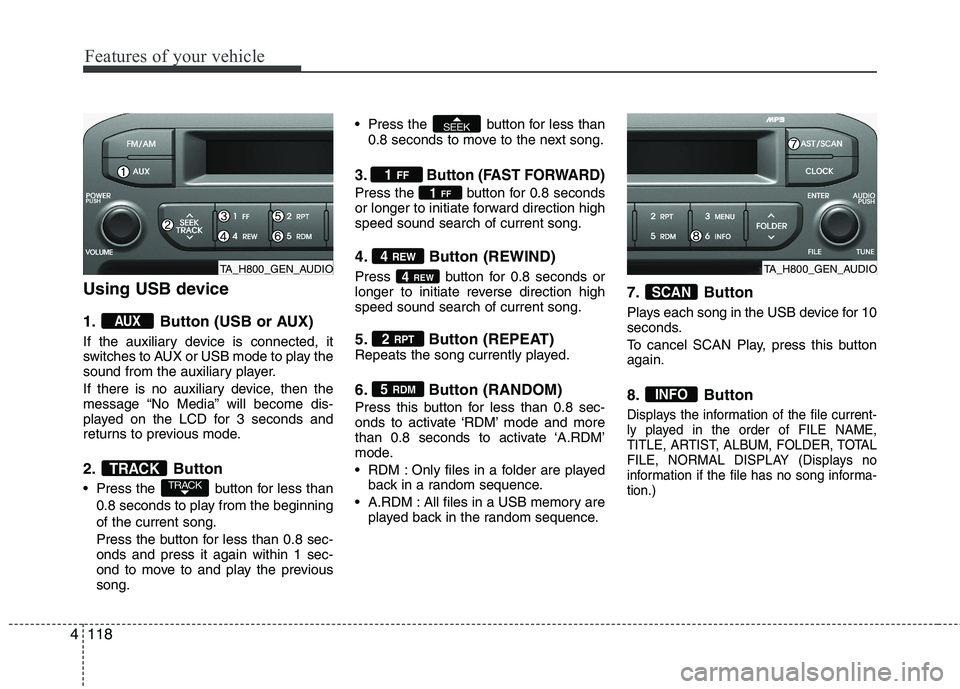
1. Button (USB or AUX)
If the auxiliary device is connected, it
switches to AUX or USB mode to play the
sound from the auxiliary player.
If there is no auxiliary device, then the
message “No Media” will become dis-
played on the LCD for 3 seconds and
returns to previous mode.
2. Button
Press the button for less than
0.8 seconds to play from the beginning
of the current song.
Press the button for less than 0.8 sec-
onds and press it again within 1 sec-
ond to move to and play the previous
song. Press the button for less than
0.8 seconds to move to the next song.
3. Button (FAST FORWARD)
Press the button for 0.8 seconds
or longer to initiate forward direction high
speed sound search of current song.
4. Button (REWIND)
Press button for 0.8 seconds or
longer to initiate reverse direction high
speed sound search of current song.
5. Button (REPEAT)Repeats the song currently played.
6. Button (RANDOM)
Press this button for less than 0.8 sec-
onds to activate ‘RDM’ mode and more
than 0.8 seconds to activate ‘A.RDM’
mode.
RDM : Only files in a folder are played
back in a random sequence.
A.RDM : All files in a USB memory are
played back in the random sequence.
7. Button
Plays each song in the USB device for 10
seconds.
To cancel SCAN Play, press this button
again.
8. Button
Displays the information of the file current-
ly played in the order of FILE NAME,
TITLE, ARTIST, ALBUM, FOLDER, TOTAL
FILE, NORMAL DISPLAY (Displays no
information if the file has no song informa-
tion.)
INFO
SCAN
5 RDM
2 RPT
4REW
4 REW
1FF
1 FF
SEEK
TRACKTRACK
AUX
TA_H800_GEN_AUDIOTA_H800_GEN_AUDIO
Page 192 of 420
4119
Features of your vehicle
9. Button
Press button to move to child
folder of the current folder and display
the first song in the folder.
Press / knob to move
to the folder displayed. It will play the
first song in the folder.
Press button to move to par-
ent folder display the first song in the
folder.
Press / knob to move
to the folder displayed.
10.Knob & Button
songs after current song, or counter
clockwise to browse songs before cur-
rent song. To play the displayed song,
press the knob.
enters to AUDIO CONTROL mode.
ENTERTUNE
ENTERTUNE
FOLDER
ENTERTUNE
FOLDER
FOLDER
TA_H800_GEN_AUDIO
Page 195 of 420
Features of your vehicle
122 4
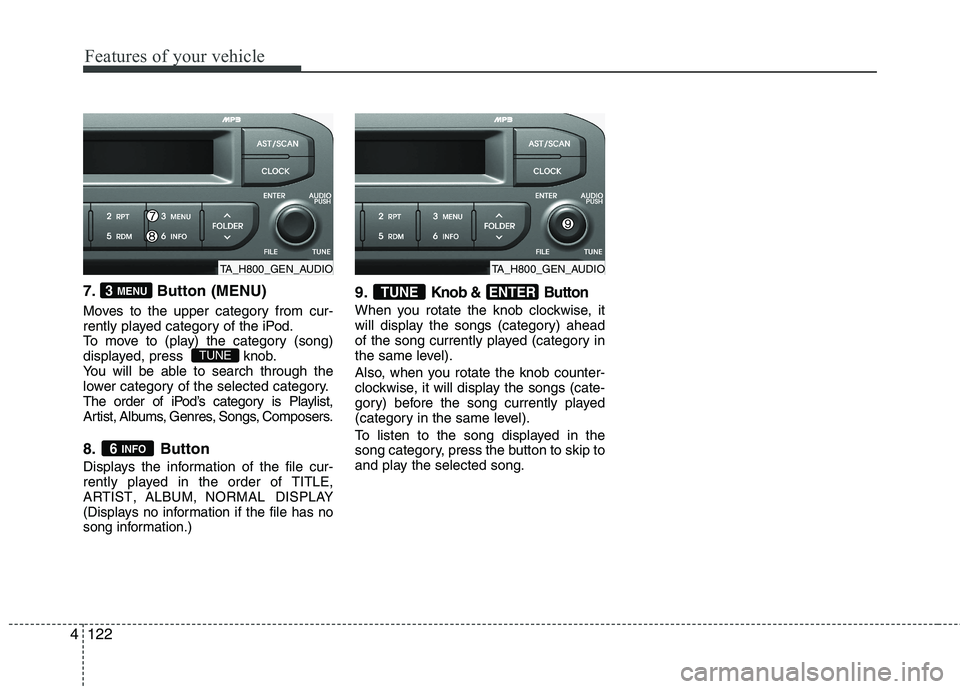
7. Button (MENU)
Moves to the upper category from cur-
rently played category of the iPod.
To move to (play) the category (song)
displayed, press knob.
You will be able to search through the
lower category of the selected category.
The order of iPod’s category is Playlist,
Artist, Albums, Genres, Songs, Composers.
8. Button
Displays the information of the file cur-
rently played in the order of TITLE,ARTIST,ALBUM,NORMAL DISPLAY
(Displays no information if the file has no
song information.)
9.Knob & Button
When you rotate the knob clockwise, it
will display the songs (category) ahead
of the song currently played (category in
the same level).
Also, when you rotate the knob counter-
clockwise, it will display the songs (cate-
gory) before the song currently played
(category in the same level).
To listen to the song displayed in the
song category, press the button to skip to
and play the selected song.
ENTERTUNE
6 INFO
TUNE
3 MENU
TA_H800_GEN_AUDIOTA_H800_GEN_AUDIO
![KIA MORNING 2015 Owners Manual 4105
Features of your vehicle
Setup the clock (Type A, Type B)
With audio off
1. Press the [SETUP] or [Clock] button
until the clock of the display blinks.
2. Set the clock by turning the knob(1)
and](/manual-img/2/57961/w960_57961-177.png "KIA MORNING 2015 Owners Manual 4105
Features of your vehicle
Setup the clock (Type A, Type B)
With audio off
1. Press the [SETUP] or [Clock] button
until the clock of the display blinks.
2. Set the clock by turning the knob(1)
and")