2015 JEEP WRANGLER set
[x] Cancel search: setPage 22 of 695

NOTE:Changes or modifications not expressly approved
by the party responsible for compliance could void the
user’s authority to operate the equipment.
VEHICLE SECURITY ALARM — IF EQUIPPED
The Vehicle Security Alarm monitors the vehicle doors,
swing gate, and ignition for unauthorized operation.
While the Vehicle Security Alarm is armed, interior
switches for door locks are disabled. The Vehicle Security
Alarm provides both audible and visible signals when
alarming. The horn will sound, the headlights will turn
on, the park lamps and/or turn signals will flash repeat-
edly for three minutes. If the disturbance is still present
(driver’s door, passenger door, other doors, ignition) after
three minutes, the headlights, park lamps and/or turn
signals will flash for an additional 15 minutes.
NOTE:The Panic Alarm and the Vehicle Security Alarm
are quite different. Please take a moment to activate the
Panic Alarm and the Vehicle Security Alarm to hear the
differences in the horn. In case one should go off in the
future, you will need to know which mode has been
activated in order to deactivate it.
Rearming The System
If something triggers the alarm, and no action is taken to
disarm it, the Vehicle Security Alarm will turn off the
horn after three minutes, turn off all of the visual signals
after 15 minutes, and then the Vehicle Security Alarm will
rearm itself.
To Arm The System
The Vehicle Security Alarm will set when you use the
Remote Keyless Entry (RKE) transmitter to lock the doors
and swing gate, or when you use the power door lock
switch while the door is open. After all the doors are
locked and closed, the Vehicle Security Light (located on
20 THINGS TO KNOW BEFORE STARTING YOUR VEHICLE
Page 23 of 695

the instrument cluster) will flash rapidly for about 16
seconds to signal that the Vehicle Security Alarm is
arming. During this 16-second arming period, opening
any door or the swing gate will cancel the arming. If the
Vehicle Security Alarm is successfully set, the Vehicle
Security Light will flash at a slower rate to indicate the
Vehicle Security Alarm is armed.
To Disarm The System
To disarm the Vehicle Security Alarm, you will need to
push the UNLOCK button on the RKE transmitter, or
turn the ignition switch to the ON/RUN position. If
something has triggered the Vehicle Security Alarm in
your absence, the horn will sound three times and the
exterior lights blink three times when you unlock the
doors. Check the vehicle for tampering.
The Vehicle Security Alarm is designed to protect your
vehicle; however, you can create conditions where the
Vehicle Security Alarm will arm unexpectedly. If you
remain in the vehicle and lock the doors with the RKE
transmitter, once the Vehicle Security Alarm is armed
(after 16 seconds), when you pull the door handle to exit,
the alarm will sound. If this occurs, push the UNLOCK
button on the RKE transmitter to disarm the Vehicle
Security Alarm. You may also accidentally disarm the
Vehicle Security Alarm by unlocking the driver’s door
with the key and then locking it. The door will be locked
but the Vehicle Security Alarm will not arm.
NOTE:
•Unlocking the doors with the manual door lock plung-
ers or the driver’s door lock cylinder will not disarm
the Vehicle Security Alarm.
•When the Vehicle Security Alarm is armed, the interior
power door lock switches will not unlock the doors.
2
THINGS TO KNOW BEFORE STARTING YOUR VEHICLE 21
Page 26 of 695

To Unlock The Doors And Swing Gate
Push and release the RKE transmitter UNLOCK button
once to unlock the driver’s door only, or twice to unlock
all the doors and swing gate. When the RKE transmitter
UNLOCK button is pushed, the Illuminated Entry will
initiate and the turn signal lights will flash twice.
Remote Key Unlock On First Press
This feature lets you program the system to unlock either
the driver’s side, or all doors and swing gate on the first
push of the UNLOCK button on the RKE transmitter.
•For vehicles equipped with an Electronic Vehicle In-
formation Center (EVIC), refer to “Electronic Vehicle
Information Center (EVIC)/Personal Settings
(Customer-Programmable Features)” in “Understand-
ing Your Instrument Panel” for further information.
•For vehicles not equipped with the EVIC, the Remote
Unlock feature can be enabled or disabled by perform-
ing the following steps:
1. Push and hold the LOCK button on a programmed
RKE transmitter.
2. Continue to hold the RKE transmitter LOCK button
for at least four seconds, but not longer than 10
seconds, then push and hold the RKE transmitter
UNLOCK button.
3. Release both buttons at the same time.
4. Test this feature while outside of the vehicle by
pushing the LOCK/UNLOCK button on the RKE
transmitter.
24 THINGS TO KNOW BEFORE STARTING YOUR VEHICLE
Page 27 of 695

NOTE:Pushing the RKE transmitter LOCK button while
you are inside of the vehicle will activate the Vehicle
Security Alarm. Opening a door with the Vehicle Security
Alarm activated will cause the alarm to sound. Push the
RKE transmitter UNLOCK button to deactivate the Ve-
hicle Security Alarm.
5. If the desired programming was not achieved or to
reactivate this feature, repeat the above steps.
NOTE:Pushing the RKE transmitter LOCK button while
you are inside of the vehicle will activate the Vehicle
Security Alarm. Opening a door with the Vehicle Security
Alarm activated will cause the alarm to sound. Push the
RKE transmitter UNLOCK button to deactivate the Ve-
hicle Security Alarm.
To Lock The Doors And Swing Gate
Push and release the LOCK button on the RKE transmit-
ter to lock all doors. The turn signals will flash and the
horn will chirp once to acknowledge the lock signal.
Sound Horn On Lock
This feature will cause the horn to chirp when the doors
are locked with the RKE transmitter. This feature can be
turned on or turned off. To change the current setting,
proceed as follows:
•For vehicles equipped with the EVIC, refer to “Elec-
tronic Vehicle Information Center (EVIC)/Personal
Settings (Customer-Programmable Features)” in “Un-
derstanding Your Instrument Panel” for further infor-
mation.
2
THINGS TO KNOW BEFORE STARTING YOUR VEHICLE 25
Page 28 of 695

•For vehicles not equipped with the EVIC, perform the
following steps:
1. Push the RKE transmitter LOCK button for 4 to 10
seconds.
2. While the LOCK button is pushed (after four seconds),
push the RKE transmitter PANIC button. Release both
buttons.
The “Sound Horn On Lock” feature can be reactivated by
repeating this procedure.
Using The Panic Alarm
To turn the Panic Alarm feature on or off, push and hold
the PANIC button on the RKE transmitter for at least one
second and release. When the Panic Alarm is activated,
the headlights will turn on, the park lights will flash, the
horn will pulse on and off and the interior lights will turn
on.
The Panic Alarm will stay on for three minutes unless
you turn it off by pushing the PANIC button a second
time, or if the vehicle speed is 5 mph (8 km/h) or greater.
NOTE:When you turn off the Panic Alarm by pushing
the PANIC button a second time, you may have to move
closer to the vehicle due to the radio frequency noises of
the system.
To Turn Off Flash Lights With Lock
This feature will cause the turn signal lights to flash when
the doors are locked or unlocked with the RKE transmit-
ter. This feature can be turned on or turned off. To change
the current setting, proceed as follows:
•For vehicles equipped with the EVIC, refer to “Elec-
tronic Vehicle Information Center (EVIC)/Personal
Settings (Customer-Programmable Features)” in “Un-
derstanding Your Instrument Panel” for further infor-
mation.
26 THINGS TO KNOW BEFORE STARTING YOUR VEHICLE
Page 43 of 695

WARNING!
•For personal security reasons and safety in a colli-
sion, lock the vehicle doors when you drive, as well
as when you park and leave the vehicle.
•When leaving the vehicle, always remove the Key
Fob from the ignition and lock your vehicle.
•Never leave children alone in a vehicle, or with
access to an unlocked vehicle.
•Allowing children to be in a vehicle unattended is
dangerous for a number of reasons. A child or
others could be seriously or fatally injured. Chil-
dren should be warned not to touch the parking
brake, brake pedal or the transmission gear selec-
tor.
•Do not leave the Key Fob in or near the vehicle or
in a location accessible to children. A child could
operate power windows, other controls, or move
the vehicle.
Automatic Door Locks — If Equipped
The auto door lock feature default condition is enabled.
When enabled, the door locks will lock automatically
when the vehicle’s speed exceeds 15 mph (24 km/h). The
auto door lock feature can be enabled or disabled by your
authorized dealer or through the Uconnect® Settings in
your radio.
Automatic Unlock Doors On Exit — If Equipped
The doors will unlock automatically on vehicles with
power door locks if:
1. The “Automatic Unlock Doors On Exit” feature is
enabled.
2. The vehicle speed returned to 0 mph (0 km/h) and the
transmission shift lever is in NEUTRAL or PARK.
3. The driver door is opened.
4. The doors were not previously unlocked.
2
THINGS TO KNOW BEFORE STARTING YOUR VEHICLE 41
Page 44 of 695
Automatic Unlock Doors On Exit Programming
The “Automatic Unlock Doors On Exit” feature can be
enabled or disabled as follows:
1. Close all doors and place the key in the ignition.
2. Cycle the ignition switch between LOCK and ON/
RUN and then back to LOCK four times ending up in
the LOCK position.
3. Push the power door unlock switch to unlock the
doors.
4. A single chime will indicate the completion of the
programming.
5. Repeat these steps if you want to return this feature to
its previous setting.
NOTE:Use the “Automatic Unlock Doors On Exit”
feature in accordance with local laws.
Child-Protection Door Lock System — Rear
Doors
To provide a safer environment for small children riding
in the rear seats, the rear doors are equipped with
Child-Protection Door Lock system.
To Engage Or Disengage The Child-Protection
Door Lock System
1. Open the rear door.
2. Insert the tip of the ignition key into the lock and
rotate to the LOCK or UNLOCK position.
3. Repeat steps 1 and 2 for the opposite rear door.
42 THINGS TO KNOW BEFORE STARTING YOUR VEHICLE
Page 46 of 695
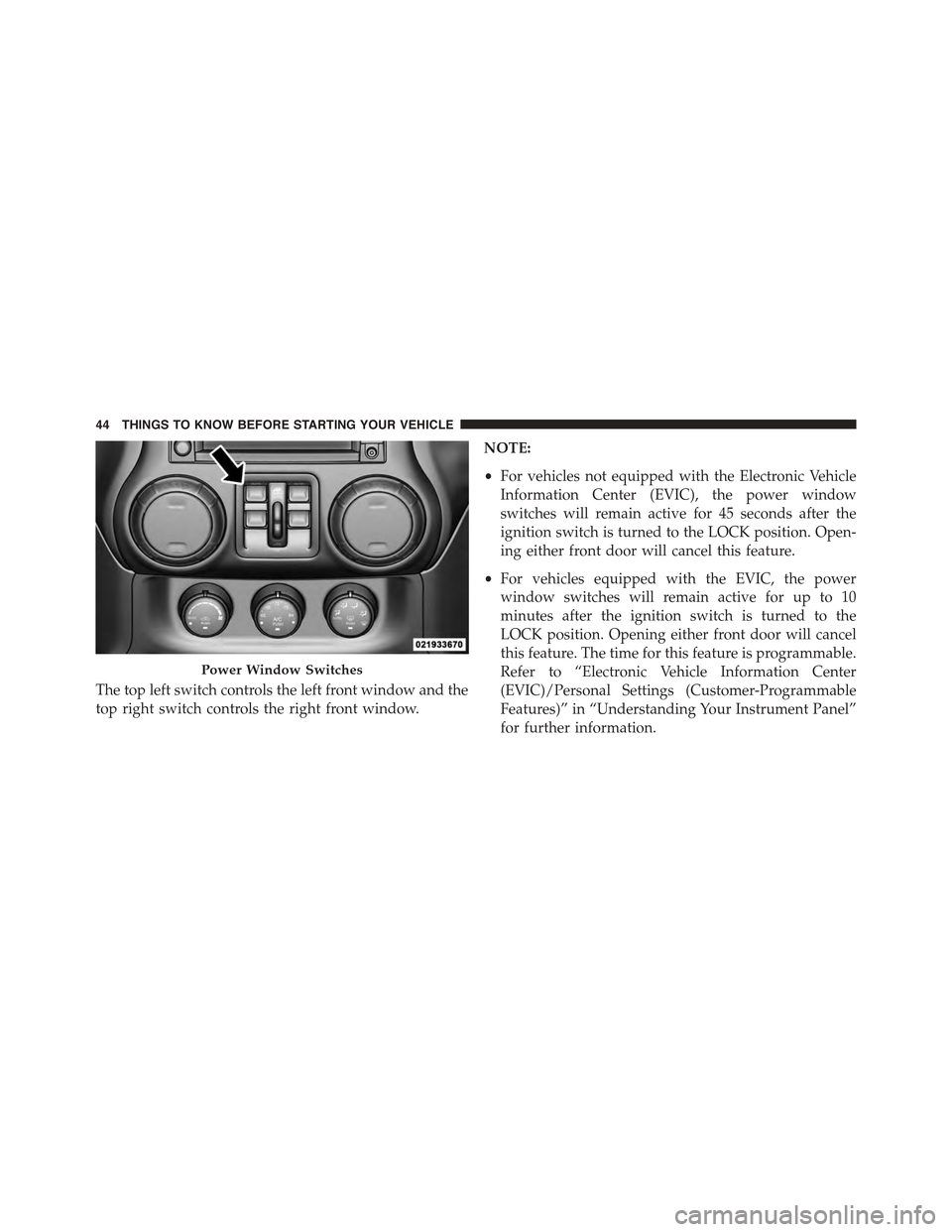
The top left switch controls the left front window and the
top right switch controls the right front window.
NOTE:
•For vehicles not equipped with the Electronic Vehicle
Information Center (EVIC), the power window
switches will remain active for 45 seconds after the
ignition switch is turned to the LOCK position. Open-
ing either front door will cancel this feature.
•For vehicles equipped with the EVIC, the power
window switches will remain active for up to 10
minutes after the ignition switch is turned to the
LOCK position. Opening either front door will cancel
this feature. The time for this feature is programmable.
Refer to “Electronic Vehicle Information Center
(EVIC)/Personal Settings (Customer-Programmable
Features)” in “Understanding Your Instrument Panel”
for further information.
Power Window Switches
44 THINGS TO KNOW BEFORE STARTING YOUR VEHICLE