Page 207 of 772
Overtake Aid
When driving with ACC engaged and following a target
vehicle, the system will provide an additional accelera-
tion to assist in passing vehicles in front. This additional
acceleration is triggered when the driver utilizes the left
turn signal. In locations with left hand drive traffic,
Overtake Aid is active only when passing on the left
hand side of the Target vehicles.
When a vehicle goes from a location with left hand drive
traffic to a location with right hand drive traffic, the ACC
system will automatically detect traffic direction. In this
condition, Overtake Aid is active only when passing on
the right side of the Target vehicle. This additional
acceleration is triggered when the driver utilizes the right
turn signal. In this condition the ACC system will no
longer provide Overtake Aid on the left side until it
determines that the vehicle has moved back to a location
with left hand drive traffic.
ACC Operation At Stop
In the event that the ACC system brings your vehicle to
a standstill while following a target vehicle, if the target
vehicle starts moving within two seconds of your vehicle
coming to a standstill, your vehicle will resume motion
without the need for any driver action.
If the target vehicle does not start moving within two
seconds of your vehicle coming to a standstill, the driver
will either have to press the RES (resume) button, or
apply the accelerator pedal to reengage the ACC to the
existing Set Speed.
NOTE:After the ACC system holds your vehicle at a
standstill for approximately 3 consecutive minutes, the
parking brake will be activated, and the ACC system will
be cancelled.
While ACC is holding your vehicle at a standstill, if the
driver seatbelt is unbuckled or the driver door is opened,
3
UNDERSTANDING THE FEATURES OF YOUR VEHICLE 205
Page 237 of 772
(EVIC) or Driver Information Display (DID) indicating
the vehicle speed is too fast. The system will become
active again if the vehicle speed is decreased to speeds
less than approximately 6 mph (9 km/h).
ParkSense® Sensors
The four ParkSense® sensors, located in the rear fascia/
bumper, monitor the area behind the vehicle that is
within the sensors’ field of view. The sensors can detect
obstacles from approximately 12 in (30 cm) up to 79 in
(200 cm) from the rear fascia/bumper in the horizontal
direction, depending on the location, type and orienta-
tion of the obstacle.
ParkSense® Warning Display
The ParkSense® Warning screen will only be displayed if
Sound and Display is selected from the Customer -
Programmable Features section of the Uconnect® Sys-
tem. Refer to#Uconnect® Settings” in “Understanding
Your Instrument Panel” for further information.
The ParkSense® Warning screen is located within the
EVIC/DID. It provides visual warnings to indicate the
distance between the rear fascia/bumper and the de-
tected obstacle. Refer to “Electronic Vehicle Information
Center (EVIC) or Driver Information Display (DID)” for
further information.
ParkSense® Display
When the vehicle is in REVERSE, the EVIC/DID will
display the park assist ready system status.
The system will indicate a detected obstacle by showing
a single arc in one or more regions based on the obstacle’s
distance and location relative to the vehicle.
If an obstacle is detected in the center rear region, the
display will show a single solid arc in the center rear
region and will produce a one-half second tone. As the
vehicle moves closer to the obstacle, the display will
show the single arc moving closer to the vehicle and the
sound tone will change from slow, to fast, to continuous.
3
UNDERSTANDING THE FEATURES OF YOUR VEHICLE 235
Page 248 of 772

ParkSense® can be active only when the shift lever is in
REVERSE or DRIVE (NON-REVERSE for manual trans-
mission). If ParkSense® is enabled at one of these shift
lever positions, the system will remain active until the
vehicle speed is increased to approximately 7 mph
(11 km/h) or above. When in REVERSE and above the
system’s operating speed, a warning will appear in the
EVIC/DID indicating the vehicle speed is too fast. The
system will become active again if the vehicle speed is
decreased to speeds less than approximately 6 mph
(9 km/h).
ParkSense® Sensors
The four ParkSense® sensors, located in the rear fascia/
bumper, monitor the area behind the vehicle that is
within the sensors’ field of view. The sensors can detect
obstacles from approximately 12 in (30 cm) up to 79 in
(200 cm) from the rear fascia/bumper in the horizontal
direction, depending on the location, type and orienta-
tion of the obstacle.
NOTE:If your vehicle is equipped with the ParkSense®
Active Park Assist system, six sensors will be located in
the rear fascia/bumper. Refer to the#ParkSense® Active
Park Assist System#section for further information.
The six ParkSense® sensors, located in the front fascia/
bumper, monitor the area in front of the vehicle that is
within the sensors’ field of view. The sensors can detect
obstacles from approximately 12 in (30 cm) up to 47 in
(120 cm) from the front fascia/bumper in the horizontal
direction, depending on the location, type and orienta-
tion of the obstacle.
246 UNDERSTANDING THE FEATURES OF YOUR VEHICLE
Page 249 of 772

ParkSense® Warning Display
The ParkSense® Warning screen will only be displayed if
Sound and Display is selected from the Customer -
Programmable Features section of the Uconnect® Sys-
tem. Refer to#Uconnect® Settings” in “Understanding
Your Instrument Panel” for further information.
The ParkSense® Warning screen is located within the
Electronic Vehicle Information Center (EVIC) or Driver
Information Display (DID). It provides visual warnings
to indicate the distance between the rear fascia/bumper
and/or front fascia/bumper and the detected obstacle.
Refer to “Electronic Vehicle Information Center (EVIC) or
7#Driver Information Display (DID)” for further infor-
mation.
ParkSense® Display
Rear Park Assist
When the vehicle is in REVERSE, the EVIC/DID will
display the park assist ready system status.
The system will indicate a detected obstacle by showing
a single arc in one or more regions based on the obstacle’s
distance and location relative to the vehicle.
If an obstacle is detected in the center rear region, the
display will show a single solid arc in the center rear
region and will produce a one-half second tone. As the
vehicle moves closer to the obstacle, the display will
show the single arc moving closer to the vehicle and the
sound tone will change from slow, to fast, to continuous.
If an obstacle is detected in the left and/or right rear
region, the display will show a single flashing arc in the
left and/or right rear region and will produce a fast
sound tone. As the vehicle moves closer to the obstacle,
3
UNDERSTANDING THE FEATURES OF YOUR VEHICLE 247
Page 254 of 772

NOTE:ParkSense® will reduce the volume of the radio,
if on, when the system is sounding an audio tone.
Front Park Assist
When the vehicle is in DRIVE or NON-REVERSE for
manual transmission, the ParkSense® Warning screen
will be displayed when an obstacle is detected.
The system will indicate a detected obstacle by showing
a single arc in one or more regions based on the obstacle’s
distance and location relative to the vehicle.
If an obstacle is detected in the center front region, the
display will show a single arc in the center front region.
As the vehicle moves closer to the obstacle, the display
will show the single arc moving closer to the vehicle. A
fast sound tone will be produced when reaching the 2nd
flashing arc and will change to a continuous sound tone
when the 1st flashing arc appears.
If an obstacle is detected in the left and/or right front
region, the display will show a single flashing arc in the
left and/or right front region and will produce a fast
sound tone. As the vehicle moves closer to the obstacle,
the display will show the single arc moving closer to the
vehicle and the tone will change from fast to continuous.
No Tone/Solid Arc
252 UNDERSTANDING THE FEATURES OF YOUR VEHICLE
Page 300 of 772
The power shade switches are located to the right be-
tween the sun visors on the overhead console.WARNING!
•Never leave children unattended in a vehicle, or
with access to an unlocked vehicle. Never leave the
Key Fob in or near the vehicle, or in a location
accessible to children. Do not leave the ignition of
a vehicle equipped with Keyless Enter-N-Go™ in
the ACC or ON/RUN mode. Occupants, particu-
larly unattended children, can become entrapped
by the power sunroof while operating the power
sunroof switch. Such entrapment may result in
serious injury or death.
•In a collision, there is a greater risk of being thrown
from a vehicle with an open sunroof. You could
also be seriously injured or killed. Always fasten
your seat belt properly and make sure all passen-
gers are also properly secured.
(Continued)
Power Shade Switches
298 UNDERSTANDING THE FEATURES OF YOUR VEHICLE
Page 307 of 772
WARNING!
To avoid serious injury or death:
•Only devices designed for use in this type of outlet
should be inserted into any 12 Volt outlet.
•Do not touch with wet hands.
•Close the lid when not in use and while driving the
vehicle.
•If this outlet is mishandled, it may cause an electric
shock and failure.
Power Outlet Fuse Locations
1—F75Fuse20AYellowFrontPowerOutlet/CigarLighterCon-sole Bin2—F92Fuse20AYellowRearPowerOutlet3—F60Fuse20AYellowPowerOutletCenterConsole
3
UNDERSTANDING THE FEATURES OF YOUR VEHICLE 305
Page 308 of 772
CAUTION!
•Many accessories that can be plugged in draw
power from the vehicle’s battery, even when not in
use (i.e., cellular phones, etc.). Eventually, if
plugged in long enough, the vehicle’s battery will
discharge sufficiently to degrade battery life and/or
prevent the engine from starting.
•Accessories that draw higher power (i.e., coolers,
vacuum cleaners, lights, etc.) will degrade the bat-
tery even more quickly. Only use these intermit-
tently and with greater caution.
•After the use of high power draw accessories, or
long periods of the vehicle not being started (with
accessories still plugged in), the vehicle must be
driven a sufficient length of time to allow the
generator to recharge the vehicle’s battery.
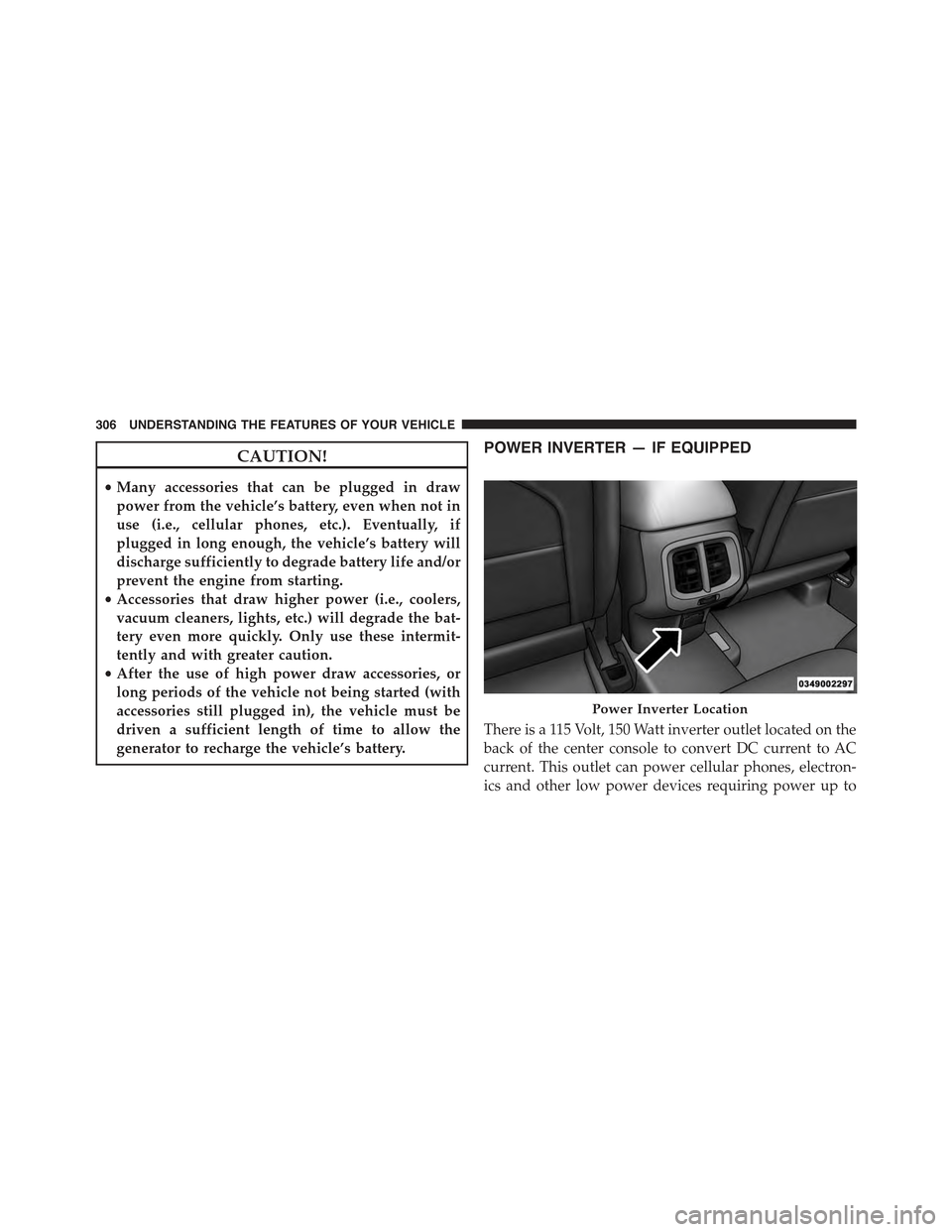
POWER INVERTER — IF EQUIPPED
There is a 115 Volt, 150 Watt inverter outlet located on the
back of the center console to convert DC current to AC
current. This outlet can power cellular phones, electron-
ics and other low power devices requiring power up to
Power Inverter Location
306 UNDERSTANDING THE FEATURES OF YOUR VEHICLE

