Page 371 of 786

Features of your vehicle
274
4
Using iPod®Mode
Playing/Pausing iPod®Songs
Once an iPod®is connected, the
mode will automatically start and
begin playing an iPod
®song.
While playing, press the button
to pause and press button to
play.
✽ ✽ NOTICE
iPod®s with unsupported communi-
cation protocols may not properly
operate in the audio system.
Changing Songs
Press the key to move to
the previous or next song.
✽ ✽ NOTICE
• Pressing the key after the
song has been playing for 2 sec-
onds will start the current song
from the beginning.
• Pressing the key before the song has been playing for 1 sec-
onds will start the previous song.
• Slight time differences may exist depending your iPod
®product.
Rewinding / Fast-forwarding
Songs
While playing, press and hold the
key (over 0.8 seconds) to
rewind or fast-forward the current
song.
Searching Categories
Turn the TUNE knob left/right to
search for the desired category.
Once you find the desired category,
press the TUNE knob to select
and play.
✽ ✽ NOTICE
There are eight categories that can be
searched, including Playlists, Artists,
Albums, Genres, Songs, Composers,
Audiobooks and Podcasts.SEEK
TRACK
SEEK
TRACK
SEEK
TRACK
SEEK
TRACK
Page 522 of 786

4425
Features of your vehicle
Using iPod®Mode
Playing/Pausing iPod®Songs
Once an iPod®is connected, the
mode will automatically start and
begin playing an iPod
®song.
While playing, press the button
to pause and press button to
play.
✽ ✽ NOTICE
iPod®s with unsupported communi-
cation protocols may not properly
operate in the audio system.
Changing Songs
Press the key to move to
the previous or next song.
✽ ✽ NOTICE
• Pressing the key after the
song has been playing for 2 sec-
onds will start the current song
from the beginning.
• Pressing the key before the song has been playing for 1 sec-
onds will start the previous song.
• Slight time differences may exist depending your iPod
®product.
Rewinding / Fast-forwarding
Songs
While playing, press and hold the
key (over 0.8 seconds) to
rewind or fast-forward the current
song.
Searching Categories
Turn the TUNE knob left/right to
search for the desired category.
Once you find the desired category,
press the TUNE knob to select
and play.
✽ ✽ NOTICE
There are eight categories that can be
searched, including Playlists, Artists,
Albums, Genres, Songs, Composers,
Audiobooks and Podcasts.SEEK
TRACK
SEEK
TRACK
SEEK
TRACK
SEEK
TRACK
Page 585 of 786

Driving your vehicle
22
5
✽
✽
NOTICE
• When driving on normal roads, deactivate the AWD LOCK mode by pushing the AWD LOCK button (the indi-
cator light goes off). Driving on normal roads with AWD LOCK mode(especially, when cornering) may cause
mechanical noise or vibration. The noise and vibration will disappear when the AWD LOCK mode is deactivat-
ed. Some parts of the power train may be damaged by prolonged driving with the noise and vibration.
• When the AWD LOCK mode is deactivated, a shock may be felt as the drive power is delivered entirely to the front wheels. This shock is not a mechanical failure.
ALL Wheel Drive (AWD) transfer mode selection
This mode is used for climbing or descending sharp
grades, off-road driving, driving on sandy and muddy
roads, etc., to maximize traction.
This mode automatically begins to deactivate at speeds above 30 km/h (19 mph) and is shifted to AWD
AUTO mode at speed above 40 km/h (25 mph). If the
vehicle decelerates to speeds below 30 km/h (19 mph),
however, the transfer mode is shifted into AWD LOCK
mode again.
AWD AUTO
(AWD LOCK is deactivated)
(Indicator light isnot illuminated)
Transfer mode Selection button Indicator light Description
When driving in AWD AUTO mode, the vehicle oper-
ates similar to conventional 2WD vehicles under nor-
mal operating conditions. However, if the system deter-
mines that there is a need for the AWD mode, the
engine’s driving power is distributed to all four wheels
automatically without driver intervention.
When driving on normal roads and pavement, the vehi- cle moves similar to conventional 2WD vehicles.
AWD LOCK
(Indicator light is illuminated)
Page 592 of 786

529
Driving your vehicle
In the event of brake failure
If service brakes fail to operate while
the vehicle is in motion, you can
make an emergency stop with the
parking brake. The stopping dis-
tance, however, will be much greater
than normal.
Disc brakes wear indicator
When your brake pads are worn and
new pads are required, you will hear
a high-pitched warning sound from
your front brakes or rear brakes (if
equipped). You may hear this sound
come and go or it may occur when-
ever you depress the brake pedal.
Please remember that some driving
conditions or climates may cause a
brake squeal when you first apply (or
lightly apply) the brakes. This is nor-
mal and does not indicate a problem
with your brakes.
WARNING - Parking
brake
Applying the parking brake
while the vehicle is moving at
normal speeds can cause a
sudden loss of control of the
vehicle. If you must use the
parking brake to stop the vehi-
cle, use great caution in apply-
ing the brake.WARNING - Brake wear
This brake wear warning sound
means your vehicle needs serv-
ice. If you ignore this audible
warning, you will eventually
lose braking performance,
which could lead to a serious
accident.
CAUTION
To avoid costly brake repairs, do not continue to drive withworn brake pads.
Always replace the front or rear brake pads as pairs.
Page 601 of 786

Driving your vehicle
38
5
ESC OFF usage
When driving
The ESC OFF mode should only be
used briefly to help free the vehicle if
stuck in snow or mud by temporarily
stopping operation of the ESC to
maintain wheel torque.
To turn ESC off while driving, press
the ESC OFF button while driving on
a flat road surface.
✽ ✽
NOTICE
Turning the ESC OFF does not
affect ABS or standard brake sys-
tem operation.
CAUTION
To prevent damage to the
transaxle:
Do not allow wheel(s) of one axle to spin excessively whilethe ESC, ABS, and brakewarning lights are displayed.The repairs would not be cov-ered by the vehicle warranty.Reduce engine power and donot spin the wheel(s) exces-sively while these lights aredisplayed.
When operating the vehicle on a dynamometer, ensure theESC is turned off (ESC OFFlight illuminated).
WARNING
When the ESC is blinking, this
indicates the ESC is active:
Drive slowly and NEVER
attempt to accelerate. NEVER
press the ESC OFF button while
the ESC indicator light is blink-
ing or you may lose control of
the vehicle resulting in an acci-
dent.
CAUTION
Driving with varying tire orwheel sizes may cause the ESCsystem to malfunction. Whenreplacing tires, make sure theyare the same size as your origi-nal tires for this vehicle.
Page 608 of 786
545
Driving your vehicle
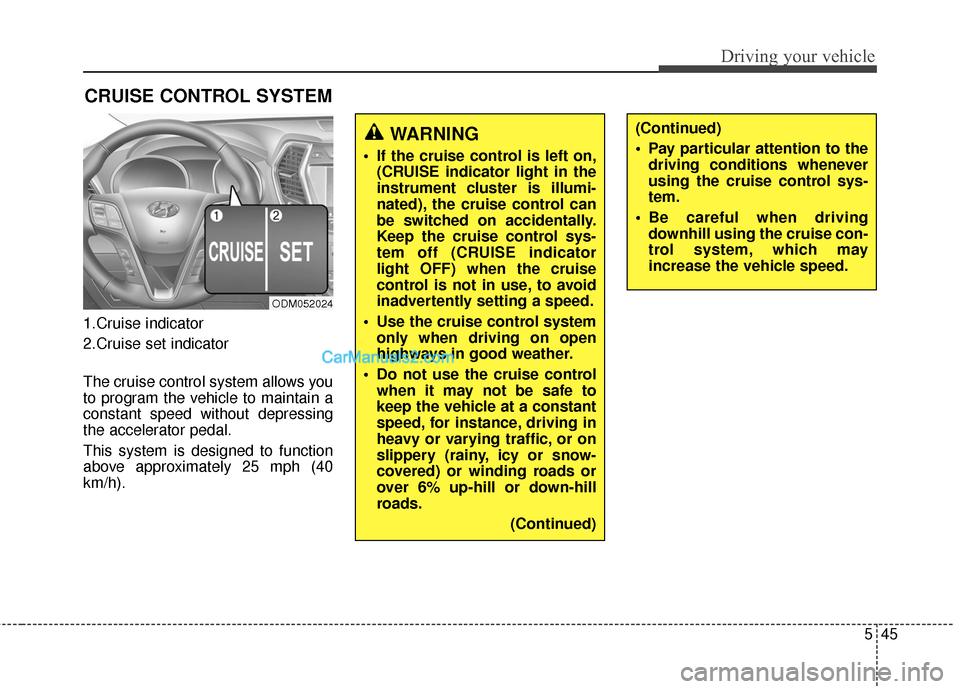
1.Cruise indicator
2.Cruise set indicator
The cruise control system allows you
to program the vehicle to maintain a
constant speed without depressing
the accelerator pedal.
This system is designed to function
above approximately 25 mph (40
km/h).
CRUISE CONTROL SYSTEM
ODM052024
WARNING
If the cruise control is left on,(CRUISE indicator light in the
instrument cluster is illumi-
nated), the cruise control can
be switched on accidentally.
Keep the cruise control sys-
tem off (CRUISE indicator
light OFF) when the cruise
control is not in use, to avoid
inadvertently setting a speed.
Use the cruise control system only when driving on open
highways in good weather.
Do not use the cruise control when it may not be safe to
keep the vehicle at a constant
speed, for instance, driving in
heavy or varying traffic, or on
slippery (rainy, icy or snow-
covered) or winding roads or
over 6% up-hill or down-hill
roads.
(Continued)
(Continued)
Pay particular attention to thedriving conditions whenever
using the cruise control sys-
tem.
Be careful when driving downhill using the cruise con-
trol system, which may
increase the vehicle speed.
Page 609 of 786
Driving your vehicle
46
5
✽
✽
NOTICE
• During normal cruise control
operation, when the SET switch is
activated or reactivated after
applying the brakes, the cruise
control will energize after approx-
imately 3 seconds. This delay is
normal.
• To activate cruise control, depress the brake pedal at least once after
turning the ignition switch to the
ON position or starting the engine.
This is to check if the brake switch
which is important part to cancel
cruise control is in normal condi-
tion.
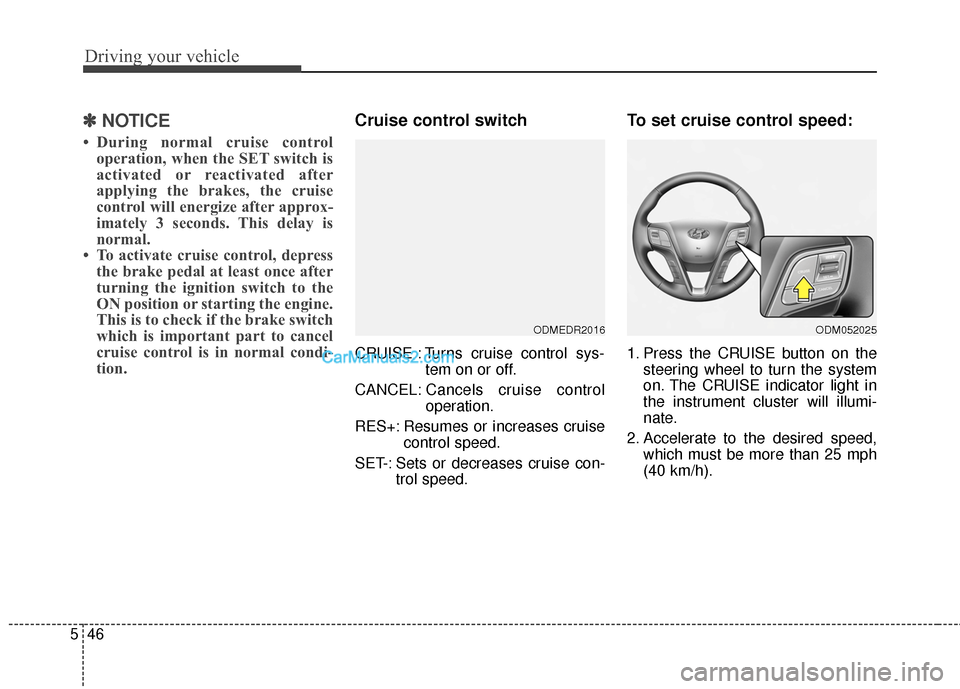
Cruise control switch
CRUISE : Turns cruise control sys-
tem on or off.
CANCEL: Cancels cruise control
operation.
RES+: Resumes or increases cruise control speed.
SET-: Sets or decreases cruise con- trol speed.
To set cruise control speed:
1. Press the CRUISE button on thesteering wheel to turn the system
on. The CRUISE indicator light in
the instrument cluster will illumi-
nate.
2. Accelerate to the desired speed, which must be more than 25 mph
(40 km/h).
ODMEDR2016ODM052025
Page 610 of 786

547
Driving your vehicle
3. Move the lever down (to SET-),and release it at the desired
speed. The SET indicator light in
the instrument cluster will illumi-
nate. Release the accelerator
pedal at the same time. The
desired speed will automatically
be maintained.
On a steep grade, the vehicle mayslow down or speed up slightly whilegoing uphill or downhill.
To increase cruise control set
speed:
Follow either of these procedures:
Move the lever up (to RES+) and hold it. Your vehicle will accelerate.
Release the lever at the speed you
want.
Move the lever up (to RES+) and release it immediately.
The cruising speed will increase by
1 mph (or 2km/h) each time you
move the lever up (to RES+) in this
manner.
To decrease the cruising
speed:
Follow either of these procedures:
Move the lever down (to SET-) andhold it. Your vehicle will gradually
slow down. Release the lever at the
speed you want to maintain.
Move the lever down (to SET-) and release it immediately.
The cruising speed will decrease
by 1 mph (1.6 km/h) each time you
move the lever down (to SET-) in
this manner.
ODM052027
ODM052026ODM052027