Page 133 of 385
457
Features of your vehicle
AUTO STOP indicator
(if equipped)
This indicator will illuminate when the
engine enters the Idle Stop mode of the
ISG (Idle Stop and Go) system.
When the automatic starting occurs, the
"AUTO STOP" indicator on the cluster
will blink for 5 seconds.
For more details, refer to the “ISG (Idle
Stop and Go) system” in section 5.
✽NOTICE
When the engine automatically starts by
the ISG system, some warning
lights(ABS, ESP, ESP OFF, EPS or
Parking brake warning light) may turn
on for a few seconds.
This happens because of low battery
voltage. It does not mean the system has
malfunctioned.
Sunroof open warning chime
(if equipped)
If the driver removes the ignition key
(smart key: turns off the engine) and
opens the driver-side door when the sun-
roof is not fully closed, the warning chime
will sound for approximately 7 seconds.
Close the sunroof securely when leaving
your vehicle.
Glow indicator
(Diesel engine)
The indicator illuminates when the igni-
tion switch is in the ON position. The
engine can be started after the preheat
indicator light goes off. The illuminating
time varies with the water temperature,
air temperature and battery condition.
✽NOTICE
If the engine does not start within 10
seconds after the preheating is complet-
ed, turn the ignition key once more to
the LOCK position for 10 seconds, and
then to the ON position, in order to pre-
heat again.
CAUTION
If the preheat indicator continues to
illuminate or blink on and off after
the engine has warmed up or whilst
driving, have the system checked
by a HYUNDAI authorised repairer
as soon as possible.
procarmanuals.com
Page 135 of 385

459
Features of your vehicle
Speed limit (if equipped)
The speed limit
illuminates on the
LCD display when
the speed limit
control system is
enabled.
The speed limit
illuminates on the LCD display when the
speed limit ON-OFF button on the steer-
ing wheel is pressed.
If the " " indicator is shown, it indi-
cates the speed limit has not been set.The set speed limit
will display when
the speed limit
control switch
(SET-/RES+) is
ON.
If you drive over
the speed limit, the set speed limit will
blink and chime will sound.
The set speed limit turns off when the
speed limit is cancelled by pressing the
CANCEL button.
The speed limit display goes off when the
speed limit is deactivated.
Also, if there is a problem with the speed
limit control system, the “ ” indicator
will blink.
If this occurs, have the system checked
by a HYUNDAI authorised repairer as
soon as possible.
For more information about the speed
limit control usage, refer to “Speed limit
control system” in section 5.Key is not in vehicle
If the smart key is
not in the vehicle
and if any door is
opened or closed
with the ENGINE
START/STOP but-
ton in the ACC,
ON, or START position, the warning illu-
minates on the LCD display. Also, the
chime sounds for 5 seconds when the
smart key is not in the vehicle and the
door is closed.
Always have the smart key with you.
procarmanuals.com
Page 136 of 385
Features of your vehicle
60 4
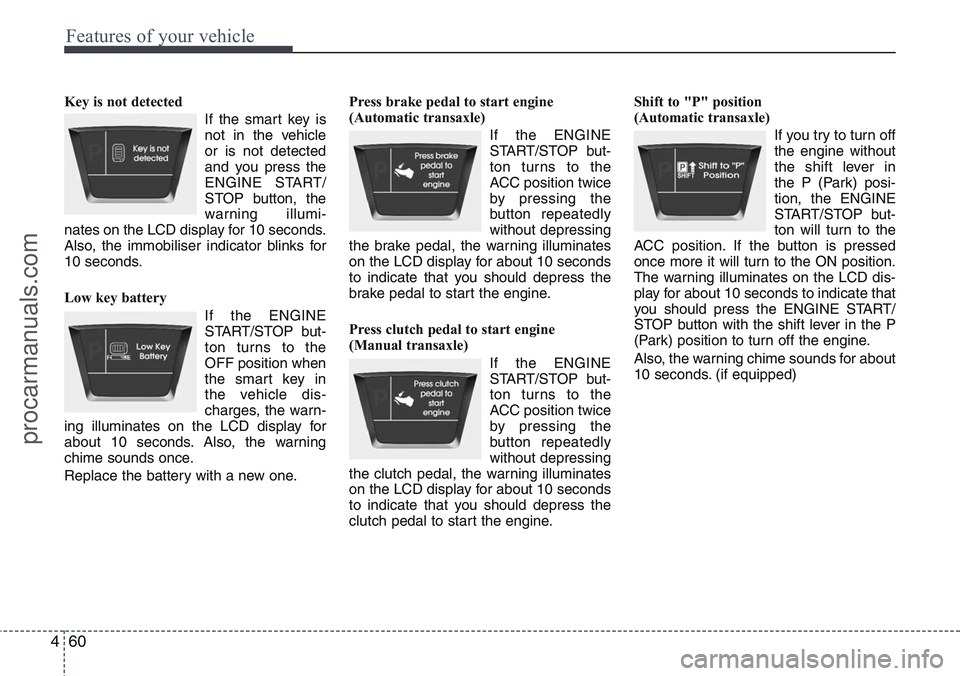
Key is not detected
If the smart key is
not in the vehicle
or is not detected
and you press the
ENGINE START/
STOP button, the
warning illumi-
nates on the LCD display for 10 seconds.
Also, the immobiliser indicator blinks for
10 seconds.
Low key battery
If the ENGINE
START/STOP but-
ton turns to the
OFF position when
the smart key in
the vehicle dis-
charges, the warn-
ing illuminates on the LCD display for
about 10 seconds. Also, the warning
chime sounds once.
Replace the battery with a new one.Press brake pedal to start engine
(Automatic transaxle)
If the ENGINE
START/STOP but-
ton turns to the
ACC position twice
by pressing the
button repeatedly
without depressing
the brake pedal, the warning illuminates
on the LCD display for about 10 seconds
to indicate that you should depress the
brake pedal to start the engine.
Press clutch pedal to start engine
(Manual transaxle)
If the ENGINE
START/STOP but-
ton turns to the
ACC position twice
by pressing the
button repeatedly
without depressing
the clutch pedal, the warning illuminates
on the LCD display for about 10 seconds
to indicate that you should depress the
clutch pedal to start the engine.Shift to "P" position
(Automatic transaxle)
If you try to turn off
the engine without
the shift lever in
the P (Park) posi-
tion, the ENGINE
START/STOP but-
ton will turn to the
ACC position. If the button is pressed
once more it will turn to the ON position.
The warning illuminates on the LCD dis-
play for about 10 seconds to indicate that
you should press the ENGINE START/
STOP button with the shift lever in the P
(Park) position to turn off the engine.
Also, the warning chime sounds for about
10 seconds. (if equipped)
procarmanuals.com
Page 138 of 385
Features of your vehicle
62 4
Check steering wheel lock
If the steering
wheel does not
lock normally
when the ENGINE
START/STOP but-
ton turns to the
OFF position, the
warning illuminates for 10 seconds on
the LCD display. Also, the warning chime
sounds for 3 seconds and the ENGINE
START/STOP button light blinks for 10
seconds.Press start button with smart key
If you press the
ENGINE START/
STOP button
whilst the warning
“Key is not detect-
ed” illuminates the
warning “Please
press the start button with smart key” illu-
minates for 10 seconds on the LCD dis-
play. Also, the immobiliser indicator blinks
for 10 seconds.Check stop lamp fuse
When the stop
lamp fuse is dis-
connected, the
warning illumi-
nates for 10 sec-
onds on the LCD
display.
Replace the fuse with a new one. If that
is not possible you can start the engine
by pressing the ENGINE START/STOP
button for 10 seconds in ACC.
procarmanuals.com
Page 144 of 385
Features of your vehicle
68 4
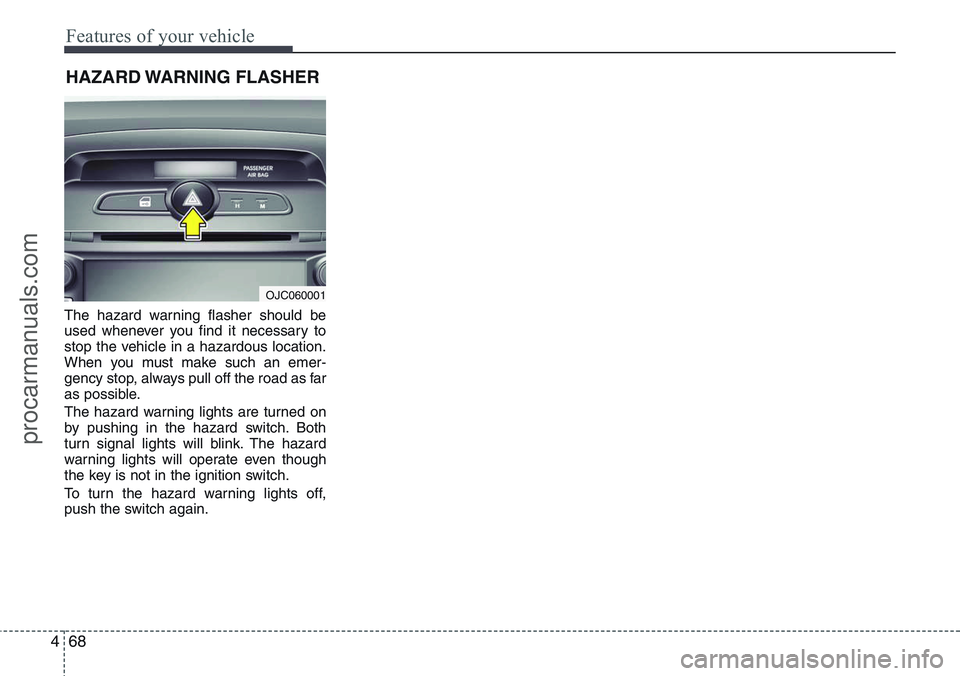
The hazard warning flasher should be
used whenever you find it necessary to
stop the vehicle in a hazardous location.
When you must make such an emer-
gency stop, always pull off the road as far
as possible.
The hazard warning lights are turned on
by pushing in the hazard switch. Both
turn signal lights will blink. The hazard
warning lights will operate even though
the key is not in the ignition switch.
To turn the hazard warning lights off,
push the switch again.
HAZARD WARNING FLASHER
OJC060001
procarmanuals.com
Page 145 of 385

469
Features of your vehicle
Battery saver function
• The purpose of this feature is to pre-
vent the battery from being dis-
charged. The system automatically
turns off the parking lights when the
driver removes the ignition key and
opens the driver-side door.
• With this feature, the parking lights will
turn off automatically if the driver parks
on the side of road at night.
If necessary, to keep the lights on
when the ignition key is removed, per-
form the following:
1) Open the driver-side door.
2) Turn the parking lights OFF and ON
again using the light switch on the
steering column.
Headlight escort function
(if equipped)
If you turn the ignition switch to the ACC
or OFF position with the headlights ON,
the headlights (and/or tail lights) remain
on for about 20 minutes. However, with
the engine off if the driver’s door is
opened and closed, the headlights
(and/or tail lights) are turned off after 30
seconds.
The headlights (and/or tail lights) can be
turned off by pressing the lock button on
the transmitter (or smart key) twice or
turning the light switch to the OFF or
Auto position.
However, if you turn the light switch to the
Auto position when it is dark outside, the
headlights will not be turned off.
Smart conering light
(if equipped)
Whilst driving the corner, for your sight
and safety, the smart cornering light is
turns on automatically. The system will
operate automatically as follows:
• When turning the headlight on
• When the steering wheel angle is over
25~35 (it differs according to vehicle
speed)
• When the vehicle speed is over 1.8
mph (3 km/h)
• When driving forward
LIGHTING
CAUTION
If the driver gets out of the vehicle
through other doors (except driver's
door), the battery saver function
does not operate and the headlight
escort function does not turn off
automatically. Therefore, It causes
the battery to be discharged. In this
case, make sure to turn off the lamp
before getting out of the vehicle.
procarmanuals.com
Page 155 of 385

479
Features of your vehicle
Room lamp
(1) Map lamp (if equipped)
Push the lamp lens to turn the light on or
off. This light produces a spot beam for
convenient use as a map lamp at night or
as a personal lamp for the driver and the
front passenger.
(2)
The light comes on when any door is
opened regardless of the ignition switch
position. When doors are unlocked by the
transmitter or smart key, or the key is
removed from the ignition switch, the
light comes on for approximately 30 sec-
onds as long as any door is not opened.
The light goes out gradually after approx-
imately 30 seconds if the door is closed.
However, if the ignition switch is ON or all
doors are locked, the light will turn off
immediately.
If a door is opened with the ignition
switch in the ACC or LOCK position, the
light stays on for about 20 minutes.
However, if a door is opened with the
ignition switch in the ON position, the
light stays on continuously.
(3)
In the on position, the light stays on at all
times.
(4) O
In the off position, the light stays off at all
times, even when a door is open.
INTERIOR LIGHT
CAUTION
Do not use the interior lights for
extended periods when engine is
not running.
It may cause battery discharge.OYN049048
OYN049049
OYN049095
■ ■T T
ype A ype A
■ ■T T
ype B ype B
■ ■T T
ype C ype C
procarmanuals.com
Page 201 of 385
4125
Features of your vehicle
(Continued)
• If the USB device is divided by
logical drives, only the music files
on the highest-priority drive are
recognized by car audio.
• Devices such as MP3 Player/
Mobile phone/Digital camera can
be unrecognizable by standard
USB I/F can be unrecognizable.
• Some non-standard USB devices
(METAL COVER TYPE USB) can
be unrecognizable.
• Some USB flash memory readers
(such as CF, SD, microSD, etc.) or
external-HDD type devices can be
unrecognizable.
• Music files protected by DRM
(DIGITAL RIGHTS MANAGE-
MENT) are not recognizable.
• The data in the USB memory may
be lost whilst using this audio.
Always back up important data on
a personal storage device.
(Continued)(Continued)
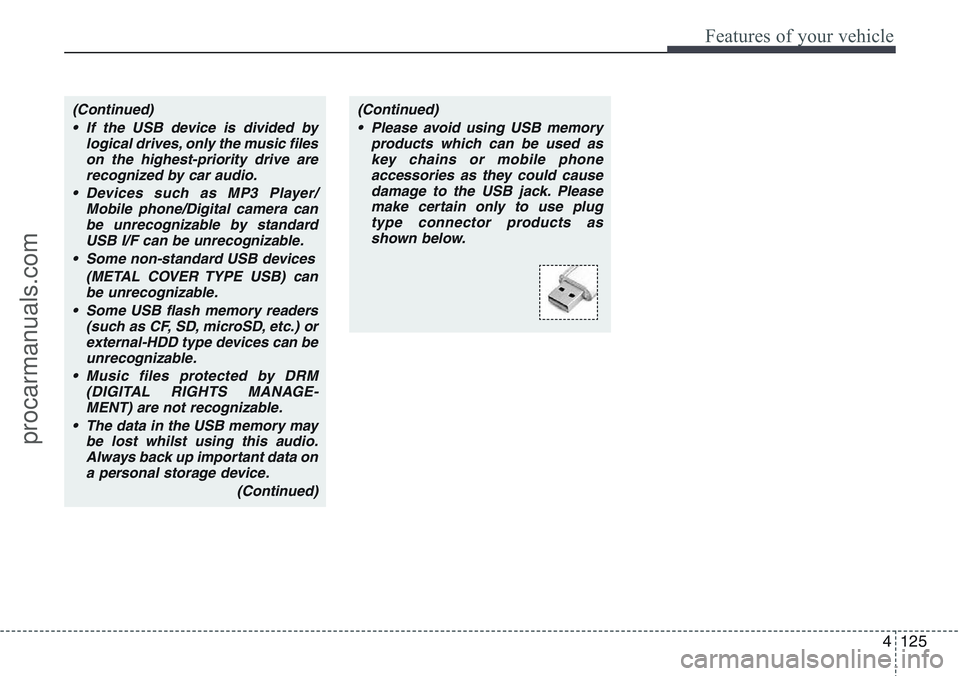
• Please avoid using USB memory
products which can be used as
key chains or mobile phone
accessories as they could cause
damage to the USB jack. Please
make certain only to use plug
type connector products as
shown below.
procarmanuals.com