Page 24 of 569
23Quick Reference Guide
Features
(P 173)
Audio Remote Controls (P 178)
●
(+ / (- Button
Press to adjust the volume up/down.
● SOURCE Button
Press to change the audio mode: FM/AM/
CD/SiriusXM ®
*/HDD
*/USB/iPod/Bluetooth/
Pandora ®
*/Aha
TM *
/AUX.
● / Button
Radio: Press to change the preset station. Press and hold to select the next or
previous strong station.
CD/HDD
*/USB device:
Press to skip to the beginning of
the next song or return to the
beginning of the current song.
Press and hold to change a folder.( + / (- / / Button
SOURCE
Button
Audio System
(P 179, 201, 234) (P 179)
Models with one displayAudio/Information
Screen
BACK Button
FM/AM
Button
(Skip/Seek)
Button
Selector Knob
Button
VOL/
(Volume/Power)
KnobCD
Button
AUX Button
CD Slot
(CD Eject)
Button
Preset Buttons
( 1- 6)
SETTINGS Button
(Skip/Seek)
ButtonPHONE ButtonMENU Button
DISP Button
* Not available on all models
Page 25 of 569
24Quick Reference Guide
*1:Icons that appear on the screen vary by the source selected.
CD Slot (CD Eject) ButtonBACK Button
Selector Knob
(Tune Down) Icon
*1
(Skip/Seek) Icon
*1
(P 201)
Models with two displaysAudio/Information Screen
Audio with Touch Screen ButtonSource
*1
VOL/
(Volume/Power)
Knob
(Skip/Seek) Icon
*1
Presets
*1
Phone
*1
Clock
*1
DISP Button
(Tune Up) Icon
*1
More
*1
Title
*1
Scan
*1
Page 38 of 569

37
uuFor Safe Driving uYour Vehicle's Safety Features
Safe Driving
For the safety of you and your passengers, make a habit of checking these items
each time before you drive.
• After everyone has entered the vehicle, be sure all doors are closed and locked.
Locking the doors helps prevent an occupant from being ejected and an outsider
from unexpectedly opening a door.
2 Locking/Unlocking the Doors from the Inside P. 122
•Adjust your seat to a position suitable for driving. Be sure the front seats are
adjusted as far to the rear as possible while allowing the driver to control the
vehicle. Sitting too close to a front airbag can result in serious or fatal injury in a
crash.
2 Adjusting the Seats P. 152
•Adjust head restraints to the proper position. Head restraints are most effective
when the center of the head restraint aligns with the center of your head. Taller
persons should adjust their head restraint to the highest position.
2 Adjusting the Head Restraints P. 155
•Always wear your seat belt, and make sure you wear it properly. Confirm that any
passengers are properly belted as well.
2 Fastening a Seat Belt P. 41
•Protect children by using seat belts or child seats according to a child's age, height
and weight.
2 Child Safety P. 58
■
Safety CheckList
1Safety CheckList
If the Door Open or Door And Trunk Open
message appears on the multi-information display, a
door and/or the trunk is not completely closed. Close
all doors and the trunk tightly until the message
disappears. 2 Multi-Information Display Warning and
Information Messages P. 86
Page 56 of 569
Continued
55
uuAirbags uAirbag System Indicators
Safe Driving
■When side curtain airbags de ploy in a frontal collision
One or both side curtain airbags may inflate in a moderate-to-severe angled frontal collision.
In this case, the side curtain airbags will deploy slightly after the front airbags.Airbag System IndicatorsIf a problem occurs in the airbag system, the SRS indicator will come on and a
message appears on the multi-information display.
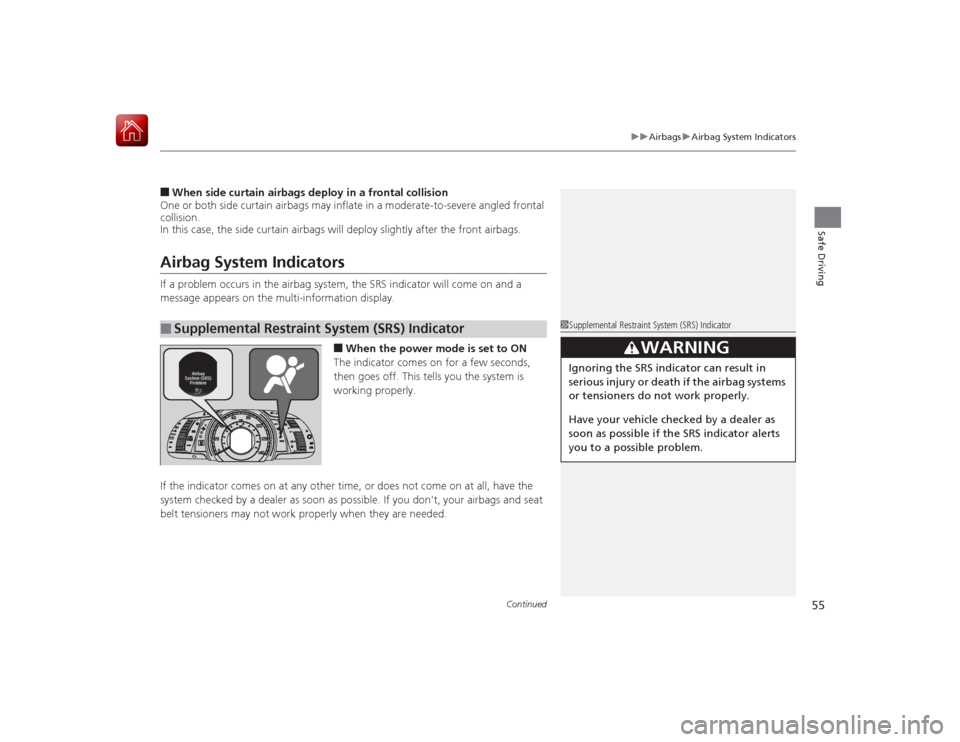
■When the power mode is set to ON
The indicator comes on for a few seconds,
then goes off. This tells you the system is
working properly.
If the indicator comes on at any other time, or does not come on at all, have the
system checked by a dealer as soon as possible. If you don't, your airbags and seat
belt tensioners may not work properly when they are needed.
■
Supplemental Restraint System (SRS) Indicator
1Supplemental Restraint System (SRS) Indicator
3
WARNING
Ignoring the SRS indicator can result in
serious injury or death if the airbag systems
or tensioners do not work properly.
Have your vehicle checked by a dealer as
soon as possible if the SRS indicator alerts
you to a possible problem.
Page 74 of 569
73
Instrument Panel
This chapter describes the buttons, indicators, and gauges that are used while driving.
Indicators............................................ 74
Multi-Information Display Warning and Information Messages ...................... 86
Gauges and Multi-Information Display Gauges .............................................. 95
Multi-Information Display .................. 97
Page 82 of 569
81
uuIndicators u
Continued
Instrument Panel
Indicator
Name
On/Blinking
Explanation
Message
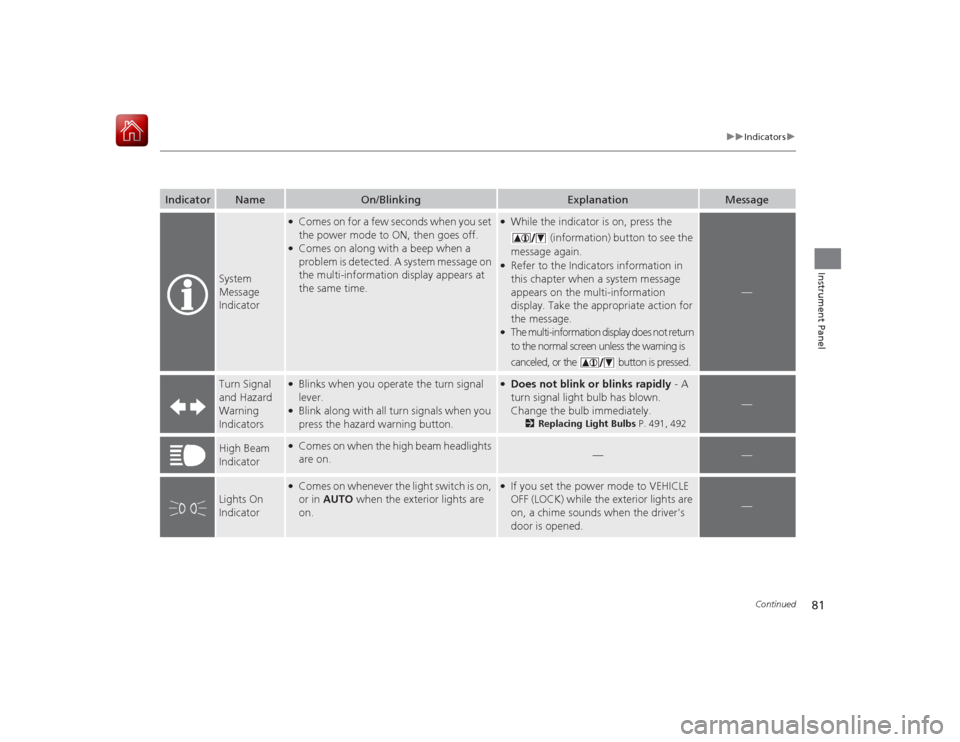
System
Message
Indicator
●Comes on for a few seconds when you set
the power mode to ON, then goes off.●Comes on along with a beep when a
problem is detected. A system message on
the multi-information display appears at
the same time.
●While the indicator is on, press the
(information) button to see the
message again.●Refer to the Indicators information in
this chapter when a system message
appears on the multi-information
display. Take the appropriate action for
the message.●The multi-information display does not return
to the normal screen unless the warning is
canceled, or the button is pressed.
—
Turn Signal
and Hazard
Warning
Indicators
●Blinks when you operate the turn signal
lever.●Blink along with all turn signals when you
press the hazard warning button.
●Does not blink or blinks rapidly - A
turn signal light bulb has blown.
Change the bulb immediately.
2 Replacing Light Bulbs P. 491, 492
—
High Beam
Indicator
●Comes on when the high beam headlights
are on.
—
—
Lights On
Indicator
●Comes on whenever the light switch is on,
or in AUTO when the exterior lights are
on.
●If you set the power mode to VEHICLE
OFF (LOCK) while the exterior lights are
on, a chime sounds when the driver's
door is opened.
—
Page 87 of 569

86
uuIndicators uMulti-Information Display Warn ing and Information Messages
Instrument Panel
Multi-Information Display Warning and Information MessagesThe following messages appear only on the multi-information display. Pres s the (information) button to see the message again
with the system message indicator on.
Message
Condition
Explanation
●Appears when the fuel fill cap is loose or is not
installed.
2 Tighten Fuel Cap Message P. 535
●Appears when the scheduled maintenance is due
soon.
u Consequently, Maintenance Due Now and
Maintenance Past Due follow.
2Maintenance Minder Messages on the Multi-
Information Display P. 472
●Appears when the engine coolant temperature gets
abnormally high.
2Overheating P. 531
●Appears when the engine coolant temperature is
near its upper limit.
●Drive slowly to prevent overheating.
●Appears if any door or the trunk is not completely
closed.●The beeper sounds and the message comes on if any
door or the trunk is opened while driving.
●Goes off when all doors and the trunk are closed.
Page 88 of 569

87
uuIndicators uMulti-Information Display Warning and Information Messages
Continued
Instrument Panel
Message
Condition
Explanation
●Appears if there is a problem with the automatic
lighting control system.
●Appears while driving - Manually turn the lights on,
and have your vehicle checked by a dealer.
●Appears if there is a problem with the low beam
headlights.
●Appears while driving - The low beam headlights
may not be on. When conditions allow you to drive
safely, have your vehicle checked by a dealer as soon as
possible.
●Appears if there is a problem with the acoustic
vehicle alerting system.
●Have your vehicle checked by a dealer.
●Appears while you are customizing the settings and
the shift lever is moved out of
(P
.
2 Customized Features P. 104
●Appears if you try to go to Vehicle Settings from
the multi-information display while the audio/
information screen shows the same menu.
●Select either display to customize a setting. You cannot
have Vehicle Settings displayed on the multi-
information display and audio/information screen
simultaneously.
2 Customized Features P. 104, 297
Models with LED
low beam
headlights


