2015 FORD TAURUS brake
[x] Cancel search: brakePage 388 of 558

The auxiliary input jack allows you
to connect and play music from
your portable music player through
your vehicle speakers. You can use
any portable music player designed
for use with headphones. Your audio
extension cable must have male
18-inch (3.5 millimeter) connectors
at each end.
1. Switch off the engine, radio and portable music player. Set the parking brake and put the transmission in position P.
2. Plug the extension cable from the portable music player into the auxiliary input jack.
3. Switch the radio on. Select either a tuned FM station or a CD.
4. Adjust the volume as desired.
5. Switch your portable music player on and adjust its volume to half its maximum level.
6. Press AUXuntilLINE orLINE IN appears in the display. You
should hear music from your device even if it is low.
7. Adjust the volume on your portable music player until it reaches the volume level of the FM station or CD. Do this by switching back and
forth between the AUX and FM or CD controls.
USB PORT (IF EQUIPPED)
WARNING: Driving while distracted can result in loss of vehicle
control, crash and injury. We strongly recommend that you use
extreme caution when using any device that may take your focus off
the road. Your primary responsibility is the safe operation of your
vehicle. We recommend against the use of any hand-held device while
driving and encourage the use of voice-operated systems when possible.
Make sure you are aware of all applicable local laws that may affect the
use of electronic devices while driving.
The USB port is located in the center console. It allows you to plug in
media playing devices, memory sticks and charge devices (if supported).
See the SYNCchapter for more information.
LINE IN
Audio System 387
2015 Taurus
Owners Guide gf, 1st Printing, April 2014
USA(fus)
Page 412 of 558

Vehicle Health Report
WARNING:Always follow scheduled maintenance instructions,
regularly inspect your vehicle, and seek repair for any damage or
problem you suspect. Vehicle Health Report supplements, but cannot
replace normal maintenance and vehicle inspection. Vehicle Health
Report only monitors certain systems that are electronically monitored
by the vehicle and will not monitor or report the status of any other
system, (such as brake lining wear). Failure to perform scheduled
maintenance and regularly inspect your vehicle may result in vehicle
damage and serious injury.
Note: Your Vehicle Health Report feature requires activation prior to
use. Visit www.SYNCMyRide.com to register. There is no fee or
subscription associated with Vehicle Health Report, but you must register
to use this feature.
Note: This feature may not function properly if you have enabled caller
ID blocking on your mobile phone. Before running a report, review the
Vehicle Health Report privacy notice.
Note: In order to allow a break-in period for your vehicle, you may not
be able to create a Vehicle Health Report until your vehicle odometer has
reached 200 miles.
Register for Vehicle Health Report and set your report preferences at
www.SYNCMyRide.com. After registering, you can request a Vehicle
Health Report (inside your vehicle). Return to your account at
www.SYNCMyRide.com to view your report. You can also choose for
SYNC to automatically remind you to run reports at specific mileage
intervals. Cellular phone airtime usage may apply when reporting.
The system allows you to check your vehicle’s overall health in the form
of a diagnostic report card. The vehicle health report contains valuable
information such as:
• Vehicle Diagnostic Information
• Scheduled maintenance
• Open Recalls and Field Service Actions
• Unserviced items from vehicle inspections by your authorized dealer.
You can run a report (after the vehicle has been running a minimum of
60 seconds) by pressing the voice button and saying “Vehicle health
report”, or pressing the phone button.
SYNC® 411
2015 Taurus
Owners Guide gf, 1st Printing, April 2014
USA(fus)
Page 467 of 558
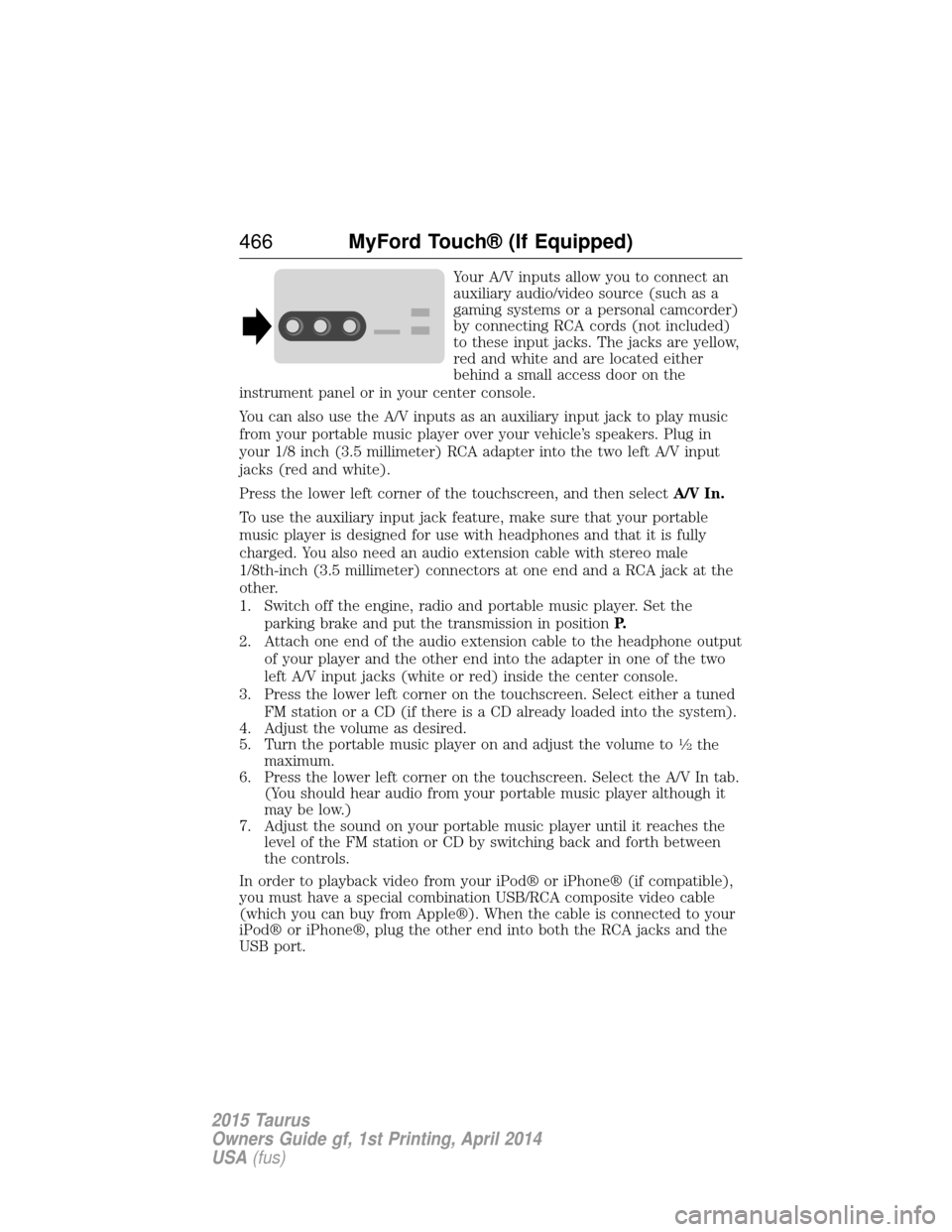
Your A/V inputs allow you to connect an
auxiliary audio/video source (such as a
gaming systems or a personal camcorder)
by connecting RCA cords (not included)
to these input jacks. The jacks are yellow,
red and white and are located either
behind a small access door on the
instrument panel or in your center console.
You can also use the A/V inputs as an auxiliary input jack to play music
from your portable music player over your vehicle’s speakers. Plug in
your 1/8 inch (3.5 millimeter) RCA adapter into the two left A/V input
jacks (red and white).
Press the lower left corner of the touchscreen, and then select A/V In.
To use the auxiliary input jack feature, make sure that your portable
music player is designed for use with headphones and that it is fully
charged. You also need an audio extension cable with stereo male
1/8th-inch (3.5 millimeter) connectors at one end and a RCA jack at the
other.
1. Switch off the engine, radio and portable music player. Set the parking brake and put the transmission in position P.
2. Attach one end of the audio extension cable to the headphone output of your player and the other end into the adapter in one of the two
left A/V input jacks (white or red) inside the center console.
3. Press the lower left corner on the touchscreen. Select either a tuned FM station or a CD (if there is a CD already loaded into the system).
4. Adjust the volume as desired.
5. Turn the portable music player on and adjust the volume to
12the
maximum.
6. Press the lower left corner on the touchscreen. Select the A/V In tab. (You should hear audio from your portable music player although it
may be low.)
7. Adjust the sound on your portable music player until it reaches the level of the FM station or CD by switching back and forth between
the controls.
In order to playback video from your iPod® or iPhone® (if compatible),
you must have a special combination USB/RCA composite video cable
(which you can buy from Apple®). When the cable is connected to your
iPod® or iPhone®, plug the other end into both the RCA jacks and the
USB port.
466 MyFord Touch® (If Equipped)
2015 Taurus
Owners Guide gf, 1st Printing, April 2014
USA(fus)
Page 486 of 558

to provide your name, phone number and location immediately, because
not all 911 systems are capable of receiving this information
electronically.
911 Assist May Not Work If
•Your cellular phone or 911 Assist hardware sustains damage in a
crash.
• The vehicle’s battery or SYNC system has no power.
• The phones(s) previously paired or connected to the system are
thrown from the vehicle.
911 Assist Privacy Notice
When you turn on 911 Assist, it may disclose to emergency services that
your vehicle has been in a crash involving the deployment of an airbag or
activation of the fuel pump shut-off. Certain versions or updates to 911
Assist may also be capable of electronically or verbally disclosing to 911
operators your vehicle location or other details about your vehicle or
crash to assist 911 operators to provide the most appropriate emergency
services. If you do not want to disclose this information, do not turn the
feature on.
Vehicle Health Report (If Equipped, United States Only)
WARNING: Always follow scheduled maintenance instructions,
regularly inspect your vehicle, and seek repair for any damage or
problem you suspect. Vehicle Health Report supplements, but cannot
replace, normal maintenance and vehicle inspection. Vehicle Health
Report only monitors certain systems electronically monitored by your
vehicle and will not monitor or report the status of any other system,
(such as brake lining wear). Failure to perform scheduled maintenance
and regularly inspect your vehicle may result in vehicle damage and
serious injury.
Note: Your Vehicle Health Report feature requires activation prior to
use. Visit www.SYNCMyRide.com to register. There is no fee or
subscription associated with Vehicle Health Report, but you must register
to use this feature.
Note: This feature may not function properly if you have enabled caller
ID blocking on your mobile phone. Before running a report, review the
Vehicle Health Report Privacy Notice.
Note: In order to allow a break-in period for your vehicle, you may not
be able to create a Vehicle Health Report until your vehicle odometer has
reached 200 miles.
MyFord Touch® (If Equipped) 485
2015 Taurus
Owners Guide gf, 1st Printing, April 2014
USA(fus)
Page 536 of 558

Oils, Fluids and Flushing
In many cases, fluid discoloration is a normal operating characteristic
and, by itself, does not necessarily indicate a concern or that the fluid
needs to be changed. However, discolored fluids that also show signs of
overheating and foreign material contamination should be inspected
immediately by a qualified expert, such as the factory-trained technicians
at your dealership. Your vehicle’s oils and fluids should be changed at the
specified intervals or in conjunction with a repair. Flushing is a viable
way to change fluid for many vehicle sub-systems during scheduled
maintenance. It is critical that systems are flushed only with new fluid
that is the same as that required to fill and operate the system, or using
a Ford-approved flushing chemical.
Owner Checks and Services
Certain basic maintenance checks and inspections should be performed
every month or at six month intervals.
Check every month
Engine oil level.
Function of all interior and exterior lights.
Tires (including spare) for wear and proper pressure.
Windshield washer fluid level.
Check every six months
Battery connections. Clean if necessary.
Body and door drain holes for obstructions. Clean if necessary.
Cooling system fluid level and coolant strength.
Door weatherstrips for wear. Lubricate if necessary.
Hinges, latches and outside locks for proper operation. Lubricate if
necessary.
Parking brake for proper operation.
Safety belts and seat latches for wear and function.
Safety warning lamps (brake, ABS, airbag, safety belt) for operation.
Washer spray and wiper operation. Clean or replace blades as
necessary.
Scheduled Maintenance 535
2015 Taurus
Owners Guide gf, 1st Printing, April 2014
USA(fus)
Page 537 of 558

Multi-point Inspection
In order to keep your vehicle running right, it is important to have the
systems on your vehicle checked regularly. This can help identify
potential issues and prevent major problems. Ford Motor Company
recommends the following multi-point inspection be performed at every
scheduled maintenance interval to help make sure your vehicle keeps
running great.
Multi-point Inspection
Accessory drive belt(s) Half-shaft dust boots (if equipped)
Battery performance Horn operation
Clutch operation (if equipped) Radiator, cooler, heater and A/C hoses
Engine air filter Suspension component for leaks or damage
Exhaust system Steering and linkage
Exterior lamps and hazard
warning system operation Tires (including spare) for wear and
proper pressure
**
Fluid levels*; fill if necessary Windshield for cracks, chips or pits
For oil and fluid leaks Washer spray and wiper operation
*Brake, coolant recovery reservoir, manual and automatic transmission
(with an underhood dipstick), power steering (if equipped) and window
washer
**If your vehicle is equipped with a temporary mobility kit, check the tire
sealant expiration Use By date on the canister. Replace as needed.
Be sure to ask your dealership service advisor or technician about the
multi-point vehicle inspection. It’s a comprehensive way to perform a
thorough inspection of your vehicle. It’s your checklist that gives you
immediate feedback on the overall condition of your vehicle. You’ll know
what’s been checked, what’s okay, as well as those things that may
require future or immediate attention. The multi-point vehicle inspection
is one more way to keep your vehicle running great!
536 Scheduled Maintenance
2015 Taurus
Owners Guide gf, 1st Printing, April 2014
USA(fus)
Page 540 of 558

Normal scheduled maintenance*
At every oil change
interval as indicated by
the information displayChange engine oil and filter.**
Rotate tires, inspect tire wear and measure
tread depth.
Perform multi-point inspection
(recommended).
Inspect automatic transmission fluid level (if
equipped with dipstick). Consult dealer for
requirements.
Inspect brake pads, shoes, rotors, drums,
brake linings, hoses and parking brake.
Inspect engine cooling system strength and
hoses.
Inspect exhaust system and heat shields.
Inspect rear axle and U-joints. Lubricate if
equipped with grease fittings (All-wheel drive
vehicles).
Inspect half-shaft boots (if equipped).
Inspect steering linkage, ball joints,
suspension, tie-rod ends, driveshaft and
U-joints. Lubricate if equipped with grease
fittings.
Inspect wheels and related components for
abnormal noise, wear, looseness or drag.
*Do not exceed one year or 10000 miles (16000 kilometers) between
service intervals.
**Reset your Intelligent Oil-Life Monitor after each engine oil and filter
change. See the Instrument Cluster chapter.
Scheduled Maintenance 539
2015 Taurus
Owners Guide gf, 1st Printing, April 2014
USA(fus)
Page 551 of 558

911 Assist™ ......................408, 483
A
ABS (see Brakes) .....................196
Accessing and using your
USB port ....................................461
Accessing call history/phone
book during active call .............398
Accessing your calendar ..........482
Accessing your media menu
features ......................................419
Accessing your phone menu
features ......................................399
Accessory delay ..........................97
Active call menu options .........398
Active Park Assist .....................203
Adaptive Cruise Control ...........213
Adding (pairing) a phone ........469
Advanced menu options ...406, 425
Advanced menu options
(prompts, languages, defaults,
master reset, installing
applications) ..............................406
Airbag supplemental restraint
system ..........................................45and child safety seats ..............46
description ................................45
disposal ......................................55
driver airbag ..............................45
passenger airbag .......................45
side airbag ...........................45, 50
Air cleaner filter .......301–302, 363
Air conditioning ........................130 manual heating and air
conditioning system ...............130
Air filter, cabin ..........................140 All Wheel Drive (AWD),
driving off road .........................188
Ambient mood/lighting .............489
AM/FM .......................................448
Antifreeze
(see Engine coolant) ................287
Anti-lock brake system
(see Brakes) ..............................196
Anti-theft system ..................77, 80
arming the system ..............77, 80
disarming a triggered system ..80
Audio system Single CD ................373, 378–379
Audio system
(see Radio) ................373, 378–379
Automatic transmission driving an automatic
overdrive .................................183
fluid, adding ....................292–293
fluid, checking ................292–293
fluid, refill capacities ..............358
fluid, specification ..................358
Selectshift (SST) ....................184
Auxiliary Input Jack .................457
Auxiliary input jack (Line in) ..386
Auxiliary powerpoint ................161
A/V inputs ..........................388, 465
B
Battery .......................................298 acid, treating emergencies .....298
jumping a disabled battery ....260
maintenance-free ....................298
replacement, specifications ...363
servicing ..................................298
Blind Spot Information
System .......................................228
550 Index
2015 Taurus
Owners Guide gf, 1st Printing, April 2014
USA(fus)