Page 87 of 441
•
Driver Assist
• Settings
Note: Some options may appear slightly
different or not at all if the items are
optional. Gauge Mode
Use the arrow buttons to choose between
the following gauge options.Gauge Mode
Distance to Empty - XXX miles
Tire Pressure – Tire Pressure on Demand Screen Virtual gauge shown
Air/Fuel Ratio
Gauge Detail
Boost/Vac
Cyl Head
Inlet Air
Oil PressureVirtual gauge shown
Oil Temp
Trans Temp
Voltage
Note: In order to provide real-time values,
some gauges may display more value
fluctuation than other gauges during normal
operation.
Some gauges shown in standard measure.
Metric similar.
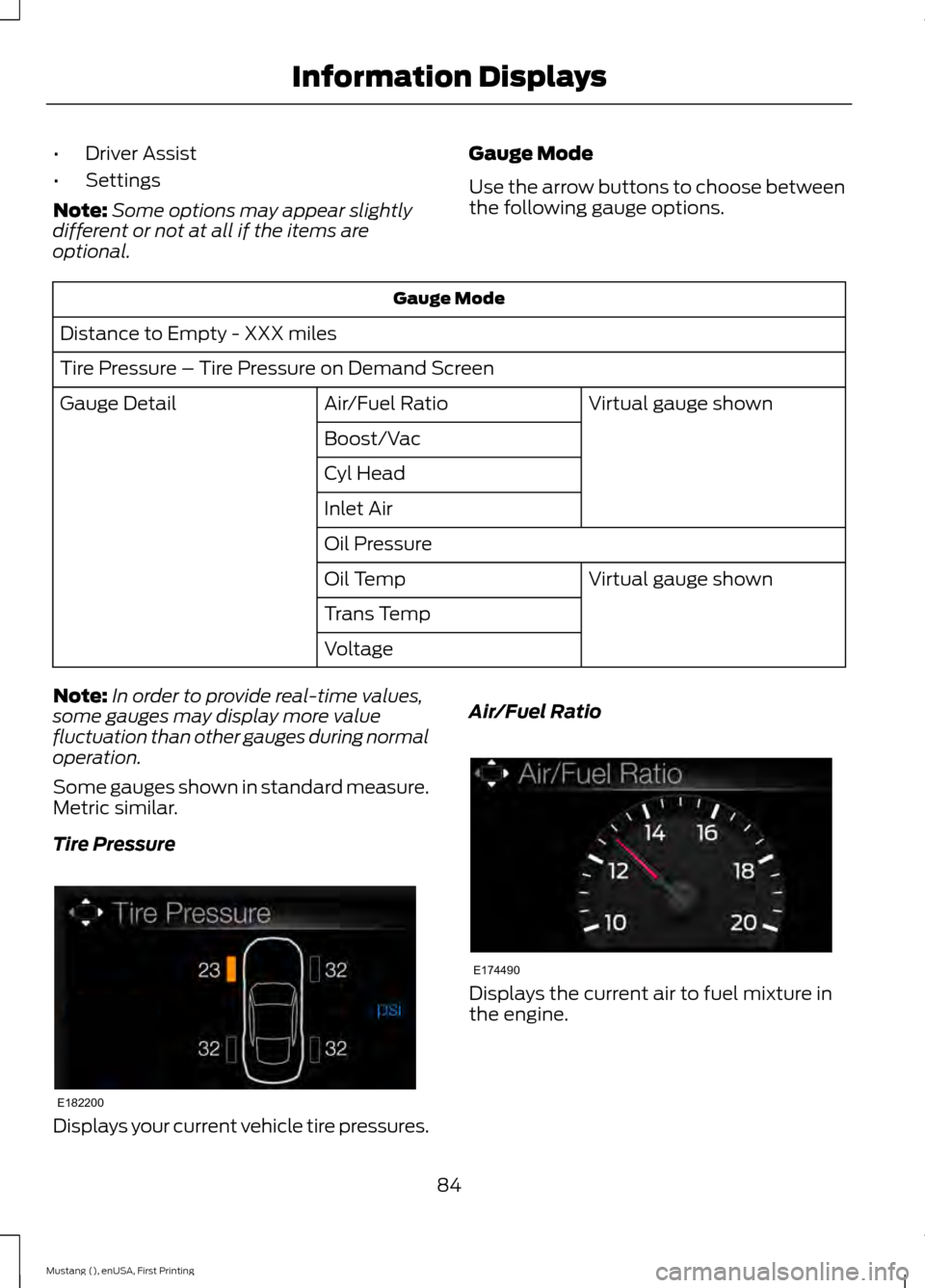
Tire Pressure Displays your current vehicle tire pressures. Air/Fuel Ratio
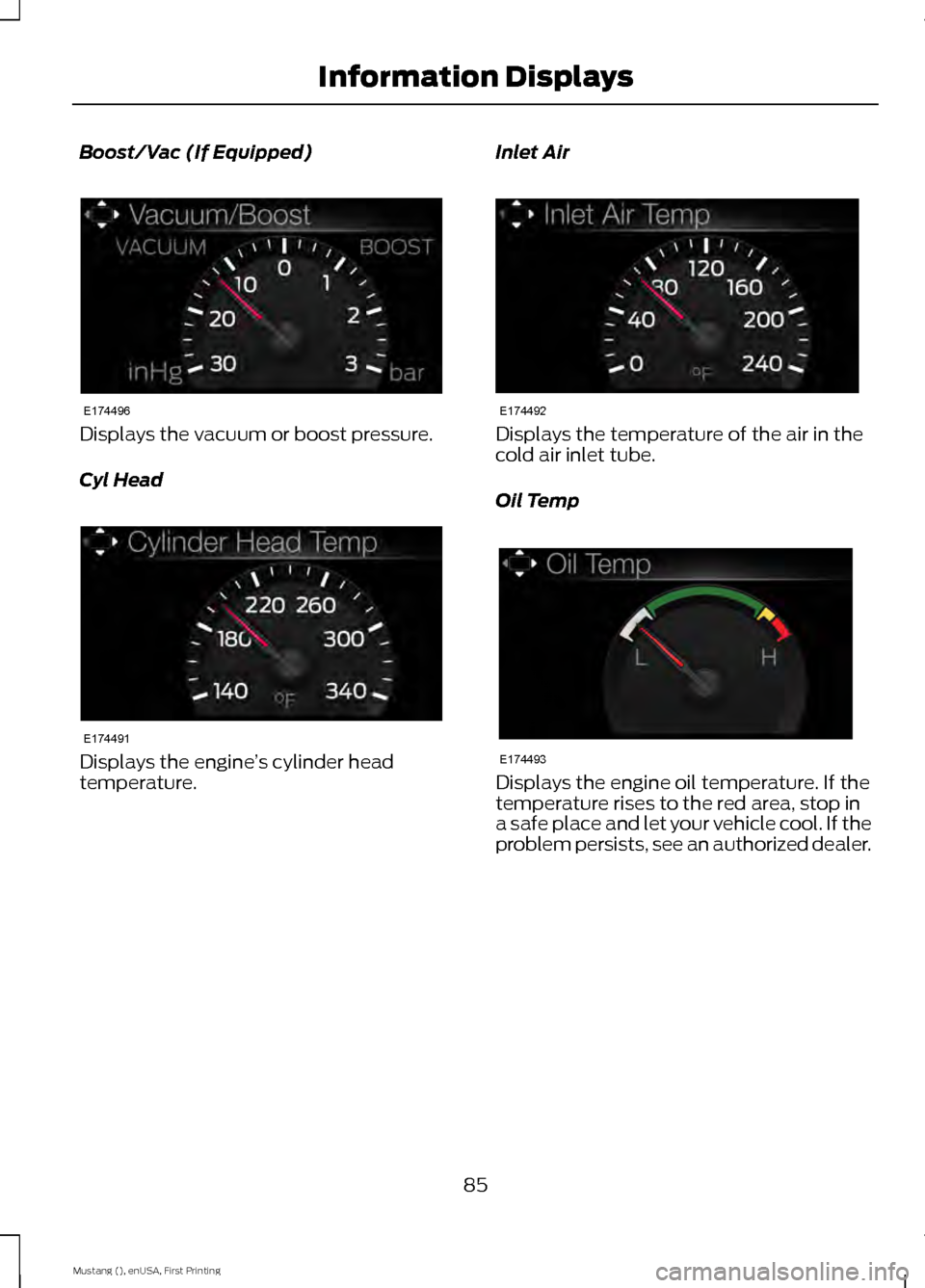
Displays the current air to fuel mixture in
the engine.
84
Mustang (), enUSA, First Printing Information DisplaysE182200 E174490
Page 88 of 441
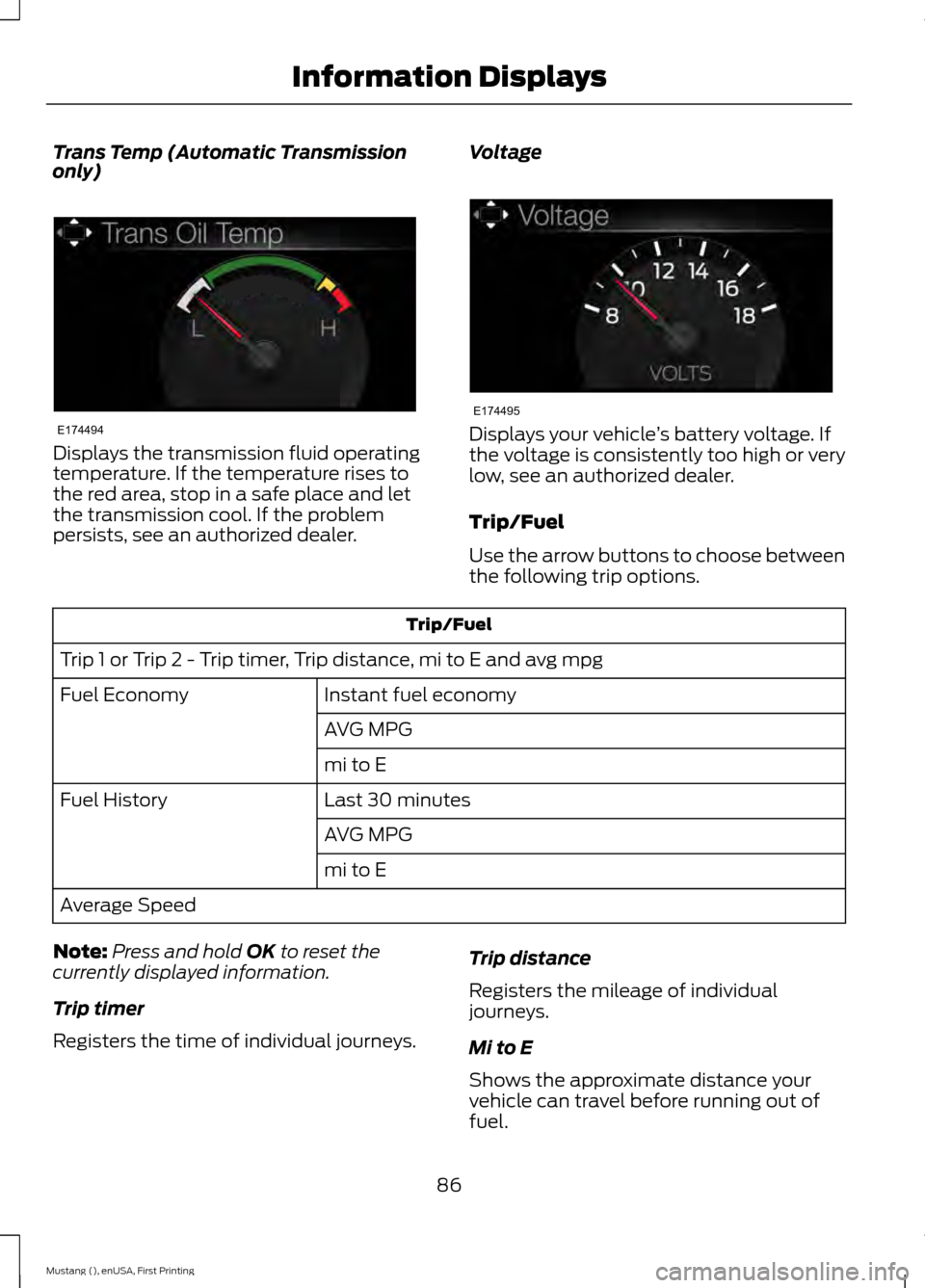
Boost/Vac (If Equipped)
Displays the vacuum or boost pressure.
Cyl Head
Displays the engine
’s cylinder head
temperature. Inlet Air Displays the temperature of the air in the
cold air inlet tube.
Oil Temp
Displays the engine oil temperature. If the
temperature rises to the red area, stop in
a safe place and let your vehicle cool. If the
problem persists, see an authorized dealer.
85
Mustang (), enUSA, First Printing Information DisplaysE174496 E174491 E174492 E174493
Page 89 of 441
Trans Temp (Automatic Transmission
only)
Displays the transmission fluid operating
temperature. If the temperature rises to
the red area, stop in a safe place and let
the transmission cool. If the problem
persists, see an authorized dealer.
Voltage Displays your vehicle
’s battery voltage. If
the voltage is consistently too high or very
low, see an authorized dealer.
Trip/Fuel
Use the arrow buttons to choose between
the following trip options. Trip/Fuel
Trip 1 or Trip 2 - Trip timer, Trip distance, mi to E and avg mpg Instant fuel economy
Fuel Economy
AVG MPG
mi to E
Last 30 minutes
Fuel History
AVG MPG
mi to E
Average Speed
Note: Press and hold OK to reset the
currently displayed information.
Trip timer
Registers the time of individual journeys. Trip distance
Registers the mileage of individual
journeys.
Mi to E
Shows the approximate distance your
vehicle can travel before running out of
fuel.
86
Mustang (), enUSA, First Printing Information DisplaysE174494 E174495
Page 90 of 441
Avg mpg
Shows the average fuel usage based on
time.
Instant fuel economy
Shows your instantaneous fuel usage.
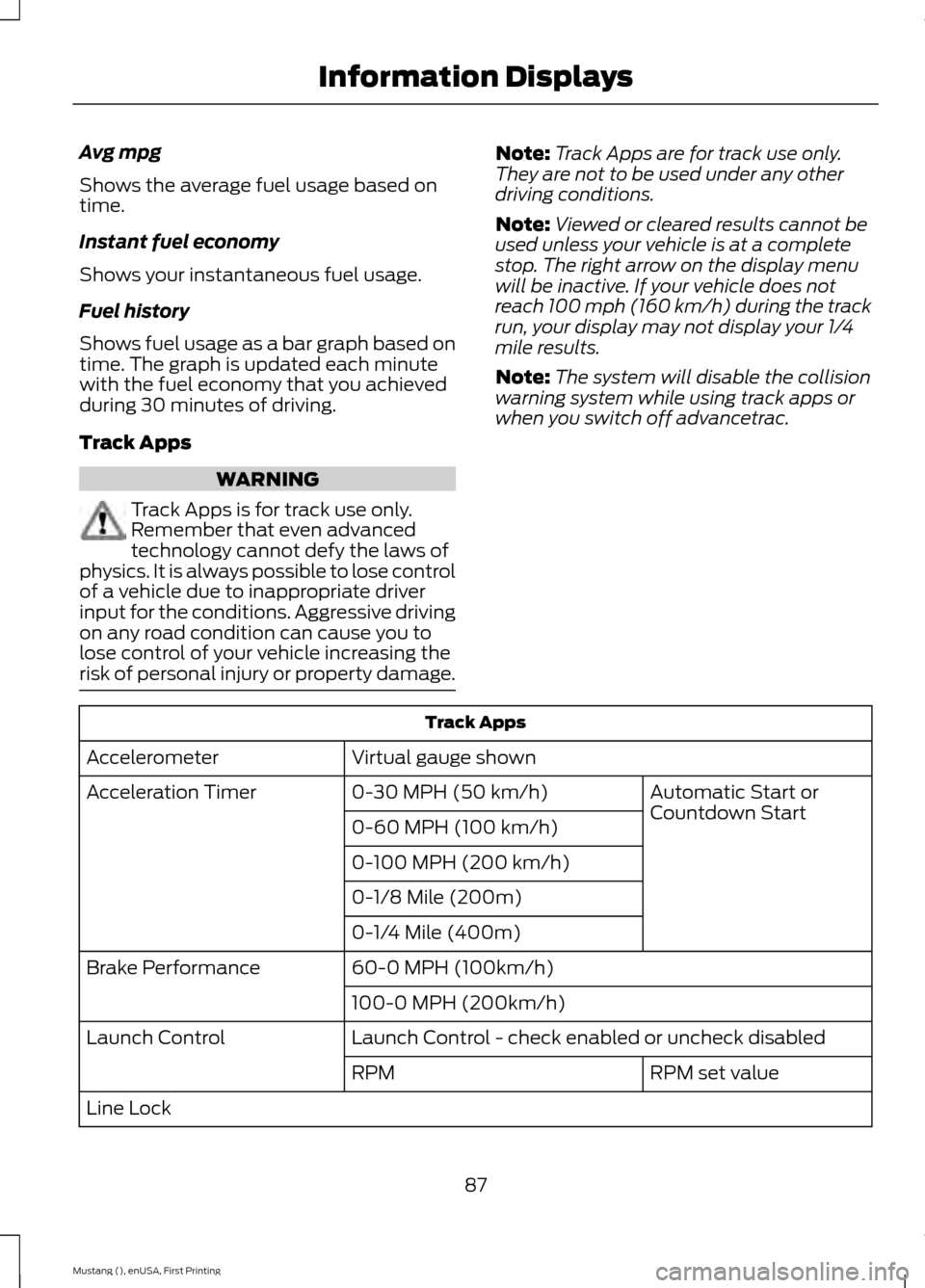
Fuel history
Shows fuel usage as a bar graph based on
time. The graph is updated each minute
with the fuel economy that you achieved
during 30 minutes of driving.
Track Apps
WARNING
Track Apps is for track use only.
Remember that even advanced
technology cannot defy the laws of
physics. It is always possible to lose control
of a vehicle due to inappropriate driver
input for the conditions. Aggressive driving
on any road condition can cause you to
lose control of your vehicle increasing the
risk of personal injury or property damage. Note:
Track Apps are for track use only.
They are not to be used under any other
driving conditions.
Note: Viewed or cleared results cannot be
used unless your vehicle is at a complete
stop. The right arrow on the display menu
will be inactive. If your vehicle does not
reach 100 mph (160 km/h) during the track
run, your display may not display your 1/4
mile results.
Note: The system will disable the collision
warning system while using track apps or
when you switch off advancetrac. Track Apps
Virtual gauge shown
Accelerometer
Automatic Start or
Countdown Start
0-30 MPH (50 km/h)
Acceleration Timer
0-60 MPH (100 km/h)
0-100 MPH (200 km/h)
0-1/8 Mile (200m)
0-1/4 Mile (400m)
60-0 MPH (100km/h)
Brake Performance
100-0 MPH (200km/h)
Launch Control - check enabled or uncheck disabled
Launch Control
RPM set value
RPM
Line Lock
87
Mustang (), enUSA, First Printing Information Displays
Page 91 of 441
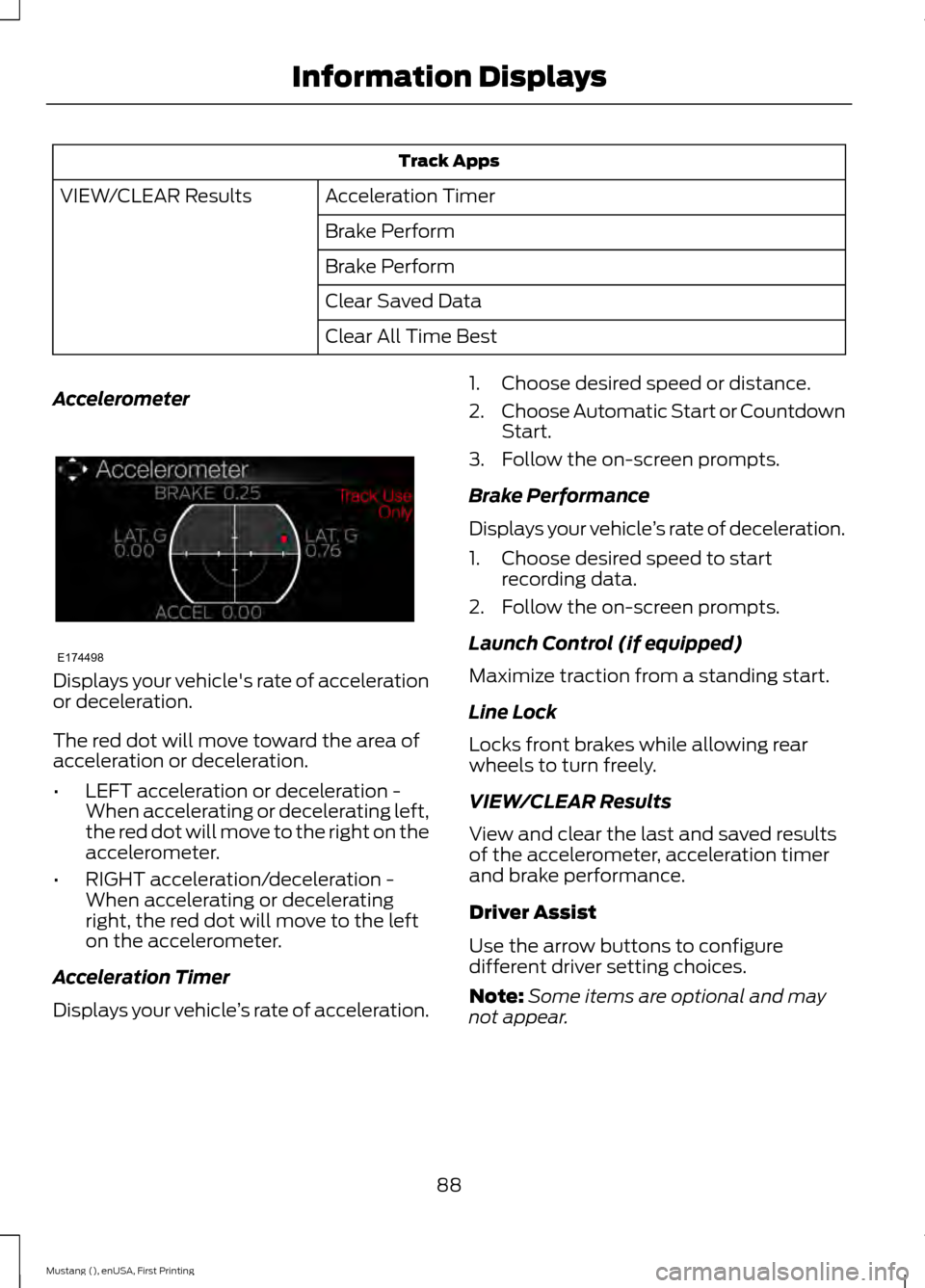
Track Apps
Acceleration Timer
VIEW/CLEAR Results
Brake Perform
Brake Perform
Clear Saved Data
Clear All Time Best
Accelerometer Displays your vehicle's rate of acceleration
or deceleration.
The red dot will move toward the area of
acceleration or deceleration.
•
LEFT acceleration or deceleration -
When accelerating or decelerating left,
the red dot will move to the right on the
accelerometer.
• RIGHT acceleration/deceleration -
When accelerating or decelerating
right, the red dot will move to the left
on the accelerometer.
Acceleration Timer
Displays your vehicle ’s rate of acceleration. 1. Choose desired speed or distance.
2.
Choose Automatic Start or Countdown
Start.
3. Follow the on-screen prompts.
Brake Performance
Displays your vehicle ’s rate of deceleration.
1. Choose desired speed to start recording data.
2. Follow the on-screen prompts.
Launch Control (if equipped)
Maximize traction from a standing start.
Line Lock
Locks front brakes while allowing rear
wheels to turn freely.
VIEW/CLEAR Results
View and clear the last and saved results
of the accelerometer, acceleration timer
and brake performance.
Driver Assist
Use the arrow buttons to configure
different driver setting choices.
Note: Some items are optional and may
not appear.
88
Mustang (), enUSA, First Printing Information DisplaysE174498
Page 92 of 441
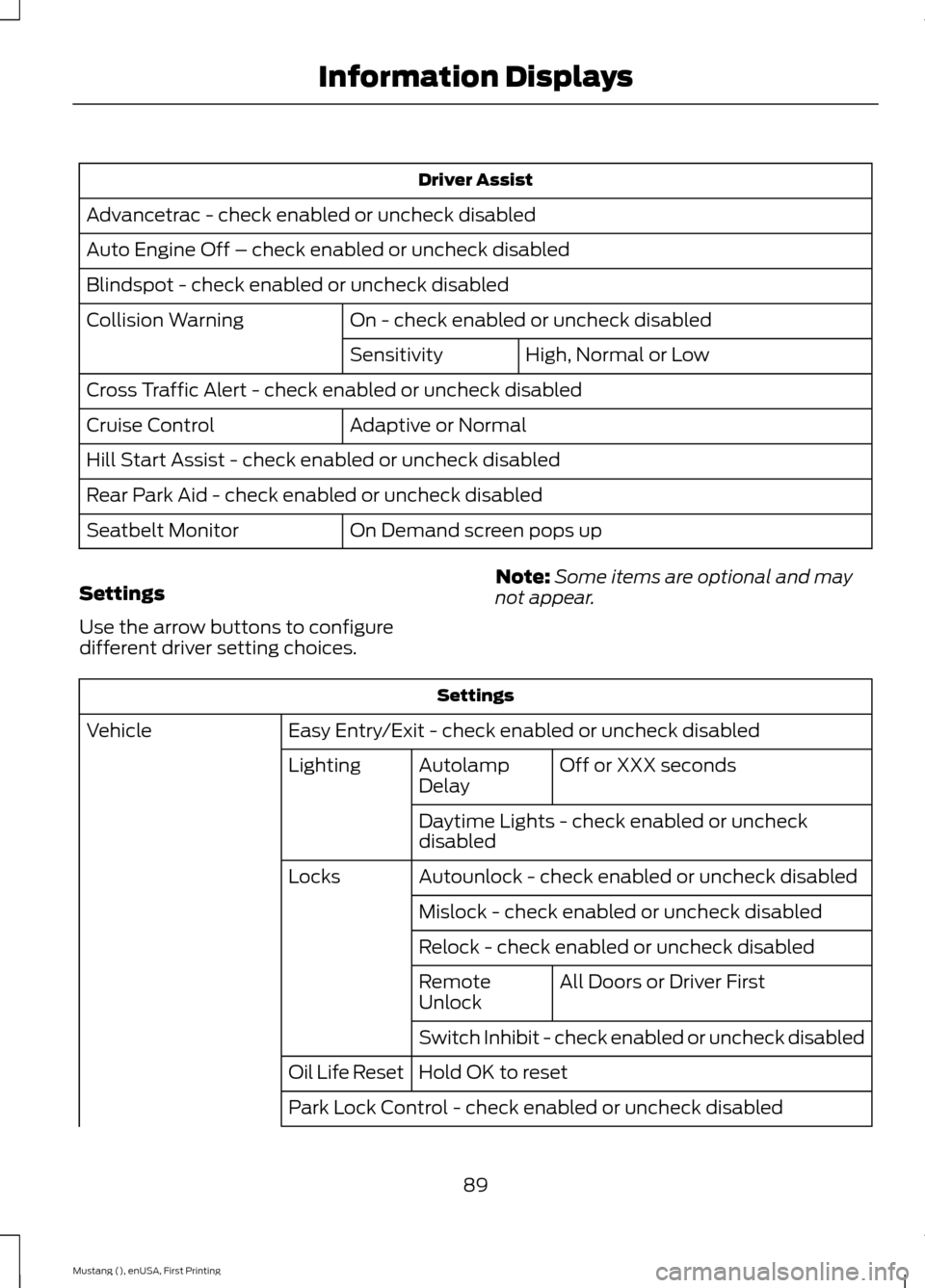
Driver Assist
Advancetrac - check enabled or uncheck disabled
Auto Engine Off – check enabled or uncheck disabled
Blindspot - check enabled or uncheck disabled On - check enabled or uncheck disabled
Collision Warning
High, Normal or Low
Sensitivity
Cross Traffic Alert - check enabled or uncheck disabled Adaptive or Normal
Cruise Control
Hill Start Assist - check enabled or uncheck disabled
Rear Park Aid - check enabled or uncheck disabled
On Demand screen pops up
Seatbelt Monitor
Settings
Use the arrow buttons to configure
different driver setting choices. Note:
Some items are optional and may
not appear. Settings
Easy Entry/Exit - check enabled or uncheck disabled
Vehicle
Off or XXX seconds
Autolamp
Delay
Lighting
Daytime Lights - check enabled or uncheck
disabled
Autounlock - check enabled or uncheck disabled
Locks
Mislock - check enabled or uncheck disabled
Relock - check enabled or uncheck disabled All Doors or Driver First
Remote
Unlock
Switch Inhibit - check enabled or uncheck disabled
Hold OK to reset
Oil Life Reset
Park Lock Control - check enabled or uncheck disabled
89
Mustang (), enUSA, First Printing Information Displays
Page 93 of 441
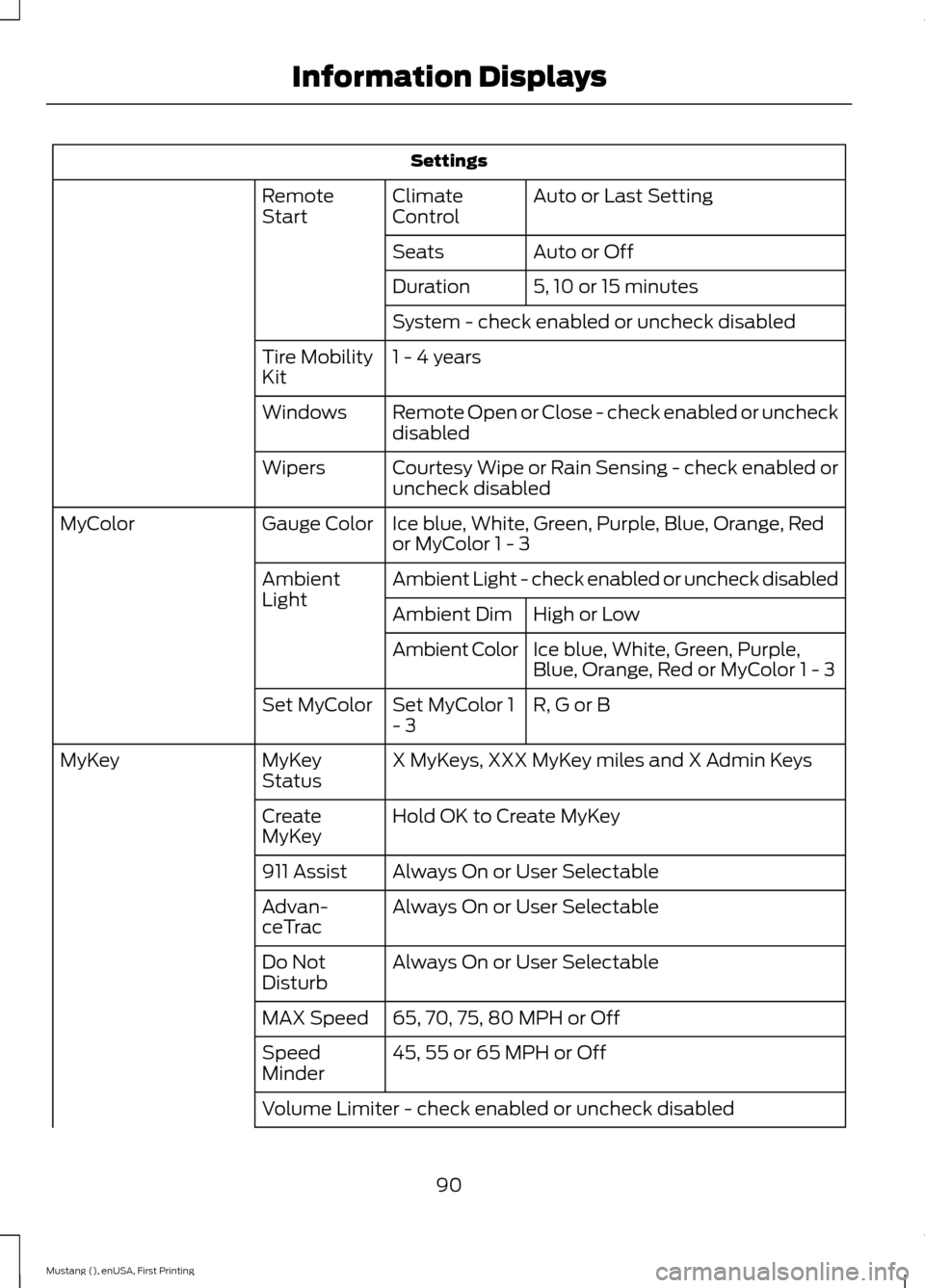
Settings
Auto or Last Setting
Climate
Control
Remote
Start
Auto or Off
Seats
5, 10 or 15 minutes
Duration
System - check enabled or uncheck disabled
1 - 4 years
Tire Mobility
Kit
Remote Open or Close - check enabled or uncheck
disabled
Windows
Courtesy Wipe or Rain Sensing - check enabled or
uncheck disabled
Wipers
Ice blue, White, Green, Purple, Blue, Orange, Red
or MyColor 1 - 3
Gauge Color
MyColor
Ambient Light - check enabled or uncheck disabled
Ambient
Light
High or Low
Ambient Dim
Ice blue, White, Green, Purple,
Blue, Orange, Red or MyColor 1 - 3
Ambient Color
R, G or B
Set MyColor 1
- 3
Set MyColor
X MyKeys, XXX MyKey miles and X Admin Keys
MyKey
Status
MyKey
Hold OK to Create MyKey
Create
MyKey
Always On or User Selectable
911 Assist
Always On or User Selectable
Advan-
ceTrac
Always On or User Selectable
Do Not
Disturb
65, 70, 75, 80 MPH or Off
MAX Speed
45, 55 or 65 MPH or Off
Speed
Minder
Volume Limiter - check enabled or uncheck disabled
90
Mustang (), enUSA, First Printing Information Displays
Page 94 of 441

Settings
Hold OK to Clear MyKeys
Clear MyKey
Miles & Gallons, L/100km or km/L
Distance
Display Setup
°Fahrenheit or °Celsius
Temperature
psi or kPa
Tire Pressure
Language 1 - 4 - Hold OK to Set
Language
INFORMATION MESSAGES
Note: Depending on your vehicle options
and instrument cluster type, not all of the
messages display or are available. The
information display may abbreviate or
shorten certain messages. Press the OK button to acknowledge and
remove some messages from the
information display. The information
display automatically removes other
messages after a short time.
You need to confirm certain messages
before you can access the menus.
Adaptive Cruise Control Action
Message
A radar malfunction is preventing the adaptive cruise controlfrom engaging. See
Using Adaptive Cruise Control (page
153).
Adaptive Cruise
Malfunction
A condition exists such that the adaptive cruise cannot func-tion properly. See
Using Adaptive Cruise Control (page
153).
Adaptive Cruise Not
Available
You have a blocked sensor due to bad weather, ice, mud or
water in front of the radar sensor. You can typically clean the
sensor to resolve. See Using Adaptive Cruise Control
(page
153).
Adaptive Cruise Not
Available Sensor
Blocked See Manual
91
Mustang (), enUSA, First Printing Information DisplaysE174595