2015 FORD MUSTANG lights
[x] Cancel search: lightsPage 192 of 441
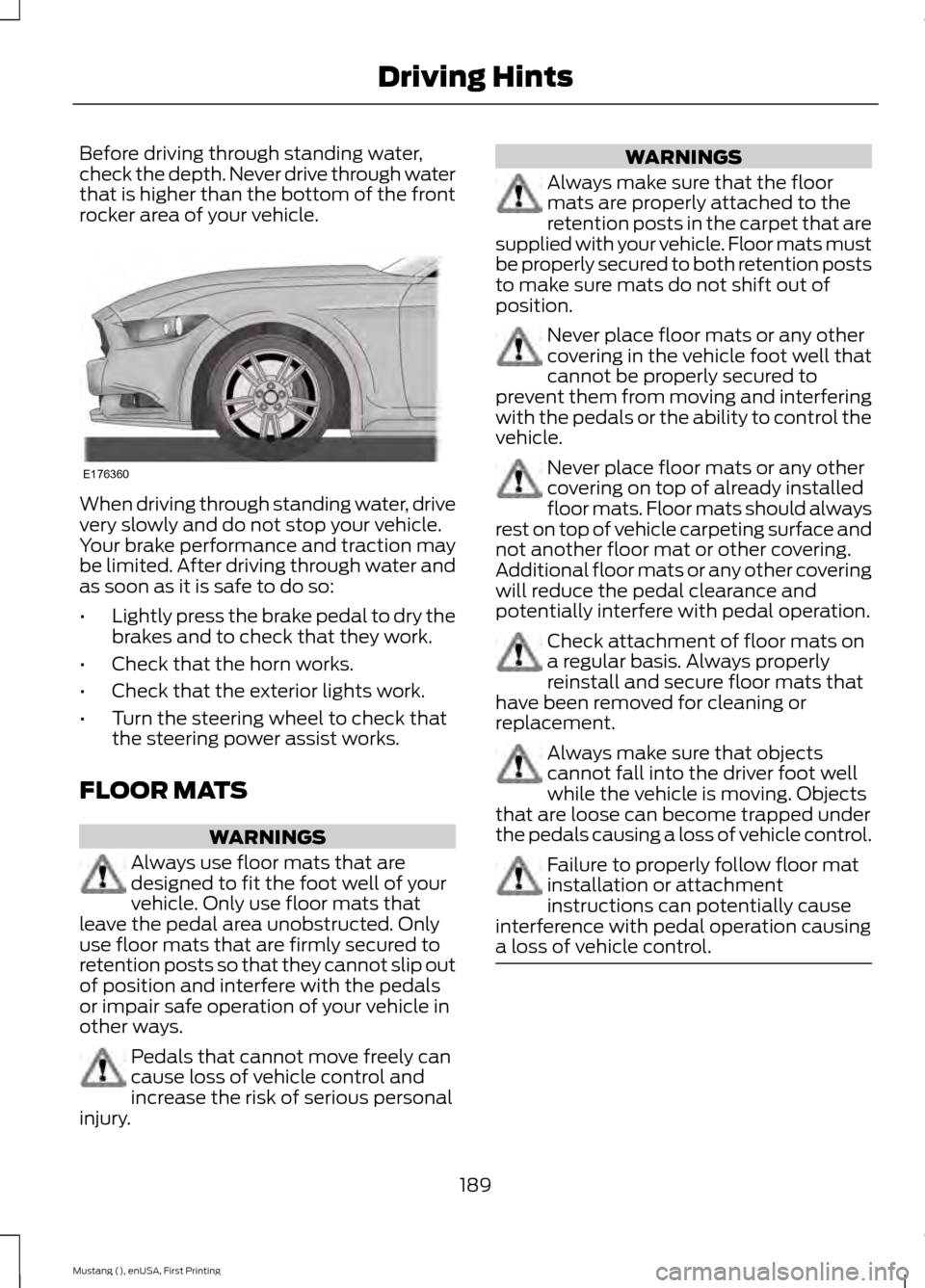
Before driving through standing water,
check the depth. Never drive through water
that is higher than the bottom of the front
rocker area of your vehicle.
When driving through standing water, drive
very slowly and do not stop your vehicle.
Your brake performance and traction may
be limited. After driving through water and
as soon as it is safe to do so:
•
Lightly press the brake pedal to dry the
brakes and to check that they work.
• Check that the horn works.
• Check that the exterior lights work.
• Turn the steering wheel to check that
the steering power assist works.
FLOOR MATS WARNINGS
Always use floor mats that are
designed to fit the foot well of your
vehicle. Only use floor mats that
leave the pedal area unobstructed. Only
use floor mats that are firmly secured to
retention posts so that they cannot slip out
of position and interfere with the pedals
or impair safe operation of your vehicle in
other ways. Pedals that cannot move freely can
cause loss of vehicle control and
increase the risk of serious personal
injury. WARNINGS
Always make sure that the floor
mats are properly attached to the
retention posts in the carpet that are
supplied with your vehicle. Floor mats must
be properly secured to both retention posts
to make sure mats do not shift out of
position. Never place floor mats or any other
covering in the vehicle foot well that
cannot be properly secured to
prevent them from moving and interfering
with the pedals or the ability to control the
vehicle. Never place floor mats or any other
covering on top of already installed
floor mats. Floor mats should always
rest on top of vehicle carpeting surface and
not another floor mat or other covering.
Additional floor mats or any other covering
will reduce the pedal clearance and
potentially interfere with pedal operation. Check attachment of floor mats on
a regular basis. Always properly
reinstall and secure floor mats that
have been removed for cleaning or
replacement. Always make sure that objects
cannot fall into the driver foot well
while the vehicle is moving. Objects
that are loose can become trapped under
the pedals causing a loss of vehicle control. Failure to properly follow floor mat
installation or attachment
instructions can potentially cause
interference with pedal operation causing
a loss of vehicle control. 189
Mustang (), enUSA, First Printing Driving HintsE176360
Page 229 of 441

BULB SPECIFICATION CHART
Replacement bulbs are specified in the
chart below. Headlamp bulbs must be
marked with an authorized "D.O.T." for
North America and an "E" for Europe to
make sure lamp performance, light
brightness and pattern and safe visibility.
The correct bulbs do not damage the lamp
assembly or void the lamp assembly
warranty and provide quality bulb
illumination time. Trade name
Function
D3S
Headlamps - high intensity discharge
(HID)*
7444NA (amber)
Front park and Direction indicators
WY5W (amber)
Sidemarker
LED
Fog lamp
H11
LED
Rear lamp, brake lamp and direction
indicator lamp*
LED
High-mount brake lamp*
3156 or 3157
Backup lamp
LED
License plate lamp*
W5W
Dome and Map lamp
W5W
Glove box and Cargo lamp
To replace all instrument panel lights, contact an authorized dealer
* Contact an authorized dealer to replace the bulb.
226
Mustang (), enUSA, First Printing Maintenance
Page 239 of 441

General Information
WARNING
Failure to follow these guidelines
could result in an increased risk of
loss of vehicle control, injury or death.
Note:
Do not use the kit if you have severely
damaged a tire. Only seal punctures located
within the tire tread with the kit.
Do not attempt to repair punctures larger
than ¼ inch (6 millimeters) or damage to
the tire's sidewall. The tire may not
completely seal.
Loss of air pressure may adversely affect
tire performance. For this reason:
Note: Do not drive the vehicle above
50 mph (80 km/h).
Note: Do not drive further than
120 mi
(200 km). Drive only to the closest
authorized Ford dealer or tire repair shop to
have your tire inspected.
• Drive carefully and avoid abrupt
steering maneuvers.
• Periodically monitor tire inflation
pressure in the affected tire; if the tire
is losing pressure, have the vehicle
towed.
• Read the information in the Tips for
Use of the Kit section to make sure safe
operation of the kit and your vehicle.
Tips for Use of the Kit
To ensure safe operation of the kit:
• Read all instructions and cautions fully.
• Before operating the kit, make sure
your vehicle is safely off the road and
away from moving traffic. Switch on
the hazard lights.
• Always set the parking brake to ensure
the vehicle does not move
unexpectedly. •
Do not remove any foreign objects,
such as nails or screws, from the tire.
• When using the kit, leave the engine
running (only if the vehicle is outdoors
or in a well-ventilated area) so the
compressor does not drain the
vehicle's battery.
• Do not allow the compressor to
operate continuously for more than 15
minutes. This will help prevent the
compressor from overheating.
• Never leave the kit unattended during
operation.
• Sealant compound contains latex.
Those with latex sensitivities should
use appropriate precautions to avoid
an allergic reaction.
• Keep the kit away from children.
• Only use the kit when the ambient
temperature is between -22°F (-30°C)
and 158°F (70°C).
• Only use the sealing compound before
the use-by date. The use-by date is on
a label on the sealant canister, which
you can see through the rectangular
viewing window on the bottom of the
compressor. Check the use-by date
regularly and replace the canister after
four years of non-use.
• Do not store the kit unsecured inside
the passenger compartment of the
vehicle as it may cause injury during a
sudden stop or crash. Always store the
kit in its original location.
• After sealant use, an authorized Ford
dealer must replace the tire pressure
monitoring system sensor and valve
stem on the wheel.
• Operating the kit could cause an
electrical disturbance in radio, CD and
DVD player operation.
236
Mustang (), enUSA, First Printing Wheels and Tires
Page 240 of 441
* When inflation only is required
for a tire or other objects, the
selector must be in the Air
position.
What to do When a Tire Is
Punctured
You can repair a tire puncture within the
tire's tread area in two stages with the kit.
• In the first stage, inflate the tire with a
sealing compound and air. After you
inflate the tire, you will need to drive
the vehicle a short distance (about 4
miles [6 kilometers]) to distribute the
sealant in the tire.
• In the second stage, check the tire
pressure and adjust, if necessary, to the
vehicle's specified tire inflation
pressure.
First Stage: Inflating the Tire with
Sealing Compound and Air WARNINGS
Do not stand directly over the kit
while inflating the tire. If you notice
any unusual bulges or deformations
in the tire's sidewall during inflation, stop
and call roadside assistance. If the tire does not inflate to the
recommended tire pressure within
15 minutes, stop and call roadside
assistance. Do not run the engine during kit
operation unless the vehicle is
outdoors or in a well-ventilated area.
Preparation: Park the vehicle in a safe, level
and secure area, away from moving traffic.
Switch the hazard lights on. Apply the
parking brake and switch the engine off.
Inspect the flat tire for visible damage. Sealant compound contains latex. Use
appropriate precautions to avoid any
allergic reactions.
Do not remove any foreign object that has
pierced the tire. If a puncture is located in
the tire sidewall, stop and call roadside
assistance.
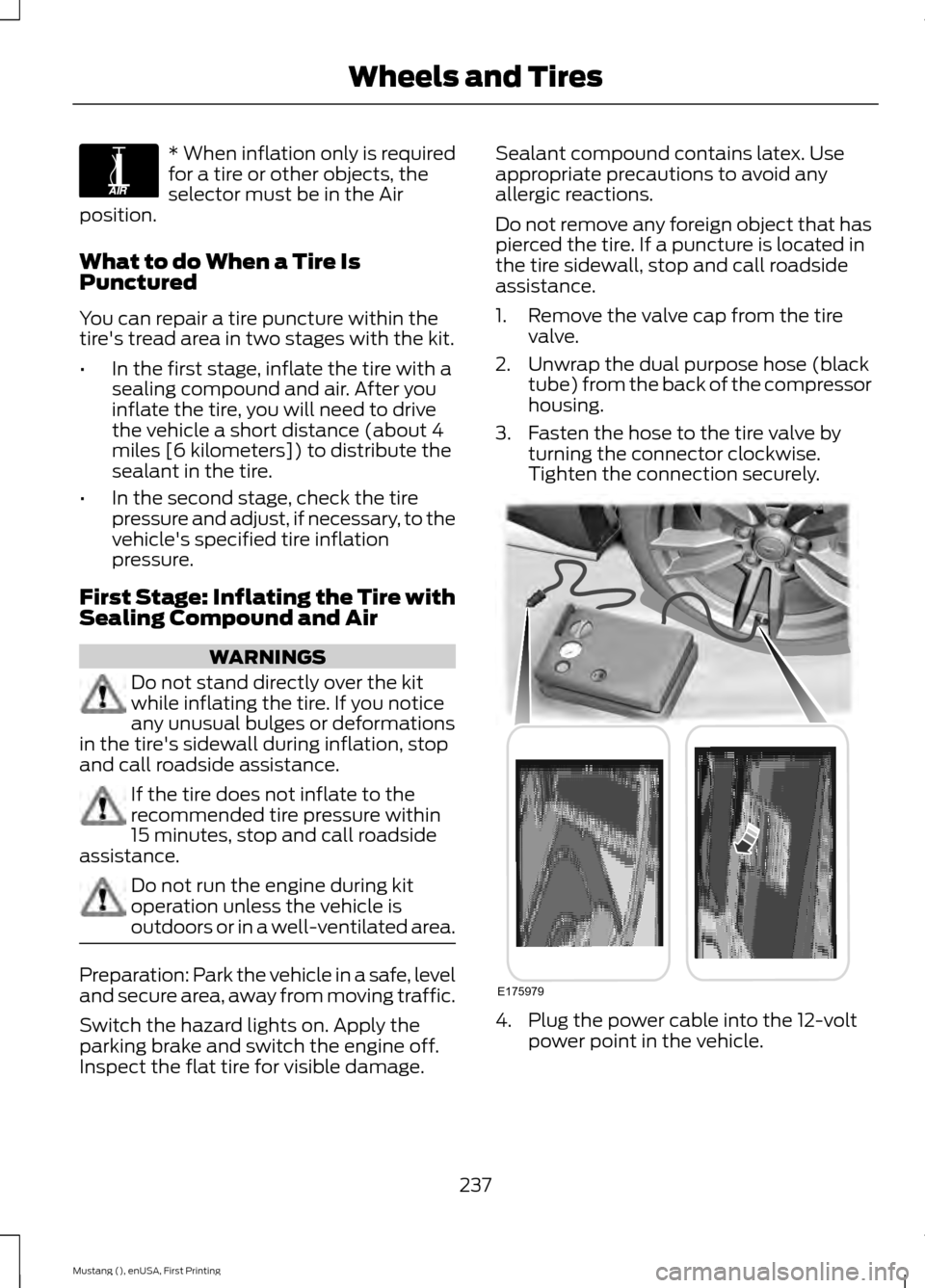
1. Remove the valve cap from the tire
valve.
2. Unwrap the dual purpose hose (black tube) from the back of the compressor
housing.
3. Fasten the hose to the tire valve by turning the connector clockwise.
Tighten the connection securely. 4. Plug the power cable into the 12-volt
power point in the vehicle.
237
Mustang (), enUSA, First Printing Wheels and TiresE175978 E175979
Page 308 of 441
Sending a Text Message
Note:
You can only send a text message to
one recipient at a time.
1. Select the send option when the desired selection highlights in the audio
display.
2. Select the confirmation option when the contact appears.
3. Press the OK button again to confirm when the system asks if you want to
send the message. A pre-defined
signature appears on each text
message. Note:
You can send text messages either
by choosing a contact from the phonebook
and selecting the text option from the audio
display or by replying to a received message
in the inbox.
Accessing Your Phone Settings
These are phone-dependent features. Your
phone settings allow you to access and
adjust features such as your ring tone, text
message notification, modify your
phonebook and set up automatic
download.
1. Press the PHONE button.
2. Scroll until the phone settings option appears, and then press the OK button.
3. Scroll to select from the following options: Description and action
Display
If this option is checked, the system uses the cellular phone
as the master when there is more than one cellular phone
paired to the system. This option can be changed for all
cellular phones (not only the active phone) using the
Bluetooth Devices menu.
Set as master
See the cellular phone name, provider name, cellular
phone number, and signal level. When done, press the left
arrow buttons to return to the phone status menu.
Phone status
Select which ringtone sounds during an incoming call (one
of the system's tones or your cellular phone's). If your
phone supports in-band ringing, your phone's ringtone
sounds when you choose the cellular phone ringtone
option.
Set ringtone
1. Press the
OK button to select and scroll to hear each
ringtone.
305
Mustang (), enUSA, First Printing SYNC™
(If Equipped)
Page 419 of 441
Check every month
Engine oil level.
Function of all interior and exterior lights.
Tires (including spare) for wear and proper pressure. Windshield washer fluid level. Check every six months
Battery connections. Clean if necessary.
Body and door drain holes for obstructions. Clean if necessary. Cooling system fluid level and coolant strength.
Door weatherstrips for wear. Lubricate if necessary.
Hinges, latches and outside locks for proper operation. Lubricate if necessary. Parking brake for proper operation.
Safety belts and seat latches for wear and function.
Safety warning lamps (brake, ABS, airbag and safety belt) for operation.
Washer spray and wiper operation. Clean or replace blades as necessary.
Multi-Point Inspection
In order to keep your vehicle running right,
it is important to have the systems on your
vehicle checked regularly. This can help
identify potential issues and prevent major
problems. We recommend having the
following multi-point inspection performed
at every scheduled maintenance interval
to help make sure your vehicle keeps
running great.
416
Mustang (), enUSA, First Printing Scheduled Maintenance
Page 434 of 441

Drive Control..................................................166
Selectable Drive Modes................................... 166
Selectable Steering............................................ 167
Driver and Passenger Airbags....................37 Children and Airbags........................................... 37
Proper Driver and Front Passenger Seating Adjustment........................................................ 37
Driver and Passenger Knee Airbags........42
Driving Aids
.....................................................159
Driving at High Speed................................265
Driving Hints
...................................................188
Driving Through Water...............................188
DRL See: Daytime Running Lamps......................... 70
E
Economical Driving......................................188
Emission Control System...........................131 On-Board Diagnostics (OBD-II).................... 132
Readiness for Inspection/Maintenance (I/M) Testing.................................................... 132
End User License Agreement..................397 SYNC End User License Agreement
(EULA).............................................................. 397
Engine Block Heater....................................124 Using the Engine Block Heater...................... 125
Engine Coolant Check
.................................215
Adding Engine Coolant..................................... 216
Checking the Engine Coolant......................... 215
Recycled Engine Coolant................................. 216
Severe Climates................................................... 217
What You Should Know About Fail-Safe Cooling............................................................... 217
Engine Immobilizer See: Passive Anti-Theft System..................... 62
Engine Oil Check
...........................................214
Adding Engine Oil............................................... 214
Engine Oil Dipstick.......................................214
Engine Specifications
.................................267
Drivebelt Routing................................................ 267Entertainment................................................351
AM/FM Radio...................................................... 353
Bluetooth Audio................................................. 366
Browsing Device Content................................ 351
CD........................................................................\
.... 362
Line In..................................................................... 367
SD Card Slot and USB Port........................... 363
Sirius® Satellite Radio (If Activated)........358
Supported Media Players, Formats and Metadata Information................................ 366
Essential Towing Checks
............................181
Before Towing a Trailer...................................... 181
Hitches..................................................................... 181
Launching or Retrieving a Boat or Personal Watercraft (PWC)......................................... 182
Safety Chains........................................................ 181
Trailer Brakes......................................................... 181
Trailer Lamps........................................................ 181
When Towing a Trailer...................................... 182
Event Data Recording See: Data Recording.............................................. 9
Export Unique Options..................................13
Extended Service Plan (ESP)..................412 SERVICE PLANS (CANADA ONLY).............413
SERVICE PLANS (U.S. Only).......................... 412
Exterior Mirrors
.................................................74
Auto-Dimming Feature...................................... 74
Blind Spot Monitor............................................... 75
Fold-Away Exterior Mirrors................................ 74
Heated Exterior Mirrors....................................... 74
Integrated Blind Spot Mirrors........................... 75
Memory Mirrors..................................................... 74
Pony Projection Lights........................................ 74
Power Exterior Mirrors......................................... 74
Signal Indicator Mirrors...................................... 74
F
Fastening the Safety Belts
.........................30
Safety Belt Extension Assembly..................... 32
Safety Belt Locking Modes................................ 31
Using Safety Belts During Pregnancy............31
Flat Tire Inflation See: Temporary Mobility Kit........................... 235
Floor Mats
.......................................................189
Fog Lamps - Front See: Front Fog Lamps.......................................... 71
431
Mustang (), enUSA, First Printing Index
Page 440 of 441

Using Adaptive Cruise Control.................153
Automatic Cancellation................................... 156
Blocked Sensor.................................................... 157
Changing the Set Speed.................................. 156
Detection Issues.................................................. 157
Disengaging the System.................................. 156
Following a Vehicle............................................ 154
Hilly Condition Usage........................................ 156
Overriding the System...................................... 156
Resuming the Set Speed................................. 156
Setting a Speed................................................... 154
Setting the Gap Distance................................ 155
Switching the System Off............................... 156
Switching the System On................................ 153
Switching to Normal Cruise Control...........158
System Not Available........................................ 157
Using Cruise Control....................................152 Switching Cruise Control Off.......................... 153
Switching Cruise Control On.......................... 152
Using MyKey With Remote Start Systems..........................................................54
Using Snow Chains.....................................256
Using Stability Control
...............................144
AdvanceTrac ™ ................................................... 144
Line Lock................................................................ 145
Using Summer Tires
...................................256
Using SYNC™ With Your Media Player..............................................................317
Accessing Your USB Song Library...............320
Bluetooth Devices and System Settings............................................................. 322
Connecting Your Digital Media Player to the USB Port............................................................ 317
Line In Audio......................................................... 322
Media Menu Features....................................... 319
Media Voice Commands................................. 318
USB 2...................................................................... 322
Voice Commands for Audio Sources..........322
What's Playing?.................................................. 318Using SYNC™ With Your Phone............299
Accessing Features through the Phone
Menu.................................................................. 302
Accessing Your Phone Settings................... 305
Bluetooth Devices............................................. 306
Making Calls......................................................... 301
Pairing a Phone for the First Time..............299
Pairing Subsequent Phones......................... 300
Phone Options during an Active Call..........301
Phone Voice Commands............................... 300
Receiving Calls.................................................... 301
System Settings................................................. 307
Text Messaging................................................... 303
Using Traction Control
................................142
System Indicator Lights and
Messages.......................................................... 142
Using Voice Recognition............................297 Initiating a Voice Session................................ 297
System Interaction and Feedback..............298
Utilizing the Mediation/Arbitration Program (Canada Only).........................198
V
Vehicle Care...................................................228 General Information......................................... 228
Vehicle Certification Label.......................269
Vehicle Identification Number
...............268
Vehicle Storage.............................................232
Battery.................................................................... 233
Body........................................................................\
233
Brakes..................................................................... 234
Cooling system................................................... 233
Engine..................................................................... 233
Fuel system.......................................................... 233
General.................................................................. 233
Miscellaneous..................................................... 234
Removing Vehicle From Storage.................234
Tires........................................................................\
234
Ventilation See: Climate Control.......................................... 101
VIN See: Vehicle Identification Number............268
Voice Control
...................................................65
437
Mustang (), enUSA, First Printing Index