2015 FORD FUSION (AMERICAS) center console
[x] Cancel search: center consolePage 146 of 488
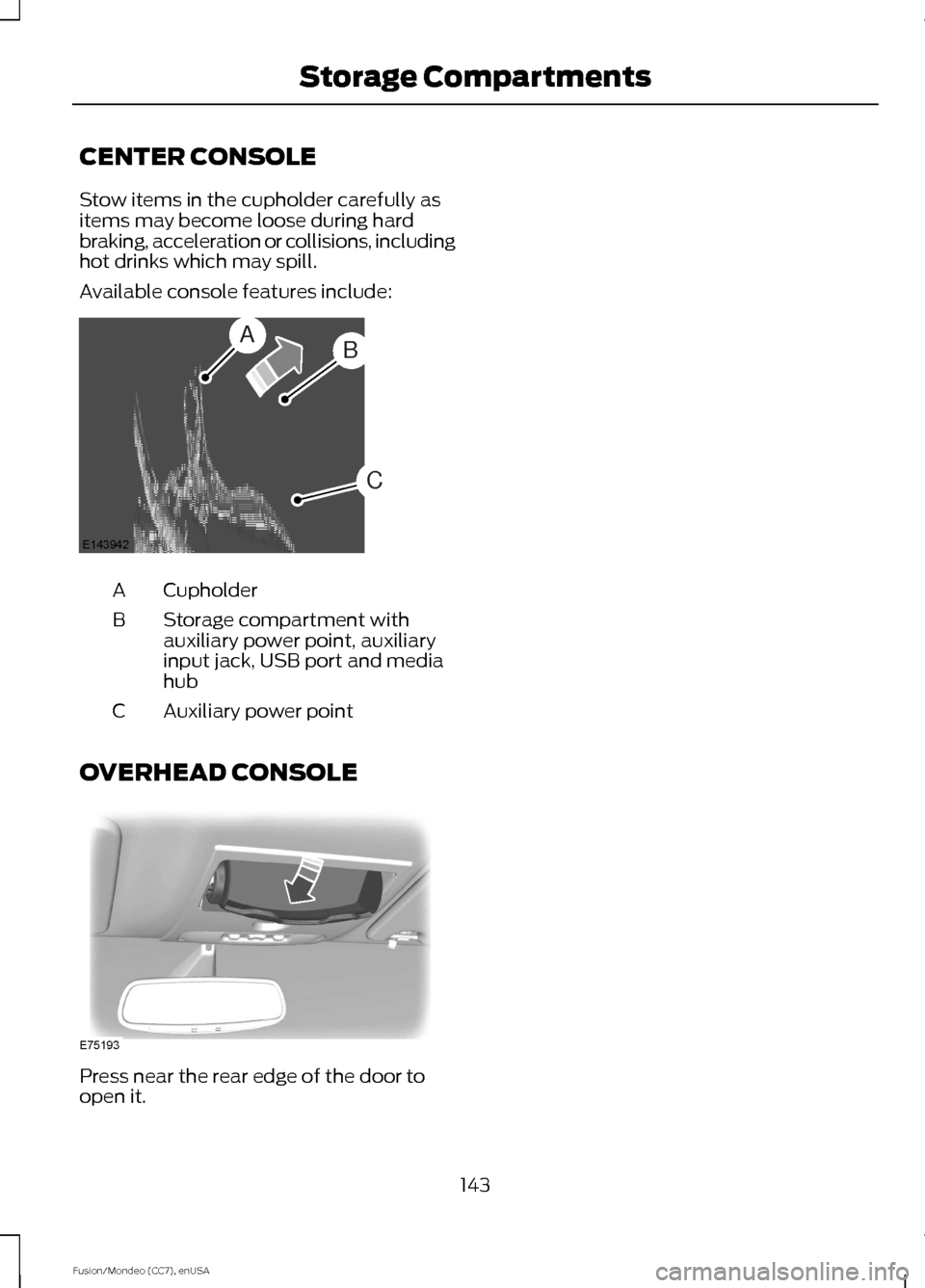
CENTER CONSOLE
Stow items in the cupholder carefully as
items may become loose during hard
braking, acceleration or collisions, including
hot drinks which may spill.
Available console features include:
Cupholder
A
Storage compartment with
auxiliary power point, auxiliary
input jack, USB port and media
hub
B
Auxiliary power point
C
OVERHEAD CONSOLE Press near the rear edge of the door to
open it.
143
Fusion/Mondeo (CC7), enUSA Storage CompartmentsAB
C
E143942 E75193
Page 149 of 488

Vehicles with Keyless Start
Note:
Do not touch the accelerator pedal.
Note: You must have your intelligent access
key in the vehicle in order to shift the
transmission out of position P.
1. Fully press the brake pedal.
2. Press the button.
The system does not function if:
• The key frequencies are jammed.
• The key battery has no charge.
If you are unable to start the engine, do the
following: 1. Locate the key backup slot in center
console utility compartment.
2. With the buttons facing the rear of the
vehicle and the key ring up, place the
key into backup slot.
3. With the key in this position, press the brake pedal, and then the button to
switch on the engine.
Fast Restart
The fast restart feature allows you to
restart the engine within 20 seconds of
switching it off, even if a valid key is not
present. Within 20 seconds of switching the engine
off, press the brake pedal and press the
button. After 20 seconds have expired, you
can no longer restart the engine without
the key present inside your vehicle.
Once the engine has started, it remains
running until you press the button, even if
the system does not detect a valid key. If
you open and close a door while the engine
is running, the system searches for a valid
key. You cannot restart the engine if the
system does not detect a valid key within
20 seconds.
Failure to Start
If you cannot start the engine after three
attempts, wait 10 seconds and follow this
procedure:
1. If your vehicle is equipped with an
automatic transmission, fully press the
brake pedal. If your vehicle is equipped
with a manual transmission, fully press
the clutch pedal and apply the
handbrake.
2. Move the transmission selector lever to park (P) (automatic transmission)
or neutral (manual transmission).
3. Fully press the accelerator pedal and hold it there.
4. Start the engine.
Automatic Engine Shutdown
If your vehicle is equipped with a keyless
ignition, it has a feature that automatically
shuts down the engine if it has been idling
for an extended period. The ignition also
turns off in order to save battery power.
Before the engine shuts down, a message
appears in the information display showing
a timer counting down from 30 seconds.
146
Fusion/Mondeo (CC7), enUSA Starting and Stopping the EngineE147165
Page 154 of 488

•
Your foot is removed from the brake
pedal.
• You press the accelerator pedal.
• You press the accelerator and the
brake pedal at the same time.
• The driver safety belt becomes
unfastened or the driver door is ajar.
• The transmission is moved from drive
(D).
• Your vehicle is moving.
• The interior compartment does not
meet customer comfort when air
conditioning or heat is on.
• Fogging of the windows could occur
and the air conditioning is on.
• The battery is not within optimal
operating conditions.
• The maximum engine off time is
exceeded.
• When you press the Auto StartStop
button while the engine is stopped
automatically.
• Either the front or rear defroster is
turned on.
Any of the following conditions may result
in an automatic restart of the engine:
• The blower fan speed is increased or
the climate control temperature is
changed.
• An electrical accessory is turned on or
plugged in. Disabling Auto StartStop Press the Auto StartStop button located
on the center console to switch the system
off. The button will illuminate. The system
will only be deactivated for the current
ignition cycle. Press the button again to
restore Auto StartStop function.
Note:
If the Shift to P, Restart Engine
message appears and the amber Auto
StartStop indicator light is flashing,
automatic restart is not available. The
vehicle must be restarted manually. See
Information Displays (page 93).
151
Fusion/Mondeo (CC7), enUSA Unique Driving CharacteristicsP
R
N
D
S
E146362
Page 175 of 488

ELECTRIC PARKING BRAKE
The electric parking brake replaces the
conventional handbrake. The operating
switch is located in the center console.
WARNING
Always set the parking brake and
leave your vehicle with the
transmission in park (P) (automatic
transmission) or in first gear (1) or reverse
(R) (manual transmission). Note:
When you apply the electric parking
brake in certain conditions, for example, on
a steep hill, the electric parking brake may
reapply the brakes within three to ten
minutes.
Note: You may notice various noises when
you apply and release the electric parking
brake. This is normal and no cause for
concern.
Parking on a hill (vehicles with a
manual transmission)
If you park your vehicle facing uphill, move
the transmission to first gear (1) and turn
the steering wheel away from the curb. If
you park your vehicle facing downhill, move
the transmission to reverse (R) and turn
the steering wheel toward the curb.
Applying the electric parking brake WARNING
If the brake system warning lamp
flashes, there could be a problem
with your electric parking brake. Have
the system checked by an authorized
dealer as soon as possible. Note:
The brake system warning lamp will
illuminate for ten seconds, if the ignition is
turned off after the electric parking brake
has been applied, or the electric parking
brake has been applied after the ignition has
been turned off.
Note: The electric parking brake will not
automatically apply. You must apply the
electric parking brake using the electric
parking brake switch. Pull the switch up to apply the electric
parking brake.
The brake system warning lamp will
illuminate to confirm that the electric
parking brake has been applied. See
Information Displays (page 93).
Applying the electric parking brake
when the vehicle is moving WARNINGS
Applying the electric parking brake
while moving will result in use of the
anti-lock braking system. Do not use
the electric parking brake system when the
vehicle is moving unless the normal brake
system is unable to stop the vehicle.
172
Fusion/Mondeo (CC7), enUSA BrakesE147230
Page 180 of 488

PRINCIPLE OF OPERATION
WARNINGS
Vehicle modifications involving
braking system, aftermarket roof
racks, suspension, steering system,
tire construction and wheel and tire size
may change the handling characteristics
of the vehicle and may adversely affect
the performance of the AdvanceTrac
system. In addition, installing any stereo
loudspeakers may interfere with and
adversely affect the AdvanceTrac system.
Install any aftermarket stereo loudspeaker
as far as possible from the front center
console, the tunnel, and the front seats in
order to minimize the risk of interfering with
the AdvanceTrac sensors. Reducing the
effectiveness of the AdvanceTrac system
could lead to an increased risk of loss of
vehicle control, vehicle rollover, personal
injury and death. Remember that even advanced
technology cannot defy the laws of
physics. It’
s always possible to lose
control of a vehicle due to inappropriate
driver input for the conditions. Aggressive
driving on any road condition can cause
you to lose control of your vehicle
increasing the risk of personal injury or
property damage. Activation of the
AdvanceTrac system is an indication that
at least some of the tires have exceeded
their ability to grip the road; this could
reduce the operator ’s ability to control the
vehicle potentially resulting in a loss of
vehicle control, vehicle rollover, personal
injury and death. If your AdvanceTrac
system activates, SLOW DOWN. The AdvanceTrac Control system helps
you keep control of your vehicle when on
a slippery surface. The electronic stability
control portion of the system helps avoid
skids and lateral slides. The traction
control system helps avoid drive wheel
spin and loss of traction. See Using
Traction Control (page 176). Vehicle without AdvanceTrac
skidding off its intended route.
A
Vehicle with AdvanceTrac
maintaining control on a slippery
surface.
B
USING STABILITY CONTROL
AdvanceTrac®
The system automatically activates when
you start your vehicle. The AdvanceTrac
system cannot be completely turned off,
but the electronic stability control system
is disabled when the transmission selector
lever is in position
R. You can turn off the
traction control portion of the system
independently. See
Using Traction
Control (page 176).
177
Fusion/Mondeo (CC7), enUSA Stability ControlE72903A
AA
B
BB
B
Page 183 of 488

For specific information on the reverse
sensing portion of the system, refer to that
section.
ACTIVE PARK ASSIST (If Equipped)
WARNING
Designed to be a supplementary park
aid, this system may not work in all
conditions. This system cannot
replace the driver ’s attention and
judgment. The driver is responsible for
avoiding hazards and maintaining a safe
distance and speed, even when the system
is in use. Note:
The driver is always responsible for
controlling the vehicle, supervising the
system and intervening if required.
The system detects an available parallel
parking space and automatically steers
your vehicle into the space (hands-free)
while you control the accelerator, gearshift
and brakes. The system visually and
audibly instructs you to park your vehicle.
The system may not function correctly if
something passes between the front
bumper and the parking space (a
pedestrian or cyclist) or if the edge of the
neighboring parked vehicle is high off the
ground (for example, a bus, tow truck or
flatbed truck). Note:
The sensors may not detect objects
in heavy rain or other conditions that cause
disruptive reflections.
Note: The sensors may not detect objects
with surfaces that absorb ultrasonic waves.
Do not use the system if:
• You have attached a foreign object
(bike rack or trailer) to the front or rear
of your vehicle or attached close to the
sensors.
• You have attached an overhanging
object (surfboard) to the roof.
• The front bumper or side sensors are
damaged or obstructed by a foreign
object (front bumper cover).
• A mini-spare tire is in use.
Using Active Park Assist Press the button located on the
center console near the gearshift
lever.
The touchscreen displays a message and
a corresponding graphic to indicate it is
searching for a parking space. Use the
direction indicator to indicate which side
of your vehicle you want the system to
search.
Note: If the turn signal is not on, the system
automatically searches on your vehicle's
passenger side. 180
Fusion/Mondeo (CC7), enUSA Parking AidsE146186 A
E130107
Page 337 of 488

AUDIO INPUT JACK
WARNINGS
Driving while distracted can result in
loss of vehicle control, crash and
injury. We strongly recommend that
you use extreme caution when using any
device that may take your focus off the
road. Your primary responsibility is the safe
operation of your vehicle. We recommend
against the use of any hand-held device
while driving and encourage the use of
voice-operated systems when possible.
Make sure you are aware of all applicable
local laws that may affect the use of
electronic devices while driving. For safety reasons, do not connect
or adjust the settings on your
portable music player while your
vehicle is moving. Store the portable music player in a
secure location, such as the center
console or the glove box, when your
vehicle is moving. Hard objects may
become projectiles in a collision or sudden
stop, which may increase the risk of serious
injury. The audio extension cable must be
long enough to allow the portable music
player to be safely stored while your
vehicle is moving. The auxiliary input jack allows you to
connect and play music from your portable
music player through your vehicle speakers.
You can use any portable music player
designed for use with headphones. Your
audio extension cable must have male
1/8th-inch (3.5 millimeter) connectors at
each end.
1. Switch off the engine, radio and
portable music player. Set the parking
brake and put the transmission in
position P (vehicle with an automatic
transmission) or neutral (vehicle with
a manual transmission).
2. Plug the extension cable from the portable music player into the auxiliary
input jack.
3. Switch the radio on. Select either a tuned FM station or a CD.
4. Adjust the volume as desired.
5. Switch your portable music player on and adjust its volume to half its
maximum level.
6. Press
AUX until LINE or LINE IN
appears in the display. You should hear
music from your device even if it is low.
7. Adjust the volume on your portable music player until it reaches the volume
level of the FM station or CD. Do this
by switching back and forth between
the AUX and FM or CD controls.
334
Fusion/Mondeo (CC7), enUSA Audio SystemE149149
Page 338 of 488

USB PORT (If Equipped)
The USB port allows you to plug in media
playing devices, memory sticks and charge
devices (if supported).
MEDIA HUB
(If Equipped)
The media hub is located in the center
console and has the following features: A/V inputs
A
SD card slot
B
USB ports
C
See
MyFord Touch ™ (page 375).
335
Fusion/Mondeo (CC7), enUSA Audio SystemE149148 C
BA
E142605