2015 FORD EXPLORER windshield wipers
[x] Cancel search: windshield wipersPage 3 of 596
MyKey 69
Settings, MyKey.......................................69
Creating.............................................70
Clearing.............................................71
System status.........................................71
Remote start, MyKey...................................71
Troubleshooting, MyKey.................................72
Locks 73
Locking and unlocking..................................73
SecuriCode™ keyless entry keypad.........................82
Security 85
SecuriLock® passive anti-theft system.......................85
Anti-theft alarm.......................................88
Steering Wheel 90
Adjusting the steering wheel..............................90
Steering wheel controls.................................92
Pedals 95
Adjustable pedals......................................95
Wipers and Washers 96
Windshield wipers.....................................96
Rain-sensing wipers....................................96
Windshield washers....................................97
Rear-window wiper and washer............................97
2Table of Contents
2015 Explorer(exp)
Owners Guide gf, 2nd Printing, September 2014
USA(fus)
Page 97 of 596
WINDSHIELD WIPERS
Note:Fully defrost the windshield in icy conditions before turning on
the windshield wipers.
Note:Make sure the windshield wipers are switched off before entering
a car wash.
Note:
Clean the windshield and wiper blades if they begin to leave streaks
or smears. If that does not resolve the issue, install new wiper blades.
Note:Do not operate the wipers on a dry windshield. This may scratch
the glass, damage the wiper blades or cause the wiper motor to burn out.
Always use the windshield washers before wiping a dry windshield.
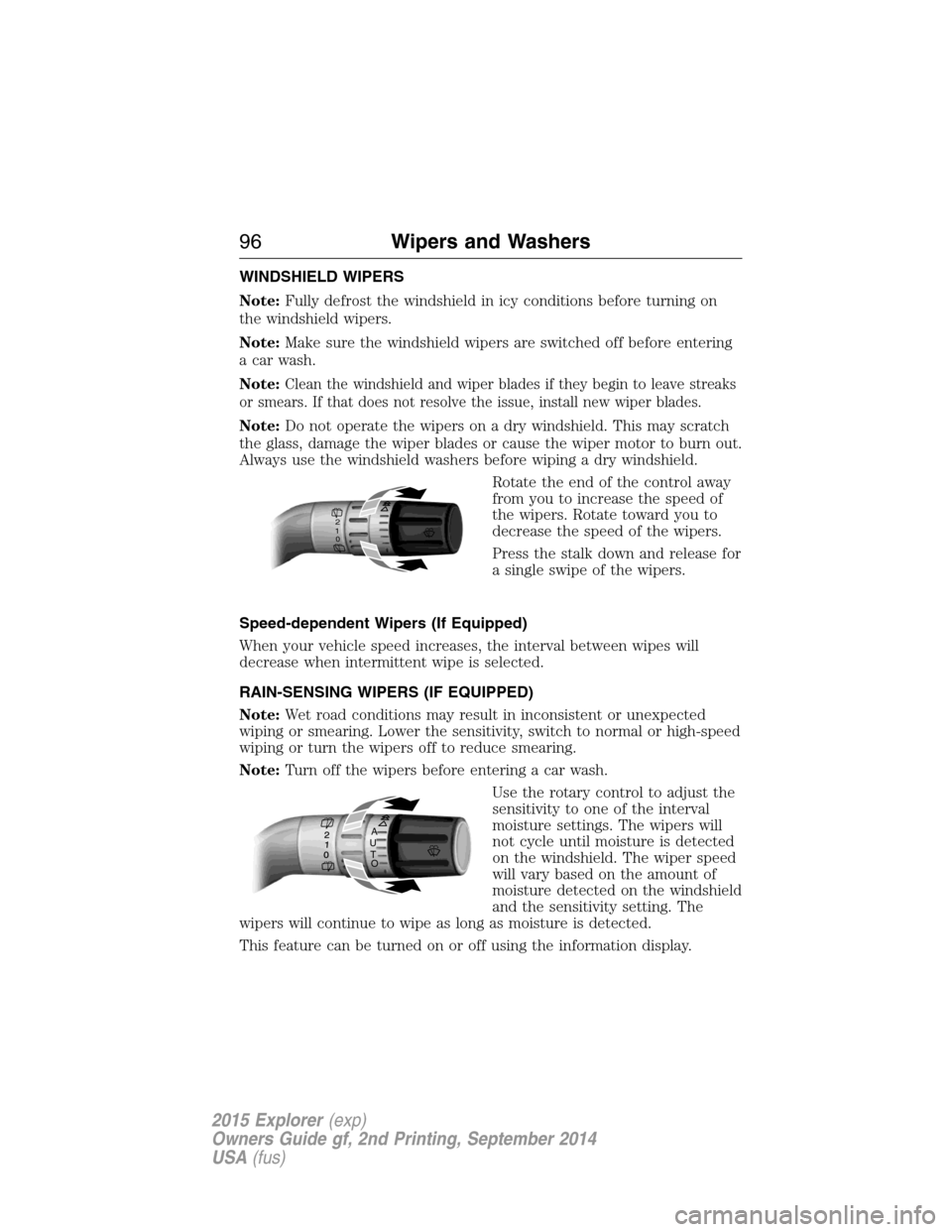
Rotate the end of the control away
from you to increase the speed of
the wipers. Rotate toward you to
decrease the speed of the wipers.
Press the stalk down and release for
a single swipe of the wipers.
Speed-dependent Wipers (If Equipped)
When your vehicle speed increases, the interval between wipes will
decrease when intermittent wipe is selected.
RAIN-SENSING WIPERS (IF EQUIPPED)
Note:Wet road conditions may result in inconsistent or unexpected
wiping or smearing. Lower the sensitivity, switch to normal or high-speed
wiping or turn the wipers off to reduce smearing.
Note:Turn off the wipers before entering a car wash.
Use the rotary control to adjust the
sensitivity to one of the interval
moisture settings. The wipers will
not cycle until moisture is detected
on the windshield. The wiper speed
will vary based on the amount of
moisture detected on the windshield
and the sensitivity setting. The
wipers will continue to wipe as long as moisture is detected.
This feature can be turned on or off using the information display.
2
1
0
A
U
T
O
96Wipers and Washers
2015 Explorer(exp)
Owners Guide gf, 2nd Printing, September 2014
USA(fus)
Page 98 of 596
Keep the outside of the windshield clean, especially the area around the
interior mirror where the sensor is located, or sensor performance may
be affected.
WINDSHIELD WASHERS
Note:Do not operate the wipers on a dry windshield. This may scratch
the glass, damage the wiper blades or cause the wiper motor to burn out.
Always use the windshield washer before wiping a dry windshield.
Note:Do not operate the washer when the washer reservoir is empty.
This may cause the washer pump to overheat.
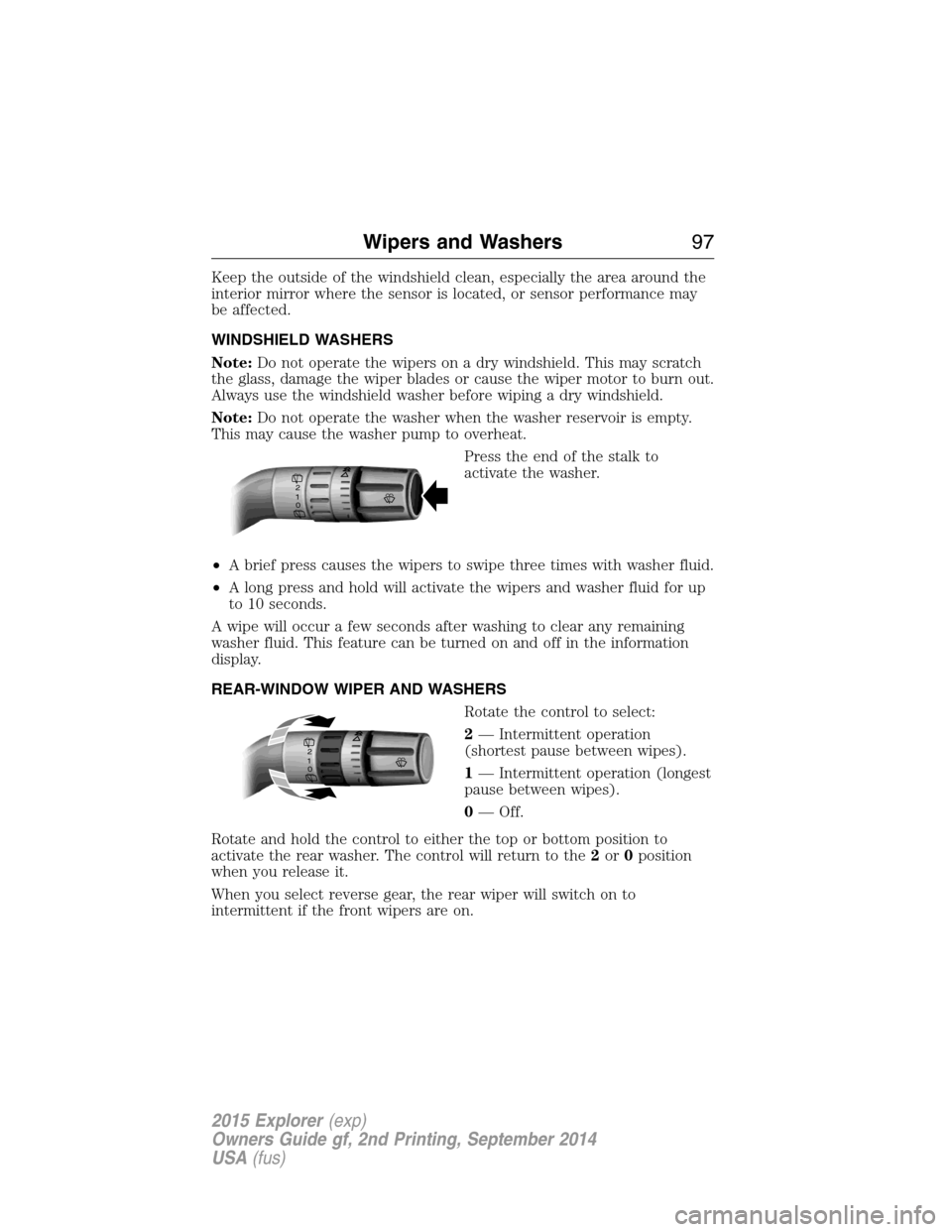
Press the end of the stalk to
activate the washer.
•A brief press causes the wipers to swipe three times with washer fluid.
•A long press and hold will activate the wipers and washer fluid for up
to 10 seconds.
A wipe will occur a few seconds after washing to clear any remaining
washer fluid. This feature can be turned on and off in the information
display.
REAR-WINDOW WIPER AND WASHERS
Rotate the control to select:
2— Intermittent operation
(shortest pause between wipes).
1— Intermittent operation (longest
pause between wipes).
0— Off.
Rotate and hold the control to either the top or bottom position to
activate the rear washer. The control will return to the2or0position
when you release it.
When you select reverse gear, the rear wiper will switch on to
intermittent if the front wipers are on.
2
1
0
2
1
0
Wipers and Washers97
2015 Explorer(exp)
Owners Guide gf, 2nd Printing, September 2014
USA(fus)
Page 100 of 596
AUTOLAMPS
WARNING:The daytime running lamps system does not activate
the tail lamps and may not provide adequate lighting during low
visibility driving conditions. Also, the autolamps switch position may not
activate the headlamps in all low visibility conditions, such as daytime
fog. Always ensure that your headlamps are switched to auto or on, as
appropriate, during all low visibility conditions. Failure to do so may
result in a collision.
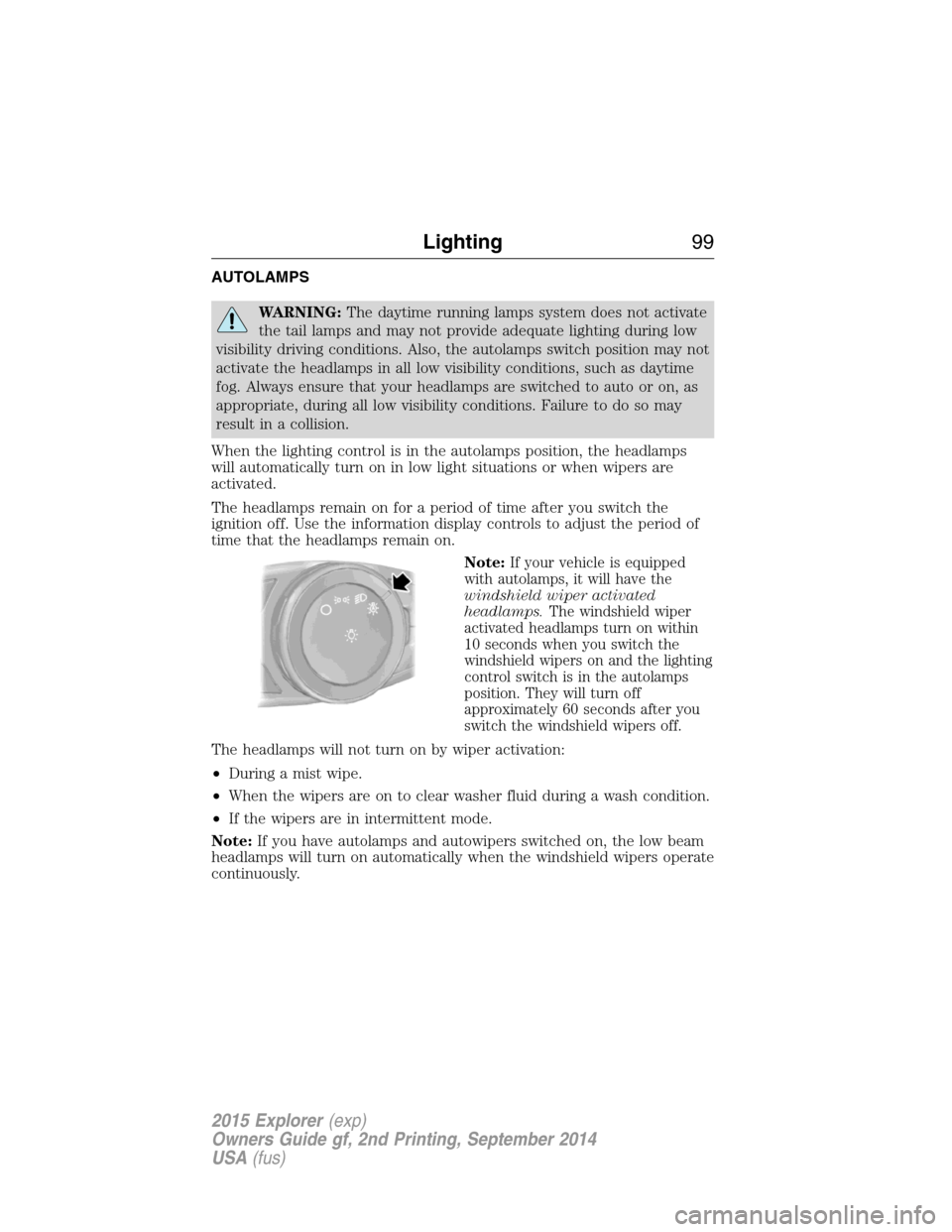
When the lighting control is in the autolamps position, the headlamps
will automatically turn on in low light situations or when wipers are
activated.
The headlamps remain on for a period of time after you switch the
ignition off. Use the information display controls to adjust the period of
time that the headlamps remain on.
Note:
If your vehicle is equipped
with autolamps, it will have the
windshield wiper activated
headlamps.The windshield wiper
activated headlamps turn on within
10 seconds when you switch the
windshield wipers on and the lighting
control switch is in the autolamps
position. They will turn off
approximately 60 seconds after you
switch the windshield wipers off.
The headlamps will not turn on by wiper activation:
•During a mist wipe.
•When the wipers are on to clear washer fluid during a wash condition.
•If the wipers are in intermittent mode.
Note:If you have autolamps and autowipers switched on, the low beam
headlamps will turn on automatically when the windshield wipers operate
continuously.
Lighting99
2015 Explorer(exp)
Owners Guide gf, 2nd Printing, September 2014
USA(fus)
Page 331 of 596
When a battery replacement is required, the battery should be replaced
with a Ford recommended replacement battery that matches the
electrical requirements of the vehicle. After battery replacement, or in
some cases after charging the battery with an external charger, the BMS
requires eight hours of vehicle sleep time (key off with doors closed) to
relearn the new battery state of charge. Prior to relearning state of
charge, the BMS may disable electrical features (to protect the battery)
earlier than normal.
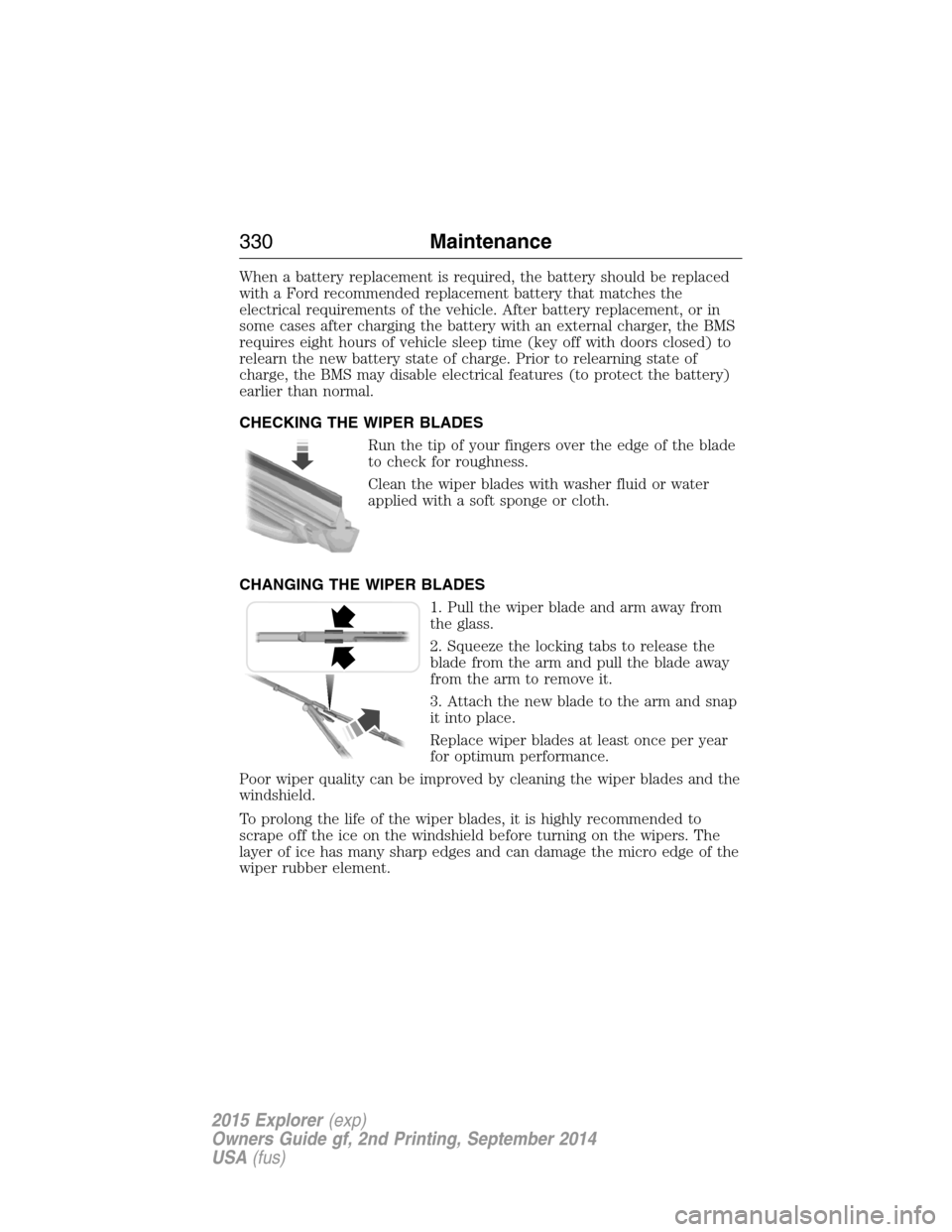
CHECKING THE WIPER BLADES
Run the tip of your fingers over the edge of the blade
to check for roughness.
Clean the wiper blades with washer fluid or water
applied with a soft sponge or cloth.
CHANGING THE WIPER BLADES
1. Pull the wiper blade and arm away from
the glass.
2. Squeeze the locking tabs to release the
blade from the arm and pull the blade away
from the arm to remove it.
3. Attach the new blade to the arm and snap
it into place.
Replace wiper blades at least once per year
for optimum performance.
Poor wiper quality can be improved by cleaning the wiper blades and the
windshield.
To prolong the life of the wiper blades, it is highly recommended to
scrape off the ice on the windshield before turning on the wipers. The
layer of ice has many sharp edges and can damage the micro edge of the
wiper rubber element.
330Maintenance
2015 Explorer(exp)
Owners Guide gf, 2nd Printing, September 2014
USA(fus)
Page 345 of 596
•Spray Motorcraft Engine Shampoo and Degreaser on all parts that
require cleaning and pressure rinse clean. In Canada, use Motorcraft
Engine Shampoo.
•Never wash or rinse the engine while it is hot or running; water in the
running engine may cause internal damage.
•Never wash or rinse any ignition coil, spark plug wire or spark plug
well, or the area in and around these locations.
•Cover the battery, power distribution box, and air filter assembly to
prevent water damage when cleaning the engine.
CLEANING THE WINDOWS AND WIPER BLADES
The windows and wiper blades should be cleaned regularly. If the wipers
do not wipe properly, substances on the vehicle’s glass or the wiper
blades may cause squeaking or chatter noise from the blades, and
streaking and smearing of the windshield. To clean these items, follow
these tips:
•The windows may be cleaned with a non-abrasive cleaner such as
Motorcraft® Ultra-Clear Spray Glass Cleaner (U.S.) or Motorcraft
Premium Glass Cleaner (Canada).
•The wiper blades can be cleaned with isopropyl (rubbing) alcohol or
Motorcraft Premium Windshield Washer Concentrates in the U.S., or
Motorcraft Premium Quality Windshield Washer Fluid in Canada.
Replace your wiper blades when they appear worn or do not function
properly.
•Do not use abrasive materials, as they may cause scratches.
•Do not use fuel, kerosene, or paint thinner to clean any parts.
If you cannot remove those streaks after cleaning with the glass cleaner
or if the wipers chatter and move in a jerky motion, clean the outer
surface of the windshield and the wiper blades using a sponge or soft
cloth with a neutral detergent or mild-abrasive cleaning solution. After
cleaning, rinse the windshield and wiper blades with clean water. The
windshield is clean if beads do not form when you rinse the windshield
with water.
Note:Do not use sharp objects, such as a razor blade, to clean the
inside of the rear window or to remove decals, as it may cause damage
to the rear window defroster’s heated grid lines.
344Vehicle Care
2015 Explorer(exp)
Owners Guide gf, 2nd Printing, September 2014
USA(fus)
Page 351 of 596
Removing Vehicle from Storage
When your vehicle is ready to come out of storage, do the following:
•Wash your vehicle to remove any dirt or grease film build-up on
window surfaces.
•Check windshield wipers for any deterioration.
•Check under the hood for any foreign material that may have collected
during storage (mice/squirrel nests).
•Check the exhaust for any foreign material that may have collected
during storage.
•Check tire pressures and set tire inflation per the Tire Label.
•Check brake pedal operation. Drive the vehicle 15 feet (4.5 meters)
back and forth to remove rust build-up.
•Check fluid levels (including coolant, oil and gas) to make sure there
are no leaks and fluids are at recommended levels.
•If the battery was removed, clean the battery cable ends and inspect.
Contact your authorized dealer if you have any concerns or issues.
350Vehicle Care
2015 Explorer(exp)
Owners Guide gf, 2nd Printing, September 2014
USA(fus)
Page 596 of 596
Touchscreen features
(climate) ....................................530
Towing .......................273, 280–281
recreational towing .................281
trailer towing ..........................273
wrecker ....................................280
Traction control ........................222
Traffic, Directions and
Information ................................441
Traffic preferences ...................537
Trailer sway control ..................274
Transmission
brake-shift interlock (BSI) ....209
fluid, checking and adding
(automatic) .............................322
fluid, refill capacities ..............386
lubricant specifications ..........386
Turn signal ................................103
U
USB port ............................416, 493
Using privacy mode ..................425
V
Vehicle health report ........439, 516Vehicle Identification Number
(VIN) ..........................................392
Vehicle loading ..........................265
Ventilating your vehicle ...........192
Voice commands in media
mode ..........................................446
Voice commands in phone
mode ..........................................423
Voice recognition ......................474
W
Warning lights (see Lights) .....117
Washer fluid ..............................327
Water, Driving through .............284
Windows
power .......................................107
rear wiper/washer .....................97
Windshield washer fluid and
wipers ..........................................96
checking and adding fluid .....327
replacing wiper blades ...330–331
Wrecker towing .........................280
Index595
2015 Explorer(exp)
Owners Guide gf, 2nd Printing, September 2014
USA(fus)