Page 99 of 596
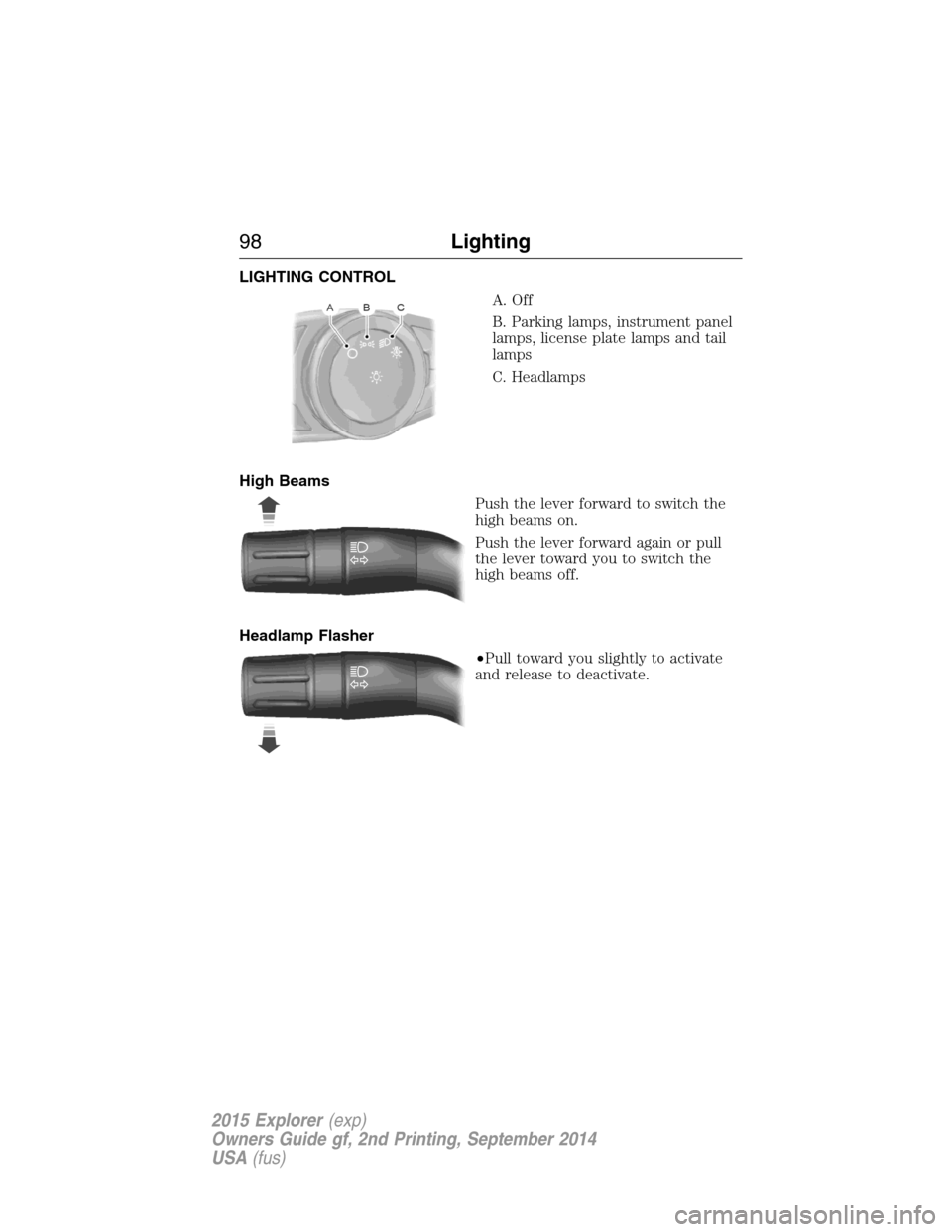
LIGHTING CONTROL
A. Off
B. Parking lamps, instrument panel
lamps, license plate lamps and tail
lamps
C. Headlamps
High Beams
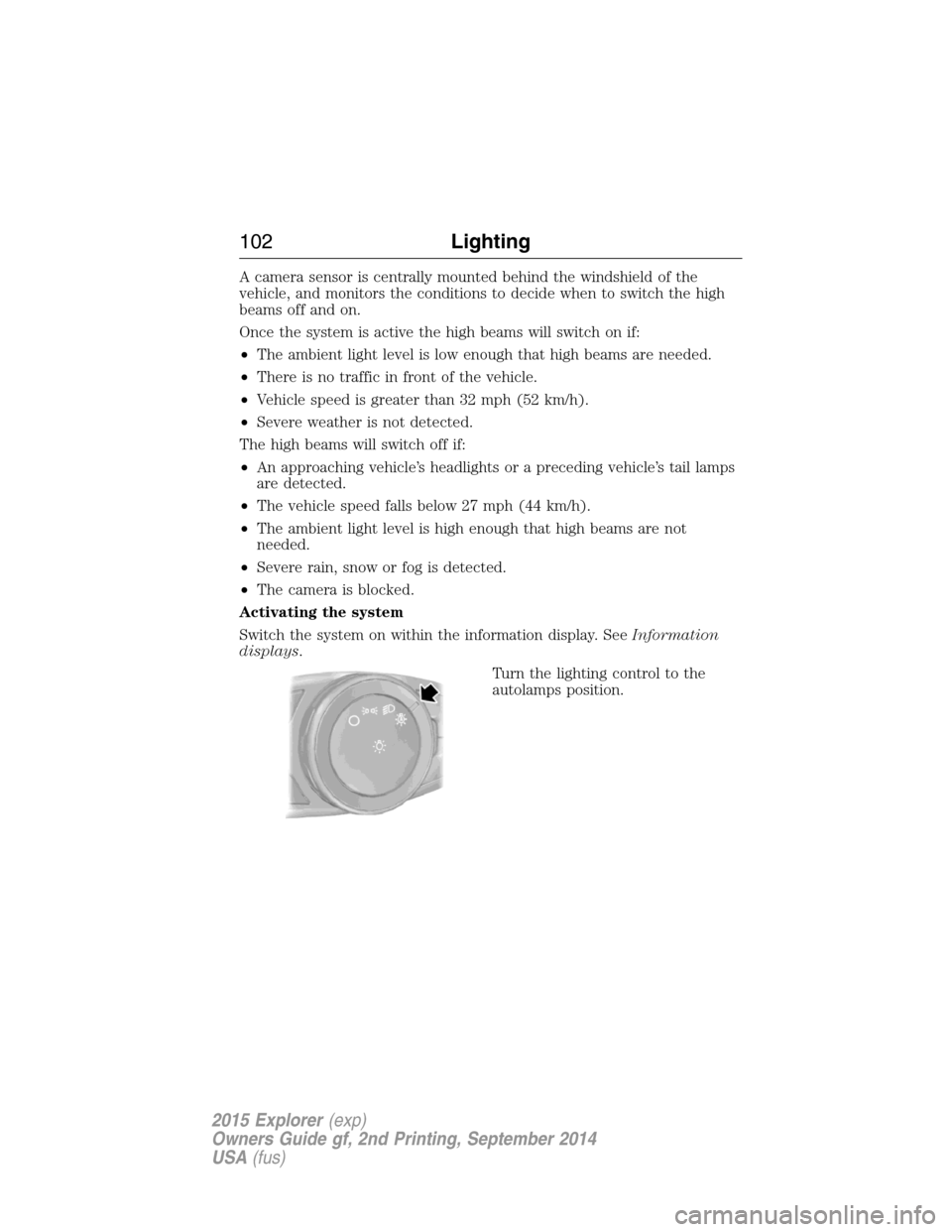
Push the lever forward to switch the
high beams on.
Push the lever forward again or pull
the lever toward you to switch the
high beams off.
Headlamp Flasher
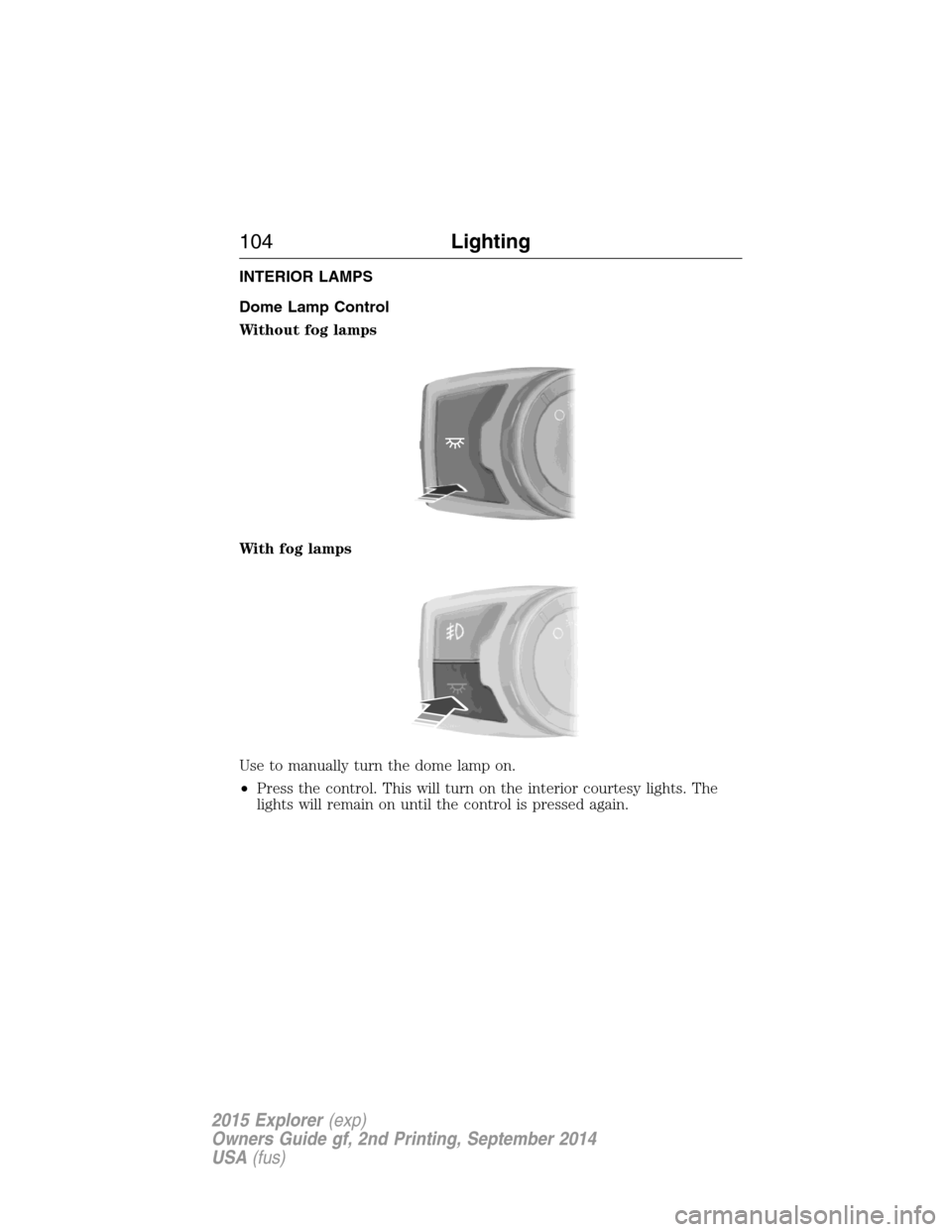
•Pull toward you slightly to activate
and release to deactivate.
98Lighting
2015 Explorer(exp)
Owners Guide gf, 2nd Printing, September 2014
USA(fus)
Page 100 of 596
AUTOLAMPS
WARNING:The daytime running lamps system does not activate
the tail lamps and may not provide adequate lighting during low
visibility driving conditions. Also, the autolamps switch position may not
activate the headlamps in all low visibility conditions, such as daytime
fog. Always ensure that your headlamps are switched to auto or on, as
appropriate, during all low visibility conditions. Failure to do so may
result in a collision.
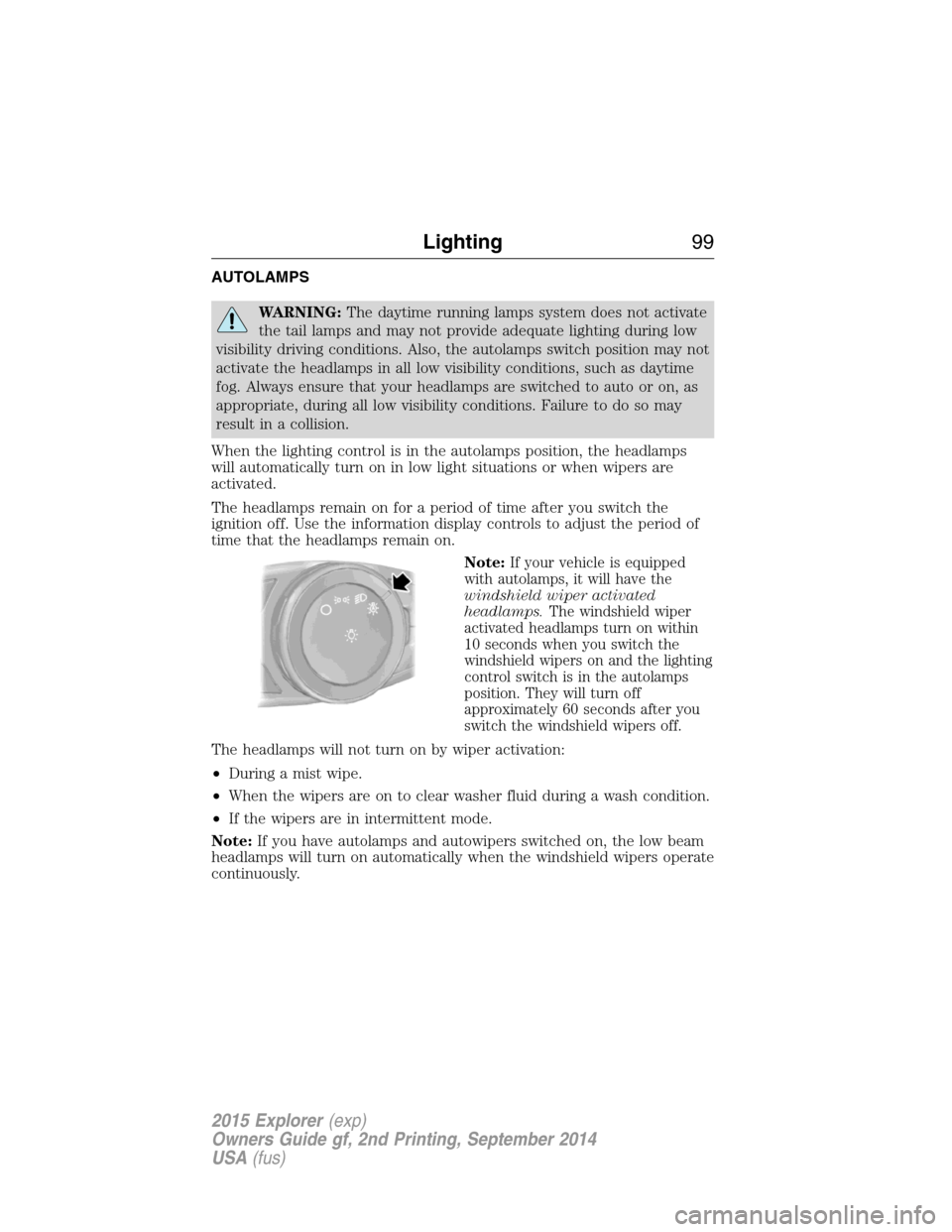
When the lighting control is in the autolamps position, the headlamps
will automatically turn on in low light situations or when wipers are
activated.
The headlamps remain on for a period of time after you switch the
ignition off. Use the information display controls to adjust the period of
time that the headlamps remain on.
Note:
If your vehicle is equipped
with autolamps, it will have the
windshield wiper activated
headlamps.The windshield wiper
activated headlamps turn on within
10 seconds when you switch the
windshield wipers on and the lighting
control switch is in the autolamps
position. They will turn off
approximately 60 seconds after you
switch the windshield wipers off.
The headlamps will not turn on by wiper activation:
•During a mist wipe.
•When the wipers are on to clear washer fluid during a wash condition.
•If the wipers are in intermittent mode.
Note:If you have autolamps and autowipers switched on, the low beam
headlamps will turn on automatically when the windshield wipers operate
continuously.
Lighting99
2015 Explorer(exp)
Owners Guide gf, 2nd Printing, September 2014
USA(fus)
Page 101 of 596
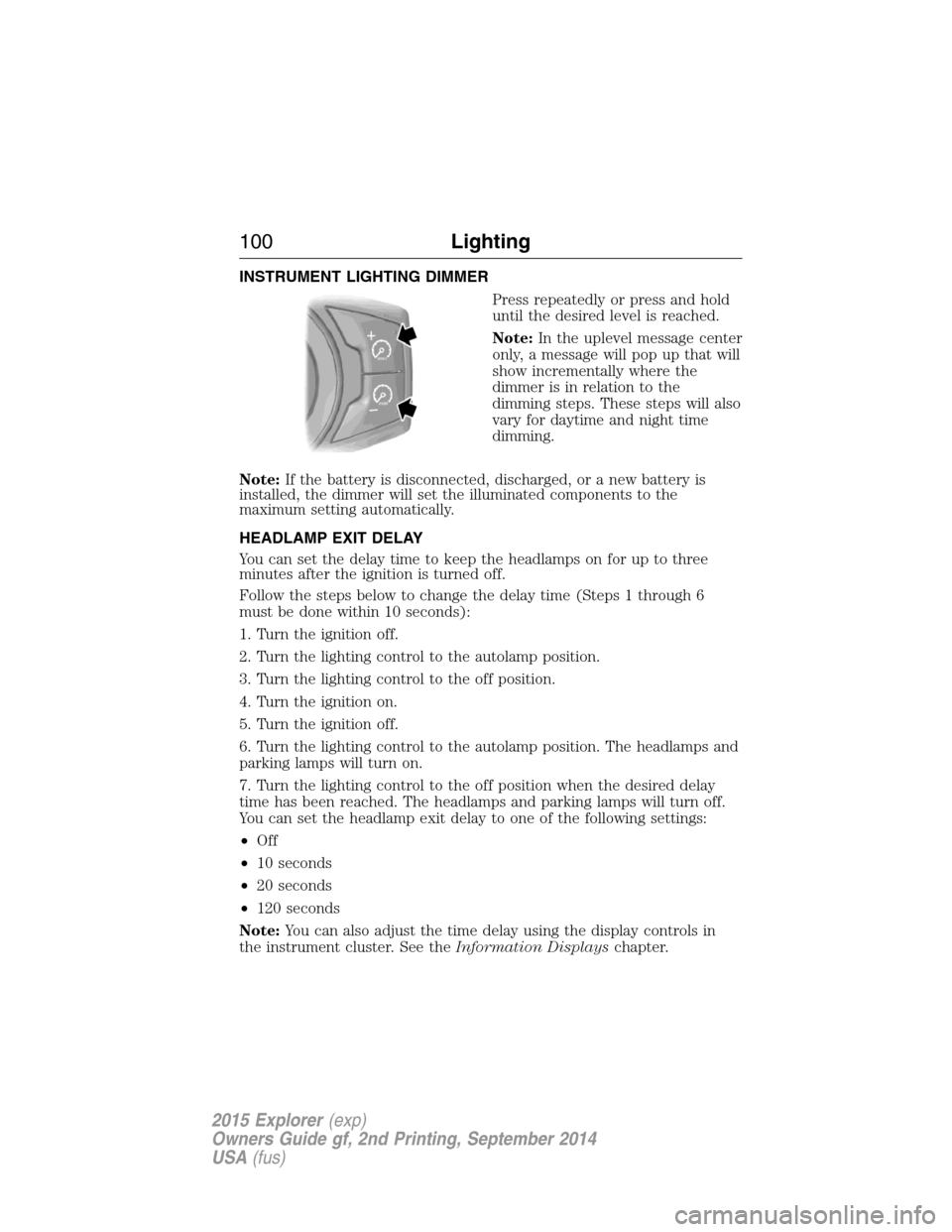
INSTRUMENT LIGHTING DIMMER
Press repeatedly or press and hold
until the desired level is reached.
Note:In the uplevel message center
only, a message will pop up that will
show incrementally where the
dimmer is in relation to the
dimming steps. These steps will also
vary for daytime and night time
dimming.
Note:If the battery is disconnected, discharged, or a new battery is
installed, the dimmer will set the illuminated components to the
maximum setting automatically.
HEADLAMP EXIT DELAY
You can set the delay time to keep the headlamps on for up to three
minutes after the ignition is turned off.
Follow the steps below to change the delay time (Steps 1 through 6
must be done within 10 seconds):
1. Turn the ignition off.
2. Turn the lighting control to the autolamp position.
3. Turn the lighting control to the off position.
4. Turn the ignition on.
5. Turn the ignition off.
6. Turn the lighting control to the autolamp position. The headlamps and
parking lamps will turn on.
7. Turn the lighting control to the off position when the desired delay
time has been reached. The headlamps and parking lamps will turn off.
You can set the headlamp exit delay to one of the following settings:
•Off
•10 seconds
•20 seconds
•120 seconds
Note:You can also adjust the time delay using the display controls in
the instrument cluster. See theInformation Displayschapter.
100Lighting
2015 Explorer(exp)
Owners Guide gf, 2nd Printing, September 2014
USA(fus)
Page 102 of 596
DAYTIME RUNNING LAMPS (IF EQUIPPED)
WARNING:Always remember to turn on your headlamps at
dusk or during inclement weather. The Daytime Running Lamp
(DRL) system does not activate the tail lamps and generally may not
provide adequate lighting during these conditions. Failure to activate
your headlamps under these conditions may result in a collision.
The system turns the headlamps on with a reduced output.
To activate:
•the ignition must be in the on position and
•the lighting control is in the off, autolamp, or parking lamp position
and
•the transmission is not in PARK.
AUTOMATIC HIGH BEAM CONTROL (IF EQUIPPED)
The system will automatically turn on your high beams if it is dark
enough and no other traffic is present. When it detects an approaching
vehicle’s headlights, a preceding vehicle’s tail lamps or street lighting, the
system will turn off the high beams (low beams remain on) before they
distract other drivers.
Note:If it appears that automatic control of the high beams is not
functioning properly, check the windshield in front of the camera for
blockage. A clear view of the road is required for proper system
operation. Any windshield damage in the area of the camera field-of-view
should be repaired.
Note:If a blockage is detected (e.g. bird dropping, bug splatter, snow, or
ice) and no changes are observed, the system will go into low beam
mode until the blockage is cleared. A message may also appear in the
instrument cluster display noting the front camera is blocked.
Note:Typical road dust, dirt and water spots will not affect the
automatic high beam system’s performance. However, in cold or
inclement weather conditions, the automatic high beam system’s
availability may be decreased. If the driver wants to change the beam
state independently of the system, the driver may turn the high beams
on or off using the multifunction switch stalk. Automatic control will
resume when conditions are correct.
Note:Modification of the vehicle ride height (e.g. using much larger
tires) may degrade feature performance.
Lighting101
2015 Explorer(exp)
Owners Guide gf, 2nd Printing, September 2014
USA(fus)
Page 103 of 596
A camera sensor is centrally mounted behind the windshield of the
vehicle, and monitors the conditions to decide when to switch the high
beams off and on.
Once the system is active the high beams will switch on if:
•The ambient light level is low enough that high beams are needed.
•There is no traffic in front of the vehicle.
•Vehicle speed is greater than 32 mph (52 km/h).
•Severe weather is not detected.
The high beams will switch off if:
•An approaching vehicle’s headlights or a preceding vehicle’s tail lamps
are detected.
•The vehicle speed falls below 27 mph (44 km/h).
•The ambient light level is high enough that high beams are not
needed.
•Severe rain, snow or fog is detected.
•The camera is blocked.
Activating the system
Switch the system on within the information display. SeeInformation
displays.
Turn the lighting control to the
autolamps position.
102Lighting
2015 Explorer(exp)
Owners Guide gf, 2nd Printing, September 2014
USA(fus)
Page 104 of 596
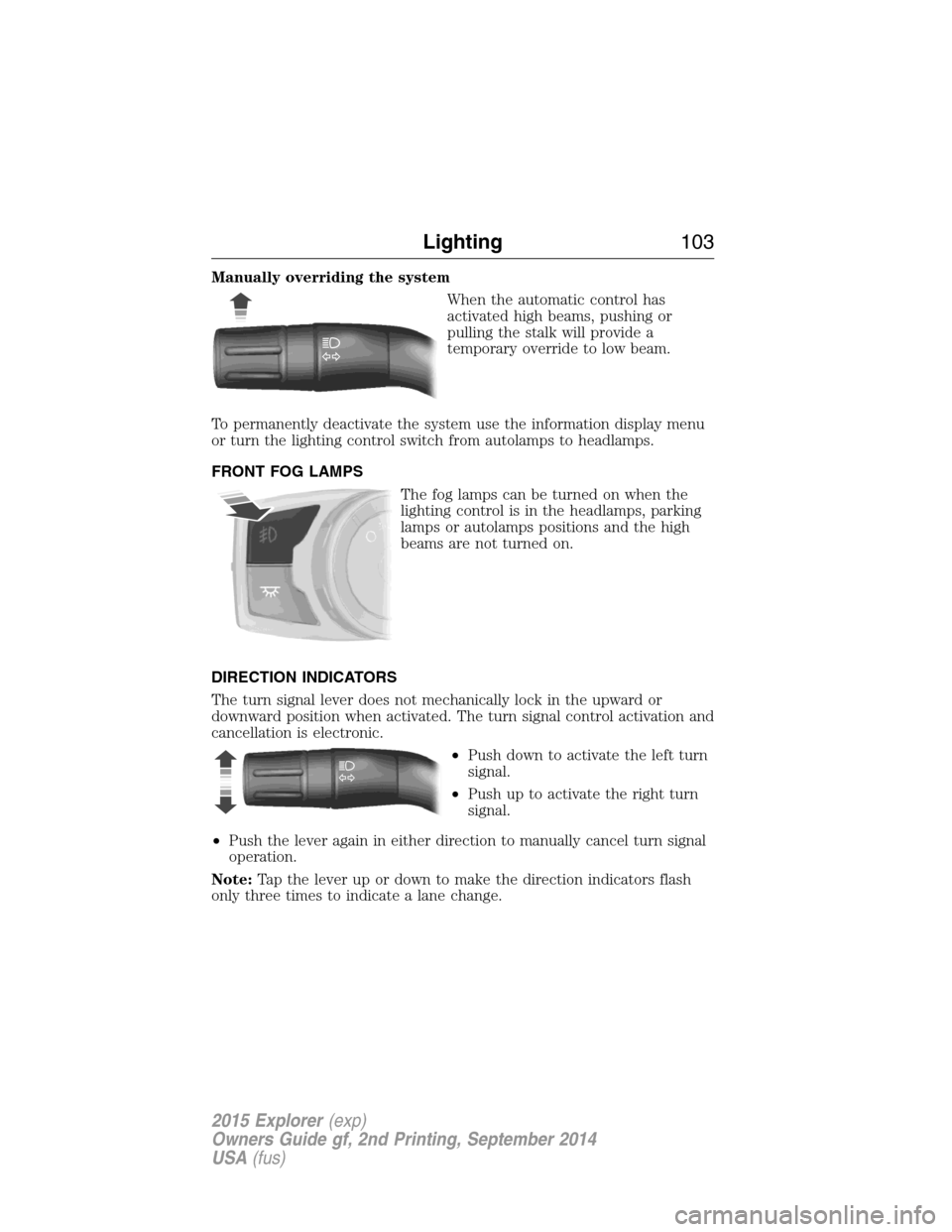
Manually overriding the system
When the automatic control has
activated high beams, pushing or
pulling the stalk will provide a
temporary override to low beam.
To permanently deactivate the system use the information display menu
or turn the lighting control switch from autolamps to headlamps.
FRONT FOG LAMPS
The fog lamps can be turned on when the
lighting control is in the headlamps, parking
lamps or autolamps positions and the high
beams are not turned on.
DIRECTION INDICATORS
The turn signal lever does not mechanically lock in the upward or
downward position when activated. The turn signal control activation and
cancellation is electronic.
•Push down to activate the left turn
signal.
•Push up to activate the right turn
signal.
•Push the lever again in either direction to manually cancel turn signal
operation.
Note:Tap the lever up or down to make the direction indicators flash
only three times to indicate a lane change.
Lighting103
2015 Explorer(exp)
Owners Guide gf, 2nd Printing, September 2014
USA(fus)
Page 105 of 596
INTERIOR LAMPS
Dome Lamp Control
Without fog lamps
With fog lamps
Use to manually turn the dome lamp on.
•Press the control. This will turn on the interior courtesy lights. The
lights will remain on until the control is pressed again.
104Lighting
2015 Explorer(exp)
Owners Guide gf, 2nd Printing, September 2014
USA(fus)
Page 106 of 596
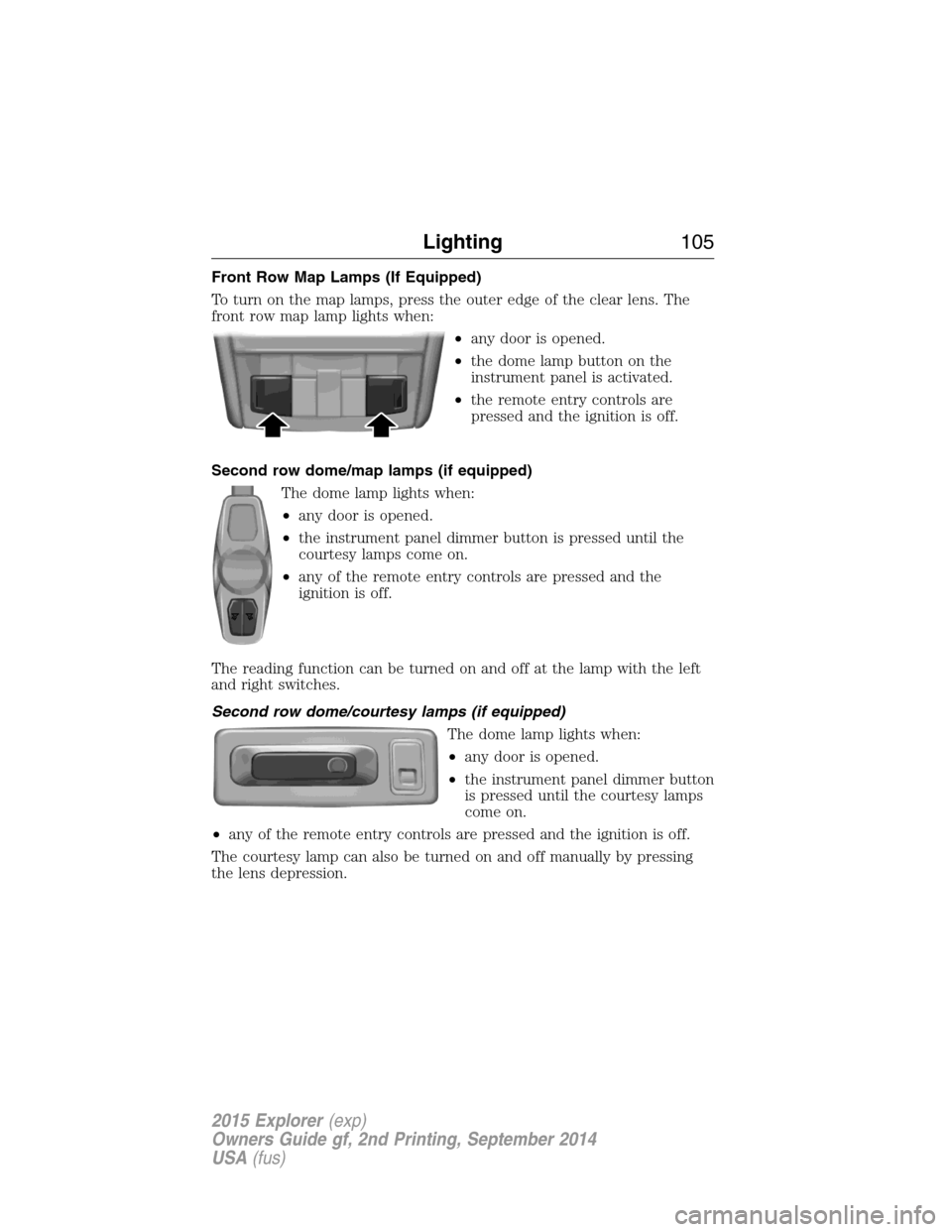
Front Row Map Lamps (If Equipped)
To turn on the map lamps, press the outer edge of the clear lens. The
front row map lamp lights when:
•any door is opened.
•the dome lamp button on the
instrument panel is activated.
•the remote entry controls are
pressed and the ignition is off.
Second row dome/map lamps (if equipped)
The dome lamp lights when:
•any door is opened.
•the instrument panel dimmer button is pressed until the
courtesy lamps come on.
•any of the remote entry controls are pressed and the
ignition is off.
The reading function can be turned on and off at the lamp with the left
and right switches.
Second row dome/courtesy lamps (if equipped)
The dome lamp lights when:
•any door is opened.
•the instrument panel dimmer button
is pressed until the courtesy lamps
come on.
•any of the remote entry controls are pressed and the ignition is off.
The courtesy lamp can also be turned on and off manually by pressing
the lens depression.
Lighting105
2015 Explorer(exp)
Owners Guide gf, 2nd Printing, September 2014
USA(fus)