Page 98 of 367

Safety Checks You Should Make Inside The
Vehicle
Seat Belts
Inspect the seat belt system periodically, checking for cuts,
frays, and loose parts. Damaged parts must be replaced
immediately. Do not disassemble or modify the system.
Front seat belt assemblies must be replaced after a
collision. Rear seat belt assemblies must be replaced after
a collision if they have been damaged (i.e., bent retractor,
torn webbing, etc.). If there is any question regarding seat
belt or retractor condition, replace the seat belt.
Air Bag Warning Light
The light should come on and remain on for
four to eight seconds as a bulb check when the
ignition switch is first turned ON. If the light is
not lit during starting, see your authorized dealer. If the
light stays on, flickers, or comes on while driving, have
the system checked by an authorized dealer.
Defroster
Check operation by selecting the defrost mode and place
the blower control on high speed. You should be able to
feel the air directed against the windshield. See your
authorized dealer for service if your defroster is inoper-
able.
Floor Mat Safety Information
Always use floor mats designed to fit the footwell of your
vehicle. Use only floor mats that leave the pedal area
unobstructed and that are firmly secured so that they
cannot slip out of position and interfere with the pedals
or impair safe operation of your vehicle in other ways.
96 THINGS TO KNOW BEFORE STARTING YOUR VEHICLE
Page 103 of 367
▫Rear Park Assist Sensors................136
▫Rear Park Assist Warning Display..........137
▫Rear Park Assist Audible Alerts...........137
▫Failure Indications.....................139
▫Cleaning The Rear Park Assist System.......139
▫Park Assist System Usage Precautions.......139
!POWER SUNROOF — IF EQUIPPED........142
▫To Open............................143
▫To Close............................143
▫Pinch Protect Feature...................143
▫Wind Buffeting.......................143
▫Emergency Operation...................144
▫Sun Shade — If Equipped...............144
!ELECTRICAL POWER OUTLETS...........145
!CIGAR LIGHTER — IF EQUIPPED..........147
!CUPHOLDERS........................148
!STORAGE............................149
▫Glove Compartment...................149
!CARGO AREA FEATURES................149
!REAR WINDOW FEATURES..............151
▫Rear Window Defroster.................151
3
UNDERSTANDING THE FEATURES OF YOUR VEHICLE 101
Page 124 of 367
CAUTION!
To prevent possible damage, do not slam the hood to
close it. Lower the hood until it is open approxi-
mately 6 inches (15 cm), and then drop it. This should
secure both latches. Never drive your vehicle unless
the hood is fully closed, with both latches engaged.
WARNING!
Be sure the hood is fully latched before driving your
vehicle. If the hood is not fully latched, it could open
when the vehicle is in motion and block your vision.
Failure to follow this warning could result in serious
injury or death.
LIGHTS
Multifunction Lever
The multifunction lever, located on the left side of the
steering wheel, controls the operation of the headlights,
headlight beam selection, passing light and turn signals.
NOTE:The external lights can only be turned on with
the ignition in the ON/RUN position.
Headlights
Rotate the end of the multifunction lever up-
ward to the first detent for headlight operation.
122 UNDERSTANDING THE FEATURES OF YOUR VEHICLE
Page 135 of 367
NOTE:In order to ensure proper operation, the Elec-
tronic Speed Control system has been designed to shut
down if multiple Speed Control functions are operated at
the same time. If this occurs, the Electronic Speed Control
system can be reactivated by pushing the Electronic
Speed Control ON/OFF button and resetting the desired
vehicle set speed.
To Activate
Push the ON/OFF button. The Cruise Indicator Light in
the instrument cluster will illuminate. To turn the system
off, push the ON/OFF button a second time. The Cruise
Indicator Light will turn off. The system should be
turned off when not in use.
WARNING!
Leaving the Electronic Speed Control system on
when not in use is dangerous. You could accidentally
set the system or cause it to go faster than you want.
You could lose control and have an accident. Always
leave the system OFF when you are not using it.
To Set A Desired Speed
Turn the Electronic Speed Control ON. When the vehicle
has reached the desired speed, push the SET (-) button
and release. Release the accelerator and the vehicle will
operate at the selected speed.
NOTE:The vehicle should be traveling at a steady speed
and on level ground before pushing the SET (-) button.
3
UNDERSTANDING THE FEATURES OF YOUR VEHICLE 133
Page 138 of 367
Using Electronic Speed Control On Hills
NOTE:The Electronic Speed Control system maintains
speed up and down hills. A slight speed change on
moderate hills is normal.
On steep hills, a greater speed loss or gain may occur so
it may be preferable to drive without Electronic Speed
Control.
WARNING!
Electronic Speed Control can be dangerous where the
system cannot maintain a constant speed. Your ve-
hicle could go too fast for the conditions, and you
could lose control and have an accident. Do not use
Electronic Speed Control in heavy traffic or on roads
that are winding, icy, snow-covered or slippery.
REAR PARK ASSIST
The Rear Park Assist system provides visual and audible
indications of the distance between the rear fascia/
bumper and a detected obstacle when backing up, e.g.
during a parking maneuver. Refer to the “Park Assist
System Usage Precautions” for the limitations of this
system and recommendations.
The Rear Park Assist is automatically activated when the
transmission is placed into REVERSE.
Rear Park Assist Sensors
The four Rear Park Assist sensors, located in the rear
fascia/bumper, monitor the area behind the vehicle that
is within the sensors’ field of view. The sensors can detect
obstacles, in the horizontal direction, from approximately
12 in (30 cm) up to 55 in (140 cm) from the center of the
rear fascia/bumper and up to 24 in (60 cm) from the
corners of the rear fascia/bumper, depending on the
location, type and orientation of the obstacle.
136 UNDERSTANDING THE FEATURES OF YOUR VEHICLE
Page 148 of 367
WARNING!
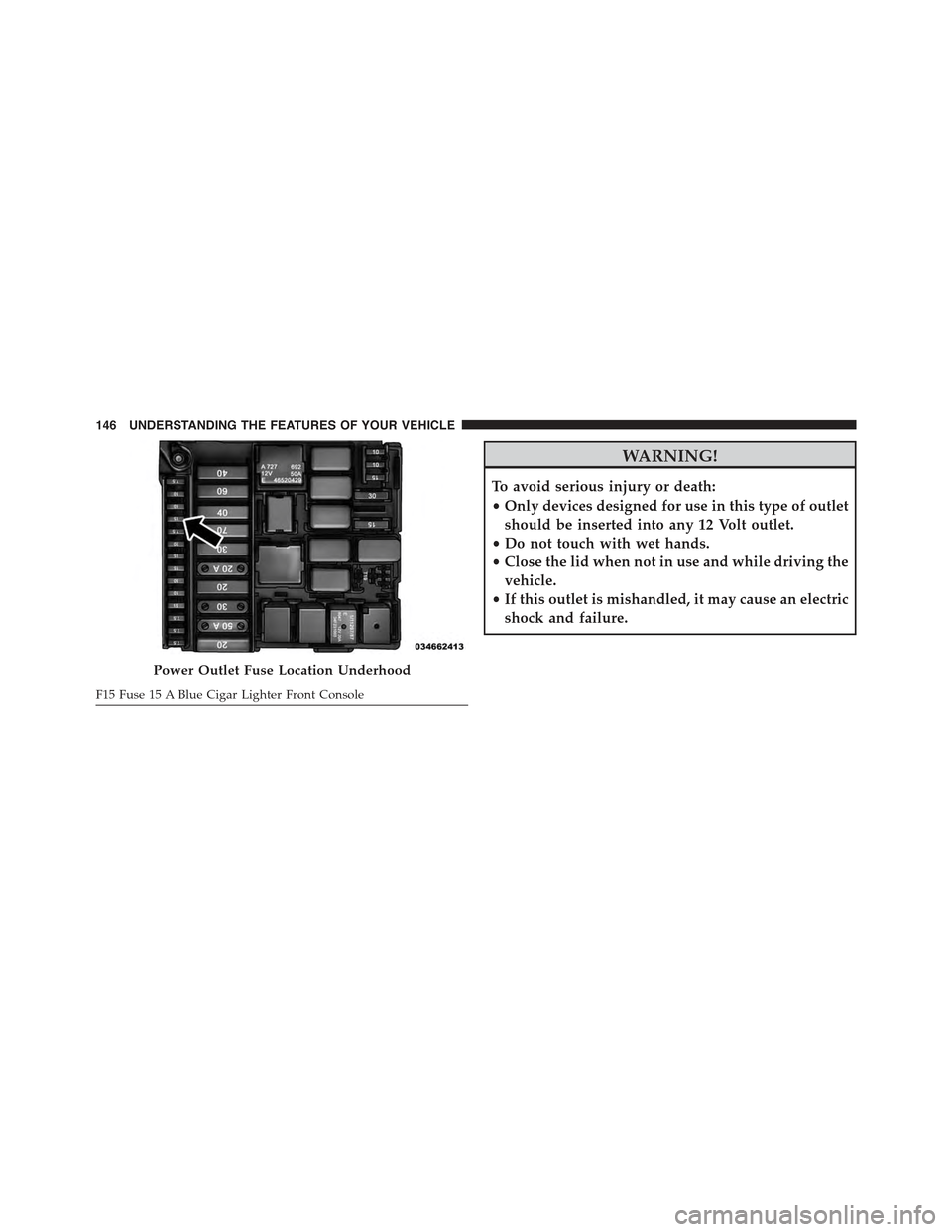
To avoid serious injury or death:
•Only devices designed for use in this type of outlet
should be inserted into any 12 Volt outlet.
•Do not touch with wet hands.
•Close the lid when not in use and while driving the
vehicle.
•If this outlet is mishandled, it may cause an electric
shock and failure.
Power Outlet Fuse Location Underhood
F15 Fuse 15 A Blue Cigar Lighter Front Console
146 UNDERSTANDING THE FEATURES OF YOUR VEHICLE
Page 149 of 367

CAUTION!
•Many accessories that can be plugged in draw
power from the vehicle’s battery, even when not in
use (i.e., cellular phones, etc.). Eventually, if
plugged in long enough, the vehicle’s battery will
discharge sufficiently to degrade battery life and/or
prevent the engine from starting.
•Accessories that draw higher power (i.e., coolers,
vacuum cleaners, lights, etc.) will degrade the bat-
tery even more quickly. Only use these intermit-
tently and with great caution.
•After the use of high power draw accessories, or
long periods of the vehicle not being started (with
accessories still plugged in), the vehicle must be
driven a sufficient length of time to allow the
generator to recharge the vehicle’s battery.
CIGAR LIGHTER — IF EQUIPPED
This is located on the center console, in front of the cup
holders. To activate the cigar lighter, push and release the
knob. After a few seconds the knob automatically returns
to its initial position, and the cigar lighter is ready for use.
WARNING!
When the cigar lighter is in use it becomes very hot.
To avoid serious injury, handle the cigar lighter with
care. Always check that the cigar lighter has turned
off.
3
UNDERSTANDING THE FEATURES OF YOUR VEHICLE 147
Page 160 of 367
INSTRUMENT CLUSTER DESCRIPTIONS
1. Seat Belt Reminder Light
When the ignition switch is first turned to ON/
RUN, this light will turn on if the driver’s seat belt
is unbuckled, a chime will sound. When driving,
if the driver’s seat belt remains unbuckled, the Seat Belt
Reminder Light will illuminate and the chime will sound.
Refer to “Occupant Restraints” in “Things To Know
Before Starting Your Vehicle” for further information.
2. Air Bag Warning Light
If this light turns on while driving, have the
system inspected at an authorized dealer as soon
as possible. Refer to “Occupant Restraints” in
“Things To Know Before Starting Your Vehicle”
for further information.
3. Brake Warning Light
This light monitors various brake functions,
including brake fluid level and parking brake
application. If the Brake Warning Light turns
on it may indicate that the parking brake is
applied, that the brake fluid level is low, or that there is
a problem with the brake system reservoir.
The light will remain on until the cause is corrected.
If brake failure is indicated, immediate repair is neces-
sary.
WARNING!
Driving a vehicle with the red brake light on is
dangerous. You could have a collision. Have the
vehicle checked immediately.
158 UNDERSTANDING YOUR INSTRUMENT PANEL