Page 28 of 367
Charging The High Voltage Battery
1. Put the vehicle in PARK.
2. Turn the ignition to the OFF position.
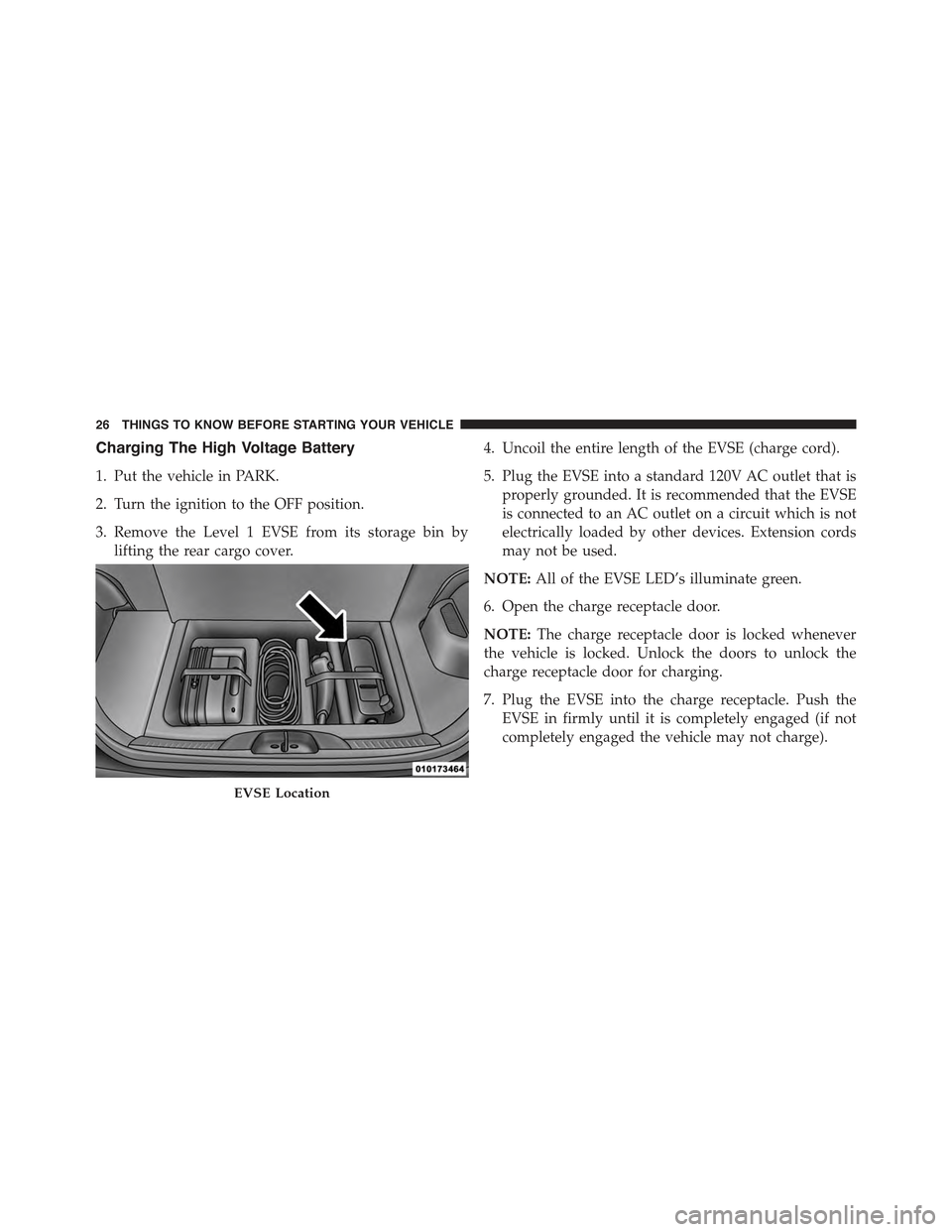
3. Remove the Level 1 EVSE from its storage bin by
lifting the rear cargo cover.
4. Uncoil the entire length of the EVSE (charge cord).
5. Plug the EVSE into a standard 120V AC outlet that is
properly grounded. It is recommended that the EVSE
is connected to an AC outlet on a circuit which is not
electrically loaded by other devices. Extension cords
may not be used.
NOTE:All of the EVSE LED’s illuminate green.
6. Open the charge receptacle door.
NOTE:The charge receptacle door is locked whenever
the vehicle is locked. Unlock the doors to unlock the
charge receptacle door for charging.
7. Plug the EVSE into the charge receptacle. Push the
EVSE in firmly until it is completely engaged (if not
completely engaged the vehicle may not charge).
EVSE Location
26 THINGS TO KNOW BEFORE STARTING YOUR VEHICLE
Page 30 of 367
NOTE:
•In the event of an error in the charging process, the AC
power to the vehicle will stop and a red indicator will
illuminate on the EVSE.
•Keep the door for the charge receptacle closed when
not in use.
Vehicle Charge Indicators
Instrument Cluster High Voltage Battery Gauge
There is a battery gauge indicator located on the instrument
cluster. The battery gauge will display, with progressive
color indication, the current state of charge for the high
voltage battery; with the percentage value located at the
bottom of the gauge.
Charge Receptacle Door
High Voltage Battery Gauge
28 THINGS TO KNOW BEFORE STARTING YOUR VEHICLE
Page 32 of 367
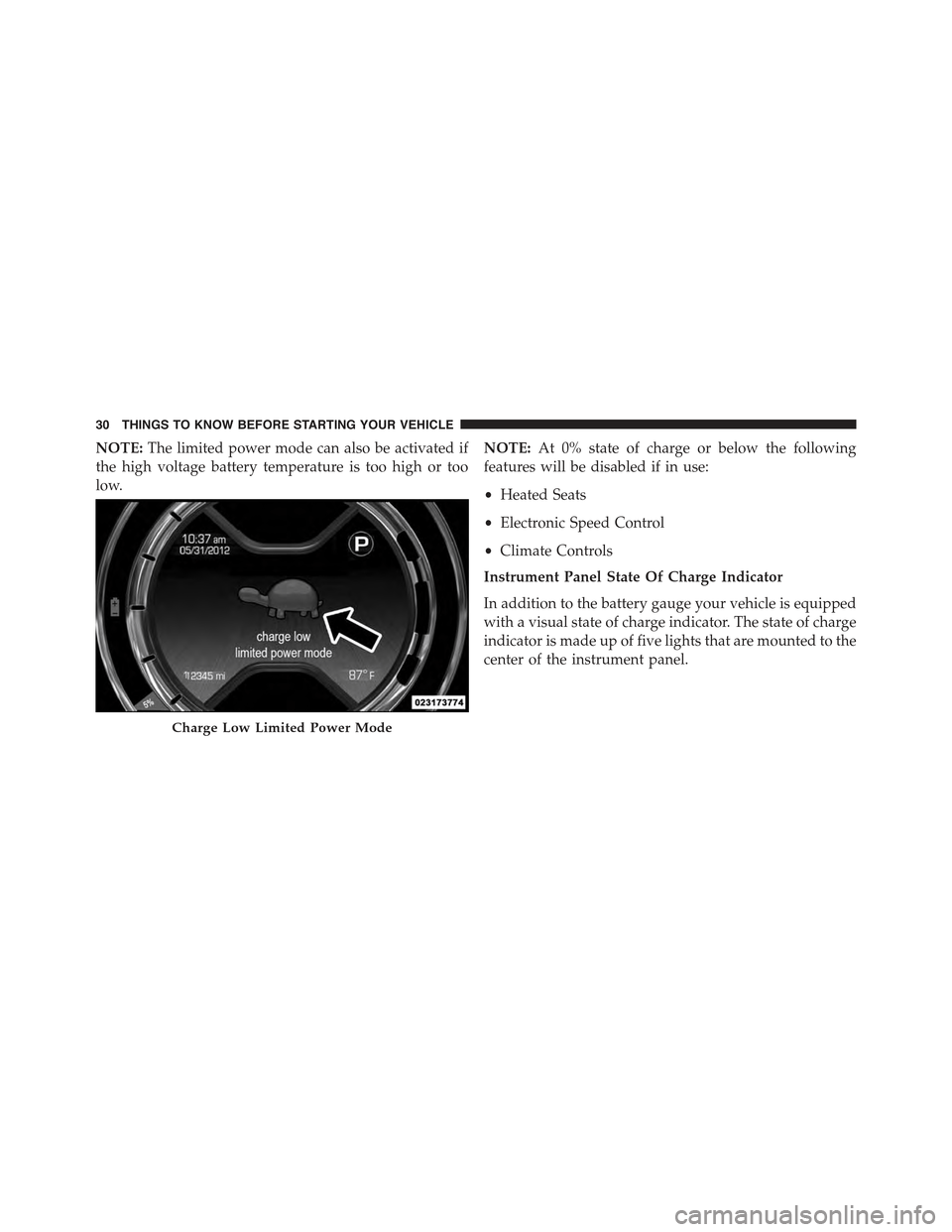
NOTE:The limited power mode can also be activated if
the high voltage battery temperature is too high or too
low.
NOTE:At 0% state of charge or below the following
features will be disabled if in use:
•Heated Seats
•Electronic Speed Control
•Climate Controls
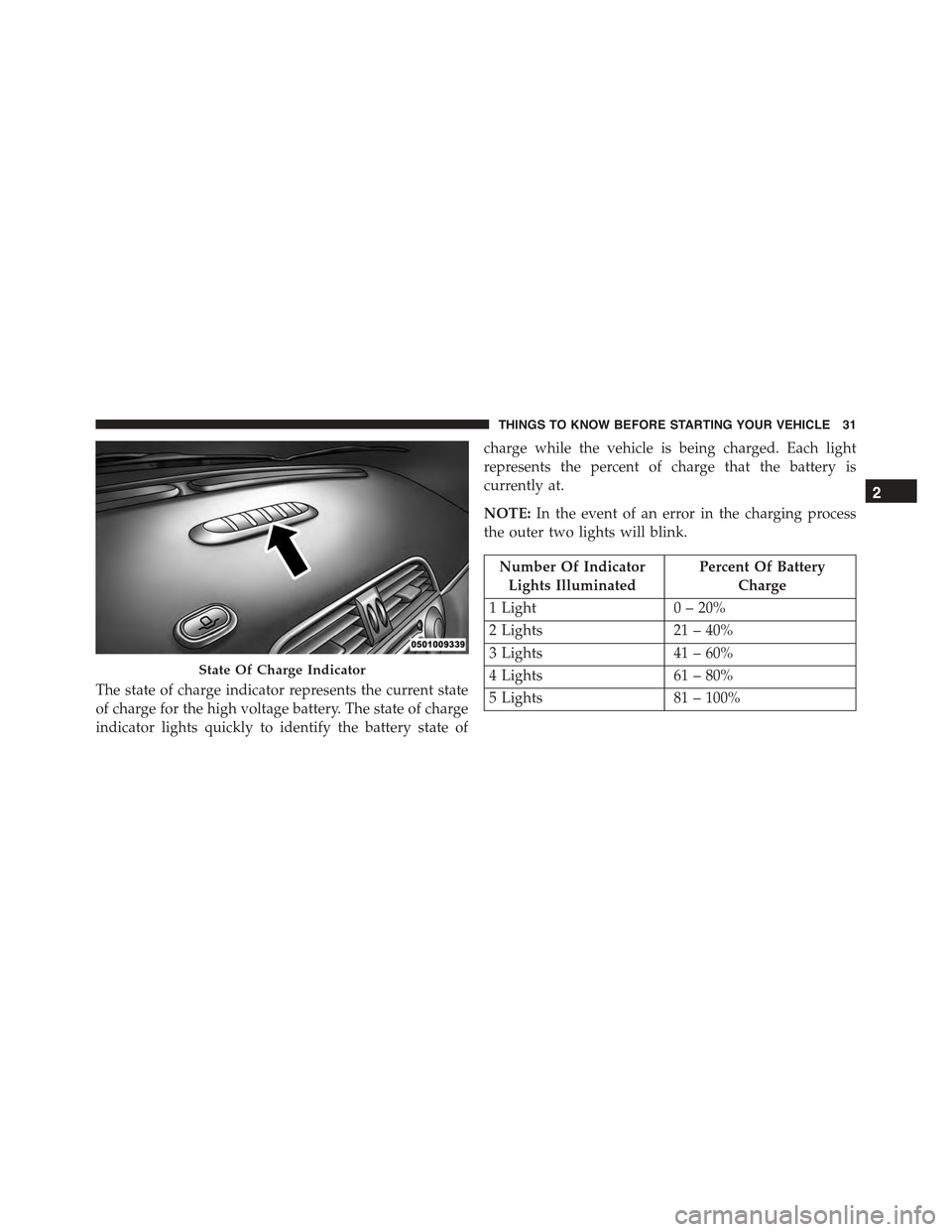
Instrument Panel State Of Charge Indicator
In addition to the battery gauge your vehicle is equipped
with a visual state of charge indicator. The state of charge
indicator is made up of five lights that are mounted to the
center of the instrument panel.
Charge Low Limited Power Mode
30 THINGS TO KNOW BEFORE STARTING YOUR VEHICLE
Page 33 of 367
The state of charge indicator represents the current state
of charge for the high voltage battery. The state of charge
indicator lights quickly to identify the battery state of
charge while the vehicle is being charged. Each light
represents the percent of charge that the battery is
currently at.
NOTE:In the event of an error in the charging process
the outer two lights will blink.
Number Of Indicator
Lights Illuminated
Percent Of Battery
Charge
1 Light0 – 20%
2 Lights21 – 40%
3 Lights41 – 60%
4 Lights61 – 80%
5 Lights81 – 100%
State Of Charge Indicator
2
THINGS TO KNOW BEFORE STARTING YOUR VEHICLE 31
Page 207 of 367

NOTE:The center instrument panel outlets can be aimed
so that they are directed toward the rear seat passengers
for maximum airflow to the rear.
9. Bi-Level
Air is directed through the panel and floor outlets.
Press and release the Panel mode button and Floor
mode button to enter Bi-Level mode, the indicators
illuminate when ON. Performing this function will cause
the ATC to switch into manual mode.
10. Temperature Control Down Button
Provides temperature down control. Push the button for
cooler temperature settings.
NOTE:If the temperature is lowered until#Lo#is dis-
played, all high voltage Heating, Ventilation, and Air
Conditioning (HVAC) systems are deactivated and am-
bient air is circulated according to the Heating, Ventila-
tion, and Air Conditioning (HVAC) control settings.
11. Climate Control ON/OFF Button
Push and release to turn the Climate Control ON or OFF.
12. Recirculation Control Button
Push and release to change the current setting. The
indicator illuminates when ON.
NOTE:When in Defrost mode, the Recirculation button
will flash if pushed. This indicates that you can not
proceed to this mode due to fogging risk.
Climate Control Functions
Air Conditioning (A/C)
The Air Conditioning (A/C) button allows the operator to
manually activate or deactivate the air conditioning system.
When in A/C mode with the ATC set to a cool temperature,
dehumidified air flows through the air outlets. If Economy
mode is desired, push the A/C button to turn off the A/C
mode in the ATC display and deactivate the A/C system.
4
UNDERSTANDING YOUR INSTRUMENT PANEL 205
Page 223 of 367

CAUTION!
Towing the vehicle, coasting, or driving for any other
reason with the transmission in NEUTRAL can cause
severe transmission damage. Refer to “Recreational
Towing” in “Starting And Operating” and “Towing A
Disabled Vehicle” in “What To Do In Emergencies”
for further information.
DRIVE (D)
Use this gear for all city and highway driving.
Auto Park
The Auto Park feature automatically places the transmis-
sion into PARK if there is any indication that the driver
may leave the vehicle while the transmission is in D
(DRIVE), N (NEUTRAL) or R (REVERSE).
Auto Park is enabled under the following conditions:
•Key On (12 Volt ON and High Voltage OFF) or READY
mode (12 Volt ON and High Voltage ON).
•Vehicle speed is below 2 mph (3 km/h)
NOTE:
•Auto Park is enabled (only once) at the beginning of
each key cycle and is re-enabled each time the vehicle
speed exceeds 8 mph (13 km/h).
•Auto Park is disabled above 2 mph (3 km/h) and
transmission range will be maintained.
The instrument cluster will display an Auto Shift To Park
message and chime once when Auto Park is activated.
5
STARTING AND OPERATING 221
Page 236 of 367

The ESC Activation/Malfunction Indicator Light also
flashes when TCS is active. If the ESC Activation/
Malfunction Indicator Light begins to flash during accel-
eration, ease up on the accelerator and apply as little
throttle as possible. Be sure to adapt your speed and
driving to the prevailing road conditions.
NOTE:
•The ESC Activation/Malfunction Indicator Light and
the ESC OFF Indicator Light come on momentarily
each time the ignition switch is turned ON.
•Each time the ignition is turned ON, the ESC system
will be ON even if it was turned off previously.
The ESC OFF Indicator Light indicates the
Electronic Stability Control (ESC) is partially
off.
Regenerative Braking System (RBS)
Your 500e has a Regenerative Braking System
(RBS). The RBS increases the fuel economy of the
vehicle, particularly in stop-and-go city traffic.
The electric motors which propel the vehicle
forward can operate as generators when braking. The RBS
recharges the high voltage battery under certain braking
conditions by recapturing energy that would otherwise be
lost while braking. The electric power that is generated goes
back into the high voltage battery for later use, for example
when acceleration is desired.
The RBS uses conventional hydraulic friction brakes, regen-
erative braking, or a combination to slow the vehicle. If the
system detects slippery conditions while braking, ONLY
friction is used to slow the vehicle. The RBS can result in
extended life of the hydraulic service brakes; however, all
inspection, scheduled maintenance, and service intervals for
the vehicle service brakes must be followed.
234 STARTING AND OPERATING
Page 272 of 367
RECREATIONAL TOWING (BEHIND MOTORHOME, ETC.)
Towing This Vehicle Behind Another Vehicle
Towing ConditionWheels OFF the GroundSingle-Speed Transmission
Flat TowNONENOT ALLOWED
Dolly TowFrontOK
RearNOT ALLOWED
On TrailerALLOK
NOTE:This vehicle must be towed on a dolly or vehicle
trailer with the front wheelsOFFthe ground.
CAUTION!
Towing this vehicle in violation of the above require-
ments can cause severe transmission damage. Dam-
age from improper towing is not covered under the
New Vehicle Limited Warranty.
EXTENDING YOUR DRIVING RANGE PER
CHARGE
The drive system and cabin temperature management
features use the most energy from the high voltage
battery. Reducing energy draw from these features are
the easiest and most effective way to extend driving
range.
270 STARTING AND OPERATING