Page 148 of 367
WARNING!
To avoid serious injury or death:
•Only devices designed for use in this type of outlet
should be inserted into any 12 Volt outlet.
•Do not touch with wet hands.
•Close the lid when not in use and while driving the
vehicle.
•If this outlet is mishandled, it may cause an electric
shock and failure.
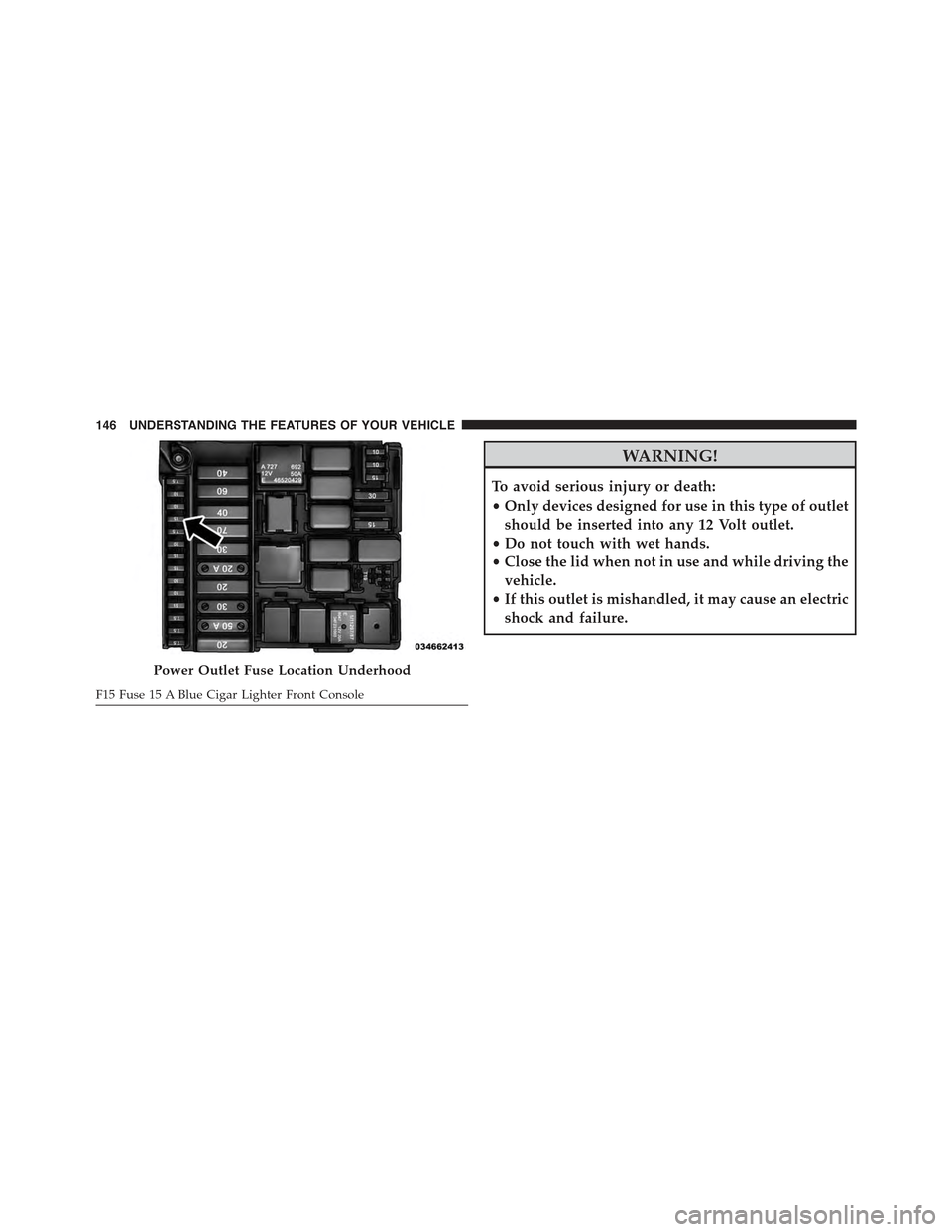
Power Outlet Fuse Location Underhood
F15 Fuse 15 A Blue Cigar Lighter Front Console
146 UNDERSTANDING THE FEATURES OF YOUR VEHICLE
Page 175 of 367
Elapsed Time
This value shows the time elapsed since the last reset.
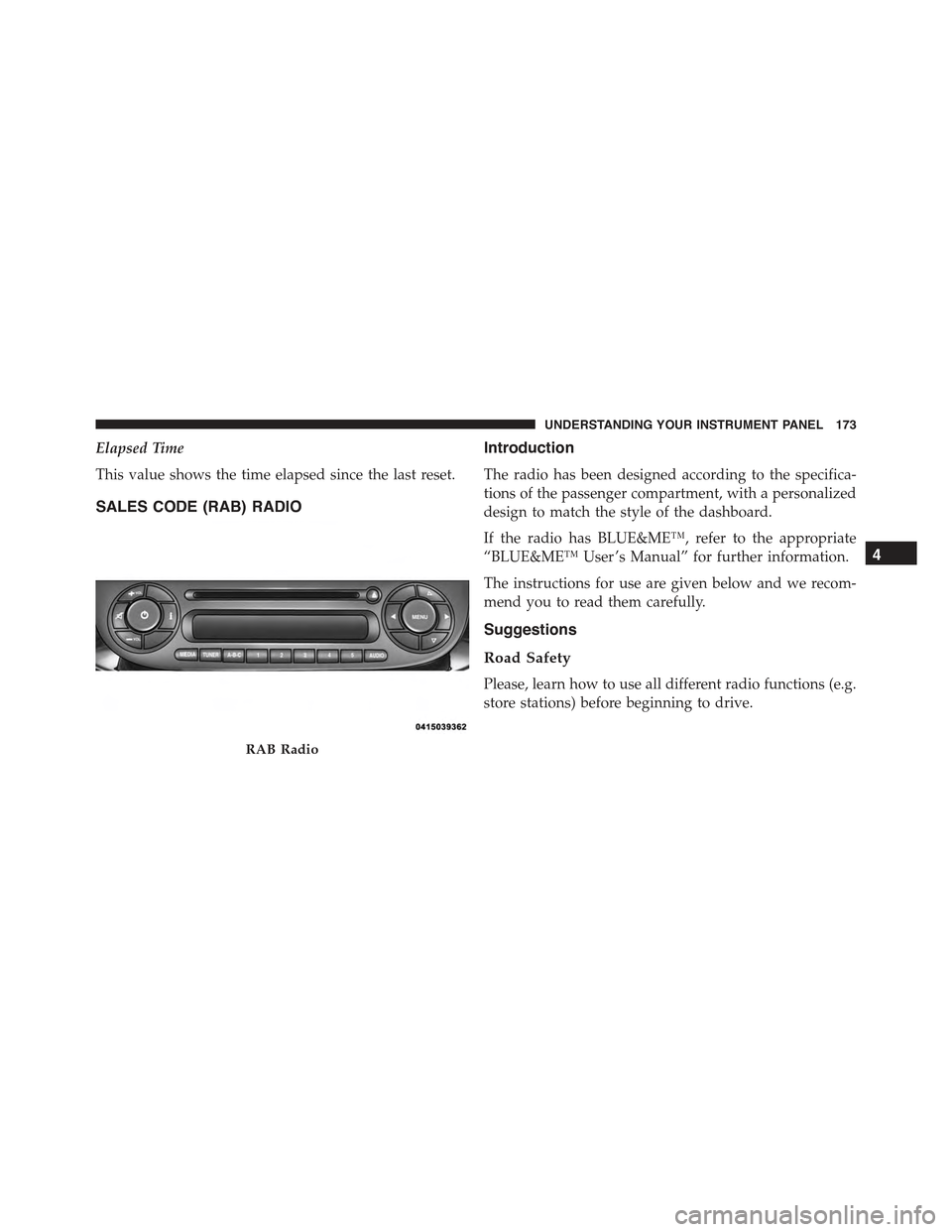
SALES CODE (RAB) RADIO
Introduction
The radio has been designed according to the specifica-
tions of the passenger compartment, with a personalized
design to match the style of the dashboard.
If the radio has BLUE&ME™, refer to the appropriate
“BLUE&ME™ User ’s Manual” for further information.
The instructions for use are given below and we recom-
mend you to read them carefully.
Suggestions
Road Safety
Please, learn how to use all different radio functions (e.g.
store stations) before beginning to drive.
RAB Radio
4
UNDERSTANDING YOUR INSTRUMENT PANEL 173
Page 192 of 367

Manual Tuning
This is used to manually search for stations in the
preselected band.
Select the desired frequency band and then push briefly
and repeatedly theorbutton to start the search in
the desired direction. If theorbutton is pushed
longer, the fast search starts and then stops when the
button is released.
Stereophonic Broadcasters
If the incoming signal is weak, the reproduction is
automatically switched from Stereo to Mono.
SiriusXM Satellite Radio — If Equipped
SiriusXM Satellite Radio
With over 130 channels, SiriusXM Satellite Radio brings you
more of what you love. Get 69 channels of 100% commercial-
free music, plus all of your favorite sports, news, talk and
entertainment. Hear every NFL game, every NASCAR race,
college sports and more. The biggest and most compelling
names in talk with Howard Stern and Martha Stewart,
laugh-out-loud comedy with Jamie Foxx’s The Foxxhole and
Blue Collar Comedy, plus kids’ programming, world-class
news, local traffic and weather. All of this with crystal clear,
coast-to-coast coverage. Everything worth listening to is
now on SiriusXM. A one-year SiriusXM Satellite Radio
subscription is included. SiriusXM and all related marks and
logos are trademarks of SiriusXM Radio Inc. and its subsid-
iaries. SiriusXM Radio requires a subscription, sold sepa-
rately after trial subscription included with vehicle pur-
chase. Prices and programming are provided by SiriusXM
and are subject to change. Subscriptions governed by
Terms & Conditions available at www.siriusxm.com/
customeragreement. SiriusXM Radio U.S. service only avail-
able to those at least 18 years of age in the 48 contiguous
United States, D.C., and PR. Service available in Canada; see
www.siriusxm.ca.
190 UNDERSTANDING YOUR INSTRUMENT PANEL
Page 201 of 367
The Duration Of The Mp3 Tracks Is Not Correctly
Displayed:
In some cases (due to the recording mode) the duration of
the MP3 tracks can be displayed incorrectly.
Operating Instructions — Hands-Free Phone
Refer to the appropriate “BLUE&ME™ User ’s Manual”
for further information.
Personal/Portable Navigation Device (PND)
A Personal/Portable Navigation Device (PND) is avail-
able as optional equipment for this vehicle, refer to the
Navigation User Guide for further information.
iPod®/USB/MEDIA PLAYER CONTROL — IF
EQUIPPED
This feature allows an iPod® or external USB device to be
plugged into the USB or AUX port, located in the center
console.
Refer to the appropriate Blue&Me™ radio User ’s Manual
for iPod® or external USB device support capability.
USB/AUX Port
1 — Auxiliary Cable Jack2—USBConnector
4
UNDERSTANDING YOUR INSTRUMENT PANEL 199
Page 203 of 367
Radio Operation
Pushing the top of the switch will “Seek” up for the next
listenable station and pushing the bottom of the switch
will “Seek” down for the next listenable station.
The button located in the center of the left-hand control
will tune to the next preset station that you have pro-
grammed in the radio preset button.
CD Player Operation
Pushing the top of the switch once will go to the next
track on the CD. Pushing the bottom of the switch once
will go to the beginning of the current track, or to the
beginning of the previous track if it is within one second
after the current track begins to play.
If you push the switch up or down twice, it plays the
second track; three times, it will play the third, etc.
Operating Instructions — Hands-Free Phone
(If Equipped)
Refer to the appropriate Blue&Me™ User ’s Manual for
further information.
CD/DVD DISC MAINTENANCE
To keep a CD/DVD in good condition, take the following
precautions:
1. Handle the disc by its edge; avoid touching the
surface.
2. If the disc is stained, clean the surface with a soft cloth,
wiping from center to edge.
3. Do not apply paper or tape to the disc; avoid scratch-
ing the disc.
4. Do not use solvents such as benzene, thinner, cleaners,
or anti-static sprays.
4
UNDERSTANDING YOUR INSTRUMENT PANEL 201
Page 327 of 367
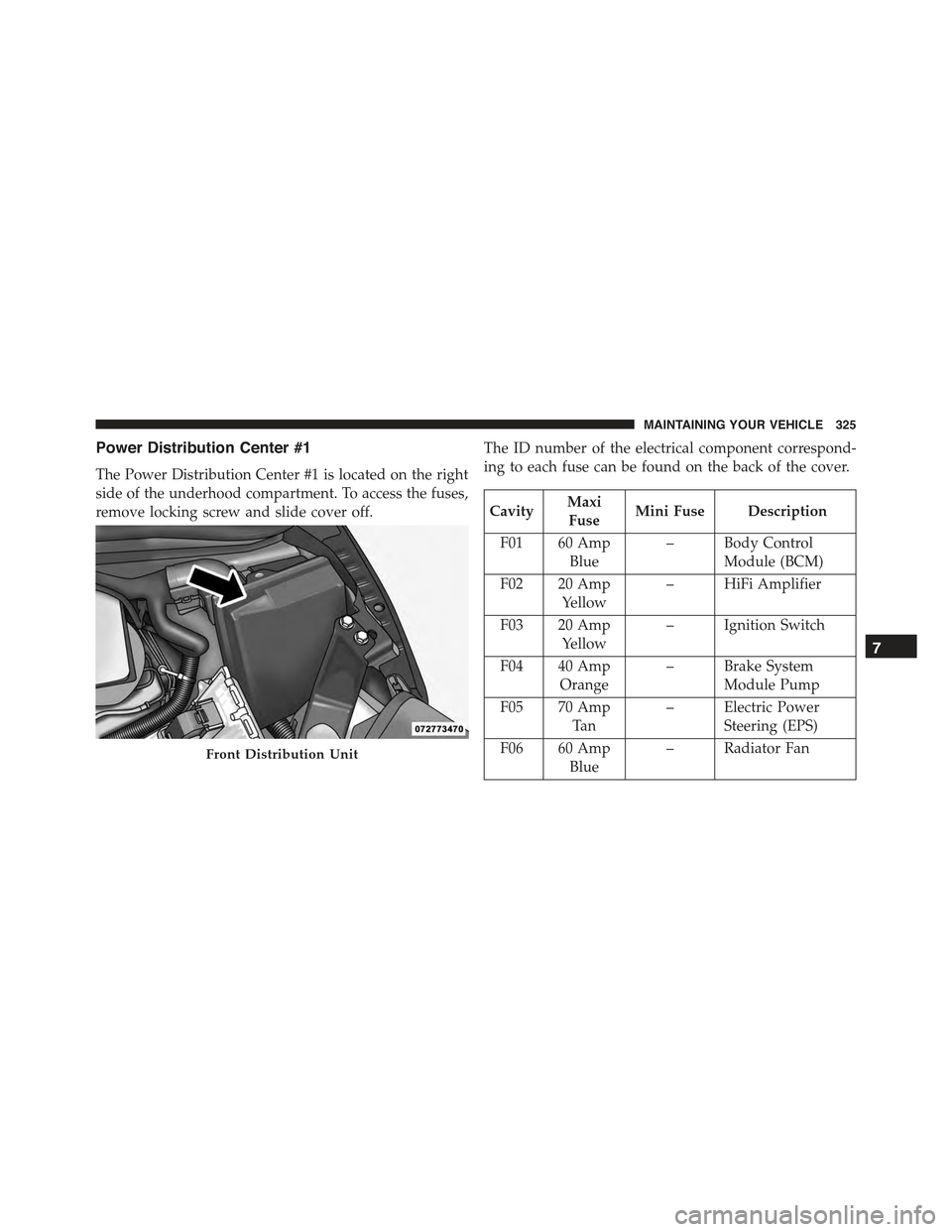
Power Distribution Center #1
The Power Distribution Center #1 is located on the right
side of the underhood compartment. To access the fuses,
remove locking screw and slide cover off.
The ID number of the electrical component correspond-
ing to each fuse can be found on the back of the cover.
CavityMaxi
FuseMini Fuse Description
F01 60 Amp
Blue
– Body Control
Module (BCM)
F02 20 Amp
Yellow
– HiFi Amplifier
F03 20 Amp
Yellow
– Ignition Switch
F04 40 Amp
Orange
– Brake System
Module Pump
F05 70 Amp
Ta n
– Electric Power
Steering (EPS)
F06 60 Amp
Blue
– Radiator FanFront Distribution Unit
7
MAINTAINING YOUR VEHICLE 325
Page 328 of 367
CavityMaxi
FuseMini Fuse Description
F07 40 Amp
Orange
–Regen Brake Mod-
ule
F08 40 Amp
Orange
–HVAC
F09 – 5 Amp
Ta n
Air Electric Heater
Charge Indicator
F10 – 10 Amp
Red
Horn
F11 – 10 Amp
Red
Electronic Vehicle
Control Unit
(EVCU)
F14 – 5 Amp
Ta n
High Beam
(Shutter)
F15 – 15 Amp
Blue
Cigar Lighter
CavityMaxi
FuseMini Fuse Description
F16 – 10 Amp
Red
Humidity Sensor
VPAM
AC Compressor
F18 – 5 Amp
Ta n
Electronic Vehicle
Control Unit
(EVCU)
F19 – 10 Amp
Red
HVAC
F20 – 15 Amp
Blue
Heated Seats – If
Equipped
F23 – 25 Amp
Clear
Anti-Lock Brake
Valves
F24 – 7.5 Amp
Brown
EPS
YAW Sensor
326 MAINTAINING YOUR VEHICLE
Page 329 of 367
CavityMaxi
FuseMini Fuse Description
F30 – 15 Amp
Blue
Fog Lamps
F81 30 Amp
Green
– Electronic Shifter
(ESM)
F82 30 Amp
Green
– Sunroof
F84 – 25 Amp
Clear
Regen Brake Mod-
ule
F85 30 Amp
Green
– Rear Window
Heater
F87 – 5 Amp
Ta n
Electronic Shifter
(ESM)
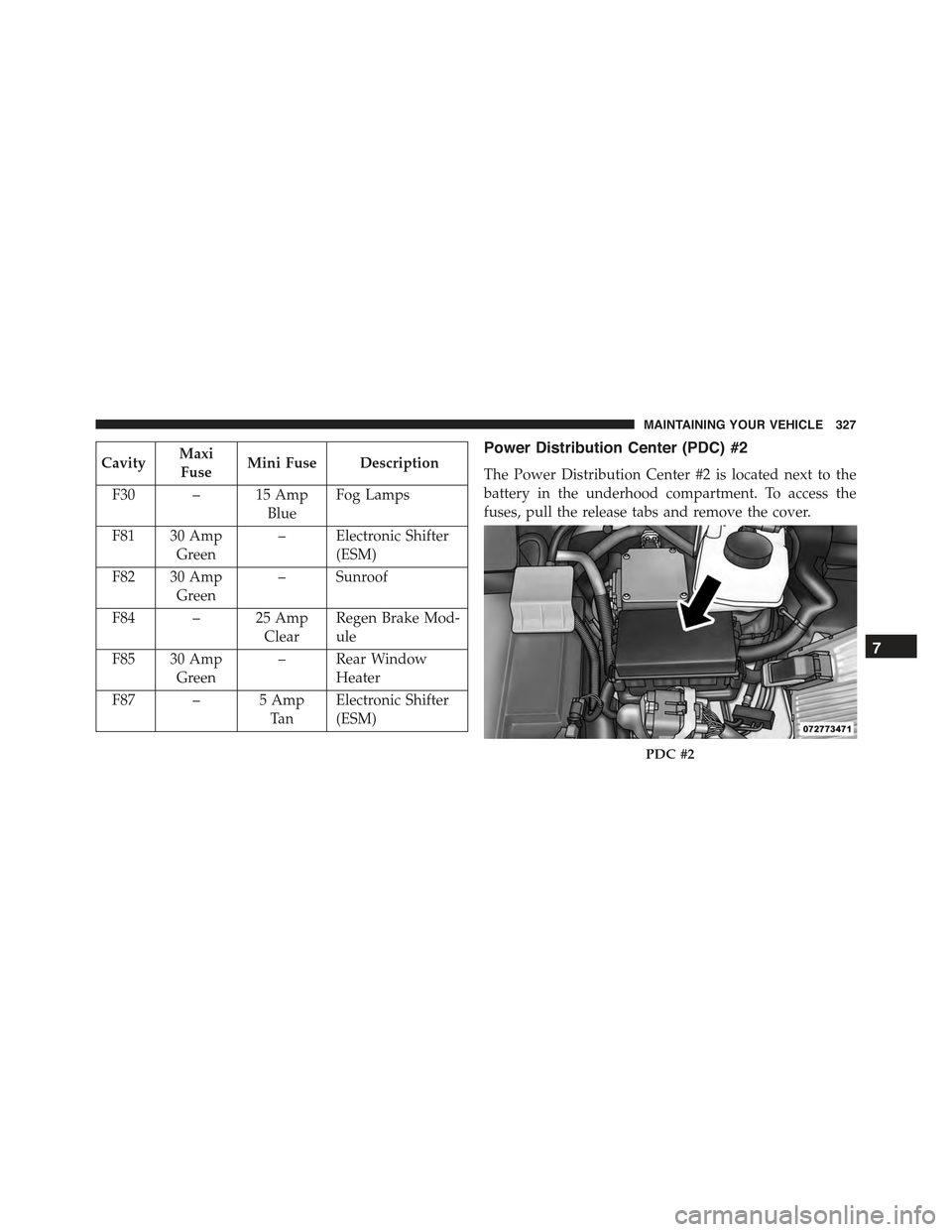
Power Distribution Center (PDC) #2
The Power Distribution Center #2 is located next to the
battery in the underhood compartment. To access the
fuses, pull the release tabs and remove the cover.
PDC #2
7
MAINTAINING YOUR VEHICLE 327