Page 296 of 703

LOAD LEVELING SYSTEM — IF EQUIPPED
The automatic load leveling system will provide a level-
riding vehicle under most passenger and cargo loading
conditions.
A hydraulic pump contained within the shock absorbers
raises the rear of the vehicle to the correct height. It takes
approximately 1 mile (1.6 km) of driving for the leveling
to complete depending on road surface conditions.
If the leveled vehicle is not moved for approximately 15
hours, the leveling system will bleed itself down. The
vehicle must be driven to reset the system.
ROOF LUGGAGE RACK — IF EQUIPPED
The crossbars on your vehicle are delivered stowed
within the roof rack side rails. If adding cargo, deploy the
crossbars. Distribute cargo weight evenly on the roof rack
crossbars, to maximum of 150 lbs (68 kg). The roof rack
does not increase the total load carrying capacity of the
vehicle. Be sure the total load of cargo inside the vehicle
plus that on the external rack does not exceed the
maximum vehicle load capacity.
The crossbars and side rails are designed to carry weight
on vehicles equipped with a luggage rack. The load must
Crossbar Stowed In Side Rail
294 UNDERSTANDING THE FEATURES OF YOUR VEHICLE
Page 305 of 703
UNDERSTANDING YOUR INSTRUMENT PANEL
CONTENTS
!INSTRUMENT PANEL FEATURES..........308
!INSTRUMENT CLUSTER — BASE..........309
!INSTRUMENT CLUSTER — PREMIUM.......310
!INSTRUMENT CLUSTER DESCRIPTIONS.....311
!ELECTRONIC VEHICLE INFORMATION CENTER
(EVIC) — IF EQUIPPED..................325
▫Electronic Vehicle Information Center (EVIC)
Displays............................327
▫EVIC White Telltale Lights...............331
▫EVIC Amber Telltale Lights..............331
▫EVIC Red Telltale Lights................332
▫Oil Change Required...................334
▫Fuel Economy........................336
▫Vehicle Speed........................337
▫Trip Info...........................337
▫Tr i p A . . . . . . . . . . . . . . . . . . . . . . . . . . . ..337
▫Tr i p B . . . . . . . . . . . . . . . . . . . . . . . . . . . . ..338
▫Elapsed Time........................338
▫To Reset A Trip Function................338
▫Ti re P S I . . . . . . . . . . . . . . . . . . . . . . . . . . . ..338
4
Page 314 of 703
6. Odometer Display/Electronic Vehicle Information
Center (EVIC) — If Equipped
Odometer Display / Trip Odometer DisplayThe odom-
eter display shows the total distance the vehicle has been
driven.
U.S. Federal regulations require that upon transfer of
vehicle ownership, the seller certify to the purchaser the
correct mileage that the vehicle has been driven. If your
odometer needs to be repaired or serviced, the repair
technician should leave the odometer reading the same
as it was before the repair or service. If s/he cannot do so,
then the odometer must be set at zero, and a sticker must
be placed in the door jamb stating what the mileage was
before the repair or service. It is a good idea for you to
make a record of the odometer reading before the repair/
service, so that you can be sure that it is properly reset, or
that the door jamb sticker is accurate if the odometer
must be reset at zero.
This also displays Trip A and Trip B, DTE, MPG or
L/100km, OAT (Outside Air Temperature) information to
Base Cluster, use STEP and RESET button (on steering
wheel) to access or reset the display.
Message Display Area
When the appropriate conditions exist, the following
odometer messages will display:
door.............................Door Ajar
gATE..........................Liftgate Ajar
LoW tirE....................LowTirePressure
gASCAP......................Fuel Cap Fault
noFUSE..........................Fuse Fault
312 UNDERSTANDING YOUR INSTRUMENT PANEL
Page 316 of 703

indicator system is duty cycle-based, which means the
engine oil change interval may fluctuate dependent upon
your personal driving style.
Unless reset, this message will continue to display each
time you turn the ignition switch to the ON/RUN
position. To reset the oil change indicator system (after
performing the scheduled maintenance), perform the
following steps.
1. Turn the ignition switch to the ON/RUN position (do
not start the engine).
2. Fully push the accelerator pedal, slowly, three times
within 10 seconds.
3. Turn the ignition switch to the OFF position.
NOTE:If the indicator message illuminates when you
start the engine, the oil change indicator system did not
reset. If necessary, repeat these steps.
Electronic Vehicle Information Center (EVIC) — If
Equipped
The Electronic Vehicle Information Center (EVIC) fea-
tures a driver-interactive display that is located in the
instrument cluster. For further information, refer to
“Electronic Vehicle Information Center (EVIC)” in this
section.
7. Anti-Lock Brake (ABS) Light
This light monitors the Anti-Lock Brake System
(ABS). The light will turn on when the ignition
switch is turned to the ON/RUN position and
may stay on for as long as four seconds.
If the ABS light remains on or turns on while driving, it
indicates that the Anti-Lock portion of the brake system
is not functioning and that service is required. However,
the conventional brake system will continue to operate
normally if the BRAKE warning light is not on.
314 UNDERSTANDING YOUR INSTRUMENT PANEL
Page 329 of 703
•DOWN Button
Push and release the DOWN button to scroll
downward through the main menu items.
•RIGHT Button
The RIGHT button allows access to informa-
tion in EVIC submenus, selects some feature
settings, and resets some EVIC features. The
EVIC prompts the driver when the RIGHT
button can be used by displaying the right arrow graphic.
Once the RIGHT button has been selected for the desired
submenu list, follow the EVIC prompts to
properly select the desired submenu EVIC
features
•BACK Button
Push and release the BACK button to scroll
back to a previous menu or sub-menu.
Electronic Vehicle Information Center (EVIC)
Displays
The EVIC display consists of three sections:
1. The top line where compass direction and outside
temperature are displayed.
2. The main display area where the menus and pop up
messages are displayed.
3. The reconfigurable telltales section below the odom-
eter line.
The main display area will normally display the main
menu or the screens of a selected feature of the main
menu. The main display area also displays#pop up#
4
UNDERSTANDING YOUR INSTRUMENT PANEL 327
Page 331 of 703
The Reconfigurable Telltales section is divided into the
white telltales area on the right, amber telltales in the
middle, and red telltales on the left.
When the appropriate conditions exist, the EVIC displays
the following messages:
•Key in ignition
•Ignition or Accessory On
•Remote start aborted — Door ajar
•Remote start aborted — Hood ajar
•Remote start aborted — L/Gate ajar
•Remote start aborted — Fuel low
•Remote start disabled — Start Vehicle to Reset
•Remote start active — Push Start Button
•Remote start active — Key to Run
•Wrong Key
•Damaged Key
•Key not programmed
•Vehicle Not in Park
•Key Left Vehicle
•Key Not Detected
•Press Brake Pedal and Push Button to Start
•Liftgate Ajar (chime will sound when vehicle starts
moving)
•Low Tire Pressure
•Service TPM System (refer to “Tire Pressure Monitor-
ing System” in “Starting And Operating”)
•Tire Pressure Screen With Low Tire(s) “Inflate Tire to
XX”
4
UNDERSTANDING YOUR INSTRUMENT PANEL 329
Page 337 of 703

display in the EVIC display for approximately 10 sec-
onds, after a single chime has sounded, to indicate the
next scheduled oil change interval. The engine oil change
indicator system is duty-cycle based, which means the
engine oil change interval may fluctuate dependent upon
your personal driving style.
Unless reset, this message will continue to display each
time you turn the ignition switch to the ON/RUN
position or cycle the ignition to the ON/RUN position if
equipped with Keyless Enter-N-Go™. To turn off the
message temporarily, push and release the MENU but-
ton. To reset the oil change indicator system (after
performing the scheduled maintenance) refer to the fol-
lowing procedure.
Vehicles Equipped With Keyless Enter-N-Go™
1. Without pushing the brake pedal, push the ENGINE
START/STOP button and cycle the ignition to the
ON/RUN position (do not start the engine.)
2. Fully depress the accelerator pedal, slowly, three times
within 10 seconds.
3. Without pushing the brake pedal, push the ENGINE
START/STOP button once to return the ignition to the
OFF/LOCK position.
Vehicles Not Equipped With Keyless Enter-N-Go™
1. Turn the ignition switch to the ON/RUN position (do
not start the engine.)
2. Fully depress the accelerator pedal, slowly, three times
within 10 seconds.
3. Turn the ignition switch to the OFF/LOCK position.
NOTE:If the indicator message illuminates when you
start the engine, the oil change indicator system did not
reset. If necessary, repeat these steps.
4
UNDERSTANDING YOUR INSTRUMENT PANEL 335
Page 338 of 703
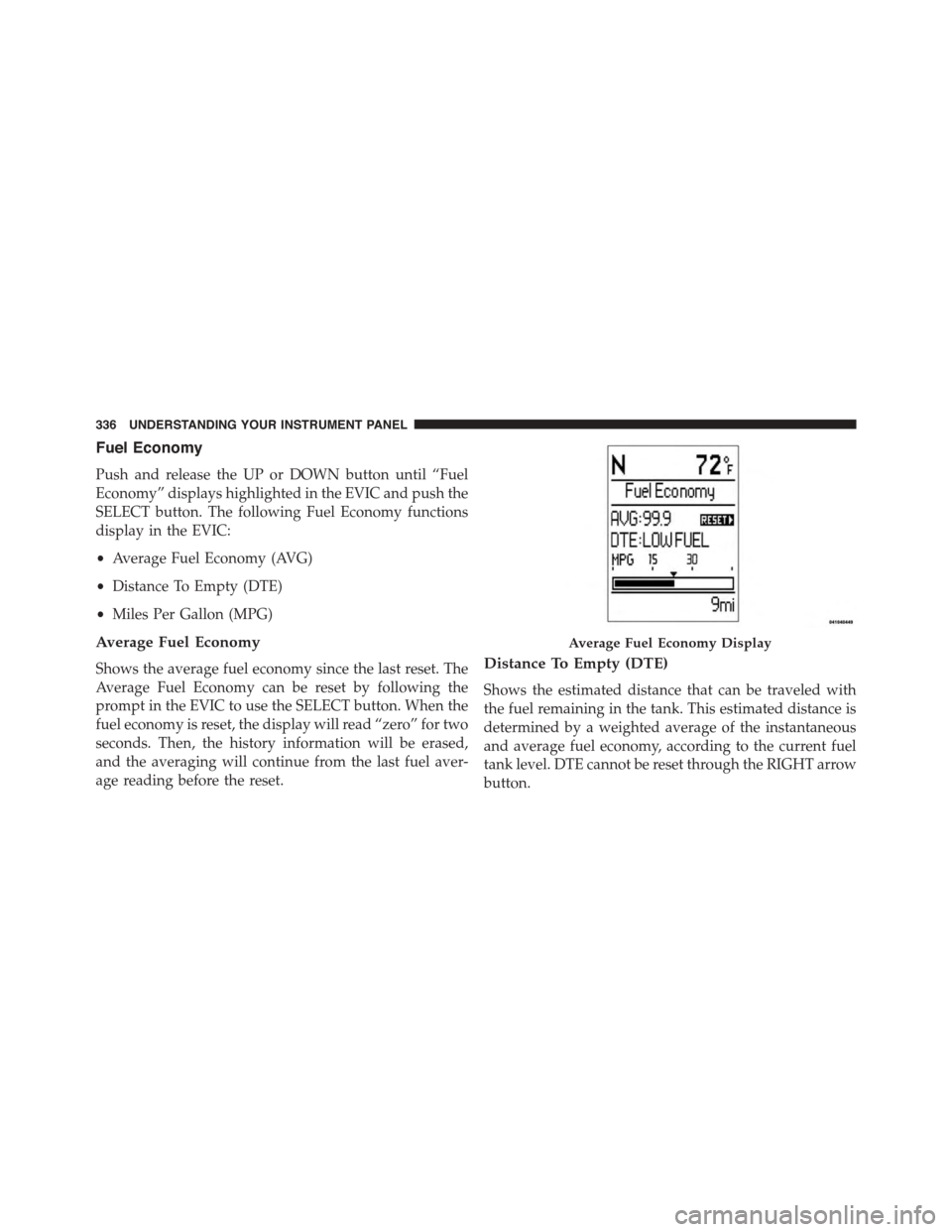
Fuel Economy
Push and release the UP or DOWN button until “Fuel
Economy” displays highlighted in the EVIC and push the
SELECT button. The following Fuel Economy functions
display in the EVIC:
•Average Fuel Economy (AVG)
•Distance To Empty (DTE)
•Miles Per Gallon (MPG)
Average Fuel Economy
Shows the average fuel economy since the last reset. The
Average Fuel Economy can be reset by following the
prompt in the EVIC to use the SELECT button. When the
fuel economy is reset, the display will read “zero” for two
seconds. Then, the history information will be erased,
and the averaging will continue from the last fuel aver-
age reading before the reset.
Distance To Empty (DTE)
Shows the estimated distance that can be traveled with
the fuel remaining in the tank. This estimated distance is
determined by a weighted average of the instantaneous
and average fuel economy, according to the current fuel
tank level. DTE cannot be reset through the RIGHT arrow
button.
Average Fuel Economy Display
336 UNDERSTANDING YOUR INSTRUMENT PANEL