Page 39 of 703
If you push the power door lock switch while the Key
Fob is in the ignition, and any front door is open, the
power locks will not operate. This prevents you from
accidentally locking your keys in the vehicle. Removing
the Key Fob or closing the door will allow the locks to
operate. A chime will sound if the Key Fob is in the
ignition switch and a door is open, as a reminder to
remove the Key Fob.
If you push the power door lock switch while the sliding
door is open, the sliding door will lock.
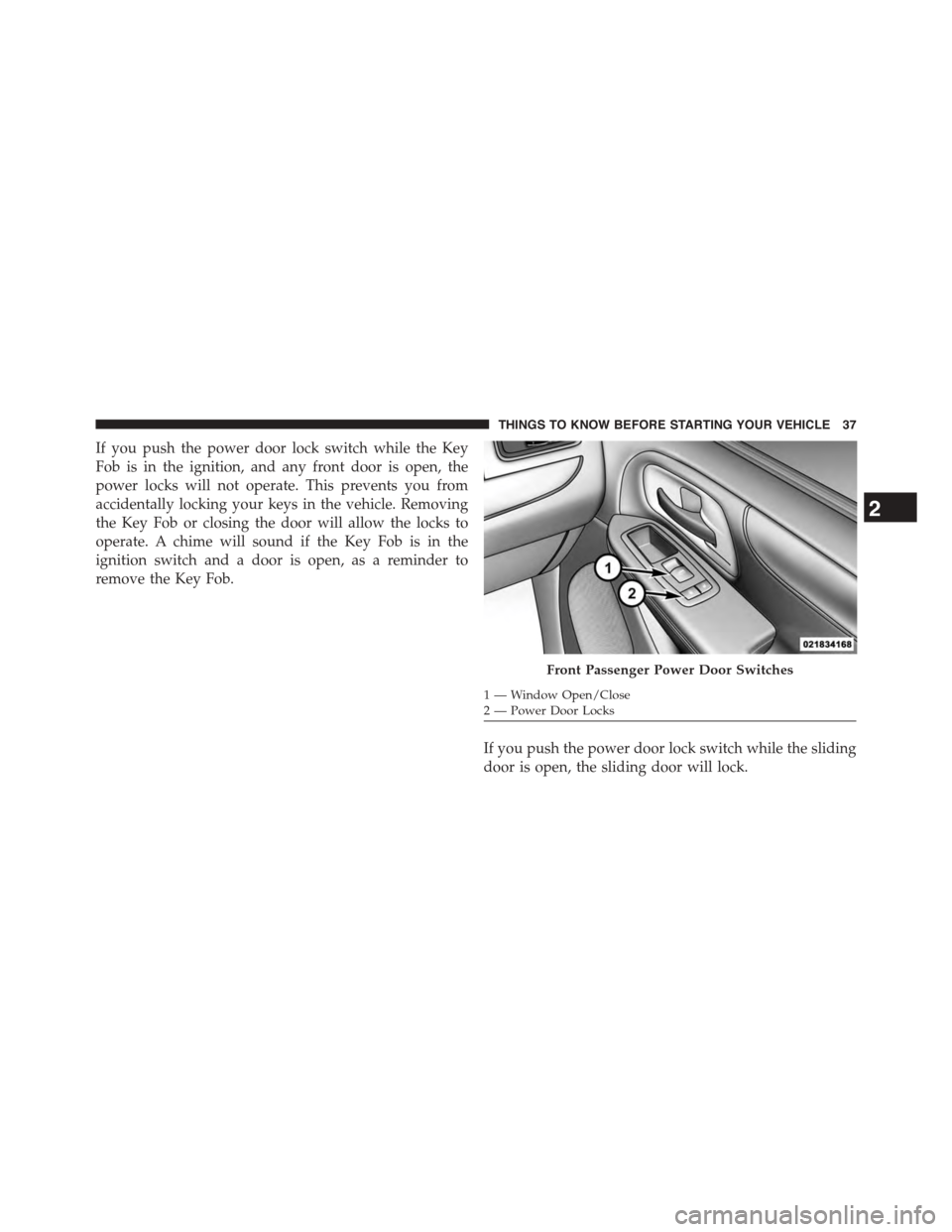
Front Passenger Power Door Switches
1—WindowOpen/Close2—PowerDoorLocks
2
THINGS TO KNOW BEFORE STARTING YOUR VEHICLE 37
Page 41 of 703
WINDOWS
Power Vent Windows — If Equipped
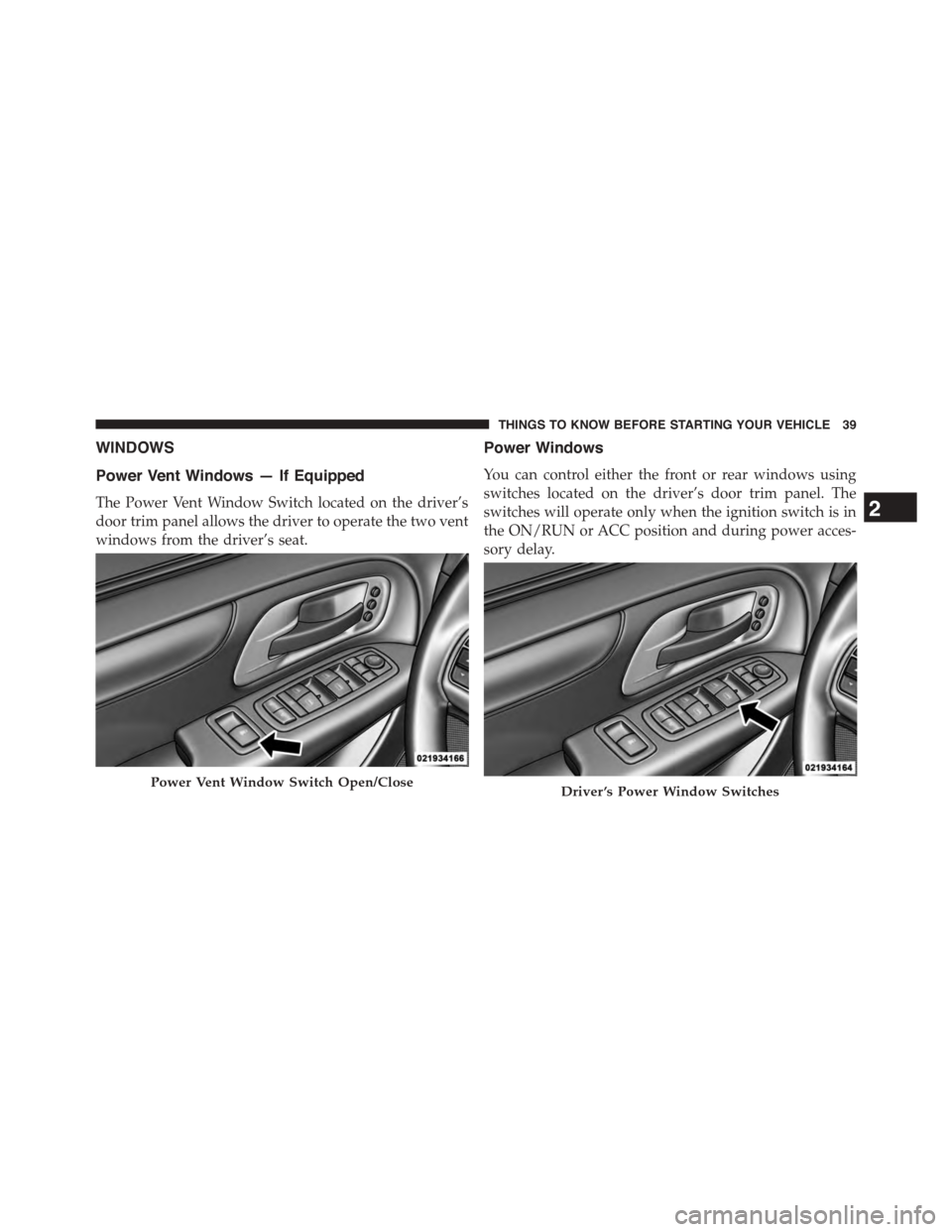
The Power Vent Window Switch located on the driver’s
door trim panel allows the driver to operate the two vent
windows from the driver’s seat.
Power Windows
You can control either the front or rear windows using
switches located on the driver’s door trim panel. The
switches will operate only when the ignition switch is in
the ON/RUN or ACC position and during power acces-
sory delay.
Power Vent Window Switch Open/CloseDriver ’s Power Window Switches
2
THINGS TO KNOW BEFORE STARTING YOUR VEHICLE 39
Page 42 of 703
NOTE:Power Window switches will also remain active
for up to 10 minutes after the ignition switch has been
turned to OFF, depending upon the accessory delay
setting. Opening a front door will cancel this feature.
Power Window Lockout Switch — If Equipped
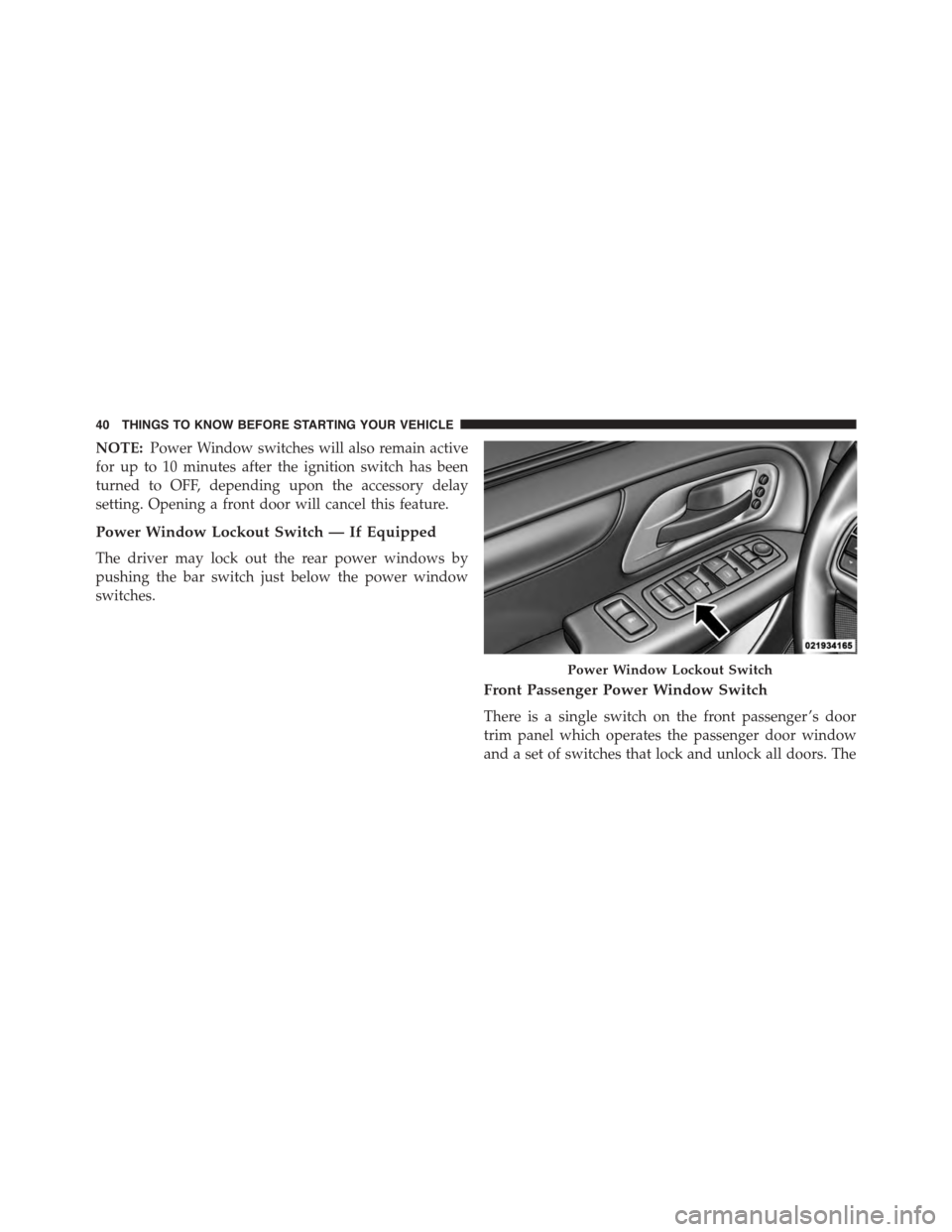
The driver may lock out the rear power windows by
pushing the bar switch just below the power window
switches.
Front Passenger Power Window Switch
There is a single switch on the front passenger ’s door
trim panel which operates the passenger door window
and a set of switches that lock and unlock all doors. The
Power Window Lockout Switch
40 THINGS TO KNOW BEFORE STARTING YOUR VEHICLE
Page 43 of 703
switches will operate only when the ignition switch is in
the ON/RUN or ACC position and during power acces-
sory delay.
Auto-Down Feature — If Equipped
The front window switches may be equipped with an
Auto-Down feature. Push the window switch past the
detent, release, and the window will go down automati-
cally.
To open the window part way, push the window switch
part way and release it when you want the window to
stop.
The power window switches remain active for up to 10
minutes (depending on the accessory delay setting) after
the ignition switch has been turned to OFF. Opening a
vehicle front door will cancel this feature.
Front Passenger Power Door Switches
1—WindowOpen/Close2—PowerDoorLocks
2
THINGS TO KNOW BEFORE STARTING YOUR VEHICLE 41
Page 45 of 703
2. Push the window switch down firmly to the second
detent to open the window completely and continue
to hold the switch down for an additional two seconds
after the window is fully open.
Sliding Side Door Power Window Switch — If
Equipped
Second row passengers may open and close the sliding
door window by a single switch on the door handle
assembly.
The switches will operate only when the ignition switch
is in the ON/RUN or ACC position and during power
accessory delay.
NOTE:The switches will not operate if the driver has
activated the Power Window Lockout.
NOTE:The sliding door windows do not fully open,
stopping several inches above the window sill.
Sliding Door Power Window Switch
2
THINGS TO KNOW BEFORE STARTING YOUR VEHICLE 43
Page 49 of 703

door switch is pushed. To close the door, wait until it
is fully open and then push the switch again.
•If the power sliding door encounters multiple obstruc-
tions within the same cycle, the system will automati-
cally stop, the power sliding door motor will make a
clicking sound until the door has no further move-
ment. This clicking sound can be stopped by pulling
the inside or outside handle. If this condition occurs,
no damage is done to the power sliding door motor.
The power sliding door must be opened or closed
manually.
WARNING!
You, or others, could be injured if caught in the path
of the sliding door. Make sure the door path is clear
before closing the door.
Power Sliding Side Door Open Flash
The left and right exterior hazard lights will flash for 12
seconds when either sliding door is opened. This will
alert other drivers in the area that passenger(s) could be
entering or exiting the vehicle.
The Sliding Side Door Open Flash can be enabled or
disabled by performing the following procedure:
1. Place the Key Fob in the ignition switch.
2. Cycle the ignition switch from ON/RUN to OFF five
times ending in the ON/RUN position(do not start
the engine).
3. Within 10 seconds of the final cycle, push the HAZ-
ARD switch ON.
4. A single chime will sound to signify that you have
successfully completed the programming.
2
THINGS TO KNOW BEFORE STARTING YOUR VEHICLE 47
Page 60 of 703
Seat Belt Systems
Buckle up even though you are an excellent driver, even
on short trips. Someone on the road may be a poor driver
and could cause a collision that includes you. This can
happen far away from home or on your own street.
Research has shown that seat belts save lives, and they
can reduce the seriousness of injuries in a collision. Some
of the worst injuries happen when people are thrown
from the vehicle. Seat belts reduce the possibility of
ejection and the risk of injury caused by striking the
inside of the vehicle. Everyone in a motor vehicle should
be belted at all times.
Enhanced Seat Belt Use Reminder System
(BeltAlert)
BeltAlert is a feature intended to remind the driver
and outboard front passenger (if equipped with out-
board front passenger BeltAlert) to buckle their seat
belts. The feature is active whenever the ignition
switch is in the START or ON/RUN position. If the
driver or outboard front seat passenger is unbelted,
the Seat Belt Reminder Light will turn on and remain
on until both outboard front seat belts are buckled.
The BeltAlert warning sequence begins after the vehicle
speed is over 5 MPH (8 km/h) by blinking the Seat Belt
Reminder Light and sounding an intermittent chime.
Once the sequence starts, it will continue for the entire
duration or until the respective seat belts are buckled.
After the sequence completes, the Seat Belt Reminder
Light remains illuminated until the respective seat belts
are buckled. The driver should instruct all other occu-
pants to buckle their seat belts. If an outboard front seat
belt is unbuckled while traveling at speeds greater than 5
MPH (8 km/h), BeltAlert will provide both audio and
visual notification.
The outboard front passenger seat BeltAlert is not active
when the outboard front passenger seat is unoccupied.
58 THINGS TO KNOW BEFORE STARTING YOUR VEHICLE
Page 93 of 703
Do not drive your vehicle after the air bags have de-
ployed. If you are involved in another collision, the air
bags will not be in place to protect you.
WARNING!
Deployed air bags and seat belt pretensioners cannot
protect you in another collision. Have the air bags,
seat belt pretensioners, and the seat belt retractor
assemblies replaced by an authorized dealer imme-
diately. Also, have the Occupant Restraint Controller
System serviced as well.
NOTE:
•Air bag covers may not be obvious in the interior trim,
but they will open during air bag deployment.
•After any collision, the vehicle should be taken to an
authorized dealer immediately.
Enhanced Accident Response System
In the event of an impact, if the communication network
remains intact, and the power remains intact, depending
on the nature of the event, the ORC will determine
whether to have the Enhanced Accident Response Sys-
tem perform the following functions:
•Cut off fuel to the engine.
•Flash hazard lights as long as the battery has power or
until the ignition switch is turned to the “OFF” posi-
tion.
•Turn on the interior lights, which remain on as long as
the battery has power or until the ignition switch is
turned to the “OFF” position.
•Unlock the doors automatically.
2
THINGS TO KNOW BEFORE STARTING YOUR VEHICLE 91