2015 Citroen DS3 ABS
[x] Cancel search: ABSPage 30 of 415

DS3_en_Chap01_controle-de-marche_ed01-2015
Brakingfixed, associated with t
he STOP warning
lam
p.The
braking system fluid level is too l
ow.You
must stop as soon as it is safe to do so.
Top up with brake fluid recommended by CITROËN.
If
the problem persists, have the system checked by a
C
ITROËN dealer or a qualified workshop.
+ fixed,
associated with
t
he STOP and ABS
warning
lam
p.The
electronic brake force distribution
(
EBFD) system has a fault.You
must stop as soon as it is safe to do so.
Have
it checked by a CITROËN dealer or a qualified
w
orkshop.
Warning
/indicator lampis on Cause Action / Observations
Anti-lock Braking
System (ABS) fixed.
The
anti-lock braking system has a
f
ault.The
vehicle retains conventional braking.
Drive carefully at reduced speed and contact a
CITROËN
d
ealer
o
r
a q
ualified
w
orkshop
w
ithout
d
elay.
dy
namic stability
control (
dS
C/
ASR) flashing.
Regulation
by the system is active. The system optimises traction and improves the
d
irectional stability of the vehicle.
fixed,
associated with
i
llumination of the
i
ndicator lamp in the
d
eactivation button,
accompanied
by an
a
udible signal and a
m
essage. The
DSC/ASR or hill start assist
s
ystem has a fault.Have
it checked by a CITROËN dealer or a qualified
w
orkshop.
Page 53 of 415
51
DS3_en_Chap01_controle-de-marche_ed01-2015
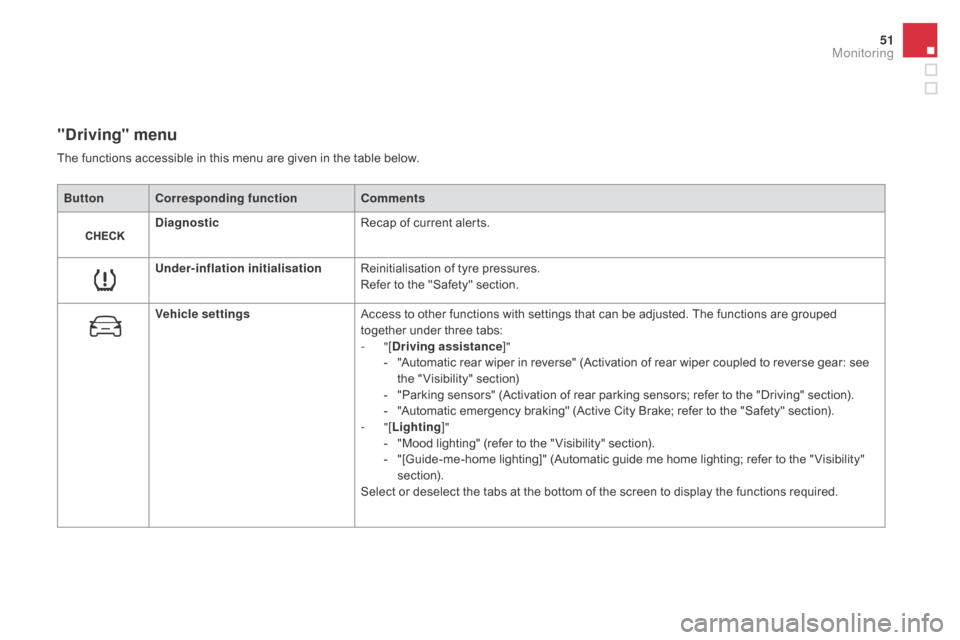
"driving" menu
ButtonCorresponding function Comments
di
agnostic Recap
of current alerts.
Under-inflation initialisation Reinitialisation
of tyre pressures.
Refer
to the "Safety" section.
Vehicle settings Access
to other functions with settings that can be adjusted. The functions are grouped
t
ogether under three tabs:
-
"[
dr
iving assistance]"
-
"
Automatic rear wiper in reverse" (Activation of rear wiper coupled to reverse gear: see
t
he " Visibility" section)
-
"
Parking sensors" (Activation of rear parking sensors; refer to the "Driving" section).
-
"
Automatic emergency braking" (Active City Brake; refer to the "Safety" section).
-
"[Lighting ]"
-
"
Mood lighting" (refer to the " Visibility" section).
-
"
[Guide-me-home lighting]" (Automatic guide me home lighting; refer to the " Visibility"
s
ection).
Select
or deselect the tabs at the bottom of the screen to display the functions required.
The
functions accessible in this menu are given in the table below.
Monitoring
Page 57 of 415

55
DS3_en_Chap01_controle-de-marche_ed01-2015
Monochrome screen C
Information displays
F Press the button, located at the end of the wiper stalk , to display the various trip
computer
tabs in succession: -
t
he current information tab
w
ith:
●
t
he range,
●
t
he current fuel
c
onsumption,
●
t
he distance remaining
to be travelled or the
Stop & Start time counter,
-
t
he trip "1"
tab with:
●
t
he distance travelled,
●
t
he average fuel
c
onsumption,
● t he average speed, f
or the first trip.
-
t
he trip "2"
tab with:
●
t
he distance travelled,
●
t
he average fuel
c
onsumption,
●
t
he average speed,
f
or the second trip.
F
P
ressing the button again returns you to
t
he normal display.
Zero reset
F When the trip required is displayed, press t
he button on the end of the wiper stalk for
m
ore than two seconds.
Tr i p s "1" and "2" are independent but their use
is
identical.
For
example, trip "1" can be used for daily
figures,
and trip "2"
for monthly figures.
Monitoring
Page 58 of 415

DS3_en_Chap01_controle-de-marche_ed01-2015
Touch screen tablet
Information display
F Press the MEnU button, then select
"dr iving",
to display the various tabs.
F
S
elect the desired tab using your finger.-
T
he "
Instantaneous " tab with:
●
t
he range,
●
t
he current fuel consumption,
●
t
he Stop & Start time counter.
-
T
he "
Tr i p 1 " tab with:
●
t
he distance travelled.
●
t
he average fuel consumption,
●
t
he average speed,
f
or the first trip.
-
T
he "Tr i p 2 "
tab with:
●
t
he distance travelled.
●
t
he average fuel consumption,
●
t
he average speed,
f
or the second trip.
Trip reset
F When the desired trip is displayed, press the reset button.
Tr i p s "1" and "2" are independent but their use
is
identical.
For
example, trip "1" can be used for daily
figures,
and trip "2"
for monthly figures.
Page 152 of 415

Braking assistance systems
Group of supplementary systems which help you to obtain optimum braking in complete
s
afety in emergency situations:
-
a
nti-lock braking system (ABS),
-
e
lectronic brake force distribution (EBFD),
-
e
mergency braking assistance (EBA).Anti-lock braking system
and electronic brake force
distribution
Linked systems which improve the stability and manoeuvrability of your vehicle when braking,
i
n particular on poor or slippery sur faces.
Activation
The anti-lock braking system comes into operation automatically when there is a risk of
w
heel lock.
Normal
operation of the ABS may make itself
f
elt by slight vibration of the brake pedal.
When
braking in an emergency, press
v
ery firmly without releasing the
p
ressure.
Operating fault
If this warning lamp comes on, together with the STOP and ABS
warning
lamps, accompanied by an
a
udible
signal and a message in the screen, it
i
ndicates
a malfunction of the electronic brake
f
orce distribution which could result in loss of
control
of
the vehicle when braking.
You must stop as soon as it is safe to do so.
When
replacing wheels (tyres and
r
ims), ensure that they conform to the
ma
nufacturer's
r
ecommendations.
If
this warning lamp comes on,
a
ccompanied by an audible signal
a
nd a message in the screen, it
i
ndicates
a malfunction of the anti-lock braking
s
ystem
which could result in loss of control of
t
he
vehicle when braking.
In either case, contact a CITROËN dealer or a
qualified
w
orkshop.
Page 155 of 415
153
DS3_en_Chap06_securite_ed01-2015
Active City Brake
Active City Brake is a driving assistance system that aims to avoid a frontal collision
o
r reduce the speed of an impact if the driver
d
oes not react sufficiently (inadequate brake
a
pplication). This
system is designed to improve
d
riving safety.
It
remains the driver's responsibility to
c
ontinuously monitor the state of the
t
raffic and to assess the distances and
relative
speeds of other vehicles.
Active
City Brake can in no
c
ircumstances replace the need for
v
igilance on the part of the driver.
Never
look at the laser sensor through
an o
ptical
in
strument
(
magnifying
g
lass,
m
icroscope...) at a distance of less than
1
0 centimetres: risk of eye injury.Automatic
braking occurs later than if
d
one by the driver, so as to intervene
only
when there is a high risk of
c
ollision.Principle
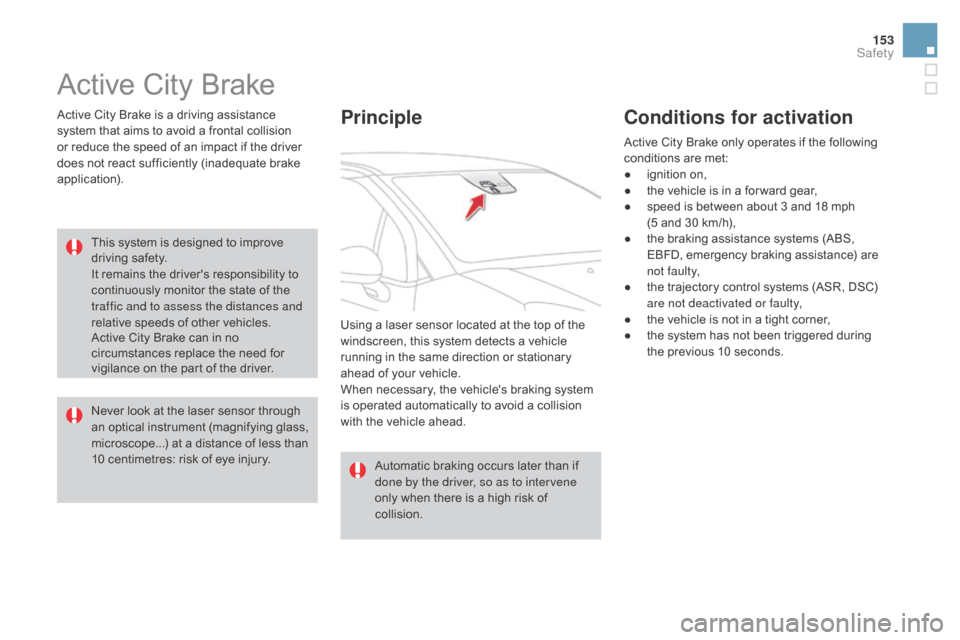
Using a laser sensor located at the top of the windscreen, this system detects a vehicle
r
unning in the same direction or stationary
a
head of your vehicle.
When
necessary, the vehicle's braking system
i
s operated automatically to avoid a collision
w
ith the vehicle ahead.
Conditions for activation
Active City Brake only operates if the following conditions are met:
●
i
gnition on,
●
t
he vehicle is in a for ward gear,
●
s
peed is between about 3 and 18 mph
(5
and 30 km/h),
●
t
he braking assistance systems (ABS,
E
BFD, emergency braking assistance) are
n
ot faulty,
●
t
he trajectory control systems (ASR, DSC)
a
re not deactivated or faulty,
●
t
he vehicle is not in a tight corner,
●
t
he system has not been triggered during
t
he previous 10 seconds.
Safety
Page 212 of 415

DS3_en_Chap08_info-pratiques_ed01-2015
Changing main beam headlamp bulbsChanging sidelamp bulbs
F Remove the protective cover by pulling the t
ab.
F
D
isconnect the bulb connector.
F
S
pread the springs to release the bulb.
F
R
emove the bulb and change it.
To refit, carry out these operations in reverse
o r d e r. F
R emove the protective cover by pulling the t
ab.
F
P
ull the bulb holder pressing on the tabs on
bo
th
s
ides.
F
P
ull the bulb and change it.
To refit, carry out these operations in reverse
o r d e r.
LEd* / Xenon front lamps
* LED: light-emitting diode.
1.
D
irection indicators (LEDs).
2.
S
idelamps
(
LEDs).
3.
D
ipped beam headlamps (Xenon).
4.
M
ain beam headlamps (LEDs / Xenon).
5.
D
aytime running lamps (LEDs).
6.
F
ront foglamps (PSX24W).
For replacements on of these types of lamps
(
LED / Xenon), contact a CITROËN dealer or a
q
ualified
w
orkshop.
Page 214 of 415

DS3_en_Chap08_info-pratiques_ed01-2015
1. Brake lamps / sidelamps (P21/5W).
2. S idelamps ( P5W).
3.
D
irection indicators (PY21W amber).
4.
F
oglamp, offside (PR21W red)
R
eversing lamp, nearside (P21W).
Rear lamps
Amber or red bulbs, such as those for the direction indicators and rear
foglamp,
must be replaced by bulbs of
t
he same rating and colour.
Changing bulbs
F Open the boot.
F R emove the access flap from the
c
orresponding side trim panel.
F
U
nscrew the butter fly nut securing the
lam
p
u
nit.
F
U
nclip the lamp unit connector.
F
E
xtract the lamp unit carefully pulling in its
m
iddle towards the outside. F
S pread the four tabs and remove the bulb h
o l d e r.
F
T
urn the bulb a quarter of a turn and
c
hange
it
.
To refit, carry out these operations in reverse
o r d e r.
Take
care to engage the lamp unit in its guides,
w
hile keeping it in line with the vehicle.