2015 Citroen C5 AUX
[x] Cancel search: AUXPage 301 of 344

08
299
C5_en_Chap11b_RT6-2-8_ed01-2014
MUSIC MEDIA PLAYERS
Using the auxiliary input (AUX)
JACK/USB audio cable not supplied
Connect the portable device
(MP3, WMA player…) to the
JACK auxiliary audio socket or
USB port using a suitable cable.
Press MUSIC to display the "MUSIC"
menu. Select "Activate
/ Deactivate AUX
input " and confirm.
First adjust the volume of your portable
device (to a high level). Then adjust the
volume of your audio system.
Display and management of the controls are via the portable device.
Page 306 of 344

11
304
C5_en_Chap11b_RT6-2-8_ed01-2014
SCREEN MENU MAP(S)
1
1
2
1
1
2
2
2
2
2
2
2
3
3
2
2
2
1
Random on all media
Repetition
Audio settings
Activate / Deactivate AUX
input
"MUSIC" MENU
Change Media
Read mode
Normal
Random
All passengers
Le-Ri balance
Fr-Re balance
Auto. Volume
Update radio list
Bass
Treble
Loudness
Distribution
d
river
1
2
1
1
3
3
3
3
3
3
2Equalizer
"RADIO" MENUChange Waveband
Options
RDS station tracking
Audio settings
none
Classical
Jazz
Rock
T
echno
Vocal
2
2
2
2
USB/iPod
AUX CD
Bluetooth streaming
2
2
FM
AM
3Activated / Deactivated
3Activated / Deactivated
Page 316 of 344

01
314
C5_en_Chap11c_RD45_ed01_2014
FIRST STEPS
Eject CD.Select source:
radio, audio CD / MP3 CD, USB,
Jack connection, Streaming,
AUX.
Select the screen display
mode:
Date, audio functions, trip
computer, telephone. Automatic frequency search
down/up.
Select previous/next CD, MP3
or USB track.
Audio settings: front/
rear fader, left/right
balance, bass/treble,
loudness, audio
ambiences.
d
isplay the list of
local stations.
Long press: CD
tracks or MP3
folders (CD / USB).
TA (Traffic Announcements)
on/off.
Long press: PTY* (radio
Programme TYpe) mode.
Display main menu.
The DARK button changes the screen display
for improved driving comfort at night.
1
st press: upper bar only illuminated.
2nd press: black screen.
3rd press: return to standard display.
On/off, volume setting.
Buttons 1 to 6:
Select a pre-set radio station.
Long press: pre-set a station. Select next frequency down/up.
Select previous/next MP3 folder.
Select previous/next folder / genre /
artist / playlist (USB).Confirm.
Selection of AM / FM
wavebands.
Abandon the current
operation.
* Available according to version.
Page 322 of 344

05
320
C5_en_Chap11c_RD45_ed01_2014
USB PLAYER
The system puts together playlists (temporary memory) created
over a period which depends on the capacity of the USB device.
The other sources are available during this time.
The playlists are updated each time the ignition is switched off or
each time a USB memory stick is connected.
When connecting for the first time, the classification suggested
is by folder. When you reconnect, the classification selected
previously is retained.Connect the memory stick to the port, directly or
using a lead. If the audio equipment is switched
on, the USB source is detected as soon as it
is connected. Play begins automatically after a
delay which depends on the capacity of the USB
memory stick.
The file formats supported are .mp3
(mpeg1 layer 3 only) and .wma (standard 9 only,
128 kbits/sec compression).
Certain playlist formats are supported (.m3u, ...)
On reconnection of the previous memory stick
used, play is resumed automatically with the last
track played.
This unit consists of a USB port and an auxiliary
Jack socket*. The audio files are transmitted
from a portable device - digital player or a USB
memory stick - to your Audio system and heard
via the vehicle's speakers.
USB memory stick or Apple
® player of
generation 5 or later:
-
Use only USB memory sticks formatted
F
AT32 (File Allocation Table),
-
the
Apple
® player lead is essential,
-
navigation through the file database is also
possible by means of the steering mounted
controls.
Using the USB BOX
Connecting a USB memory stick
o
ther
a
pple
® players of earlier generations and
players using the MTP protocol*:
-
play via Jack-Jack lead only (not supplied),
-
navigation through the file database is from
the portable device. * Depending on vehicle.
Page 324 of 344

05
322
C5_en_Chap11c_RD45_ed01_2014
The display and control is via the portable device.
First adjust the volume of your portable device.
Then adjust the volume of your audio
system.
Using the auxiliary input (AUX)Adjusting the volume of the auxiliary sourceJACK socket or USB port (according to vehicle)
USB PLAYER
Do not connect a device to both the JACK socket and the USB
port at the same time.
Connect the portable device
(MP3 player…) to the JACK socket
or to the USB port, using a suitable
cable (not supplied).
Press the SOURCE button several
times in succession and select AUX.
The auxiliary input, JACK or USB, allows the connection of a
portable device (MP3 player...).
Page 334 of 344
332
C5_en_Chap12_index-alpha_ed01-2014
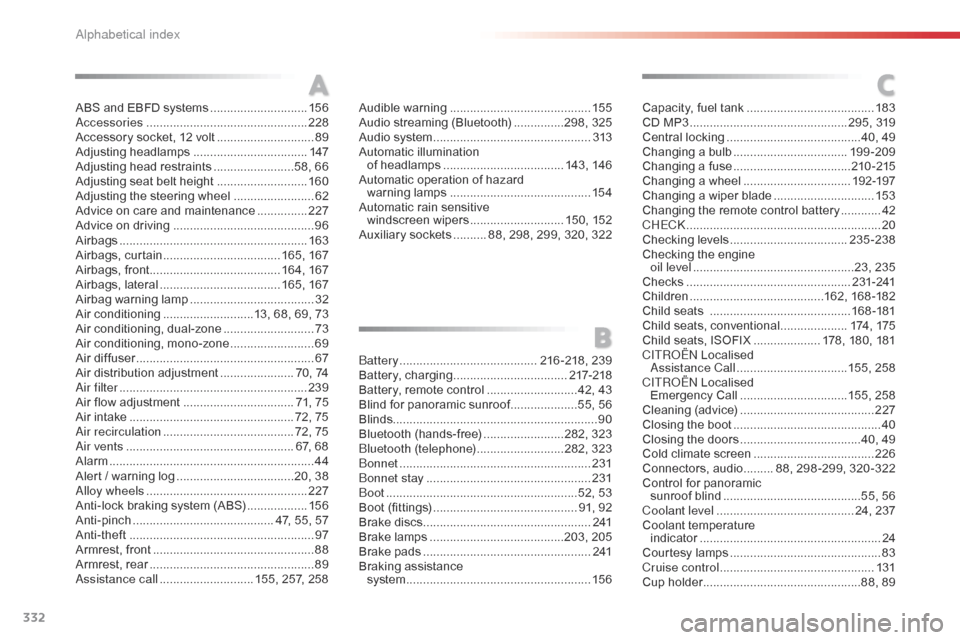
ABS and EBFD systems .............................15 6ac
cessories .............................. ..................228
Accessory socket, 12 volt
.............................89
A
djusting headlamps
.................................. 14
7
Adjusting head restraints
........................5
8, 66
Adjusting seat belt height
...........................16
0
Adjusting the steering wheel
........................62
A
dvice on care and maintenance
...............2
27
Advice on driving
..............................
............96
Airbags
...............
......................................... 163
Airbags, curtain
................................... 16
5, 167
Airbags, front....................................... 16 4, 167
Airbags, lateral
.................................... 16
5, 167
Airbag warning lamp
..................................... 32
A
ir conditioning
...........................1
3, 68, 69, 73
Air conditioning, dual-zone
........................... 73
A
ir conditioning, mono-zone
.........................69
A
ir diffuser
..................................................... 67
A
ir distribution adjustment
...................... 7
0, 74
ai
r filter
...............
......................................... 239
Air flow adjustment
................................. 7
1, 75
Air intake
...............
.................................. 72, 75
air
recirculation
....................................... 7
2, 75
ai
r vents
..............................
.................... 67, 68
Alarm
............................................................. 44
A
lert / warning log
...................................2
0, 38
al
loy wheels
................................................ 2
27
Anti-lock braking system (ABS)
..................15
6
Anti-pinch
.......................................... 4
7, 55, 57
Anti-theft
..............................
.........................97
Armrest, front
................................................ 88
A
rmrest, rear
................................................. 89as
sistance call
............................ 1
55, 257, 258 Capacity, fuel tank
.............................. ........183
CD MP3
................ ............................... 295, 319
Central locking
........................................4
0, 49
Changing a bulb
.................................. 19
9 -209
Changing a fuse
................................... 21
0 -215
Changing a wheel
...............................
.192-197
Changing a wiper blade
..............................15
3
Changing the remote control battery
............42
C
HEC
k ................
..........................................20
Checking levels
...................................23
5-238
Checking the engine oil level
...............
.................................23, 235
Checks
...............
..................................2 31- 2 41
Children
...............................
.........162, 168 -182
Child seats
..............................
............16 8 -181
Child seats, conventional
....................17
4, 175
Child seats, ISOFIX
.................... 1
78, 180, 181
C
ITR
oËn L
ocalised
as
sistance Call
.................................1
55, 258
C
ITR
oËn L
ocalised
Emergency Call
................................1
55, 258
Cleaning (advice)
........................................ 2
27
Closing the boot
...............................
.............40
Closing the doors
...............................
.....40, 49
Cold climate screen
....................................2
26
Connectors, audio
......... 8
8, 298 -299, 320 -322
Control for panoramic sunroof blind
.........................................5
5, 56
Coolant level
..............................
........... 24, 237
Coolant temperature indicator
...............................
.......................24
Courtesy lamps
.............................................83
C
ruise control
..............................................13
1
Cup holder
...............................
................88, 89
A
B
C
battery .........................................216 -218, 239
Battery, charging ............................... ...217-218
Battery, remote control
........................... 4
2, 43
Blind for panoramic sunroof
....................5
5, 56
Blinds ............................................................. 90
Bluetooth (hands-free)
........................2
82, 323
bl
uetooth (telephone)
..........................2
82, 323
bo
nnet
...............
.......................................... 231
bo
nnet stay
................................................. 2
31
b
oot
........
.................................................52, 53
Boot (fittings)
...............................
............ 91, 92
Brake discs
.................................................. 2
41
Brake lamps
...............................
.........203, 205
Brake pads
...............................
...................2 41
Braking assistance system
................
....................................... 15 6
Audible warning
..........................................
15
5
Audio streaming (Bluetooth)
...............2
98, 325
Audio system
...............................
................
313
Automatic illumination of headlamps
....................................
14
3, 146
Automatic operation of hazard warning lamps
.......................................... 15
4
Automatic rain sensitive windscreen wipers
............................ 15
0, 152
Auxiliary sockets
.......... 8
8, 298, 299, 320, 322
alphabetical index