2015 Citroen C4 steering
[x] Cancel search: steeringPage 170 of 494

168
C4-2_en_Chap09_conduite_ed01-2015
C4-2_en_Chap09_conduite_ed01-2015
Emergency switch-off
In the event of an emergency only, the e ngine c an b e s witched o f w ithout
c
onditions. To do this, press and hold
t
he "START/STOP" button for about
3
seconds.
In
this
case the steering column locks as soon
a
s
the
vehicle stops.
Electronic key not
recognised
If the electronic key is no longer in the recognition zone when driving or when you
(
later) request switching off the engine, a
m
essage is displayed.
F
P
ress and hold the " S TA R T/
STOP" button for about
3 seconds
if you want to force
s
witching off the engine (note
that restar ting will not be
possible without the key ).
Ignition on position
(without starting)
With the Keyless Entry and Starting key inside t
he vehicle, pressing the " START/STOP "
button, with no action on the pedals , allows
the
ignition to be switched on.
With
the ignition on, the system
a
utomatically goes into energy
e
conomy mode when required to
m
aintain the state of charge of the
b
attery.F
P
ress the "START/STOP"
button,
the instrument panel
c
omes on but the engine does
n
ot start.
F
P
ress the button again to switch off the
i
gnition and so allow the vehicle to be
lo
cked.
Driving
Page 181 of 494

179
C4-2_en_Chap09_conduite_ed01-2015
C4-2_en_Chap09_conduite_ed01-2015
Electronic gearbox
Six-speed electronic gearbox which offers a c
hoice between the comfort of fully automatic
o
peration or the pleasure of manual gear
c
hanging.
There
are two driving modes:
-
a
utomated
mode for automatic control
o
f the gears by the gearbox, without any
a
ction on the part of the driver
-
m
anual
mode for sequential gear changing
b
y the driver using the steering mounted
p
addles. R.
R
everse
F
W
ith your foot on the brake, lift the lever
an
d
p
ush
fo
rwards.
N.
N
eutral.
F
W
ith your foot on the brake, select this
p
osition to start.
A.
A
utomated mode.
F
M
ove the lever backwards to select this
m
ode.
M.
S
equential mode with manual gear
c
hanging.
F
M
ove the lever backwards then to the left
t
o select this mode, then use the steering
m
ounted control paddles to change gear.Gear lever
+. Change up paddle to the right of the s
teering w heel.
F
P
ress the back of the "+"
steering mounted
p
addle to change up a gear.
-.
C
hange down paddle to the left of the
s
teering
w
heel.
F
P
ress the back of the "-"
steering mounted
p
addle to change down a gear.
Steering mounted control paddles
In automated mode, you can temporarily take over control of gear changing.
The
steering mounted paddles cannot
b
e used to select neutral or to engage
o
r
d
isengage
r
everse
g
ear.
9
driving
Page 183 of 494

181
C4-2_en_Chap09_conduite_ed01-2015
C4-2_en_Chap09_conduite_ed01-2015
Automated mode
For optimum acceleration, for example when overtaking another vehicle, press the
a
ccelerator pedal firmly past the point of
r
esistance.
The
gearbox operates in auto-active mode,
w
ithout any action on the part of the driver.
It continuously selects the most suitable gear
fo
r:
-
o
ptimisation of fuel consumption,
-
t
he style of driving,
-
t
he profile of the road.
-
t
he vehicle load.
AUTO
and the gear engaged
a
ppear in the instrument panel
sc
reen.
ne
ver select neutral N while the vehicle
is
moving.
ne
ver select neutral N
w
hen
d
riving. You
can change mode at any time by
m
oving the gear lever from A to M or
the
other way round.
F
Sel
ect position A
.
Temporary control of gear
changing
You can temporarily take over control of g
ear changing using the "+" and "-"
steering
m
ounted paddles: if the engine speed allows,
t
he request to change gear is acted on.
This function allows you to anticipate certain
situations
such as overtaking a vehicle or the
a
pproach to a corner.
After
a few moments without any action on
t
he control paddles, the gearbox resumes
a
utomatic control of the gears.
Manual mode
The gears engaged appear in succession in the instrument panel
sc
reen.
The
gear
change requests are only acted on if
t
he
engine
speed permits.
It is not necessary to release the accelerator
during
gear
changes.
When
braking or slowing down, the gearbox
c
hanges
down automatically to allow the
v
ehicle
to
accelerate in the correct gear.
On
sharp
acceleration, the gearbox will not
c
hange
up
unless the driver acts on the gear
l
ever
or
the
steering mounted paddles.
F
Sel
ect position M
.
9
Driving
Page 193 of 494
191
C4-2_en_Chap09_conduite_ed01-2015
C4-2_en_Chap09_conduite_ed01-2015
The flashing and then fixed illumination of the under-inflation w
arning lamp accompanied by the
i
llumination of the service warning
l
amp indicates a fault with the system.
Operating fault
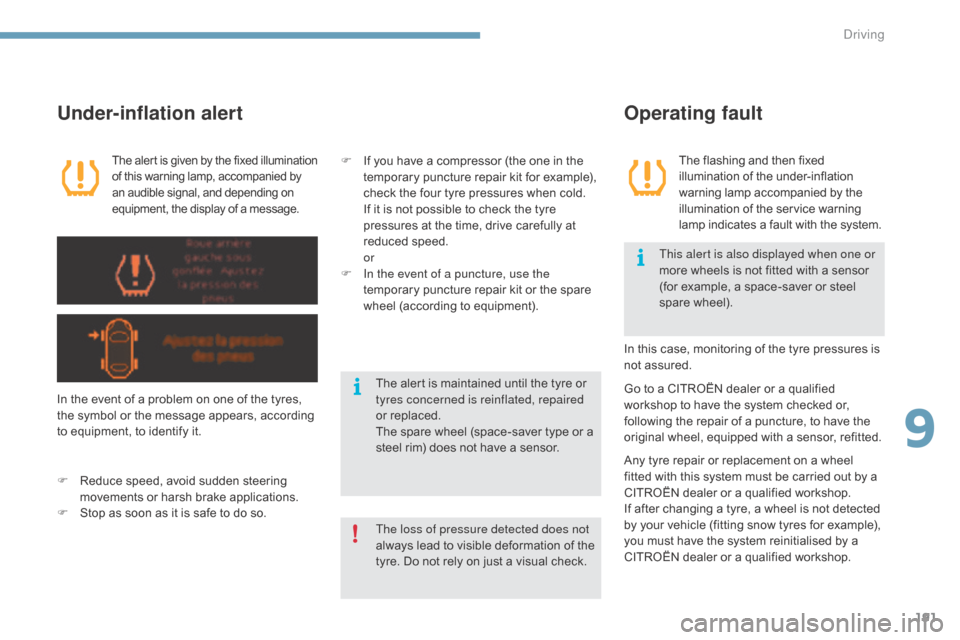
The aler t is given by the fixed illumination o
f this warning lamp, accompanied by a
n audible signal, and depending on
e
quipment, the display of a message.
Under-inflation alert
In the event of a problem on one of the tyres, the symbol or the message appears, according
t
o equipment, to identify it.
F
R
educe speed, avoid sudden steering
m
ovements or harsh brake applications.
F
S
top as soon as it is safe to do so. In
this case, monitoring of the tyre pressures is
n
ot assured.
F
I
f you have a compressor (the one in the
t
emporary puncture repair kit for example),
c
heck the four tyre pressures when cold.
I
f it is not possible to check the tyre
p
ressures at the time, drive carefully at
r
educed
s
peed.
or
F
I
n the event of a puncture, use the
temporary puncture repair kit or the spare
w
heel (according to equipment).
Go to a CITROËN dealer or a qualified w
orkshop to have the system checked or,
f
ollowing the repair of a puncture, to have the
o
riginal wheel, equipped with a sensor, refitted.
Any
tyre repair or replacement on a wheel
f
itted with this system must be carried out by a
C
ITROËN dealer or a qualified workshop.
If
after changing a tyre, a wheel is not detected
b
y your vehicle (fitting snow tyres for example),
y
ou must have the system reinitialised by a
C
ITROËN dealer or a qualified workshop.
The loss of pressure detected does not
always
lead to visible deformation of the
t
yre. Do not rely on just a visual check.This alert is also displayed when one or
more
wheels is not fitted with a sensor
(
for example, a space-saver or steel
spar
e
w
heel).
The alert is maintained until the tyre or t
yres concerned is reinflated, repaired
or
replaced.
The
spare wheel (space-saver type or a
s
teel rim) does not have a sensor.
9
Driving
Page 194 of 494

192
C4-2_en_Chap09_conduite_ed01-2015
C4-2_en_Chap09_conduite_ed01-2015
Stop & Start
Operation
Going into engine STOP mode
The "ECO" warning lamp comes on i
n the instrument panel and the engine g
oes into standby automatically:
-
w
ith a manual gearbox , at speeds below
12
m
ph
(
20
k
m/h),
o
r
v
ehicle
s
tationary
w
ith
P
ureTech 130 petrol and BlueHDi Diesel
v
ersions, when you put the gear lever into
n
eutral and release the clutch pedal,
If your vehicle is fitted with the
system,
a time counter calculates
t
he sum of the periods in STOP
m
ode during a journey. It resets
i
tself to zero every time the
i
gnition is switched on with the
k
ey or the "START/STOP" button.
-
w
ith an electronic gearbox , at a speed
below
5 mph (8 km/h), when you press
t
he
brake pedal or put the gear lever into
p
osition N .
Special cases: STOP mode
unavailable
STOP mode is not invoked when:
- t he vehicle is on a steep slope (up or
d
ow n),
-
t
he driver's door is open,
-
t
he driver's seat belt is not fastened,
-
t
he vehicle has not exceeded 6 mph
(
10 km/h) since the last engine start (using
t
he key or the " START/STOP" button),
-
t
he electric parking brake is applied or
be
ing
a
pplied,
-
t
he engine is needed to maintain a
c
omfortable temperature in the passenger
c
ompartment,
-
d
emisting is active,
-
s
ome special conditions (battery charge,
e
ngine temperature, braking assistance,
a
mbient temperature...) where the engine is
n
eeded to assure control of a system.
In this case, the "ECO"
warning lamp
f
lashes for a few seconds, then
goes
off.
This operation is perfectly normal.
The
Stop
&
Start system
puts
the
engine
temporarily
into
standby
-
STOP
mode
-
during
stops
in
the
traffic (red lights, traffic jams, or other...).
The
engine
restarts
automatically
-
START
mode
-
as
soon
as
you
want
to
move
off.
The
restart
takes
place instantly, quickly and silently.
Per fect
for
urban
use,
the
Stop
&
Start
system
reduces
fuel
consumption
and
exhaust
emissions
as
well
as the noise level when stationary.
Never
refuel
with
the
engine
in
STOP
m
ode;
you
must
switch
off
the
ignition
w
ith
the
key
or
the
"START/STOP"
b
utton.
With
an
electronic
gearbox,
for
your
c
omfort
during
parking
manoeuvres,
S
TOP
mode
is
not
available
for
a
few
s
econds
after
coming
out
of
reverse
g
e a r.
STOP
mode
does
not
affect
the
f
unctionality of the vehicle, such as
braking,
power
steering,
for
example.
driving
Page 203 of 494

201
C4-2_en_Chap09_conduite_ed01-2015
C4-2_en_Chap09_conduite_ed01-2015
The programmed information is grouped together in the instrument panel screen.
6.
S
peed limiter on / off indication.
7.
S
peed limiter mode selection indication.
8.
P
rogrammed speed value.
9.
S
election of a memorised speed.
Displays in the instrument panel
Speed limiter
The functions of this system are grouped together on the steering mounted controls.
1.
S
peed limiter mode selection wheel.
2.
P
rogrammed value decrease button.
3.
P
rogrammed value increase button.
4.
S
peed limiter on / off button.
5.
L
ist of memorised speeds display button.
Steering mounted controls
Operation
System which prevents the vehicle from exceeding the speed programmed by the driver.
W hen the programmed speed limit is reached, pressing the accelerator pedal no longer has any
ef
fect.
The
speed limiter is switched on
m
anually:
i
t requires a programmed speed of at least
2
0 mph (30 km/h).
The
speed limiter is switched off
by manual
o
peration of the control.
The
programmed speed can be exceeded
t
emporarily by pressing the accelerator firmly
b
eyond the point of resistance.
To
return to the programmed speed, simply
r
elease the accelerator pedal.
The
p
rogrammed
s
peed
r
emains
i
n
t
he
m
emory
w
hen the ignition is switched off.
The speed limiter cannot, in any circumstances, replace the need to observe speed limits, nor can it r
eplace the need for vigilance on the part of the driver.
9
Driving
Page 205 of 494

203
C4-2_en_Chap09_conduite_ed01-2015
C4-2_en_Chap09_conduite_ed01-2015
Cruise control
The functions of this system are grouped together on the steering mounted controls.
1.
C
ruise control mode selection dial.
2.
S
peed programming / value decrease
b
utton.
3.
S
peed programming / value increase
b
utton.
4.
C
ruise control off / resume button.
5.
M
emorised speeds display button.
Steering mounted controls
The programmed information is grouped together in the instrument panel screen.
6.
C
ruise control off / resume indication.
7.
C
ruise control mode selection indication.
8.
P
rogrammed speed value.
9.
S
electing a stored speed.
Displays in the instrument panel
The cruise control is switched on m anually: it r
equires a minimum vehicle speed of 25 mph
(
40 km/h) and engagement of:
-
f
ourth gear on the manual gearbox,
-
s
econd gear on the electronic gearbox
s
ystem or automatic gearbox, in sequential
d
riving mode,
-
position A
on the electronic gearbox
s
ystem or D on an automatic gearbox.
The cruise control is switched off
m
anually
o
r by pressing the brake or clutch pedal or on
t
riggering of the trajectory control systems, for
s
afety reasons.
It
is possible to exceed the programmed speed
t
emporarily by pressing the accelerator pedal.
To
return to the programmed speed, simply
r
elease the accelerator pedal.
Switching
off the ignition cancels any
p
rogrammed speed value.
The cruise control system cannot, in any circumstances, replace the need to observe speed limits, nor can it r
eplace the need for vigilance on the part of the driver.
You
are advised to keep your feet near the pedals at
a
ll times.
System which automatically maintains the speed of the vehicle at the value programmed by the driver, without any action on the accelerator pedal.
Operation
9
driving
Page 218 of 494

216
C4-2_en_Chap10_verification_ed01-2015
C4-2_en_Chap10_verification_ed01-2015
Topping up the engine oil level
Refer to the "Petrol engine" or "Diesel engine" section for the location of the oil filler cap in the
engine
compartment of your vehicle.
F
U
nscrew the oil filler cap to reveal the filler
a
perture.
F
A
dd oil in small quantities, avoiding any
s
pills on engine components (risk of fire).
F
W
ait a few minutes before checking the
l
evel again using the dipstick.
F
A
dd more oil if necessary.
F
A
fter checking the level, carefully refit the
o
il filler cap and the dipstick in its tube.
After
topping up the oil, the check when
s
witching on the ignition with the oil level
i
ndicator in the instrument panel is not valid
d
uring the 30 minutes after topping up.
Engine oil change
Refer to the manufacturer's service schedule for details of the interval for this operation.
In
order to maintain the reliability of the engine
a
nd emission control system, never use
a
dditives in the engine oil.
Brake fluid level
Changing the fluid
Refer to the manufacturer's service schedule for details of the interval for this operation.
Fluid specification
The brake fluid must conform to the manufacturer's r ecommendations.
The
brake fluid level should be close
t
o the "MA X" mark. If it is not, check
t
he brake pad wear.
Power steering
fluid level
The power steering fluid level should b
e close to the "MA X" mark. With the e
ngine cold, unscrew the cap to check
t
he level.
Checks