2015 Citroen C3 touch
[x] Cancel search: touchPage 68 of 401

66
Window controlsThe one-touch type has a system which provides protection if an obstacle is detected and there is a deactivation system to prevent misuse of the rear
switches on all models.
1.
D
river's electric window.
2.
P
assenger's electric window.
3.
R
ear right electric window.
4.
R
ear left electric window.
5.
D
eactivating the rear electric window and
door switches.
D
eactivation of the rear electric window
controls.
Electric windowsF Press or pull the switch. The window stops as soon as the
switch is released.
One-touch electric windows
There are two methods of
operation:
-
m
anual mode
F
P
ress or pull the switch gently. The
window stops as soon as the switch is
released.
-
a
utomatic mode
F
P
ress or pull the switch fully. The window
opens or closes completely when the
switch is released.
F
P
ressing or pulling the switch again
stops the movement of the window.
The electric window switches
remain operational for approximately
45
seconds after the ignition is switched
off or until a front door is opened.
During this period of 45 seconds, if you
open a door while opening a window,
the window stops. The ignition must
then be switched on again to operate
the windows.
Access
Page 69 of 401

67
Safety anti-pinch
The one-touch front electric windows are fitted
with a safety anti-pinch function.
When the window rises and meets an obstacle,
it stops and partially lowers again.
Deactivating the rear window and
door switches
F For the safety of your children, press switch 5 to prevent operation of the rear
windows irrespective of their position.
With the indicator lamp on, the rear controls are
deactivated.
With the indicator lamp off, the rear controls are
operational.
Reinitialisation
In the event of a malfunction you have to
reinitialise the operation of the electric windows:
F
r
elease the switch and pull it again until the
window closes completely,
F
h
old the switch for approximately
one
second after closing,
F
p
ress the switch to lower the window
automatically.
The safety anti-pinch function is not active
during these operations.
In the event of unwanted opening of the
window on closing (for example in the
presence of frost):
F
p
ress the switch beyond the point of
resistance and then release it: the
window opens completely,
F
t
hen pull it immediately without
passing the point of resistance until
the window closes completely,
F
c
ontinue to hold the switch for
approximately one second after the
window has closed.
The safety anti-pinch function is not
active during these operations. Always remove the key from the ignition
when leaving the vehicle, even for a
short time.
In the event of contact during operation
of the windows, reverse the movement
of the window. To do this, press the
switch concerned.
When the driver operates the
passenger electric window switches,
they should ensure that no one is
preventing correct closing of the
windows.
The driver should ensure that
passengers use the electric windows
c o r r e c t l y.
Be particularly aware of children when
operating the windows.
This control also deactivates the interior
rear door controls* (refer to the "Child
safety - Electric child lock" section).
*
d
ep
ending on country.
4
Access
Page 92 of 401

90
Child seat at the rear
Rearward facing
When a rear ward facing child seat is installed
on a rear passenger seat, move the vehicle's
front seat for wards and straighten the backrest
so that the rear ward facing child seat does not
touch the vehicle's front seat.
Forward facing
When a for ward facing child seat is installed
on a rear passenger seat , move the vehicle's
front seat for wards and straighten the backrest
so that the legs of the child in the for ward
facing child seat do not touch the vehicle's front
seat.
Ensure that the seat belt is correctly
tensioned.
For child seats with a support leg,
ensure that this is in firm contact with
the floor. If necessary, adjust the front
seat of the vehicle.
Centre rear seat
A child seat with a support leg must never be
installed on the centre rear passenger seat .
Child safety
Page 103 of 401

101
The chest part of the seat belt must be
positioned on the child's shoulder without
touching the neck.
Ensure that the lap part of the seat belt
passes correctly over the child's thighs.
CITR
oËn
recommends the use of a booster
seat which has a back, fitted with a seat belt
guide at shoulder level.
as a s
afety precaution, do not leave:
-
a c
hild or children alone and
unsupervised in a vehicle,
-
a c
hild or an animal in a vehicle which
is exposed to the sun, with the windows
closed,
-
t
he keys within reach of children inside
the vehicle.
To prevent accidental opening of the doors
and rear windows, use the child lock.
Take care not to open the rear windows by
more than one third.
To protect young children from the rays of
the sun, fit side blinds on the rear windows.
Children at the front Installing a booster
seat
The legislation on carrying children on the
front passenger seat is specific to each
country. Refer to the legislation in force in
your country.
Deactivate the passenger airbag when a
rear ward facing child seat is installed on the
front seat.
Otherwise, the child risks being seriously
injured or killed if the airbag is deployed.For optimum installation of the forward facing
child seat, ensure that the back of the child
seat is as close as possible to the backrest
of the vehicle's seat, in contact if possible.
You mst remove the head restraint before
installing a child seat with backrest to a
passenger seat.
Ensure that the head restraint is stored or
attached securely to prevent it from being
thrown around the vehicle in the event of
sharp braking. Refit the head restraint when
the child seat is removed.
The incorrect installation of a child seat in a
vehicle compromises the child's protection in
the event of an accident.
Ensure that there is no seat belt or seat belt
buckle under the child seat, as this could
destabilise it.
Remember to fasten the seat belts or the
child seat harnesses keeping the slack
relative to the child's body to a minimum,
even for short journeys.
When installing a child seat using the seat
belt, ensure that the seat belt is tightened
correctly on the child seat and that it secures
the child seat firmly on the seat of your
vehicle. If your passenger seat is adjustable,
move it for wards if necessary.
At rear seating positions, always leave
sufficient space between the front seat and:
-
a r
ear ward facing child seat,
-
t
he child's feet for a child seat fitted
forward facing.
To do this, move the front seat for wards
and, if necessary, move its backrest into the
upright position.
advice on child seats
7
Child safety
Page 109 of 401

107
Reinitialisation of the system must be done with the ignition on and the vehicle stationary:
- i n the vehicle configuration menu for vehicle fitted with a display screen,
-
u
sing the button on the dashboard, for vehicles without display screen.
Monochrome screen A
F Press the MENU button for access to the
main menu.
F
P
ress the " 5" or " 6" button to select
the menu Veh conf ig , then confirm by
pressing the button OK.
F
P
ress the " 5" or " 6" button to select the
" Reinit inflat ", menu, then confirm by
pressing the OK button.
a message is displayed to confirm the
instruction.
F
C
onfirm by pressing the OK button.
Monochrome screen C
F Press the MENU button for access to the
main menu.
F
P
ress the " 5" or " 6" button to select the
" Personalisation-configuration " menu,
then confirm by pressing the OK button.
F
P
ress the " 5" or " 6" button to select the
" Define vehicle parameters " menu, then
confirm by pressing the OK button.
F
P
ress the " 5" or " 6" button to select
the " Tyre pressures " menu, then the
" Reinitialisation " menu, then confirming
by pressing the OK button.
a
m
essage confirms the reinitialisation.
Touch screen tablet
F Press the MENU button.
F Sel ect the " Driving" menu.
F
I
n the secondary page, select " Under-
inflation initialisation ".
a
message is displayed to confirm the
reinitialisation instruction.
F
Sel
ect "Ye s" or " No", then confirm.
a
m
essage confirms the reinitialisation.
8
Safety
Page 131 of 401

129
Automatic operation
F Select position D for automatic changing
of the four gears.
The gearbox then operates in auto-adaptive
mode, without any intervention on the part
of the driver. It continuously selects the most
suitable gear according to the style of driving,
the profile of the road and the load in the
vehicle.
For maximum acceleration without touching
the selector, press the accelerator pedal down
fully (kick down). The gearbox changes down
automatically or maintains the gear selected
until the maximum engine speed is reached.
On braking, the gearbox changes down
automatically to provide efficient engine
braking.
If you release the accelerator sharply, the
gearbox will not change to a higher gear for
safety reasons.
Sport and snow programmes
Sport programme "S"
F Press button "S" , after starting the engine.
The gearbox automatically favours a dynamic
style of driving.
Snow programme " T"
F Press button " T", after starting the engine.
The gearbox adapts to driving on slippery
roads.
This programme improves starting and drive
when traction is poor. S appears in the instrument panel.
T appears in the instrument panel.
ne
ver select position N while the
vehicle is moving.
ne
ver select positions P or R unless the
vehicle is completely stationary. These two special programmes supplement the
automatic operation in very specific conditions
of use.
Return to standard
automatic operation
F at any time, press the button selected
again to quit the programme engaged and
return to auto-adaptive mode.
9
Driving
Page 180 of 401

178
Changing a bulb
1. Direction indicators (PY21W amber).
2. Sidelamps (W5W).
3.
M
ain beam headlamps (H1-55W).
4.
D
ipped beam headlamps (H7-55W).
5.
L
ED daytime running lamps.
6.
F
ront foglamps (PSX24W).
Front lampsThe headlamps are fitted with
polycarbonate glass with a protective
coating:
F
d
o not clean them using a dr y
or abrasive cloth, nor with a
detergent or solvent product,
F
u
se a sponge and soapy water or a
pH neutral product,
F
w
hen using a high pressure washer
on persistent marks, do not keep
the lance directed towards the
lamps or their edges for too long,
so as not to damage their protective
coating and seals. Changing a bulb should only be done
after the headlamp has been switched
off for several minutes (risk of serious
burns).
F
D
o not touch the bulb directly with
your fingers, use a lint-free cloth.
It is imperative to use only anti-
ultraviolet (UV) type bulbs to avoid
damaging the headlamp.
Always replace a failed bulb with a
new bulb with the same type and
specification.
Practical information
Page 219 of 401
217
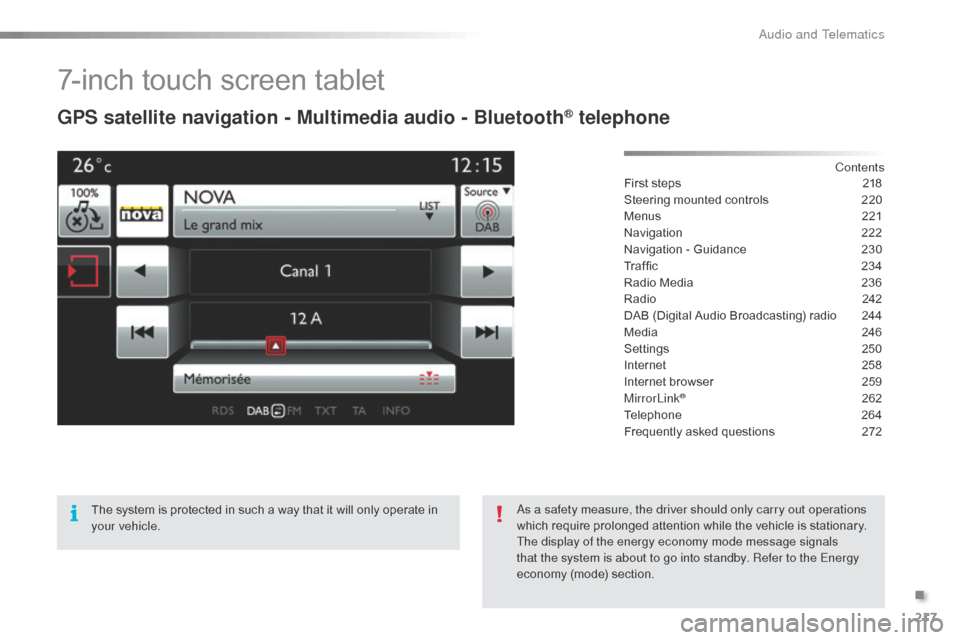
7-inch touch screen tablet
GPS satellite navigation - Multimedia audio - Bluetooth® telephone
Contents
First steps
2 18
Steering mounted controls
2
20
Menus
2
21
Navigation
2
22
Navigation - Guidance
2
30
Traffic
23
4
Radio Media
2
36
Radio
2
42
DAB (Digital Audio Broadcasting) radio
2
44
Media
2
46
Settings
2
50
Internet
2
58
Internet browser
2
59
MirrorLink
® 262
Telephone
2
64
Frequently asked questions
2
72
The system is protected in such a way that it will only operate in
your vehicle.
as a s
afety measure, the driver should only carry out operations
which require prolonged attention while the vehicle is stationary.
The display of the energy economy mode message signals
that the system is about to go into standby. Refer to the Energy
economy (mode) section.
.
Audio and Telematics