Page 444 of 726
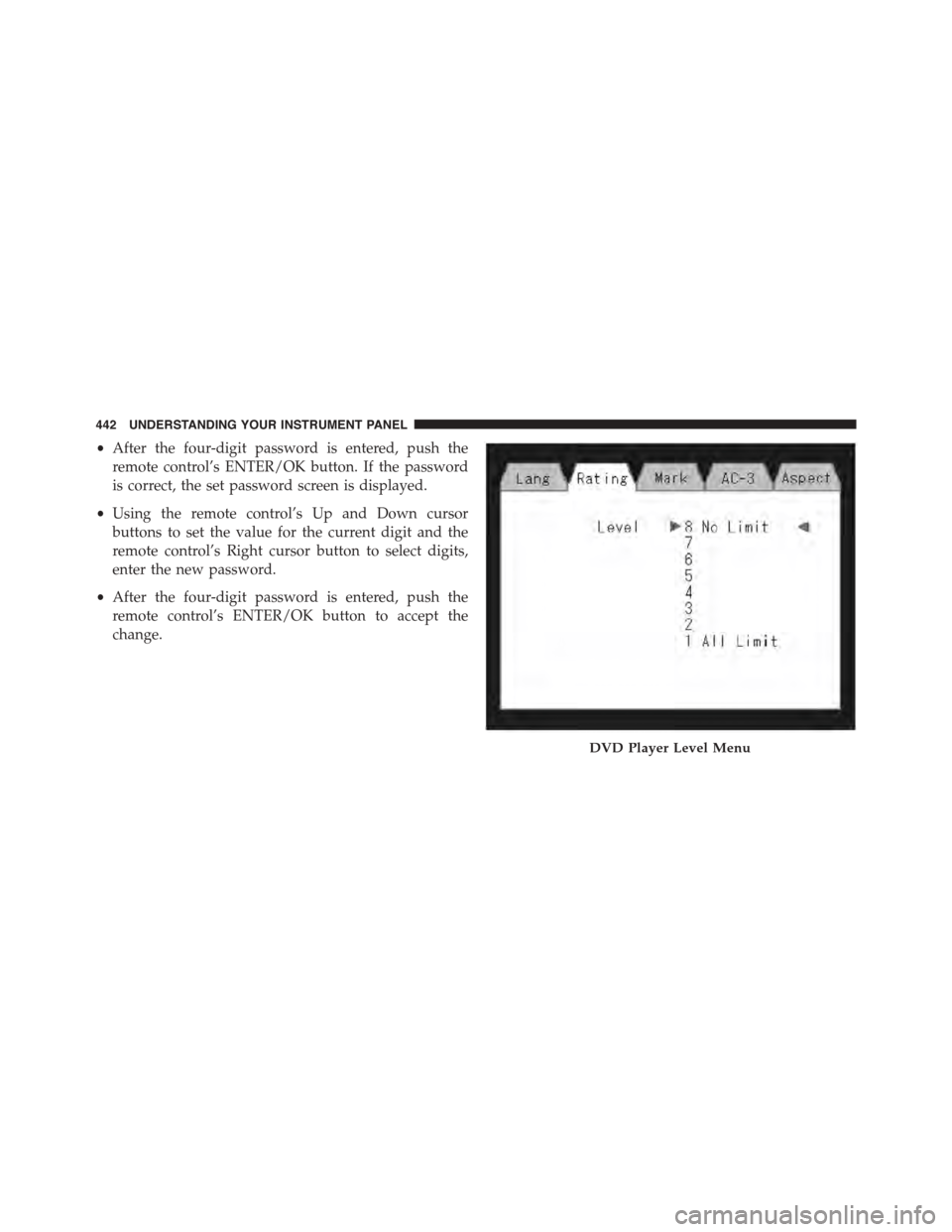
•After the four-digit password is entered, push the
remote control’s ENTER/OK button. If the password
is correct, the set password screen is displayed.
•Using the remote control’s Up and Down cursor
buttons to set the value for the current digit and the
remote control’s Right cursor button to select digits,
enter the new password.
•After the four-digit password is entered, push the
remote control’s ENTER/OK button to accept the
change.
DVD Player Level Menu
442 UNDERSTANDING YOUR INSTRUMENT PANEL
Page 450 of 726
The button located in the center of the left-hand switch
will tune to the next preset station that you have pro-
grammed in the radio preset push-button.
CD Player
Pushing the top of the switch once will go to the next
track on the CD. Pushing the bottom of the switch once
will go to the beginning of the current track, or to the
beginning of the previous track if it is within one second
after the current track begins to play.
If you push the switch up or down twice it plays the
second track; three times, it will play the third, etc.
The button in the center of the left-hand switch has no
function in this mode.
CD/DVD/Blu-ray™ Disc MAINTENANCE
To keep a CD/DVD/Blu-ray™ Disc in good condition,
take the following precautions:
1. Handle the disc by its edge; avoid touching the
surface.
2. If the disc is stained, clean the surface with a soft cloth,
wiping from center to edge.
3. Do not apply paper or tape to the disc; avoid scratch-
ing the disc.
4. Do not use solvents such as benzene, thinner, cleaners,
or anti-static sprays.
5. Store the disc in its case after playing.
6. Do not expose the disc to direct sunlight.
7. Do not store the disc where temperatures may become
too high.
448 UNDERSTANDING YOUR INSTRUMENT PANEL
Page 451 of 726
NOTE:If you experience difficulty in playing a particular
disc, it may be damaged (i.e., scratched, reflective coating
removed, a hair, moisture or dew on the disc) oversized,
or have protection encoding. Try a known good disc
before considering disc player service.
RADIO OPERATION AND MOBILE PHONES
Under certain conditions, the mobile phone being on in
your vehicle can cause erratic or noisy performance from
your radio. This condition may be lessened or eliminated
by relocating the mobile phone antenna. This condition is
not harmful to the radio. If your radio performance does
not satisfactorily “clear” by the repositioning of the
antenna, it is recommended that the radio volume be
turned down or off during mobile phone operation when
not using Uconnect® (if equipped).
General Information
This device complies with Part 15 of the FCC rules and
RSS 210 of Industry Canada. Operation is subject to the
following conditions:
•Changes or modifications not expressly approved by
the party responsible for compliance could void the
user’s authority to operate the equipment.
•This device may not cause harmful interference.
•This device must accept any interference received,
including interference that may cause undesired op-
eration.
CLIMATE CONTROLS
The Climate Control system allows you to regulate the
temperature, amount, and direction of air circulating
throughout the vehicle. The controls are located on the
instrument panel, below the radio.
4
UNDERSTANDING YOUR INSTRUMENT PANEL 449
Page 708 of 726
Corrosion Protection.......................655
Cupholders.............................287
Customer Assistance.......................693
Data Recorder, Event.......................100
Daytime Running Lights....................233
Dealer Service............................631
Defroster, Windshield......................129
Delay (Intermittent) Wipers..................241
Diagnostic System, Onboard.................628
Dimmer Control..........................234
Dipsticks
Automatic Transmission..................654
Oil (Engine)...........................632
Power Steering.........................500
Disabled Vehicle Towing....................621
Disposal
Antifreeze (Engine Coolant)................649
Door Locks
Door Locks............................36
Key Fob . . . . . . . . . . . . . . . . . . . . . . . . . . . . . . .36
Remote...............................36
Remote Keyless Entry (RKE)................36
Door Opener, Garage.......................268
Driving
Through Flowing, Rising, or Shallow Standing
Water................................497
Driving to Achieve Maximum Fuel Economy......348
DVD Player (Video Entertainment System™)......397
E-85 Fuel...............................556
Economy (Fuel) Mode......................486
Electrical Power Outlets.....................281
Electric Remote Mirrors.....................143
Electronic Brake Control System...............504
Brake Assist System.....................508
Electronic Speed Control (Cruise Control)........248
706 INDEX