2015 CHEVROLET VOLT charging
[x] Cancel search: chargingPage 232 of 387
Black plate (47,1)Chevrolet VOLT Owner Manual (GMNA-Localizing-U.S./Canada-7695131) -
2015 - crc - 4/25/14
Driving and Operating 9-47
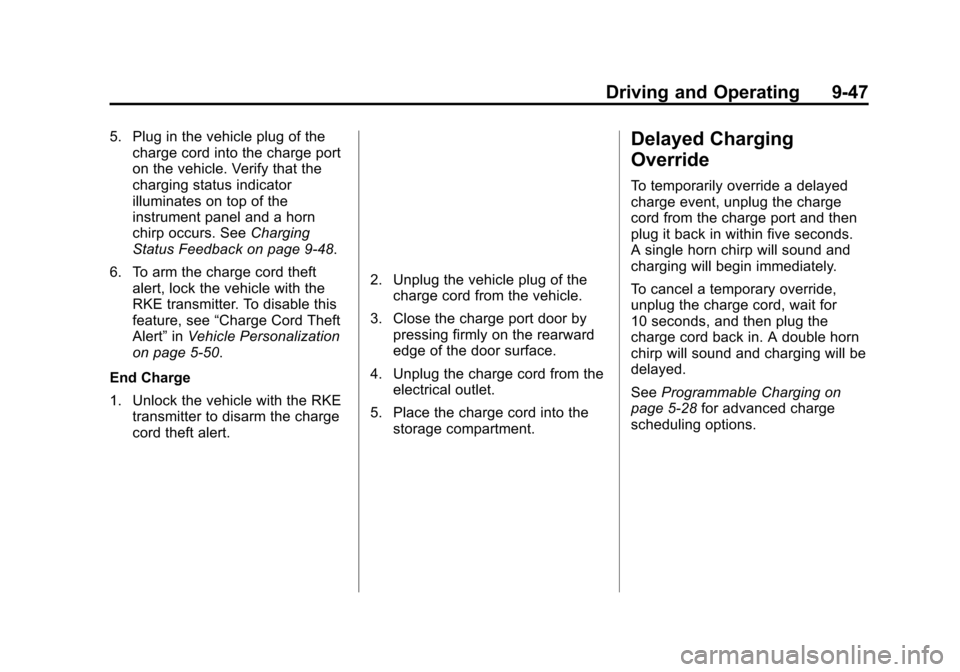
5. Plug in the vehicle plug of thecharge cord into the charge port
on the vehicle. Verify that the
charging status indicator
illuminates on top of the
instrument panel and a horn
chirp occurs. See Charging
Status Feedback on page 9-48.
6. To arm the charge cord theft alert, lock the vehicle with the
RKE transmitter. To disable this
feature, see “Charge Cord Theft
Alert” inVehicle Personalization
on page 5-50.
End Charge
1. Unlock the vehicle with the RKE transmitter to disarm the charge
cord theft alert.
2. Unplug the vehicle plug of thecharge cord from the vehicle.
3. Close the charge port door by pressing firmly on the rearward
edge of the door surface.
4. Unplug the charge cord from the electrical outlet.
5. Place the charge cord into the storage compartment.
Delayed Charging
Override
To temporarily override a delayed
charge event, unplug the charge
cord from the charge port and then
plug it back in within five seconds.
A single horn chirp will sound and
charging will begin immediately.
To cancel a temporary override,
unplug the charge cord, wait for
10 seconds, and then plug the
charge cord back in. A double horn
chirp will sound and charging will be
delayed.
See Programmable Charging on
page 5-28 for advanced charge
scheduling options.
Page 233 of 387

Black plate (48,1)Chevrolet VOLT Owner Manual (GMNA-Localizing-U.S./Canada-7695131) -
2015 - crc - 4/25/14
9-48 Driving and Operating
Charging Status
Feedback
The vehicle has a Charging Status
Indicator (CSI) at the center of the
instrument panel near the
windshield. When the vehicle is
plugged in and the vehicle power is
off, the CSI indicates the following:
.Solid Green–Vehicle is plugged
in. Battery is not fully charged.
Battery is charging.
.Long Flashing Green –Vehicle
is plugged in. Battery is not fully
charged. Battery charging is
delayed.
.Short Flashing Green –Vehicle
is plugged in. Battery is fully
charged.
.Solid Yellow –Vehicle is plugged
in. It is normal for the CSI to turn
yellow for a few seconds after
plugging in a compatible charge
cord. The solid yellow may be
extended depending on the
vehicle and if there is a total
utility interruption via OnStar.
See Utility Interruption of
Charging on page 9-52. This
may also indicate that the
charging system has detected a
fault and will not charge the
battery. See “Charge Cord
Status Indicators” in the charge
cord user guide.
The system may be thermally
conditioning the battery during any
of the states above, requiring
electrical energy to be transferred to
the vehicle. If the vehicle is plugged in and
vehicle power is on, the CSI will be
on solid green. The same is true
during a remote start if the vehicle is
plugged in.
If the vehicle is plugged in and the
CSI is off, a total utility interruption
using OnStar or a charging fault has
been detected. See
Utility
Interruption of Charging on
page 9-52 or“Charge Cord Status
Indicators” in the charge cord user
guide.
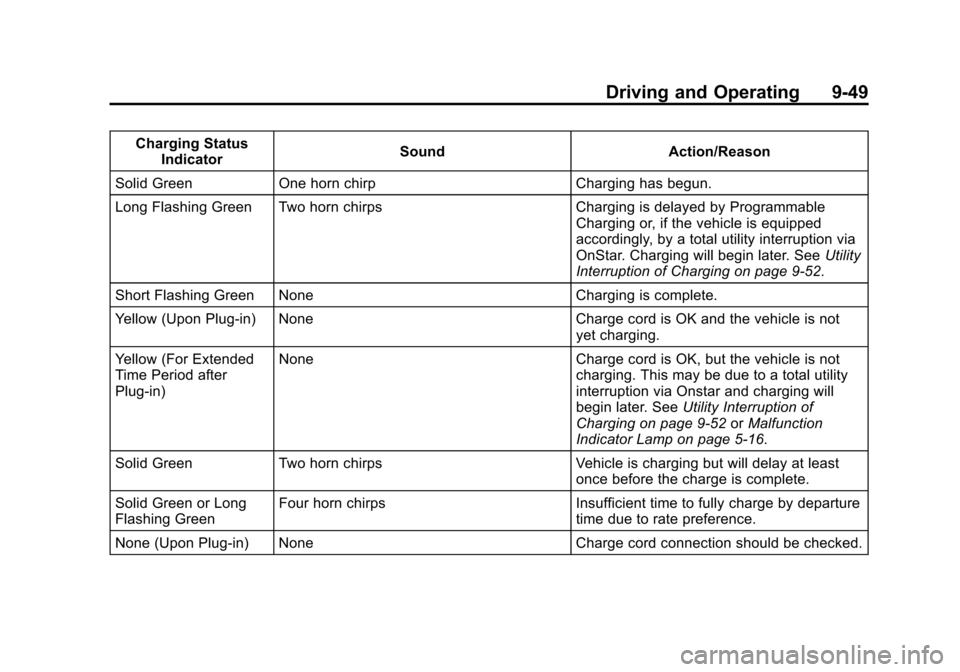
This chart indicates vehicle
feedback when the charge cord is
plugged in.
Page 234 of 387
Black plate (49,1)Chevrolet VOLT Owner Manual (GMNA-Localizing-U.S./Canada-7695131) -
2015 - crc - 4/25/14
Driving and Operating 9-49
Charging StatusIndicator Sound
Action/Reason
Solid Green One horn chirp Charging has begun.
Long Flashing Green Two horn chirps Charging is delayed by Programmable
Charging or, if the vehicle is equipped
accordingly, by a total utility interruption via
OnStar. Charging will begin later. See Utility
Interruption of Charging on page 9-52.
Short Flashing Green None Charging is complete.
Yellow (Upon Plug-in) None Charge cord is OK and the vehicle is not
yet charging.
Yellow (For Extended
Time Period after
Plug-in) None
Charge cord is OK, but the vehicle is not
charging. This may be due to a total utility
interruption via Onstar and charging will
begin later. See Utility Interruption of
Charging on page 9-52 orMalfunction
Indicator Lamp on page 5-16.
Solid Green Two horn chirps Vehicle is charging but will delay at least
once before the charge is complete.
Solid Green or Long
Flashing Green Four horn chirps
Insufficient time to fully charge by departure
time due to rate preference.
None (Upon Plug-in) None Charge cord connection should be checked.
Page 235 of 387

Black plate (50,1)Chevrolet VOLT Owner Manual (GMNA-Localizing-U.S./Canada-7695131) -
2015 - crc - 4/25/14
9-50 Driving and Operating
Charging StatusIndicator Sound
Action/Reason
None (After Green or
Yellow CSI Indication
Observed) None
Charge cord connection should be checked.
If connection is good, this may be due to a
total utility interruption via OnStar and
charging will begin later. See Utility
Interruption of Charging on page 9-52 or
Malfunction Indicator Lamp on page 5-16.
None Repeated horn chirps
To disable this feature, see “Charge Power
Loss Alert” inVehicle Personalization on
page 5-50.
To stop this alert, do one of the following:
.Unplug the charge cord.
.PressKon the RKE transmitter.
.Press and hold7on the RKE
transmitter, then press again to stop the
panic alarm.
.Press the horn pad. Electricity was interrupted before charging
was complete.
Page 236 of 387
Black plate (51,1)Chevrolet VOLT Owner Manual (GMNA-Localizing-U.S./Canada-7695131) -
2015 - crc - 4/25/14
Driving and Operating 9-51
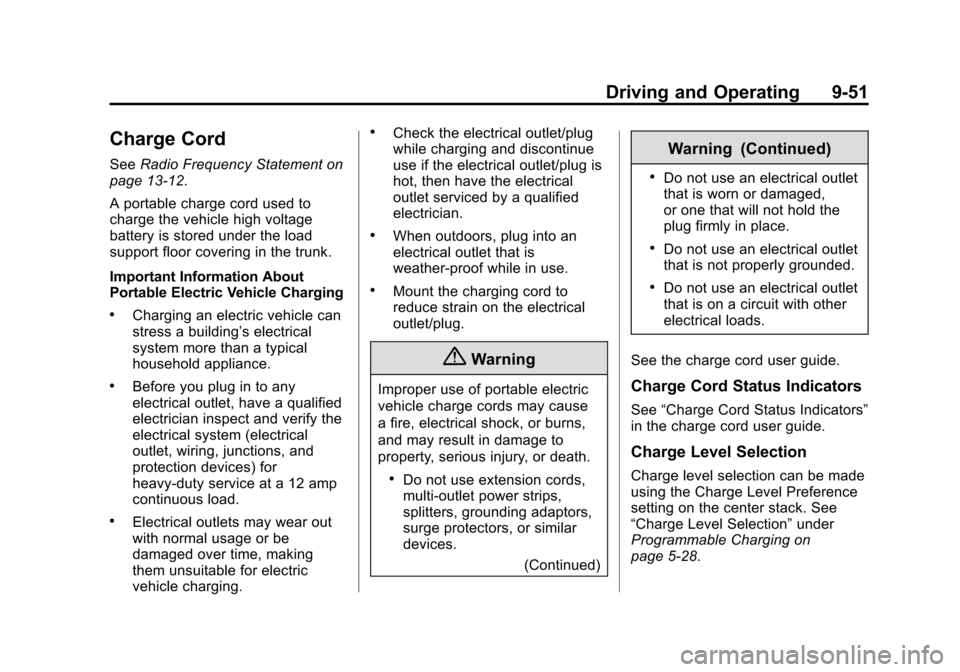
Charge Cord
SeeRadio Frequency Statement on
page 13-12.
A portable charge cord used to
charge the vehicle high voltage
battery is stored under the load
support floor covering in the trunk.
Important Information About
Portable Electric Vehicle Charging
.Charging an electric vehicle can
stress a building’ s electrical
system more than a typical
household appliance.
.Before you plug in to any
electrical outlet, have a qualified
electrician inspect and verify the
electrical system (electrical
outlet, wiring, junctions, and
protection devices) for
heavy-duty service at a 12 amp
continuous load.
.Electrical outlets may wear out
with normal usage or be
damaged over time, making
them unsuitable for electric
vehicle charging.
.Check the electrical outlet/plug
while charging and discontinue
use if the electrical outlet/plug is
hot, then have the electrical
outlet serviced by a qualified
electrician.
.When outdoors, plug into an
electrical outlet that is
weather-proof while in use.
.Mount the charging cord to
reduce strain on the electrical
outlet/plug.
{Warning
Improper use of portable electric
vehicle charge cords may cause
a fire, electrical shock, or burns,
and may result in damage to
property, serious injury, or death.
.Do not use extension cords,
multi-outlet power strips,
splitters, grounding adaptors,
surge protectors, or similar
devices.
(Continued)
Warning (Continued)
.Do not use an electrical outlet
that is worn or damaged,
or one that will not hold the
plug firmly in place.
.Do not use an electrical outlet
that is not properly grounded.
.Do not use an electrical outlet
that is on a circuit with other
electrical loads.
See the charge cord user guide.
Charge Cord Status Indicators
See “Charge Cord Status Indicators”
in the charge cord user guide.
Charge Level Selection
Charge level selection can be made
using the Charge Level Preference
setting on the center stack. See
“Charge Level Selection” under
Programmable Charging on
page 5-28.
Page 237 of 387

Black plate (52,1)Chevrolet VOLT Owner Manual (GMNA-Localizing-U.S./Canada-7695131) -
2015 - crc - 4/25/14
9-52 Driving and Operating
{Warning
Using a charge level that exceeds
the electrical circuit or electrical
outlet capacity may start a fire or
damage the electrical circuit. Use
the lowest charge level until a
qualified electrician inspects your
electrical circuit capacity. Use the
lowest charge level if the
electrical circuit or electrical outlet
capacity is not known.
Utility Interruption of
Charging
For participating customers using
AC charging, this vehicle will
respond to remote requests via
OnStar to limit or completely block
electrical power grid usage for brief
time periods. A utility interruption of
charging may increase AC vehicle
charge times, but will not affect DC
charge times.When electrical grid power is
completely blocked, the vehicle will
delay charging until the utility
interruption has expired. The vehicle
should be left plugged in so that,
when the utility interruption expires,
the vehicle can automatically begin
charging.
Changing the charge mode to
Immediate or performing a delayed
charging override will not disable a
utility interruption.
A pop-up will appear in the center
stack display during the key cycle
following any utility interruption. See
“Charging Override/Interruption
Pop-up”
underProgrammable
Charging on page 5-28.
Text will be displayed on the
instrument cluster indicating that a
utility interruption has occurred. See
Instrument Cluster on page 5-8.
Electrical Requirements
for Battery Charging
This vehicle is capable of being
charged with most standard vehicle
charging equipment complying to
one or more of the following:
.SAE J1772
.SAE J2847-2
.IEC 61851-1
.IEC 61851-22
.IEC 61851-23
.IEC 61851-24
.IEC 62196-1
.IEC 62196-2
.IEC 62196-3
.ISO 15118
The following are the minimum
requirements for circuits used to
charge this vehicle:
.120 volts/15 amps
.240 volts/20 amps
Page 238 of 387

Black plate (53,1)Chevrolet VOLT Owner Manual (GMNA-Localizing-U.S./Canada-7695131) -
2015 - crc - 4/25/14
Driving and Operating 9-53
Charging equipment with a rating of
at least 240 volts/20 amps will
provide the fastest charging time
and best charging efficiency to
recharge the high voltage battery.
240 volt/40 amp circuits provide
flexibility for future vehicle charging
needs. Always follow the charging
equipment installation instructions.
Contact your dealer for more
information.
{Caution
Do not use portable or stationary
backup generating equipment to
charge the vehicle. This may
cause damage to the vehicle's
charging system. Only charge the
vehicle from utility supplied
power.
Fuel
Use of the recommended fuel is an
important part of the proper
maintenance of this vehicle. When
driving in the U.S. and Canada, to
help keep the engine clean and
maintain optimum vehicle
performance, we recommend TOP
TIER Detergent Gasolines. See
www.toptiergas.com for a list of TOP
TIER Detergent Gasolines.
Use premium unleaded gasoline
meeting ASTM specification D4814
with a posted octane rating of 91 orhigher. If the octane is less than 91,
damage to the engine may occur
and may void the vehicle warranty.
If heavy knocking is heard when
using gasoline rated at 91 octane or
higher, the engine needs service.
Use of Seasonal Fuels
Use summer and winter fuels in the
appropriate season. The fuels
industry automatically modifies the
fuel for the appropriate season.
If fuel is left in the vehicle tank for
long periods of time, driving or
starting could be affected. Drive the
vehicle until the fuel is at one-half
tank or less, then refuel with the
current seasonal fuel.
Prohibited Fuels
Gasolines containing oxygenates
such as ethers and ethanol, as well
as reformulated gasolines, are
available in some cities. If these
gasolines comply with the
previously described specification,
then they are acceptable to use.
However, E85 (85% ethanol) and
Page 258 of 387

Black plate (15,1)Chevrolet VOLT Owner Manual (GMNA-Localizing-U.S./Canada-7695131) -
2015 - crc - 4/25/14
Vehicle Care 10-15
{Warning
Heater and radiator hoses, and
other engine parts, can be very
hot. Do not touch them. If you do,
you can be burned.
Do not run the vehicle if there is a
leak. If you run the engine, it
could lose all coolant. That could
cause an engine fire, and you
could be burned. Get any leak
fixed before you drive the vehicle.
If there seems to be no leak, with
the engine on, check to see if the
cooling fans are running. If the
engine is overheating, the fans
should be running. If it is not, the
vehicle needs service. Turn off the
vehicle.
Cooling System (High
Voltage Battery)
During vehicle operation and also
during charging, the high voltage
battery cells in the vehicle are kept within a normal operating
temperature range. If the
temperature rises above this
temperature, the battery cooling
system turns on the air conditioning
compressor and cools the coolant
until the correct temperature is
reached. If the temperature falls
below this temperature, a high
voltage heater, located in the
battery, heats the coolant until the
correct temperature is reached.
What to Use
The high voltage battery coolant
reservoir in the vehicle is filled with
a 50/50 mixture of DEX-COOL
®
engine coolant and deionized water.
If using this mixture, nothing else
needs to be added.
The coolant needs to be replaced at
the appropriate interval. See
Maintenance Schedule on
page 11-2.
Checking Coolant
The vehicle must be on a level
surface when checking the coolant
level.
The high voltage battery coolant
reservoir is located in the engine
compartment. See
Engine
Compartment Overview on
page 10-8.
Check to see if coolant is visible in
the high voltage battery coolant
reservoir. If coolant is visible but the