2015 CHEVROLET SUBURBAN buttons
[x] Cancel search: buttonsPage 80 of 495
Black plate (9,1)Chevrolet 2015i Tahoe/Suburban Owner Manual (GMNA-Localizing-U.S./
Canada/Mexico-8431502) - 2015 - crc - 1/12/15
Seats and Restraints 3-9
appropriate manual control for
two seconds. Try recalling again
by pressing the appropriate
memory button.
.If recalling the exit position,
press and hold the appropriate
manual control for the exit
feature not recalling for
two seconds. Then try recalling
the exit position again.
If the memory position is still not
recalling, see your dealer for
service.
Heated and Cooled Front
Seats
If equipped, the vehicle may have
heated or heated and cooled seats.
{Warning
If you cannot feel temperature
change or pain to the skin, the
seat heater may cause burns. To
reduce the risk of burns, people (Continued)
Warning (Continued)
with such a condition should use
care when using the seat heater,
especially for long periods of
time. Do not place anything on
the seat that insulates against
heat, such as a blanket, cushion,
cover, or similar item. This may
cause the seat heater to
overheat. An overheated seat
heater may cause a burn or may
damage the seat.
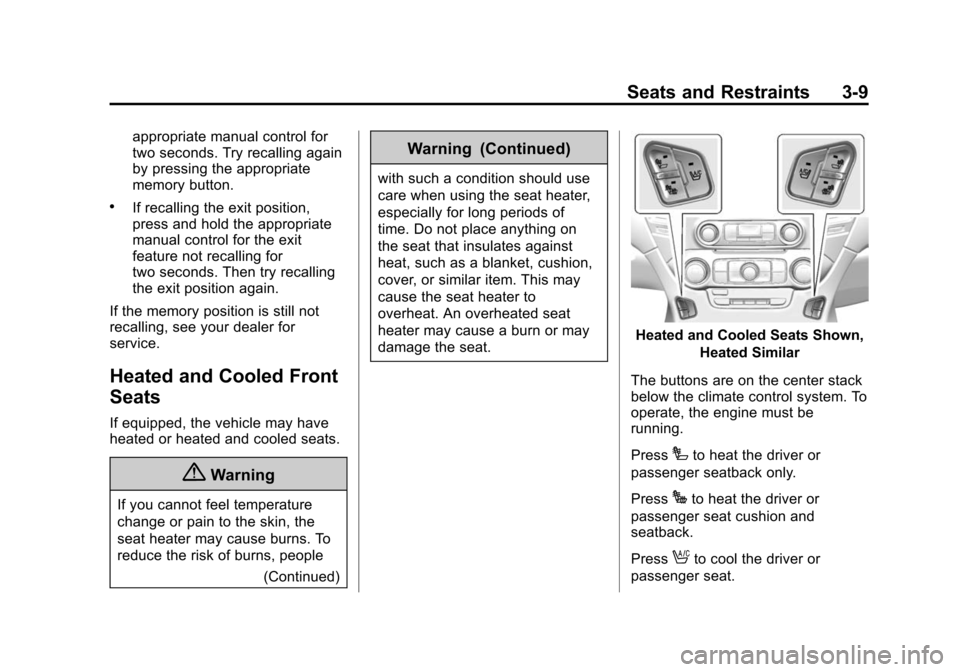
Heated and Cooled Seats Shown,Heated Similar
The buttons are on the center stack
below the climate control system. To
operate, the engine must be
running.
Press
Ito heat the driver or
passenger seatback only.
Press
Jto heat the driver or
passenger seat cushion and
seatback.
Press
Ato cool the driver or
passenger seat.
Page 81 of 495
Black plate (10,1)Chevrolet 2015i Tahoe/Suburban Owner Manual (GMNA-Localizing-U.S./
Canada/Mexico-8431502) - 2015 - crc - 1/12/15
3-10 Seats and Restraints
The indicator light on the button
comes on when this feature is on.
Press the button once for the
highest setting. With each press of
the button, the seat will change to
the next lower setting, and then to
the off setting. The indicator lights
next to the buttons indicate three for
the highest setting and one for the
lowest. If the heated seats are on
high for an extended time, their level
may automatically be lowered.
The passenger seat may take
longer to heat up.
Remote Start Auto Heated and
Cooled Seats
During a remote start, the heated or
cooled seats can be turned on
automatically. When it is cold
outside, the heated seats turn on,
and when it is hot outside the
cooled seats turn on. The heated or
cooled seats are canceled when the
ignition is turned on. Press the
heated or cooled seat button to use
the heated or cooled seats after the
vehicle is started.The heated or cooled seat indicator
lights do not turn on during a remote
start.
The temperature performance of an
unoccupied seat may be reduced.
This is normal.
The heated or cooled seats will not
turn on during a remote start unless
they are enabled in the vehicle
personalization menu. See
Remote
Vehicle Start on page 2-15 and
Vehicle Personalization on
page 5-47.Rear Seats
Heated Rear Seats
{Warning
If you cannot feel temperature
change or pain to the skin, the
seat heater may cause burns.
See the Warning under Heated
and Cooled Front Seats on
page 3-9.
Page 82 of 495
Black plate (11,1)Chevrolet 2015i Tahoe/Suburban Owner Manual (GMNA-Localizing-U.S./
Canada/Mexico-8431502) - 2015 - crc - 1/12/15
Seats and Restraints 3-11
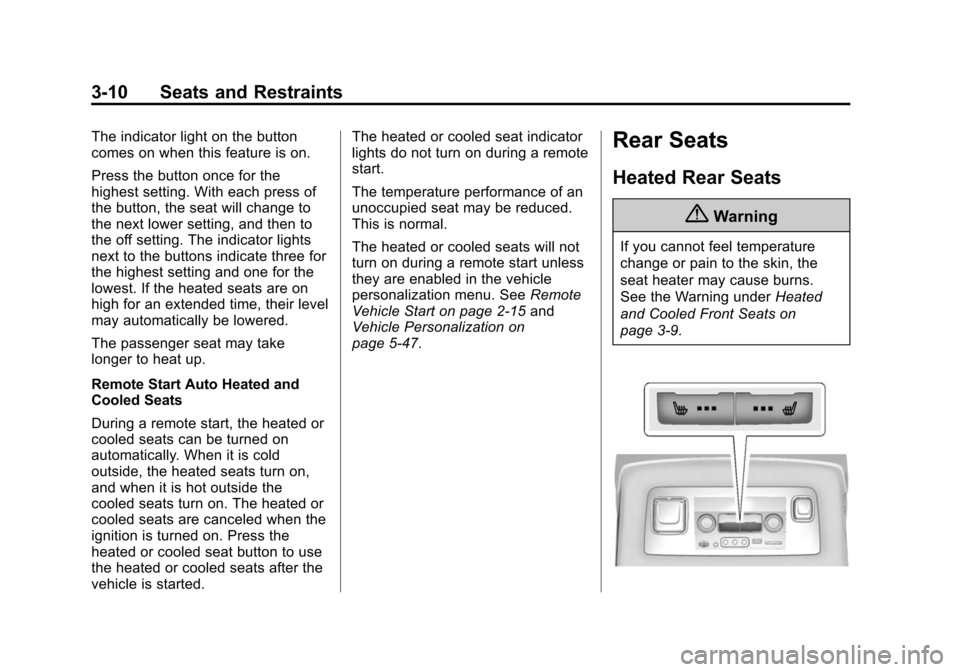
If equipped, the buttons are on the
rear of the center console.
Press
MorLto heat the left
outboard or right outboard seat
cushion.
Press the button once for the
highest setting. With each press of
the button, the heated seat changes
to the next lower setting, and then
the off setting. Indicator lights on the
button show the setting: three for
high, two for medium, and one
for low.
If heated seats are on high for an
extended time, their level may
automatically be lowered.
Second Row Seats
Reclining Seatbacks
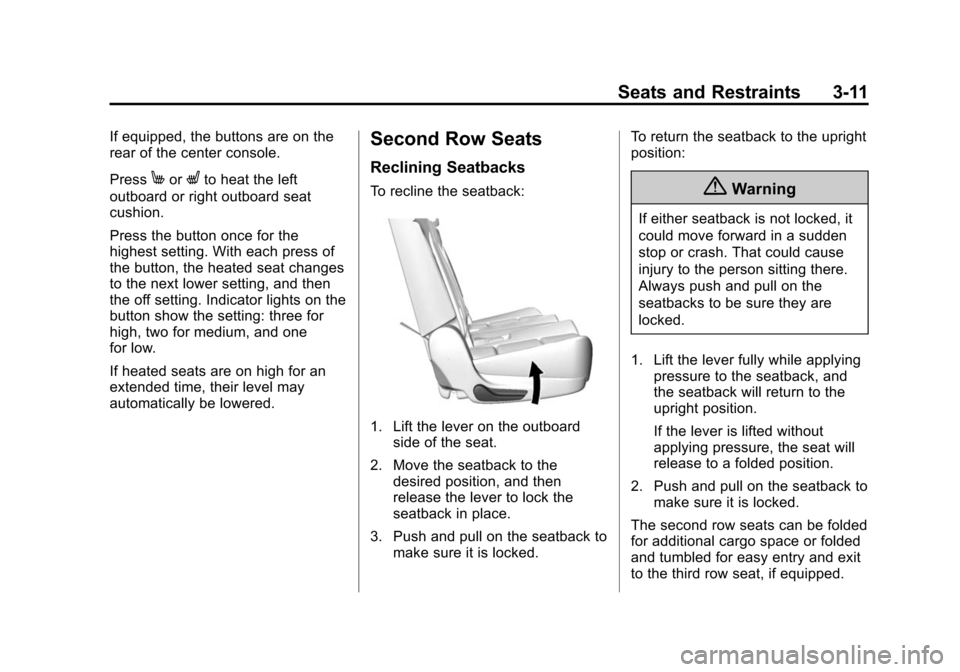
To recline the seatback:
1. Lift the lever on the outboard side of the seat.
2. Move the seatback to the desired position, and then
release the lever to lock the
seatback in place.
3. Push and pull on the seatback to make sure it is locked. To return the seatback to the upright
position:
{Warning
If either seatback is not locked, it
could move forward in a sudden
stop or crash. That could cause
injury to the person sitting there.
Always push and pull on the
seatbacks to be sure they are
locked.
1. Lift the lever fully while applying pressure to the seatback, and
the seatback will return to the
upright position.
If the lever is lifted without
applying pressure, the seat will
release to a folded position.
2. Push and pull on the seatback to make sure it is locked.
The second row seats can be folded
for additional cargo space or folded
and tumbled for easy entry and exit
to the third row seat, if equipped.
Page 86 of 495
Black plate (15,1)Chevrolet 2015i Tahoe/Suburban Owner Manual (GMNA-Localizing-U.S./
Canada/Mexico-8431502) - 2015 - crc - 1/12/15
Seats and Restraints 3-15
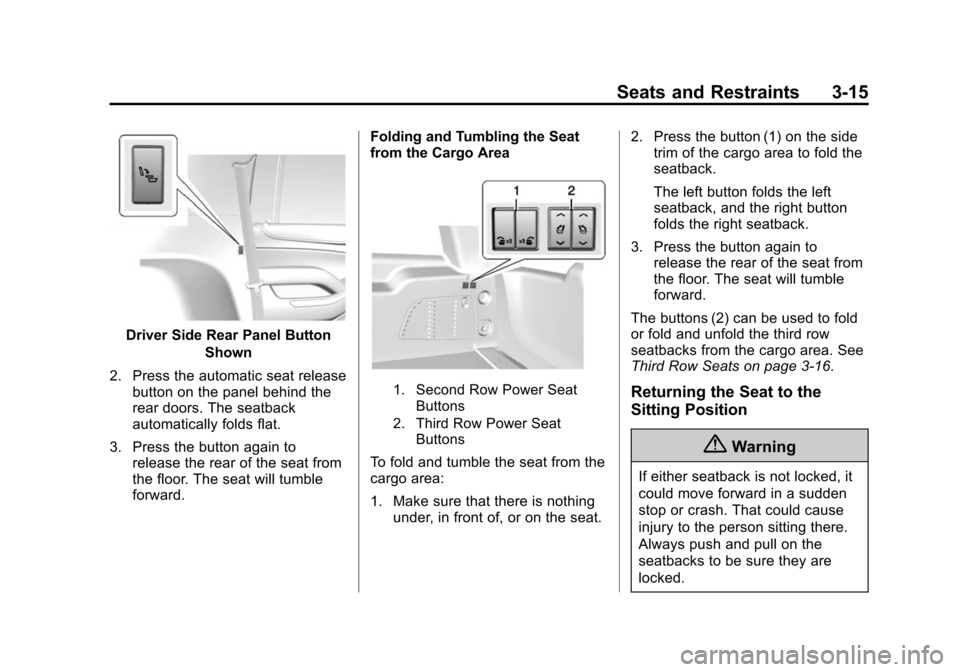
Driver Side Rear Panel ButtonShown
2. Press the automatic seat release button on the panel behind the
rear doors. The seatback
automatically folds flat.
3. Press the button again to release the rear of the seat from
the floor. The seat will tumble
forward. Folding and Tumbling the Seat
from the Cargo Area
1. Second Row Power Seat
Buttons
2. Third Row Power Seat Buttons
To fold and tumble the seat from the
cargo area:
1. Make sure that there is nothingunder, in front of, or on the seat. 2. Press the button (1) on the side
trim of the cargo area to fold the
seatback.
The left button folds the left
seatback, and the right button
folds the right seatback.
3. Press the button again to release the rear of the seat from
the floor. The seat will tumble
forward.
The buttons (2) can be used to fold
or fold and unfold the third row
seatbacks from the cargo area. See
Third Row Seats on page 3-16.
Returning the Seat to the
Sitting Position
{Warning
If either seatback is not locked, it
could move forward in a sudden
stop or crash. That could cause
injury to the person sitting there.
Always push and pull on the
seatbacks to be sure they are
locked.
Page 88 of 495
Black plate (17,1)Chevrolet 2015i Tahoe/Suburban Owner Manual (GMNA-Localizing-U.S./
Canada/Mexico-8431502) - 2015 - crc - 1/12/15
Seats and Restraints 3-17
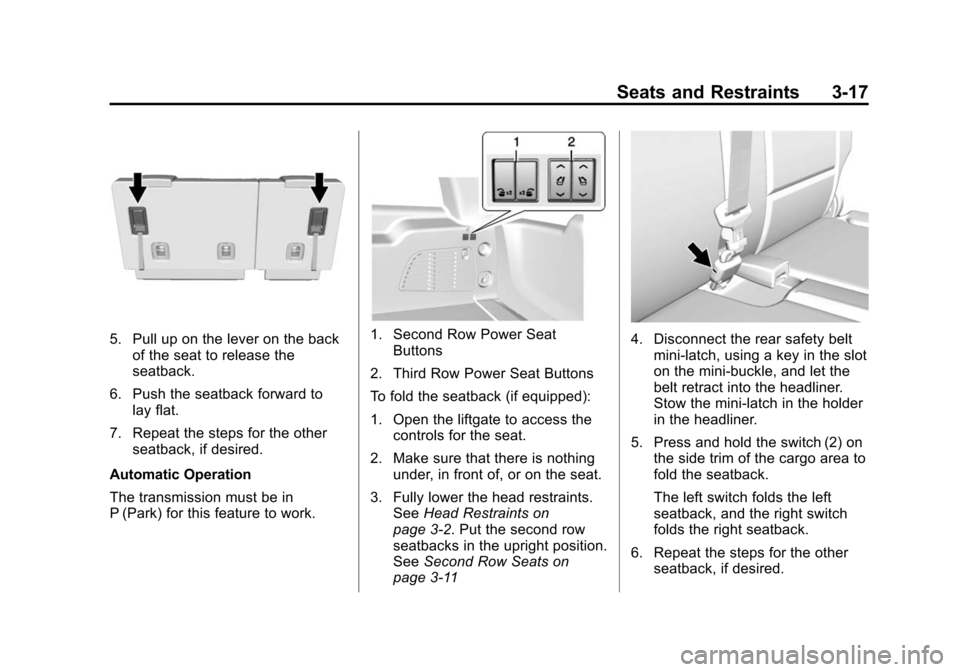
5. Pull up on the lever on the backof the seat to release the
seatback.
6. Push the seatback forward to lay flat.
7. Repeat the steps for the other seatback, if desired.
Automatic Operation
The transmission must be in
P (Park) for this feature to work.1. Second Row Power Seat Buttons
2. Third Row Power Seat Buttons
To fold the seatback (if equipped):
1. Open the liftgate to access the controls for the seat.
2. Make sure that there is nothing under, in front of, or on the seat.
3. Fully lower the head restraints. See Head Restraints on
page 3-2. Put the second row
seatbacks in the upright position.
See Second Row Seats on
page 3-114. Disconnect the rear safety belt
mini-latch, using a key in the slot
on the mini-buckle, and let the
belt retract into the headliner.
Stow the mini-latch in the holder
in the headliner.
5. Press and hold the switch (2) on the side trim of the cargo area to
fold the seatback.
The left switch folds the left
seatback, and the right switch
folds the right seatback.
6. Repeat the steps for the other seatback, if desired.
Page 90 of 495
Black plate (19,1)Chevrolet 2015i Tahoe/Suburban Owner Manual (GMNA-Localizing-U.S./
Canada/Mexico-8431502) - 2015 - crc - 1/12/15
Seats and Restraints 3-19
Automatic Operation
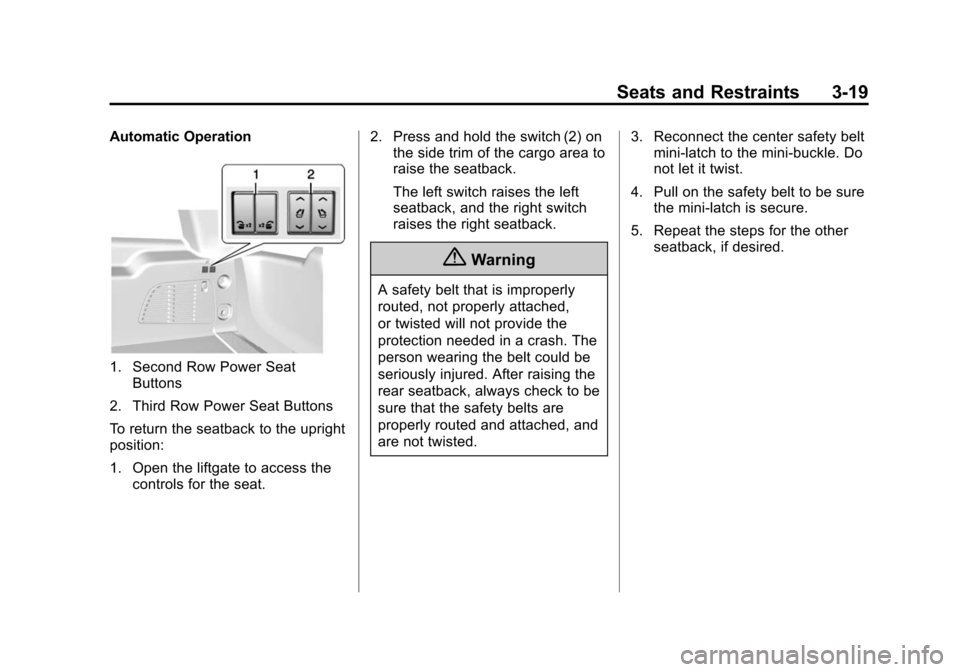
1. Second Row Power SeatButtons
2. Third Row Power Seat Buttons
To return the seatback to the upright
position:
1. Open the liftgate to access the controls for the seat. 2. Press and hold the switch (2) on
the side trim of the cargo area to
raise the seatback.
The left switch raises the left
seatback, and the right switch
raises the right seatback.
{Warning
A safety belt that is improperly
routed, not properly attached,
or twisted will not provide the
protection needed in a crash. The
person wearing the belt could be
seriously injured. After raising the
rear seatback, always check to be
sure that the safety belts are
properly routed and attached, and
are not twisted. 3. Reconnect the center safety belt
mini-latch to the mini-buckle. Do
not let it twist.
4. Pull on the safety belt to be sure the mini-latch is secure.
5. Repeat the steps for the other seatback, if desired.
Page 130 of 495
Black plate (59,1)Chevrolet 2015i Tahoe/Suburban Owner Manual (GMNA-Localizing-U.S./
Canada/Mexico-8431502) - 2015 - crc - 1/12/15
Seats and Restraints 3-59
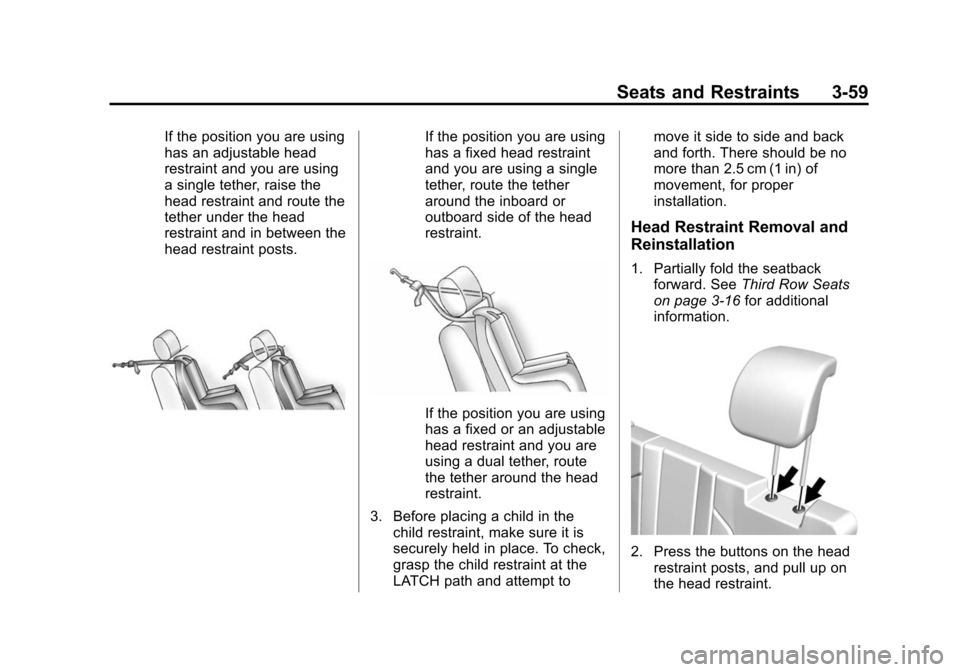
If the position you are using
has an adjustable head
restraint and you are using
a single tether, raise the
head restraint and route the
tether under the head
restraint and in between the
head restraint posts.If the position you are using
has a fixed head restraint
and you are using a single
tether, route the tether
around the inboard or
outboard side of the head
restraint.
If the position you are using
has a fixed or an adjustable
head restraint and you are
using a dual tether, route
the tether around the head
restraint.
3. Before placing a child in the child restraint, make sure it is
securely held in place. To check,
grasp the child restraint at the
LATCH path and attempt to move it side to side and back
and forth. There should be no
more than 2.5 cm (1 in) of
movement, for proper
installation.
Head Restraint Removal and
Reinstallation
1. Partially fold the seatback
forward. See Third Row Seats
on page 3-16 for additional
information.
2. Press the buttons on the head restraint posts, and pull up on
the head restraint.
Page 198 of 495
Black plate (55,1)Chevrolet 2015i Tahoe/Suburban Owner Manual (GMNA-Localizing-U.S./
Canada/Mexico-8431502) - 2015 - crc - 1/12/15
Instruments and Controls 5-55
Return to Factory Settings
Select and the following may
display:
.Restore Vehicle Settings
.Clear All Private Data
.Restore Radio Settings
Restore Vehicle Settings
This allows selection of restoring
vehicle settings.
Select Restore or Cancel.
Clear All Private Data
This allows selection to clear all
private information from the vehicle.
Select Delete or Cancel.
Restore Radio Settings
This allows selection to restore
radio settings.
Select Restore or Cancel.
Software Information
Select to view the infotainment
system current software information.
Universal Remote
System
See Radio Frequency Statement on
page 13-12.
Universal Remote System
Programming
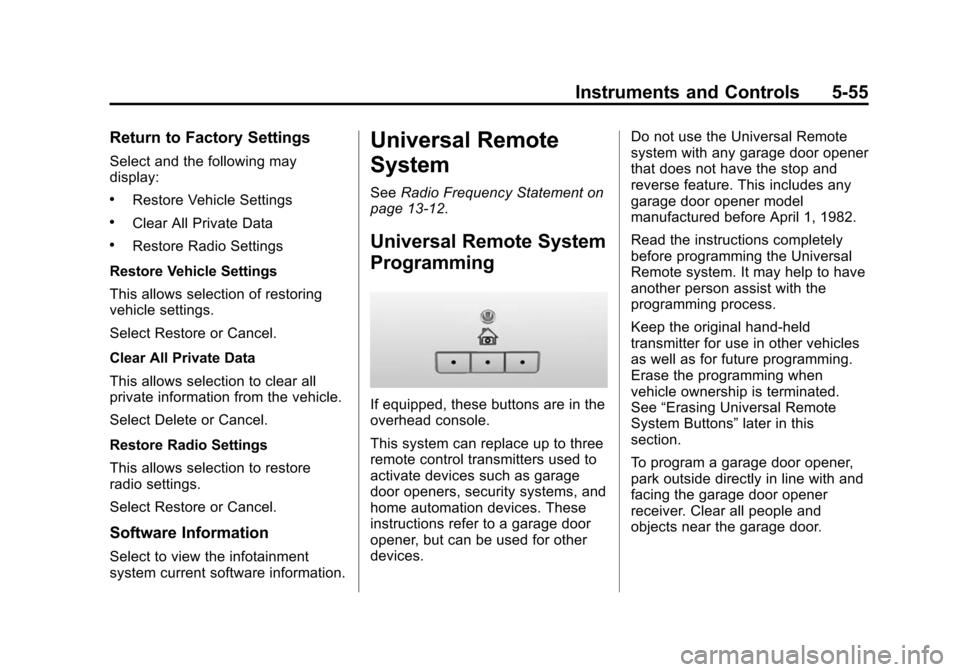
If equipped, these buttons are in the
overhead console.
This system can replace up to three
remote control transmitters used to
activate devices such as garage
door openers, security systems, and
home automation devices. These
instructions refer to a garage door
opener, but can be used for other
devices. Do not use the Universal Remote
system with any garage door opener
that does not have the stop and
reverse feature. This includes any
garage door opener model
manufactured before April 1, 1982.
Read the instructions completely
before programming the Universal
Remote system. It may help to have
another person assist with the
programming process.
Keep the original hand-held
transmitter for use in other vehicles
as well as for future programming.
Erase the programming when
vehicle ownership is terminated.
See
“Erasing Universal Remote
System Buttons” later in this
section.
To program a garage door opener,
park outside directly in line with and
facing the garage door opener
receiver. Clear all people and
objects near the garage door.