2015 CHEVROLET SUBURBAN ignition
[x] Cancel search: ignitionPage 420 of 495
Black plate (81,1)Chevrolet 2015i Tahoe/Suburban Owner Manual (GMNA-Localizing-U.S./
Canada/Mexico-8431502) - 2015 - crc - 1/12/15
Vehicle Care 10-81
{Caution
If any accessories are left on or
plugged in during the jump
starting procedure, they could be
damaged. The repairs would not
be covered by the vehicle
warranty. Whenever possible, turn
off or unplug all accessories on
either vehicle when jump starting.
4. Turn off the ignition on both vehicles. Unplug unnecessary
accessories plugged into the
accessory power outlets. Turn
off the radio and all the lamps
that are not needed. This will
avoid sparks and help save both
batteries. And it could save the
radio! 5. Open the hood on the other
vehicle and locate the
positive (+) and negative (−)
terminal locations on that
vehicle.
The positive (+) terminal is under
a red plastic cover at the positive
battery post. To uncover the
positive (+) terminal, open the
red plastic cover.
For more information on the
location of the remote
positive (+) and remote negative
(−) terminals, see Engine
Compartment Overview on
page 10-6.
{Warning
An electric fan can start up even
when the engine is not running
and can injure you. Keep hands,
clothing and tools away from any
underhood electric fan.
{Warning
Using a match near a battery can
cause battery gas to explode.
People have been hurt doing this,
and some have been blinded.
Use a flashlight if you need more
light.
Battery fluid contains acid that
can burn you. Do not get it on
you. If you accidentally get it in
your eyes or on your skin, flush
the place with water and get
medical help immediately.
{Warning
Fans or other moving engine
parts can injure you badly. Keep
your hands away from moving
parts once the engine is running.
Page 424 of 495

Black plate (85,1)Chevrolet 2015i Tahoe/Suburban Owner Manual (GMNA-Localizing-U.S./
Canada/Mexico-8431502) - 2015 - crc - 1/12/15
Vehicle Care 10-85
4. Shift the transfer case toN (Neutral). See “Shifting into
N (Neutral)” underFour-Wheel
Drive on page 9-36. Check that
the vehicle is in N (Neutral) by
shifting the transmission to
R (Reverse) and then to D
(Drive). There should be no
movement of the vehicle while
shifting.
5. Shift the transmission into D (Drive). Turn the engine off.
Then shift the transmission into
P (Park).
6. Wait for at least 10 seconds, then restart the engine.
7. Shift the transmission to D (Drive), then turn the engine off
again.
{Caution
Failure to disconnect the negative
battery cable or to have it contact
the terminals can cause damage
to the vehicle. 8. Disconnect the negative battery
cable at the battery and secure
the nut and bolt. Cover the
negative battery post with a
non-conductive material to
prevent any contact with the
negative battery terminal.
9. Shift the transmission to P (Park).
{Caution
If the steering column is locked,
vehicle damage may occur.
10. Move the steering wheel to make sure the steering column
is unlocked.
11. With a foot on the brake pedal, release the parking brake.
12. Keep the ignition key in the towed vehicle in ACC/
ACCESSORY to prevent the
steering column from locking.
Vehicles with Keyless Access,
keep the RKE transmitter
outside of the vehicle, and manually lock the doors.
Access the vehicle the same
as dead vehicle/transmitter
process (back up key in
door lock).
Disconnecting the Towed Vehicle
Before disconnecting the towed
vehicle:
1. Park on a level surface.
2. Set the parking brake, then shift the transmission to P (Park).
3. Connect the battery.
4. Apply the brake pedal.
5. Turn the ignition to ON/RUN with the engine off. Shift the transfer
case out of N (Neutral) to
Two-Wheel Drive High. See
“Shifting out of N (Neutral)”
under Four-Wheel Drive on
page 9-36. See your dealer if the
transfer case cannot be shifted
out of N (Neutral).
6. Check that the vehicle is in Two-Wheel Drive High by
shifting the transmission to
Page 425 of 495
Black plate (86,1)Chevrolet 2015i Tahoe/Suburban Owner Manual (GMNA-Localizing-U.S./
Canada/Mexico-8431502) - 2015 - crc - 1/12/15
10-86 Vehicle Care
R (Reverse) and then to D
(Drive). There should be
movement of the vehicle while
shifting.
7. Shift the transmission to P (Park) and turn off the ignition.
8. Disconnect the vehicle from the tow vehicle.
9. Release the parking brake.
10. Reset any lost presets.
The outside temperature
display will default to 0 °C (32 °
F) but will reset with normal
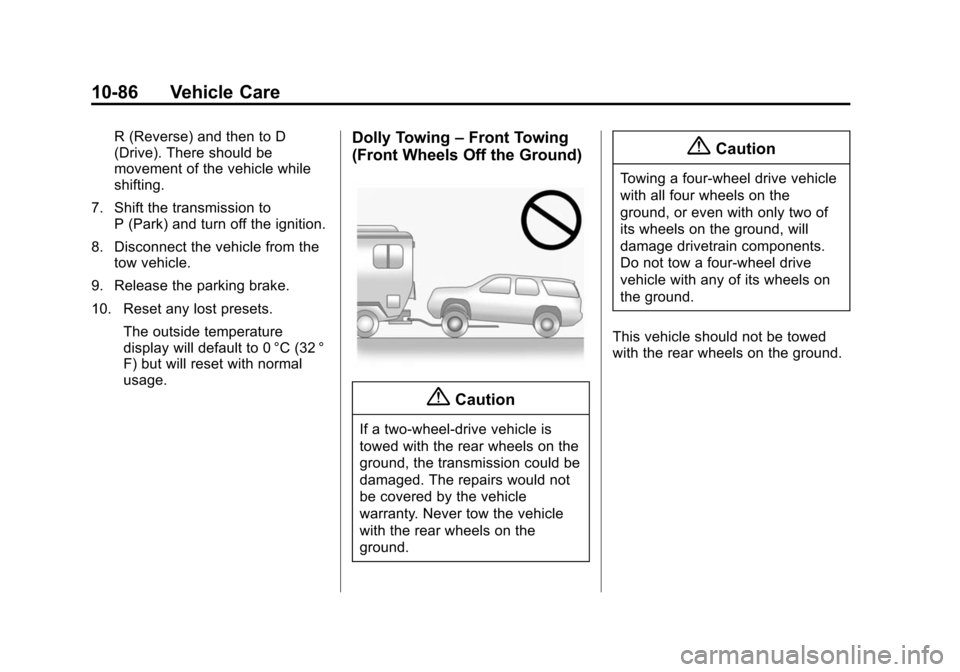
usage.Dolly Towing –Front Towing
(Front Wheels Off the Ground)
{Caution
If a two-wheel-drive vehicle is
towed with the rear wheels on the
ground, the transmission could be
damaged. The repairs would not
be covered by the vehicle
warranty. Never tow the vehicle
with the rear wheels on the
ground.
{Caution
Towing a four-wheel drive vehicle
with all four wheels on the
ground, or even with only two of
its wheels on the ground, will
damage drivetrain components.
Do not tow a four-wheel drive
vehicle with any of its wheels on
the ground.
This vehicle should not be towed
with the rear wheels on the ground.
Page 426 of 495
Black plate (87,1)Chevrolet 2015i Tahoe/Suburban Owner Manual (GMNA-Localizing-U.S./
Canada/Mexico-8431502) - 2015 - crc - 1/12/15
Vehicle Care 10-87
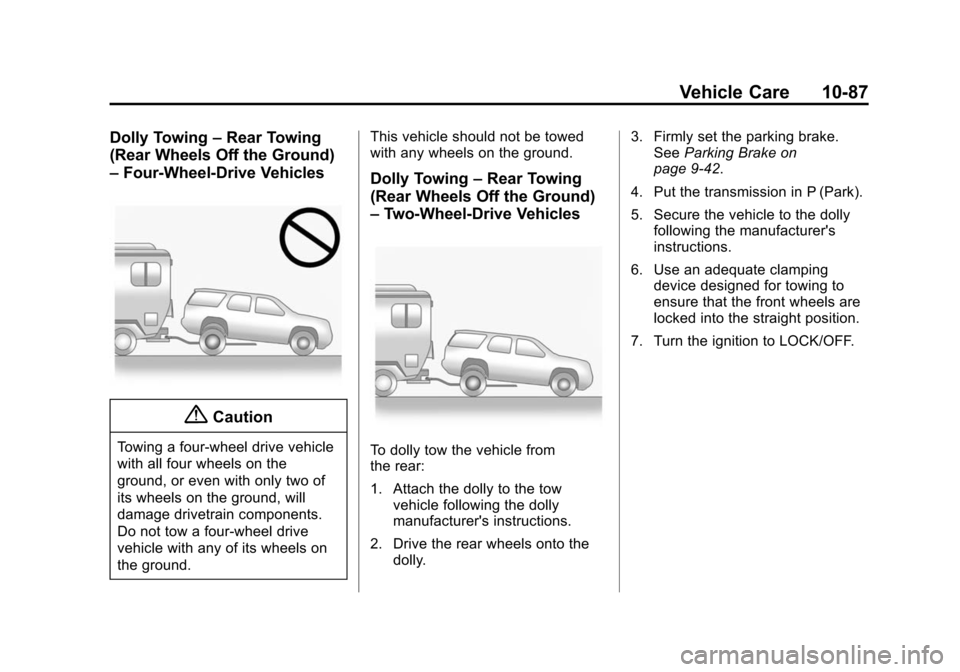
Dolly Towing–Rear Towing
(Rear Wheels Off the Ground)
– Four-Wheel-Drive Vehicles
{Caution
Towing a four-wheel drive vehicle
with all four wheels on the
ground, or even with only two of
its wheels on the ground, will
damage drivetrain components.
Do not tow a four-wheel drive
vehicle with any of its wheels on
the ground. This vehicle should not be towed
with any wheels on the ground.
Dolly Towing
–Rear Towing
(Rear Wheels Off the Ground)
– Two-Wheel-Drive Vehicles
To dolly tow the vehicle from
the rear:
1. Attach the dolly to the tow
vehicle following the dolly
manufacturer's instructions.
2. Drive the rear wheels onto the dolly. 3. Firmly set the parking brake.
See Parking Brake on
page 9-42.
4. Put the transmission in P (Park).
5. Secure the vehicle to the dolly following the manufacturer's
instructions.
6. Use an adequate clamping device designed for towing to
ensure that the front wheels are
locked into the straight position.
7. Turn the ignition to LOCK/OFF.
Page 441 of 495

Black plate (4,1)Chevrolet 2015i Tahoe/Suburban Owner Manual (GMNA-Localizing-U.S./
Canada/Mexico-8431502) - 2015 - crc - 1/12/15
11-4 Service and Maintenance
.Check automatic transmission
shift lock control function. See
Automatic Transmission Shift
Lock Control Function Check on
page 10-28.
.Check ignition transmission lock.
SeeIgnition Transmission Lock
Check on page 10-28.
.Check parking brake and
automatic transmission park
mechanism. See Park Brake and
P (Park) Mechanism Check on
page 10-29.
.Check accelerator pedal for
damage, high effort, or binding.
Replace if needed.
.Visually inspect gas strut for
signs of wear, cracks, or other
damage. Check the hold open
ability of the strut. See your
dealer if service is required.
.Inspect sunroof track and seal,
if equipped. See Sunroof on
page 2-35.
.Verify spare tire key lock
operation and lubricate as
needed. See Tire Changing on
page 10-69.
Page 467 of 495
Black plate (12,1)Chevrolet 2015i Tahoe/Suburban Owner Manual (GMNA-Localizing-U.S./
Canada/Mexico-8431502) - 2015 - crc - 1/12/15
13-12 Customer Information
Or write to:
Helm, Incorporated
Attention: Customer Service
47911 Halyard Drive
Plymouth, MI 48170
Prices are subject to change without
notice and without incurring
obligation. Allow ample time for
delivery.
All listed prices are quoted in U.S.
funds. Make checks payable in U.S.
funds.
Radio Frequency
Identification (RFID)
RFID technology is used in some
vehicles for functions such as tire
pressure monitoring and ignition
system security, as well as in
connection with conveniences such
as Remote Keyless Entry (RKE)
transmitters for remote door locking/
unlocking and starting, and
in-vehicle transmitters for garage
door openers. RFID technology in
GM vehicles does not use or recordpersonal information or link with any
other GM system containing
personal information.
Radio Frequency
Statement
This vehicle has systems that
operate on a radio frequency that
complies with Part 15/Part 18 of the
Federal Communications
Commission (FCC) rules and with
Industry Canada Standards
RSS-GEN/210/220/310, ICES‐001.
Operation is subject to the following
two conditions:
1. The device may not cause
harmful interference.
2. The device must accept any interference received, including
interference that may cause
undesired operation of the
device.
Changes or modifications to any of
these systems by other than an
authorized service facility could void
authorization to use this equipment.
Reporting Safety
Defects
Reporting Safety Defects
to the United States
Government
If you believe that your vehicle
has a defect which could cause
a crash or could cause injury or
death, you should immediately
inform the National Highway
Traffic Safety Administration
(NHTSA) in addition to notifying
General Motors.
If NHTSA receives similar
complaints, it may open an
investigation, and if it finds that
a safety defect exists in a group
of vehicles, it may order a recall
and remedy campaign.
However, NHTSA cannot
become involved in individual
problems between you, your
dealer, or General Motors.
Page 474 of 495
Black plate (3,1)Chevrolet 2015i Tahoe/Suburban Owner Manual (GMNA-Localizing-U.S./
Canada/Mexico-8431502) - 2015 - crc - 1/12/15
OnStar 14-3
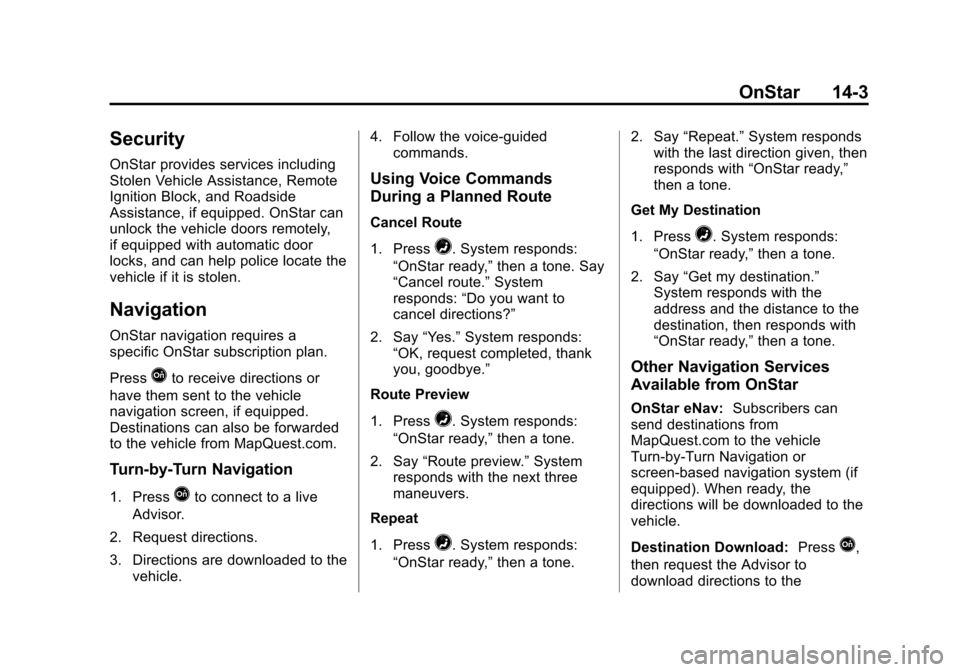
Security
OnStar provides services including
Stolen Vehicle Assistance, Remote
Ignition Block, and Roadside
Assistance, if equipped. OnStar can
unlock the vehicle doors remotely,
if equipped with automatic door
locks, and can help police locate the
vehicle if it is stolen.
Navigation
OnStar navigation requires a
specific OnStar subscription plan.
Press
Qto receive directions or
have them sent to the vehicle
navigation screen, if equipped.
Destinations can also be forwarded
to the vehicle from MapQuest.com.
Turn-by-Turn Navigation
1. PressQto connect to a live
Advisor.
2. Request directions.
3. Directions are downloaded to the vehicle. 4. Follow the voice-guided
commands.
Using Voice Commands
During a Planned Route
Cancel Route
1. Press
=. System responds:
“OnStar ready,” then a tone. Say
“Cancel route.” System
responds: “Do you want to
cancel directions?”
2. Say “Yes.”System responds:
“OK, request completed, thank
you, goodbye.”
Route Preview
1. Press
=. System responds:
“OnStar ready,” then a tone.
2. Say “Route preview.” System
responds with the next three
maneuvers.
Repeat
1. Press
=. System responds:
“OnStar ready,” then a tone. 2. Say
“Repeat.” System responds
with the last direction given, then
responds with “OnStar ready,”
then a tone.
Get My Destination
1. Press
=. System responds:
“OnStar ready,” then a tone.
2. Say “Get my destination.”
System responds with the
address and the distance to the
destination, then responds with
“OnStar ready,” then a tone.
Other Navigation Services
Available from OnStar
OnStar eNav:Subscribers can
send destinations from
MapQuest.com to the vehicle
Turn-by-Turn Navigation or
screen-based navigation system (if
equipped). When ready, the
directions will be downloaded to the
vehicle.
Destination Download: Press
Q,
then request the Advisor to
download directions to the
Page 484 of 495

Black plate (3,1)Chevrolet 2015i Tahoe/Suburban Owner Manual (GMNA-Localizing-U.S./
Canada/Mexico-8431502) - 2015 - crc - 1/12/15
INDEX i-3
Chains, Tire . . . . . . . . . . . . . . . . . . 10-67
Charging System Light . . . . . . . . 5-21
CheckEngine Light . . . . . . . . . . . . . . . . . . 5-22
IgnitionTransmission Lock . . . . . . . . 10-28
Child Restraints
Infants and YoungChildren . . . . . . . . . . . . . . . . . . . . . 3-46
Lower Anchors and Tethers for Children . . . . . . . . . 3-51
Older Children . . . . . . . . . . . . . . . . 3-44
Securing . . . . . . . . . . . . . . . . 3-61, 3-63
Systems . . . . . . . . . . . . . . . . . . . . . . 3-48
Child-View Mirror . . . . . . . . . . . . . . 2-32
Cleaning Exterior Care . . . . . . . . . . . . . . . 10-88
Interior Care . . . . . . . . . . . . . . . . 10-93
Climate Control Systems Dual Automatic . . . . . . . . . . . . . . . . 8-1
Rear . . . . . . . . . . . . . . . . . . . . . . . . . . . 8-5
Clock . . . . . . . . . . . . . . . . . . . . . . . . . . . 5-8
Cluster, Instrument . . . . . . . . . . . . 5-12
Collision Damage Repair . . . . . . 13-9
Compartments Storage . . . . . . . . . . . . . . . . . . . . . . . . 4-1 Compass . . . . . . . . . . . . . . . . . . . . . . . 5-7
Messages . . . . . . . . . . . . . . . . . . . . 5-36
Connections OnStar
®. . . . . . . . . . . . . . . . . . . . . . 14-4
Control Traction and ElectronicStability . . . . . . . . . . . . . . . . . . . . . 9-44
Control of a Vehicle . . . . . . . . . . . . . 9-3
Convex Mirrors . . . . . . . . . . . . . . . . 2-28
Coolant Engine . . . . . . . . . . . . . . . . . . . . . . 10-16
Engine Temperature
Gauge . . . . . . . . . . . . . . . . . . . . . . 5-18
Cooling System . . . . . . . . . . . . . . . 10-15 Engine Messages . . . . . . . . . . . . 5-37
Courtesy Transportation
Program . . . . . . . . . . . . . . . . . . . . . . 13-7
Cover Cargo . . . . . . . . . . . . . . . . . . . . . . . . . . 4-3
Cruise Control . . . . . . . . . . . . . . . . . 9-47 Light . . . . . . . . . . . . . . . . . . . . . . . . . . 5-29
Messages . . . . . . . . . . . . . . . . . . . . 5-36
Cruise Control, Active . . . . . . . . . 9-50 Customer Assistance . . . . . . . . . . 13-4
Offices . . . . . . . . . . . . . . . . . . . . . . . . 13-3
Text Telephone (TTY)
Users . . . . . . . . . . . . . . . . . . . . . . . 13-4
Customer Information Service PublicationsOrdering Information . . . . . . .13-11
Customer Satisfaction Procedure . . . . . . . . . . . . . . . . . . . . 13-1
D
Damage Repair, Collision . . . . . . 13-9
Danger, Warnings, andCautions . . . . . . . . . . . . . . . . . . . . . . . . iv
Data Recorders, Event . . . . . . . 13-14
Daytime Running Lamps (DRL) . . . . . . . . . . . . . . . . . . 6-3
Defensive Driving . . . . . . . . . . . . . . . 9-3
Delayed Locking . . . . . . . . . . . . . . . 2-18
Distracted Driving . . . . . . . . . . . . . . . 9-2
Dome Lamps . . . . . . . . . . . . . . . . . . . 6-6
Door Ajar Messages . . . . . . . . . . . . . . . 5-37
Delayed Locking . . . . . . . . . . . . . . 2-18
Locks . . . . . . . . . . . . . . . . . . . . . . . . . 2-16
Power Locks . . . . . . . . . . . . . . . . . . 2-17