2015 CHEVROLET SS power steering
[x] Cancel search: power steeringPage 144 of 435

Black plate (3,1)Chevrolet SS Sedan Owner Manual (GMNA-Localizing-U.S.-7707491) - 2015 -
crc - 9/11/14
Infotainment System 7-3
Overview
The infotainment system is controlled by using the buttons, touch screen,
steering wheel controls, and voice recognition.
SeeUsing the System on page 7-5.
1. SRCE (Source)
2. HOME
3. VOL/
O(Volume/Power) 4.
v/>(Phone/Mute)
5. FAV (Favorites)
6.
©SEEK 7. Disc Slot (CD)
8. SEEK
¨
9. NAV (Navigation)
10. BACK
/
11. TUNE/MENU
12. DEST (Destination)
13. RPT (Repeat)
14.
Z(Eject)
Infotainment Control Buttons
The buttons on the faceplate are
used to start primary functions while
using the infotainment system.
SRCE (Source):
Press to change
the audio sources such as AM-FM
Radio, SiriusXM
®(if equipped),
USB/iPod, and AUX.
HOME: Press to go to the Home
Page. See “Home Page” in this
section.
VOL/
O(Volume/Power):
.Turn to adjust the volume.
ProCarManuals.com
Page 152 of 435

Black plate (11,1)Chevrolet SS Sedan Owner Manual (GMNA-Localizing-U.S.-7707491) - 2015 -
crc - 9/11/14
Infotainment System 7-11
Radio
AM-FM Radio
Playing the Radio
VOL/O(Volume/Power):
.Press to turn the radio on or off.
.Turn to increase or decrease the
volume of the active source.
The steering wheel controls can
also be used to adjust the volume.
See Steering Wheel Controls on
page 7-5.
Radio Operation
The radio will work when the key is
in ON/RUN or ACC/
ACCESSORY. When the key is
turned from ON/RUN to LOCK/OFF,
the radio will continue to work for
10 minutes or until the driver door is
opened.
The radio can be turned on by
pressing the power button on the
radio and will stay on for 10 minutes. Opening the driver door
will not turn the radio off when
pressing the power button.
Some radios may stay on longer
and reset the time for 10 minutes if
there are any additional presses of
any radio button.
The radio can be turned off at any
time by pressing the power button.
Audio Source
Press SRCE or SRC on the steering
wheel controls to display and scroll
through the available sources AM,
FM, XM (if equipped), Pandora (if
equipped), Stitcher, USB, AUX, and
Bluetooth Audio.
Infotainment System Settings
Tone Settings
To access the tone settings, press
the Tone Settings button on the
Home Page. Tone settings are
specific to each source.
To adjust the settings:
.Bass: Press + or
−to change
the level.
.Mid (Midrange): Press + or −to
change the level.
.Treble: Press + or −to change
the level.
.EQ: Press or turn the TUNE/
MENU knob to cycle through the
preset EQ options.
.Fade: Press the F or R button
for more sound from the front or
rear speakers. The middle
position balances the sound
between the front and rear
speakers.
ProCarManuals.com
Page 182 of 435

Black plate (41,1)Chevrolet SS Sedan Owner Manual (GMNA-Localizing-U.S.-7707491) - 2015 -
crc - 9/11/14
Infotainment System 7-41
To play music through a Bluetooth
device:
1. Power on the device, pair, andconnect the device.
2. Music can be launched by doing one of the following:
.Press the Bluetooth Audio
screen button on the
Home Page.
.Press SRCE until Bluetooth
Audio is selected.
.Press the SRC button on
the steering wheel controls
until Bluetooth Audio is
selected. See Steering
Wheel Controls on
page 7-5.
.Use voice recognition. See
Voice Recognition on
page 7-68.
The music can be controlled by
either the infotainment controls or
the controls on the device. When a phone is connected to the
system through Bluetooth Audio the
phone notifications and sounds may
not be heard on the phone until
Bluetooth is disconnected.
Notification features may vary based
on the phone. Check the phone’s
manufacture information for
notification support.
Bluetooth Audio Menu
Press the Menu screen button and
the following may display:
Shuffle:
Press the TUNE/MENU
knob to turn shuffle on or off. Not all
devices support the shuffle feature.
When selecting Bluetooth audio, the
Bluetooth device internal music
player may not open depending on
the status of the device. All devices
launch and play back audio
differently. Make sure the correct
audio source is playing on the
device for Bluetooth audio playback
on the radio. When the vehicle is
not moving, use the device to begin
playback. When selecting Bluetooth audio as
a source, the radio may source to
Bluetooth Audio Paused screen and
no audio playing. Press play on the
device or push
Jto begin
playback. This may happen
depending on how the device
communicates over Bluetooth.
Some phones support sending
Bluetooth music information to
display on the radio. When the radio
receives this information, it will
check to see if any album art is
available and display it.
When playing music on the radio
from a Bluetooth device, make sure
the Bluetooth device is unlocked
and the intended music application
is showing on the home screen.
For iPhone/iPod touch and iPad
devices, Bluetooth Audio will not
work if the device is connected
through the USB and Bluetooth at
the same time.
ProCarManuals.com
Page 209 of 435

Black plate (68,1)Chevrolet SS Sedan Owner Manual (GMNA-Localizing-U.S.-7707491) - 2015 -
crc - 9/11/14
7-68 Infotainment System
Voice Recognition
Voice recognition allows for
hands-free operation of the
infotainment system features.
Voice recognition can be used when
the radio is on or when Retained
Accessory Power (RAP) is active.
SeeRetained Accessory Power
(RAP) on page 9-19. The system
maintains a minimum volume level.
Using Voice Recognition
1. Pressb/gon the steering
wheel. The audio system mutes.
A voice prompt states, “Please
say a command.” Wait until the
tone is heard before speaking.
If there is no tone, make sure
that the volume is turned up.
While voice recognition is active,
the system displays a
gsymbol
in the top right of the screen.
2. Clearly speak one of the commands listed later in this
section. Press
b/gtwice on the steering
wheel to skip the voice prompt
messages.
Canceling Voice Recognition
1. Press and release$/ion
the steering wheel control to
cancel a command, if the system
response does not match the
voice command, or say
“Goodbye” or“Cancel.”
2. The system replies, “Goodbye.”
Helpful Hints for Speaking
Commands
.When multiple commands are
available, choose the command
that works best for you.
.Words in parentheses are
optional. For example, for the
command“Tune FM
(frequency),” saying“Tune FM
87.7” or“Tune FM” are both
valid commands.
.When the command is
recognized, the system will
either perform the function or
ask to confirm the choice.
.When the system does not
recognize the command, the
system says “pardon.”
.If experiencing difficulty with the
system recognizing a command,
confirm that the command is
correct. Try saying the command
clearly or wait for a brief moment
after the tone.
.Background noise such as a
climate control fan positioned on
high, open windows, and very
loud outside noises, even if the
windows are closed, can cause
voice commands to be
misunderstood.
.The system is able to recognize
commands in different
languages, such as English,
Canadian French, and Spanish.
The system only recognizes
commands based on the
language selected.
ProCarManuals.com
Page 215 of 435
Black plate (74,1)Chevrolet SS Sedan Owner Manual (GMNA-Localizing-U.S.-7707491) - 2015 -
crc - 9/11/14
7-74 Infotainment System
‐Directory
‐ Digit Store
Turn-by-Turn Directions
.Directory
.Plan Route
.Commands
‐ Directory
‐ Store Destination
‐ Plan Route
‐ Delete Destination
‐ Mute Directions
OnStar Info
.Messages
.Minutes
.My Number
.Commands
‐ Messages
‐ Virtual Advisor
‐ My Number
‐ Minutes ‐
Number Recall
‐ Advisor Playback
.Virtual Advisor
Virtual Advisor
Choose this option to connect to a
live Advisor.
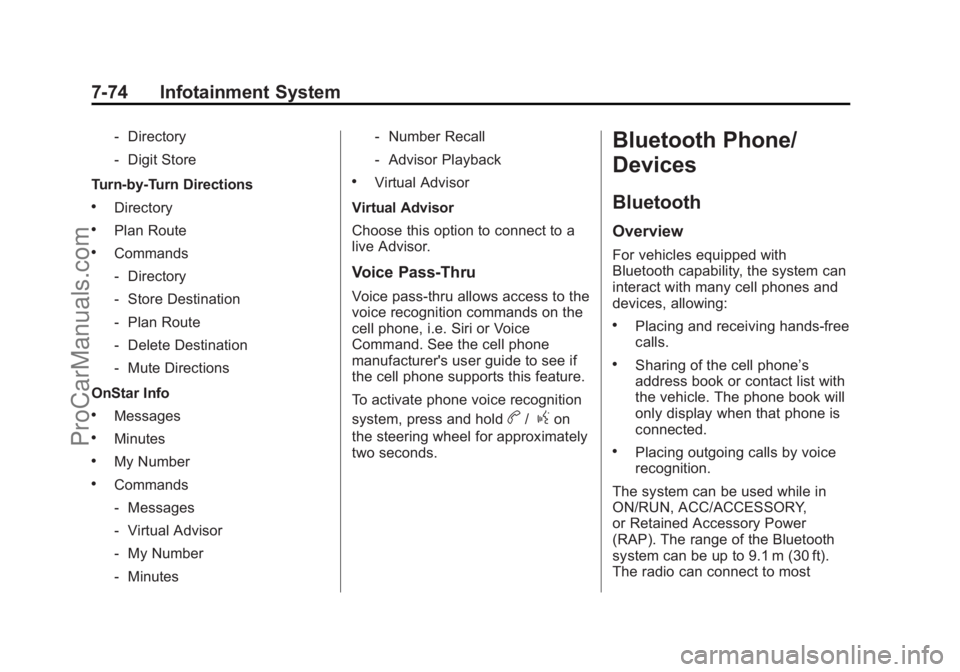
Voice Pass-Thru
Voice pass-thru allows access to the
voice recognition commands on the
cell phone, i.e. Siri or Voice
Command. See the cell phone
manufacturer's user guide to see if
the cell phone supports this feature.
To activate phone voice recognition
system, press and hold
b/gon
the steering wheel for approximately
two seconds.
Bluetooth Phone/
Devices
Bluetooth
Overview
For vehicles equipped with
Bluetooth capability, the system can
interact with many cell phones and
devices, allowing:
.Placing and receiving hands-free
calls.
.Sharing of the cell phone’s
address book or contact list with
the vehicle. The phone book will
only display when that phone is
connected.
.Placing outgoing calls by voice
recognition.
The system can be used while in
ON/RUN, ACC/ACCESSORY,
or Retained Accessory Power
(RAP). The range of the Bluetooth
system can be up to 9.1 m (30 ft).
The radio can connect to most
ProCarManuals.com
Page 238 of 435

Black plate (1,1)Chevrolet SS Sedan Owner Manual (GMNA-Localizing-U.S.-7707491) - 2015 -
crc - 9/11/14
Driving and Operating 9-1
Driving and
Operating
Driving Information
Distracted Driving . . . . . . . . . . . . . 9-2
Defensive Driving . . . . . . . . . . . . . 9-3
Drunk Driving . . . . . . . . . . . . . . . . . 9-3
Control of a Vehicle . . . . . . . . . . . 9-3
Braking . . . . . . . . . . . . . . . . . . . . . . . 9-3
Steering . . . . . . . . . . . . . . . . . . . . . . . 9-4
Off-Road Recovery . . . . . . . . . . . . 9-4
Loss of Control . . . . . . . . . . . . . . . . 9-5
Track Events and CompetitiveDriving . . . . . . . . . . . . . . . . . . . . . . . 9-5
Driving on Wet Roads . . . . . . . . . 9-8
Hill and Mountain Roads . . . . . . 9-9
Winter Driving . . . . . . . . . . . . . . . . . 9-9
If the Vehicle Is Stuck . . . . . . . . 9-11
Vehicle Load Limits . . . . . . . . . . 9-11
Starting and Operating
New Vehicle Break-In . . . . . . . . 9-16
Ignition Positions . . . . . . . . . . . . 9-16
Starting the Engine . . . . . . . . . . 9-18
Retained Accessory Power (RAP) . . . . . . . . . . . . . . . 9-19 Shifting Into Park (Automatic
Transmission) . . . . . . . . . . . . . . 9-20
Shifting out of Park (Automatic Transmission) . . . . . . . . . . . . . . 9-20
Parking . . . . . . . . . . . . . . . . . . . . . . 9-22
Parking over Things
That Burn . . . . . . . . . . . . . . . . . . 9-22
Engine Exhaust
Engine Exhaust . . . . . . . . . . . . . . 9-22
Running the Vehicle WhileParked . . . . . . . . . . . . . . . . . . . . . 9-23
Automatic Transmission
Automatic Transmission . . . . . 9-23
Manual Mode . . . . . . . . . . . . . . . . 9-25
Manual Transmission
Manual Transmission . . . . . . . . 9-27
Brakes
Antilock BrakeSystem (ABS) . . . . . . . . . . . . . . 9-28
Electric Parking Brake . . . . . . . 9-29
Brake Assist . . . . . . . . . . . . . . . . . 9-31
Hill Start Assist (HSA) . . . . . . . 9-31
Ride Control Systems
Traction Control/Electronic Stability Control . . . . . . . . . . . . 9-32
Driver Mode Control . . . . . . . . . 9-34
Track Driver Mode . . . . . . . . . . . 9-36
Limited-Slip Rear Axle . . . . . . . 9-38
Cruise Control
Cruise Control . . . . . . . . . . . . . . . 9-38
Driver Assistance Systems
Driver Assistance Systems . . . . . . . . . . . . . . . . . . . . 9-41
Assistance Systems for Parking or Backing . . . . . . . . . 9-41
Assistance Systems for Driving . . . . . . . . . . . . . . . . . . . . . 9-46
Forward Collision Alert (FCA) System . . . . . . . . . . . . . . . . . . . . . 9-46
Side Blind Zone Alert (SBZA) . . . . . . . . . . . . . . . 9-48
Lane Departure Warning (LDW) . . . . . . . . . . . . . 9-50
Fuel
Fuel . . . . . . . . . . . . . . . . . . . . . . . . . 9-51
California FuelRequirements . . . . . . . . . . . . . . 9-52
Fuels in Foreign Countries . . . 9-53
ProCarManuals.com
Page 241 of 435

Black plate (4,1)Chevrolet SS Sedan Owner Manual (GMNA-Localizing-U.S.-7707491) - 2015 -
crc - 9/11/14
9-4 Driving and Operating
If the engine ever stops while the
vehicle is being driven, brake
normally but do not pump the
brakes. Doing so could make the
pedal harder to push down. If the
engine stops, there will be some
power brake assist but it will be
used when the brake is applied.
Once the power assist is used up, it
can take longer to stop and the
brake pedal will be harder to push.
Steering
Electric Power Steering
The vehicle has electric power
steering. It does not have power
steering fluid. Regular maintenance
is not required.
If power steering assist is lost due
to a system malfunction, the vehicle
can be steered, but may require
increased effort.
See your dealer if there is a
problem.If the steering wheel is turned until it
reaches the end of its travel and is
held against that position for an
extended period of time, power
steering assist may be reduced.
If the steering assist is used for an
extended period of time, power
assist may be reduced.
Normal use of the power steering
assist should return when the
system cools down.
See specific vehicle steering
messages under
Service Vehicle
Messages on page 5-30. See your
dealer if there is a problem.
Curve Tips
.Take curves at a reasonable
speed.
.Reduce speed before entering a
curve.
.Maintain a reasonable steady
speed through the curve.
.Wait until the vehicle is out of
the curve before accelerating
gently into the straightaway.
Steering in Emergencies
.There are some situations when
steering around a problem may
be more effective than braking.
.Holding both sides of the
steering wheel allows you to turn
180 degrees without removing
a hand.
.The Antilock Brake System
(ABS) allows steering while
braking.
Off-Road Recovery
ProCarManuals.com
Page 254 of 435

Black plate (17,1)Chevrolet SS Sedan Owner Manual (GMNA-Localizing-U.S.-7707491) - 2015 -
crc - 9/11/14
Driving and Operating 9-17
Automatic Transmission
If the vehicle is not in P (Park), the
ignition will return to ACC/
ACCESSORY and display a
message in the Driver Information
Center (DIC). SeeTransmission
Messages on page 5-31. When the
vehicle is shifted into P (Park), the
ignition system will switch to OFF.
Manual Transmission
If the vehicle is stationary, the
ignition will turn OFF, and Retained
Accessory Power (RAP) will remain
active. See Retained Accessory
Power (RAP) on page 9-19.
Do not turn the engine off when the
vehicle is moving. This will cause a
loss of power assist in the brake
and steering systems and disable
the airbags. If the vehicle must be shut off in an
emergency:
1. Brake using a firm and steady
pressure. Do not pump the
brakes repeatedly. This may
deplete power assist, requiring
increased brake pedal force.
2. Shift the vehicle to N (Neutral). This can be done while the
vehicle is moving. After shifting
to N (Neutral), firmly apply the
brakes and steer the vehicle to a
safe location.
3. Come to a complete stop. Shift to P (Park) with an automatic
transmission, or Neutral with a
manual transmission. Turn the
ignition to OFF.
4. Set the parking brake. See Electric Parking Brake on
page 9-29.{Warning
Turning off the vehicle while
moving may cause loss of power
assist in the brake and steering
systems and disable the airbags.
While driving, only shut the
vehicle off in an emergency.
If the vehicle cannot be pulled over,
and must be shut off while driving,
press and hold the ENGINE START/
STOP button for longer than
two seconds, or press twice in
five seconds.
ACC/ACCESSORY (Amber
Indicator Light): This mode allows
you to use some electrical
accessories when the engine is off.
With the ignition off, pressing the
button one time without the brake
pedal applied will place the ignition
system in ACC/ACCESSORY.
ProCarManuals.com