2015 CHEVROLET CORVETTE instrument cluster
[x] Cancel search: instrument clusterPage 163 of 393
Black plate (2,1)Chevrolet Corvette Owner Manual (GMNA-Localizing-U.S./Canada/Mexico-
7576293) - 2015 - crc - 10/31/14
6-2 Lighting
To override AUTO mode, turn the
control to
O.
To reset to AUTO mode, turn the
control to
Oand then release back
to AUTO. Automatic mode also
resets when the vehicle is turned off
and then back on again if the control
is left in the AUTO position.
;(Parking Lamps): Turns on the
parking lamps including all lamps,
except the headlamps.
The parking lamp indicator light
comes on and stays on when the
parking lamps are on with the
engine off and the ignition to ACC/
ACCESSORY.
5(Headlamps): Turns on the
headlamps together with the parking
lamps and instrument panel lights.
Exterior Lamps Off
Reminder
A warning chime will sound if the
exterior lamp control is left on in
either the headlamp or parking lamp
position and the driver door is
opened with the ignition off.
Headlamp High/
Low-Beam Changer
Push the turn signal lever away
from you and release to turn the
high beams on. To return to low
beams, push the lever again or pull
it toward you and release.
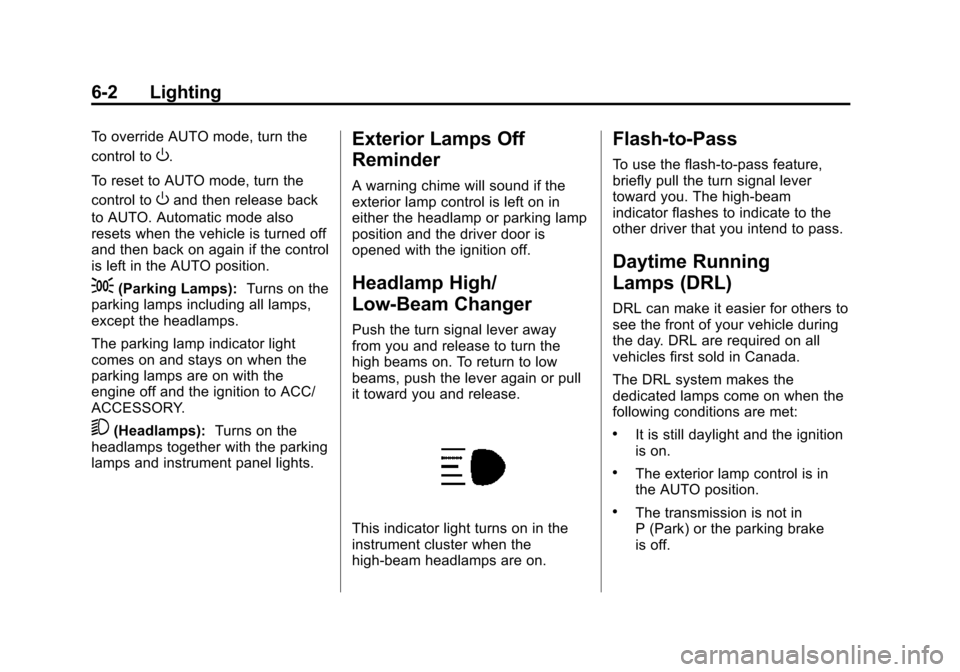
This indicator light turns on in the
instrument cluster when the
high-beam headlamps are on.
Flash-to-Pass
To use the flash-to-pass feature,
briefly pull the turn signal lever
toward you. The high-beam
indicator flashes to indicate to the
other driver that you intend to pass.
Daytime Running
Lamps (DRL)
DRL can make it easier for others to
see the front of your vehicle during
the day. DRL are required on all
vehicles first sold in Canada.
The DRL system makes the
dedicated lamps come on when the
following conditions are met:
.It is still daylight and the ignition
is on.
.The exterior lamp control is in
the AUTO position.
.The transmission is not in
P (Park) or the parking brake
is off.
Page 164 of 393

Black plate (3,1)Chevrolet Corvette Owner Manual (GMNA-Localizing-U.S./Canada/Mexico-
7576293) - 2015 - crc - 10/31/14
Lighting 6-3
When DRL are on, only the front
lamps will be on. The parking
lamps, taillamps, instrument panel
lights, or other exterior lamps will
not be on when the DRL are
being used.
When it is dark enough outside, the
front lamps dim to parking lamps
and the normal low-beam
headlamps turn on.
When it is bright enough outside,
the regular lamps go off, and the
front DRL will take over. If the
vehicle is started in a dark garage,
the automatic headlamp system
comes on immediately. Once the
vehicle leaves the garage, it takes
approximately one minute for the
automatic headlamp system to
change to DRL if it is light outside.
During that delay, the instrument
cluster may not be as bright as
usual. Make sure the instrument
panel brightness knob is in the full
bright position. SeeInstrument
Panel Illumination Control on
page 6-5. If it is dark enough outside and the
exterior lamp control is off, a Driver
Information Center (DIC) message
may display. See
Lamp Messages
on page 5-39.
Turning the exterior lamp control to
off a second time, or turning on the
headlamps will remove the DIC
message. If the parking lamps were
turned on instead, the DIC message
will continue to be displayed.
The regular headlamp system
should be turned on when needed.
To turn off the DRL, turn the exterior
lamp control to the off position or
shift into P (Park). The DRL will stay
off until the control is toggled again
or the vehicle is shifted out of
P (Park).
This procedure applies only to
vehicles first sold in the United
States.Automatic Headlamp
System
When the exterior lamp control is
set to AUTO and it is dark enough
outside, the headlamps and parking
lamps come on automatically.
There is a light sensor on top of the
instrument panel. Do not cover the
sensor, otherwise the headlamps
will come on when they are not
needed.
The system may also turn on the
headlamps and parking lamps when
driving through a parking garage or
tunnel.
Page 165 of 393
Black plate (4,1)Chevrolet Corvette Owner Manual (GMNA-Localizing-U.S./Canada/Mexico-
7576293) - 2015 - crc - 10/31/14
6-4 Lighting
If the vehicle is started in a dark
garage, the automatic headlamp
system comes on immediately. If it
is light outside when the vehicle
leaves the garage, there is a slight
delay before the automatic
headlamp system changes to the
DRL. During that delay, the
instrument cluster may not be as
bright as usual. Make sure the
instrument panel brightness control
is in the full bright position. See
Instrument Panel Illumination
Control on page 6-5.
When it is bright enough outside,
the headlamps and parking lamps
will turn off or may change to
Daytime Running Lamps (DRL).
The automatic headlamp system
turns off when the exterior lamp
control is turned to
Oor the ignition
is off.
To turn automatic headlamp system
back on, turn the band to
Oagain,
then release it. If the automatic headlamp system
has the headlamps turned on and
you turn the ignition off, the
headlamps will turn off. When the
driver door is opened the
headlamps and parking lamps will
illuminate for a period of time.
The length of the delayed
illumination period can be changed.
See
“Exit Lighting” underVehicle
Personalization on page 5-45.
The regular headlamp system
should be turned on when needed.
Lights On with Wipers
If the windshield wipers are
activated in daylight with the engine
on and the exterior lamp control is in
AUTO, the headlamps, parking
lamps, and other exterior lamps will
come on. The time it takes for the
lamps to turn on depends on the
wiper speed. When the wipers are
turned off, the lamps turn off. To
disable, move the exterior lamp
control to
Oor;.
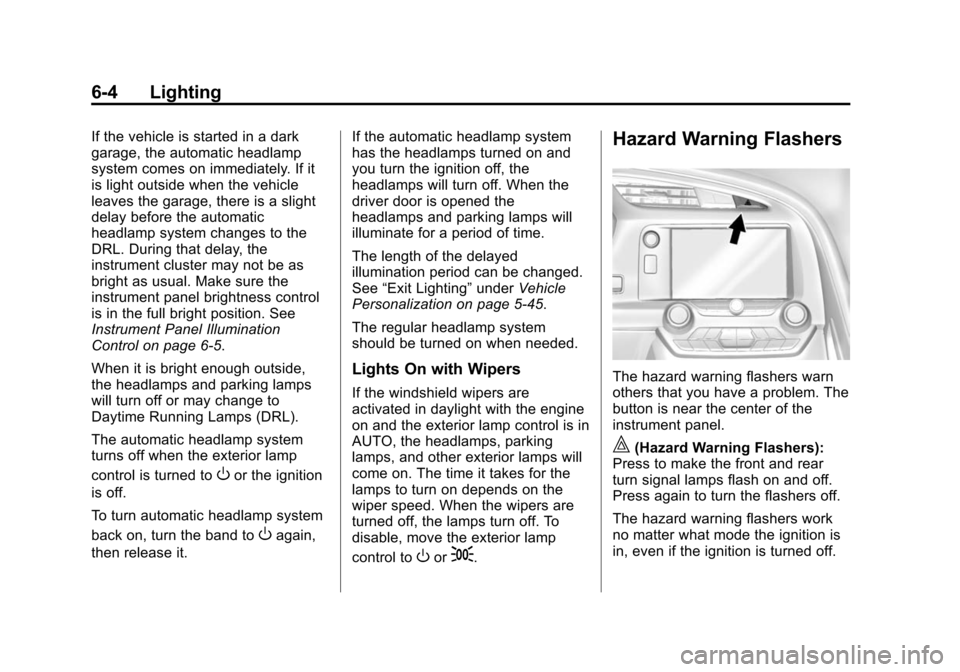
Hazard Warning Flashers
The hazard warning flashers warn
others that you have a problem. The
button is near the center of the
instrument panel.
|(Hazard Warning Flashers):
Press to make the front and rear
turn signal lamps flash on and off.
Press again to turn the flashers off.
The hazard warning flashers work
no matter what mode the ignition is
in, even if the ignition is turned off.
Page 166 of 393
Black plate (5,1)Chevrolet Corvette Owner Manual (GMNA-Localizing-U.S./Canada/Mexico-
7576293) - 2015 - crc - 10/31/14
Lighting 6-5
When the hazard warning flashers
are on, the turn signals will
not work.
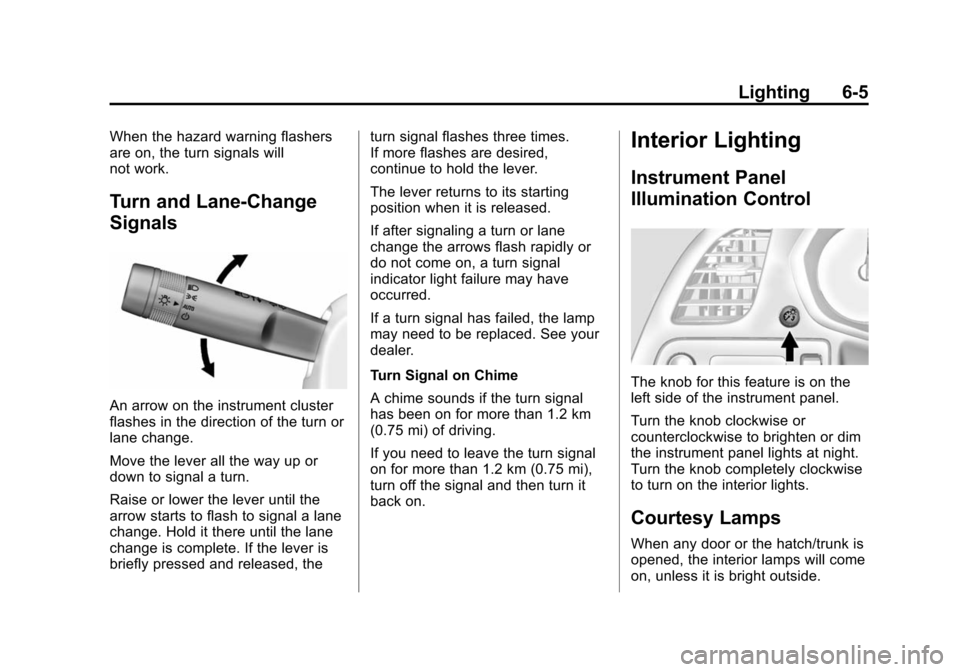
Turn and Lane-Change
Signals
An arrow on the instrument cluster
flashes in the direction of the turn or
lane change.
Move the lever all the way up or
down to signal a turn.
Raise or lower the lever until the
arrow starts to flash to signal a lane
change. Hold it there until the lane
change is complete. If the lever is
briefly pressed and released, theturn signal flashes three times.
If more flashes are desired,
continue to hold the lever.
The lever returns to its starting
position when it is released.
If after signaling a turn or lane
change the arrows flash rapidly or
do not come on, a turn signal
indicator light failure may have
occurred.
If a turn signal has failed, the lamp
may need to be replaced. See your
dealer.
Turn Signal on Chime
A chime sounds if the turn signal
has been on for more than 1.2 km
(0.75 mi) of driving.
If you need to leave the turn signal
on for more than 1.2 km (0.75 mi),
turn off the signal and then turn it
back on.
Interior Lighting
Instrument Panel
Illumination Control
The knob for this feature is on the
left side of the instrument panel.
Turn the knob clockwise or
counterclockwise to brighten or dim
the instrument panel lights at night.
Turn the knob completely clockwise
to turn on the interior lights.
Courtesy Lamps
When any door or the hatch/trunk is
opened, the interior lamps will come
on, unless it is bright outside.
Page 211 of 393
Black plate (30,1)Chevrolet Corvette Owner Manual (GMNA-Localizing-U.S./Canada/Mexico-
7576293) - 2015 - crc - 10/31/14
9-30 Driving and Operating
downshift the transmission. The
right (+) plus paddle upshifts, and
the left (−) minus paddle downshifts
When using the Manual Paddle
Shift feature while in M (Manual
Mode), the current gear will be
displayed in the instrument cluster,
or the Head-Up Display (HUD),
if equipped. SeeHead-Up Display
(HUD) on page 5-29.
When accelerating the vehicle from
a stop in snowy and icy conditions,
shifting to 2 (Second) gear allows
the vehicle to gain more traction.
The Manual Paddle Shift system
can be deactivated by moving the
shift lever from M (Manual Mode)
back to D (Drive). When the shift lever is in D (Drive),
press either the right (+) plus paddle
or the left (−) minus paddle to place
the transmission in Temporary
Manual Paddle Shift mode. The
gear indicator by the shift lever, in
the cluster, and in the HUD will
display an M, even though the shift
lever is still in D (Drive). To exit the
system, hold the (+) plus paddle for
more than one second. The system
will return to automatic shifting after
six seconds of cruising at a steady
speed, no manual shifts, no
aggressive cornering, or when the
vehicle comes to a stop.
While the Manual Paddle Shift gear
selection system is active, the
transmission will automatically
downshift through the gears as the
vehicle slows. The transmission will
select 1 (First) gear as the vehicle
stops. From a stop, the vehicle will
start from and hold 1 (First) gear
unless the manual paddle shifts are
used to shift into a different gear,
or D (Drive) is selected.If the left (−) minus paddle is held
down briefly, the transmission will
downshift to the lowest gear
possible for the vehicles speed.
If the paddle continues to be held as
the vehicle slows, downshifts will
continue to occur as vehicle speed
allows. This feature also works
while in Temporary Manual Paddle
Shift mode, but the driver must first
press and release the (−) minus
paddle to enter Temporary Manual
Paddle Shift mode, then press and
hold the (−) minus paddle briefly.
The Manual Paddle Shift system will
not allow either an upshift or a
downshift if the vehicle speed is too
fast or too slow, nor will it allow a
start from 3 (Third) or higher gear.
If upshifting does not occur when
needed, vehicle speed will be
limited to protect the engine.
When a requested shift is denied
due to the speed restrictions shown,
a DIC message will be displayed,
and the current gear remains
displayed in the cluster and HUD.
Page 215 of 393
Black plate (34,1)Chevrolet Corvette Owner Manual (GMNA-Localizing-U.S./Canada/Mexico-
7576293) - 2015 - crc - 10/31/14
9-34 Driving and Operating
If the vehicle is not upshifted as the
engine speed approaches fuel shut
off rpm, the engine speed will be
limited to protect the engine. See
Tachometer on page 5-12.
Active Rev Match
Vehicles equipped with a manual
transmission have Active Rev Match
(ARM). ARM aids in smoother
shifting by matching the engine
speed to the next selected gear. By
monitoring shift lever and clutch
operation, ARM adjusts engine
speed to match a calibrated value
based on gear selection. On
upshifts and downshifts, engine
speed will be increased and
decreased to match vehicle road
speed and transmission gear
position. ARM is maintained for a
few seconds between shifts, then
deactivates if the shift is not
completed.
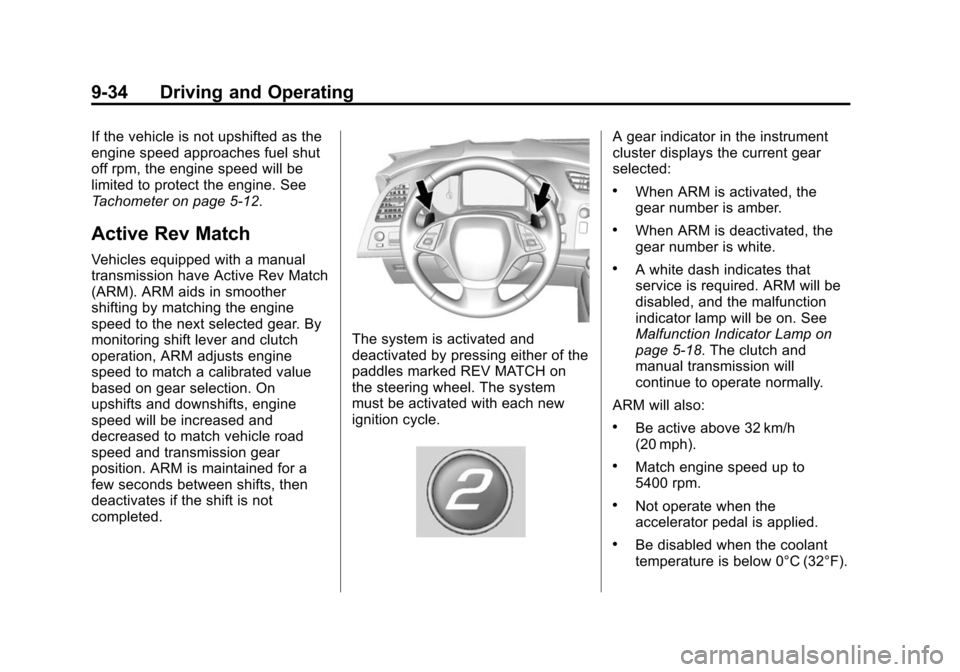
The system is activated and
deactivated by pressing either of the
paddles marked REV MATCH on
the steering wheel. The system
must be activated with each new
ignition cycle.
A gear indicator in the instrument
cluster displays the current gear
selected:
.When ARM is activated, the
gear number is amber.
.When ARM is deactivated, the
gear number is white.
.A white dash indicates that
service is required. ARM will be
disabled, and the malfunction
indicator lamp will be on. See
Malfunction Indicator Lamp on
page 5-18. The clutch and
manual transmission will
continue to operate normally.
ARM will also:
.Be active above 32 km/h
(20 mph).
.Match engine speed up to
5400 rpm.
.Not operate when the
accelerator pedal is applied.
.Be disabled when the coolant
temperature is below 0°C (32°F).
Page 220 of 393
Black plate (39,1)Chevrolet Corvette Owner Manual (GMNA-Localizing-U.S./Canada/Mexico-
7576293) - 2015 - crc - 10/31/14
Driving and Operating 9-39
It is recommended to leave both
systems on for normal driving
conditions, but it may be necessary
to turn TCS off if the vehicle gets
stuck in sand, mud, ice, or snow.
SeeIf the Vehicle Is Stuck on
page 9-14 and“Turning the
Systems Off and On” later in this
section.
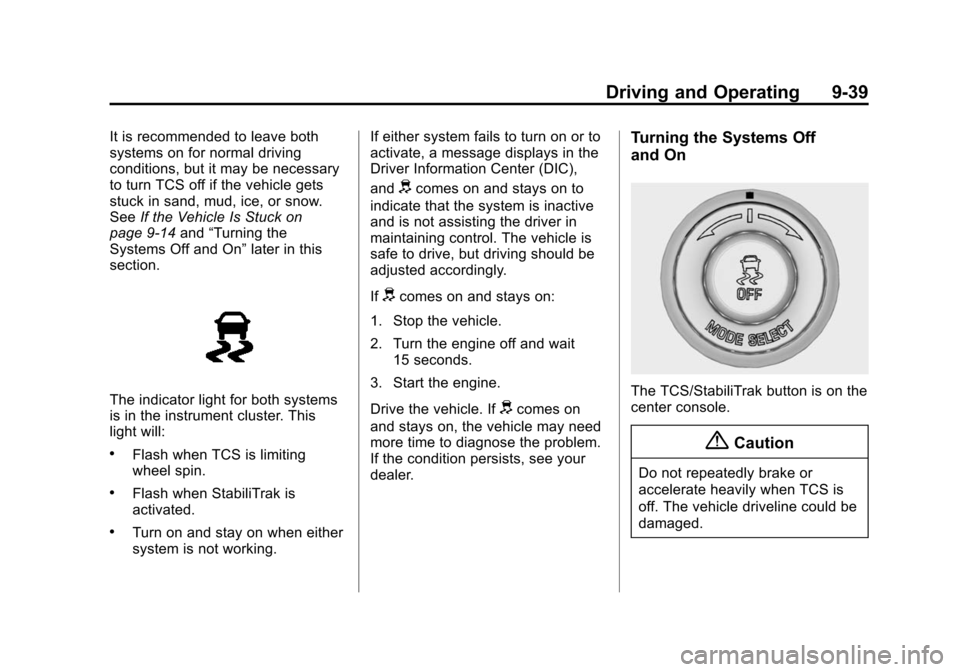
The indicator light for both systems
is in the instrument cluster. This
light will:
.Flash when TCS is limiting
wheel spin.
.Flash when StabiliTrak is
activated.
.Turn on and stay on when either
system is not working. If either system fails to turn on or to
activate, a message displays in the
Driver Information Center (DIC),
and
dcomes on and stays on to
indicate that the system is inactive
and is not assisting the driver in
maintaining control. The vehicle is
safe to drive, but driving should be
adjusted accordingly.
If
dcomes on and stays on:
1. Stop the vehicle.
2. Turn the engine off and wait 15 seconds.
3. Start the engine.
Drive the vehicle. If
dcomes on
and stays on, the vehicle may need
more time to diagnose the problem.
If the condition persists, see your
dealer.
Turning the Systems Off
and On
The TCS/StabiliTrak button is on the
center console.
{Caution
Do not repeatedly brake or
accelerate heavily when TCS is
off. The vehicle driveline could be
damaged.
Page 221 of 393
Black plate (40,1)Chevrolet Corvette Owner Manual (GMNA-Localizing-U.S./Canada/Mexico-
7576293) - 2015 - crc - 10/31/14
9-40 Driving and Operating
To turn off only TCS, press and
release the
gbutton. The Traction
Off light
iilluminates in the
instrument cluster. To turn TCS on
again, press and release the
g
button. The Traction Off lighti
displayed in the instrument cluster
will turn off.
If TCS is limiting wheel spin when
the
gbutton is pressed, the system
will not turn off until the wheels stop
spinning.
To turn off both TCS and StabiliTrak,
press and hold the
gbutton until
the Traction Off light
iand
StabiliTrak OFF light
gilluminate
and stay on in the instrument
cluster. To turn TCS and StabiliTrak on
again, press and release the
g
button. The Traction Off lightiand
StabiliTrak OFF light
gin the
instrument cluster turn off.
If the Tire Pressure Monitor (TPM)
system is malfunctioning and the
DIC displays SERVICE TIRE
MONITOR SYSTEM, StabiliTrak will
be affected as follows:
.StabiliTrak cannot be turned off
by the driver.
.If StabiliTrak is off, it will be
turned on automatically.
.Competitive Driving Mode or
Performance Traction
Management is unavailable.
.StabiliTrak will feel different in
aiding and maintaining
directional control.
Adding accessories can affect the
vehicle performance. See
Accessories and Modifications on
page 10-2.
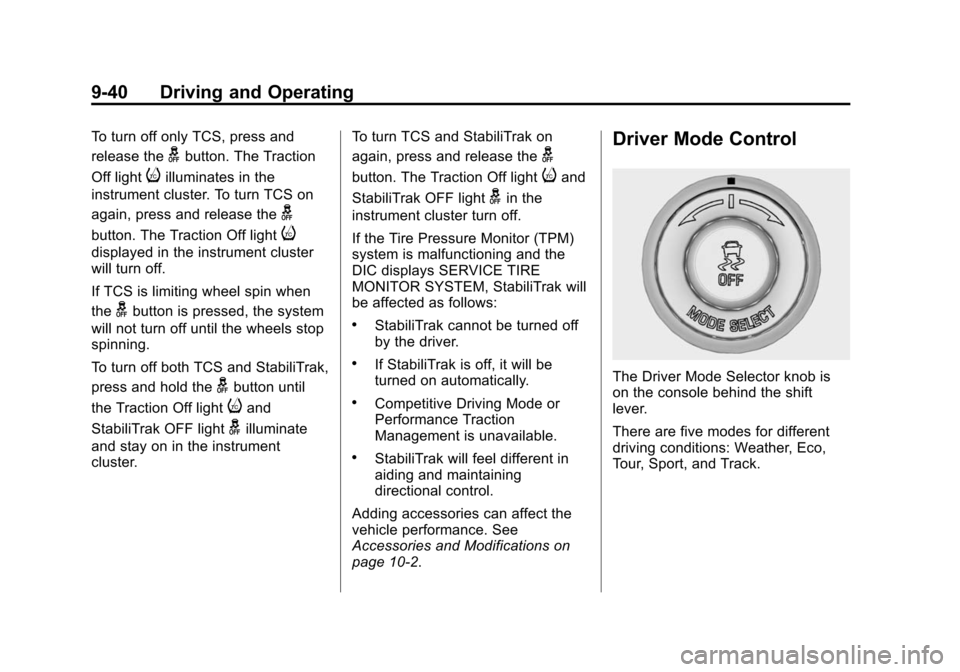
Driver Mode Control
The Driver Mode Selector knob is
on the console behind the shift
lever.
There are five modes for different
driving conditions: Weather, Eco,
Tour, Sport, and Track.