2015 CHEVROLET CORVETTE fuel
[x] Cancel search: fuelPage 199 of 393
Black plate (18,1)Chevrolet Corvette Owner Manual (GMNA-Localizing-U.S./Canada/Mexico-
7576293) - 2015 - crc - 10/31/14
9-18 Driving and Operating
weight of the driver, passengers
and cargo should never exceed
your vehicle's capacity weight.
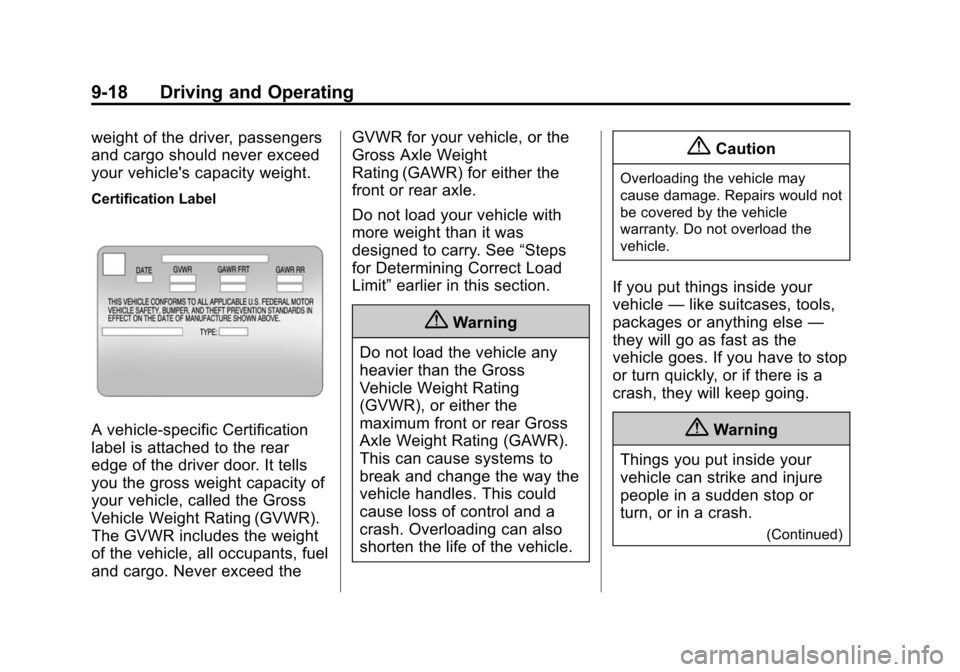
Certification Label
A vehicle-specific Certification
label is attached to the rear
edge of the driver door. It tells
you the gross weight capacity of
your vehicle, called the Gross
Vehicle Weight Rating (GVWR).
The GVWR includes the weight
of the vehicle, all occupants, fuel
and cargo. Never exceed theGVWR for your vehicle, or the
Gross Axle Weight
Rating (GAWR) for either the
front or rear axle.
Do not load your vehicle with
more weight than it was
designed to carry. See
“Steps
for Determining Correct Load
Limit” earlier in this section.
{Warning
Do not load the vehicle any
heavier than the Gross
Vehicle Weight Rating
(GVWR), or either the
maximum front or rear Gross
Axle Weight Rating (GAWR).
This can cause systems to
break and change the way the
vehicle handles. This could
cause loss of control and a
crash. Overloading can also
shorten the life of the vehicle.
{Caution
Overloading the vehicle may
cause damage. Repairs would not
be covered by the vehicle
warranty. Do not overload the
vehicle.
If you put things inside your
vehicle —like suitcases, tools,
packages or anything else —
they will go as fast as the
vehicle goes. If you have to stop
or turn quickly, or if there is a
crash, they will keep going.
{Warning
Things you put inside your
vehicle can strike and injure
people in a sudden stop or
turn, or in a crash.
(Continued)
Page 201 of 393
Black plate (20,1)Chevrolet Corvette Owner Manual (GMNA-Localizing-U.S./Canada/Mexico-
7576293) - 2015 - crc - 10/31/14
9-20 Driving and Operating
.Check engine oil with every
refueling and add if necessary.
Oil and fuel consumption may be
higher than normal during the
first 2 414 km (1,500 mi).
Front Air Dam
If equipped, the front air dam has
minimal ground clearance.
Under normal operation, the
components will occasionally
contact some road surfaces (speed
bumps, driveway ramps, etc.). This
can be heard inside the vehicle as a
scraping noise. This is normal and
does not indicate a problem.
Use care when approaching bumps
or objects on road surfaces and
avoid them when possible.
Carbon Fiber
This vehicle may be equipped with
carbon fiber parts. Dealer-installed
accessories may also contain
carbon fiber. Some vehicles have a
carbon fiber splitter and rockerextension. Do not stand on the
rocker extension or use it as a step,
as it could break.
{Warning
The exposed edges of carbon
fiber parts can be sharp when
damaged. You or others could be
injured. Use caution when
washing the vehicle, coming in
contact with damaged carbon
fiber parts, or removing these
parts. See your dealer for
replacement.
Ignition Positions
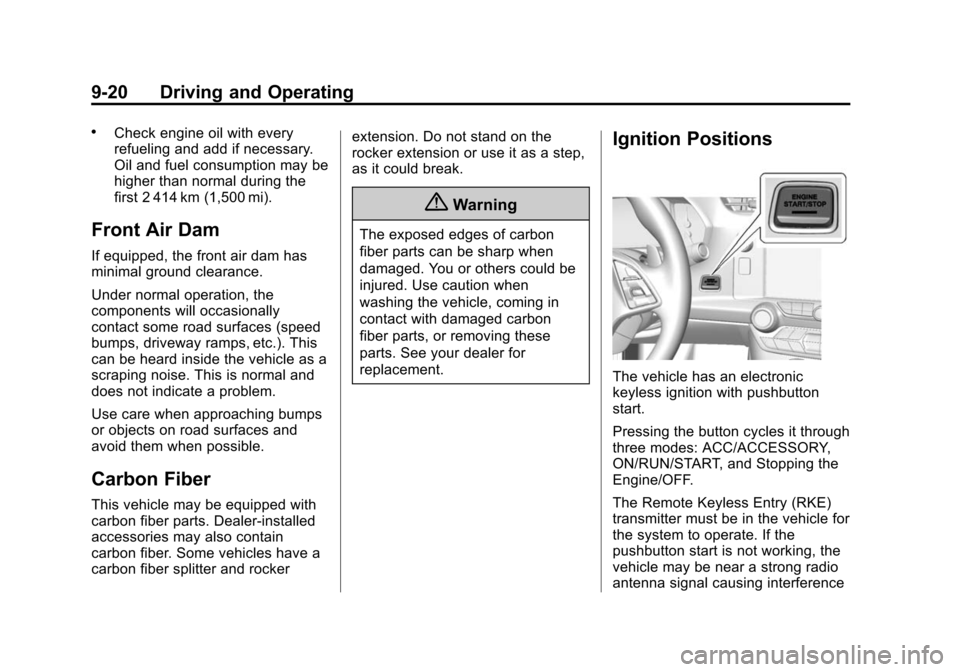
The vehicle has an electronic
keyless ignition with pushbutton
start.
Pressing the button cycles it through
three modes: ACC/ACCESSORY,
ON/RUN/START, and Stopping the
Engine/OFF.
The Remote Keyless Entry (RKE)
transmitter must be in the vehicle for
the system to operate. If the
pushbutton start is not working, the
vehicle may be near a strong radio
antenna signal causing interference
Page 207 of 393
Black plate (26,1)Chevrolet Corvette Owner Manual (GMNA-Localizing-U.S./Canada/Mexico-
7576293) - 2015 - crc - 10/31/14
9-26 Driving and Operating
If you still are unable to shift out of
P (Park):
1. Fully release the shift leverbutton, and let go of the
shift knob.
2. While holding down the brake pedal, press the shift lever
button again.
3. Move the shift lever to the desired position.
If you still cannot move the shift
lever from P (Park), consult your
dealer or a professional towing
service.
Parking (Manual
Transmission)
Before exiting the vehicle, move the
shift lever into 1 (First) or
R (Reverse), and apply the parking
brake. Once the shift lever has been
placed into 1 (First) or R (Reverse)
with the clutch pedal pressed in,
turn the ignition off and release the
clutch.
Parking over Things
That Burn
{Warning
Things that can burn could touch
hot exhaust parts under the
vehicle and ignite. Do not park
over papers, leaves, dry grass,
or other things that can burn.
Active Fuel Management®
This system allows the engine to
operate on either all or half of its
cylinders, depending on the driving
conditions. With a manual
transmission, the system is only
active in Eco mode. With an
automatic transmission, the system
is available in all modes, but is more
aggressive in Eco mode. See Driver
Mode Control on page 9-40.
When less power is required, such
as cruising at a constant vehicle
speed, the system will operate in
the half cylinder mode, allowing the vehicle to achieve better fuel
economy. When greater power
demands are required, such as
accelerating from a stop, passing,
or merging onto a freeway, the
system will maintain full-cylinder
operation.
Page 210 of 393
Black plate (29,1)Chevrolet Corvette Owner Manual (GMNA-Localizing-U.S./Canada/Mexico-
7576293) - 2015 - crc - 10/31/14
Driving and Operating 9-29
N (Neutral):In this position, the
engine does not connect with the
wheels. To restart the engine when
the vehicle is already moving, use
N (Neutral) only. If the vehicle needs
towing, see Towing the Vehicle on
page 10-83.
{Warning
Shifting into a drive gear while the
engine is running at high speed is
dangerous. Unless your foot is
firmly on the brake pedal, the
vehicle could move very rapidly.
You could lose control and hit
people or objects. Do not shift
into a drive gear while the engine
is running at high speed.
{Caution
Shifting out of P (Park) or
N (Neutral) with the engine
running at high speed may
(Continued)
Caution (Continued)
damage the transmission. The
repairs would not be covered by
the vehicle warranty. Be sure the
engine is not running at high
speed when shifting the vehicle.
D (Drive): This position is for
normal driving. It provides the best
fuel economy. If more power is
needed for passing, push the pedal
down to achieve the desired level of
acceleration.
Downshifting the transmission in
slippery road conditions could result
in skidding. See “Skidding”under
Loss of Control on page 9-4.
The transmission can be shifted like
a manual transmission using the
paddle shift controls while in
D (Drive). See Manual Mode on
page 9-29.
M (Manual Mode): In
M (Manual Mode), the transmission
can be shifted like a manual transmission using the paddle shift
controls. See
Manual Mode on
page 9-29.
Manual Mode
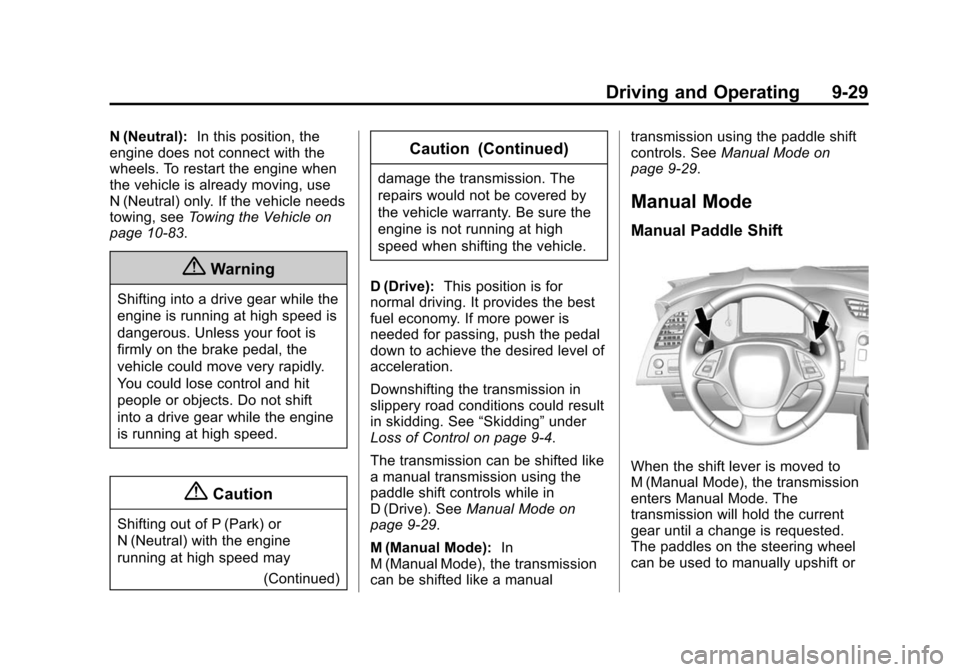
Manual Paddle Shift
When the shift lever is moved to
M (Manual Mode), the transmission
enters Manual Mode. The
transmission will hold the current
gear until a change is requested.
The paddles on the steering wheel
can be used to manually upshift or
Page 213 of 393
Black plate (32,1)Chevrolet Corvette Owner Manual (GMNA-Localizing-U.S./Canada/Mexico-
7576293) - 2015 - crc - 10/31/14
9-32 Driving and Operating
.Into 5 (Fifth) gear over 214 km/h
(133 mph).
.Into 4 (Fourth) gear over
161 km/h (100 mph).
.Into 3 (Third) gear over 131 km/h
(93 mph).
.Into 2 (Second) gear over
88 km/h (62 mph).
.Into 1 (First) gear over 55 km/h
(39 mph).
If an upshift is not requested as the
engine speed approaches fuel shut
off rpm, the engine speed will be
limited to protect the engine. See
Tachometer on page 5-12.
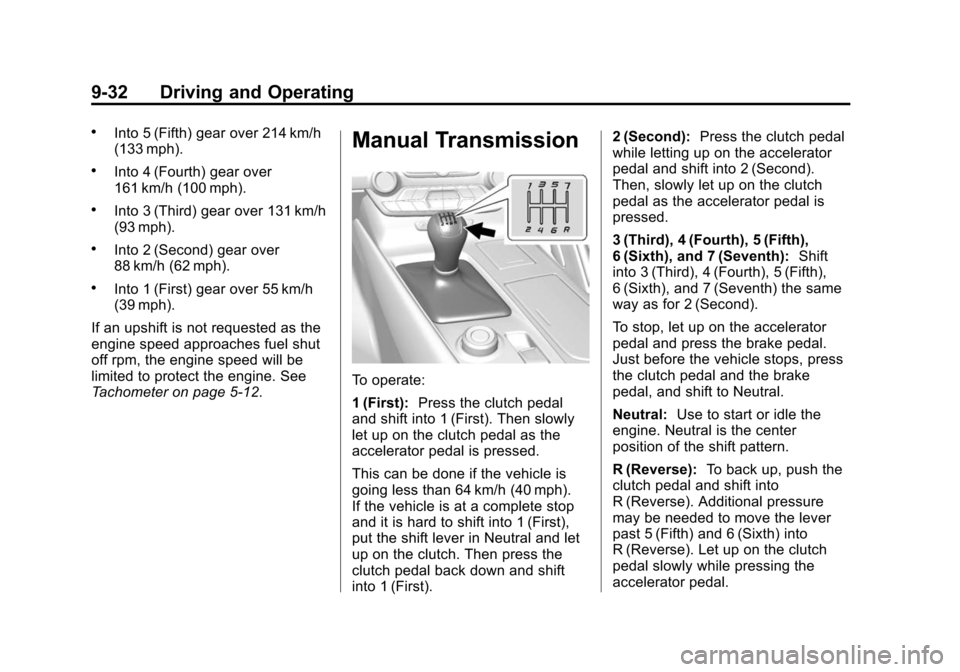
Manual Transmission
To operate:
1 (First): Press the clutch pedal
and shift into 1 (First). Then slowly
let up on the clutch pedal as the
accelerator pedal is pressed.
This can be done if the vehicle is
going less than 64 km/h (40 mph).
If the vehicle is at a complete stop
and it is hard to shift into 1 (First),
put the shift lever in Neutral and let
up on the clutch. Then press the
clutch pedal back down and shift
into 1 (First). 2 (Second):
Press the clutch pedal
while letting up on the accelerator
pedal and shift into 2 (Second).
Then, slowly let up on the clutch
pedal as the accelerator pedal is
pressed.
3 (Third), 4 (Fourth), 5 (Fifth),
6 (Sixth), and 7 (Seventh): Shift
into 3 (Third), 4 (Fourth), 5 (Fifth),
6 (Sixth), and 7 (Seventh) the same
way as for 2 (Second).
To stop, let up on the accelerator
pedal and press the brake pedal.
Just before the vehicle stops, press
the clutch pedal and the brake
pedal, and shift to Neutral.
Neutral: Use to start or idle the
engine. Neutral is the center
position of the shift pattern.
R (Reverse): To back up, push the
clutch pedal and shift into
R (Reverse). Additional pressure
may be needed to move the lever
past 5 (Fifth) and 6 (Sixth) into
R (Reverse). Let up on the clutch
pedal slowly while pressing the
accelerator pedal.
Page 214 of 393
Black plate (33,1)Chevrolet Corvette Owner Manual (GMNA-Localizing-U.S./Canada/Mexico-
7576293) - 2015 - crc - 10/31/14
Driving and Operating 9-33
The vehicle can be safely shifted
into R (Reverse) while the vehicle is
moving less than 5 km/h (3 mph).
If the vehicle is going faster than
that, R (Reverse) is locked out.
Shift Speeds
Use the following shift speeds,
shown in km/h (mph), for the best
fuel economy.1 to 4 27 (17)
4 to 5 40 (25)
5 to 6 64 (40)
6 to 7 72 (45)
{Caution
When shifting gears, do not move
the shift lever around
unnecessarily. This may damage
the transmission. Shift directly
into the next gear.
1–4 Shift Message
When the DIC displays this
message, the vehicle can only be
shifted from 1 (First) to 4 (Fourth).
SeeTransmission Messages on
page 5-44.
Downshifting
Do not downshift into the gear at a
speed greater than shown:
1 (First) 72 km/h (45 mph)
2 (Second) 107 km/h (67 mph) 3 (Third) 160 km/h (100 mph)
4 (Fourth) 233 km/h (145 mph)
{Caution
When downshifting, if more than
one gear is skipped, or the engine
is racing when the clutch pedal is
(Continued)
Caution (Continued)
released, the engine, clutch,
driveshaft or transmission could
be damaged.
If the engine speed drops below
900 rpm, or if the engine is not
running smoothly, downshift to the
next lower gear. It may be
necessary to downshift two or more
gears.
The transmission has a spring that
centers the shift lever near 3 (Third)
and 4 (Fourth). This spring helps to
know what gear the shift lever is in
when shifting. Be careful when
shifting from 1 (First) to 2 (Second)
or downshifting from 7 (Seventh) to
6 (Sixth). The spring will try to pull
the shift lever toward 4 (Fourth) and
3 (Third). Move the lever into
2 (Second) or 6 (Sixth) and do not
let the shift lever move in the
direction of the pulling, or it could
shift from 1 (First) to 4 (Fourth) or
from 7 (Seventh) to 4 (Fourth).
Page 215 of 393
Black plate (34,1)Chevrolet Corvette Owner Manual (GMNA-Localizing-U.S./Canada/Mexico-
7576293) - 2015 - crc - 10/31/14
9-34 Driving and Operating
If the vehicle is not upshifted as the
engine speed approaches fuel shut
off rpm, the engine speed will be
limited to protect the engine. See
Tachometer on page 5-12.
Active Rev Match
Vehicles equipped with a manual
transmission have Active Rev Match
(ARM). ARM aids in smoother
shifting by matching the engine
speed to the next selected gear. By
monitoring shift lever and clutch
operation, ARM adjusts engine
speed to match a calibrated value
based on gear selection. On
upshifts and downshifts, engine
speed will be increased and
decreased to match vehicle road
speed and transmission gear
position. ARM is maintained for a
few seconds between shifts, then
deactivates if the shift is not
completed.
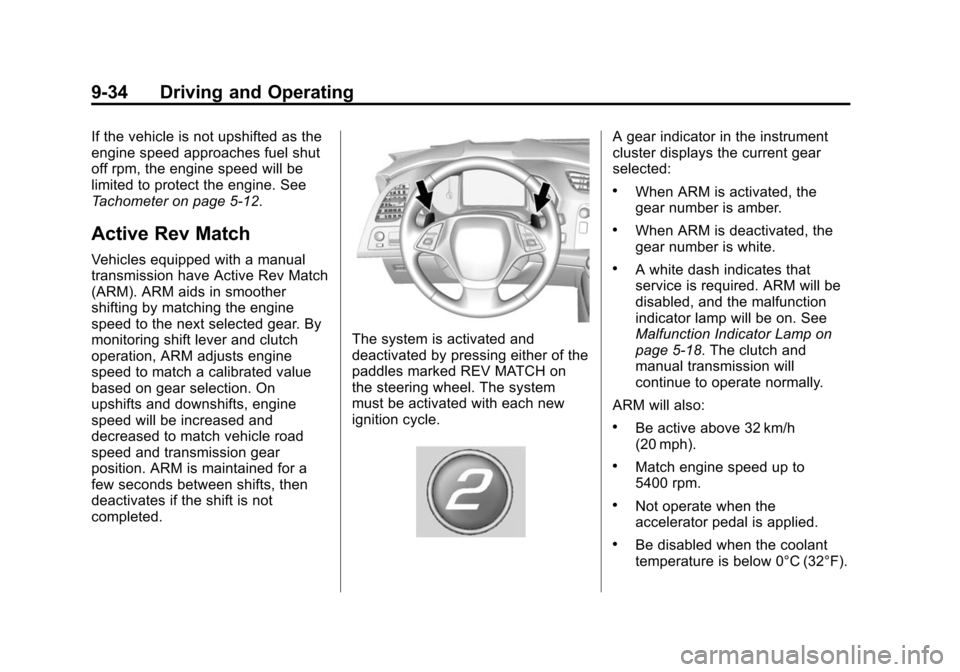
The system is activated and
deactivated by pressing either of the
paddles marked REV MATCH on
the steering wheel. The system
must be activated with each new
ignition cycle.
A gear indicator in the instrument
cluster displays the current gear
selected:
.When ARM is activated, the
gear number is amber.
.When ARM is deactivated, the
gear number is white.
.A white dash indicates that
service is required. ARM will be
disabled, and the malfunction
indicator lamp will be on. See
Malfunction Indicator Lamp on
page 5-18. The clutch and
manual transmission will
continue to operate normally.
ARM will also:
.Be active above 32 km/h
(20 mph).
.Match engine speed up to
5400 rpm.
.Not operate when the
accelerator pedal is applied.
.Be disabled when the coolant
temperature is below 0°C (32°F).
Page 222 of 393
Black plate (41,1)Chevrolet Corvette Owner Manual (GMNA-Localizing-U.S./Canada/Mexico-
7576293) - 2015 - crc - 10/31/14
Driving and Operating 9-41
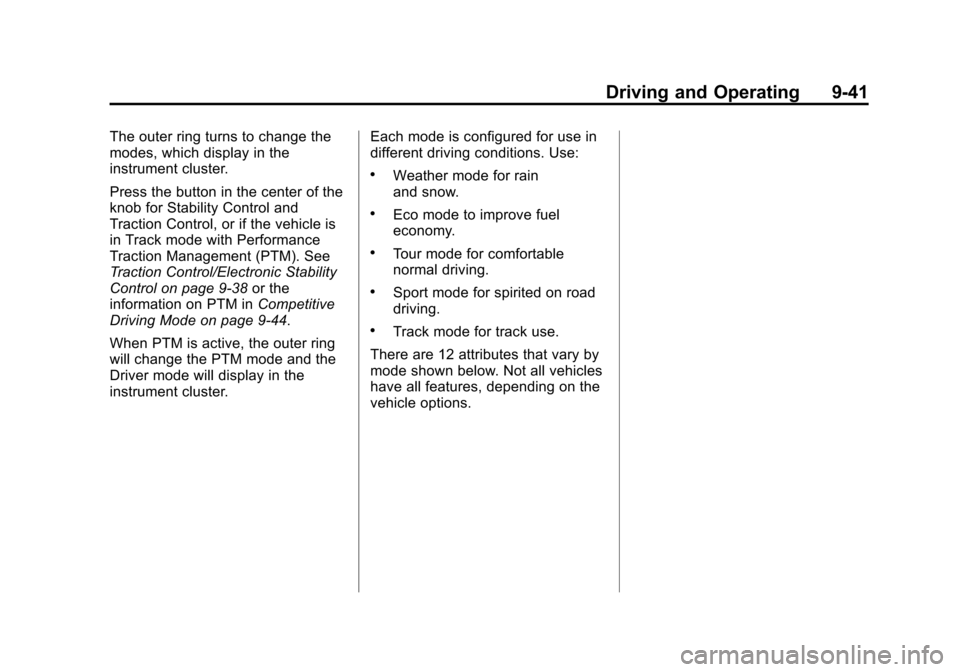
The outer ring turns to change the
modes, which display in the
instrument cluster.
Press the button in the center of the
knob for Stability Control and
Traction Control, or if the vehicle is
in Track mode with Performance
Traction Management (PTM). See
Traction Control/Electronic Stability
Control on page 9-38or the
information on PTM in Competitive
Driving Mode on page 9-44.
When PTM is active, the outer ring
will change the PTM mode and the
Driver mode will display in the
instrument cluster. Each mode is configured for use in
different driving conditions. Use:
.Weather mode for rain
and snow.
.Eco mode to improve fuel
economy.
.Tour mode for comfortable
normal driving.
.Sport mode for spirited on road
driving.
.Track mode for track use.
There are 12 attributes that vary by
mode shown below. Not all vehicles
have all features, depending on the
vehicle options.