2015 CHEVROLET CORVETTE light
[x] Cancel search: lightPage 226 of 393
Black plate (45,1)Chevrolet Corvette Owner Manual (GMNA-Localizing-U.S./Canada/Mexico-
7576293) - 2015 - crc - 10/31/14
Driving and Operating 9-45
These lights are on when the
vehicle is in the Competitive
Driving Mode.
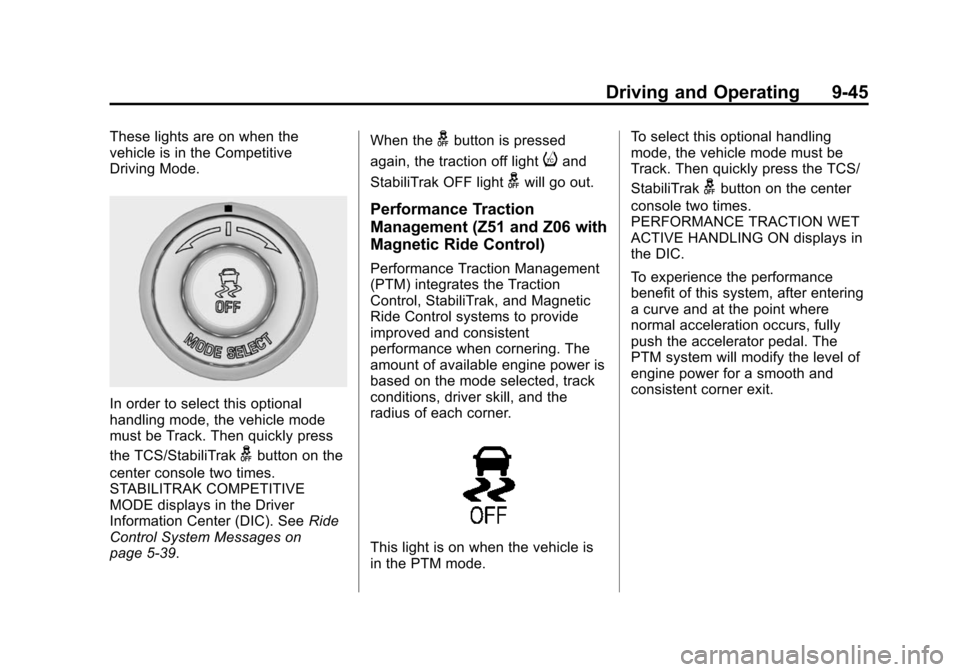
In order to select this optional
handling mode, the vehicle mode
must be Track. Then quickly press
the TCS/StabiliTrak
gbutton on the
center console two times.
STABILITRAK COMPETITIVE
MODE displays in the Driver
Information Center (DIC). See Ride
Control System Messages on
page 5-39. When the
gbutton is pressed
again, the traction off light
iand
StabiliTrak OFF light
gwill go out.
Performance Traction
Management (Z51 and Z06 with
Magnetic Ride Control)
Performance Traction Management
(PTM) integrates the Traction
Control, StabiliTrak, and Magnetic
Ride Control systems to provide
improved and consistent
performance when cornering. The
amount of available engine power is
based on the mode selected, track
conditions, driver skill, and the
radius of each corner.
This light is on when the vehicle is
in the PTM mode. To select this optional handling
mode, the vehicle mode must be
Track. Then quickly press the TCS/
StabiliTrak
gbutton on the center
console two times.
PERFORMANCE TRACTION WET
ACTIVE HANDLING ON displays in
the DIC.
To experience the performance
benefit of this system, after entering
a curve and at the point where
normal acceleration occurs, fully
push the accelerator pedal. The
PTM system will modify the level of
engine power for a smooth and
consistent corner exit.
Page 227 of 393
Black plate (46,1)Chevrolet Corvette Owner Manual (GMNA-Localizing-U.S./Canada/Mexico-
7576293) - 2015 - crc - 10/31/14
9-46 Driving and Operating
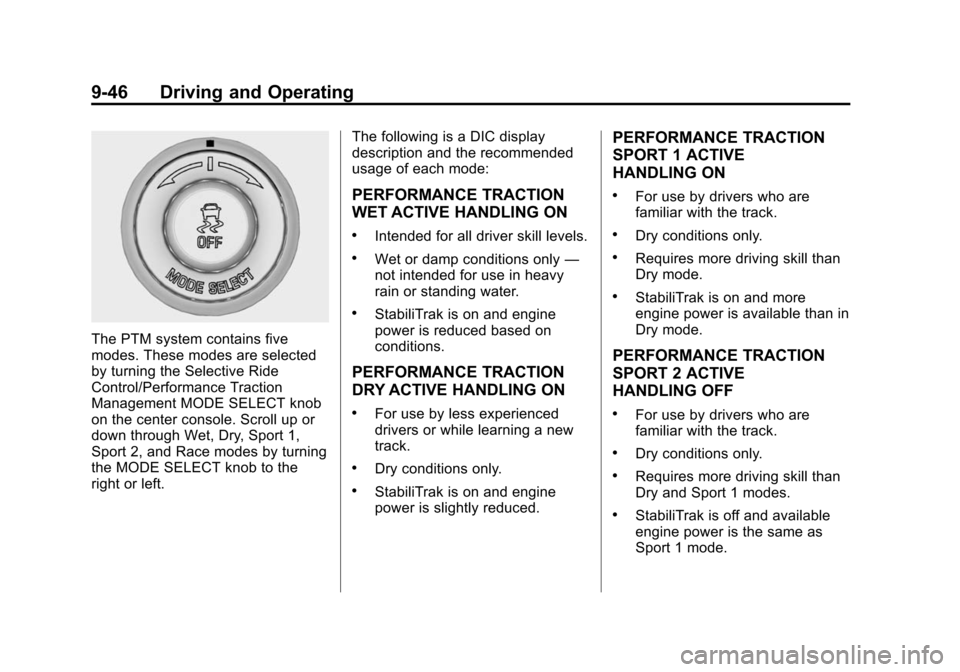
The PTM system contains five
modes. These modes are selected
by turning the Selective Ride
Control/Performance Traction
Management MODE SELECT knob
on the center console. Scroll up or
down through Wet, Dry, Sport 1,
Sport 2, and Race modes by turning
the MODE SELECT knob to the
right or left.The following is a DIC display
description and the recommended
usage of each mode:
PERFORMANCE TRACTION
WET ACTIVE HANDLING ON
.Intended for all driver skill levels.
.Wet or damp conditions only
—
not intended for use in heavy
rain or standing water.
.StabiliTrak is on and engine
power is reduced based on
conditions.
PERFORMANCE TRACTION
DRY ACTIVE HANDLING ON
.For use by less experienced
drivers or while learning a new
track.
.Dry conditions only.
.StabiliTrak is on and engine
power is slightly reduced.
PERFORMANCE TRACTION
SPORT 1 ACTIVE
HANDLING ON
.For use by drivers who are
familiar with the track.
.Dry conditions only.
.Requires more driving skill than
Dry mode.
.StabiliTrak is on and more
engine power is available than in
Dry mode.
PERFORMANCE TRACTION
SPORT 2 ACTIVE
HANDLING OFF
.For use by drivers who are
familiar with the track.
.Dry conditions only.
.Requires more driving skill than
Dry and Sport 1 modes.
.StabiliTrak is off and available
engine power is the same as
Sport 1 mode.
Page 228 of 393
Black plate (47,1)Chevrolet Corvette Owner Manual (GMNA-Localizing-U.S./Canada/Mexico-
7576293) - 2015 - crc - 10/31/14
Driving and Operating 9-47
PERFORMANCE TRACTION
RACE ACTIVE HANDLING OFF
.For use by experienced drivers
who are familiar with the track.
.Dry conditions only.
.Requires more driving skill than
in other modes.
.StabiliTrak is off and engine
power is available for maximum
cornering speed.
Press and release the TCS/
StabiliTrak
gbutton to turn off PTM
and return to the traction control and
StabiliTrak systems. The traction off
light
iand StabiliTrak OFF lightg
will go out.
Launch Control (Track
Mode Only)
A Launch Control feature is
available, within Competitive Driving
Mode (except Z51 and Z06 with
Magnetic Ride Control) or
Performance Traction Management
(Z51 and Z06 with Magnetic Ride Control), on all vehicles to allow the
driver to achieve high levels of
vehicle acceleration in a straight
line. Launch Control is a form of
traction control that manages tire
spin while launching the vehicle.
This feature is intended for use
during closed course race events
where consistent zero to
60 and quarter mile times are
desirable.
Launch Control is only available
when the following criteria are met:
.Competitive Driving Mode is
selected (except Z51 and Z06
with Magnetic Ride Control) or
any of the Performance Traction
Management modes are
selected (Z51 and Z06 with
Magnetic Ride Control). The
TCS light comes on the
instrument cluster and the
appropriate DIC message
displays.
.The vehicle is not moving.
.The steering wheel is pointing
straight.Manual Transmissions
.The clutch is pressed and the
vehicle is in 1 (First) gear.
.The accelerator pedal is rapidly
applied to wide open throttle.
The Launch Control feature will
initially limit engine speed as the
driver rapidly applies the accelerator
pedal to wide open throttle. Allow
the engine rpm to stabilize.
A smooth, quick release of the
clutch, while maintaining the fully
pressed accelerator pedal, will
manage wheel slip. Complete shifts
as described in Manual
Transmission on page 9-32.
Automatic Transmissions
.The brake pedal must be firmly
pressed to the floor, equivalent
to a panic brake event.
.The accelerator pedal is rapidly
applied to wide open throttle. (If
the vehicle rolls due to wide
open throttle, release the
throttle, press the brake pedal
Page 232 of 393
Black plate (51,1)Chevrolet Corvette Owner Manual (GMNA-Localizing-U.S./Canada/Mexico-
7576293) - 2015 - crc - 10/31/14
Driving and Operating 9-51
While pressing the accelerator pedal
or shortly following the release to
override cruise control, briefly
pressing SET/–will result in cruise
set to the current vehicle speed.
Using Cruise Control on Hills
How well the cruise control works
on hills depends upon the vehicle
speed, load, and the steepness of
the hills. When going up steep hills,
you might have to step on the
accelerator pedal to maintain your
speed. When going downhill, you
might have to brake or shift to a
lower gear to keep your speed
down. If the brake pedal is applied,
cruise control will disengage.
Cruise Control in Manual Paddle
Shift Gear Selection
When the vehicle is in M (Manual
Mode) and the manual paddle shift
controls are not being used, cruise
control operates in the same
manner as D (Drive). When the vehicle is in M (Manual
Mode) and the manual paddle shift
controls are being used, cruise
control operates as follows:
.If cruise control is active and a
gear is selected with the manual
paddle shift controls, the vehicle
speed is maintained in the driver
selected gear and will not
automatically upshift or
downshift the transmission while
the driver
’s gear selection is
active.
.If driving in hilly terrain, cruise
control may not be able to
maintain vehicle speed if an
upshift or downshift is not
selected by the driver. While
driving on hilly terrain and cruise
control is active with a manual
paddle shift gear selection, the
driver must select the proper
gear for the terrain or select D
(Drive) on the gear range
selector for full automatic
transmission operation. Ending Cruise Control
.Step lightly on the brake pedal.
.If equipped with a manual
transmission, press the clutch
pedal for several seconds or
shift to Neutral to disengage
cruise control.
.Press*.
.To turn off cruise control,
press
1.
Erasing Speed Memory
The cruise control set speed is
erased from memory if
1is pressed
or if the ignition is turned off.
Page 233 of 393
Black plate (52,1)Chevrolet Corvette Owner Manual (GMNA-Localizing-U.S./Canada/Mexico-
7576293) - 2015 - crc - 10/31/14
9-52 Driving and Operating
Driver Assistance
Systems
Rear Vision
Camera (RVC)
The RVC system can assist the
driver when backing up by
displaying a view of the area behind
the vehicle.
{Warning
The RVC system does not display
children, pedestrians, bicyclists,
crossing traffic, animals, or any
other object located outside the
camera's field of view, below the
bumper, or under the vehicle.
Perceived distances may be
different from actual distances.
Do not back the vehicle using
only the RVC screen. Failure to
use proper care before backing
may result in injury, death,(Continued)
Warning (Continued)
or vehicle damage. Always check
behind and around the vehicle
before backing.
An image appears on the
infotainment screen when the
vehicle is shifted into R (Reverse).
The infotainment screen goes to the
previous screen after approximately
10 seconds once the vehicle is
shifted out of R (Reverse).
To return to the previous screen
sooner, do one of the following:
.Press a hard key on the
infotainment system.
.Shift into P (Park), for an
automatic transmission.
.Reach a vehicle speed of
8 km/h (5 mph). Guidance Lines
The RVC system may have a
guidance line overlay that can help
the driver align the vehicle when
backing into a parking spot.
To turn the guidance lines on or off:
1. On the infotainment system,
press the Settings screen
button, or turn the MENU knob
to highlight Settings and
press MENU.
2. Select Rear Camera.
3. Select Guidance Lines and then select Off or On.
Rear Vision Camera Error
Messages
SERVICE REAR VISION CAMERA
SYSTEM: This message can
display when the system is not
operating properly.
If any other problem occurs or if a
problem persists, see your dealer.
Page 239 of 393
Black plate (58,1)Chevrolet Corvette Owner Manual (GMNA-Localizing-U.S./Canada/Mexico-
7576293) - 2015 - crc - 10/31/14
9-58 Driving and Operating
Warning (Continued)
.Place the nozzle inside the fill
opening of the container
before dispensing fuel, and
keep it in contact with the fill
opening until filling is
complete.
.Fill the container no more
than 95% full to allow for
expansion.
.Do not smoke, light matches,
or use lighters while
pumping fuel.
.Avoid using cell phones or
other electronic devices.
Trailer Towing
General Towing
Information
The vehicle is neither designed nor
intended to tow a trailer.
Conversions and
Add-Ons
Add-On Electrical
Equipment
{Caution
Some electrical equipment can
damage the vehicle or cause
components to not work and
would not be covered by the
warranty. Always check with your
dealer before adding electrical
equipment.
Add-on equipment can drain the
vehicle's 12-volt battery, even if the
vehicle is not operating.
The vehicle has an airbag system.
Before attempting to add anything
electrical to the vehicle, see
Servicing the Airbag-Equipped
Vehicle on page 3-25 andAdding
Equipment to the Airbag-Equipped
Vehicle on page 3-25.
Page 240 of 393

Black plate (1,1)Chevrolet Corvette Owner Manual (GMNA-Localizing-U.S./Canada/Mexico-
7576293) - 2015 - crc - 10/31/14
Vehicle Care 10-1
Vehicle Care
General Information
General Information . . . . . . . . . . 10-2
California Proposition65 Warning . . . . . . . . . . . . . . . . . 10-2
California Perchlorate Materials Requirements . . . . 10-2
Accessories and Modifications . . . . . . . . . . . . . . . 10-2
Lifting the Vehicle . . . . . . . . . . . . 10-3
Vehicle Checks
Doing Your Own Service Work . . . . . . . . . . . . . . . 10-5
Hood . . . . . . . . . . . . . . . . . . . . . . . . 10-6
Engine Compartment Overview . . . . . . . . . . . . . . . . . . . 10-7
Engine Oil . . . . . . . . . . . . . . . . . . 10-12
Engine Oil Life System . . . . . 10-18
Automatic Transmission Fluid . . . . . . . . . . . . . . . . . . . . . . 10-19
Manual Transmission Fluid . . . . . . . . . . . . . . . . . . . . . . 10-19
Hydraulic Clutch . . . . . . . . . . . . 10-19
Engine Air Cleaner/Filter . . . . 10-20
Cooling System (Engine) . . . 10-22 Cooling System (Aero
Panel) . . . . . . . . . . . . . . . . . . . . . 10-24
Engine Coolant . . . . . . . . . . . . . 10-25
Engine Overheating . . . . . . . . 10-27
Washer Fluid . . . . . . . . . . . . . . . 10-29
Brakes . . . . . . . . . . . . . . . . . . . . . 10-30
Brake Fluid . . . . . . . . . . . . . . . . . 10-32
Battery . . . . . . . . . . . . . . . . . . . . . 10-34
Rear Axle . . . . . . . . . . . . . . . . . . 10-35
Starter Switch Check . . . . . . . 10-35
Automatic Transmission Shift Lock Control Function
Check . . . . . . . . . . . . . . . . . . . . . 10-36
Park Brake and P (Park) Mechanism Check . . . . . . . . 10-36
Wiper Blade Replacement . . . . . . . . . . . . . . 10-37
Windshield Replacement . . . 10-37
Headlamp Aiming
Headlamp Aiming . . . . . . . . . . 10-38
Bulb Replacement
Bulb Replacement . . . . . . . . . . 10-38
High Intensity Discharge (HID) Lighting . . . . . . . . . . . . . 10-38
LED Lighting . . . . . . . . . . . . . . . 10-38
License Plate Lamp . . . . . . . . 10-38
Replacement Bulbs . . . . . . . . . 10-39
Electrical System
Electrical System Overload . . . . . . . . . . . . . . . . . . 10-39
Fuses . . . . . . . . . . . . . . . . . . . . . . 10-40
Engine Compartment Fuse Block . . . . . . . . . . . . . . . . . . . . . 10-40
Rear Compartment Fuse Block . . . . . . . . . . . . . . . . . . . . . 10-44
Wheels and Tires
Tires . . . . . . . . . . . . . . . . . . . . . . . . 10-47
Winter Tires . . . . . . . . . . . . . . . . 10-48
Run-Flat Tires . . . . . . . . . . . . . . 10-49
Low-Profile Tires . . . . . . . . . . . 10-50
Competition OrientedTires . . . . . . . . . . . . . . . . . . . . . . 10-50
Summer Tires . . . . . . . . . . . . . . 10-51
Tire Sidewall Labeling . . . . . . 10-52
Tire Designations . . . . . . . . . . . 10-53
Tire Terminology and Definitions . . . . . . . . . . . . . . . . 10-54
Tire Pressure . . . . . . . . . . . . . . . 10-57
Tire Pressure for High-Speed Operation . . . . . . . . . . . . . . . . . 10-58
Tire Pressure Monitor System . . . . . . . . . . . . . . . . . . . 10-59
Tire Pressure Monitor Operation . . . . . . . . . . . . . . . . . 10-60
Tire Inspection . . . . . . . . . . . . . . 10-62
Page 256 of 393

Black plate (17,1)Chevrolet Corvette Owner Manual (GMNA-Localizing-U.S./Canada/Mexico-
7576293) - 2015 - crc - 10/31/14
Vehicle Care 10-17
GM recommends Mobil 1®engine
oils that show the dexos1 approved
logo for its dry sump equipped
engines.
{Caution
Failure to use the recommended
engine oil can result in engine
damage not covered by the
vehicle warranty. Check with your
dealer or service provider on
whether the oil is approved to the
dexos1 specification.
Viscosity Grade
Use SAE 5W-30 viscosity grade
engine oil. Cold Temperature Operation: In an
area of extreme cold, where the
temperature falls below
−29 °C
(−20 °F), an SAE 0W-30 oil may be
used. An oil of this viscosity grade
will provide easier cold starting for
the engine at extremely low
temperatures. When selecting an oil
of the appropriate viscosity grade,
always select an oil of the correct
specification. See “Specification”
earlier in this section for more
information.
For track events or competitive
driving, use Mobil 1®15W-50 engine
oil. An instrument cluster warning
light will be illuminated at high oil
temperatures. See Driver
Information Center (DIC) on
page 5-26.
Engine Oil Additives/Engine
Oil Flushes
Do not add anything to the oil. The
recommended oils meeting the
dexos1™ specification are all that is
needed for good performance and
engine protection. Engine oil system flushes are not
recommended and could cause
engine damage not covered by the
vehicle warranty.
What to Do with Used Oil
Used engine oil contains certain
elements that can be unhealthy for
your skin and could even cause
cancer. Do not let used oil stay on
your skin for very long. Clean your
skin and nails with soap and water,
or a good hand cleaner. Wash or
properly dispose of clothing or rags
containing used engine oil. See the
manufacturer's warnings about the
use and disposal of oil products.
Used oil can be a threat to the
environment. If you change your
own oil, be sure to drain all the oil
from the filter before disposal. Never
dispose of oil by putting it in the
trash or pouring it on the ground,
into sewers, or into streams or
bodies of water. Recycle it by taking
it to a place that collects used oil.