2015 CHEVROLET CITY EXPRESS brake
[x] Cancel search: brakePage 165 of 297
Black plate (24,1)Chevrolet City Express Owner Manual (GMNA-Localizing-U.S./Canada-
7707496) - 2015 - CRC - 11/26/14
9-24 Driving and Operating pump or motor operating and feel
the brake pedal pulsate. This is
normal.
Braking in Emergencies ABS allows you to steer and brake
at the same time. In many
emergencies, steering can help
more than even the very best
braking.
Brake Force Distribution During braking while driving through
turns, the system optimizes the
distribution of force to each of the
four wheels depending on the radius
of the turn. Parking Brake
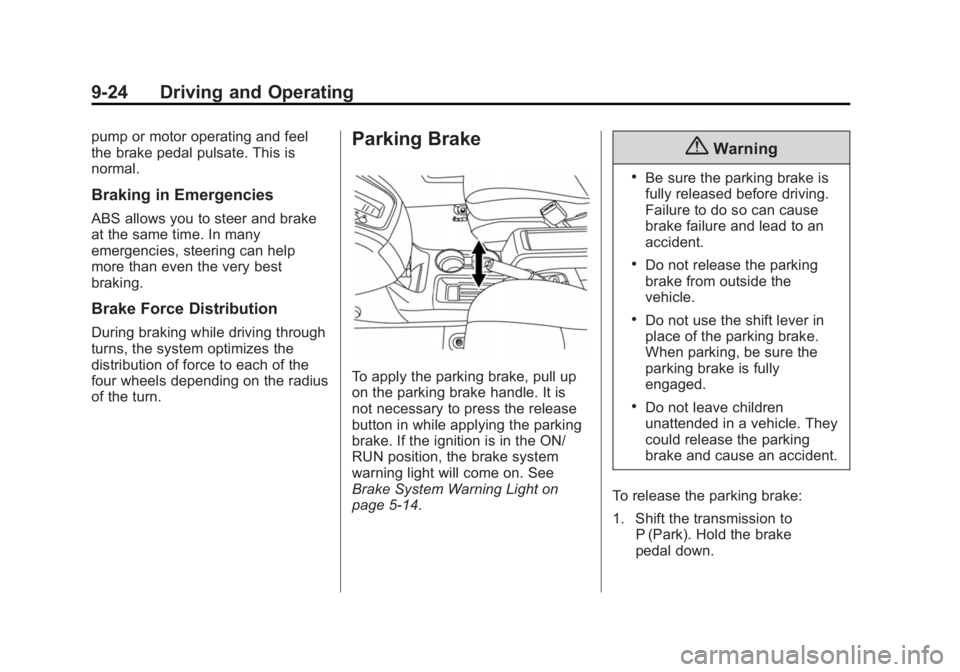
To apply the parking brake, pull up
on the parking brake handle. It is
not necessary to press the release
button in while applying the parking
brake. If the ignition is in the ON/
RUN position, the brake system
warning light will come on. See
Brake System Warning Light on
page 5-14 .{ Warning .
Be sure the parking brake is
fully released before driving.
Failure to do so can cause
brake failure and lead to an
accident. .
Do not release the parking
brake from outside the
vehicle. .
Do not use the shift lever in
place of the parking brake.
When parking, be sure the
parking brake is fully
engaged. .
Do not leave children
unattended in a vehicle. They
could release the parking
brake and cause an accident.
To release the parking brake:
1. Shift the transmission to
P (Park). Hold the brake
pedal down.
Page 166 of 297
Black plate (25,1)Chevrolet City Express Owner Manual (GMNA-Localizing-U.S./Canada-
7707496) - 2015 - CRC - 11/26/14
Driving and Operating 9-252. Pull the parking brake handle up
until you can press the release
button.
3. Hold the release button in as
you move the brake handle all
the way down.
{ CautionDriving with the parking brake on
can overheat the brake system
and cause premature wear or
damage to brake system parts.
Make sure that the parking brake
is fully released and the brake
warning light is off before driving.
Parking Brake Break-in
Break-in the brake shoes whenever
the effect of the parking brake is
weakened or whenever the brake
shoes and/or drums are replaced, in
order to assure the best brake
performance. This procedure can be
performed at the dealer. Ride Control Systems Traction Control/
Electronic Stability
Control System Operation The vehicle has a Traction Control
System (TCS) and Electronic
Stability Control, an electronic
stability control system. These
systems use various sensors to
monitor driver inputs and vehicle
motion. Under certain driving
conditions, the TCS and Electronic
Stability Control systems help to
perform the following functions: .
Control brake pressure to reduce
wheel slip on one slipping drive
wheel so power is transferred to
a non – slipping drive wheel on
the same axle. .
Control brake pressure and
engine output to reduce drive
wheel slip based on vehicle
speed (traction control function). .
Control brake pressure at
individual wheels and engine
output to help the driver maintain
control of the vehicle in the
following conditions:
‐ Understeer (vehicle tends to
not follow the steered path
despite increased steering
input)
‐ Oversteer (vehicle tends to
spin due to certain road or
driving conditions)
TCS and Electronic Stability Control
can help the driver to maintain
control of the vehicle, but cannot
prevent loss of vehicle control in all
driving situations.
When the TCS and Electronic
Stability Control systems operate,
the
d indicator in the instrument
cluster flashes to note the following: .
The road may be slippery or the
system may determine some
action is required to help keep
the vehicle on the steered path.
Page 167 of 297
Black plate (26,1)Chevrolet City Express Owner Manual (GMNA-Localizing-U.S./Canada-
7707496) - 2015 - CRC - 11/26/14
9-26 Driving and Operating .
You may feel a pulsation in the
brake pedal and hear a noise or
vibration from under the hood.
This is normal and indicates that
the traction control system is
working properly. .
Adjust your speed and driving to
the road conditions.
See Traction Control System (TCS)/
Electronic Stability Control Light on
page 5-16 and Electronic Stability
Control (ESC) Off Light on
page 5-16 .
If a malfunction occurs in the
systems, the
d indicator comes on
in the instrument cluster. The TCS
and Electronic Stability Control
systems automatically turn off when
the indicator light is on. Turning the Systems Off
and On
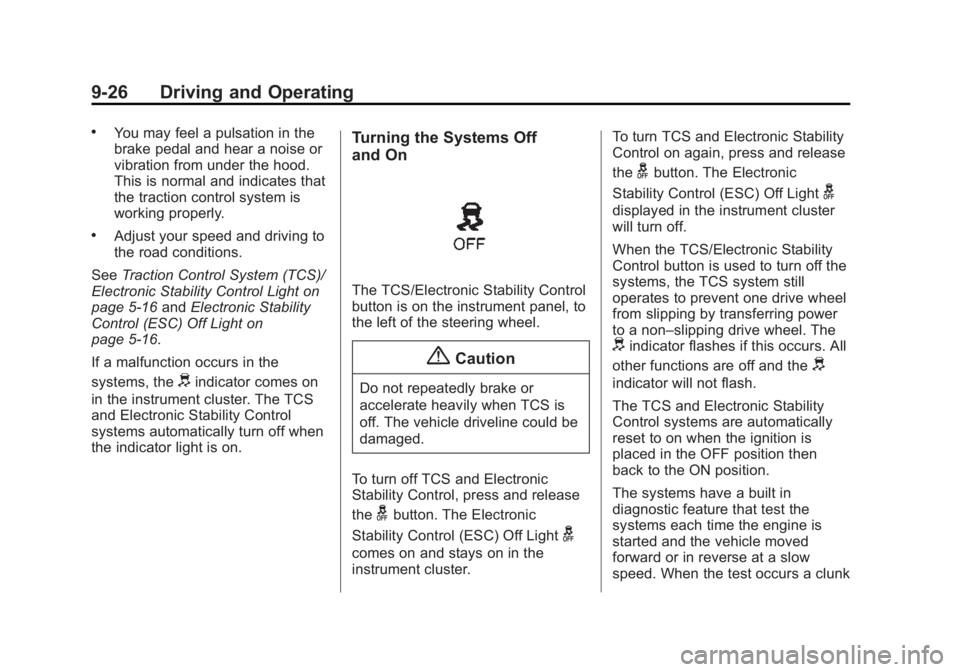
The TCS/Electronic Stability Control
button is on the instrument panel, to
the left of the steering wheel.
{ CautionDo not repeatedly brake or
accelerate heavily when TCS is
off. The vehicle driveline could be
damaged.
To turn off TCS and Electronic
Stability Control, press and release
the
g button. The Electronic
Stability Control (ESC) Off Light
gcomes on and stays on in the
instrument cluster. To turn TCS and Electronic Stability
Control on again, press and release
the
g button. The Electronic
Stability Control (ESC) Off Light
gdisplayed in the instrument cluster
will turn off.
When the TCS/Electronic Stability
Control button is used to turn off the
systems, the TCS system still
operates to prevent one drive wheel
from slipping by transferring power
to a non – slipping drive wheel. The
d indicator flashes if this occurs. All
other functions are off and the
d indicator will not flash.
The TCS and Electronic Stability
Control systems are automatically
reset to on when the ignition is
placed in the OFF position then
back to the ON position.
The systems have a built in
diagnostic feature that test the
systems each time the engine is
started and the vehicle moved
forward or in reverse at a slow
speed. When the test occurs a clunk
Page 168 of 297
Black plate (27,1)Chevrolet City Express Owner Manual (GMNA-Localizing-U.S./Canada-
7707496) - 2015 - CRC - 11/26/14
Driving and Operating 9-27noise may be heard and/or a
pulsation in the brake pedal may be
felt. This is normal and is not an
indication of a malfunction.
Adding accessories can affect the
vehicle performance. See
Accessories and Modifications on
page 10-3 .
{ Warning .
The Traction Control System
(TCS) and Electronic Stability
Control (ESC) system are
designed to help the driver
maintain stability but do not
prevent accidents due to
abrupt steering operation at
high speeds or by careless or
dangerous driving
techniques. Reduce vehicle
speed and be especially
careful when driving and
cornering on slippery
surfaces and always drive
carefully.
(Continued) Warning (Continued) .
Do not modify the vehicle ’ s
suspension. If suspension
parts such as shock
absorbers, struts, springs,
stabilizer bars, bushings, and
wheels are not recommended
for your vehicle or are
extremely deteriorated, the
TCS and ESC systems may
not operate properly. This
could adversely affect vehicle
handling performance, and
the
d indicator may flash or
the
d indicator light may
illuminate. .
If brake related parts such as
brake pads, rotors, and
calipers are not
recommended or are
extremely deteriorated, the
TCS and ESC systems may
(Continued) Warning (Continued) not operate properly and the
d indicator light may
illuminate. .
If engine control related parts
are not recommended or are
extremely deteriorated, the
d indicator light may illuminate. .
When driving on extremely
inclined surfaces such as
higher banked corners, the
TCS and ESC systems may
not operate properly and the
d indicator may flash or the
d indicator light may
illuminate. Do not drive on
these types of roads. .
When driving on an unstable
surface such as a turntable,
ferry, elevator, or ramp, the
d indicator may flash or the
d indicator light may illuminate.
(Continued)
Page 169 of 297
Black plate (28,1)Chevrolet City Express Owner Manual (GMNA-Localizing-U.S./Canada-
7707496) - 2015 - CRC - 11/26/14
9-28 Driving and Operating Warning (Continued) This is not a malfunction.
Restart the engine after
driving onto a stable surface. .
If wheels or tires other than
the recommended ones are
used, the TCS and ESC
systems may not operate
properly and the
d indicator
may flash or the
d indicator
light may illuminate. .
The TCS and ESC systems
are not a substitute for winter
tires or tire chains on a snow
covered road. Cruise Control
{ WarningCruise control can be dangerous
where you cannot drive safely at
a steady speed. Do not use
cruise control on winding roads or
in heavy traffic.
Cruise control can be dangerous
on slippery roads. On such roads,
fast changes in tire traction can
cause excessive wheel slip, and
you could lose control. Do not use
cruise control on slippery roads.
If equipped with cruise control, a
speed of about 48 km/h (30 mph) or
more can be maintained without
keeping your foot on the
accelerator. Cruise control does not
work at speeds below about
48 km/h (30 mph).
If the brakes are applied, cruise
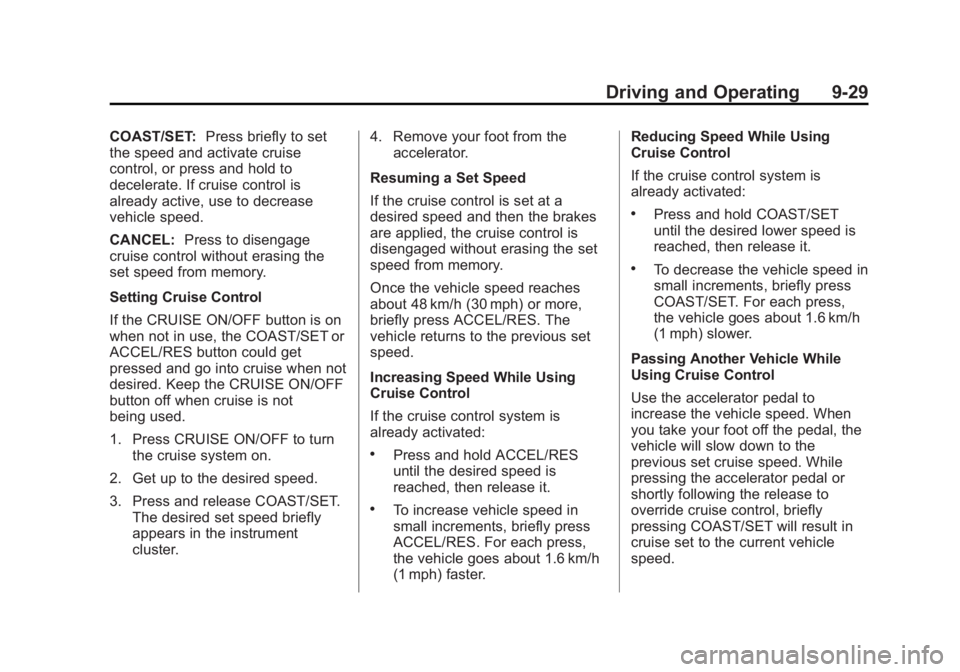
control disengages. CRUISE ON/OFF: Press to turn
cruise control on or off. The white
indicator comes on in the instrument
cluster when cruise control is
turned on.
ACCEL/RES (Accelerate/
Resume): If there is a set speed in
memory, press briefly to resume to a
previously set speed, or press and
hold to accelerate. If cruise control
is already active, use to increase
vehicle speed.
Page 170 of 297
Black plate (29,1)Chevrolet City Express Owner Manual (GMNA-Localizing-U.S./Canada-
7707496) - 2015 - CRC - 11/26/14
Driving and Operating 9-29COAST/SET: Press briefly to set
the speed and activate cruise
control, or press and hold to
decelerate. If cruise control is
already active, use to decrease
vehicle speed.
CANCEL: Press to disengage
cruise control without erasing the
set speed from memory.
Setting Cruise Control
If the CRUISE ON/OFF button is on
when not in use, the COAST/SET or
ACCEL/RES button could get
pressed and go into cruise when not
desired. Keep the CRUISE ON/OFF
button off when cruise is not
being used.
1. Press CRUISE ON/OFF to turn
the cruise system on.
2. Get up to the desired speed.
3. Press and release COAST/SET.
The desired set speed briefly
appears in the instrument
cluster. 4. Remove your foot from the
accelerator.
Resuming a Set Speed
If the cruise control is set at a
desired speed and then the brakes
are applied, the cruise control is
disengaged without erasing the set
speed from memory.
Once the vehicle speed reaches
about 48 km/h (30 mph) or more,
briefly press ACCEL/RES. The
vehicle returns to the previous set
speed.
Increasing Speed While Using
Cruise Control
If the cruise control system is
already activated: .
Press and hold ACCEL/RES
until the desired speed is
reached, then release it. .
To increase vehicle speed in
small increments, briefly press
ACCEL/RES. For each press,
the vehicle goes about 1.6 km/h
(1 mph) faster. Reducing Speed While Using
Cruise Control
If the cruise control system is
already activated: .
Press and hold COAST/SET
until the desired lower speed is
reached, then release it. .
To decrease the vehicle speed in
small increments, briefly press
COAST/SET. For each press,
the vehicle goes about 1.6 km/h
(1 mph) slower.
Passing Another Vehicle While
Using Cruise Control
Use the accelerator pedal to
increase the vehicle speed. When
you take your foot off the pedal, the
vehicle will slow down to the
previous set cruise speed. While
pressing the accelerator pedal or
shortly following the release to
override cruise control, briefly
pressing COAST/SET will result in
cruise set to the current vehicle
speed.
Page 171 of 297
Black plate (30,1)Chevrolet City Express Owner Manual (GMNA-Localizing-U.S./Canada-
7707496) - 2015 - CRC - 11/26/14
9-30 Driving and Operating Ending Cruise Control
There are four ways to end cruise
control: .
Step lightly on the brake pedal. .
Press CANCEL. .
Shift the transmission to
N (Neutral). .
To turn off cruise control, press
CRUISE ON/OFF.
Erasing Speed Memory
The cruise control set speed is
erased from memory if CRUISE ON/
OFF is pressed or if the vehicle is
turned off. Driver Assistance
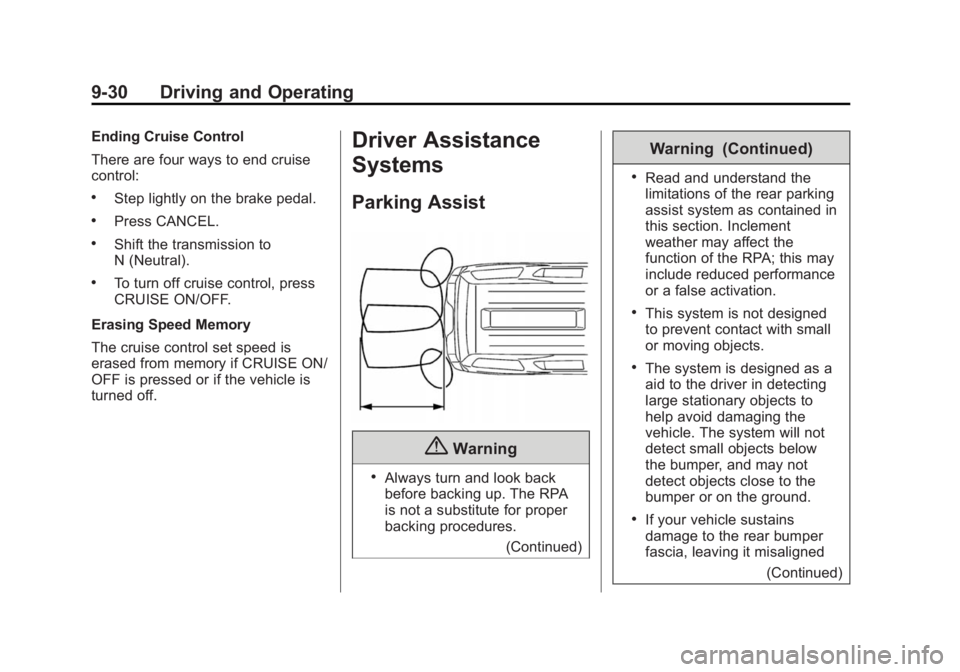
Systems Parking Assist
{ Warning .
Always turn and look back
before backing up. The RPA
is not a substitute for proper
backing procedures.
(Continued) Warning (Continued) .
Read and understand the
limitations of the rear parking
assist system as contained in
this section. Inclement
weather may affect the
function of the RPA; this may
include reduced performance
or a false activation. .
This system is not designed
to prevent contact with small
or moving objects. .
The system is designed as a
aid to the driver in detecting
large stationary objects to
help avoid damaging the
vehicle. The system will not
detect small objects below
the bumper, and may not
detect objects close to the
bumper or on the ground. .
If your vehicle sustains
damage to the rear bumper
fascia, leaving it misaligned
(Continued)
Page 176 of 297
Black plate (35,1)Chevrolet City Express Owner Manual (GMNA-Localizing-U.S./Canada-
7707496) - 2015 - CRC - 11/26/14
Driving and Operating 9-351. Object
2. Displayed Distance to Object
3. Actual Distance to Object
The position 1 is shown farther than
the position 2 in the display.
However, the position 1 is actually
at the same distance as the position
3. The vehicle may hit the object
when backing up to the position 3 if
the object projects over the actual
backing up course.
Adjusting the Screen The procedure for adjusting the
display settings of the screen differs
depending on the type of screen
present on the vehicle.
For vehicles without Navigation
System:
1. Firmly apply the brake and place
the shift lever in R (Reverse).
2. Press the ENTER/SETTING
button.
3. The screen will display the
Brightness settings. 4. Turn the TUNE/SCROLL knob to
adjust the setting up or down.
5. Press the ENTER/SETTING
button again to display the
Contrast settings.
6. Turn the TUNE/SCROLL knob to
adjust the setting up or down.
7. Press the ENTER/SETTING
button to complete the
adjustment.
Do not adjust the display settings of
the RVC while the vehicle is
moving.
For vehicles with Navigation
System:
1. Firmly apply the brake and place
the shift lever in R (Reverse).
2. Press the
B button on the
control panel.
3. The screen will display the Night
settings.
4. Turn the TUNE/SCROLL knob to
adjust the setting up or down. 5. Press the
B button again to
access the Auto settings.
6. Turn the TUNE/SCROLL knob to
adjust the setting up or down.
Do not adjust the display settings of
the RVC while the vehicle is
moving.
Operating Tips
{ Caution .
Do not use alcohol, benzine
or thinner to clean the
camera. This will cause
discoloration. To clean the
camera, wipe with a cloth
dampened with a diluted mild
cleaning agent and then wipe
with a dry cloth. .
Do not damage the camera
as the monitor screen may be
adversely affected.