2015 CADILLAC XTS SEDAN ECO mode
[x] Cancel search: ECO modePage 53 of 419

Black plate (24,1)Cadillac XTS Owner Manual (GMNA-Localizing-U.S./Canada-7707485) -
2015 - CRC - 10/31/14
2-24 Keys, Doors, and Windows
Express Window Anti-Pinch
Override
{Warning
If express override is activated,
the window will not reverse
automatically. You or others could
be injured and the window could
be damaged. Before you use
express override, make sure that
all people and obstructions are
clear of the window path.
The anti-pinch feature can be
overridden. Hold the window switch
all the way up to the second
position. The window will rise for as
long as the switch is held. Once the
switch is released, the express
mode is reactivated.
In this mode, the window can close
on an object in its path. Use care
when using the override mode.
Programming the Power
Windows
If the vehicle battery has been
recharged or disconnected, or is not
working, the front power windows
will need to be reprogrammed for
the express-up feature to work.
Before reprogramming, replace or
recharge the vehicle's battery.
To program:
1. With the ignition in ON/RUN or ACC/ACCESSORY, or when
RAP is active, close all doors.
2. Press and hold the power window switch until the window
is fully open.
3. Pull the power window switch up until the window is fully closed.
4. Continue holding the switch up for approximately two seconds
after the window is completely
closed. The window is now reprogrammed.
Repeat the process for the other
windows.
Window Operation from
Outside the Vehicle
The vehicle may be equipped with a
remote venting window feature.
As you approach the vehicle,
press
Kon the Remote Keyless
Entry (RKE) transmitter long enough
for the windows to start lowering to
the full open position.
Pressing the
Kagain will cause
window movement to stop.
This feature may be turned off by
your dealer.
Page 87 of 419

Black plate (30,1)Cadillac XTS Owner Manual (GMNA-Localizing-U.S./Canada-7707485) -
2015 - CRC - 10/31/14
3-30 Seats and Restraints
How Does an Airbag
Restrain?
In moderate to severe frontal or
near frontal collisions, even belted
occupants can contact the steering
wheel or the instrument panel. In
moderate to severe side collisions,
even belted occupants can contact
the inside of the vehicle.
Airbags supplement the protection
provided by safety belts by
distributing the force of the impact
more evenly over the
occupant's body.
Rollover capable roof-rail airbags
are designed to help contain the
head and chest of occupants in the
outboard seating positions in the
first and second rows. The rollover
capable roof-rail airbags are
designed to help reduce the risk of
full or partial ejection in rollover
events, although no system can
prevent all such ejections.But airbags would not help in many
types of collisions, primarily
because the occupant's motion is
not toward those airbags. See
When
Should an Airbag Inflate? on
page 3-28.
Airbags should never be regarded
as anything more than a supplement
to safety belts.
What Will You See after
an Airbag Inflates?
After the frontal airbags and
seat-mounted side impact airbags
inflate, they quickly deflate, so
quickly that some people may not
even realize an airbag inflated.
Roof-rail airbags may still be at least
partially inflated for some time after
they inflate. Some components of
the airbag module may be hot for
several minutes. For location of the
airbags, see Where Are the
Airbags? on page 3-26.
The parts of the airbag that come
into contact with you may be warm,
but not too hot to touch. There may be some smoke and dust coming
from the vents in the deflated
airbags. Airbag inflation does not
prevent the driver from seeing out of
the windshield or being able to steer
the vehicle, nor does it prevent
people from leaving the vehicle.
{Warning
When an airbag inflates, there
may be dust in the air. This dust
could cause breathing problems
for people with a history of
asthma or other breathing trouble.
To avoid this, everyone in the
vehicle should get out as soon as
it is safe to do so. If you have
breathing problems but cannot
get out of the vehicle after an
airbag inflates, then get fresh air
by opening a window or a door.
If you experience breathing
problems following an airbag
deployment, you should seek
medical attention.
Page 88 of 419

Black plate (31,1)Cadillac XTS Owner Manual (GMNA-Localizing-U.S./Canada-7707485) -
2015 - CRC - 10/31/14
Seats and Restraints 3-31
The vehicle has a feature that may
automatically unlock the doors, turn
on the interior lamps and hazard
warning flashers, and shut off the
fuel system after the airbags inflate.
The feature may also activate,
without airbag inflation, after an
event that exceeds a predetermined
threshold. You can lock the doors,
and turn off the interior lamps, and
turn off the hazard warning flashers
by using the controls for those
features.
{Warning
A crash severe enough to inflate
the airbags may have also
damaged important functions in
the vehicle, such as the fuel
system, brake and steering
systems, etc. Even if the vehicle
appears to be drivable after a
moderate crash, there may be(Continued)
Warning (Continued)
concealed damage that could
make it difficult to safely operate
the vehicle.
Use caution if you should attempt
to restart the engine after a crash
has occurred.
In many crashes severe enough to
inflate the airbag, windshields are
broken by vehicle deformation.
Additional windshield breakage may
also occur from the front outboard
passenger airbag.
.Airbags are designed to inflate
only once. After an airbag
inflates, you will need some new
parts for the airbag system.
If you do not get them, the
airbag system will not be there
to help protect you in another
crash. A new system will include
airbag modules and possibly other parts. The service manual
for the vehicle covers the need
to replace other parts.
.The vehicle has a crash sensing
and diagnostic module which
records information after a
crash. See
Vehicle Data
Recording and Privacy on
page 13-13 andEvent Data
Recorders on page 13-14.
.Let only qualified technicians
work on the airbag systems.
Improper service can mean that
an airbag system will not work
properly. See your dealer for
service.
Passenger Sensing
System
The vehicle has a passenger
sensing system for the front
outboard passenger position. The
passenger airbag status indicator
will light on the overhead console
when the vehicle is started.
Page 137 of 419

Black plate (18,1)Cadillac XTS Owner Manual (GMNA-Localizing-U.S./Canada-7707485) -
2015 - CRC - 10/31/14
5-18 Instruments and Controls
Warning (Continued)
have the vehicle serviced right
away. SeeAirbag Readiness
Light on page 5-16 for more
information, including important
safety information.
Charging System Light
On some vehicles the charging
system light comes on briefly when
the ignition is turned on, but the
engine is not running, as a check to
show the light is working. It should
go out when the engine is started.
For vehicles with a reconfigurable
cluster, this light may not come on
when the ignition is turned on. If the light stays on, or comes on
while driving, there may be a
problem with the electrical charging
system. Have it checked by your
dealer. Driving while this light is on
could drain the battery.
When this light comes on, or is
flashing, the Driver Information
Center (DIC) also displays a
message.
See
Battery Voltage and Charging
Messages on page 5-36.
If a short distance must be driven
with the light on, be sure to turn off
all accessories, such as the radio
and air conditioner.Malfunction
Indicator Lamp
A computer system called OBD II
(On-Board Diagnostics-Second
Generation) monitors the operation
of the vehicle to ensure emissions
are at acceptable levels, helping to
maintain a clean environment. The
malfunction indicator lamp comes on when the vehicle is placed in
Service Only Mode, as a check to
show it is working. If it does not,
have the vehicle serviced by your
dealer. See
Ignition Positions on
page 9-15.
If the malfunction indicator lamp
comes on while the engine is
running, this indicates that there is
an OBD II problem and diagnosis
and service might be required.
Malfunctions often are indicated by
the system before any problem is
apparent. Being aware of the light
can prevent more serious damage
to the vehicle. This system also
assists the service technician in
correctly diagnosing any
malfunction.
Page 146 of 419
Black plate (27,1)Cadillac XTS Owner Manual (GMNA-Localizing-U.S./Canada-7707485) -
2015 - CRC - 10/31/14
Instruments and Controls 5-27
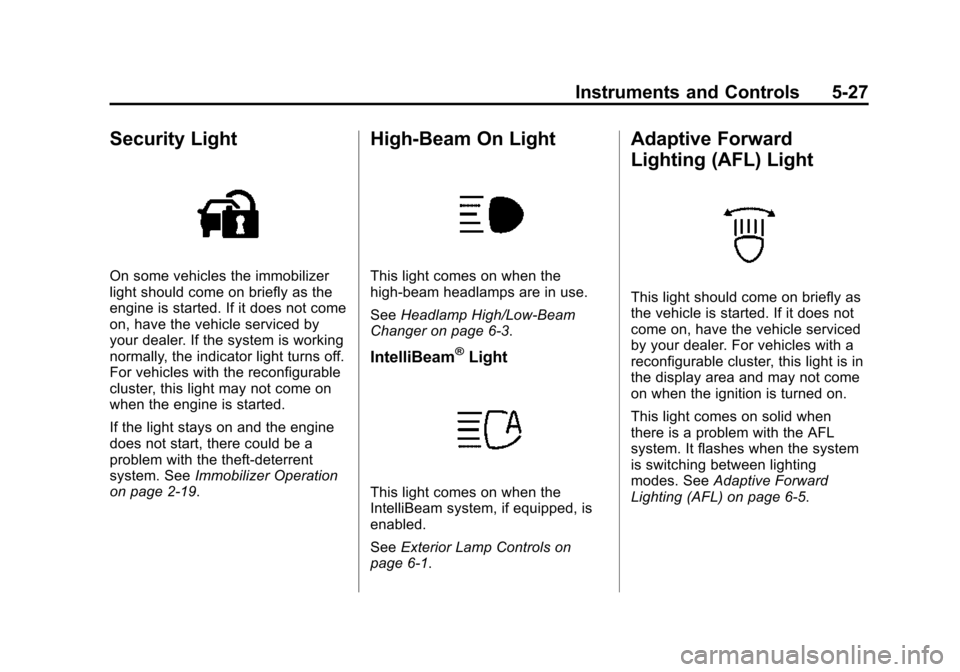
Security Light
On some vehicles the immobilizer
light should come on briefly as the
engine is started. If it does not come
on, have the vehicle serviced by
your dealer. If the system is working
normally, the indicator light turns off.
For vehicles with the reconfigurable
cluster, this light may not come on
when the engine is started.
If the light stays on and the engine
does not start, there could be a
problem with the theft-deterrent
system. SeeImmobilizer Operation
on page 2-19.
High-Beam On Light
This light comes on when the
high-beam headlamps are in use.
See Headlamp High/Low-Beam
Changer on page 6-3.
IntelliBeam®Light
This light comes on when the
IntelliBeam system, if equipped, is
enabled.
See Exterior Lamp Controls on
page 6-1.
Adaptive Forward
Lighting (AFL) Light
This light should come on briefly as
the vehicle is started. If it does not
come on, have the vehicle serviced
by your dealer. For vehicles with a
reconfigurable cluster, this light is in
the display area and may not come
on when the ignition is turned on.
This light comes on solid when
there is a problem with the AFL
system. It flashes when the system
is switching between lighting
modes. See Adaptive Forward
Lighting (AFL) on page 6-5.
Page 155 of 419

Black plate (36,1)Cadillac XTS Owner Manual (GMNA-Localizing-U.S./Canada-7707485) -
2015 - CRC - 10/31/14
5-36 Instruments and Controls
Battery Voltage and
Charging Messages
BATTERY SAVER ACTIVE
This message displays when the
vehicle has detected that the battery
voltage is dropping beyond a
reasonable point. The battery saver
system starts reducing features of
the vehicle that may be noticed. At
the point that features are disabled,
this message displays. Turn off
unnecessary accessories to allow
the battery to recharge.
LOW BATTERY
This message is displayed when the
battery voltage is low. SeeBattery
on page 10-24.
SERVICE BATTERY
CHARGING SYSTEM
This message is displayed when
there is a fault in the battery
charging system. Take the vehicle to
your dealer for service.
TRANSPORT MODE ON
This message is displayed when the
vehicle is in transport mode. Some
features can be disabled while in
this mode, including Remote
Keyless Entry (RKE), remote start,
and the vehicle alarm system. Take
the vehicle to your dealer for service
to turn transport mode off.
Brake System Messages
BRAKE FLUID LOW
This message is displayed when the
brake fluid level is low. See Brake
Fluid on page 10-23.
BRAKES OVERHEATED
This message is displayed when the
brakes are becoming overheated.
This may be seen when driving on
hills. Shift to a lower gear.
STEP ON BRAKE TO
RELEASE PARK BRAKE
This message is displayed if you
attempt to release the Electric
Parking Brake without the brake
pedal applied. See Electric Parking
Brake on page 9-27.
RELEASE PARKING BRAKE
This message is displayed if the
Electric Parking Brake is on while
the vehicle is in motion. See Electric
Parking Brake on page 9-27.
SERVICE BRAKE ASSIST
This message may be displayed
when there is a problem with the
brake boost assist system. The
brake boost assist motor may be
heard and brake pedal pulsation
may be felt. This is normal under
these conditions. Take the vehicle to
your dealer for service.
Page 166 of 419

Black plate (47,1)Cadillac XTS Owner Manual (GMNA-Localizing-U.S./Canada-7707485) -
2015 - CRC - 10/31/14
Instruments and Controls 5-47
Vehicle
Personalization
Use the audio system controls to
access the personalization menus
for customizing vehicle features.
The following are all possible
personalization features. Depending
on the vehicle, some may not be
available.
Infotainment System Audio
System Controls
To access the
personalization menu:
1. Press SETTINGS on the HomePage on the infotainment system
display.
2. Press the desired feature to display a list of available
options.
3. Press to select the desired feature setting.
4. Press
SBack to exit or move
backward in a menu. Personalization Menus
The following list of menu items may
be available:
.Time and Date
.Language (Language)
.Valet Mode
.Teen Driver
.Radio
.Vehicle
.Bluetooth
.Voice
.Display
.Rear Camera
.Return to Factory Settings
.Software Information
Each menu is detailed in the
following information.
Time and Date
Manually set the time and date. See
Clock on page 5-5.
Language (Language)
Select Language, then select from
the available language(s).
The selected language will display
on the system, and voice
recognition will reflect the selected
language.
Valet Mode (If Equipped)
This will lock the infotainment
system and steering wheel controls.
It may also limit top speed, power,
and access to vehicle storage
locations (if equipped).
To enable valet mode:
1. Enter a four-digit code on the keypad.
2. Press Enter to go to the confirmation screen.
3. Re-enter the four-digit code.
Press LOCK or UNLOCK to lock or
unlock the system. Press Back to go
back to the previous menu.
Page 196 of 419

Black plate (7,1)Cadillac XTS Owner Manual (GMNA-Localizing-U.S./Canada-7707485) -
2015 - CRC - 10/31/14
Climate Controls 8-7
6. Front (Front Climate ControlTouch Screen)
7. Rear Control Lockout
8. Air Delivery Mode Control
Rear: Press this button on the front
climate control touch screen to open
the rear climate control screen. The
rear climate control settings can
now be adjusted from the front
passenger area.
O(On/Off): Press theObutton or
REAR
Oon the touch screen to turn
the rear climate control on or off.
If the rear climate control is turned
off using REAR
Oon the touch
screen, the rear climate control
buttons must be pressed twice to
turn the system back on. Press
O
on the rear climate control faceplate
and within 5 seconds press the
MODE or temperature buttons on
the faceplate. SYNC:
Press SYNC on the touch
screen to match the rear climate
control temperature to the front
climate control driver temperature.
The SYNC button will be lit. Press
the TEMP, MODE, or AUTO button
twice to unlink the set driver and
rear temperatures. The SYNC
button turns off.
Rear Control Lockout: Press to
lock or unlock control of the rear
climate control system from the rear
seat passengers. When locked, the
rear climate control can only be
adjusted from the front seat.
Automatic Operation
Rear AUTO: Press to turn on or off.
The air delivery is controlled
automatically. The AUTO indicator
appears on the display. If the MODE
setting is manually adjusted, this
cancels full automatic operation. Manual Operation
S
A T(Fan Control): Press or
press and hold the front climate
control buttons or touch screen to
increase or decrease the rear
climate airflow.
+/− (Temperature Control): Press
or press and hold the rear
temperature control buttons or touch
screen to adjust the rear passenger
temperature. Press + for warmer air
and press −for cooler air.
Y/\/Y(Air Delivery Mode
Control): Press the desired mode
button on the touch screen or the
MODE button on the rear faceplate
to change the direction of the airflow
in the rear seating area.
MorL(Heated Rear Seats, If
Equipped): Press
MorLto heat
the left or right outboard seat
cushion and seatback. See Heated
Rear Seats on page 3-15.