Page 230 of 417
Black plate (39,1)Cadillac SRX Owner Manual (GMNA-Localizing-U.S./Canada/Mexico-
7707476) - 2015 - crc - 4/8/14
Driving and Operating 9-39
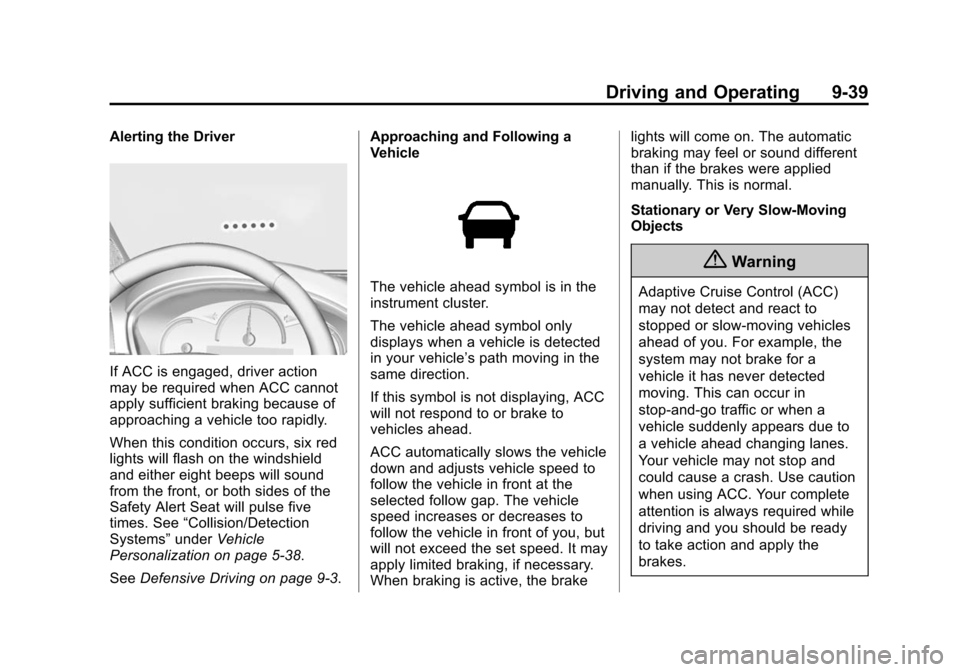
Alerting the Driver
If ACC is engaged, driver action
may be required when ACC cannot
apply sufficient braking because of
approaching a vehicle too rapidly.
When this condition occurs, six red
lights will flash on the windshield
and either eight beeps will sound
from the front, or both sides of the
Safety Alert Seat will pulse five
times. See“Collision/Detection
Systems” underVehicle
Personalization on page 5-38.
See Defensive Driving on page 9-3. Approaching and Following a
Vehicle
The vehicle ahead symbol is in the
instrument cluster.
The vehicle ahead symbol only
displays when a vehicle is detected
in your vehicle’s path moving in the
same direction.
If this symbol is not displaying, ACC
will not respond to or brake to
vehicles ahead.
ACC automatically slows the vehicle
down and adjusts vehicle speed to
follow the vehicle in front at the
selected follow gap. The vehicle
speed increases or decreases to
follow the vehicle in front of you, but
will not exceed the set speed. It may
apply limited braking, if necessary.
When braking is active, the brake lights will come on. The automatic
braking may feel or sound different
than if the brakes were applied
manually. This is normal.
Stationary or Very Slow-Moving
Objects
{Warning
Adaptive Cruise Control (ACC)
may not detect and react to
stopped or slow-moving vehicles
ahead of you. For example, the
system may not brake for a
vehicle it has never detected
moving. This can occur in
stop-and-go traffic or when a
vehicle suddenly appears due to
a vehicle ahead changing lanes.
Your vehicle may not stop and
could cause a crash. Use caution
when using ACC. Your complete
attention is always required while
driving and you should be ready
to take action and apply the
brakes.
Page 239 of 417

Black plate (48,1)Cadillac SRX Owner Manual (GMNA-Localizing-U.S./Canada/Mexico-
7707476) - 2015 - crc - 4/8/14
9-48 Driving and Operating
Turn off parking assist and Rear
Automatic Braking when towing a
trailer.
To turn the parking assist symbols
or guidance lines on or off:
1. On the infotainment system,press the Settings screen
button, or turn the MENU knob
to highlight Settings and
press MENU.
2. Select Rear Camera.
3. Press Rear Park Assist Symbols or Guidance Lines and then
select Off or On.
RCTA can be turned on or off
through vehicle personalization. See
“Collision/Detection Systems” under
Vehicle Personalization on
page 5-38.
Assistance Systems for
Driving
If equipped, when driving the
vehicle forward, Forward Collision
Alert (FCA), Lane Departure Warning (LDW), Side Blind Zone
Alert (SBZA), and/or the Active
Emergency Braking System can
help to avoid a crash or reduce
crash damage.
Forward Collision Alert
(FCA) System
If equipped, the FCA system may
help to avoid or reduce the harm
caused by front-end crashes. When
approaching a vehicle ahead too
quickly, FCA provides a red flashing
alert on the windshield and rapidly
beeps or pulses the driver seat.
FCA also lights an amber visual
alert if following another vehicle
much too closely.
FCA detects vehicles within a
distance of approximately 60 m
(197 ft) and operates at speeds
above 40 km/h (25 mph). If the
vehicle has Adaptive Cruise Control
(ACC), it can detect vehicles to
distances of approximately 110 m
(360 ft) and operates at all speeds.
See
Adaptive Cruise Control on
page 9-35.
{Warning
FCA is a warning system and
does not apply the brakes. When
approaching a slower-moving or
stopped vehicle ahead too rapidly,
or when following a vehicle too
closely, FCA may not provide a
warning with enough time to help
avoid a crash. FCA does not warn
of pedestrians, animals, signs,
guardrails, bridges, construction
barrels, or other objects. Be ready
to take action and apply the
brakes. For more information, see
Defensive Driving on page 9-3.
Page 365 of 417

Black plate (10,1)Cadillac SRX Owner Manual (GMNA-Localizing-U.S./Canada/Mexico-
7707476) - 2015 - crc - 4/8/14
11-10 Service and Maintenance
Battery
The battery supplies power to start
the engine and operate any
additional electrical accessories.
.To avoid break-down or failure to
start the vehicle, maintain a
battery with full cranking power.
.Trained dealer technicians have
the diagnostic equipment to test
the battery and ensure that the
connections and cables are
corrosion-free.
Belts
.Belts may need replacing if they
squeak or show signs of
cracking or splitting.
.Trained dealer technicians have
access to tools and equipment
to inspect the belts and
recommend adjustment or
replacement when necessary. Brakes
Brakes stop the vehicle and are
crucial to safe driving.
.Signs of brake wear may include
chirping, grinding, or squealing
noises, or difficulty stopping.
.Trained dealer technicians have
access to tools and equipment
to inspect the brakes and
recommend quality parts
engineered for the vehicle.
Fluids
Proper fluid levels and approved
fluids protect the vehicle’s systems
and components. See
Recommended Fluids and
Lubricants on page 11-13 for GM
approved fluids.
.Engine oil and windshield
washer fluid levels should be
checked at every fuel fill.
.Instrument cluster lights may
come on to indicate that fluids
may be low and need to be
filled. Hoses
Hoses transport fluids and should
be regularly inspected to ensure
that there are no cracks or leaks.
With a multi-point inspection, your
dealer can inspect the hoses and
advise if replacement is needed.
Lamps
Properly working headlamps,
taillamps, and brake lamps are
important to see and be seen on
the road.
.Signs that the headlamps need
attention include dimming, failure
to light, cracking, or damage.
The brake lamps need to be
checked periodically to ensure
that they light when braking.
.With a multi-point inspection,
your dealer can check the lamps
and note any concerns.
Page 416 of 417

Black plate (13,1)Cadillac SRX Owner Manual (GMNA-Localizing-U.S./Canada/Mexico-
7707476) - 2015 - crc - 4/8/14
INDEX i-13
V
VehicleAlarm System . . . . . . . . . . . . . . . . 2-17
Canadian Owners . . . . . . . . . . . . . . . iii
Control . . . . . . . . . . . . . . . . . . . . . . . . 9-3
IdentificationNumber (VIN) . . . . . . . . . . . . . . . 12-1
Load Limits . . . . . . . . . . . . . . . . . . . . 9-9
Messages . . . . . . . . . . . . . . . . . . . . 5-27
Personalization . . . . . . . . . . . . . . . 5-38
Reminder Messages . . . . . . . . . . 5-37
Remote Start . . . . . . . . . . . . . . . . . . 2-9
Security . . . . . . . . . . . . . . . . . . . . . . 2-17
Speed Messages . . . . . . . . . . . . . 5-38
Towing . . . . . . . . . . . . . . . . . . . . . . 10-83
Vehicle Ahead Indicator . . . . . . . 5-20
Vehicle Care
Storing the Tire Sealantand Compressor Kit . . . . . . . 10-71
Tire Pressure . . . . . . . . . . . . . . . 10-48
Vehicle Data Recording and Privacy . . . . . . . . . . . . . . . . . 13-14
Vehicle Diagnostics OnStar
®. . . . . . . . . . . . . . . . . . . . . . 14-6
Ventilation, Air . . . . . . . . . . . . . . . . . . 8-7
Visors . . . . . . . . . . . . . . . . . . . . . . . . . 2-26
W
Warning
Brake System Light . . . . . . . . . . . 5-18
Lane Departure (LDW) . . . . . . . 9-54
Warning Lights, Gauges, and Indicators . . . . . . . . . . . . . . . . . . . . . 5-8
Warnings . . . . . . . . . . . . . . . . . . . . . . . . . iv
Cautions and Danger . . . . . . . . . . . .iv
Hazard Flashers . . . . . . . . . . . . . . . 6-5
Washer Fluid . . . . . . . . . . . . . . . . . 10-18 Messages . . . . . . . . . . . . . . . . . . . . 5-38
Wheels Alignment and TireBalance . . . . . . . . . . . . . . . . . . . 10-60
Different Size . . . . . . . . . . . . . . . 10-58
Replacement . . . . . . . . . . . . . . . 10-60
When It Is Time for New Tires . . . . . . . . . . . . . . . . . . . . . . . . 10-56
Where to Put the Restraint . . . . 3-39
Windows . . . . . . . . . . . . . . . . . . . . . . 2-23 Power . . . . . . . . . . . . . . . . . . . . . . . . 2-23 Windshield
Wiper/Washer . . . . . . . . . . . . . . . . . 5-3
Winter Driving . . . . . . . . . . . . . . . . . . . . . . . . . 9-7
Winter Tires . . . . . . . . . . . . . . . . . . 10-42
Wiper Blade Replacement . . . . 10-23
Wipers Rear Washer . . . . . . . . . . . . . . . . . . 5-4