2015 CADILLAC ELR charging
[x] Cancel search: chargingPage 144 of 407

Black plate (35,1)Cadillac ELR Owner Manual (GMNA-Localizing-U.S./Canada-7695154) -
2015 - CRC - 4/25/14
Instruments and Controls 5-35
message displays“An invalid entry
was found in the data entered.
Please re-enter data.”
Electric Rate Finish Time Editing
From the Edit (Summer, Winter,
or Yearly) Electric Rate Schedule
screen, press Edit next to the row to
change.
1. Press + or −to adjust the time.
2. Press Off-Peak, Mid-Peak, or Peak to select the
electric rate.
3. Press the Save button to store changes. Only the finish time can be edited.
The start time is automatically
populated in the rate table.
Electric Rate Schedule Viewing
From the Select Electric Rate Plan
screen, press View (Summer,
Winter, or Yearly) Schedule.
Temporary Charge Mode
Override and Cancel
Programmed Delayed Charge
Modes can be temporarily
overridden to an Immediate Charge
Mode for one charge cycle. Also,
the next planned departure time can
be temporarily overridden for one
charge cycle. In addition to the
in-vehicle overrides via the center
stack, there are other ways to
temporarily override a Delayed
Charge Mode. See
Plug-In Charging
on page 9-58. Temporary Override of a Delayed
Charge Mode
To temporarily override a Delayed
Charge Mode to Immediate Charge
Mode from inside the vehicle:
1. Press Temporary Override
Options on the main charging
screen.
2. Press Charge Immediately atPlug-In to temporarily override to
an Immediate Charge Mode.
The Temporary Charge Mode Status
screen will automatically display the
revised charge complete time.
ProCarManuals.com
Page 145 of 407

Black plate (36,1)Cadillac ELR Owner Manual (GMNA-Localizing-U.S./Canada-7695154) -
2015 - CRC - 4/25/14
5-36 Instruments and Controls
To cancel the temporary override to
Immediate, press Cancel Temporary
Override Setting on the Temporary
Override Options screen. Or, from
the main charging screen, press the
X will be on the far right side of the
Charge Mode button.
Temporary Override of the Next
Planned Departure Time
To temporarily override the Next
Planned Departure Time from inside
the vehicle:
1. Press Temporary OverrideOptions on the main charging
screen.2. Press Next Departure Time.
3. Press the + or –button to
change the Next
Departure Time. 4. Press SAVE to confirm a
temporary override of the Next
Planned Departure Time.
The Temporary Charge Mode Status
screen will automatically display the
revised charge complete time.
The Temporary Departure Time can
only be updated for the same day
as the original Next Planned
Departure Time. Also, the vehicle
will not accept a Temporary
Departure Time that is before the
present time of day.
ProCarManuals.com
Page 146 of 407

Black plate (37,1)Cadillac ELR Owner Manual (GMNA-Localizing-U.S./Canada-7695154) -
2015 - CRC - 4/25/14
Instruments and Controls 5-37
To cancel the temporary override of
the Next Planned Departure Time:
.From the Temporary Override
Options screen, press the
Cancel Temporary Override
Setting button.
.From the main charging screen,
press the X on the right side of
the respective override text.
When you override to an
immediate charge mode, the X
will be on the far right side of the
Charge Mode button. When you
override the departure time of
either delayed charge mode, the
X will be on the far right side of
the Next Planned Departure
button.
Charging Override/Interruption
Pop-Up
The Charging Override/Interruption
pop-up will appear if any of the
following conditions occur:
.The charging settings have been
modified via OnStar through the
website or the Mobile App. For
example, the Departure Time
Tables, the Rate Tables, or the
Charge Mode were updated
using the customer website
(available in select regions).
.There was an unintended loss of
AC power during the plug-in
charge event. For example,there was a power outage or the
charge cord was unplugged from
the wall.
.The charge process was
interrupted by the utility
company via OnStar as
authorized by the vehicle owner
(available in select regions).
See Utility Interruption of Charging
on page 9-65.
Programmable Charging
Disabled
When the Programmable Charging
system is disabled, the Default
Charge Mode Status screen and the
pop-up will display “- -:- -”for the
Charge Complete Time. The
ProCarManuals.com
Page 147 of 407

Black plate (38,1)Cadillac ELR Owner Manual (GMNA-Localizing-U.S./Canada-7695154) -
2015 - CRC - 4/25/14
5-38 Instruments and Controls
Programmable Charging system will
be disabled if the Charge Complete
Time cannot be confidently
estimated. If the Programmable
Charging system is consistently
disabled, see your dealer for details.
Energy Information
To view the Energy Usage and
Energy Efficiency, press the
[
button on the infotainment display
and then press the INFO button at
the bottom of the touch screen.
Energy Usage
The Energy Usage screen displays
information for the total of all drive
cycles since the last time the highvoltage battery was fully charged.
This includes distance traveled in
Electric Mode, distance traveled in
Extended Range Mode, total
distance traveled, electric energy
used from the battery, total fuel
used, and average fuel economy.
There are maximum limits to some
of the values that can be displayed.
When these values are replaced
with dashes, the value limits have
been reached. To reset these
values, the high voltage battery will
need to be fully recharged. The
circle graph also represents
the percentage of distance traveled
using Electric Mode versus
Extended Range Mode. The
Lifetime Fuel Economy is a total
over the life of the vehicle and can
only be reset by the dealer. The
Energy Usage information will also
appear automatically on power off
when Retained Accessory Power is
active. This automatic pop-up can
be disabled through vehicle
personalization. See
“Energy
Summary Pop-up” underVehicle
Personalization on page 5-52.
Driver Information
Center (DIC)
The DIC is displayed in the
instrument cluster. It shows the
status of many vehicle systems.
yorz: Move SEL up or down to
go to the previous or next selection.
SorT: Press to move between
the interactive display zones in the
cluster. Press
Sto go back to the
previous menu.
ProCarManuals.com
Page 150 of 407

Black plate (41,1)Cadillac ELR Owner Manual (GMNA-Localizing-U.S./Canada-7695154) -
2015 - CRC - 4/25/14
Instruments and Controls 5-41
Vehicle Messages
Messages displayed on the DIC
indicate the status of the vehicle or
some action that may be needed to
correct a condition. Multiple
messages may display one after the
other.
The messages that do not require
immediate action can be
acknowledged and cleared by
pressing SEL. The messages that
require immediate action cannot be
cleared until that action is
performed. All messages should be
taken seriously and clearing the
messages does not correct the
problem.
The following are some of the
vehicle messages that may be
displayed depending on the vehicle
content.
Battery and Charging
Messages
BATTERY SAVER ACTIVE
This message displays when the
vehicle has detected that the 12-volt
battery voltage has dropped and
vehicle features are being disabled.
The 12-volt battery saver system
starts reducing certain features
trying to save the charge of the
12-volt battery. Turn off unnecessary
features to allow the battery to
recharge.
BATTERY TOO COLD, PLUG IN
TO WARM
This message displays during
extremely cold temperatures, when
the vehicle will not start until the
high voltage battery is warm
enough.
Plug the vehicle in and make sure
the vehicle is off to allow the
charging system to warm the high
voltage battery, then the vehicle can
be started.
CHARGE CORD CONNECTED
This message displays when the
charge cord is connected to the
vehicle. The vehicle cannot be
shifted out of P (Park) with the
charge cord connected.
CHARGE DOOR OPEN
This message displays when the
charge door is open and the vehicle
is shifted out of P (Park). The
charge door should be kept fully
closed when the vehicle is not
charging.
LOW BATTERY
This message displays when the
12-volt battery voltage is low. See
Battery on page 10-23.
SERVICE BATTERY
CHARGING SYSTEM
This message displays when there
is a fault in the 12-volt battery
charging system. Take the vehicle to
your dealer for service.
ProCarManuals.com
Page 151 of 407

Black plate (42,1)Cadillac ELR Owner Manual (GMNA-Localizing-U.S./Canada-7695154) -
2015 - CRC - 4/25/14
5-42 Instruments and Controls
SERVICE HIGH VOLTAGE
CHARGING SYSTEM
This message displays when there
is a problem with the high voltage
charging system. See your dealer
for service.
Brake System Messages
BRAKE FLUID LOW
This message is displayed when the
brake fluid level is low. SeeBrake
Fluid on page 10-21.
STEP ON BRAKE TO
RELEASE PARK BRAKE
This message is displayed if you
attempt to release the Electric
Parking Brake without the brake
pedal applied. See Electric Parking
Brake on page 9-30.
RELEASE PARKING BRAKE
This message is displayed if the
Electric Parking Brake is on while
the vehicle is in motion. See Electric
Parking Brake on page 9-30.
SERVICE BRAKE ASSIST
This message may be displayed
when there is a problem with the
brake boost assist system. The
brake boost assist motor may be
heard and brake pedal pulsation
may be felt. This is normal under
these conditions. Take the vehicle to
your dealer for service.
SERVICE PARKING BRAKE
This message is displayed when
there is a problem with the parking
brake. Take the vehicle to your
dealer for service.
Compass Messages
Dashes may be displayed if the
vehicle temporarily loses
communication with the Global
Positioning System (GPS).
Cruise Control Messages
ADAPTIVE CRUISE SET
TO XXX
This message displays when the
Adaptive Cruise Control (ACC)
speed is set. See Adaptive Cruise
Control on page 9-39.
ADAPTIVE CRUISE
TEMPORARILY UNAVAILABLE
This message displays when
attempting to activate Adaptive
Cruise Control (ACC) when it is
temporarily unavailable. The ACC
system does not need service.
This can occur under the following
conditions:
.Cruise is turned on when the
vehicle is stopped.
.The radar cannot see objects
well. See next message.
ProCarManuals.com
Page 191 of 407
Black plate (2,1)Cadillac ELR Owner Manual (GMNA-Localizing-U.S./Canada-7695154) -
2015 - CRC - 4/25/14
9-2 Driving and Operating
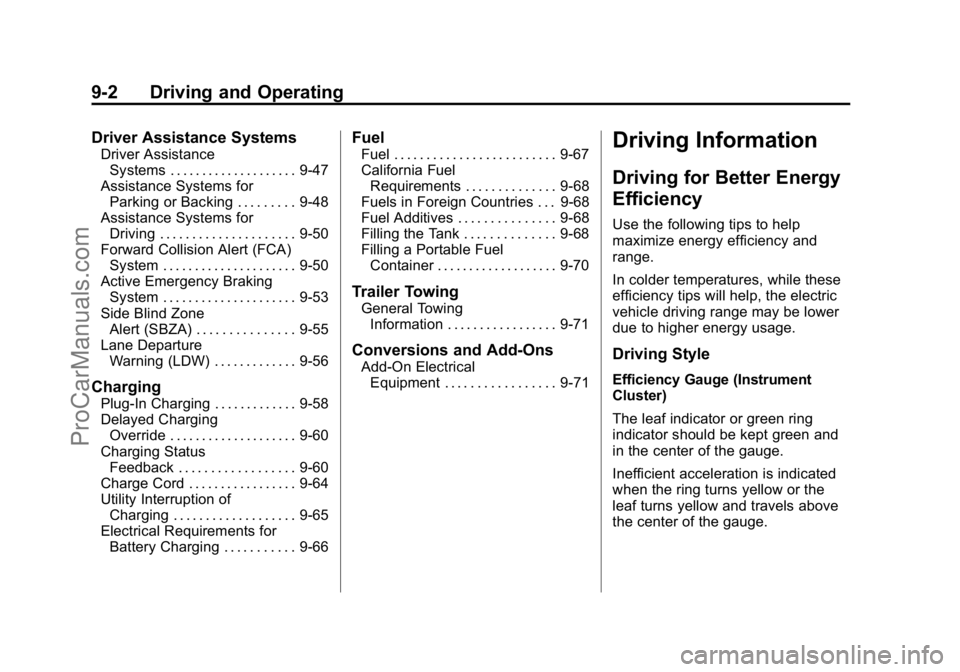
Driver Assistance Systems
Driver AssistanceSystems . . . . . . . . . . . . . . . . . . . . 9-47
Assistance Systems for Parking or Backing . . . . . . . . . 9-48
Assistance Systems for
Driving . . . . . . . . . . . . . . . . . . . . . 9-50
Forward Collision Alert (FCA) System . . . . . . . . . . . . . . . . . . . . . 9-50
Active Emergency Braking System . . . . . . . . . . . . . . . . . . . . . 9-53
Side Blind Zone Alert (SBZA) . . . . . . . . . . . . . . . 9-55
Lane Departure Warning (LDW) . . . . . . . . . . . . . 9-56
Charging
Plug-In Charging . . . . . . . . . . . . . 9-58
Delayed ChargingOverride . . . . . . . . . . . . . . . . . . . . 9-60
Charging Status Feedback . . . . . . . . . . . . . . . . . . 9-60
Charge Cord . . . . . . . . . . . . . . . . . 9-64
Utility Interruption of Charging . . . . . . . . . . . . . . . . . . . 9-65
Electrical Requirements for Battery Charging . . . . . . . . . . . 9-66
Fuel
Fuel . . . . . . . . . . . . . . . . . . . . . . . . . 9-67
California FuelRequirements . . . . . . . . . . . . . . 9-68
Fuels in Foreign Countries . . . 9-68
Fuel Additives . . . . . . . . . . . . . . . 9-68
Filling the Tank . . . . . . . . . . . . . . 9-68
Filling a Portable Fuel Container . . . . . . . . . . . . . . . . . . . 9-70
Trailer Towing
General TowingInformation . . . . . . . . . . . . . . . . . 9-71
Conversions and Add-Ons
Add-On ElectricalEquipment . . . . . . . . . . . . . . . . . 9-71
Driving Information
Driving for Better Energy
Efficiency
Use the following tips to help
maximize energy efficiency and
range.
In colder temperatures, while these
efficiency tips will help, the electric
vehicle driving range may be lower
due to higher energy usage.
Driving Style
Efficiency Gauge (Instrument
Cluster)
The leaf indicator or green ring
indicator should be kept green and
in the center of the gauge.
Inefficient acceleration is indicated
when the ring turns yellow or the
leaf turns yellow and travels above
the center of the gauge.
ProCarManuals.com
Page 193 of 407

Black plate (4,1)Cadillac ELR Owner Manual (GMNA-Localizing-U.S./Canada-7695154) -
2015 - CRC - 4/25/14
9-4 Driving and Operating
Use the auto heated seat feature
instead of climate settings. Heating
the seat uses less energy than
heating the vehicle interior.
Use remote start to heat or cool the
interior when the vehicle is plugged
in to maximize the electric range by
utilizing electricity from the electrical
outlet. Engine Assisted Heating
while plugged in can be
personalized. SeeRemote Start on
page 2-8.
In hot weather, avoid parking in
direct sunlight or use sunshades
inside the vehicle.
Turn off the front and rear window
defog/defrost when they are no
longer needed.
Avoid driving with the windows open
at highway speeds.
See Vehicle Personalization on
page 5-52.Vehicle Charging/Maintenance
Charging
Keep the vehicle plugged in, even
when fully charged, to keep the
battery temperature ready for the
next drive. This is important when
outside temperatures are extremely
hot or cold.
Maintenance
Always keep the tires properly
inflated and the vehicle properly
aligned.
The weight of excess cargo in the
vehicle affects efficiency and range.
Avoid carrying more than is needed.
If fuel is not regularly used, consider
keeping the fuel tank only one-third
full. Excess fuel weight impacts
efficiency and range.
For fuel recommendations, see Fuel
on page 9-67. Avoid unnecessary use of electrical
accessories. Power used for
functions other than propelling the
vehicle will reduce electric vehicle
range.
Using a rooftop carrier will reduce
efficiency due to additional weight
and drag.
Distracted Driving
Distraction comes in many forms
and can take your focus from the
task of driving. Exercise good
judgment and do not let other
activities divert your attention away
from the road. Many local
governments have enacted laws
regarding driver distraction. Become
familiar with the local laws in
your area.
ProCarManuals.com