2015 CADILLAC ELR park assist
[x] Cancel search: park assistPage 163 of 407

Black plate (54,1)Cadillac ELR Owner Manual (GMNA-Localizing-U.S./Canada-7695154) -
2015 - CRC - 4/25/14
5-54 Instruments and Controls
Auto Defog
When set to On, the front defog will
automatically come on when the
vehicle is started.
Select Off or On.
Engine Assisted Heating
Plugged-In
During remote start, this feature
turns on or off the ability for the
engine to run to help heat the
vehicle when it is plugged in.
A change in setting will not take
effect until after the vehicle is first
powered down.
Select Off or On.
Collision/Detection Systems
Select and the following may
display:
.Alert Type
.Auto Collision Preparation
.Go Notifier
.Side Blind Zone Alert
.Rear Cross Traffic AlertAlert Type
This feature will set crash alerts to
beeps or seat vibrations. This
setting affects all crash alerts
including Forward Collision, Lane
Departure Warning, and Parking
Assist alerts.
Select Beeps or Safety Alert Seat.
Auto Collision Preparation
This feature will turn on or off the
Forward Collision Alert feature as
well as the Automatic Braking
capability of the Auto Collision
Preparation feature. With the Alert &
Brake setting, both Forward
Collision Alert as well as the
Automatic Braking capability of the
Auto Collision Preparation feature
are available. The Alert setting
disables most automatic braking
functions of the Auto Collision
Preparation feature. Some
last-second automatic braking
capability is still provided with the
Alert setting, but it is much less
likely to be triggered by most driving
conditions. Off disables all Forward Collision Alert and Automatic
Braking capabilities of the Auto
Collision Preparation feature. See
Active Emergency Braking System
on page 9-53.
Press Auto Collision Preparation.
Press to select Off, Alert & Brake,
or Alert.
Go Notifier
This feature will give a reminder that
Adaptive Cruise Control provides
when it has brought the vehicle to a
complete stop behind another
stopping vehicle, and then that
vehicle drives on.
Press Go Notifier. Press to select
Off or On. See
Adaptive Cruise
Control on page 9-39.
Side Blind Zone Alert
This allows the Side Blind Zone
Alert feature to be turned on or off.
Press Side Blind Zone Alert. Press
to select Off or On. See Side Blind
Zone Alert (SBZA) on page 9-55.
ProCarManuals.com
Page 164 of 407

Black plate (55,1)Cadillac ELR Owner Manual (GMNA-Localizing-U.S./Canada-7695154) -
2015 - CRC - 4/25/14
Instruments and Controls 5-55
Rear Cross Traffic Alert
This allows the Rear Cross Traffic
Alert to be turned on or off.
Select to turn Off or On. See
Assistance Systems for Parking or
Backing on page 9-48.
Comfort and Convenience
Select and the following may
display:
.Auto Memory Recall
.Easy Exit Options
.Chime Volume
.Reverse Tilt Mirror
.Rainsense Wipers
Auto Memory Recall
This feature automatically recalls
the current driver ’s previously stored
1 or 2 button positions when
entering the vehicle. See Memory
Seats on page 3-6.
Select Off, On - Driver Door Open,
or On - At ignition On. Easy Exit Options
This feature automatically recalls
the current driver
’s previously stored
Exit button position when exiting the
vehicle. See Memory Seats on
page 3-6.
Select Off or On.
Chime Volume
This allows the selection of the
chime volume level.
Press + or −to adjust the volume.
Reverse Tilt Mirror
This allows the feature to be turned
on or off.
Select Off, On - Driver and
Passenger, On - Driver, or On -
Passenger.
Rainsense Wipers
This allows the feature to be turned
on or off.
Select Off or On. Energy
Select and the following may
display:
.Energy Summary Pop-up
.Charge Status Feedback
.Charge Cord Theft Alert
.Charge Power Loss Alert
Energy Summary Pop-up
This allows the feature to be turned
on or off.
Select Off or On.
Charge Status Feedback
This allows the horn chirp and
outside rearview mirror charge
status feedback to be turned on
or off.
Select Off or On.
Charge Cord Theft Alert
This allows the feature to be turned
on or off.
Select Off or On.
ProCarManuals.com
Page 167 of 407

Black plate (58,1)Cadillac ELR Owner Manual (GMNA-Localizing-U.S./Canada-7695154) -
2015 - CRC - 4/25/14
5-58 Instruments and Controls
Voice Mail Numbers
This feature displays the voice mail
number for all connected phones.
To change the voice mail number,
select EDIT or pressing the EDIT
button and type in a new number,
then select SAVE or press the
SAVE button.
Voice
Select and the following may
display:
.Confidence Threshold
.Prompt Length
.Audio Feedback Speed
Confidence Threshold
This feature allows the adjustment
of the sensitivity of the speech
recognition system.
Select Confirm More or
Confirm Less. Prompt Length
This feature adjusts the voice
prompt length.
Select Short or Long.
Audio Feedback Speed
This feature adjusts the audio
feedback speed.
Select Slow, Medium, or Fast.
Display
Select and the following may
display:
.Mode
.Proximity Sensing
.Calibrate Touchscreen
.Turn Display Off
Mode
Select to change the display screen
for day or night driving.
Select Auto, Day, or Night. Proximity Sensing
When on, certain screen buttons
and features will become visible
when a hand approaches the
screen.
Select Off, On, or On - Map Only.
Calibrate Touchscreen
Select to calibrate the touchscreen,
then follow the prompts.
Turn Display Off
Select to turn the display off. Press
anywhere on the display area or any
faceplate button to turn the
display on.
Rear Camera
Select and the following may be
display:
.Guidance Lines
.Rear Cross Traffic Alert
.Rear Park Assist Symbols
ProCarManuals.com
Page 168 of 407

Black plate (59,1)Cadillac ELR Owner Manual (GMNA-Localizing-U.S./Canada-7695154) -
2015 - CRC - 4/25/14
Instruments and Controls 5-59
Guidance Lines
Select to turn Off or On. See
Assistance Systems for Parking or
Backing on page 9-48.
Rear Cross Traffic Alert
This allows the Rear Cross Traffic
Alert to be turned on or off.
Select to turn Off or On. See
Assistance Systems for Parking or
Backing on page 9-48.
Rear Park Assist Symbols
Select to turn Off or On. See
Assistance Systems for Parking or
Backing on page 9-48.
Return to Factory Settings
Select and the following may
display:
.Restore Vehicle Settings
.Clear All Private Data
.Restore Radio SettingsRestore Vehicle Settings
This allows selection of restoring
vehicle settings.
Select Restore or Cancel.
Clear All Private Data
This allows selection to clear all
private information from the vehicle.
Select Delete or Cancel.
Restore Radio Settings
This allows selection to restore
radio settings.
Select Restore or Cancel.
Software Information
Select to view the infotainment
system current software information.
Universal Remote
System
See
Radio Frequency Statement on
page 13-12.
Universal Remote System
Programming
If equipped, these buttons are in the
overhead console.
This system can replace up to three
remote control transmitters used to
activate devices such as garage
door openers, security systems, and
ProCarManuals.com
Page 169 of 407

Black plate (60,1)Cadillac ELR Owner Manual (GMNA-Localizing-U.S./Canada-7695154) -
2015 - CRC - 4/25/14
5-60 Instruments and Controls
home automation devices. These
instructions refer to a garage door
opener, but can be used for other
devices.
Do not use the Universal Remote
system with any garage door opener
that does not have the stop and
reverse feature. This includes any
garage door opener model
manufactured before April 1, 1982.
Read these instructions completely
before programming the Universal
Remote system. It may help to have
another person assist with the
programming process.
Keep the original hand-held
transmitter for use in other vehicles
as well as for future programming.
Erase the programming when
vehicle ownership is terminated.
See“Erasing Universal Remote
System Buttons” later in this
section. To program a garage door opener,
park outside directly in line with and
facing the garage door opener
receiver. Clear all people and
objects near the garage door.
Make sure the hand-held transmitter
has a new battery for quick and
accurate transmission of the
radio-frequency signal.
Programming the Universal
Remote System
For questions or help programming
the Universal Remote system, call
1-800-355-3515 or see
www.homelink.com.
Programming involves
time-sensitive actions, and may time
out causing the procedure to be
repeated.
To program up to three devices:
1. Hold the end of the hand-held
transmitter about 3 to 8 cm (1 to
3 in) away from the Universal
Remote system buttons with the
indicator light in view. The hand-held transmitter was
supplied by the manufacturer of
the garage door opener receiver.
2. At the same time, press and hold both the hand-held
transmitter button and one of the
three Universal Remote system
buttons to be used to operate
the garage door. Do not release
either button until the indicator
light changes from a slow to a
rapid flash. Then release both
buttons.
Some garage door openers may
require substitution of Step 2
with the procedure under in
“Radio Signals for Canada and
Some Gate Operators” later in
this section.
3. Press and hold the newly programmed Universal Remote
system button for five seconds
while watching the indicator light
and garage door activation.
.If the indicator light stays on
continuously or the garage
door moves when the
ProCarManuals.com
Page 191 of 407
Black plate (2,1)Cadillac ELR Owner Manual (GMNA-Localizing-U.S./Canada-7695154) -
2015 - CRC - 4/25/14
9-2 Driving and Operating
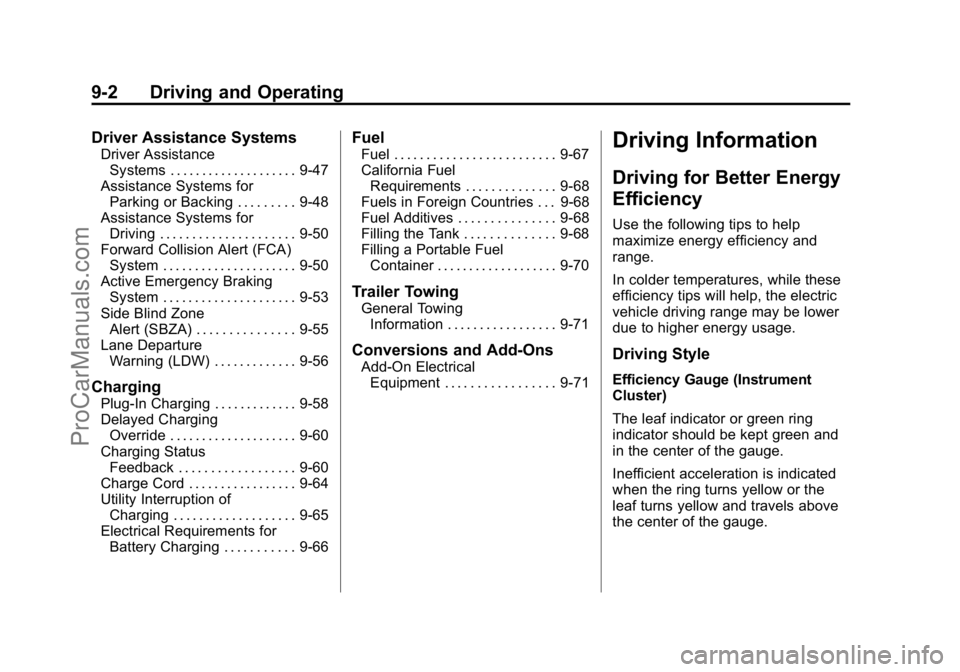
Driver Assistance Systems
Driver AssistanceSystems . . . . . . . . . . . . . . . . . . . . 9-47
Assistance Systems for Parking or Backing . . . . . . . . . 9-48
Assistance Systems for
Driving . . . . . . . . . . . . . . . . . . . . . 9-50
Forward Collision Alert (FCA) System . . . . . . . . . . . . . . . . . . . . . 9-50
Active Emergency Braking System . . . . . . . . . . . . . . . . . . . . . 9-53
Side Blind Zone Alert (SBZA) . . . . . . . . . . . . . . . 9-55
Lane Departure Warning (LDW) . . . . . . . . . . . . . 9-56
Charging
Plug-In Charging . . . . . . . . . . . . . 9-58
Delayed ChargingOverride . . . . . . . . . . . . . . . . . . . . 9-60
Charging Status Feedback . . . . . . . . . . . . . . . . . . 9-60
Charge Cord . . . . . . . . . . . . . . . . . 9-64
Utility Interruption of Charging . . . . . . . . . . . . . . . . . . . 9-65
Electrical Requirements for Battery Charging . . . . . . . . . . . 9-66
Fuel
Fuel . . . . . . . . . . . . . . . . . . . . . . . . . 9-67
California FuelRequirements . . . . . . . . . . . . . . 9-68
Fuels in Foreign Countries . . . 9-68
Fuel Additives . . . . . . . . . . . . . . . 9-68
Filling the Tank . . . . . . . . . . . . . . 9-68
Filling a Portable Fuel Container . . . . . . . . . . . . . . . . . . . 9-70
Trailer Towing
General TowingInformation . . . . . . . . . . . . . . . . . 9-71
Conversions and Add-Ons
Add-On ElectricalEquipment . . . . . . . . . . . . . . . . . 9-71
Driving Information
Driving for Better Energy
Efficiency
Use the following tips to help
maximize energy efficiency and
range.
In colder temperatures, while these
efficiency tips will help, the electric
vehicle driving range may be lower
due to higher energy usage.
Driving Style
Efficiency Gauge (Instrument
Cluster)
The leaf indicator or green ring
indicator should be kept green and
in the center of the gauge.
Inefficient acceleration is indicated
when the ring turns yellow or the
leaf turns yellow and travels above
the center of the gauge.
ProCarManuals.com
Page 193 of 407

Black plate (4,1)Cadillac ELR Owner Manual (GMNA-Localizing-U.S./Canada-7695154) -
2015 - CRC - 4/25/14
9-4 Driving and Operating
Use the auto heated seat feature
instead of climate settings. Heating
the seat uses less energy than
heating the vehicle interior.
Use remote start to heat or cool the
interior when the vehicle is plugged
in to maximize the electric range by
utilizing electricity from the electrical
outlet. Engine Assisted Heating
while plugged in can be
personalized. SeeRemote Start on
page 2-8.
In hot weather, avoid parking in
direct sunlight or use sunshades
inside the vehicle.
Turn off the front and rear window
defog/defrost when they are no
longer needed.
Avoid driving with the windows open
at highway speeds.
See Vehicle Personalization on
page 5-52.Vehicle Charging/Maintenance
Charging
Keep the vehicle plugged in, even
when fully charged, to keep the
battery temperature ready for the
next drive. This is important when
outside temperatures are extremely
hot or cold.
Maintenance
Always keep the tires properly
inflated and the vehicle properly
aligned.
The weight of excess cargo in the
vehicle affects efficiency and range.
Avoid carrying more than is needed.
If fuel is not regularly used, consider
keeping the fuel tank only one-third
full. Excess fuel weight impacts
efficiency and range.
For fuel recommendations, see Fuel
on page 9-67. Avoid unnecessary use of electrical
accessories. Power used for
functions other than propelling the
vehicle will reduce electric vehicle
range.
Using a rooftop carrier will reduce
efficiency due to additional weight
and drag.
Distracted Driving
Distraction comes in many forms
and can take your focus from the
task of driving. Exercise good
judgment and do not let other
activities divert your attention away
from the road. Many local
governments have enacted laws
regarding driver distraction. Become
familiar with the local laws in
your area.
ProCarManuals.com
Page 206 of 407

Black plate (17,1)Cadillac ELR Owner Manual (GMNA-Localizing-U.S./Canada-7695154) -
2015 - CRC - 4/25/14
Driving and Operating 9-17
ON/RUN power mode. When the
vehicle is turned off, the POWER
O
button light will turn off.
The Remote Keyless Entry (RKE)
transmitter must be in the vehicle for
the system to operate. If the vehicle
will not start, place the RKE
transmitter in the transmitter slot.
SeeRemote Keyless Entry (RKE)
System Operation on page 2-2.
ON/RUN: This position is for
starting and driving. With the vehicle
off, and the brake pedal applied,
pressing the POWER
Obutton once
will place the vehicle in ON/RUN.
When the READY light is on in the
instrument cluster, the vehicle is
ready to be driven. This could take
up to 15 seconds at extremely cold
temperatures. See Vehicle Ready
Light on page 5-26. The engine will
only start if needed. If the vehicle
did not start, the instrument cluster
will display a screen with inactive
fuel and battery gauges. See
Starting and Stopping the Vehicle
on page 9-18. Service Only Mode
This power mode is available for
service and diagnostics, and to
verify the proper operation of the
malfunction indicator lamp as may
be required for emission inspection
purposes. With the vehicle off, and
the brake pedal not applied,
pressing and holding the POWER
O
button for more than five seconds
will place the vehicle in Service
Only Mode. The instruments and
audio systems will operate as they
do in ON/RUN, but the vehicle will
not be able to be driven. The
propulsion system will not start in
Service Only Mode. Press the
button again to turn the vehicle off.
{Caution
Service Only Mode will discharge
the 12-volt battery. Do not use
Service Only Mode for an
extended period, or the vehicle
may not start.
STOPPING THE VEHICLE/OFF:
To turn the vehicle off, press the
POWER
Obutton with the vehicle
in P (Park). Retained Accessory
Power (RAP) will remain active until
the driver door is opened. See
Retained Accessory Power (RAP)
on page 9-19. When turning off the
vehicle, if the vehicle is not in
P (Park), the vehicle will go to ACC/
ACCESSORY and display the
message SHIFT TO PARK in the
Driver Information Center (DIC).
See Electric Drive Unit Messages
on page 5-44.
If the vehicle must be shut off in an
emergency:
1. Brake using a firm and steady pressure. Do not pump the
brakes repeatedly. This may
deplete power assist, requiring
increased brake pedal force.
2. Shift the vehicle to N (Neutral). This can be done while the
vehicle is moving. After shifting
ProCarManuals.com