2015 CADILLAC CTS SEDAN change time
[x] Cancel search: change timePage 211 of 401

Black plate (18,1)Cadillac CTS Owner Manual (GMNA-Localizing-U.S./Canada/Mexico-
7707478) - 2015 - crc - 10/1/14
9-18 Driving and Operating
Starting the Engine
Move the shift lever to P (Park) or
N (Neutral). To restart the engine
when the vehicle is already moving,
use N (Neutral) only.
{Caution
Do not try to shift to P (Park) if the
vehicle is moving. If you do, you
could damage the transmission.
Shift to P (Park) only when the
vehicle is stopped.
{Caution
If you add electrical parts or
accessories, you could change
the way the engine operates. Any
resulting damage would not be
covered by the vehicle warranty.
SeeAdd-On Electrical Equipment
on page 9-70. Starting Procedure
1. With the Keyless Access
system, the Remote Keyless
Entry (RKE) transmitter must be
in the vehicle. Press the
ENGINE START/STOP button
with the brake pedal applied.
When the engine begins
cranking, let go of the button.
The idle speed will go down as
the engine gets warm. Do not
race the engine immediately
after starting it.
If the RKE transmitter is not in
the vehicle, if there is
interference, or the RKE battery
is low, a Driver Information
Center (DIC) will display a
message. See Key and Lock
Messages on page 5-39 and
Remote Keyless Entry (RKE)
System Operation on page 2-2.
{Caution
Cranking the engine for long
periods of time, by returning the
ignition to the START position
immediately after cranking has
ended, can overheat and damage
the cranking motor, and drain the
battery. Wait at least 15 seconds
between each try, to let the
cranking motor cool down.
2. If the engine does not start after five to 10 seconds, especially in
very cold weather (below −18°C
or 0°F), it could be flooded with
too much gasoline. Try pushing
the accelerator pedal all the way
to the floor and holding it there
as you press the ENGINE
START/STOP button. Wait at
least 15 seconds between each
try, to allow the cranking motor
to cool down. When the engine
starts, release the accelerator.
If the vehicle starts briefly but
then stops again, do the same
Page 220 of 401
Black plate (27,1)Cadillac CTS Owner Manual (GMNA-Localizing-U.S./Canada/Mexico-
7707478) - 2015 - crc - 10/1/14
Driving and Operating 9-27
Brakes
Antilock Brake
System (ABS)
This vehicle has ABS, an advanced
electronic braking system that helps
prevent a braking skid.
When the vehicle begins to drive
away, ABS checks itself.
A momentary motor or clicking noise
might be heard while this test is
going on, and it might even be
noticed that the brake pedal moves
a little. This is normal.
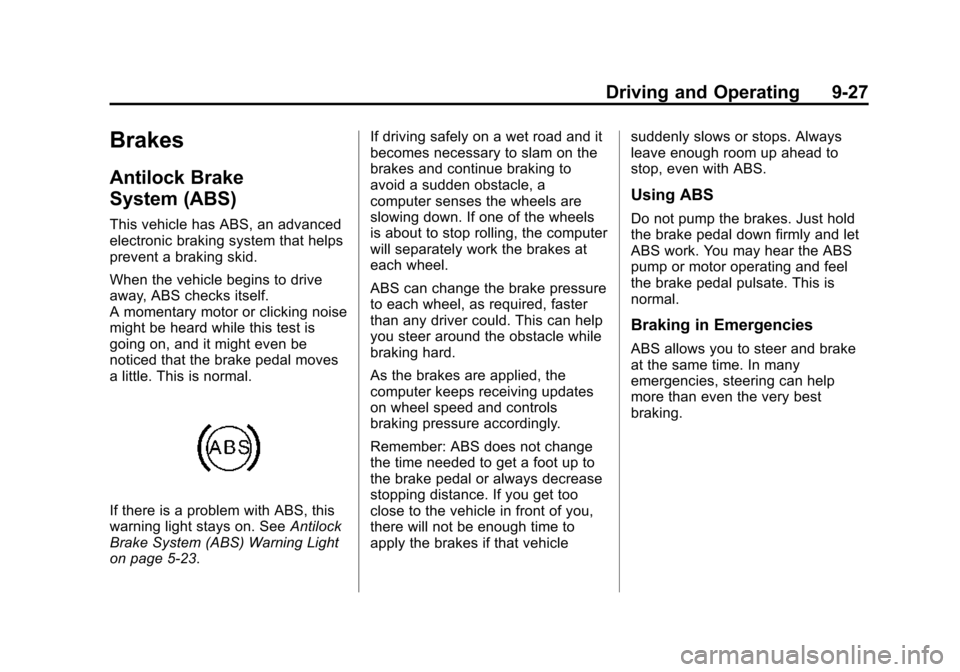
If there is a problem with ABS, this
warning light stays on. SeeAntilock
Brake System (ABS) Warning Light
on page 5-23. If driving safely on a wet road and it
becomes necessary to slam on the
brakes and continue braking to
avoid a sudden obstacle, a
computer senses the wheels are
slowing down. If one of the wheels
is about to stop rolling, the computer
will separately work the brakes at
each wheel.
ABS can change the brake pressure
to each wheel, as required, faster
than any driver could. This can help
you steer around the obstacle while
braking hard.
As the brakes are applied, the
computer keeps receiving updates
on wheel speed and controls
braking pressure accordingly.
Remember: ABS does not change
the time needed to get a foot up to
the brake pedal or always decrease
stopping distance. If you get too
close to the vehicle in front of you,
there will not be enough time to
apply the brakes if that vehicle
suddenly slows or stops. Always
leave enough room up ahead to
stop, even with ABS.
Using ABS
Do not pump the brakes. Just hold
the brake pedal down firmly and let
ABS work. You may hear the ABS
pump or motor operating and feel
the brake pedal pulsate. This is
normal.
Braking in Emergencies
ABS allows you to steer and brake
at the same time. In many
emergencies, steering can help
more than even the very best
braking.
Page 231 of 401
Black plate (38,1)Cadillac CTS Owner Manual (GMNA-Localizing-U.S./Canada/Mexico-
7707478) - 2015 - crc - 10/1/14
9-38 Driving and Operating
Warning (Continued)
.Visibility is low, such as in
fog, rain, or snow conditions.
Adaptive Cruise Control
performance is limited under
these conditions.
.On slippery roads where fast
changes in tire traction can
cause excessive wheel slip.
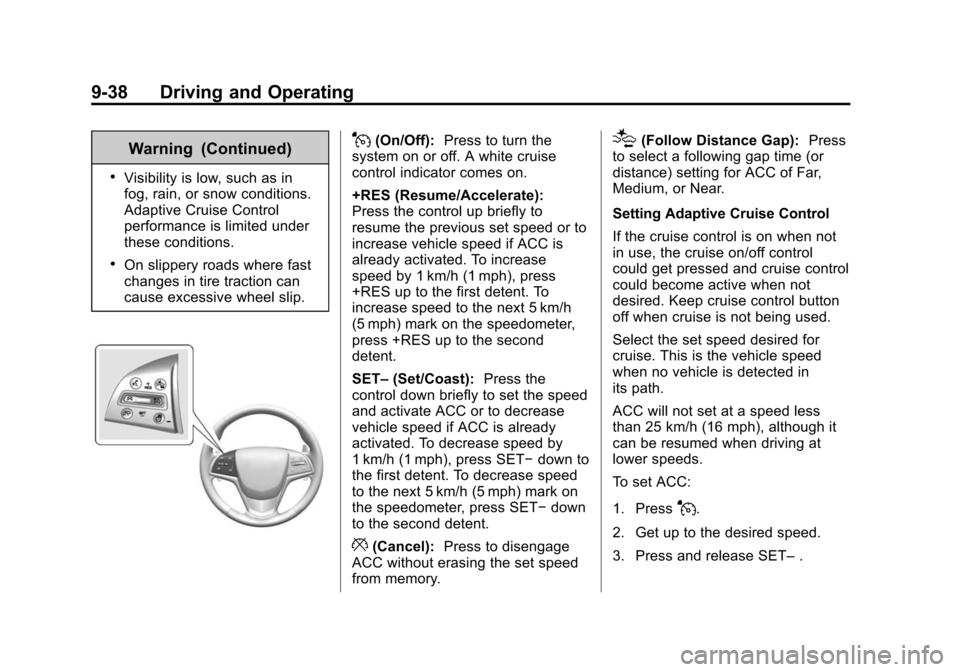
J(On/Off):Press to turn the
system on or off. A white cruise
control indicator comes on.
+RES (Resume/Accelerate):
Press the control up briefly to
resume the previous set speed or to
increase vehicle speed if ACC is
already activated. To increase
speed by 1 km/h (1 mph), press
+RES up to the first detent. To
increase speed to the next 5 km/h
(5 mph) mark on the speedometer,
press +RES up to the second
detent.
SET– (Set/Coast): Press the
control down briefly to set the speed
and activate ACC or to decrease
vehicle speed if ACC is already
activated. To decrease speed by
1 km/h (1 mph), press SET− down to
the first detent. To decrease speed
to the next 5 km/h (5 mph) mark on
the speedometer, press SET− down
to the second detent.
*(Cancel): Press to disengage
ACC without erasing the set speed
from memory.
[(Follow Distance Gap): Press
to select a following gap time (or
distance) setting for ACC of Far,
Medium, or Near.
Setting Adaptive Cruise Control
If the cruise control is on when not
in use, the cruise on/off control
could get pressed and cruise control
could become active when not
desired. Keep cruise control button
off when cruise is not being used.
Select the set speed desired for
cruise. This is the vehicle speed
when no vehicle is detected in
its path.
ACC will not set at a speed less
than 25 km/h (16 mph), although it
can be resumed when driving at
lower speeds.
To set ACC:
1. Press
J.
2. Get up to the desired speed.
3. Press and release SET– .
Page 233 of 401

Black plate (40,1)Cadillac CTS Owner Manual (GMNA-Localizing-U.S./Canada/Mexico-
7707478) - 2015 - crc - 10/1/14
9-40 Driving and Operating
Reducing Speed While ACC is at a
Set Speed
If ACC is already activated, do one
of the following:
.Use the brake to get to the
desired lower speed. Press
SET–down and release the
accelerator pedal. The vehicle
will now cruise at the lower
speed.
.Press and hold SET– down until
the desired lower speed is
reached, then release it.
.To decrease the vehicle speed in
smaller increments, press SET−
down to the first detent. For
each press, the vehicle goes
about 1 km/h (1 mph) slower.
.To decrease the vehicle speed in
larger increments, press SET−
down to the second detent. For
each press, the vehicle speed
decreases to the next 5 km/h
(5 mph) mark on the
speedometer. The speedometer reading can be
displayed in either English or metric
units. See
Instrument Cluster on
page 5-10. The increment value
used depends on the units
displayed.
Selecting the Follow Distance
When a slower moving vehicle is
detected ahead within the selected
following gap, ACC will adjust the
vehicle's speed and attempt to
maintain the follow distance gap
selected.
Press
[on the steering wheel to
adjust the following gap. Each press
cycles the gap button through three
settings: Far, Medium, or Near.
When pressed, the current gap
setting displays briefly on the
instrument cluster and HUD,
if equipped. Subsequent presses
cycle the gap button through three
settings: Far, Medium, or Near. The
gap setting will be maintained until it
is changed. Since each gap setting corresponds
to a following time (Far, Medium,
or Near), the following distance will
vary based on vehicle speed. The
faster the vehicle speed, the further
back your vehicle will follow a
vehicle detected ahead. Consider
traffic and weather conditions when
selecting the following gap. The
range of selectable gaps may not be
appropriate for all drivers and
driving conditions.
Changing the gap setting
automatically changes the alert
timing sensitivity (Far, Medium,
or Near) for the Forward Collision
Alert (FCA) feature. See
Forward
Collision Alert (FCA) System on
page 9-52.
Page 240 of 401

Black plate (47,1)Cadillac CTS Owner Manual (GMNA-Localizing-U.S./Canada/Mexico-
7707478) - 2015 - crc - 10/1/14
Driving and Operating 9-47
{Warning
The RVC system does not display
children, pedestrians, bicyclists,
crossing traffic, animals, or any
other object located outside the
camera's field of view, below the
bumper, or under the vehicle.
Perceived distances may be
different from actual distances.
Do not back the vehicle using
only the RVC screen. Failure to
use proper care before backing
may result in injury, death,
or vehicle damage. Always check
behind and around the vehicle
before backing.
Parking Assist
With Rear Park Assist (RPA), and if
equipped with Front Park Assist
(FPA), as the vehicle moves at
speeds of less than 8 km/h (5 mph)
the sensors on the bumpers may
detect objects up to 2.5 m (8 ft)
behind and 1.2 m (4 ft) in front of the vehicle within a zone 25 cm (10 in)
high off the ground and below
bumper level. These detection
distances may be shorter during
warmer or humid weather. Blocked
sensors will not detect objects and
can also cause false
detections. Keep the sensors clean
of mud, dirt, snow, ice, and slush;
and clean sensors after a car wash
in freezing temperatures.
{Warning
The parking assist system does
not detect children, pedestrians,
bicyclists, animals, or objects
located below the bumper or that
are too close or too far from the
vehicle. It is not available at
speeds greater than 8 km/h
(5 mph). To prevent injury, death,
or vehicle damage, even with
parking assist, always check the
area around the vehicle and
check all mirrors before moving
forward or backing.
The instrument cluster may have a
parking assist display with bars that
show
“distance to object” and object
location information for RPA, and on
some vehicles, FPA. As the object
gets closer, more bars light up and
the bars change color from yellow to
amber to red.
When an object is first detected in
the rear, one beep will be heard
from the rear, or both sides of the
Safety Alert Seat will pulse two
times. When an object is very close
(<0.6 m (2 ft) in the vehicle rear,
or <0.3 m (1 ft) in the vehicle front),
five beeps will sound from the front
or rear depending where the object
is detected, or both sides of the
Safety Alert Seat will pulse five
Page 247 of 401

Black plate (54,1)Cadillac CTS Owner Manual (GMNA-Localizing-U.S./Canada/Mexico-
7707478) - 2015 - crc - 10/1/14
9-54 Driving and Operating
Selecting the Alert Timing
The Collision Alert control is on the
steering wheel. Press
[to set the
FCA timing to Far, Medium, Near,
or on some vehicles, Off. The first
button press shows the current
setting on the DIC. Additional button
presses will change this setting. The
chosen setting will remain until it is
changed and will affect the timing of
both the Collision Alert and the
Tailgating Alert features. The timing
of both alerts will vary based on
vehicle speed. The faster the
vehicle speed, the farther away the alert will occur. Consider traffic and
weather conditions when selecting
the alert timing. The range of
selectable alert timing may not be
appropriate for all drivers and
driving conditions.
If your vehicle is equipped with
Adaptive Cruise Control (ACC),
changing the FCA timing setting
automatically changes the ACC
following gap setting (Far, Medium,
or Near).
Unnecessary Alerts
FCA may provide unnecessary
alerts for turning vehicles, vehicles
in other lanes, objects that are not
vehicles, or shadows. These alerts
are normal operation and the
vehicle does not need service.
Cleaning the System
If the FCA system does not seem to
operate properly, cleaning the
outside of the windshield in front of
the rearview mirror, and cleaning the
front of the vehicle where radar
sensors are located, may correct
the issue.
Active Emergency
Braking System
If the vehicle has Adaptive Cruise
Control (ACC) it also has the Active
Emergency Braking System, which
includes Intelligent Brake
Assist (IBA) and the Automatic
Collision Preparation (ACP) System.
These systems can provide a boost
to braking or automatically brake the
vehicle to help avoid or lessen the
severity of crashes when driving in a
forward gear.
Intelligent Brake Assist (IBA)
IBA may activate when the brake
pedal is applied quickly by providing
a boost to braking based on the
speed of approach and distance to
a vehicle ahead.
Minor brake pedal pulsations or
pedal movement during this time is
normal and the brake pedal should
Page 253 of 401

Black plate (60,1)Cadillac CTS Owner Manual (GMNA-Localizing-U.S./Canada/Mexico-
7707478) - 2015 - crc - 10/1/14
9-60 Driving and Operating
{Warning
Using LKA while towing a trailer
or on slippery roads could cause
loss of control of the vehicle and
a crash. Turn the system off.
How the System Works
The LKA camera sensor is on the
windshield ahead of the rearview
mirror.
To turn LKA on and off, press
A
on the center stack.
When on,Ais green if LKA is
available to assist and provide LDW
alerts. It may assist by gently
turning the steering wheel and
display
Aas amber if the vehicle approaches a detected lane marking
without using a turn signal in that
direction. It may also provide an
LDW alert by flashing
Aamber
as the lane marking is crossed.
Additionally, there will be three
beeps, or the driver seat will pulse
three times, on the right or left,
depending on the lane departure
direction.
The LKA system does not
continuously steer the vehicle.
If LKA does not detect active driver
steering, an alert and chime may be
provided. Move the steering wheel
to dismiss.
When the System Does Not
Seem to Work Properly
The system performance may be
affected by:
.Close vehicles ahead.
.Sudden lighting changes, such
as when driving through tunnels.
.Banked roads.
.Roads with poor lane markings,
such as two-lane roads.
If the LKA system is not functioning
properly when lane markings are
clearly visible, cleaning the
windshield may help.
LKA assistance and/or LDW alerts
may occur due to tar marks,
shadows, cracks in the road,
temporary or construction lane
markings, or other road
imperfections. This is normal system
operation; the vehicle does not need
service. Turn LKA off if these
conditions continue.
Page 273 of 401

Black plate (10,1)Cadillac CTS Owner Manual (GMNA-Localizing-U.S./Canada/Mexico-
7707478) - 2015 - crc - 10/1/14
10-10 Vehicle Care
1. Windshield Washer FluidReservoir. See Washer Fluid on
page 10-22.
2. Remote Positive (+) Battery Terminal. See Battery on
page 10-25.
3. Engine Compartment Fuse
Block on page 10-32.
4. Engine Coolant Surge Tank and Pressure Cap. See Cooling
System on page 10-16.
5. Remote Negative (-) Battery Terminal. See Battery on
page 10-25.
6. Engine Cooling Fan (Out of View). See Cooling System on
page 10-16.
7. Engine Oil Fill Cap. See Engine
Oil on page 10-10.
8. Engine Oil Dipstick. See Engine
Oil on page 10-10.
9. Engine Air Cleaner/Filter on
page 10-14.
10. Brake Fluid Reservoir. See Brakes on page 10-23.Engine Oil
To ensure proper engine
performance and long life, careful
attention must be paid to engine oil.
Following these simple, but
important steps will help protect
your investment:
.Always use engine oil approved
to the proper specification and of
the proper viscosity grade. See
“Selecting the Right Engine Oil”
in this section.
.Check the engine oil level
regularly and maintain the
proper oil level. See “Checking
Engine Oil” and“When to Add
Engine Oil” in this section.
.Change the engine oil at the
appropriate time. See Engine Oil
Life System on page 10-12.
.Always dispose of engine oil
properly. See “What to Do with
Used Oil” in this section.
Checking Engine Oil
It is a good idea to check the engine
oil level at each fuel fill. In order to
get an accurate reading, the vehicle
must be on level ground. The
engine oil dipstick handle is a loop.
SeeEngine Compartment Overview
on page 10-5 for the location of the
engine oil dipstick.
1. If the engine has been running recently, turn off the engine and
allow several minutes for the oil
to drain back into the oil pan.
Checking the oil level too soon
after engine shutoff will not
provide an accurate oil level
reading.
{Warning
The engine oil dipstick handle
may be hot; it could burn you.
Use a towel or glove to touch the
dipstick handle.