2015 CADILLAC CTS SEDAN ignition
[x] Cancel search: ignitionPage 42 of 401
Black plate (13,1)Cadillac CTS Owner Manual (GMNA-Localizing-U.S./Canada/Mexico-
7707478) - 2015 - crc - 10/1/14
Keys, Doors, and Windows 2-13
elapsed, the five-second timer will
reset once all the doors are closed
again.
Press
Qon the door lock switch
again, or press
Qon the RKE
transmitter, to override this feature
and lock the doors immediately.
Delayed locking can be
programmed through the Driver
Information Center (DIC). See
Vehicle Personalization on
page 5-47.
Automatic Door Locks
The doors will lock automatically
when all doors are closed, the
ignition is on, and the shift lever is
moved out of P (Park).
To unlock the doors:
.PressKon a door.
.Shift the transmission into
P (Park). Automatic door unlocking can be
programmed through the Driver
Information Center (DIC). See
Vehicle Personalization on
page 5-47.
Lockout Protection
If the vehicle is in ACC/
ACCESSORY or ON/RUN/START
and the power door lock switch is
pressed with the driver door open,
all the doors will lock and only the
driver door will unlock.
If the vehicle is off and locking is
requested while a door is open,
when all doors are closed the
vehicle will check for RKE
transmitters inside. If an RKE
transmitter is detected and the
number of RKE transmitters inside
has not reduced, the driver door will
unlock.
Lockout Protection can be manually
overridden with the driver door open
by pressing and holding
Qon the
power door lock switch. If Unlocked Door Anti-Lockout is
turned on and the vehicle is off, the
driver door is open, and locking is
requested, all the doors will lock and
only the driver door will unlock. The
Unlocked Door Anti-Lockout feature
can be turned on or off using the
vehicle personalization menus. See
Vehicle Personalization on
page 5-47.
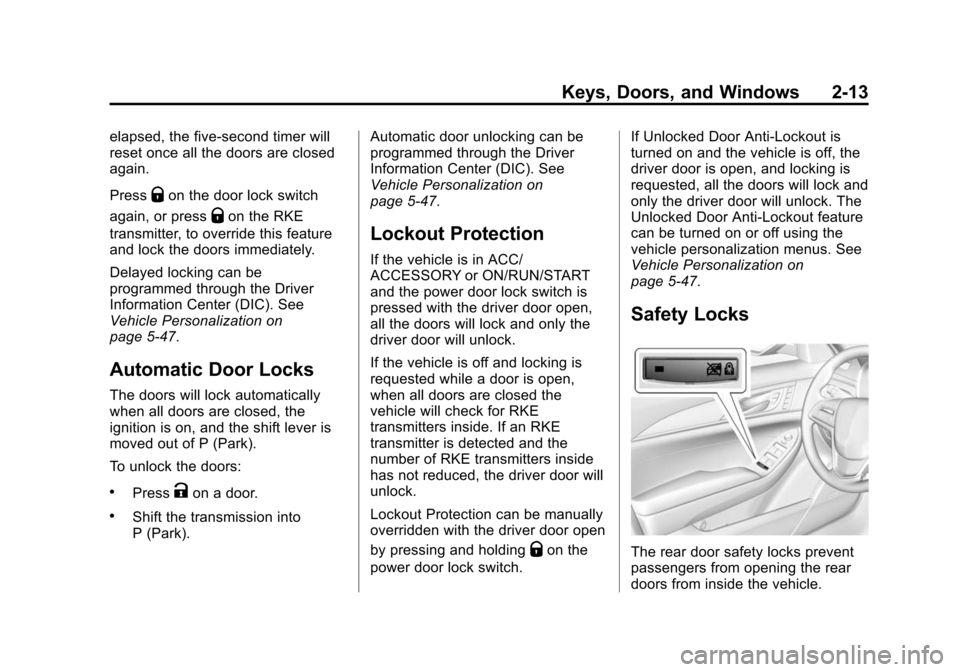
Safety Locks
The rear door safety locks prevent
passengers from opening the rear
doors from inside the vehicle.
Page 47 of 401

Black plate (18,1)Cadillac CTS Owner Manual (GMNA-Localizing-U.S./Canada/Mexico-
7707478) - 2015 - crc - 10/1/14
2-18 Keys, Doors, and Windows
The inclination sensor can set off
the alarm if it senses movement of
the vehicle, such as a change in
vehicle orientation.
Immobilizer
SeeRadio Frequency Statement on
page 13-11.
Immobilizer Operation
This vehicle has a passive
theft-deterrent system.
The system does not have to be
manually armed or disarmed.
The vehicle is automatically
immobilized when the vehicle is
turned off.
The immobilization system is
disarmed when the pushbutton start
is activated to enter the ACC/
ACCESSORY mode or the ON/
RUN/START mode and a valid
transmitter is present in the vehicle.
The security light, in the instrument
cluster, comes on if there is a
problem with arming or disarming
the theft-deterrent system.
The system has one or more RKE
transmitters matched to an
immobilizer control unit in the
vehicle. Only a correctly matched
RKE transmitter will start the
vehicle. If the transmitter is ever
damaged, you may not be able to
start your vehicle.
When trying to start the vehicle, the
security light may come on briefly
when the ignition is turned on. If the engine does not start and the
security light stays on, there is a
problem with the system. Turn the
ignition off and try again.
If the vehicle will not change ignition
modes (ACC/ACCESSORY, ON/
RUN/START, OFF), and the RKE
transmitter appears to be
undamaged, try another transmitter.
Or, you may try placing the
transmitter in the transmitter pocket
located in the center console. See
Key and Lock Messages on
page 5-39.
If the ignition modes will not change
with the other transmitter, your
vehicle needs service. If the ignition
does change modes, the first
transmitter may be faulty. See your
dealer.
Page 49 of 401
Black plate (20,1)Cadillac CTS Owner Manual (GMNA-Localizing-U.S./Canada/Mexico-
7707478) - 2015 - crc - 10/1/14
2-20 Keys, Doors, and Windows
4. Return the selector switch to thecenter position.
Memory Mirrors
If equipped, the vehicle may have
memory mirrors. See Memory Seats
on page 3-6.
Automatic Dimming
If equipped, the driver side mirror
automatically dims to reduce the
glare of the vehicle headlamps from
behind. This feature comes on when
the vehicle is started.
Folding Mirrors
Manual Folding Mirrors
The mirrors can be folded inward
toward the vehicle to prevent
damage when going through an
automatic car wash. Push the mirror
outward to return it to the original
position.
Heated Mirrors
=
(Rear Window Defogger):
If equipped, press to heat the
mirrors.
See Dual Automatic Climate Control
System on page 8-1.
Reverse Tilt Mirrors
The passenger and/or driver mirror
tilt to a preselected position when
the vehicle is in R (Reverse). This
feature allows the driver to view the
curb when parallel parking. The
mirror returns to the original position
when the vehicle is shifted out of
R (Reverse), the ignition is turned
off, or if the vehicle is driven in
reverse above a predetermined
speed.
Turn this feature on or off through
vehicle personalization. See Vehicle
Personalization on page 5-47.
Interior Mirrors
Interior Rearview Mirrors
Adjust the rearview mirror for a clear
view of the area behind your
vehicle.
Do not spray glass cleaner directly
on the mirror. Use a soft towel
dampened with water.
Automatic Dimming
Rearview Mirror
The rearview mirror automatically
dims to reduce the glare of the
headlamps from behind. This
feature comes on when the vehicle
is started.
Page 50 of 401
Black plate (21,1)Cadillac CTS Owner Manual (GMNA-Localizing-U.S./Canada/Mexico-
7707478) - 2015 - crc - 10/1/14
Keys, Doors, and Windows 2-21
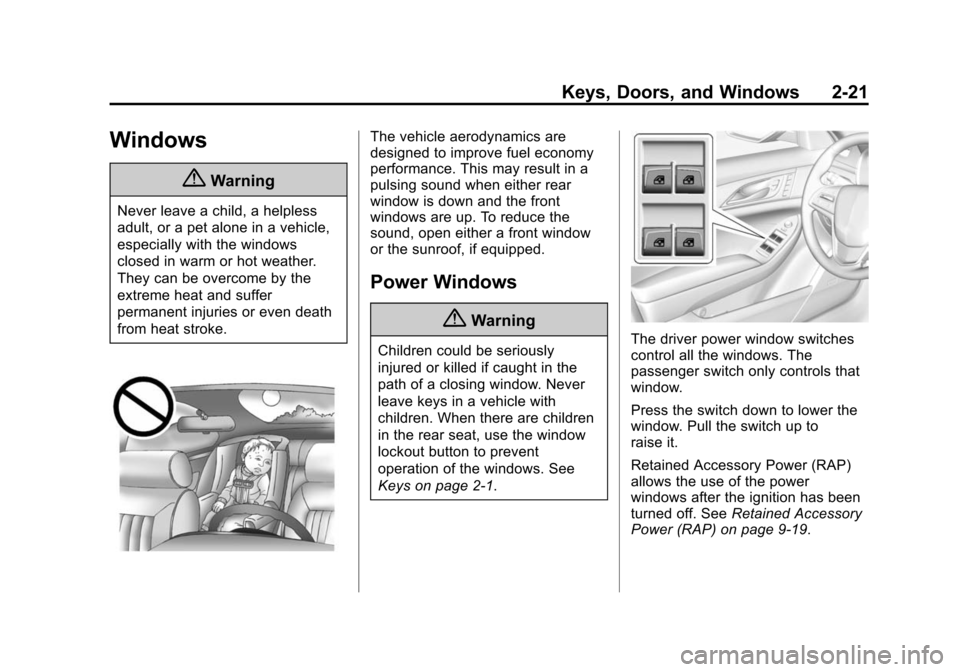
Windows
{Warning
Never leave a child, a helpless
adult, or a pet alone in a vehicle,
especially with the windows
closed in warm or hot weather.
They can be overcome by the
extreme heat and suffer
permanent injuries or even death
from heat stroke.
The vehicle aerodynamics are
designed to improve fuel economy
performance. This may result in a
pulsing sound when either rear
window is down and the front
windows are up. To reduce the
sound, open either a front window
or the sunroof, if equipped.
Power Windows
{Warning
Children could be seriously
injured or killed if caught in the
path of a closing window. Never
leave keys in a vehicle with
children. When there are children
in the rear seat, use the window
lockout button to prevent
operation of the windows. See
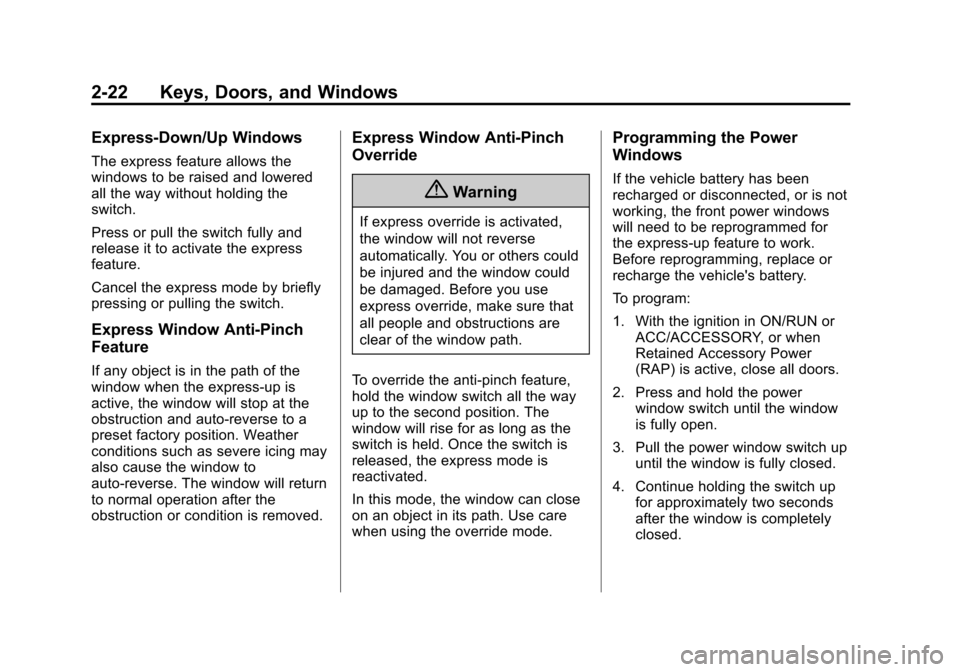
Keys on page 2-1.The driver power window switches
control all the windows. The
passenger switch only controls that
window.
Press the switch down to lower the
window. Pull the switch up to
raise it.
Retained Accessory Power (RAP)
allows the use of the power
windows after the ignition has been
turned off. SeeRetained Accessory
Power (RAP) on page 9-19.
Page 51 of 401
Black plate (22,1)Cadillac CTS Owner Manual (GMNA-Localizing-U.S./Canada/Mexico-
7707478) - 2015 - crc - 10/1/14
2-22 Keys, Doors, and Windows
Express-Down/Up Windows
The express feature allows the
windows to be raised and lowered
all the way without holding the
switch.
Press or pull the switch fully and
release it to activate the express
feature.
Cancel the express mode by briefly
pressing or pulling the switch.
Express Window Anti-Pinch
Feature
If any object is in the path of the
window when the express-up is
active, the window will stop at the
obstruction and auto-reverse to a
preset factory position. Weather
conditions such as severe icing may
also cause the window to
auto-reverse. The window will return
to normal operation after the
obstruction or condition is removed.
Express Window Anti-Pinch
Override
{Warning
If express override is activated,
the window will not reverse
automatically. You or others could
be injured and the window could
be damaged. Before you use
express override, make sure that
all people and obstructions are
clear of the window path.
To override the anti-pinch feature,
hold the window switch all the way
up to the second position. The
window will rise for as long as the
switch is held. Once the switch is
released, the express mode is
reactivated.
In this mode, the window can close
on an object in its path. Use care
when using the override mode.
Programming the Power
Windows
If the vehicle battery has been
recharged or disconnected, or is not
working, the front power windows
will need to be reprogrammed for
the express-up feature to work.
Before reprogramming, replace or
recharge the vehicle's battery.
To program:
1. With the ignition in ON/RUN or ACC/ACCESSORY, or when
Retained Accessory Power
(RAP) is active, close all doors.
2. Press and hold the power window switch until the window
is fully open.
3. Pull the power window switch up until the window is fully closed.
4. Continue holding the switch up for approximately two seconds
after the window is completely
closed.
Page 53 of 401
Black plate (24,1)Cadillac CTS Owner Manual (GMNA-Localizing-U.S./Canada/Mexico-
7707478) - 2015 - crc - 10/1/14
2-24 Keys, Doors, and Windows
Rear Window Sunshade
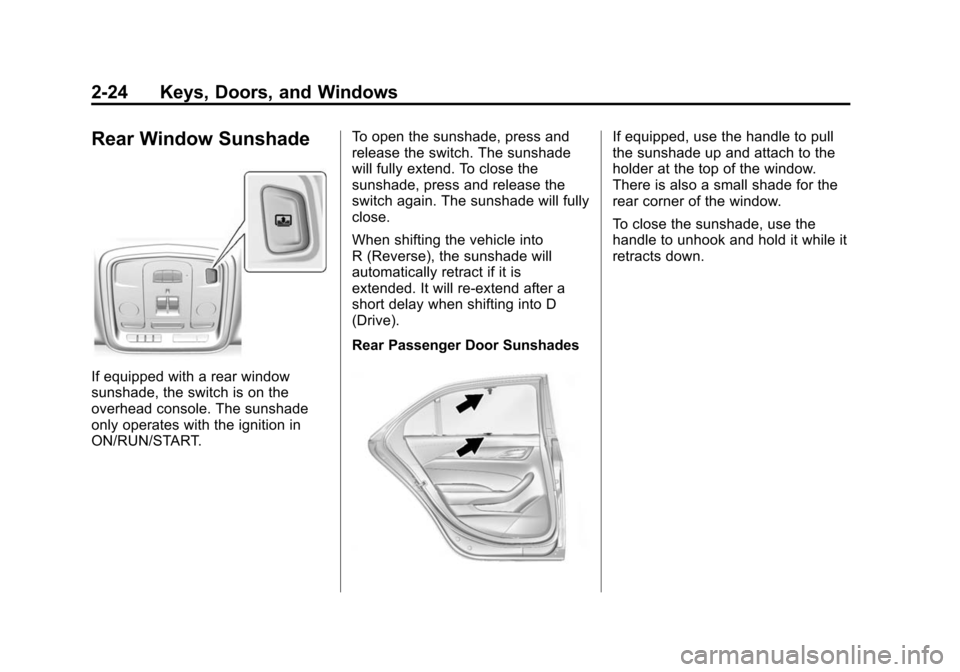
If equipped with a rear window
sunshade, the switch is on the
overhead console. The sunshade
only operates with the ignition in
ON/RUN/START.To open the sunshade, press and
release the switch. The sunshade
will fully extend. To close the
sunshade, press and release the
switch again. The sunshade will fully
close.
When shifting the vehicle into
R (Reverse), the sunshade will
automatically retract if it is
extended. It will re-extend after a
short delay when shifting into D
(Drive).
Rear Passenger Door Sunshades
If equipped, use the handle to pull
the sunshade up and attach to the
holder at the top of the window.
There is also a small shade for the
rear corner of the window.
To close the sunshade, use the
handle to unhook and hold it while it
retracts down.
Page 54 of 401
Black plate (25,1)Cadillac CTS Owner Manual (GMNA-Localizing-U.S./Canada/Mexico-
7707478) - 2015 - crc - 10/1/14
Keys, Doors, and Windows 2-25
Roof
Sunroof
If equipped, the sunroof will only
operate when the ignition is in ON/
RUN or ACC/ACCESSORY,
or when Retained Accessory Power
(RAP) is active. SeeRetained
Accessory Power (RAP) on
page 9-19.
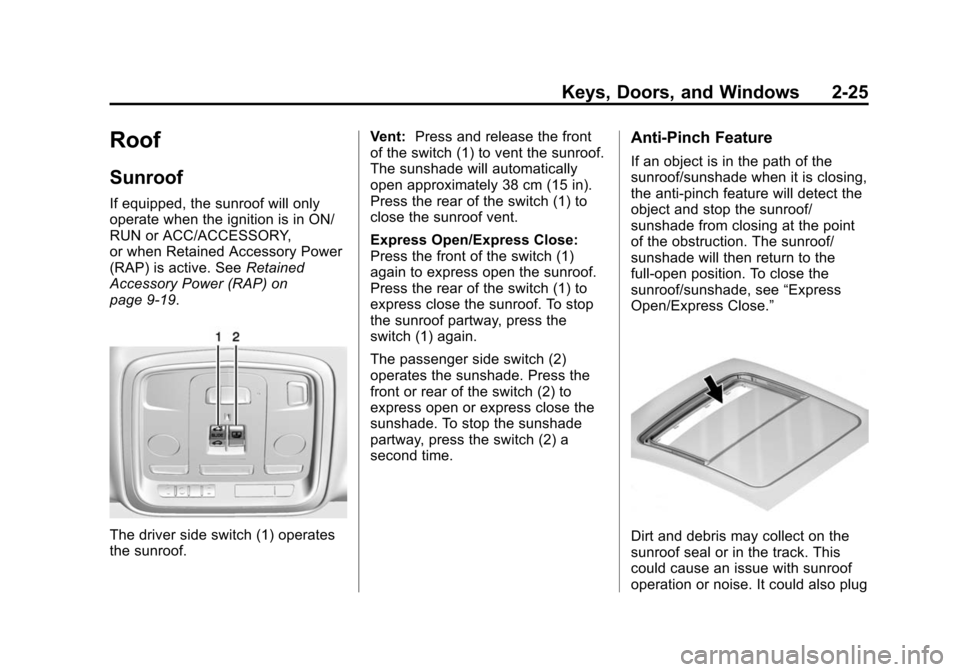
The driver side switch (1) operates
the sunroof. Vent:
Press and release the front
of the switch (1) to vent the sunroof.
The sunshade will automatically
open approximately 38 cm (15 in).
Press the rear of the switch (1) to
close the sunroof vent.
Express Open/Express Close:
Press the front of the switch (1)
again to express open the sunroof.
Press the rear of the switch (1) to
express close the sunroof. To stop
the sunroof partway, press the
switch (1) again.
The passenger side switch (2)
operates the sunshade. Press the
front or rear of the switch (2) to
express open or express close the
sunshade. To stop the sunshade
partway, press the switch (2) a
second time.
Anti-Pinch Feature
If an object is in the path of the
sunroof/sunshade when it is closing,
the anti-pinch feature will detect the
object and stop the sunroof/
sunshade from closing at the point
of the obstruction. The sunroof/
sunshade will then return to the
full-open position. To close the
sunroof/sunshade, see “Express
Open/Express Close.”
Dirt and debris may collect on the
sunroof seal or in the track. This
could cause an issue with sunroof
operation or noise. It could also plug
Page 62 of 401
Black plate (7,1)Cadillac CTS Owner Manual (GMNA-Localizing-U.S./Canada/Mexico-
7707478) - 2015 - crc - 10/1/14
Seats and Restraints 3-7
3. Immediately press and holdB
until two beeps sound.
Manually Recalling Memory
Positions
If the vehicle is OFF or not in
P (Park), press and hold "1," "2,"
or
Bto manually recall the
previously stored memory positions.
Releasing "1,” "2," or
Bbefore the
stored positions are reached stops
the recall.
If the vehicle is ON and in P (Park),
press and release “1,” “2,”or
Bto
manually recall the previously
stored memory positions. Placing
the ignition in OFF before the stored
positions are reached stops the
recall.
Automatically Recalling Memory
Positions
The Auto (Automatic) Memory
Recall feature automatically recalls
the current driver ’s previously stored
“1” or“2” position when entering the
vehicle. Depending upon the Auto Memory
Recall feature enabled in the vehicle
personalization menu, memory
“1”
or “2” positions are recalled in the
following ways:
To activate the recall when On -
Driver Door Open is selected in the
vehicle personalization menu:
.PressKon the RKE transmitter
and open the driver door.
.PressKon the RKE transmitter
when the driver door is
already open.
.Press the lock/unlock button on
the outside driver door handle
and open the driver door. The
RKE transmitter must be present
for the recall to activate.
To activate the recall when On - At
Ignition On is selected in the vehicle
personalization menu:
.Place the ignition in ON/RUN/
START.
See Vehicle Personalization on
page 5-47. To stop recall movement, press one
of the memory, power mirror,
or power seat controls; or press the
power tilt and telescoping steering
column control (if equipped). If On -
At Ignition On is selected in the
vehicle personalization menu,
placing the ignition in OFF also
stops the recall.
Easy Exit Recall
If programmed on in the vehicle
personalization menu, the easy exit
feature automatically moves the
driver seat, power tilt and
telescoping steering column (if
equipped), and outside mirrors on
some vehicles to the memory
positions saved to the
B(Exit)
button. See “Storing Memory
Positions” listed previously. See
also Vehicle Personalization on
page 5-47.