2015 CADILLAC ATS COUPE radio
[x] Cancel search: radioPage 194 of 443

Black plate (17,1)Cadillac ATS Owner Manual (GMNA-Localizing-U.S./Canada/Mexico-
7707477) - 2015 - crc - 9/15/14
Infotainment System 7-17
If the iPod is an unsupported model,
it can still be listened to in the
vehicle by connecting to the
auxiliary input jack using a standard
3.5 mm (1/8 in) stereo cable.
iPod Menu
Press the MENU knob to display the
iPod Menu and the following may
display:
Browse:Select to display the files
or songs on the iPod. See “Browse
iPod Media” later in this section.
Tone Settings: Select to adjust
Bass, Midrange, Treble, Balance,
Fade, and EQ (Equalizer). See
“Tone Settings” under“Playing an
Audio CD.”
Auto Volume: If equipped, see
“Playing an Audio CD.”
Bose AudioPilot
®: If equipped,
this feature can be turned on or off.
See “Bose
®AudioPilot®”in AM-FM
Radio on page 7-8. EQ (Equalizer) Settings:
If equipped, this feature adjusts the
pre-defined EQ modes. See
“EQ
(Equalizer) Settings” inAM-FM
Radio on page 7-8.
DSP Modes: If equipped with a
Bose
®Surround Sound System, this
feature adjusts the DSP modes.
See “DSP Modes” inAM-FM Radio
on page 7-8.
Browse iPod Media
Use the following to browse:
Playlists:
1. Turn the MENU knob to highlight and press to view the playlists
stored on the iPod.
2. Turn the MENU knob to highlight and press to select a playlist
name to view a list of all songs
in the playlist.
3. Turn the MENU knob to highlight and press to select the song
from the list to begin playback. Artists:
1. Turn the MENU knob to highlight
and press to view the artists
stored on the iPod.
2. Turn the MENU knob to highlight and press to select an artist
name to view a list of all albums
by the artist.
3. Turn the MENU knob to highlight and press to select the album
from the list.
4. To begin playback, select a song from the album.
Albums:
1. Turn the MENU knob to highlight and press to view the albums
stored on the iPod.
2. Turn the MENU knob to highlight and press to select an album
name to view a list of all songs
on the album.
3. Turn the MENU knob to highlight and press to select the song
from the list to begin playback.
Page 196 of 443

Black plate (19,1)Cadillac ATS Owner Manual (GMNA-Localizing-U.S./Canada/Mexico-
7707477) - 2015 - crc - 9/15/14
Infotainment System 7-19
If an auxiliary device has already
been connected, but a different
source is currently active, press the
MEDIA faceplate button repeatedly
to scroll through all of the available
audio source screens, until the AUX
source screen is selected.
Playing from the AUX Port
An auxiliary device is played
through the audio system and
controlled through the device itself.
AUX Menu
Press the MENU knob to display the
AUX menu and the following may
display:
Tone Settings:Select to adjust
Bass, Midrange, Treble, Balance,
Fade, and EQ (Equalizer). See
“Tone Settings” under“Playing an
Audio CD.”
Auto Volume: If equipped, see
“Playing an Audio CD.” Bose AudioPilot®:
If equipped,
this feature can be turned on or off.
See “Bose
®AudioPilot®”in AM-FM
Radio on page 7-8.
EQ (Equalizer) Settings:
If equipped, this feature adjusts the
pre-defined EQ modes. See “EQ
(Equalizer) Settings” inAM-FM
Radio on page 7-8.
DSP Modes: If equipped with a
Bose
®Surround Sound System, this
feature adjusts the DSP modes.
See “DSP Modes” inAM-FM Radio
on page 7-8.
OnStar System
OnStar®with 4G LTE
If equipped with OnStar 4G LTE, up
to seven devices, such as
smartphones, tablets, and laptops,
can be connected to high-speed
Internet through the vehicle’s built-in
Wi-Fi
®hotspot.
Page 210 of 443

Black plate (33,1)Cadillac ATS Owner Manual (GMNA-Localizing-U.S./Canada/Mexico-
7707477) - 2015 - crc - 9/15/14
Infotainment System 7-33
Manage Settings
The PIN can be used to change
these settings:
Audio Volume Limit:Allows a
maximum radio volume to be set.
Teen Driver Speed Warning:
Allows a warning to be set when a
selected speed is exceeded.
Teen Driver Speed Limiter:
If equipped, this allows the
maximum speed limit of the vehicle
to be set.
The following cannot be changed:
.The radio will mute when the
driver safety belt is not fastened,
and in some vehicles, when the
safety belt of a front outboard
passenger is not fastened.
.Other vehicle features, such as
Park Assist, if equipped, cannot
be turned off when the Teen
Driver setting is in use. Delete Report Card Data
The Report Card continues to save
data for all trips until the data is
deleted using the PIN.
To delete Report Card data:
.Select Reset from the Report
Card screen.
.Select Clear All Teen Keys/PIN
from the Teen Driver menu.
Forgotten PIN
See your dealer to reset the PIN.
Trademarks and
License Agreements
FCC Information
See Radio Frequency Statement on
page 13-12.
“Made for iPod” and“Made for
iPhone” mean that an electronic
accessory has been designed to
connect specifically to iPod or
iPhone and has been certified by
the developer to meet Apple
performance standards.
iPod and iPhone are trademarks of
Apple Computer, Inc., registered in
the U.S. and other countries.
Page 211 of 443

Black plate (34,1)Cadillac ATS Owner Manual (GMNA-Localizing-U.S./Canada/Mexico-
7707477) - 2015 - crc - 9/15/14
7-34 Infotainment System
Fees and Taxes: Subscription fee,
taxes, one time activation fee, and
other fees may apply. Subscription
fee is consumer only. All fees and
programming subject to change.
Subscriptions subject to Customer
Agreement available at
www.siriusxm.com. SiriusXM
®
service only available in the
48 contiguous United States and
Canada.
In Canada: Some deterioration of
service may occur in extreme
northern latitudes. This is beyond
the control of SiriusXM
®Satellite
Radio. Explicit Language Notice: Channels
with frequent explicit language are
indicated with an
“XL”preceding the
channel name. Channel blocking is
available for SiriusXM Satellite
Radio receivers by notifying
SiriusXM:
.USA Customers —Visit
www.siriusxm.com or call
1-866-635-2349.
.Canadian Customers —Visit
www.xmradio.ca or call
1-877-209-0079.
It is prohibited to copy, decompile,
disassemble, reverse engineer,
hack, manipulate, or otherwise
make available any technology or
software incorporated in receivers
compatible with the SiriusXM
®
Satellite Radio System or that
support the SiriusXM website, the
Online Service or any of its content.
Furthermore, the AMBER voice
compression software included in
this product is protected by
intellectual property rights including patent rights, copyrights, and trade
secrets of Digital Voice
Systems, Inc.
General Requirements:
1. A License Agreement from
SiriusXM is required for any
product that incorporates
SiriusXM Technology and/or for
use of any of the SiriusXM
marks to be manufactured,
distributed, or marketed in the
SiriusXM service Area.
2. For products to be distributed, marketed, and/or sold in
Canada, a separate agreement
is required with Canadian
Satellite Radio Inc. (operating as
SiriusXM Canada).Bluetooth
The Bluetooth word mark and logos
are owned by the Bluetooth SIG,
Inc. and andy use of such marks by
General Motors is under license.
Other trademarks and trade names
are those of their respective owners.
Page 215 of 443
Black plate (4,1)Cadillac ATS Owner Manual (GMNA-Localizing-U.S./Canada/Mexico-
7707477) - 2015 - crc - 9/15/14
8-4 Climate Controls
indicator light on the button comes
on to show that the rear window
defogger is on.
The upper region of gridlines on the
rear window are antenna lines and
are not intended to heat when the
defogger is activated.
The heated outside mirrors turn on
when the rear window defogger
button is on. They help to clear fog
or frost from the surface of the
mirrors.
{Caution
Do not try to clear frost or other
material from the inside of the
front windshield and rear window
with a razor blade or anything
else that is sharp. This may
damage the rear window
defogger grid and affect the
radio's ability to pick up stations
clearly. The repairs would not be
covered by the vehicle warranty.
MorL(Driver and Passenger
Heated Seats, If Equipped): Press
MorLto heat the driver or
passenger seat. See Heated Front
Seats on page 3-9.
Remote Start Climate Control
Operation: If equipped with the
remote vehicle start feature, the
climate control system may run
when the vehicle is started remotely.
The system uses the driver's
previous settings to heat or cool the
inside of the vehicle. See Remote
Vehicle Start on page 2-9.
The rear window defogger turns on
if it is cold outside.
Sensors
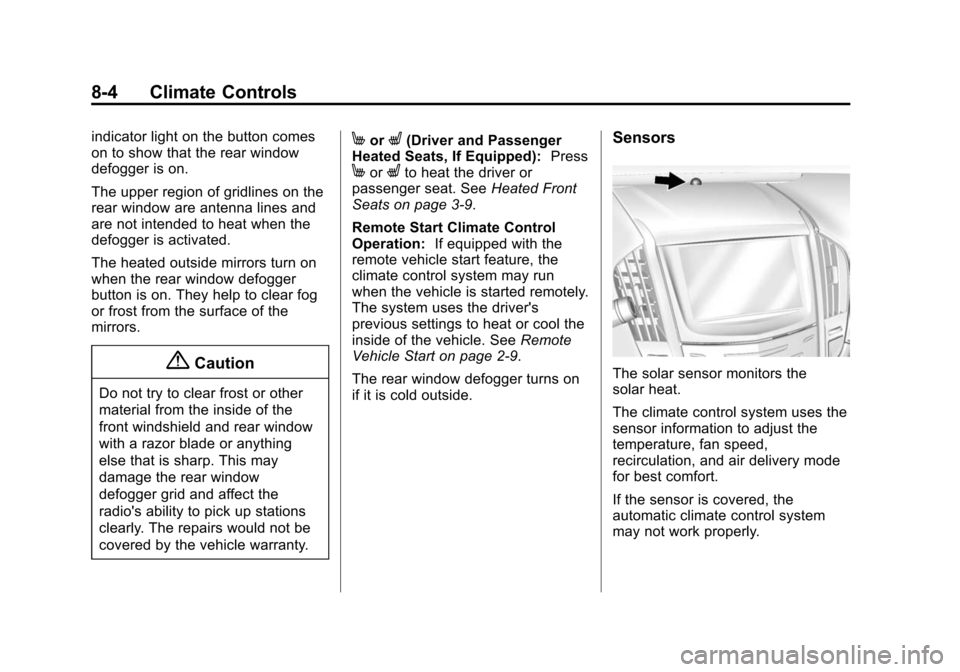
The solar sensor monitors the
solar heat.
The climate control system uses the
sensor information to adjust the
temperature, fan speed,
recirculation, and air delivery mode
for best comfort.
If the sensor is covered, the
automatic climate control system
may not work properly.
Page 219 of 443

Black plate (8,1)Cadillac ATS Owner Manual (GMNA-Localizing-U.S./Canada/Mexico-
7707477) - 2015 - crc - 9/15/14
8-8 Climate Controls
@(Recirculation):Press to
alternate between recirculating air
inside the vehicle or pulling in
outside air. The indicator light on the
button is lit when recirculation mode
is active. This helps to quickly cool
the air inside the vehicle or reduce
the outside air and odors that may
enter.
Pressing this button cancels
automatic recirculation. Press AUTO
to return to automatic operation;
recirculation runs automatically as
needed.
Manual recirculation mode is not
available when in Defrost or Defog
modes.
Auto Defog: The climate control
system may have a sensor to
automatically detect high humidity
inside the vehicle. When high
humidity is detected, the climate
control system may adjust to
outside air supply and turn on the
air conditioner. If the climate control
system does not detect possible
window fogging, it returns to normal operation. To turn Auto Defog off or
on, see
“Climate and Air Quality”
under Vehicle Personalization on
page 5-44.
Rear Window Defogger
=REAR (Rear Window
Defogger): Press to turn the rear
window defogger on or off. An
indicator light on the button comes
on to show that the rear window
defogger is on.
The upper gridlines on the rear
window are antenna lines and are
not intended to heat when the
defogger is activated.
The heated outside mirrors turn on
when the rear window defogger
button is on. They help to clear fog
or frost from the surface of the
mirrors.
The rear window defogger can be
set to automatic operation. See
“Climate and Air Quality” under
Vehicle Personalization on
page 5-44. When auto rear defog is
selected, the rear window defogger turns on automatically when the
interior temperature is cold and the
outside temperature is about 4°C
(40°F) and below. The auto rear
defogger turns off automatically.{Caution
Do not try to clear frost or other
material from the inside of the
front windshield and rear window
with a razor blade or anything
else that is sharp. This may
damage the rear window
defogger grid and affect the
radio's ability to pick up stations
clearly. The repairs would not be
covered by the vehicle warranty.
Jorz(Driver and Passenger
Heated Seats, If Equipped): Press
Jorzto heat the driver or
passenger seat cushion and
seatback. See Heated Front Seats
on page 3-9.
Page 225 of 443

Black plate (2,1)Cadillac ATS Owner Manual (GMNA-Localizing-U.S./Canada/Mexico-
7707477) - 2015 - crc - 9/15/14
9-2 Driving and Operating
Fuel
Fuel . . . . . . . . . . . . . . . . . . . . . . . . . 9-62
California FuelRequirements . . . . . . . . . . . . . . 9-64
Fuels in Foreign Countries . . . 9-64
Fuel Additives . . . . . . . . . . . . . . . 9-64
E85 or FlexFuel . . . . . . . . . . . . . . 9-64
Filling the Tank . . . . . . . . . . . . . . 9-65
Filling a Portable Fuel Container . . . . . . . . . . . . . . . . . . . 9-67
Trailer Towing
General TowingInformation . . . . . . . . . . . . . . . . . 9-68
Driving Characteristics and Towing Tips . . . . . . . . . . . . . . . . 9-68
Trailer Towing (Sedan With V6 Engine) . . . . . . . . . . . . . . . . . 9-71
Trailer Towing (Sedan With L4 Engine) . . . . . . . . . . . . . . . . . . . . . 9-72
Trailer Towing (Coupe) . . . . . . . 9-72
Towing Equipment . . . . . . . . . . . 9-72
Conversions and Add-Ons
Add-On Electrical Equipment . . . . . . . . . . . . . . . . . 9-73
Driving Information
Distracted Driving
Distraction comes in many forms
and can take your focus from the
task of driving. Exercise good
judgment and do not let other
activities divert your attention away
from the road. Many local
governments have enacted laws
regarding driver distraction. Become
familiar with the local laws in
your area.
To avoid distracted driving, always
keep your eyes on the road, hands
on the wheel, and mind on the drive.
.Do not use a phone in
demanding driving situations.
Use a hands-free method to
place or receive necessary
phone calls.
.Watch the road. Do not read,
take notes, or look up
information on phones or other
electronic devices.
.Designate a front seat
passenger to handle potential
distractions.
.Become familiar with vehicle
features before driving, such as
programming favorite radio
stations and adjusting climate
control and seat settings.
Program all trip information into
any navigation device prior to
driving.
.Wait until the vehicle is parked
to retrieve items that have fallen
to the floor.
.Stop or park the vehicle to tend
to children.
.Keep pets in an appropriate
carrier or restraint.
.Avoid stressful conversations
while driving, whether with a
passenger or on a cell phone.
Page 239 of 443
Black plate (16,1)Cadillac ATS Owner Manual (GMNA-Localizing-U.S./Canada/Mexico-
7707477) - 2015 - crc - 9/15/14
9-16 Driving and Operating
.Do not let the engine labor.
Never lug the engine in high
gear at low speeds. With a
manual transmission, shift to the
next lower gear. This rule
applies at all times, not just
during the break-in period.
.Check engine oil with every
refueling and add if necessary.
Oil and fuel consumption may be
higher than normal during the
first 2 414 km (1,500 mi).
.New brake linings also need a
break-in period. Avoid making
hard stops during the first
322 km (200 mi). This is
recommended every time brake
linings are replaced.
Ignition Positions
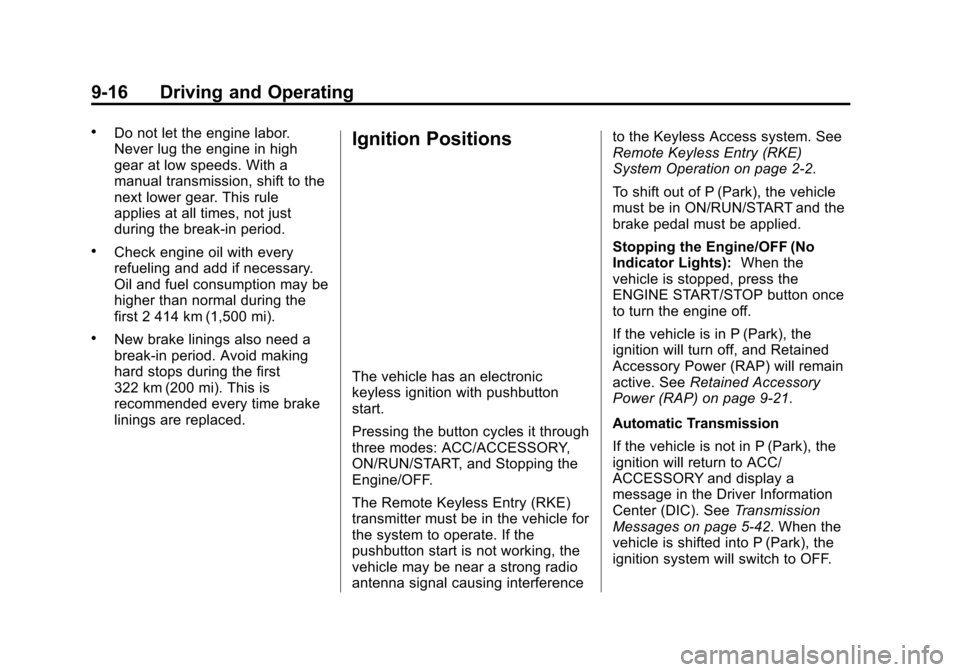
The vehicle has an electronic
keyless ignition with pushbutton
start.
Pressing the button cycles it through
three modes: ACC/ACCESSORY,
ON/RUN/START, and Stopping the
Engine/OFF.
The Remote Keyless Entry (RKE)
transmitter must be in the vehicle for
the system to operate. If the
pushbutton start is not working, the
vehicle may be near a strong radio
antenna signal causing interferenceto the Keyless Access system. See
Remote Keyless Entry (RKE)
System Operation on page 2-2.
To shift out of P (Park), the vehicle
must be in ON/RUN/START and the
brake pedal must be applied.
Stopping the Engine/OFF (No
Indicator Lights):
When the
vehicle is stopped, press the
ENGINE START/STOP button once
to turn the engine off.
If the vehicle is in P (Park), the
ignition will turn off, and Retained
Accessory Power (RAP) will remain
active. See Retained Accessory
Power (RAP) on page 9-21.
Automatic Transmission
If the vehicle is not in P (Park), the
ignition will return to ACC/
ACCESSORY and display a
message in the Driver Information
Center (DIC). See Transmission
Messages on page 5-42. When the
vehicle is shifted into P (Park), the
ignition system will switch to OFF.