2015 CADILLAC ATS COUPE tow
[x] Cancel search: towPage 118 of 443

Black plate (5,1)Cadillac ATS Owner Manual (GMNA-Localizing-U.S./Canada/Mexico-
7707477) - 2015 - crc - 9/15/14
Instruments and Controls 5-5
Rainsense™
For vehicles with Rainsense, a
sensor near the top center of the
windshield detects the amount of
water on the windshield and
controls the frequency of the
windshield wiper.
Keep this area of the windshield
clear of debris to allow for best
system performance.
INT (Rainsense Wipe Sensitivity
Control):Move the windshield
wiper lever to INT. Turn the
xINT
band on the wiper lever to adjust the
sensitivity.
.Turn the band up for more
sensitivity to moisture.
.Turn the band down for less
sensitivity to moisture.
.Move the windshield wiper lever
out of the INT position to
deactivate Rainsense.
This feature can be changed. See
“Rain Sense Wipers” underVehicle
Personalization on page 5-44.
Wiper Arm Assembly Protection
When using an automatic car wash,
move the windshield wiper lever to
OFF. This disables the automatic
Rainsense windshield wipers.
With Rainsense, if the transmission
is in N (Neutral) and the vehicle
speed is very slow, the wipers will
automatically stop at the base of the
windshield.
The wiper operations return to
normal when the transmission is no
longer in N (Neutral) or the vehicle
speed has increased.
n L(Windshield Washer): Pull
the windshield wiper lever toward
you to spray windshield washer fluid
and activate the wipers. The wipers
will continue until the lever is
released or the maximum wash time is reached. When the windshield
wiper lever is released, additional
wipes may occur depending on how
long the windshield washer had
been activated. See
Washer Fluid
on page 10-22 for information on
filling the windshield washer fluid
reservoir.
{Warning
In freezing weather, do not use
the washer until the windshield is
warmed. Otherwise the washer
fluid can form ice on the
windshield, blocking your vision.
Headlamp Washer
If equipped with headlamp washers,
they are located to the side of the
headlamps.
The headlamps must be on in order
to use the headlamp washers. If the
headlamps are not on, only the
windshield will be washed.
Page 119 of 443

Black plate (6,1)Cadillac ATS Owner Manual (GMNA-Localizing-U.S./Canada/Mexico-
7707477) - 2015 - crc - 9/15/14
5-6 Instruments and Controls
Pull the wiper lever toward you and
hold briefly to activate. The
headlamp washers will spray once,
pause, and spray again. The
headlamp washer will spray again
after five windshield wash cycles.
To refill the windshield washer fluid,
seeWasher Fluid on page 10-22.
Compass
The vehicle may have a compass
display on the Driver Information
Center (DIC). The compass receives
its heading and other information
from the Global Positioning
System (GPS) antenna,
StabiliTrak
®, and vehicle speed
information.
The compass system is designed to
operate for a certain number of
miles or degrees of turn before
needing a signal from the GPS
satellites. When the compass
display shows CAL, drive the
vehicle for a short distance in an
open area where it can receive a
GPS signal. The compass system will automatically determine when a
GPS signal is restored and provide
a heading again. See
Compass
Messages on page 5-33 for the
messages that may be displayed for
the compass.
Clock (Base Radio)
Setting the Time
To set the time:
1. Select Settings from the Home Page and select Set Time.
2. Turn the MENU knob to increase or decrease the hour.
3. Press the MENU knob to go to the next option. Press
SBACK
to go to the last menu and save
the changes.
AUTO SET
In the Set Time view, push on the
area just above the chrome bar and
below the "AUTO SET" screen
button to turn on/off the Auto Time
adjust capability.
Clock (Uplevel Radio)
The infotainment system controls
are used to access the time and
date settings through the menu
system. See “Home Page” in the
infotainment manual for information
about how to use the menu system.
Setting the Clock
Time
To set the time:
1. From the Home Page, press the SETTINGS screen button, then
press Time and Date.
2. Press Set Time, then press + or −to increase or decrease hours
or minutes, and change AM
or PM.
3. Press 12-24Hr for a 12 or 24 hour clock.
4. Press
[Back to go back to the
previous menu.
Page 130 of 443
Black plate (17,1)Cadillac ATS Owner Manual (GMNA-Localizing-U.S./Canada/Mexico-
7707477) - 2015 - crc - 9/15/14
Instruments and Controls 5-17
Caution (Continued)
(TPC) can affect the vehicle's
emission controls and can cause
this light to come on.
Modifications to these systems
could lead to costly repairs not
covered by the vehicle warranty.
This could also result in a failure
to pass a required Emission
Inspection/Maintenance test. See
Accessories and Modifications on
page 10-3.
This light may come on during a
malfunction in one of two ways:
Light Flashing: A misfire condition
has been detected. A misfire
increases vehicle emissions and
could damage the emission control
system on the vehicle. Diagnosis
and service might be required.
To prevent more serious damage to
the vehicle:
.Reduce vehicle speed.
.Avoid hard accelerations.
.Avoid steep uphill grades.
.If towing a trailer, reduce the
amount of cargo being hauled as
soon as it is possible.
If the light continues to flash, find a
safe place to stop and park the
vehicle. Turn the vehicle off, wait at
least 10 seconds, and restart the
engine. If the light is still flashing,
follow the previous steps and see
your dealer for service as soon as
possible.
Light On Steady: An emission
control system malfunction has
been detected on the vehicle.
Diagnosis and service might be
required.
The following may correct an
emission control system
malfunction:
.For vehicles without the capless
fuel system, check that the fuel
cap is fully installed. See Filling
the Tank on page 9-65. The
diagnostic system may be able to determine if the fuel cap has
been left off or improperly
installed. A loose or missing fuel
cap could allow fuel to evaporate
into the atmosphere. A few
driving trips with the cap
properly installed may turn the
light off.
.For vehicles with the capless
fuel system, Make sure the
capless funnel adapter is
removed, if fuel has been added
to the vehicle using the capless
funnel adapter. See
“Filling the
Tank with a Portable Gas Can”
under Filling the Tank on
page 9-65. The diagnostic
system may be able to detect if
the adapter has been left
installed in the vehicle, which
could allow fuel to evaporate into
the atmosphere. A few driving
trips with the adapter removed
may turn off the light.
.Check that good quality fuel is
used. Poor fuel quality causes
the engine not to run as
efficiently as designed and may
Page 132 of 443

Black plate (19,1)Cadillac ATS Owner Manual (GMNA-Localizing-U.S./Canada/Mexico-
7707477) - 2015 - crc - 9/15/14
Instruments and Controls 5-19
If the warning light comes on, there
is a brake problem. Have the brake
system inspected right away.
MetricEnglish
This light comes on briefly when the
vehicle is turned on. If it does not
come on then, have it fixed so it will
be ready to warn if there is a
problem.
If the light comes on and stays on,
there is a base brake problem.
{Warning
The brake system might not be
working properly if the brake
system warning light is on.
Driving with the brake system
warning light on can lead to a (Continued)
Warning (Continued)
crash. If the light is still on after
the vehicle has been pulled off
the road and carefully stopped,
have the vehicle towed for
service.
Parking Brake Light
MetricEnglish
This light comes on when the
parking brake is applied. If the light
continues flashing after the parking
brake is released, or while driving,
there is a problem with the Electric
Parking Brake system or another
system. A message may also
display in the Driver Information
Center (DIC). See Brake System
Messages on page 5-33. If the light does not come on,
or remains flashing, see your dealer.
Service Electric Parking
Brake Light
This light should come on briefly
when starting the vehicle. If it does
not come on, have it fixed so it will
be ready to warn if there is a
problem.
If this light stays on, there is a
problem with the Electric Parking
Brake system or another system on
the vehicle that is causing the
parking brake system to work at a
reduced level. The vehicle can still
be driven, but should be taken to a
dealer as soon as possible. See the
Page 141 of 443

Black plate (28,1)Cadillac ATS Owner Manual (GMNA-Localizing-U.S./Canada/Mexico-
7707477) - 2015 - crc - 9/15/14
5-28 Instruments and Controls
Gap Setting:When ACC (if
equipped) has been engaged, this
page shows the current gap setting
along with the vehicle ahead telltale.
Battery Voltage: Shows the
current battery voltage.
Oil Life: Shows an estimate of the
oil's remaining useful life.
If REMAINING OIL LIFE 99% is
displayed, that means 99% of the
current oil life remains.
When the remaining oil life is low,
the CHANGE ENGINE OIL SOON
message will appear on the display.
See Engine Oil Messages on
page 5-35. The oil should be
changed as soon as possible. See
Engine Oil on page 10-10. In
addition to the engine oil life system
monitoring the oil life, additional
maintenance is recommended in the
Maintenance Schedule. See
Maintenance Schedule on
page 11-3.
The Oil Life display must be reset
after each oil change. It will not
reset itself. Do not to reset the Oil Life display accidentally at any time
other than when the oil has just
been changed. It cannot be reset
accurately until the next oil change.
To reset the engine oil life system,
press and hold SEL for several
seconds while the Oil Life display is
active. See
Engine Oil Life System
on page 10-12.
Tire Pressure: Shows the
approximate pressures of all four
tires. Tire pressure is displayed in
either kilopascal (kPa) or in pounds
per square inch (psi). If the pressure
is low, the value for that tire is
shown in amber. See Tire Pressure
Monitor System on page 10-49 and
Tire Pressure Monitor Operation on
page 10-50.
Vehicle Odometer (Base
Cluster): Shows the odometer.
Blank Page: The Blank Page
display allows for no information to
be displayed in the DIC display
zone(s).Head-Up Display (HUD)
{Warning
If the HUD image is too bright or
too high in your field of view, it
may take you more time to see
things you need to see when it is
dark outside. Be sure to keep the
HUD image dim and placed low in
your field of view.
If equipped with HUD, some
information concerning the
operation of the vehicle is projected
onto the windshield. The information
is projected through the HUD lens
on the driver side of the instrument
panel and focused out toward the
front of the vehicle.
Page 172 of 443
Black plate (3,1)Cadillac ATS Owner Manual (GMNA-Localizing-U.S./Canada/Mexico-
7707477) - 2015 - crc - 9/15/14
Lighting 6-3
.The IntelliBeam system can be
disabled by the High/Low-Beam
Changer or the Flash-to-Pass
feature. If this happens, the
High/Low-Beam Changer must
be activated two times within
five seconds to reactivate the
IntelliBeam system. The
instrument cluster light will come
on to indicate the IntelliBeam is
reactivated.
The high beams may not turn off
automatically if the system cannot
detect other vehicle's lamps
because of any of the following:
.The other vehicle's lamp(s) are
missing, damaged, obstructed
from view, or otherwise
undetected.
.The other vehicle's lamp(s) are
covered with dirt, snow, and/or
road spray.
.The other vehicle's lamp(s)
cannot be detected due to dense
exhaust, smoke, fog, snow, road
spray, mist, or other airborne
obstructions.
.Your vehicle's windshield is dirty,
cracked, or obstructed by
something that blocks the view
of the light sensor.
.Your vehicle's windshield is
covered with ice, dirt, haze,
or other obstructions.
.Your vehicle is loaded such that
the front end points upward,
causing the light sensor to aim
high and not detect headlamps
and taillamps.
.You are driving on winding or
hilly roads.
You may need to manually disable
or cancel the high-beam headlamps
by turning the low-beam headlamps
on, if any of the above conditions
exist.
Exterior Lamps Off
Reminder
A warning chime will sound if the
exterior lamp control is left on in
either the headlamp or parking lamp
position and the driver door is
opened with the ignition off.
Headlamp High/
Low-Beam Changer
2 3
(Headlamp High/Low-Beam
Changer): Push the turn signal
lever away from you and release, to
turn the high beams on. To return to
low beams, push the lever again or
pull it toward you and release.
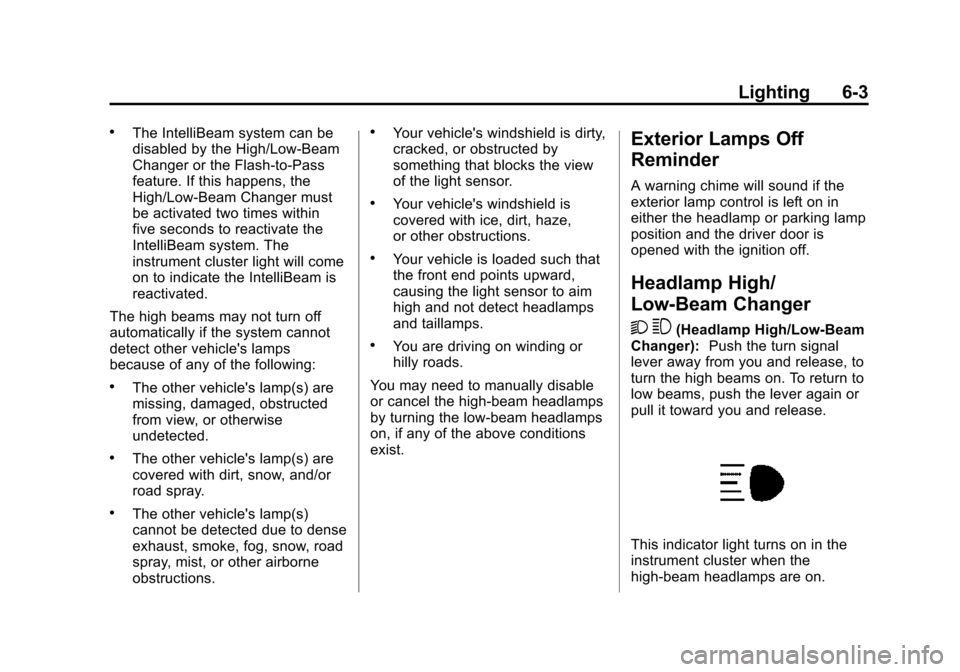
This indicator light turns on in the
instrument cluster when the
high-beam headlamps are on.
Page 173 of 443

Black plate (4,1)Cadillac ATS Owner Manual (GMNA-Localizing-U.S./Canada/Mexico-
7707477) - 2015 - crc - 9/15/14
6-4 Lighting
Flash-to-Pass
This feature allows the high-beam
headlamps to be used to signal the
driver in front of you that you want
to pass.
Pull and hold the turn signal lever
toward you to use this feature.
When this is done the following will
occur:
.If the headlamps are off or in
low-beam mode, the high-beam
headlamps will turn on. They will
stay on as long as the lever is
held there. Release the lever to
turn them off.
.If the headlamps are in
high-beam mode, they will go to
low beam.
Daytime Running
Lamps (DRL)
DRL can make it easier for others to
see the front of your vehicle during
the day. Fully functional DRL are
required on all vehicles first sold in
Canada.The DRL system turns on the
low-beam headlamps at a reduced
brightness. For vehicles with High
Intensity Discharge (HID)
headlamps, there is a dedicated
DRL. The DRL will come on when
all of the following conditions
are met:
.The ignition is on.
.The exterior lamp control is
in AUTO.
.The light sensor determines it is
daytime.
.The parking brake is released or
the vehicle is not in P (Park).
The taillamps, sidemarker lamps,
instrument panel lights, and other
lamps will not be on.
The DRL turn off when the
headlamps are turned to
Oor the
ignition is off.
Automatic Headlamp
System
When the exterior lamp control is
set to AUTO and it is dark enough
outside, the headlamps come on
automatically.
There is a light sensor on top of the
instrument panel. Do not cover the
sensor, otherwise the headlamps
will come on when they are not
needed.
Page 225 of 443

Black plate (2,1)Cadillac ATS Owner Manual (GMNA-Localizing-U.S./Canada/Mexico-
7707477) - 2015 - crc - 9/15/14
9-2 Driving and Operating
Fuel
Fuel . . . . . . . . . . . . . . . . . . . . . . . . . 9-62
California FuelRequirements . . . . . . . . . . . . . . 9-64
Fuels in Foreign Countries . . . 9-64
Fuel Additives . . . . . . . . . . . . . . . 9-64
E85 or FlexFuel . . . . . . . . . . . . . . 9-64
Filling the Tank . . . . . . . . . . . . . . 9-65
Filling a Portable Fuel Container . . . . . . . . . . . . . . . . . . . 9-67
Trailer Towing
General TowingInformation . . . . . . . . . . . . . . . . . 9-68
Driving Characteristics and Towing Tips . . . . . . . . . . . . . . . . 9-68
Trailer Towing (Sedan With V6 Engine) . . . . . . . . . . . . . . . . . 9-71
Trailer Towing (Sedan With L4 Engine) . . . . . . . . . . . . . . . . . . . . . 9-72
Trailer Towing (Coupe) . . . . . . . 9-72
Towing Equipment . . . . . . . . . . . 9-72
Conversions and Add-Ons
Add-On Electrical Equipment . . . . . . . . . . . . . . . . . 9-73
Driving Information
Distracted Driving
Distraction comes in many forms
and can take your focus from the
task of driving. Exercise good
judgment and do not let other
activities divert your attention away
from the road. Many local
governments have enacted laws
regarding driver distraction. Become
familiar with the local laws in
your area.
To avoid distracted driving, always
keep your eyes on the road, hands
on the wheel, and mind on the drive.
.Do not use a phone in
demanding driving situations.
Use a hands-free method to
place or receive necessary
phone calls.
.Watch the road. Do not read,
take notes, or look up
information on phones or other
electronic devices.
.Designate a front seat
passenger to handle potential
distractions.
.Become familiar with vehicle
features before driving, such as
programming favorite radio
stations and adjusting climate
control and seat settings.
Program all trip information into
any navigation device prior to
driving.
.Wait until the vehicle is parked
to retrieve items that have fallen
to the floor.
.Stop or park the vehicle to tend
to children.
.Keep pets in an appropriate
carrier or restraint.
.Avoid stressful conversations
while driving, whether with a
passenger or on a cell phone.