2015 BMW X1 SDRIVE28I mode
[x] Cancel search: modePage 249 of 297
MaintenanceVehicle equipment
This chapter describes all series equipment as
well as country-specific and special equipment
offered for this model series. Therefore, it also
describes equipment that may not be found in
your vehicle, for instance due to the selected
special equipment or the country version. This
also applies to safety-related functions and
systems.
When using the features and systems descri‐
bed here, adhere to local regulations.
BMW Maintenance System
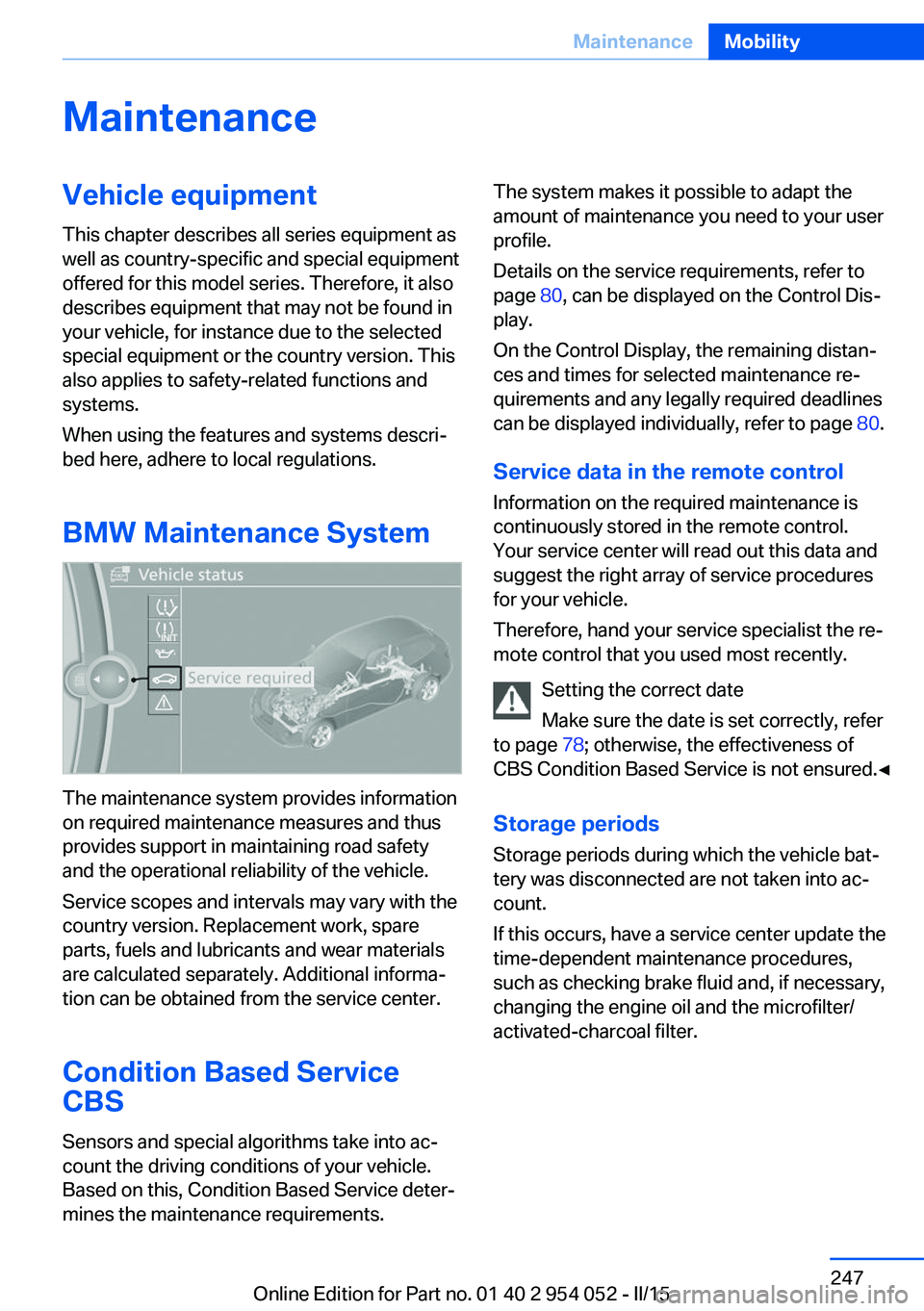
The maintenance system provides information
on required maintenance measures and thus
provides support in maintaining road safety
and the operational reliability of the vehicle.
Service scopes and intervals may vary with the
country version. Replacement work, spare
parts, fuels and lubricants and wear materials
are calculated separately. Additional informa‐
tion can be obtained from the service center.
Condition Based Service
CBS
Sensors and special algorithms take into ac‐
count the driving conditions of your vehicle.
Based on this, Condition Based Service deter‐
mines the maintenance requirements.
The system makes it possible to adapt the
amount of maintenance you need to your user
profile.
Details on the service requirements, refer to
page 80, can be displayed on the Control Dis‐
play.
On the Control Display, the remaining distan‐
ces and times for selected maintenance re‐
quirements and any legally required deadlines
can be displayed individually, refer to page 80.
Service data in the remote control
Information on the required maintenance is
continuously stored in the remote control.
Your service center will read out this data and
suggest the right array of service procedures
for your vehicle.
Therefore, hand your service specialist the re‐
mote control that you used most recently.
Setting the correct date
Make sure the date is set correctly, refer
to page 78; otherwise, the effectiveness of
CBS Condition Based Service is not ensured.◀
Storage periods Storage periods during which the vehicle bat‐
tery was disconnected are not taken into ac‐
count.
If this occurs, have a service center update the
time-dependent maintenance procedures,
such as checking brake fluid and, if necessary,
changing the engine oil and the microfilter/
activated-charcoal filter.Seite 247MaintenanceMobility247
Online Edition for Part no. 01 40 2 954 052 - II/15
Page 250 of 297
Service and Warranty
Information Booklet for US
models and Warranty and
Service Guide Booklet for
Canadian models
Please consult your Service and Warranty In‐
formation Booklet for US models and Warranty
and Service Guide Booklet for Canadian mod‐
els for additional information on service re‐
quirements.
Maintenance and repair should be performed
by your service center. Make sure to have reg‐
ular maintenance procedures recorded in the
vehicle's Service and Warranty Information
Booklet for US models, and in the Warranty
and Service Guide Booklet for Canadian mod‐
els. These entries are proof of regular mainte‐
nance.
Socket for OBD Onboard
Diagnosis
Socket for Onboard Diagnosis
The socket for Onboard Diagnosis may
only be used by the service center, by work‐
shops that operate according to the specifica‐
tions of the vehicle manufacturer with appro‐ priately trained personnel, and by other
authorized persons. Otherwise, its use may
lead to vehicle malfunctions.◀
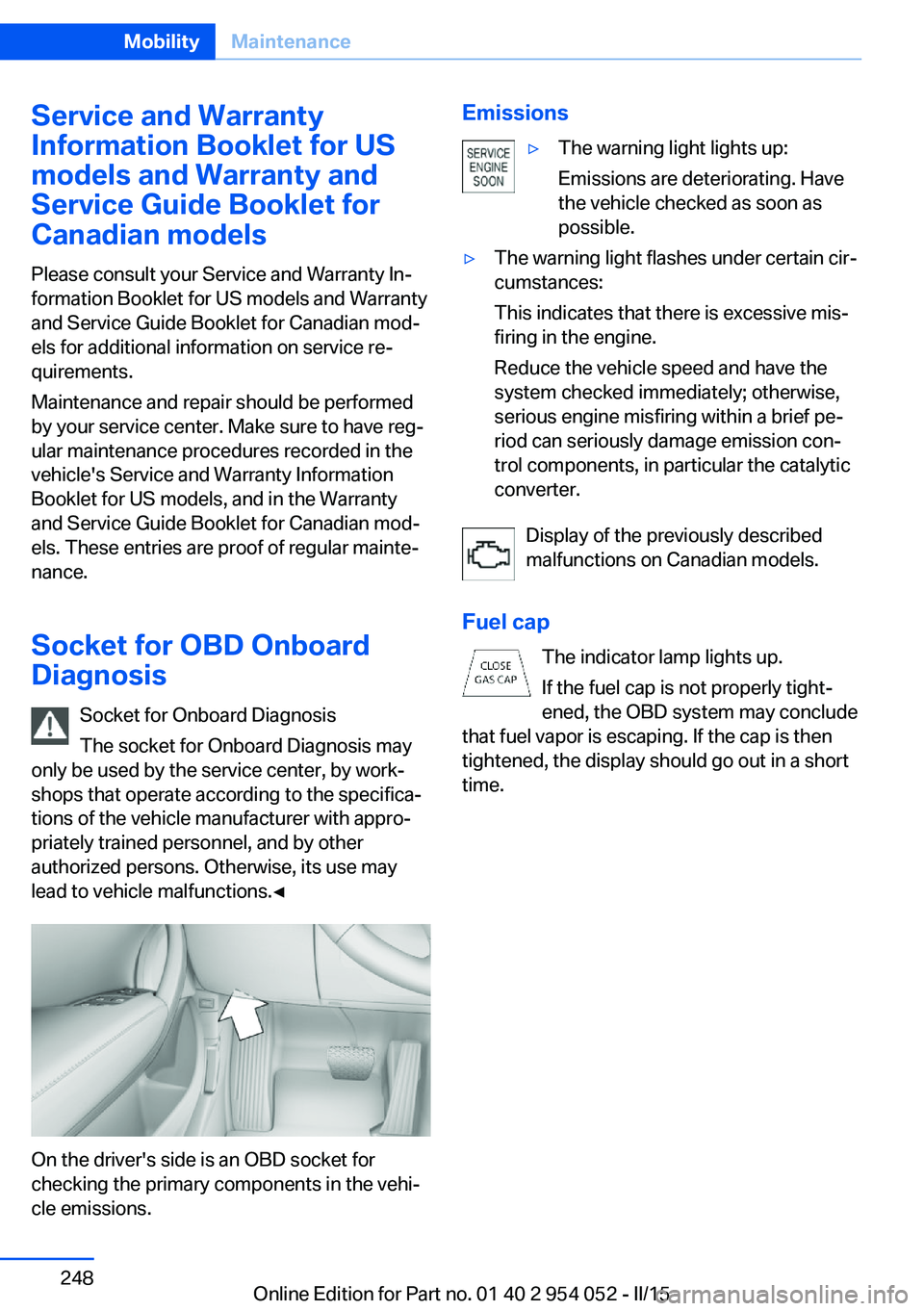
On the driver's side is an OBD socket for
checking the primary components in the vehi‐
cle emissions.
Emissions▷The warning light lights up:
Emissions are deteriorating. Have
the vehicle checked as soon as
possible.▷The warning light flashes under certain cir‐
cumstances:
This indicates that there is excessive mis‐
firing in the engine.
Reduce the vehicle speed and have the
system checked immediately; otherwise,
serious engine misfiring within a brief pe‐
riod can seriously damage emission con‐
trol components, in particular the catalytic
converter.
Display of the previously described
malfunctions on Canadian models.
Fuel cap The indicator lamp lights up.
If the fuel cap is not properly tight‐
ened, the OBD system may conclude
that fuel vapor is escaping. If the cap is then
tightened, the display should go out in a short
time.
Seite 248MobilityMaintenance248
Online Edition for Part no. 01 40 2 954 052 - II/15
Page 251 of 297
Replacing componentsVehicle equipmentThis chapter describes all series equipment as
well as country-specific and special equipment
offered for this model series. Therefore, it also
describes equipment that may not be found in
your vehicle, for instance due to the selected
special equipment or the country version. This
also applies to safety-related functions and
systems.
When using the features and systems descri‐
bed here, adhere to local regulations.
Tool kit
The tool kit is stowed under the cargo floor
panel and storage compartment in the cargo
area.
Wiper blade replacement Do not fold down the wipers without
wiper blades
Do not fold down the wipers if wiper blades
have not been installed; this may damage the
windshield.◀
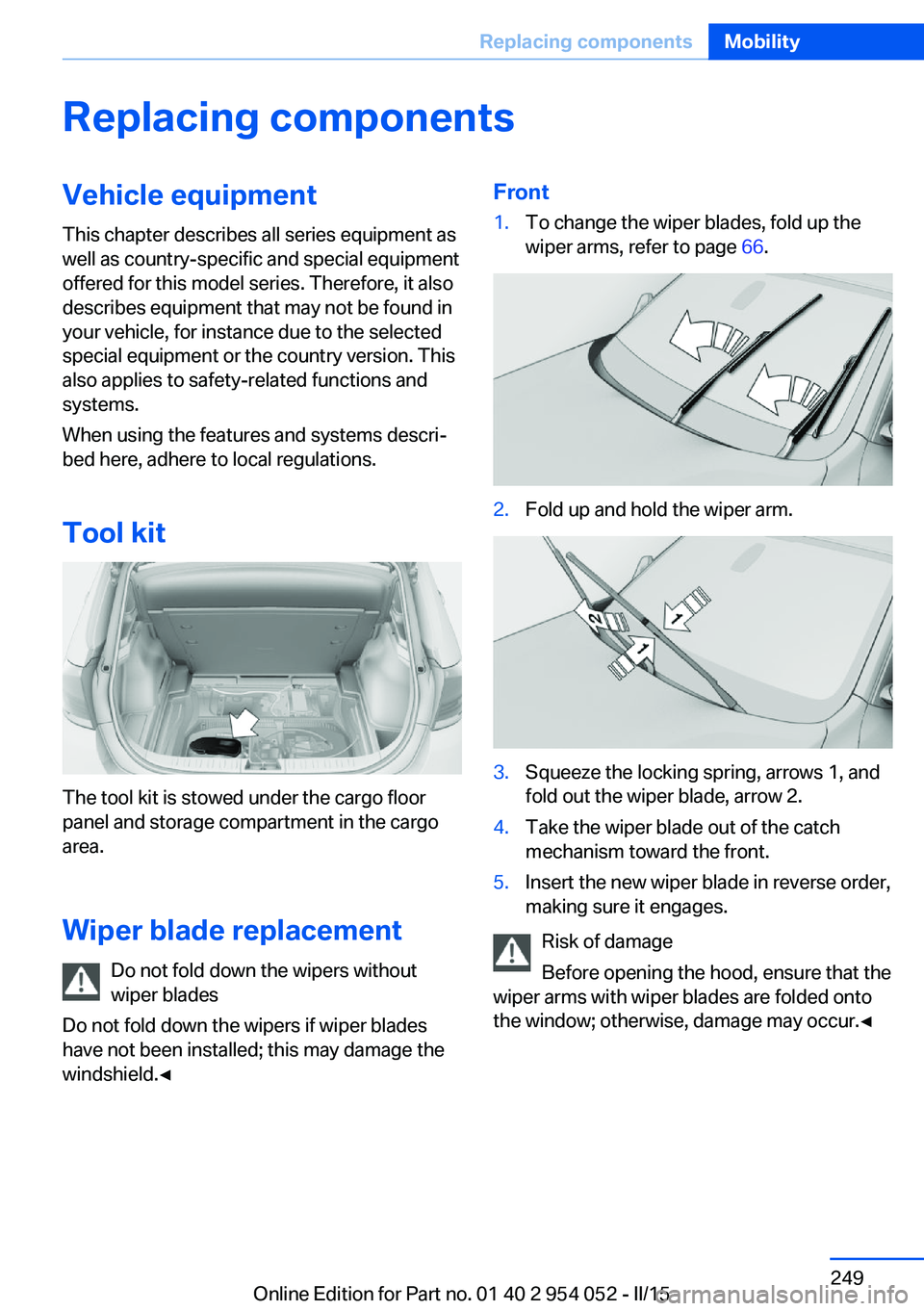
Front1.To change the wiper blades, fold up the
wiper arms, refer to page 66.2.Fold up and hold the wiper arm.3.Squeeze the locking spring, arrows 1, and
fold out the wiper blade, arrow 2.4.Take the wiper blade out of the catch
mechanism toward the front.5.Insert the new wiper blade in reverse order,
making sure it engages.
Risk of damage
Before opening the hood, ensure that the
wiper arms with wiper blades are folded onto
the window; otherwise, damage may occur.◀
Seite 249Replacing componentsMobility249
Online Edition for Part no. 01 40 2 954 052 - II/15
Page 259 of 297
Breakdown assistanceVehicle equipment
This chapter describes all series equipment as
well as country-specific and special equipment
offered for this model series. Therefore, it also
describes equipment that may not be found in
your vehicle, for instance due to the selected
special equipment or the country version. This
also applies to safety-related functions and
systems.
When using the features and systems descri‐
bed here, adhere to local regulations.
Hazard warning flashers
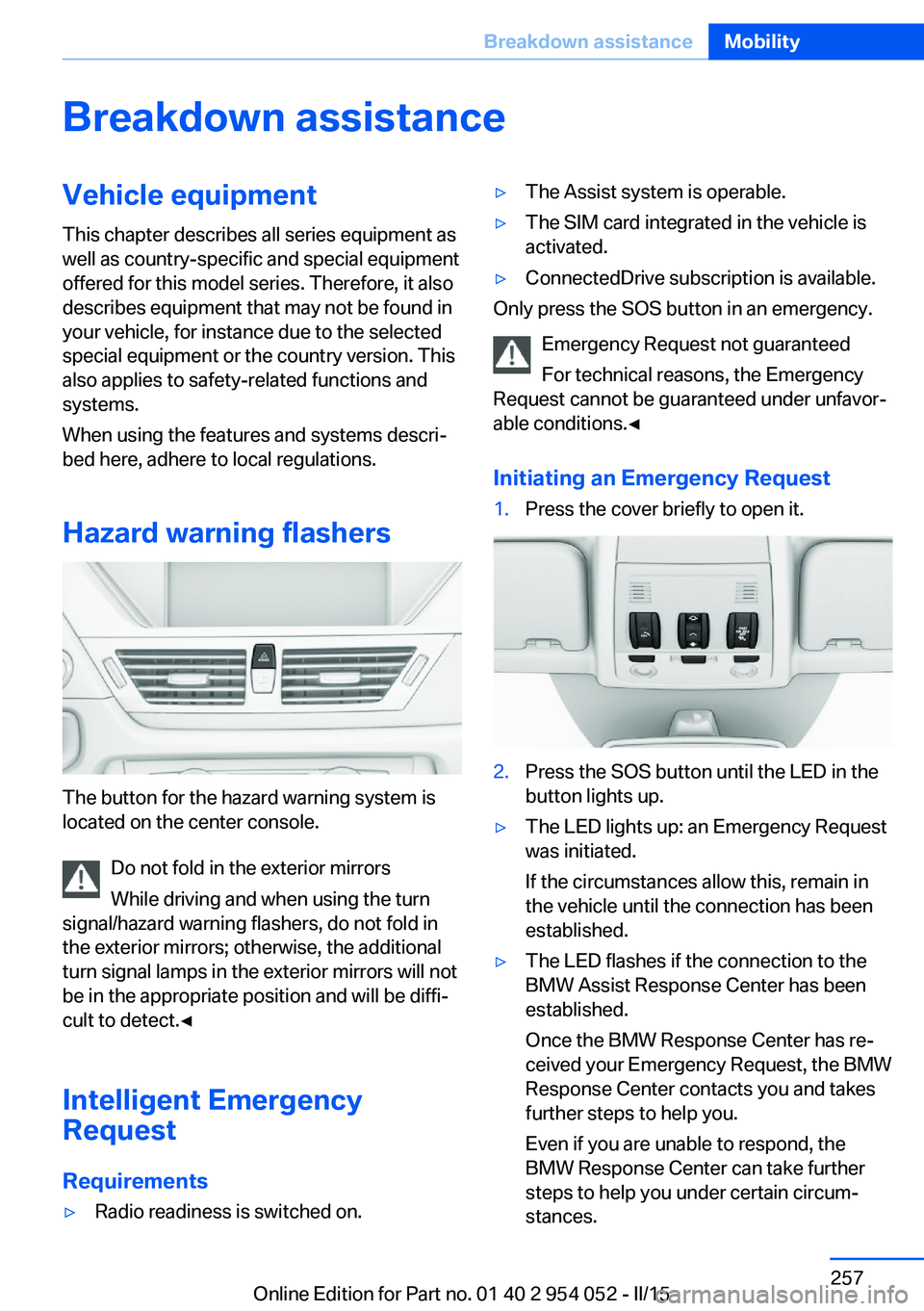
The button for the hazard warning system is
located on the center console.
Do not fold in the exterior mirrors
While driving and when using the turn
signal/hazard warning flashers, do not fold in
the exterior mirrors; otherwise, the additional
turn signal lamps in the exterior mirrors will not
be in the appropriate position and will be diffi‐
cult to detect.◀
Intelligent Emergency
Request
Requirements
▷Radio readiness is switched on.▷The Assist system is operable.▷The SIM card integrated in the vehicle is
activated.▷ConnectedDrive subscription is available.
Only press the SOS button in an emergency.
Emergency Request not guaranteed
For technical reasons, the Emergency
Request cannot be guaranteed under unfavor‐
able conditions.◀
Initiating an Emergency Request
1.Press the cover briefly to open it.2.Press the SOS button until the LED in the
button lights up.▷The LED lights up: an Emergency Request
was initiated.
If the circumstances allow this, remain in
the vehicle until the connection has been
established.▷The LED flashes if the connection to the
BMW Assist Response Center has been
established.
Once the BMW Response Center has re‐
ceived your Emergency Request, the BMW
Response Center contacts you and takes
further steps to help you.
Even if you are unable to respond, the
BMW Response Center can take further
steps to help you under certain circum‐
stances.Seite 257Breakdown assistanceMobility257
Online Edition for Part no. 01 40 2 954 052 - II/15
Page 265 of 297
CareVehicle equipmentThis chapter describes all series equipment as
well as country-specific and special equipment
offered for this model series. Therefore, it also
describes equipment that may not be found in
your vehicle, for instance due to the selected
special equipment or the country version. This
also applies to safety-related functions and
systems.
When using the features and systems descri‐
bed here, adhere to local regulations.
Car washes Notes Steam jets or high-pressure washers
When using steam jets or high-pressure
washers, hold them a sufficient distance away
and use a maximum temperature of
140 ℉/60 ℃.
Holding them too close or using excessively
high pressures or temperatures can cause
damage or preliminary damage that may then
lead to long-term damage.
Follow the operating instructions for the high-
pressure washer.◀
Do not direct steam or high-pressure washers
toward the decorative labels applied by the
manufacturer; otherwise, damage may result.
Cleaning sensors/cameras with high-
pressure washers
When using high-pressure washers, do not
spray the exterior sensors and cameras, for
Park Distance Control or the backup camera,
for instance, for extended periods of time and
only from a distance of at least 12 in/30 cm.◀Regularly remove foreign bodies, such as
leaves, from the area below the windshield
when the hood is open.
Wash your vehicle frequently, particularly in
winter.
Intense soiling and road salt can damage the
vehicle.
Washing in automatic car washes Give preference to cloth car washes or those
that use soft brushes in order to avoid paint damage.
Notes Note the following:▷Make sure that the wheels and tires are not
damaged by the transport mechanisms.▷Fold in the exterior mirrors; otherwise, they
may be damaged, depending on the width
of the vehicle.▷Deactivate the rain sensor, refer to
page 65, to avoid unintentional wiper acti‐
vation.▷Move the rear window wiper to its resting
position, deactivate it, and protect it
against damage. Ask the car wash operator
about any necessary protective measures.▷Remove additional attachments, for in‐
stance a spoiler or telephone antenna, if
there is a risk that these may be damaged.
Guide rails in car washes
Avoid car washes with guide rails higher
than 4 in/10 cm; otherwise, the vehicle body
could be damaged.◀
Before driving into a car wash The vehicle is able to roll if the following steps
are taken.
Seite 263CareMobility263
Online Edition for Part no. 01 40 2 954 052 - II/15
Page 272 of 297

Technical dataVehicle equipment
This chapter describes all series equipment as
well as country-specific and special equipment
offered for this model series. Therefore, it also
describes equipment that may not be found in
your vehicle, for instance due to the selected
special equipment or the country version. This
also applies to safety-related functions and
systems.
When using the features and systems descri‐
bed here, adhere to local regulations.Note
The technical data and specifications in the
Owner's Manual serve as guidelines. Detailed
values can be obtained from your registration
documents, from labels in your vehicle, or from
the service center.
Dimensions
BMW X1Width without mirrorsinches/mm70.8 / 1,798Width with mirrorsinches/mm81.0/2,058Heightinches/mm60.8/1,545Lengthinches/mm176.5/4,484Wheelbaseinches/mm108.7/2,760Smallest turning circle dia.ft/m37.1/11.3Smallest turning circle dia. with all-wheel
driveft/m38.7/11.8
Weights
BMW X1X1 sDrive28iX1 xDrive28iX1 xDrive35iApproved gross vehicle
weightlbs/kg4,497/2,0404,707/2,1354,861/2,205Loadlbs/kg904/410904/410904/410Approved front axle loadlbs/kg2,116/9602,326/1,0552,425/1,100Seite 270ReferenceTechnical data270
Online Edition for Part no. 01 40 2 954 052 - II/15
Page 274 of 297
Short commands for voice activationsystemVehicle equipment
This chapter describes all series equipment as
well as country-specific and special equipment
offered for this model series. Therefore, it also
describes equipment that may not be found in
your vehicle, for instance due to the selected
special equipment or the country version. This
also applies to safety-related functions and
systems.
When using the features and systems descri‐
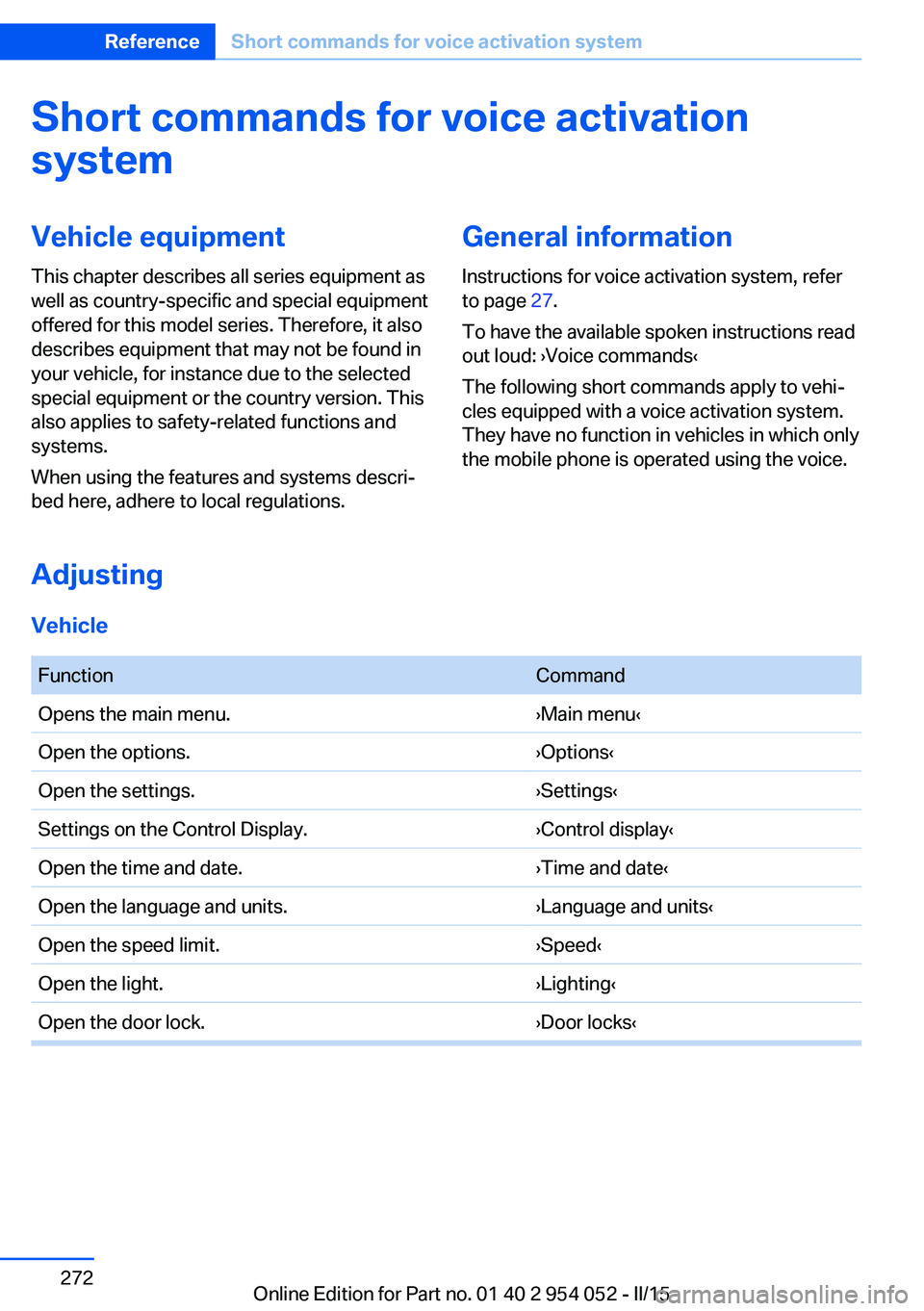
bed here, adhere to local regulations.General information
Instructions for voice activation system, refer
to page 27.
To have the available spoken instructions read
out loud: ›Voice commands‹
The following short commands apply to vehi‐
cles equipped with a voice activation system.
They have no function in vehicles in which only
the mobile phone is operated using the voice.
Adjusting
Vehicle
FunctionCommandOpens the main menu.›Main menu‹Open the options.›Options‹Open the settings.›Settings‹Settings on the Control Display.›Control display‹Open the time and date.›Time and date‹Open the language and units.›Language and units‹Open the speed limit.›Speed‹Open the light.›Lighting‹Open the door lock.›Door locks‹Seite 272ReferenceShort commands for voice activation system272
Online Edition for Part no. 01 40 2 954 052 - II/15
Page 282 of 297
Everything from A to Z
IndexA ABS, Antilock Brake Sys‐ tem 99
Accident, refer to Emergency Request, initiating 257
Acoustic signal, refer to Check Control 82
Activated charcoal filter with automatic climate con‐
trol 113
Adaptive brake lights, refer to Brake force display 98
Adaptive Light Control 86
Additional telephone 198
Additives, coolant 246
Additives, engine oil 245
After washing vehicle 264
Airbags 90
Airbags, indicator/warning light 93
Air circulation, refer to Recir‐ culated air mode 112
Air conditioning mode, auto‐ matic climate control 110
Air conditioning mode, venti‐ lation 113
Air distribution, auto‐ matic 111
Air distribution, manual 111
Air drying, refer to Cooling function 112
Air flow rate 112
Airing, refer to Ventila‐ tion 113
Air pressure, refer to Tire in‐ flation pressure 232
Air supply, automatic climate control 110
Air supply, ventilation 113 Air vents, refer to Ventila‐
tion 113
Alarm system 41
Alarm system, avoiding unin‐ tentional alarms 42
Alarm system, ending an alarm 41
Alarm system, interior motion sensor 42
Alarm system, tilt alarm sen‐ sor 42
All around the headliner 19
ALL program 112
All-season tires, refer to Win‐ ter tires 240
All-wheel drive, refer to xDrive 101
Alternating-code hand-held transmitter 116
AM/FM station 168
Announcement, navigation, see Spoken instruc‐
tions 157
Antifreeze, coolant 246
Antifreeze, washer fluid 67
Antilock Brake System, ABS 99
Anti-slip control, refer to Dy‐ namic Stability Control
DSC 99
Anti-theft protection 34
Appointments 214
Approved axle loads, refer to Weights 270
Approved engine oils 245
Approved gross vehicle weight, refer to
Weights 270
Armrest, refer to Center arm‐ rest 126 Arrival time, refer to Com‐
puter 76
Ashtray 119
Assistance with driving off, refer to Drive-off assis‐
tant 102
Assistance with starting en‐ gine, refer to Jump-start‐
ing 258
Audio device, external 126
Audio playback 177
Audio playback, Blue‐ tooth 189
Automatic, air distribu‐ tion 111
Automatic, air flow rate 111
Automatic car wash 263
Automatic climate con‐ trol 110
Automatic climate control, automatic air distribu‐
tion 111
Automatic, cruise control 103
Automatic Curb Monitor 51
Automatic headlight con‐ trol 86
Automatic recirculated air control 112
Automatic Start/Stop func‐ tion 61
Automatic transmission with Steptronic 67, 70
Automatic transmission with Steptronic, interlock 67
Automatic transmission with Steptronic, kickdown 68, 70
Automatic transmission with Steptronic, overriding selec‐
tor lever lock 69
AUTO program with auto‐ matic climate control 111 Seite 280ReferenceEverything from A to Z280
Online Edition for Part no. 01 40 2 954 052 - II/15