2015 BMW M4 COUPE dsc
[x] Cancel search: dscPage 120 of 228

Do not deactivate DSC when driving with
roof load
Do not deactivate Dynamic Stability Control
DSC when driving with roof load, e.g. roof-
mounted luggage rack.
Otherwise, driving safety is not given in driv‐
ing-critical situation due to the elevated center
of gravity.◀
Overview
Button in the vehicle
DSC OFF button
Indicator/warning lights The indicator lamp flashes: DSC con‐
trols the drive and braking forces.
The indicator lamp lights up: DSC has
failed.
Deactivating DSC: DSC OFF
When DSC is deactivated, driving stability is
reduced during acceleration and when driving
in curves.
To increase vehicle stability, activate DSC
again as soon as possible.
Deactivating DSC Press and hold this button but not longer
than approx. 10 seconds, until the indica‐
tor lamp for DSC OFF lights up in the instru‐
ment cluster and displays DSC OFF.
The DSC system is switched off.
Activating DSC Press button.
DSC OFF and the DSC OFF indicator
lamp go out.
Indicator/warning lights
When DSC is deactivated, DSC OFF is dis‐
played in the instrument cluster.
The indicator lamp lights up: DSC is
deactivated.
M Dynamic Mode MDM
M Dynamic Mode makes it possible to drive on
a dry roadway with high longitudinal and trans‐
verse acceleration but with limited driving sta‐
bility.
Only in the absolute limit area does the system
intervene for stabilization by reducing the en‐
gine power and by braking interventions on the
wheels. In this driving condition, additional
steering corrections may be necessary.
Limited stabilizing interventions
When M Dynamic Mode is activated, sta‐
bilizing interventions are carried out only to a
reduced extent. You must react yourself; oth‐
erwise, there is the risk of an accident.◀
To increase vehicle stability, activate DSC
again as soon as possible.
Activating MDM Press button briefly.
The MDM and DSC OFF indicator lights
on the instrument cluster light up.
Deactivating MDM Press button.Seite 116ControlsDriving stability control systems116
Online Edition for Part no. 01 40 2 960 786 - II/15
Page 121 of 228

The MDM and DSC OFF indicator lights go
out.
Via M Drive On the Control Display:1."Settings"2."M Drive 1" or "M Drive 2"3. Select the symbol.4."MDM"
To open M Drive with the selected settings,
press the corresponding button on the steer‐
ing wheel:
▷▷
A message appears in the instrument cluster.
This message is confirmed by pressing the
button again.
Deactivating MDM
Press the appropriate button 1 or button 2 on
the steering wheel again.
M Dynamic Mode and the settings selected
under M Drive are deactivated.
Indicator/warning lights Indicator lights light up:
M Dynamic Mode is activated.
DSC indicator lamp also flashes:
M Dynamic Mode controls the drive
forces and brake forces.
Indicator lights light up:
M Dynamic Mode or DSC has failed.
Active M differential
The concept The active M differential assures continuously
variable locking of the rear axle differential de‐
pending on the driving situation. This prevents
individual rear wheels from spinning even
when DSC is switched off and in M Dynamic
Mode, so that optimum traction is always as‐
sured in all driving situations.
The driver is responsible adapting his or her
driving behavior to the situation.
Adaptive M chassis The conceptThis system reduces undesirable vehicle mo‐
tion when using a dynamic driving style or trav‐
eling on uneven road surfaces.
The system enhances driving dynamics and
comfort fitting road surface and driving style.
Programs Setting options for calibrating the shock ab‐
sorbers:▷"Comfort": comfort-oriented.▷"Sport": balanced out.▷"Sport Plus": consistently sporty.
Selecting a channel
Via M Drive
1."Settings"2."M Drive 1" or "M Drive 2"3. Select the symbol.4.Select the desired channel.
When M Drive is active, setting is immedi‐
ately applied.
To activate M Drive with the selected settings,
press the corresponding button on the steer‐
ing wheel:
Seite 117Driving stability control systemsControls117
Online Edition for Part no. 01 40 2 960 786 - II/15
Page 125 of 228

InterruptingWhen active, press the button.
The system is automatically interrupted if:▷The brakes are applied.▷The clutch pedal is depressed for a few
seconds or released while a gear is not en‐
gaged.▷The gear engaged is too high for the cur‐
rent speed.▷MDM is activated or DSC is deactivated.▷DSC is actively controlling stability.
Maintaining, storing, and changing the
speed
Hints Adjusting the desired speed
Modify desired speed to road conditions
and be ready to brake at all times; otherwise,
there is the risk of an accident.◀
Maintaining/storing the speed Press button.
Or:
Press the rocker switch while the system is in‐
terrupted.
When the system is switched on, the current
speed is maintained and stored as the desired
speed.
This is displayed, refer to page 121, in the
speedometer and briefly in the instrument
cluster.
When cruise control is maintained or stored,
DSC Dynamic Stability Control will be turned
on if needed.
Changing the speed
Press the rocker switch up or down repeatedly
until the desired speed is set.
If active, the displayed speed is stored and the
vehicle reaches the stored speed when the
road is clear.▷Each time the rocker switch is pressed to
the point of resistance, the desired speed
increases or decreases by approx.
1 mph/1 km/h.▷Each time the rocker switch is pressed
past the point of resistance, the desired
speed increases or decreases by a maxi‐
mum of 5 mph/10 km/h.
The maximum speed that can be set de‐
pends on the vehicle.▷Pressing the rocker switch to the resist‐
ance point and holding it accelerates or de‐
celerates the vehicle without requiring
pressure on the accelerator pedal.
After the rocker switch is released, the ve‐
hicle maintains its final speed. Pressing the
switch beyond the resistance point causes
the vehicle to accelerate more rapidly.
Resuming the desired speed
Press button.
The stored speed is reached and maintained. Displays in the instrument cluster
Indicator lamp Depending on how the vehicle is equip‐
ped, the indicator lamp in the instru‐
Seite 121Driving comfortControls121
Online Edition for Part no. 01 40 2 960 786 - II/15
Page 180 of 228
In case of tire damage
If there are indications of tire damage, re‐
duce your speed immediately and have the
rims and tires checked right away; otherwise,
there is the increased risk of an accident.
Drive carefully to the nearest service center. If
necessary, have the vehicle towed or trans‐
ported there. Otherwise, tire damage can be‐
come life threatening for vehicle occupants
and also other traffic.◀
Repair of tire damage
For safety reasons, the manufacturer of
your vehicle recommends that you do not have
damaged tires repaired; they should be re‐
placed. Otherwise, damage can occur as a re‐
sult.◀
Changing wheels and tires
Mounting Information on mounting tires
Have mounting and balancing performed
only by a service center.
If work is not carried out properly, there is a
danger of subsequent damage and related
safety hazards.◀
Wheel and tire combination
You can ask the service center about the right
wheel/tire combination and wheel rim versions
for the vehicle.
Incorrect wheel and tire combinations impair
the function of a variety of systems such as
ABS or DSC.
To maintain good handling and vehicle re‐
sponse, use only tires with a single tread con‐
figuration from a single manufacturer.
Following tire damage, have the original wheel
and tire combination remounted on the vehicle
as soon as possible.Approved wheels and tires
You should only use wheels and tires
that have been approved by the vehicle manu‐
facturer for your vehicle type; otherwise, e.g.,
despite having the same official size ratings,
variations can lead to chassis contact and with
it, the risk of severe accidents
The manufacturer of your vehicle cannot eval‐
uate non-approved wheels and tires to deter‐
mine if they are suited for use, and therefore
cannot guarantee the operating safety of the
vehicle.◀
Recommended tire brands
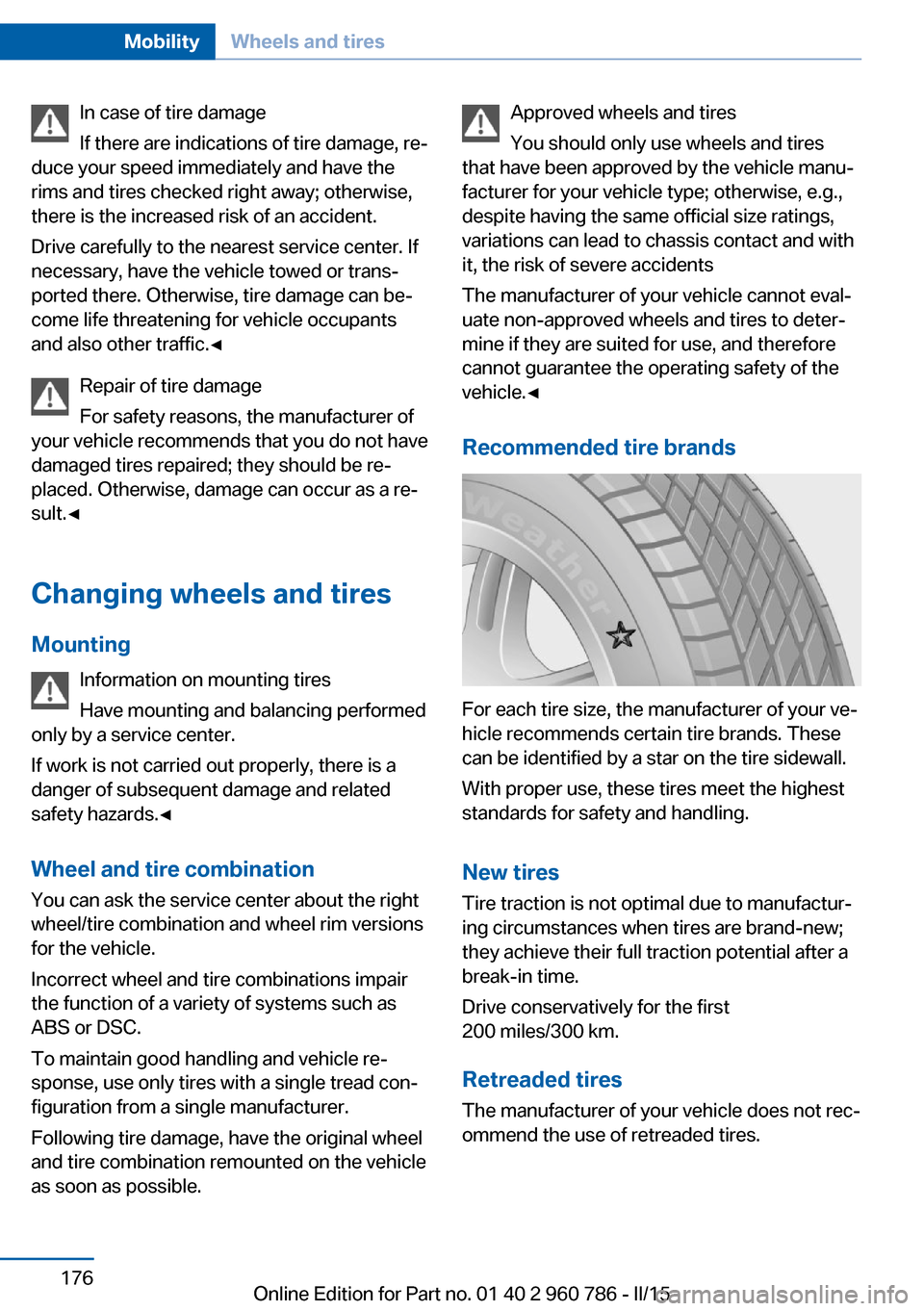
For each tire size, the manufacturer of your ve‐
hicle recommends certain tire brands. These
can be identified by a star on the tire sidewall.
With proper use, these tires meet the highest
standards for safety and handling.
New tires Tire traction is not optimal due to manufactur‐
ing circumstances when tires are brand-new;
they achieve their full traction potential after a
break-in time.
Drive conservatively for the first
200 miles/300 km.
Retreaded tires
The manufacturer of your vehicle does not rec‐
ommend the use of retreaded tires.
Seite 176MobilityWheels and tires176
Online Edition for Part no. 01 40 2 960 786 - II/15
Page 218 of 228

Everything from A to Z
IndexA ABS, Antilock Brake Sys‐ tem 114
Acceleration Assistant, refer to Launch Control 73
Accessories and parts 7
Activated-charcoal filter 137
Active Blind Spot Detec‐ tion 111
Active M differential 117
Adaptive brake lights, refer to Brake force display 113
Adaptive Light Control 94
Adaptive M chassis 117
Additives, oil 185
Adjustments, seats/head re‐ straints 49
After washing vehicle 206
Airbags 98
Airbags, indicator/warning light 99
Air circulation, refer to Recir‐ culated-air mode 136
Air, dehumidifying, refer to Cooling function 135
Air distribution, manual 136
Air flow, automatic climate control 136
Air pressure, tires 172
Air vents, refer to Ventila‐ tion 137
Alarm system 44
Alarm, unintentional 45
All around the center con‐ sole 16
All around the roofliner 17
All around the steering wheel 14
All-season tires, refer to Win‐ ter tires 177 Alternating-code hand-held
transmitter 140
Alternative oil types 185
Ambient light 96
Antifreeze, washer fluid 69
Antilock Brake System, ABS 114
Anti-slip control, refer to DSC 115
Approved axle load 212
Approved engine oils, see Suitable engine oil
types 185
Arrival time 87
Ash tray 143
Assistance when driving off 118
Attentiveness assistant 113
AUTO intensity 135
Automatic car wash 205
Automatic climate con‐ trol 134
Automatic Curb Monitor 55
Automatic deactivation, front- seat passenger airbags 100
Automatic headlight con‐ trol 94
Automatic locking 44
Automatic recirculated-air control 136
AUTO program, automatic cli‐ mate control 135
AUTO program, intensity 135
Auto Start/Stop function 64
Average fuel consumption 87
Average speed 87
Axle loads, weights 212 B
Backrest curvature, refer to Lumbar support 51
Backrest, width 51
Band-aids, refer to First aid kit 200
Bar for tow-starting/ towing 203
Battery replacement, vehicle battery 196
Battery replacement, vehicle remote control 35
Battery, vehicle 196
Belt holder 54
Belts, safety belts 53
Beverage holder, cu‐ pholder 149
Blinds, sun protection 47
BMW Assist, see user's manual for Navigation, En‐
tertainment and Communi‐
cation
BMW Driver’s Guide App 6
BMW Homepage 6
BMW Internet page 6
BMW maintenance sys‐ tem 188
BMW M technology 154
Bottle holder, refer to Cu‐ pholders 149
Brake assistant 114
Brake discs, break-in 156
Brake force display 113
Brake lights, adaptive 113
Brake lights, brake force dis‐ play 113
Brake pads, break-in 156
Braking, hints 157
Breakdown assistance 199
Break-in 156 Seite 214ReferenceEverything from A to Z214
Online Edition for Part no. 01 40 2 960 786 - II/15
Page 220 of 228

Cruising range 82
Cupholders 149
Current fuel consumption 82
D
Damage, tires 175
Damping control 117
Data, technical 212
Date 81
Daytime running lights 94
Defrosting, refer to Windows, defrosting 136
Dehumidifying, air 135
Deleting personal data 25
Deletion of personal data 25
Destination distance 87
Differential lock 117
Digital clock 81
Digital compass 141
Digital speed 81
Digital tachometer 81
Dimensions 212
Dimmable exterior mirrors 56
Dimmable interior rearview mirror 56
Direction indicator, refer to Turn signals 67
Display EfficientDynamics 83
Display, electronic, instru‐ ment cluster 76
Display in windshield 90
Display lighting, refer to In‐ strument lighting 96
Displays, cleaning 208
Disposal, coolant 187
Disposal, vehicle battery 197
Distance control, refer to PDC 122
Distance to destination 87
Divided screen view, split screen 23
Door lock 39
Door lock, refer to Remote control 34 Double-clutch transmis‐
sion 70
Drivelogic 72
Drive mode 71
Drive-off assistant 118
Drive-off assistant, refer to DSC 115
Driver assistance, refer to In‐ telligent Safety 104
Driving Assistant, refer to In‐ telligent Safety 104
Driving Dynamics Control 74
Driving instructions, break- in 156
Driving notes, general 157
Driving on racetracks 155
Driving program, refer to Drivelogic 72
Driving stability control sys‐ tems 114
Driving tips 157
DSC Dynamic Stability Con‐ trol 115
Dynamic driving systems 83
Dynamic driving, system states 83
Dynamic Stability Control DSC 115
E EfficientDynamics 83
Electronic displays, instru‐ ment cluster 76
Electronic oil measure‐ ment 183
Electronic Stability Program ESP, refer to DSC 115
Emergency detection, remote control 35
Emergency release, fuel filler flap 168
Emergency Request 199
Emergency start function, en‐ gine start 35 Emergency unlocking, trunk
lid 41
Energy Control 82
Energy recovery 82
Engine, automatic Start/Stop function 64
Engine, automatic switch- off 64
Engine compartment 181
Engine compartment, work‐ ing in 181
Engine coolant 186
Engine oil 183
Engine oil, adding 184
Engine oil additives 185
Engine oil change 185
Engine oil filler neck 184
Engine oil temperature 80
Engine oil types, alterna‐ tive 185
Engine oil types, ap‐ proved 185
Engine start during malfunc‐ tion 35
Engine start, jump-start‐ ing 200
Engine start, refer to Starting the engine 63
Engine stop 63
Engine temperature 80
Entering a car wash 205
Equipment, interior 139
Error displays, see Check Control 77
ESP Electronic Stability Pro‐ gram, refer to DSC 115
Exchanging wheels/tires 176
Exhaust system 157
Exterior mirror, automatic dimming feature 56
Exterior mirrors 55
External start 200
External temperature dis‐ play 81
External temperature warn‐ ing 81 Seite 216ReferenceEverything from A to Z216
Online Edition for Part no. 01 40 2 960 786 - II/15