2015 BMW I8 ECO mode
[x] Cancel search: ECO modePage 64 of 224

Door lock and armed alarm systemThe alarm system is triggered when the door is
opened, when the vehicle is unlocked via the
door lock.
Tailgate and armed alarm system
The tailgate can be opened even when the alarm system is armed.
After the tailgate is closed, it is locked and
monitored again when the doors are locked.
The hazard warning system flashes once.
Panic mode
You can trigger the alarm system if you find
yourself in a dangerous situation.
Press button on the remote control for
at least 3 seconds.
To switch off the alarm: press any button.
Indicator lamp on the interior rearview
mirror▷The indicator lamp flashes briefly every
2 seconds:
The system is armed.▷The indicator lamp flashes after locking:
The doors, hood or tailgate is not closed
properly, but the rest of the vehicle is se‐
cured.
After 10 seconds, the indicator lamp
flashes continuously. Interior motion sen‐
sor and tilt alarm sensor are not active.When the still open access is closed, inte‐
rior motion sensor and tilt alarm sensor will
be switched on.▷The indicator lamp goes out after unlock‐
ing:
The vehicle has not been tampered with.▷The indicator lamp flashes after unlocking
until the radio-ready state is switched on,
but no longer than approx. 5 minutes:
An alarm has been triggered.
Tilt alarm sensor The tilt of the vehicle is monitored.
The alarm system responds in situations such
as attempts to steal a wheel.
Interior motion sensor The windows must be closed for the system to
function properly.
Avoiding unintentional alarms
The tilt alarm sensor and interior motion sen‐
sor can be switched off together, such as in
the following situations:
▷In automatic car washes.▷In duplex garages.▷During transport on trains carrying vehi‐
cles, at sea or on a trailer.▷With animals in the vehicle.
Switching off the tilt alarm sensor and
interior motion sensor
Press the remote control button again
within 10 seconds as soon as the vehicle
is locked.
The indicator lamp lights up for approx. 2 sec‐
onds and then continues to flash.
The tilt alarm sensor and interior motion sen‐
sor are turned off, until the vehicle is locked again.
Seite 48ControlsOpening and closing48
Online Edition for Part no. 01 40 2 960 891 - II/15
Page 78 of 224
Operating readiness offPress the Start/Stop button again without
stepping on the brake.
All indicator lights in the instrument cluster go
out.
To save battery power when the engine is off,
switch off operating readiness and any unnec‐
essary electronic systems/power consumers.
Operating readiness is switched off automati‐
cally in the following situations while the vehi‐
cle is stationary and the engine is off:▷When locking the vehicle, and when the
low beams are activated.▷Shortly before the battery is discharged
completely, so that drive readiness is
maintained. This function is only available
when the low beams are turned off.▷When opening or closing the driver door, if
the driver's safety belt is unbuckled and
the low beams are turned off.▷While the driver's safety belt is unbuckled
with driver's door open and low beams off.
The low beams switch to parking lights after
approx. 15 minutes of no use.
Selector lever position P is automatically en‐
gaged when operating readiness is switched
off. In order for the vehicle to be able to roll,
e.g. into a car wash, heed the information re‐
garding washing in automatic car washes, refer
to page 187.
Drive readiness
When drive readiness is activated, the vehicle
is operational. Activated drive readiness is the
equivalent of a running engine in conventional
vehicles. Deactivated engine readiness is
equivalent to switching the ignition off.
Selector lever position P is automatically en‐
gaged when drive readiness is switched off. In
order for the vehicle to be able to roll, e.g. into
a car wash, heed the information regarding
washing in automatic car washes, refer to
page 187.
Drive readiness in detail
The concept The following are the different drive readiness
variants:▷Electric drive readiness, Silent Start, refer
to page 63.
The vehicle is powered by the electric mo‐
tor.▷Starting the combustion engine, refer to
page 63.
The vehicle is powered by the combustion
engine.
Hints
Do not leave the vehicle unattended
Do not leave the vehicle unattended with
drive readiness active; otherwise, it may pose a
risk.◀
Awareness of vehicle reduced when
driven in electric mode
When driving in electric mode, note that due to
the lack of engine noise pedestrians and other traffic might pay less attention to the vehicle
due to missing engine noises. Please take spe‐
cial care when parking or leaving a parking
space.◀
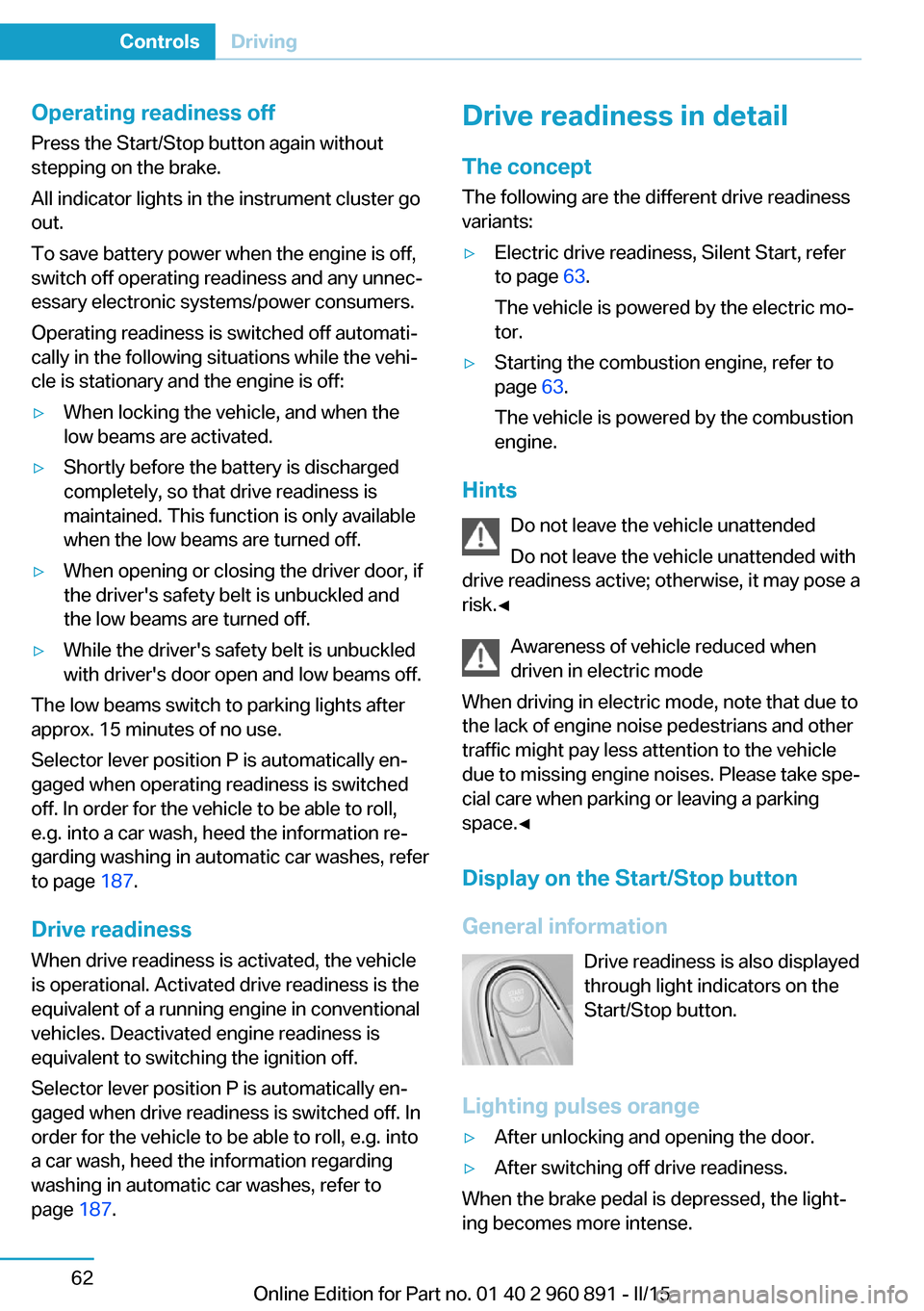
Display on the Start/Stop buttonGeneral information Drive readiness is also displayed
through light indicators on the
Start/Stop button.
Lighting pulses orange
▷After unlocking and opening the door.▷After switching off drive readiness.
When the brake pedal is depressed, the light‐
ing becomes more intense.
Seite 62ControlsDriving62
Online Edition for Part no. 01 40 2 960 891 - II/15
Page 83 of 224
If the vehicle is slowed down down to a speed
of approx. 2 mph/3 km/h the parking brake is
set.
Releasing
With drive readiness switched on:
Press the reel while stepping on the
brake pedal or selector lever position P is
set.
The LED and indicator lamp go out.
The parking brake is released.
Automatic release For automatic release, step on the accelerator
pedal.
The LED and indicator lamp go out.
The parking brake is automatically released
when you step on the accelerator:▷Drive readiness switched on.▷Drive mode engaged.▷Driver buckled in and doors closed.
Inadvertent operation of the accelerator
pedal
Make sure that the accelerator pedal is not op‐
erated unintentionally; otherwise, the vehicle is
set in motion and there is a risk of an acci‐
dent.◀
Malfunction In the event of a failure or malfunction of the
parking brake, secure the vehicle against roll‐
ing using a wheel chock, e.g., when leaving it.
After a power failure
Putting the parking brake into
operation
1.Switch on the ignition.2. Press the reel while stepping on the
brake pedal or selector lever position P is
set.
It may take several seconds for the brake to be
put into operation. Any sounds associated with
this are normal.
The indicator lamp in the instrument
cluster goes out as soon as the parking
brake is ready for operation.
Turn signal, high beams,
headlight flasher
Turn signal
Hints Do not adjust the exterior mirrors
Do not adjust the exterior mirror while
driving and when turn signals/hazard warning
flashers are on, or else the additional turn sig‐
nal lights in the exterior mirror are out of posi‐
tion and can't be seen.◀
Using turn signals
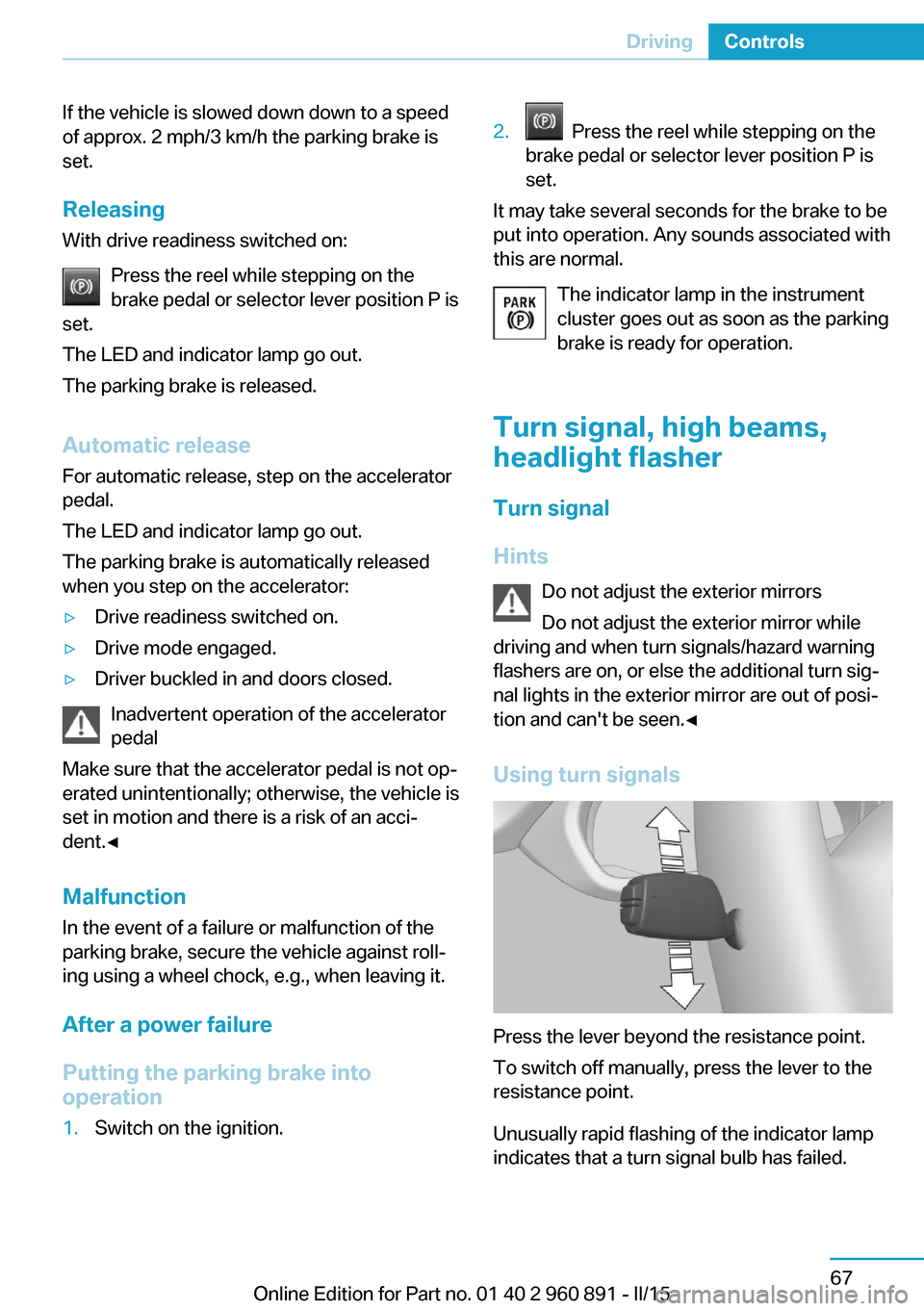
Press the lever beyond the resistance point.
To switch off manually, press the lever to the
resistance point.
Unusually rapid flashing of the indicator lamp
indicates that a turn signal bulb has failed.
Seite 67DrivingControls67
Online Edition for Part no. 01 40 2 960 891 - II/15
Page 88 of 224
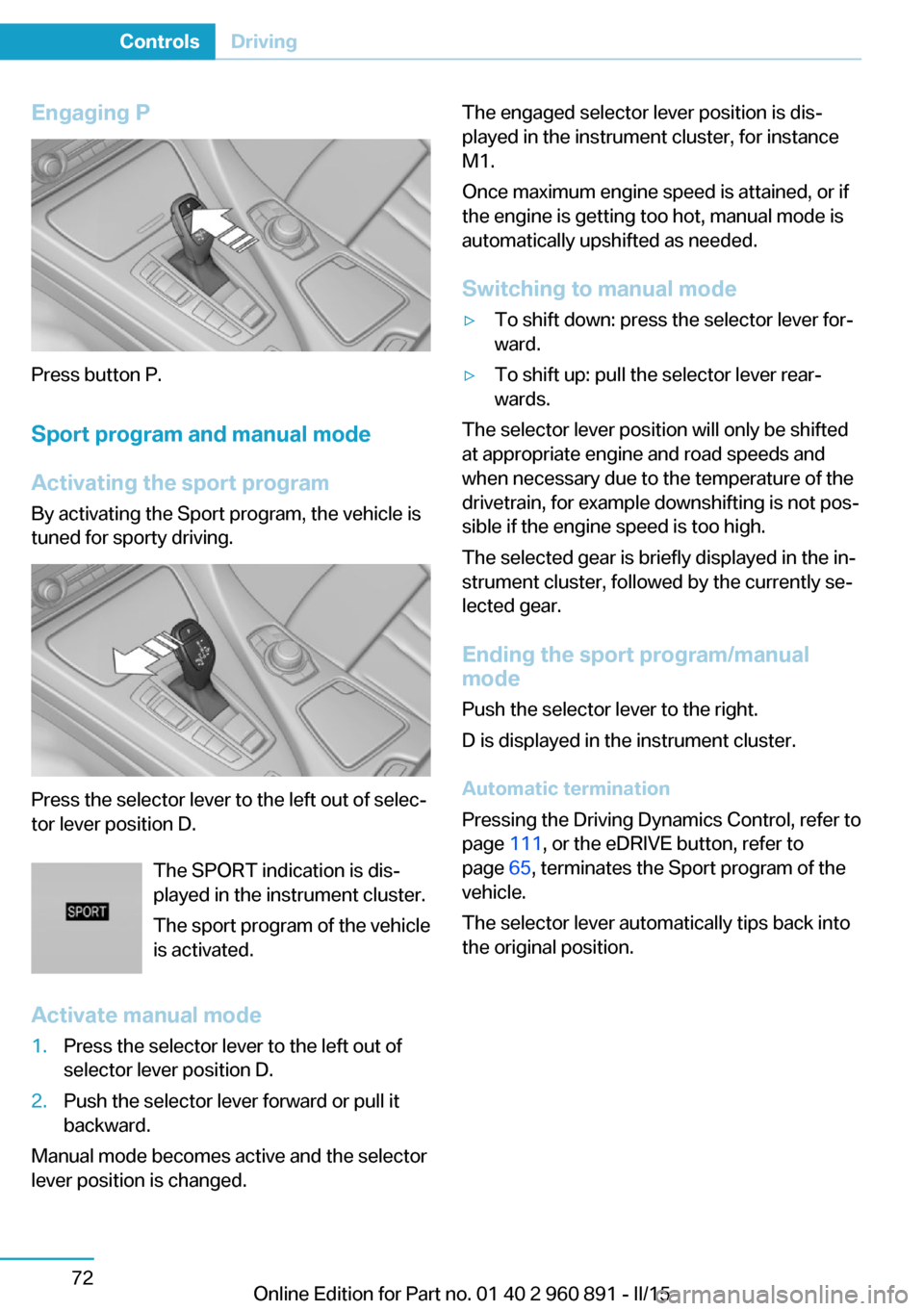
Engaging P
Press button P.Sport program and manual mode
Activating the sport program By activating the Sport program, the vehicle is
tuned for sporty driving.
Press the selector lever to the left out of selec‐
tor lever position D.
The SPORT indication is dis‐
played in the instrument cluster.
The sport program of the vehicle
is activated.
Activate manual mode
1.Press the selector lever to the left out of
selector lever position D.2.Push the selector lever forward or pull it
backward.
Manual mode becomes active and the selector
lever position is changed.
The engaged selector lever position is dis‐
played in the instrument cluster, for instance
M1.
Once maximum engine speed is attained, or if
the engine is getting too hot, manual mode is
automatically upshifted as needed.
Switching to manual mode▷To shift down: press the selector lever for‐
ward.▷To shift up: pull the selector lever rear‐
wards.
The selector lever position will only be shifted
at appropriate engine and road speeds and
when necessary due to the temperature of the
drivetrain, for example downshifting is not pos‐
sible if the engine speed is too high.
The selected gear is briefly displayed in the in‐
strument cluster, followed by the currently se‐
lected gear.
Ending the sport program/manual
mode
Push the selector lever to the right.
D is displayed in the instrument cluster.
Automatic termination
Pressing the Driving Dynamics Control, refer to
page 111, or the eDRIVE button, refer to
page 65, terminates the Sport program of the
vehicle.
The selector lever automatically tips back into
the original position.
Seite 72ControlsDriving72
Online Edition for Part no. 01 40 2 960 891 - II/15
Page 92 of 224
10Overall range 8311Battery charge indicator 7712Fuel gauge 8213Computer 87Variable drive mode displays
ECO PRO displays In ECO PRO, the instrument cluster switches
to the ECO PRO displays. These displays sup‐
port a driving style that saves on fuel con‐
sumption with more prominent representation
of the efficiency display and various ECO PRO
tips. ECO PRO, refer to page 145.Sport program displays
In the Sport program, the instrument cluster
switches the instrument cluster to the Sport
displays. These displays support a sporty driv‐
ing style with more prominent representation
of the tachometer and a clearer representation
of the eBOOST performance in the form of a
blue illuminated ring.
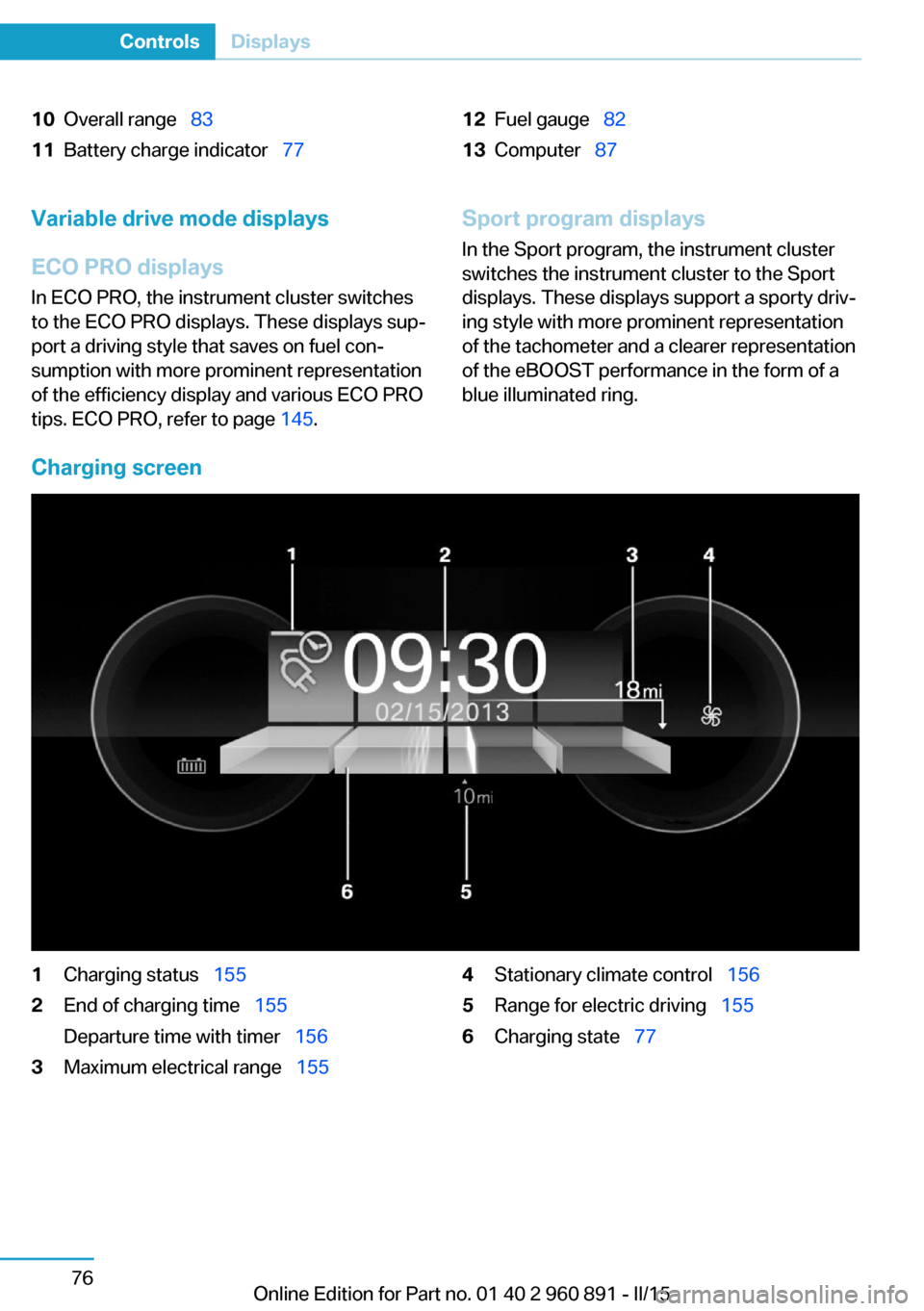
Charging screen
1Charging status 1552End of charging time 155
Departure time with timer 1563Maximum electrical range 1554Stationary climate control 1565Range for electric driving 1556Charging state 77Seite 76ControlsDisplays76
Online Edition for Part no. 01 40 2 960 891 - II/15
Page 93 of 224
Displays of the hybrid
system
Displays in the instrument cluster
The concept The following functions of the hybrid system
are displayed:▷High-voltage battery charge indicator, refer
to page 77.▷Max eDrive, refer to page 64▷Maintaining charging state, refer to
page 78.▷Electric driving: ePOWER, refer to
page 77.▷Acceleration boost: eBOOST, refer to
page 78.▷Energy recovery: CHARGE, refer to
page 78.▷Drive readiness: READY, refer to
page 77.
The display depends on the system's operat‐
ing condition.
High-voltage battery charge indicator
High voltage
Even if no fill level bars are displayed next
to the battery symbol, the high-voltage system
is still under high voltage.◀
The fill level bars indicate the available charg‐
ing state of the high-voltage battery when op‐
erating readiness and drive readiness are
switched on.
In addition, the range for electric driving is dis‐
played.
Drive readiness: READY READY indicates drive readi‐
ness. For further information,
please refer to Drive readiness
in detail, refer to page 62.
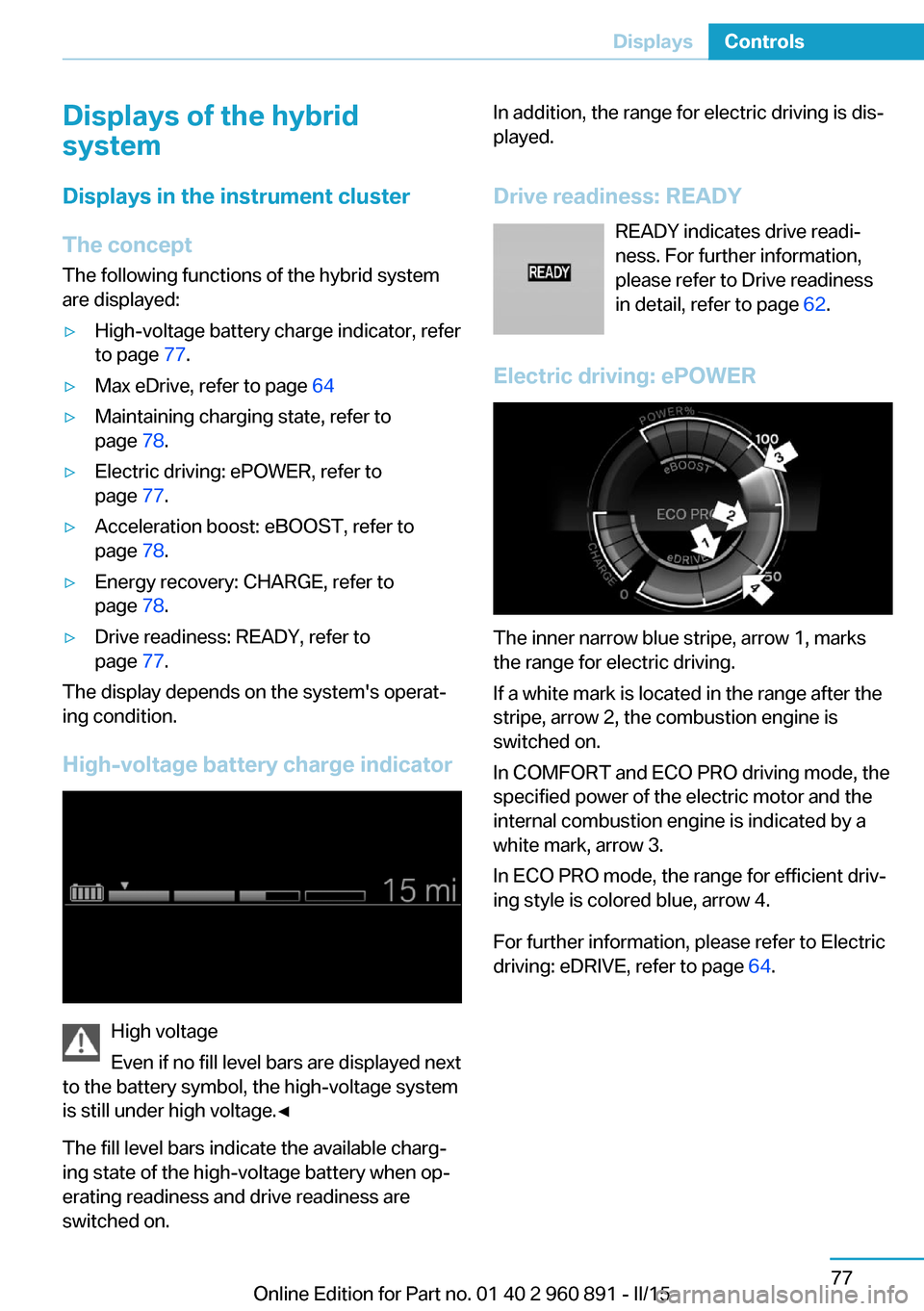
Electric driving: ePOWER
The inner narrow blue stripe, arrow 1, marks
the range for electric driving.
If a white mark is located in the range after the
stripe, arrow 2, the combustion engine is
switched on.
In COMFORT and ECO PRO driving mode, the
specified power of the electric motor and the
internal combustion engine is indicated by a
white mark, arrow 3.
In ECO PRO mode, the range for efficient driv‐
ing style is colored blue, arrow 4.
For further information, please refer to Electric
driving: eDRIVE, refer to page 64.
Seite 77DisplaysControls77
Online Edition for Part no. 01 40 2 960 891 - II/15
Page 94 of 224
Energy recovery: CHARGE
The energy recovered is indicated in the COM‐
FORT and ECO PRO modes by four bars in the
CHARGE range. The high-voltage battery is
being charged. Depending on the available
output of the high-voltage battery, more or
less eBOOST could be recovered. If the high-
voltage battery is completely charged, no en‐
ergy can be recovered. The four bars are
grayed-out.
For further information, please refer to Energy
recovery CHARGE, refer to page 66.
Acceleration boost: eBOOST
Five bars indicate the available output of the
electric motor for the eBOOST, refer to
page 31, acceleration boost. Depending on the
available output of the high-voltage battery,
there could be more or less eBOOST available.
If the high-voltage battery is completely dis‐
charged, all five bars are grayed-out.
Maintaining charging state
In the Maintaining charging state mode, the
arrow indicates the charging state of the high-
voltage battery that should be conserved for a
later point in the trip.
▷Gray arrow: maintaining charging state
mode deactivated.▷Orange arrow: maintaining charging state
mode activated.
Activating/deactivating the Maintaining charg‐
ing state mode, refer to page 64.
Indications on the Control Display
Displaying the hybrid system
utilization
1."Vehicle info"2."eDRIVE"3. "Consumption history"
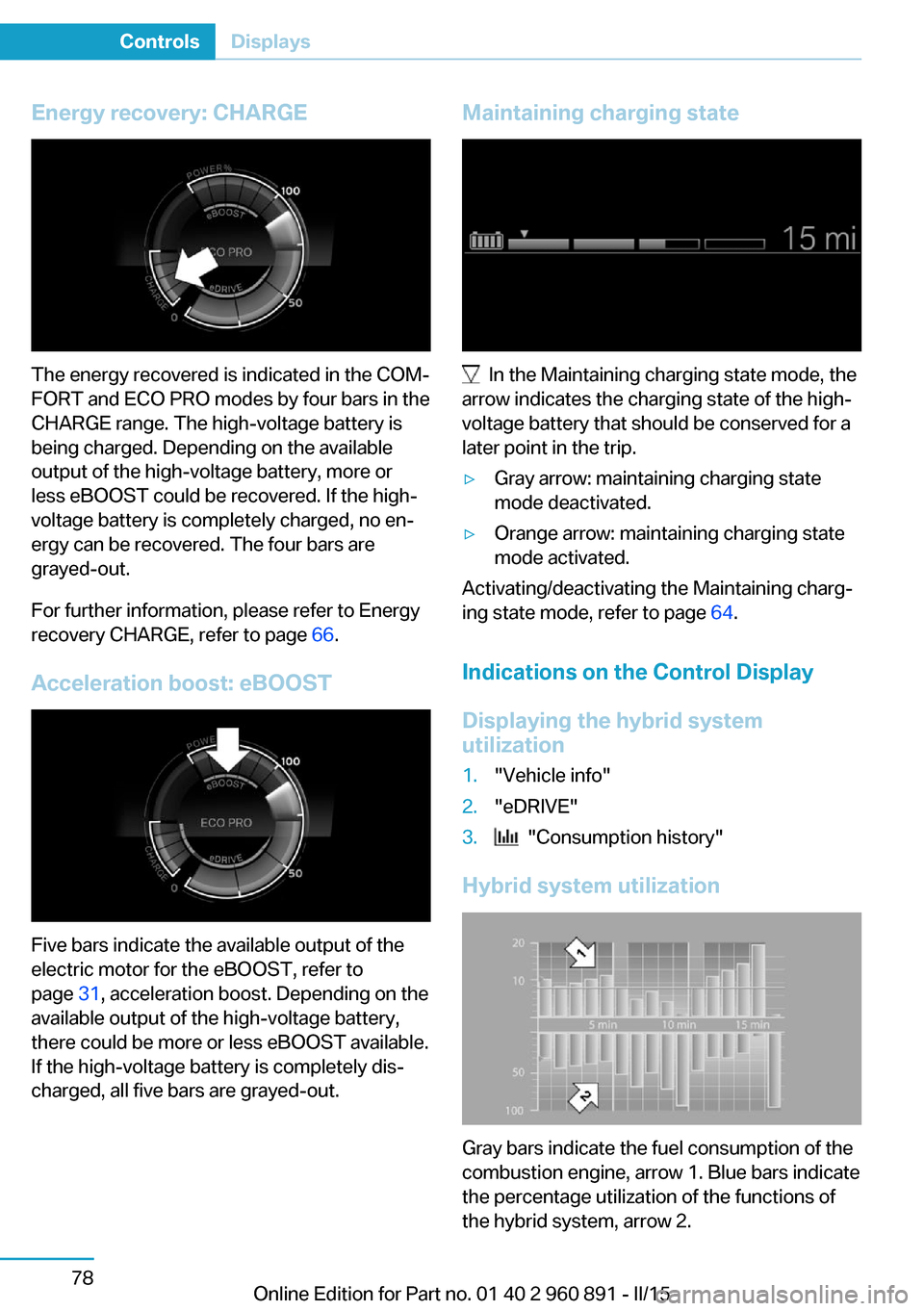
Hybrid system utilization
Gray bars indicate the fuel consumption of the
combustion engine, arrow 1. Blue bars indicate
the percentage utilization of the functions of
the hybrid system, arrow 2.
Seite 78ControlsDisplays78
Online Edition for Part no. 01 40 2 960 891 - II/15
Page 101 of 224

Gear shift indicatorThe conceptThe system recommends the most fuel effi‐
cient gear for the current driving situation.
Depending on the vehicle's features and coun‐
try version of the vehicle, the gear shift indica‐
tor is active in the manual mode of the Step‐
tronic transmission.
Suggestions to shift gear up or down are dis‐
played in the instrument cluster.
The gear shift indicator is not available when
Max eDRIVE is activated.
On vehicles without a gear shift indicator, the
engaged gear is displayed.
DisplaysExampleDescriptionFuel efficient gear is set.Shift into fuel efficient gear.
Speed limit detection
The concept
Speed limit detection
Speed limit detection uses a symbol in the
shape of a traffic sign to display the currently
detected speed limit. The camera in the area of
the interior rearview mirror detects traffic signs
at the edge of the road as well as variable over‐
head sign posts. Traffic signs with extra sym‐
bols for wet road conditions, etc. are also de‐
tected and compared with the vehicle's
onboard data, such as for the rain sensor, and
will be displayed depending on the situation.
The system takes into account the information
stored in the navigation system and also dis‐
plays speed limits present on routes without
signs.
Hints Personal judgment
The system cannot serve as a substitute
for the driver's personal judgment of the traffic
situation.
The system assists the driver and does not re‐
place the human eye.◀
At a glance
Camera
The camera is found near the interior rearview
mirror.
Keep the windshield in the area behind the in‐
terior rearview mirror clean and clear.
Switching on/offOn the Control Display:
1."Settings"2."Instrument cluster"3."Speed limit information"
If speed limit detection is switched on, it can
be displayed on the info display in the instru‐
ment cluster.
Display
The following is displayed in the instrument
cluster:
Seite 85DisplaysControls85
Online Edition for Part no. 01 40 2 960 891 - II/15