2015 BMW 650I GRAN COUPE traction control
[x] Cancel search: traction controlPage 207 of 255
Traction
The traction grades, from highest to lowest,
are AA, A, B, and C.
Those grades represent the tire's ability to
stop on wet pavement as measured under
controlled conditions on specified government
test surfaces of asphalt and concrete. A tire
marked C may have poor traction performance.
The traction grade assigned to this tire is
based on straight-ahead braking traction tests,
and does not include acceleration, cornering,
hydroplaning, or peak traction characteristics.
Temperature
The temperature grades are A, the highest, B,
and C, representing the tire's resistance to the
generation of heat and its ability to dissipate
heat when tested under controlled conditions
on a specified indoor laboratory test wheel.
Sustained high temperature can cause the ma‐
terial of the tire to degenerate and reduce tire
life, and excessive temperature can lead to
sudden tire failure. The grade C corresponds
to a level of performance which all passenger
car tires must meet under the Federal Motor
Vehicle Safety Standard No. 109. Grades Band
A represent higher levels of performance on
the laboratory test wheel than the minimum re‐
quired by law.
Temperature grade for this tire
The temperature grade for this tire is es‐
tablished for a tire that is properly inflated and
not overloaded. Excessive speed, underinfla‐
tion, or excessive loading, either separately or
in combination, can cause heat buildup and
possible tire failure.
If necessary, have the vehicle towed.◀
RSC – Run-flat tires
Run-flat tires, refer to page 205, are labeled
with a circular symbol containing the letters
RSC marked on the sidewall.M+S
Winter and all-season tires with better cold
weather performance than summer tires.
Tire tread Summer tires
Do not drive with a tire tread depth of less than
0.12 in/3 mm.
There is an increased danger of hydroplaning if
the tire tread depth is less than 0.12 in/3 mm.
Winter tires
Do not drive with a tire tread depth of less than
0.16 in/4 mm.
Below a tread depth of 0.16 in/4 mm, tires are
less suitable for winter operation.
Minimum tread depth
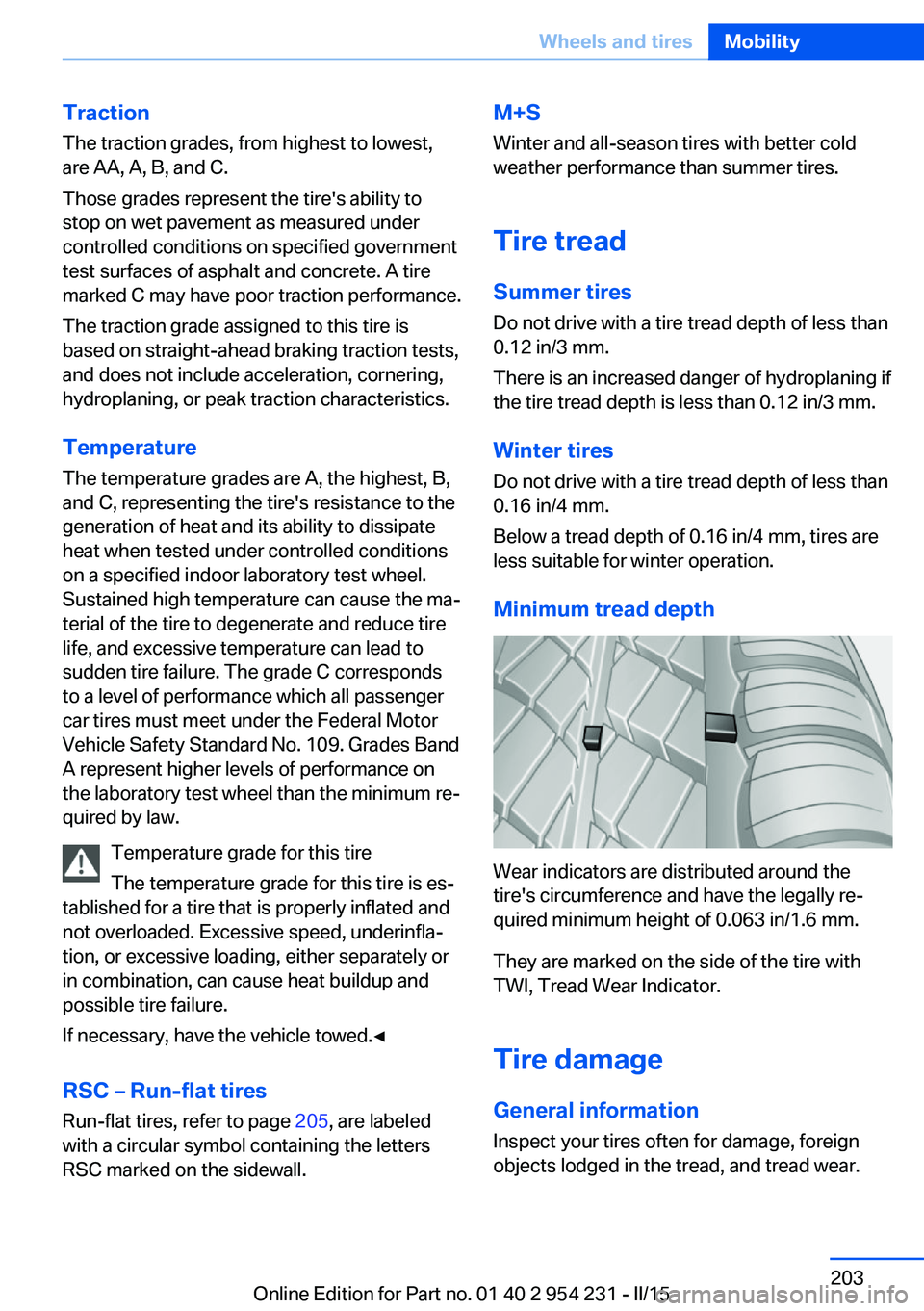
Wear indicators are distributed around the
tire's circumference and have the legally re‐
quired minimum height of 0.063 in/1.6 mm.
They are marked on the side of the tire with
TWI, Tread Wear Indicator.
Tire damage
General information
Inspect your tires often for damage, foreign
objects lodged in the tread, and tread wear.
Seite 203Wheels and tiresMobility203
Online Edition for Part no. 01 40 2 954 231 - II/15
Page 213 of 255
Snow chains
Fine-link snow chains Only certain types of fine-link snow chains
have been tested by the manufacturer of the
vehicle, classified as road-safe and approved.
Information about the approved snow chains
are available from the service center.
Use Use only in pairs on the rear wheels, equipped
with the tires of the following size:▷225/55 R 17.▷245/45 R 18.▷245/40 R 19.
Follow the snow chain manufacturer's instruc‐
tions.
Make sure that the snow chains are always
sufficiently tight. Retighten as needed accord‐
ing to the chain manufacturer's instructions.
Do not initialize the Flat Tire Monitor after
mounting snow chains, as doing so may result
in incorrect readings.
Do not initialize the Tire Pressure Monitor after
mounting snow chains, as doing so may result
in incorrect readings.
When driving with snow chains, briefly activate
Dynamic Traction Control if needed.
Maximum speed with snow chains Do not exceed a speed of 30 mph/50 km/hwhen using snow chains.
Snow chain detection
The concept When using snow chains, settings should bemade via the iDrive for the snow chains being
applied.
The snow chain detection system supports
you by automatically showing the detected
state on the Control Display.
When snow chains are in use, the rear axle
steering of the Integral Active Steering is deac‐
tivated automatically.
At speeds above the maximum permitted
speed with snow chains of 30 mph/50 km/h,
the rear axle steering is activated again auto‐
matically.
Activating the status1."Settings"2."Tire chains"3."Tire chains installed"
Automatic detection If functioning properly:
▷Snow chains are mounted. Settings are not
activated
.
After you drive a short distance, a Check
Control message is shown and the state is
activated automatically.
Confirm the automatic activation.
▷Snow chains are not mounted. Settings are
activated
.
At speeds above 30 mph/50 km/h, a Check
Control message is displayed. Deactivate
the status manually.
If not functioning properly:
▷Snow chains are mounted. Settings are not
activated
.
A Check Control message is not displayed.
The automatic detection system is mal‐
functioning. Activate the status manually.
Activating/deactivating rear axle
steering
If the status indicating that snow chains are in
use is activated, the rear axle steering is deac‐
tivated automatically.
At speeds above 30 mph/50 km/h, the rear axle
steering is activated again, even though snow
chains are in use.
Seite 209Wheels and tiresMobility209
Online Edition for Part no. 01 40 2 954 231 - II/15
Page 246 of 255
Condensation on win‐dows 158
Condensation under the vehi‐ cle 180
Condition Based Service CBS 217
Configure driving mode 135
Confirmation signal 43
ConnectedDrive, see user's manual for Navigation, En‐
tertainment and Communi‐
cation
ConnectedDrive Services
Continued driving with a flat tire 106 , 109
Control Display 18
Control Display, settings 92
Controller 18
Control systems, driving sta‐ bility 128
Convenient opening with the remote control 37
Coolant 215
Coolant level 215
Coolant temperature 85
Cooling function 159
Cooling, maximum 159
Cooling system 215
Cornering light 97
Corrosion on brake discs 180
Cosmetic mirror 167
Courtesy lamps during un‐ locking 37
Courtesy lamps with the vehi‐ cle locked 38
Cruise control 143
Cruise control, active with Stop & Go 136
Cruise Control, refer to Active Cruise Control 136
Cruising range 86
Cupholder 174
Current fuel consumption 86 D
Damage, tires 203
Damping control, dy‐ namic 131
Data, technical 236
Date 86
Daytime running lights 97
Defrosting, refer to Windows, defrosting 158
Dehumidifying, air 159
Deleting personal data 24
Deletion of personal data 24
Destination distance 91
Digital clock 86
Dimensions 236
Dimmable exterior mirrors 58
Dimmable interior rearview mirror 58
Direction indicator, refer to Turn signals 70
Display, electronic, instru‐ ment cluster 77
Display in windshield 93
Display lighting, refer to In‐ strument lighting 99
Displays 78
Displays, cleaning 232
Disposal, coolant 216
Disposal, vehicle battery 223
Distance control, refer to PDC 145
Distance to destination 91
Divided screen view, split screen 23
Door lock 39
Door lock, refer to Remote control 34
Doors, Automatic Soft Clos‐ ing 40
Downhill control 130
Drive-off assistant 128
Drive-off assistant, refer to DSC 128
Driver assistance, refer to In‐ telligent Safety 110 Driving Assistant, refer to In‐
telligent Safety 110
Driving Dynamics Con‐ trol 132
Driving instructions, break- in 178
Driving mode 132
Driving notes, general 178
Driving stability control sys‐ tems 128
Driving tips 178
DSC Dynamic Stability Con‐ trol 128
DTC Dynamic Traction Con‐ trol 129
Dynamic Damping Con‐ trol 131
Dynamic Drive 131
Dynamic Stability Control DSC 128
Dynamic Traction Control DTC 129
E
ECO PRO 184
ECO PRO, bonus range 185
ECO PRO display 184
ECO PRO displays 79
ECO PRO driving mode 184
ECO PRO mode 184
ECO PRO Tip - driving in‐ struction 186
EfficientDynamics 186
Electronic displays, instru‐ ment cluster 77
Electronic oil measure‐ ment 212
Electronic Stability Program ESP, refer to DSC 128
Emergency detection, remote control 35
Emergency release, fuel filler flap 192
Emergency Request 224 Seite 242ReferenceEverything from A to Z242
Online Edition for Part no. 01 40 2 954 231 - II/15
Page 252 of 255
Steptronic Sport transmis‐sion, refer to Steptronic
transmission 73
Steptronic transmission 73
Stopping the engine 65
Storage compartments 172
Storage compartments, loca‐ tions 172
Storage, tires 205
Storing the vehicle 232
Suitable engine oils 214
Summer tires, tread 203
Sun visor 167
Supplementary text mes‐ sage 84
Surround View 147
Suspension settings 132
Switch for Dynamic Driving Control 132
Switch-on times, parked-car heating 163
Switch-on times, parked-car ventilation 163
Switch, refer to Cockpit 14
Symbols 6
Symbols in the status field 22
SYNC program, automatic cli‐ mate control 159
T Tachometer 85
Tail and brake lights 221
Tail lights 221
Tail lights, bulb replace‐ ment 221
Technical changes, refer to Safety 7
Technical data 236
Telephone, see user's manual for Navigation, Entertain‐
ment and Communication
Temperature, automatic cli‐ mate control 158
Temperature display for ex‐ ternal temperature 85 Temperature, engine oil 85
Terminal, starting aid 226
Text message, supplemen‐ tary 84
Theft alarm system, refer to Alarm system 44
Thermal camera, see Night Vision 119
Thigh support 51
Through-loading system 169
Tilt alarm sensor 45
Tilt glass roof 48
Tilt, seats 50
Time of arrival 91
Tire damage 203
Tire identification marks 202
Tire inflation pressure 196
Tire inflation pressure moni‐ tor, refer to FTM 108
Tire Pressure Monitor TPM 104
Tires, changing 204
Tire sealant 206
Tires, everything on wheels and tires 196
Tires, run-flat tires 205
Tire tread 203
Tone, see user's manual for Navigation, Entertainment
and Communication
Tool 219
Top View 151
Total vehicle weight 237
Touchpad 21
Tow fitting 227
Towing 227
Tow lug, see Tow fitting 227
Tow-starting 227
TPM Tire Pressure Moni‐ tor 104
Traction control 129
TRACTION, driving dynam‐ ics 129
TRACTION program, Dy‐ namic Driving Control 133 Transmission lock, electronic
unlocking 76
Transmission, see Steptronic transmission 73
Transporting children safely 60
Tread, tires 203
Trip computer 91
Triple turn signal activa‐ tion 70
Trip odometer 85
Trunk lid closing 41
Trunk lid, emergency unlock‐ ing 41
Trunk lid, hotel function 41
Trunk lid opening 40
Trunk lid via remote con‐ trol 38
Turning circle 236
Turning circle lines, rearview camera 149
Turn signals, operation 70
Turn signals, rear, bulb re‐ placement 221
U
Unintentional alarm 45
Units of measure 93
Universal remote control 165
Unlock button, Steptronic transmission 74
Unlocking/locking via door lock 39
Unlocking/locking with re‐ mote control 37
Unlocking, settings 43
Updates made after the edito‐ rial deadline 7
Upholstery care 231
USB interface 172
V
Vanity mirror 167 Seite 248ReferenceEverything from A to Z248
Online Edition for Part no. 01 40 2 954 231 - II/15